park KIA NIRO PHEV 2022 Navigation System Quick Reference Guide
[x] Cancel search | Manufacturer: KIA, Model Year: 2022, Model line: NIRO PHEV, Model: KIA NIRO PHEV 2022Pages: 332, PDF Size: 11.29 MB
Page 219 of 332
9-19
ÝWarning
•Safe Exit Assist may not operate properly when a vehicle is coming rapidly two lanes
over from your vehicle or a vehicle is approaching at a fast speed from the rear in the
lane next to your vehicle.
•Safe Exit Assist may not operate properly if there is any vehicle or obstacle at the rear
area of your vehicle.
•Safe Exit Assist may be activated later than normal or may not operate properly if a
vehicle is approaching fast from the rear of your vehicle.
•Safe Exit Assist may not operate when the Blind-Spot Safety system malfunctions as
follows:
-The warning message of the Blind-Spot Safety system appears on the instrument
cluster.
-The sensors of the Blind-Spot Safety system are contaminated or covered.
-The Blind-Spot Safety system does not generate warning or generates a wrong
alert.
•
Active Assist: Provides a warning and vehicle control when a risk of blind-spot collision is
detected.
ÝWarning
Always be aware of road conditions while driving and be alert for unexpected situations
even though Blind-Spot Collision Warning and Blind-Spot Collision-Avoidance Assist are
operating.
•Warning Only: Provides a warning when a risk of blind-spot collision is detected.
•Off: Disables Blind-Spot Safety function.
Parking Safety (if equipped)
Sets the properties of the Parking Safety systems.
•Camera Settings: Sets the properties of the cameras.
Display Contents: Specify information that will be displayed on the view screen.
Setting items may differ depending on the vehicle model and camera type.
Display Settings: Adjust the brightness and contrast of the view screen. To initialize all
Surround View or Rear View screen settings of the phone projection, press
Reset.
•Surround View Monitor Auto On: Automatically activates Surround View Monitor when
Parking Distance Warning is active.
•Parking Distance Warning Auto On: Automatically activates Parking Distance Warning
when traveling at low speeds.
•Rear Safety: Provides a warning and emergency braking when a risk of rear collision is
detected while reversing.
Page 220 of 332

9-20
•Rear Active Assist: Provides a warning and emergency braking when a risk of rear
collision is detected while reversing.
•Rear Warning Only: Provides a warning when a risk of rear collision is detected while
backing up.
•Off: Disables Parking Safety functions.
•Rear Cross-Traffic Safety: Provides a warning when a risk of rear cross-traffic collision is
detected while reversing. It provides vehicle control to avoid collision, depending on the
vehicle model and specifications.
ÝWarning
•Even though the vehicle is equipped the Parking Safety system, be sure to check any
obstacles in the surroundings while driving. Relying on the Parking Safety system may
cause an accident. Accordingly, be sure to control the vehicle by your judgment.
•When the sensors cannot detect any obstacles due to the detection limit, it may cause an
accident. Be sure to always check the surroundings while parking.
Drive Mode (if equipped)
You can change the vehicle settings for driving conditions.
Option A
Option B (EV only)
A
The screen may differ depending on the vehicle model and specifications.
Page 232 of 332
9-32
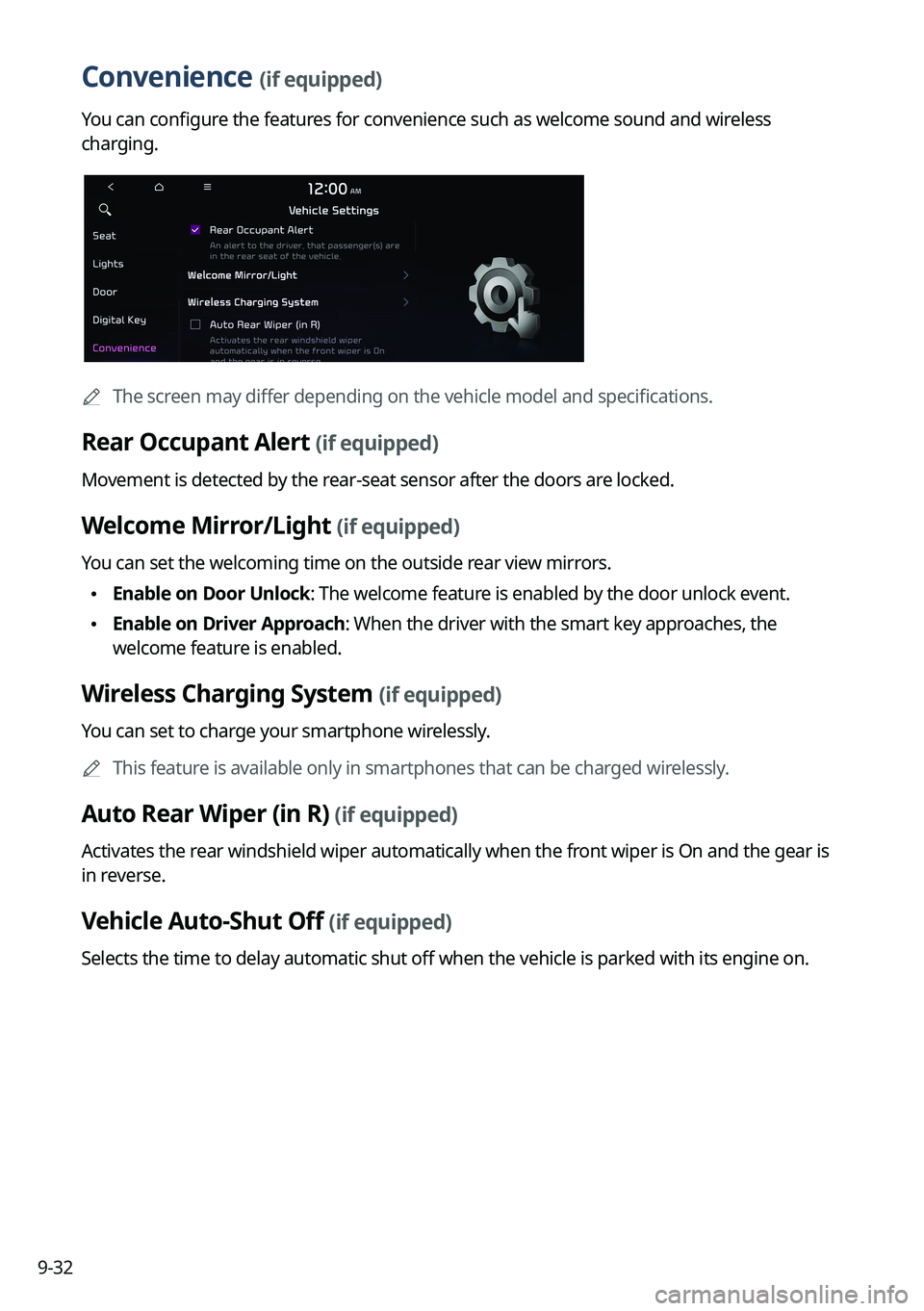
Convenience (if equipped)
You can configure the features for convenience such as welcome sound and wireless
charging.
A
The screen may differ depending on the vehicle model and specifications.
Rear Occupant Alert (if equipped)
Movement is detected by the rear-seat sensor after the doors are locked.
Welcome Mirror/Light (if equipped)
You can set the welcoming time on the outside rear view mirrors.
•Enable on Door Unlock: The welcome feature is enabled by the door unlock event.
•Enable on Driver Approach: When the driver with the smart key approaches, the
welcome feature is enabled.
Wireless Charging System (if equipped)
You can set to charge your smartphone wirelessly.
A
This feature is available only in smartphones that can be charged wirelessly.
Auto Rear Wiper (in R) (if equipped)
Activates the rear windshield wiper automatically when the front wiper is On and the gear is
in reverse.
Vehicle Auto-Shut Off (if equipped)
Selects the time to delay automatic shut off when the vehicle is parked with its engine on.
Page 233 of 332
9-33
Configuring the device connections settings
(Type1)
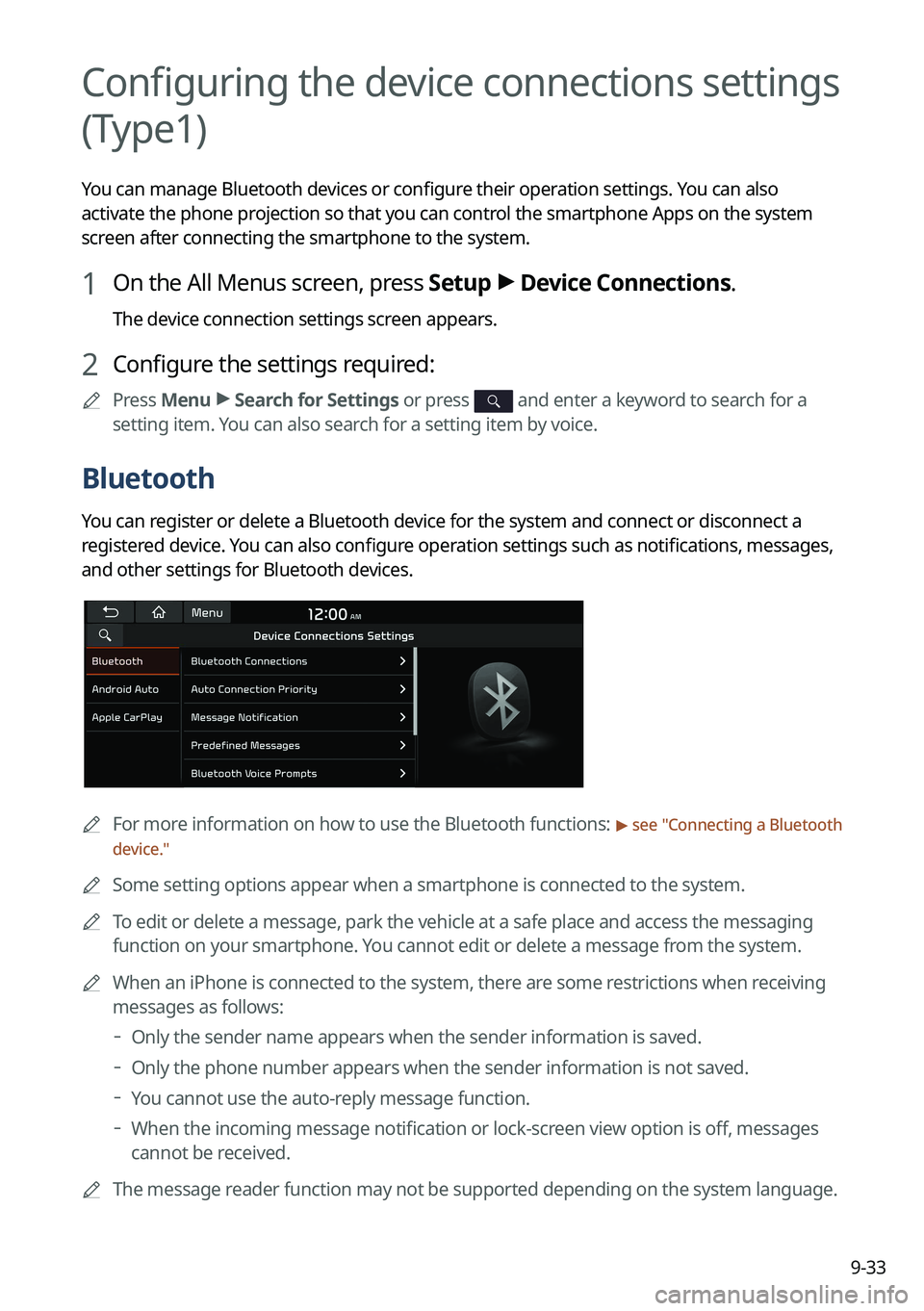
You can manage Bluetooth devices or configure their operation settings. You can also
activate the phone projection so that you can control the smartphone Apps on the system
screen after connecting the smartphone to the system.
1 On the All Menus screen, press Setup >
Device Connections.
The device connection settings screen appears.
2 Configure the settings required:
A
Press Menu >
Search for Settings or press and enter a keyword to search for a
setting item. You can also search for a setting item by voice.
Bluetooth
You can register or delete a Bluetooth device for the system and connect or disconnect a
registered device. You can also configure operation settings such as notifications, messages,
and other settings for Bluetooth devices.
A
For more information on how to use the Bluetooth functions: > see "Connecting a Bluetooth
device."
A
Some setting options appear when a smartphone is connected to the system.
A
To edit or delete a message, park the vehicle at a safe place and access the messaging
function on your smartphone. You cannot edit or delete a message from the system.
A
When an iPhone is connected to the system, there are some restrictions when receiving
messages as follows:
Only the sender name appears when the sender information is saved.
Only the phone number appears when the sender information is not saved.
You cannot use the auto-reply message function.
When the incoming message notification or lock-screen view option is off, messages
cannot be received.
A
The message reader function may not be supported depending on the system language.
Page 238 of 332
9-38
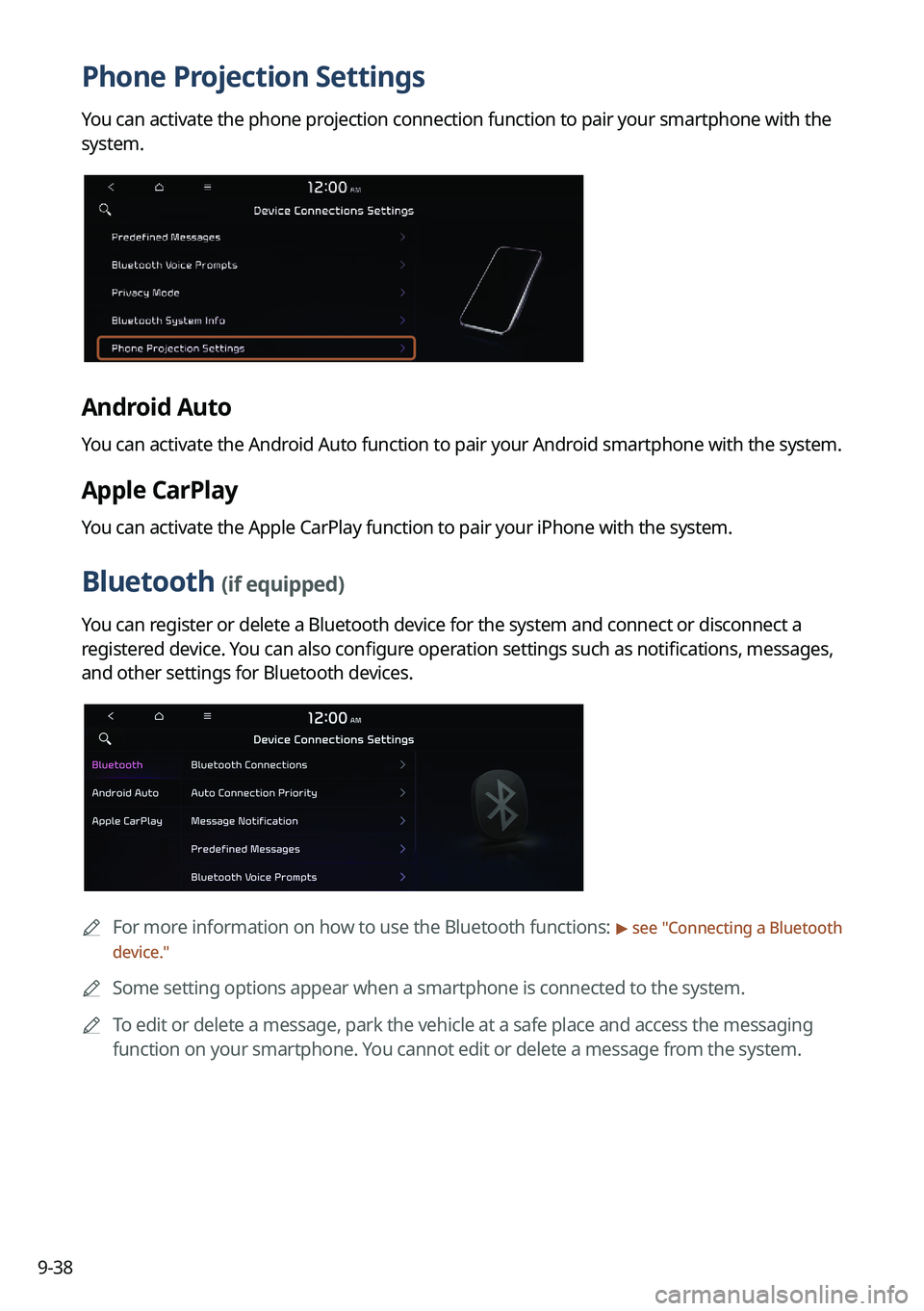
Phone Projection Settings
You can activate the phone projection connection function to pair your smartphone with the
system.
Android Auto
You can activate the Android Auto function to pair your Android smartphone with the system.
Apple CarPlay
You can activate the Apple CarPlay function to pair your iPhone with the system.
Bluetooth (if equipped)
You can register or delete a Bluetooth device for the system and connect or disconnect a
registered device. You can also configure operation settings such as notifications, messages,
and other settings for Bluetooth devices.
A
For more information on how to use the Bluetooth functions: > see "Connecting a Bluetooth
device."
A
Some setting options appear when a smartphone is connected to the system.
A
To edit or delete a message, park the vehicle at a safe place and access the messaging
function on your smartphone. You cannot edit or delete a message from the system.
Page 243 of 332
9-43
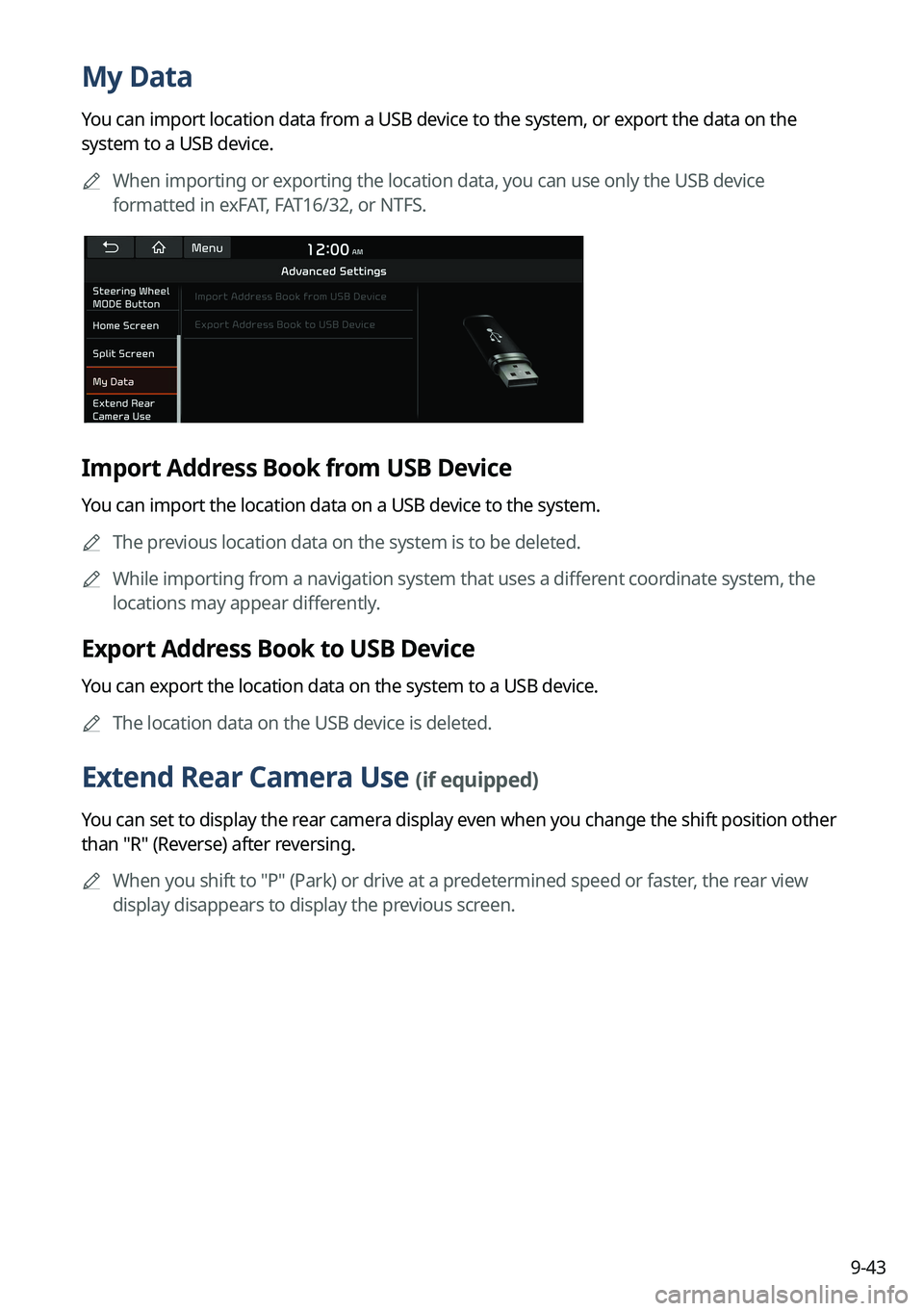
My Data
You can import location data from a USB device to the system, or export the data on the
system to a USB device.
A
When importing or exporting the location data, you can use only the USB device
formatted in exFAT, FAT16/32, or NTFS.
Import Address Book from USB Device
You can import the location data on a USB device to the system.
A
The previous location data on the system is to be deleted.
A
While importing from a navigation system that uses a different coordinate system, the
locations may appear differently.
Export Address Book to USB Device
You can export the location data on the system to a USB device.
A
The location data on the USB device is deleted.
Extend Rear Camera Use (if equipped)
You can set to display the rear camera display even when you change the shift position other
than "R" (Reverse) after reversing.
A
When you shift to "P" (Park) or drive at a predetermined speed or faster, the rear view
display disappears to display the previous screen.
Page 249 of 332
9-49
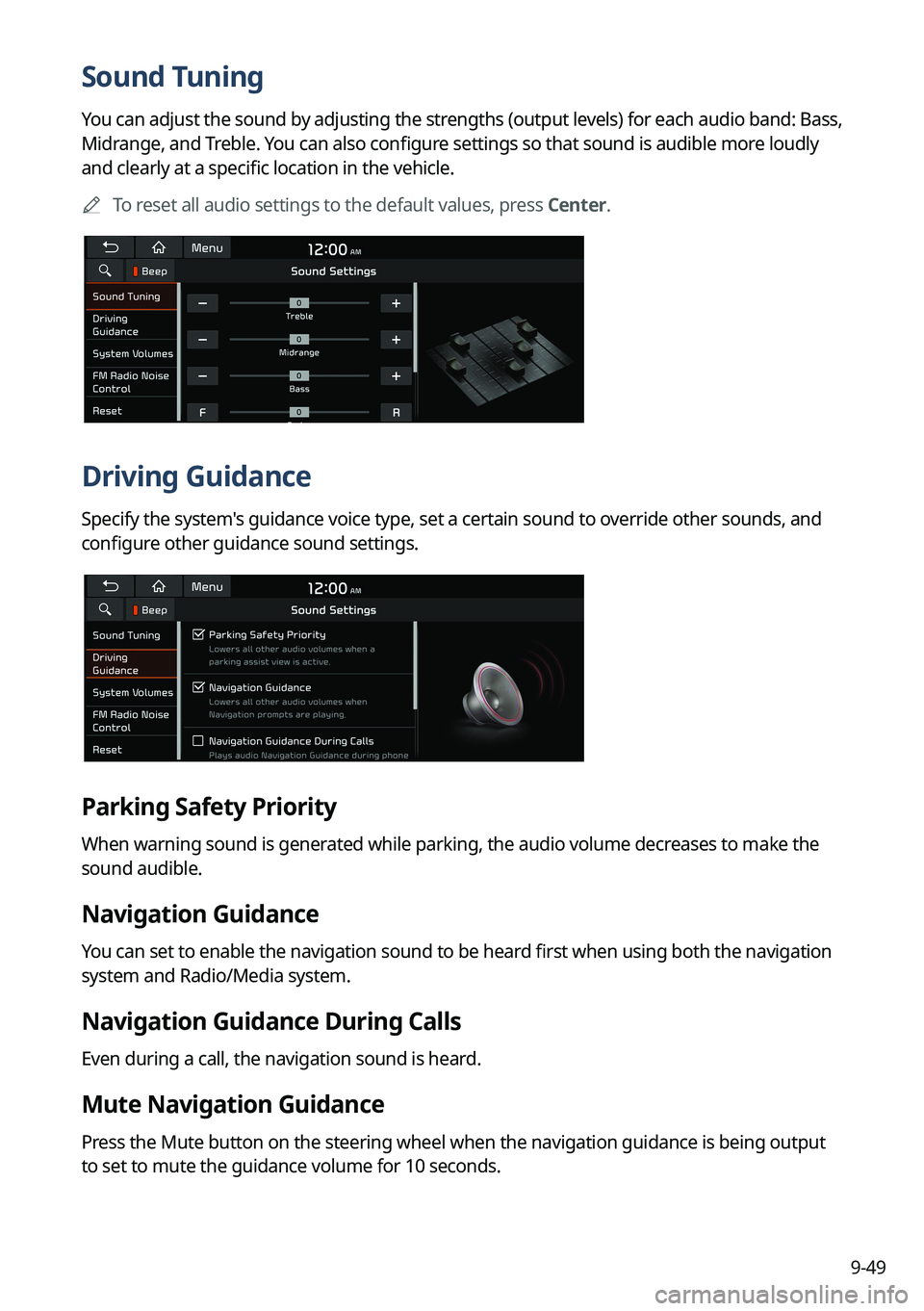
Sound Tuning
You can adjust the sound by adjusting the strengths (output levels) for each audio band: Bass,
Midrange, and Treble. You can also configure settings so that sound is audible more loudly
and clearly at a specific location in the vehicle.
A
To reset all audio settings to the default values, press Center.
Driving Guidance
Specify the system's guidance voice type, set a certain sound to override other sounds, and
configure other guidance sound settings.
Parking Safety Priority
When warning sound is generated while parking, the audio volume decreases to make the
sound audible.
Navigation Guidance
You can set to enable the navigation sound to be heard first when using both the navigation
system and Radio/Media system.
Navigation Guidance During Calls
Even during a call, the navigation sound is heard.
Mute Navigation Guidance
Press the Mute button on the steering wheel when the navigation guidance is being output
to set to mute the guidance volume for 10 seconds.
Page 256 of 332
9-56
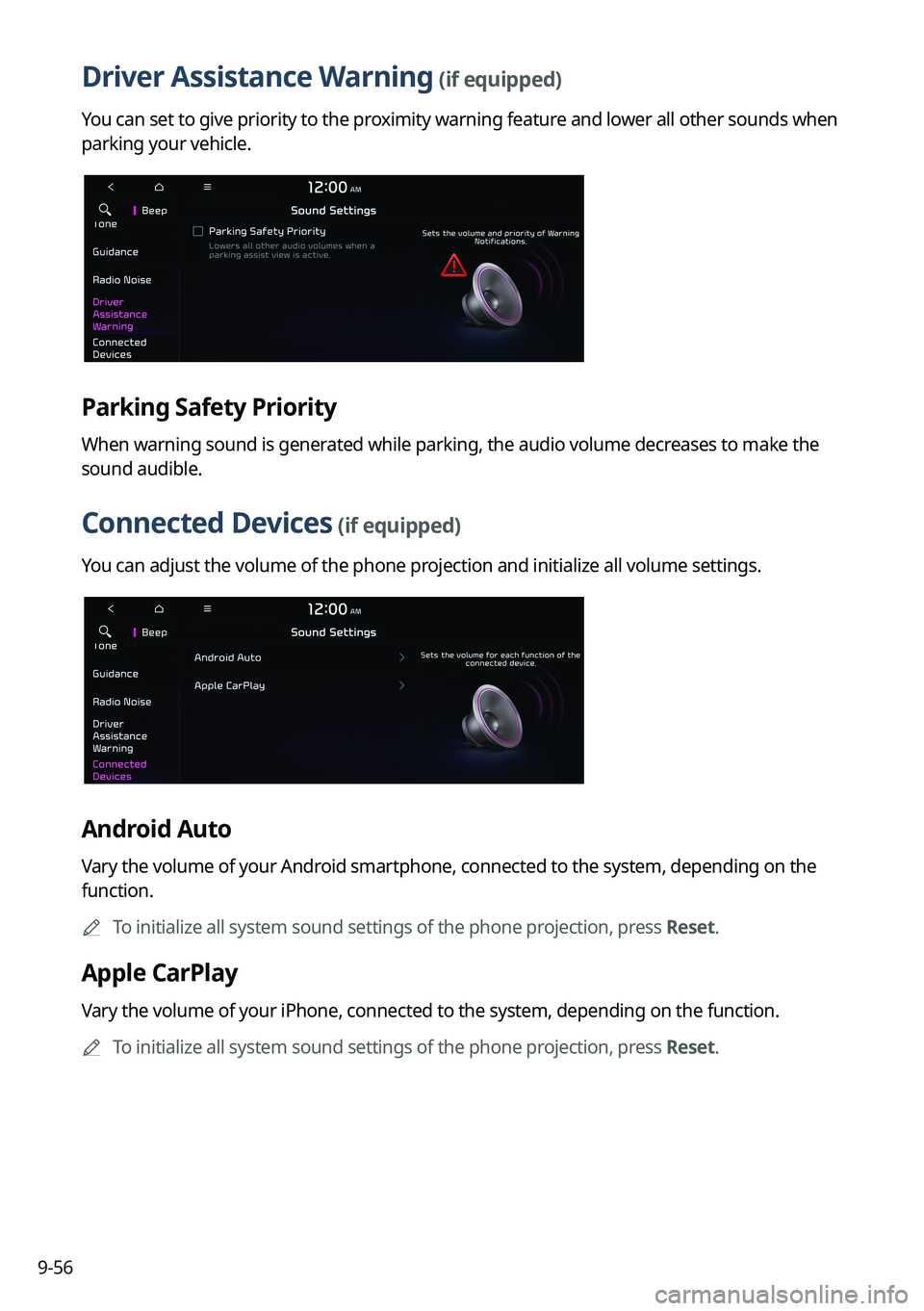
Driver Assistance Warning (if equipped)
You can set to give priority to the proximity warning feature and lower all other sounds when
parking your vehicle.
Parking Safety Priority
When warning sound is generated while parking, the audio volume decreases to make the
sound audible.
Connected Devices (if equipped)
You can adjust the volume of the phone projection and initialize all volume settings.
Android Auto
Vary the volume of your Android smartphone, connected to the system, depending on the
function.
A
To initialize all system sound settings of the phone projection, press Reset.
Apple CarPlay
Vary the volume of your iPhone, connected to the system, depending on the function.
A
To initialize all system sound settings of the phone projection, press Reset.
Page 293 of 332
9-93
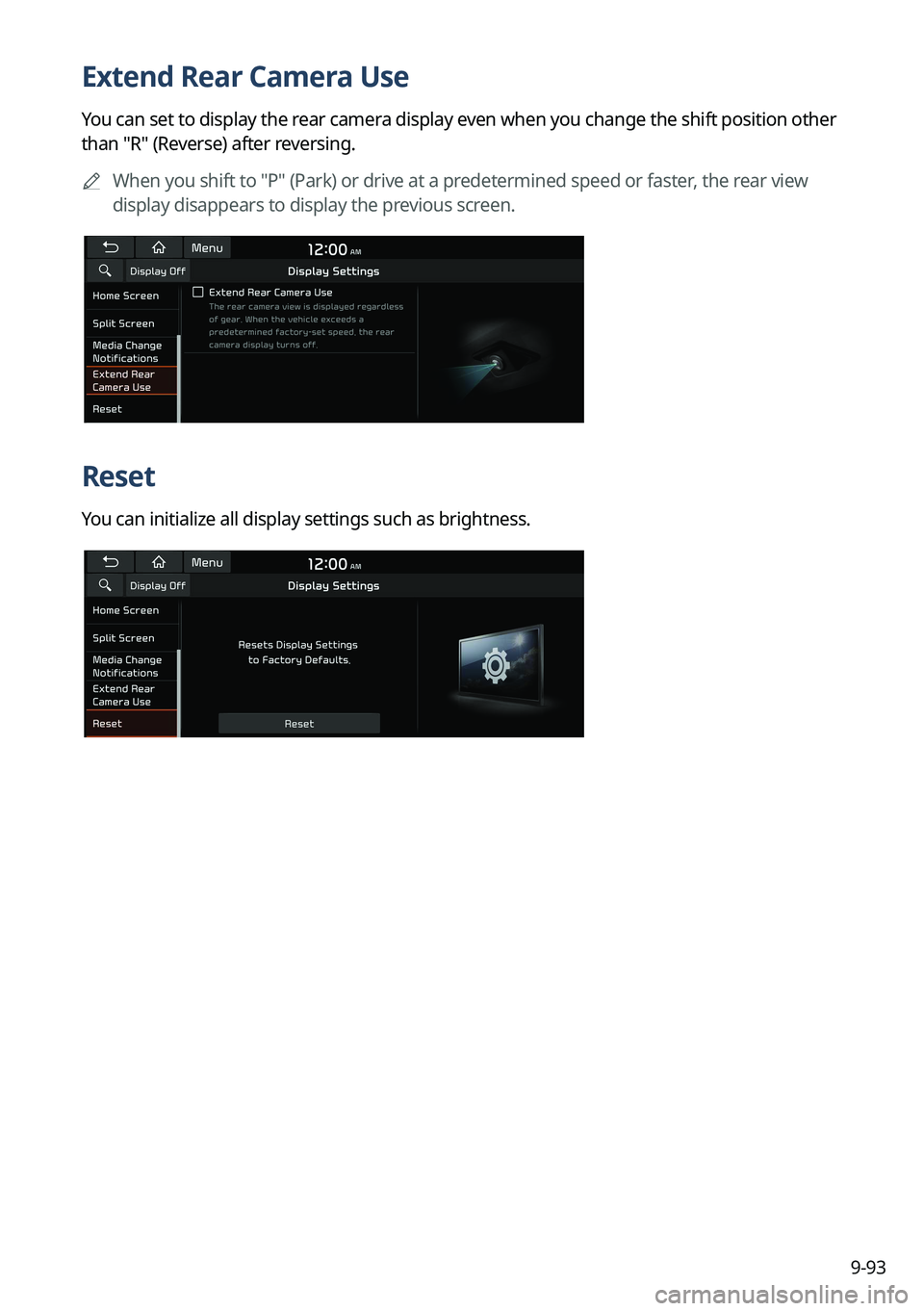
Extend Rear Camera Use
You can set to display the rear camera display even when you change the shift position other
than "R" (Reverse) after reversing.
A
When you shift to "P" (Park) or drive at a predetermined speed or faster, the rear view
display disappears to display the previous screen.
Reset
You can initialize all display settings such as brightness.
Page 295 of 332
9-95
Illumination (if equipped)
•Link to Cluster Illumination Control: The display brightness is automatically adjusted
based on the cluster illumination.
•Daylight: You can set the display brightness when Daylight is selected under Mode.
Uncheck Link to Cluster Illumination Control and then set to the desired brightness.
•Night: You can set the display brightness when Night is selected under Mode. Uncheck
Link to Cluster Illumination Control and then set to the desired brightness.
A
To reset all screen brightness settings to the default values, press Reset.
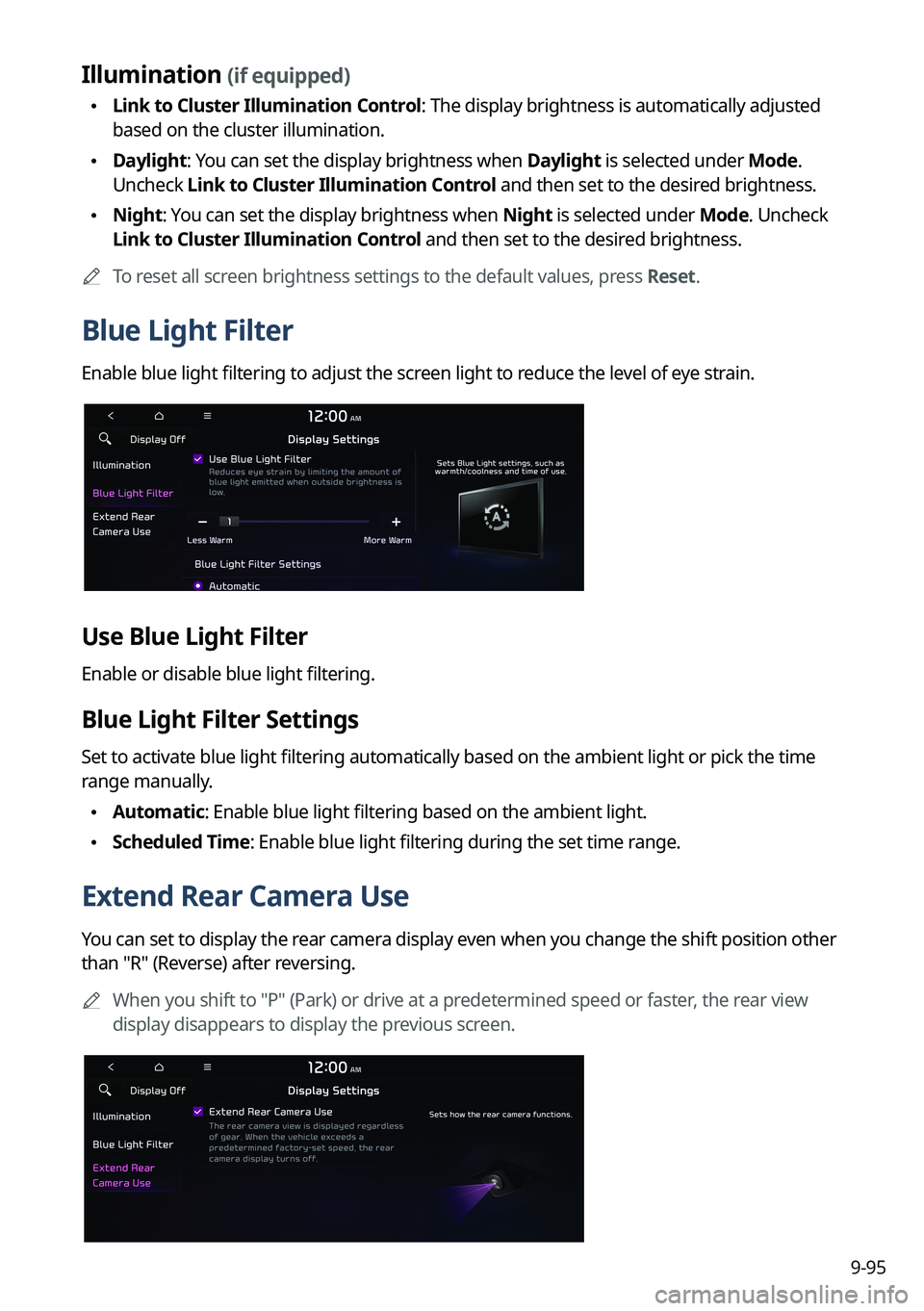
Blue Light Filter
Enable blue light filtering to adjust the screen light to reduce the level of eye strain.
Use Blue Light Filter
Enable or disable blue light filtering.
Blue Light Filter Settings
Set to activate blue light filtering automatically based on the ambient light or pick the time
range manually.
•Automatic: Enable blue light filtering based on the ambient light.
•Scheduled Time: Enable blue light filtering during the set time range.
Extend Rear Camera Use
You can set to display the rear camera display even when you change the shift position other
than "R" (Reverse) after reversing.
A
When you shift to "P" (Park) or drive at a predetermined speed or faster, the rear view
display disappears to display the previous screen.