Green KIA NIRO PHEV 2022 User Guide
[x] Cancel search | Manufacturer: KIA, Model Year: 2022, Model line: NIRO PHEV, Model: KIA NIRO PHEV 2022Pages: 710, PDF Size: 10.35 MB
Page 259 of 710

4119
Features of your vehicle
Ready Indicator
This indicator illuminates :
When the vehicle is ready to be driv-
en.
- ON : Normal driving is possible.
- OFF : Normal driving is not possi-ble, or a problem has occurred.
- Blinking : Emergency driving.
When the ready indicator goes OFF
or blinks, there is a problem with the
function. In this case, have your vehi-
cle inspected by an authorized Kia
dealer.
AUTO HOLD Indicator Light (if equipped)
This indicator light illuminates:
[White] When you activate the auto hold system by pressing the AUTO
HOLD button.
[Green] When you stop the vehicle completely by depressing the
brake pedal with the auto hold sys-
tem activated.
[Yellow] When there is a malfunc- tion with the auto hold system.
In this case, have your vehicle
inspected by an authorized Kia
dealer.
❈ For more details, refer to “Auto
Hold” in chapter 5.
Lane Safety Indicator
(if equipped)
This indicator light illuminates :
[Green] When the function operat- ing conditions are satisfied.
[White] The function operating con- ditions are not satisfied.
[Yellow] When there is a malfunc- tion with Lane Keeping Assist.
In this case, have your vehicle
inspected as soon as possible by
an authorized Kia dealer.
❈ For more details, refer to “Lane
Keeping Assist (LKA)” in chapter 5.
AUTO
HOLD
Page 270 of 710

Features of your vehicle
130
4
When driving downhill or uphill.
When only part of the vehicle in
front is visible on a crossroad or
curved road.
When there is a traffic light, reflect- ing sign, flashing sign or mirror.
When the road conditions are bad such as being wet or covered with
snow.
When the front vehicle’s head- lamps are off but the fog lamps on.
When a vehicle suddenly appears from a curve.
When the vehicle is tilted from a flat tire or being towed.
When Lane Keeping Assist warn- ing light illuminates. (if equipped)✽ ✽ NOTICE
• Do not place any accessories,
stickers or tint the windshield.
• Have the windshield glass replaced from an authorized dealer.
• Do not remove or damage related parts of High Beam Assist.
• Be careful that water doesn’t get into the High Beam Assist unit.
• Do not place objects on the dash- board that reflect light such as
mirrors, white paper, etc. The
function may malfunction if sun-
light is reflected.
• At times, High Beam Assist may not work properly, always check
the road conditions for your safe-
ty. When the function does not
operate normally, manually
change between the high beam
and low beam.
Turn signals and lane change
signals
The ignition switch must be on for the
turn signals to function. To turn on
the turn signals, move the lever up or
down (A). The green arrow indicators
on the instrument panel indicate
which turn signal is operating.
They will self-cancel after a turn is
completed. If the indicator continues
to flash after a turn, manually return
the lever to the OFF position.
To signal a lane change, move the
turn signal lever slightly and hold it in
position (B). The lever will return to
the OFF position when released.
OUM044060
Page 310 of 710

Features of your vehicle
170
4
Wireless smart phone charging
1. Remove any object on the smart
phone charging pad including the
smart key. If there is any foreign
object on the pad other than a
smart phone, the wireless charging
function may not operate properly.
2. Place the smart phone on the cen- ter of the wireless charging pad.
3. The indicator light will change to orange once the wireless charging
begins. After the charging is com-
plete, the orange light will change
to green.
4. You can choose to turn the wireless charging function to either ON or
OFF by selecting the USM on the
instrument cluster. (Please refer to
“Instrument Cluster” for details).
If the wireless charging does not
work, gently move your smart phone
around the pad until the charging
indicator light turns orange.
Depending on the smart phone, the
charging indicator light may not turn
green even after the charging is com-
plete. If the wireless charging is not func-
tioning properly, the orange light will
blink and flash for ten seconds then
turn off. In such cases, remove the
smart phone from the pad and
replace it on the pad again, or double
check the charging status.
If you leave the smart phone on the
charging pad when the vehicle igni-
tion is in OFF, the vehicle will alert
you through warning messages and
sound (applicable for vehicles with
voice guidance function) after the
‘Good bye’ function on the instru-
ment cluster ends.WARNING - Distracted
driving
Driving while distracted can
result in a loss of vehicle con-
trol that may lead to an acci-
dent, severe personal injury, or
death. The driver's primary
responsibility is in the safe and
legal operation of a vehicle. Any
use of handheld devices, other
equipment, or vehicle systems
that take the driver's eyes,
attention, and focus away from
the safe operation of a vehicle
are not permissible by law.
These should never be used
during the operation of the vehi-
cle.
Page 359 of 710
Driving your vehicle
36
5
To release EPB (Electronic Parking
Brake) automatically:
Shift lever in P (Park)
With the engine running depress
the brake pedal and shift out of P
(Park) to R (Reverse) or D (Drive).
Shift lever in N (Neutral) With the engine running depress
the brake pedal and shift out of N
(Neutral) to R (Reverse) or D
(Drive).
Depress the accelerator pedal slowly when the following condi-
tions are satisfied:
1. Start the engine.
2. Fasten the driver's seat belt.
3. Close the driver's door, engine hood and liftgate.
4. The shift lever is in R (Rear), D (Drive) or manual mode.
Make sure the brake warning light
goes off.✽ ✽ NOTICE
• For your safety, you can engage
the EPB even though the ignition
switch or ENGINE START/STOP
button is in the OFF position, but
you cannot release it.
• For your safety, depress the brake pedal and release the parking
brake manually with the EPB
switch when you drive downhill or
when backing up the vehicle.
EPB (Electronic Parking Brake) may
be automatically applied when:
The EPB is overheated
Requested by other systems
The hybrid system is turned off
with the EPB applied
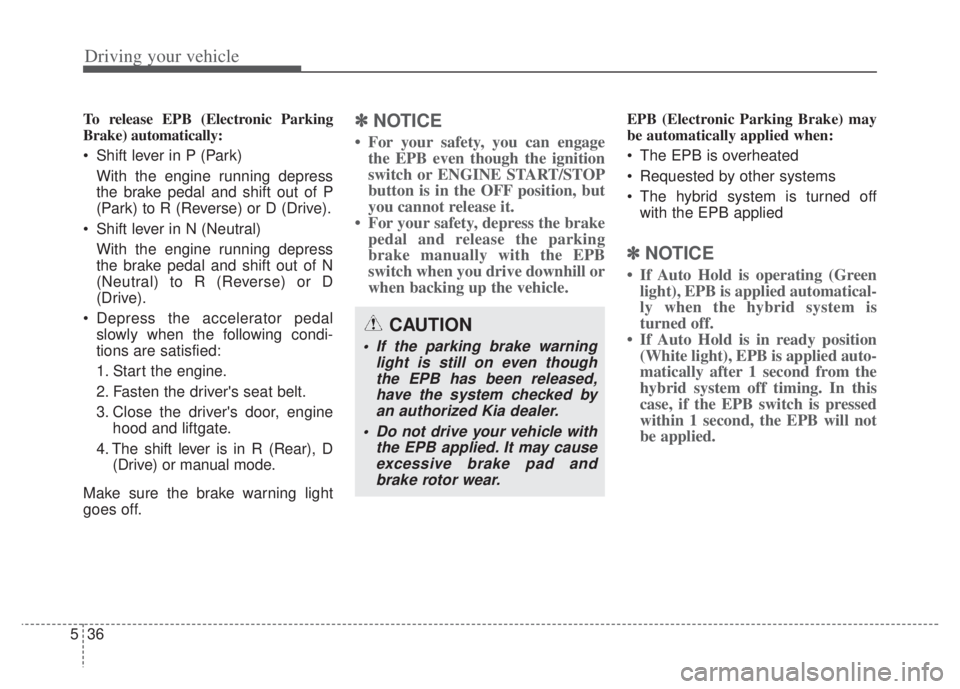
✽ ✽ NOTICE
• If Auto Hold is operating (Green
light), EPB is applied automatical-
ly when the hybrid system is
turned off.
• If Auto Hold is in ready position (White light), EPB is applied auto-
matically after 1 second from the
hybrid system off timing. In this
case, if the EPB switch is pressed
within 1 second, the EPB will not
be applied.
CAUTION
If the parking brake warning
light is still on even thoughthe EPB has been released,have the system checked byan authorized Kia dealer.
Do not drive your vehicle with the EPB applied. It may causeexcessive brake pad andbrake rotor wear.
Page 364 of 710
541
Driving your vehicle
AUTO HOLD (if equipped)
The Auto Hold maintains the vehicle
in a standstill even though the brake
pedal is not depressed after the driv-
er brings the vehicle to a complete
stop by depressing the brake pedal.
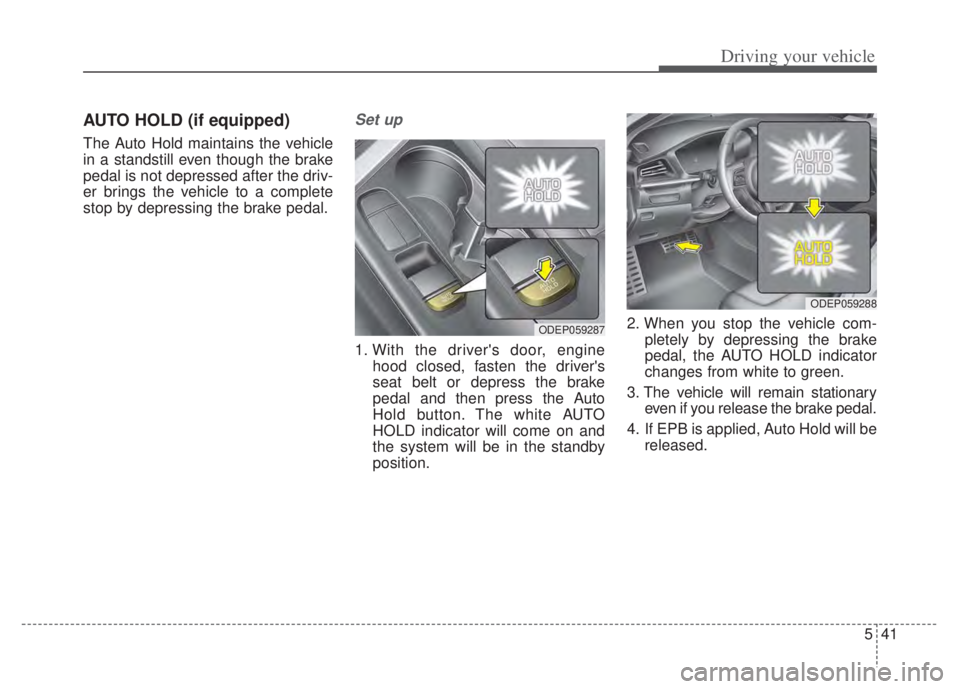
Set up
1. With the driver's door, enginehood closed, fasten the driver's
seat belt or depress the brake
pedal and then press the Auto
Hold button. The white AUTO
HOLD indicator will come on and
the system will be in the standby
position. 2. When you stop the vehicle com-
pletely by depressing the brake
pedal, the AUTO HOLD indicator
changes from white to green.
3. The vehicle will remain stationary even if you release the brake pedal.
4. If EPB is applied, Auto Hold will be released.
ODEP059287
ODEP059288
Page 365 of 710

Driving your vehicle
42
5
Leaving
If you press the accelerator pedal
with the shift lever in D (Drive) or
manual mode, the Auto Hold will be
released automatically and the vehi-
cle will start to move. The indicator
changes from green to white.Cancel
To cancel the Auto Hold operation,
press the Auto Hold switch. The
AUTO HOLD indicator will go out.
To cancel the Auto Hold operation
when the vehicle is at a standstill,
press the Auto Hold switch while
depressing the brake pedal.
✽ ✽
NOTICE
• The Auto Hold does not operate
when:
- The driver's door is opened
- The engine hood is opened
- The shift lever is in P (Park) or R(Reverse)
- The EPB is applied
• For your safety, the Auto Hold automatically switches to EPB in
such cases:
- The driver's door is opened
- The engine hood is opened
- The vehicle is in a standstill formore than 10 minutes
- The vehicle is standing on a steep slope
- The vehicle moved several times (Continued)
ODEP059289
WARNING
When driving off from Auto
Hold by depressing the acceler-
ator pedal, always check the
surrounding area near your
vehicle.
Slowly depress the accelerator
pedal for a smooth launch.
Page 366 of 710

543
Driving your vehicle
(Continued)In these cases, the brake warning
light comes on, the AUTO HOLD
indicator changes from green to
white, and a warning sounds and a
message will appear to inform you
that EPB has been automatically
engaged. Before driving off again,
press foot brake pedal, check the
surrounding area near your vehi-
cle and release parking brake
manually with the EPB switch.
• If the AUTO HOLD indicator lights up yellow, the Auto Hold is
not working properly. Take your
vehicle to an authorized Kia deal-
er and have the system checked.
• While operating Auto Hold, you may hear mechanical noise.
However, it is normal operation
noise.Warning messages
Parking brake automatically
engaged
When the EPB is applied from Auto
Hold, a warning will sound and a
message will appear.
WARNING
Press the accelerator pedal slowly when you start the
vehicle.
For your safety, cancel the Auto Hold when you drive
downhill or back up or park
the vehicle.
CAUTION
If there is a malfunction with thedriver’s door, engine hood opendetection system, the Auto Holdmay not work properly.
Take your vehicle to an author-ized Kia dealer and have the sys-tem checked.
OJF058377L
Page 412 of 710

589
Driving your vehicle
To activate/deactivate Lane Keeping
Assist:
With the ignition switch or ENGINE
START/STOP button in the ON posi-
tion, press and hold the Lane Driving
Assist button ( ) located on the
steering wheel to turn off Lane
Keeping Assist. Press and hold the
button again to turn on the function.
The indicator ( ) in the cluster
display will initially illuminate white. If
you pressing and holding the Lane
Driving Assist button located on the
steering wheel, Lane Keeping Assist
will be turned off and the indicator on
the cluster display will go off.❈
The color of indicator will change
depend on the condition of Lane
Keeping Assist.
- White : Sensor does not detect the lane marker or vehi-
cle speed is less than 40
mph (60 km/h).
- Green : Sensor detects the lane marker and function is
able to control the steer-
ing.
Lane Keeping Assist setting
The driver can change Lane Keeping
Assist to Lane Depar ture Warning or
change the Lane Keeping Assist
mode from the LCD display.
“User Settings Driver Assistance
Lane Safety Lane Keeping
Assist/Lane Departure Warning/Off ”
Lane Keeping Assist
Lane Keeping Assist mode guides
the driver to keep the vehicle within
the lanes. It rarely controls the steer-
ing wheel, when the vehicle drives
well inside the lanes. However, it
starts to control the steering wheel,
when the vehicle is about to deviate
from the lanes.ODEEV051027
Page 413 of 710

Driving your vehicle
90
5
Lane Departure Warning
Lane Departure Warning warns the
driver with a visual and acoustic
warning when the function detects
the vehicle leaving the lane. In this
mode, the steering wheel will not be
controlled. When the vehicle’s front
wheel contacts the inside edge of
lane line, the contacted line will be
displayed on the LCD display.
Off
If you select ‘Off’, it is the same with
pressing Lane Safety ( ) button
to release.
Lane Keeping Assist activa-
tion
To see Lane Keeping Assist screen
on the LCD display in the cluster,
Tab to the Driving Assist mode
().
After Lane Keeping Assist is acti- vated, if both lane markers are
detected, vehicle speed is over 40
mph (60 km/h) and all the activa-
tion conditions are satisfied, a
green steering wheel indicator will
illuminate and the steering wheel
will be controlled.
ODEP050112N
WARNING
Lane Keeping Assist is a func-
tion to help prevent the driver
from leaving the lane. However,
the driver should not solely rely
on the function and should
always check road conditions
wen driving.
Page 454 of 710
5131
Driving your vehicle
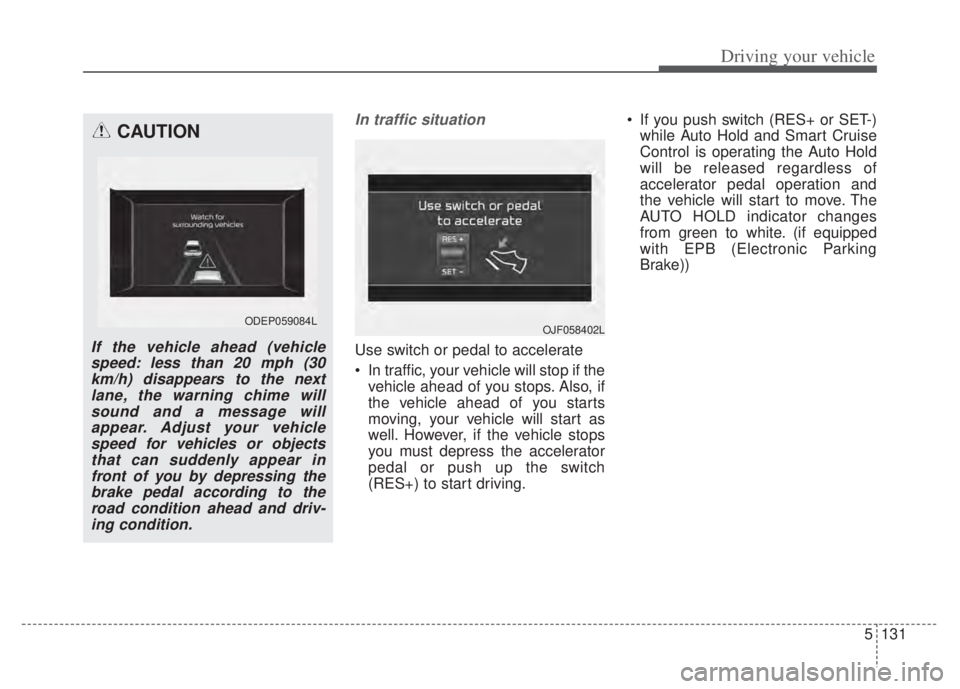
In traffic situation
Use switch or pedal to accelerate
In traffic, your vehicle will stop if thevehicle ahead of you stops. Also, if
the vehicle ahead of you starts
moving, your vehicle will start as
well. However, if the vehicle stops
you must depress the accelerator
pedal or push up the switch
(RES+) to start driving. If you push switch (RES+ or SET-)
while Auto Hold and Smart Cruise
Control is operating the Auto Hold
will be released regardless of
accelerator pedal operation and
the vehicle will start to move. The
AUTO HOLD indicator changes
from green to white. (if equipped
with EPB (Electronic Parking
Brake))
CAUTION
If the vehicle ahead (vehiclespeed: less than 20 mph (30km/h) disappears to the nextlane, the warning chime willsound and a message willappear. Adjust your vehiclespeed for vehicles or objectsthat can suddenly appear infront of you by depressing thebrake pedal according to theroad condition ahead and driv-ing condition.
ODEP059084L OJF058402L