brake KIA Optima 2006 2.G Owner's Guide
[x] Cancel search | Manufacturer: KIA, Model Year: 2006, Model line: Optima, Model: KIA Optima 2006 2.GPages: 225, PDF Size: 3.77 MB
Page 95 of 225
REAR DRUM BRAKES
(IF EQUIPPED)Your rear drum brakes don’t have wear
indicators. Have the rear brake linings
inspected if you hear a rear brake
rubbing noise. Also, have your rear
brakes inspected each time you change
or rotate your tires and when you have
the front brakes replaced.
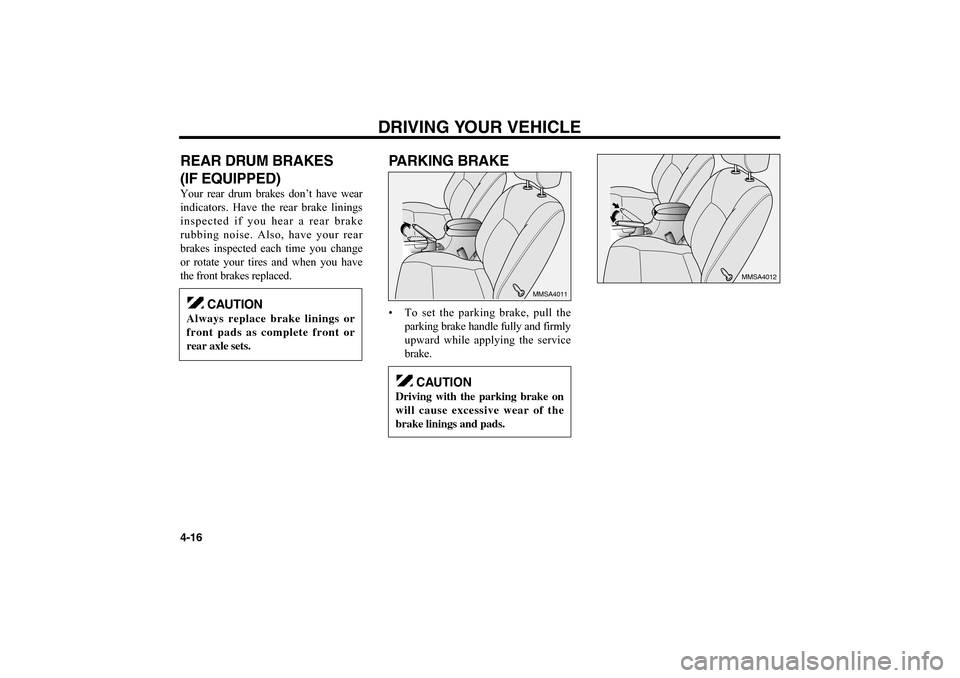
PARKING BRAKE• To set the parking brake, pull the
parking brake handle fully and firmly
upward while applying the service
brake.DRIVING YOUR VEHICLE
4-16
MMSA4012
MMSA4011
CAUTION
Always replace brake linings or
front pads as complete front or
rear axle sets.
CAUTION
Driving with the parking brake on
will cause excessive wear of the
brake linings and pads.
MS-CNA-Eng 4(~39).QXD 7/25/2005 5:16 PM Page 16
Page 96 of 225
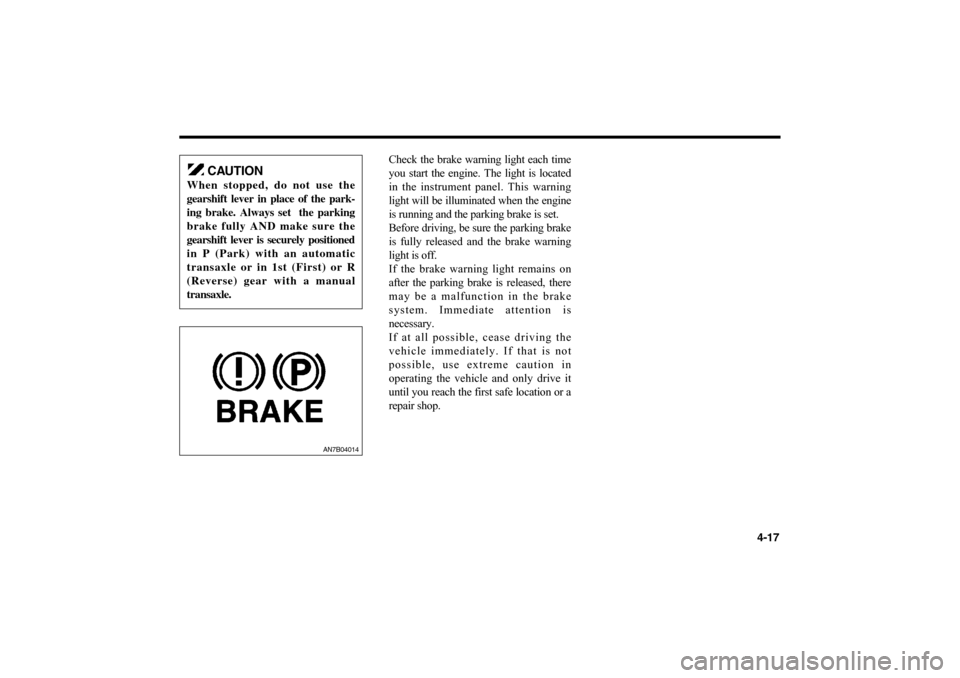
Check the brake warning light each time
you start the engine. The light is located
in the instrument panel. This warning
light will be illuminated when the engine
is running and the parking brake is set.
Before driving, be sure the parking brake
is fully released and the brake warning
light is off.
If the brake warning light remains on
after the parking brake is released, there
may be a malfunction in the brake
system. Immediate attention is
necessary.
If at all possible, cease driving the
vehicle immediately. If that is not
possible, use extreme caution in
operating the vehicle and only drive it
until you reach the first safe location or a
repair shop.
4-17
AN7B04014
CAUTION
When stopped, do not use the
gearshift lever in place of the park-
ing brake. Always set the parking
brake fully AND make sure the
gearshift lever is securely positioned
in P (Park) with an automatic
transaxle or in 1st (First) or R
(Reverse) gear with a manual
transaxle.
MS-CNA-Eng 4(~39).QXD 7/25/2005 5:16 PM Page 17
Page 98 of 225
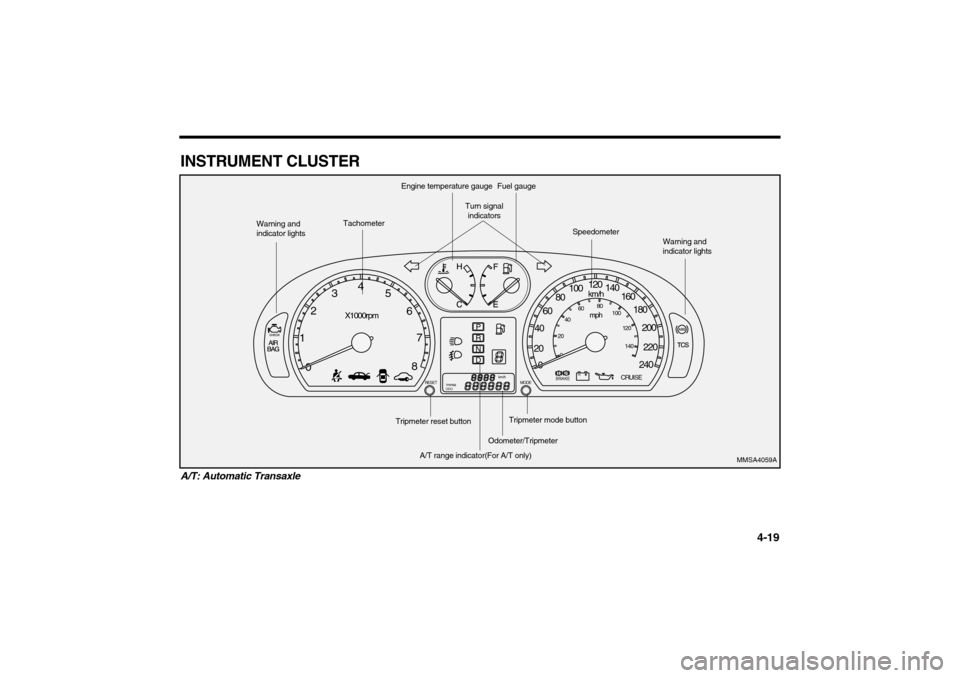
INSTRUMENT CLUSTER
4-19
A/T: Automatic Transaxle
0 1234
5
6
7
8
X1000rpm
PRND
RESET MODE
BRAKE
CRUISE
TRIPAB
ODO
km/h
0 20406080100120
140
160
180
200
220
240
km/hmph
0 20406080
100
120
140
MMSA4059A
Warning and
indicator lights
Tachometer
Engine temperature gauge
Turn signal
indicators
Fuel gauge
Speedometer
Warning and
indicator lights
A/T range indicator(For A/T only)
Odometer/Tripmeter
Tripmeter mode button
Tripmeter reset button
MS-CNA-Eng 4(~39).QXD 7/25/2005 5:16 PM Page 19
Page 100 of 225
ENGINE TEMPERATURE
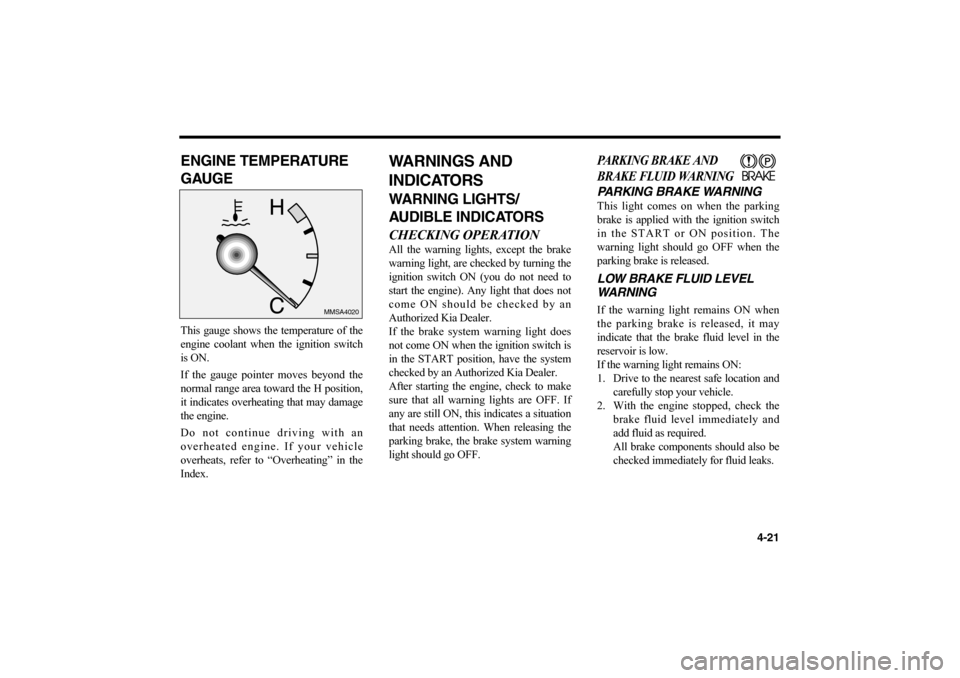
GAUGEThis gauge shows the temperature of the
engine coolant when the ignition switch
is ON.
If the gauge pointer moves beyond the
normal range area toward the H position,
it indicates overheating that may damage
the engine.
Do not continue driving with an
overheated engine. If your vehicle
overheats, refer to “Overheating” in the
Index.
WARNINGS AND
INDICATORSWARNING LIGHTS/
AUDIBLE INDICATORSCHECKING OPERATIONAll the warning lights, except the brake
warning light, are checked by turning the
ignition switch ON (you do not need to
start the engine). Any light that does not
come ON should be checked by an
Authorized Kia Dealer.
If the brake system warning light does
not come ON when the ignition switch is
in the START position, have the system
checked by an Authorized Kia Dealer.
After starting the engine, check to make
sure that all warning lights are OFF. If
any are still ON, this indicates a situation
that needs attention. When releasing the
parking brake, the brake system warning
light should go OFF.
PARKING BRAKE AND
BRAKE FLUID WARNINGPARKING BRAKE WARNINGThis light comes on when the parking
brake is applied with the ignition switch
in the START or ON position. The
warning light should go OFF when the
parking brake is released.LOW BRAKE FLUID LEVEL
WARNINGIf the warning light remains ON when
the parking brake is released, it may
indicate that the brake fluid level in the
reservoir is low.
If the warning light remains ON:
1. Drive to the nearest safe location and
carefully stop your vehicle.
2. With the engine stopped, check the
brake fluid level immediately and
add fluid as required.
All brake components should also be
checked immediately for fluid leaks.
4-21
MMSA4020
MS-CNA-Eng 4(~39).QXD 7/25/2005 5:16 PM Page 21
Page 101 of 225
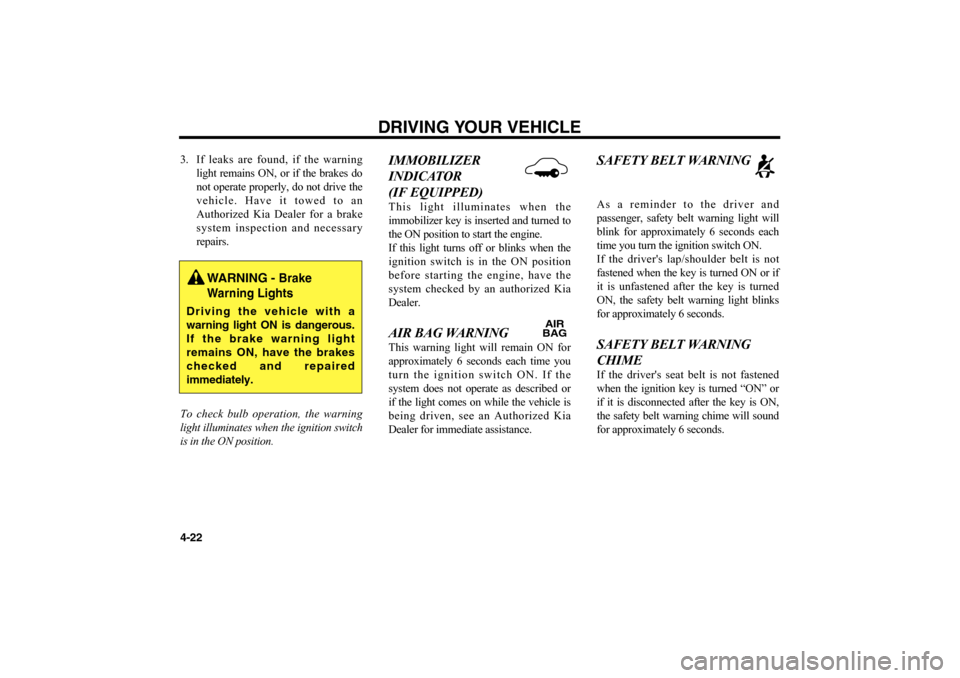
3. If leaks are found, if the warning
light remains ON, or if the brakes do
not operate properly, do not drive the
vehicle. Have it towed to an
Authorized Kia Dealer for a brake
system inspection and necessary
repairs.
To check bulb operation, the warning
light illuminates when the ignition switch
is in the ON position.
IMMOBILIZER
INDICATOR
(IF EQUIPPED)This light illuminates when the
immobilizer key is inserted and turned to
the ON position to start the engine.
If this light turns off or blinks when the
ignition switch is in the ON position
before starting the engine, have the
system checked by an authorized Kia
Dealer. AIR BAG WARNING This warning light will remain ON for
approximately 6 seconds each time you
turn the ignition switch ON. If the
system does not operate as described or
if the light comes on while the vehicle is
being driven, see an Authorized Kia
Dealer for immediate assistance.
SAFETY BELT WARNINGAs a reminder to the driver and
passenger, safety belt warning light will
blink for approximately 6 seconds each
time you turn the ignition switch ON.
If the driver's lap/shoulder belt is not
fastened when the key is turned ON or if
it is unfastened after the key is turned
ON, the safety belt warning light blinks
for approximately 6 seconds. SAFETY BELT WARNING
CHIME If the driver's seat belt is not fastened
when the ignition key is turned “ON” or
if it is disconnected after the key is ON,
the safety belt warning chime will sound
for approximately 6 seconds.
DRIVING YOUR VEHICLE
4-22
WARNING -
Brake
Warning Lights
Driving the vehicle with a
warning light ON is dangerous.
If the brake warning light
remains ON, have the brakes
checked and repaired
immediately.
AIR
BAG
MS-CNA-Eng 4(~39).QXD 7/25/2005 5:16 PM Page 22
Page 105 of 225
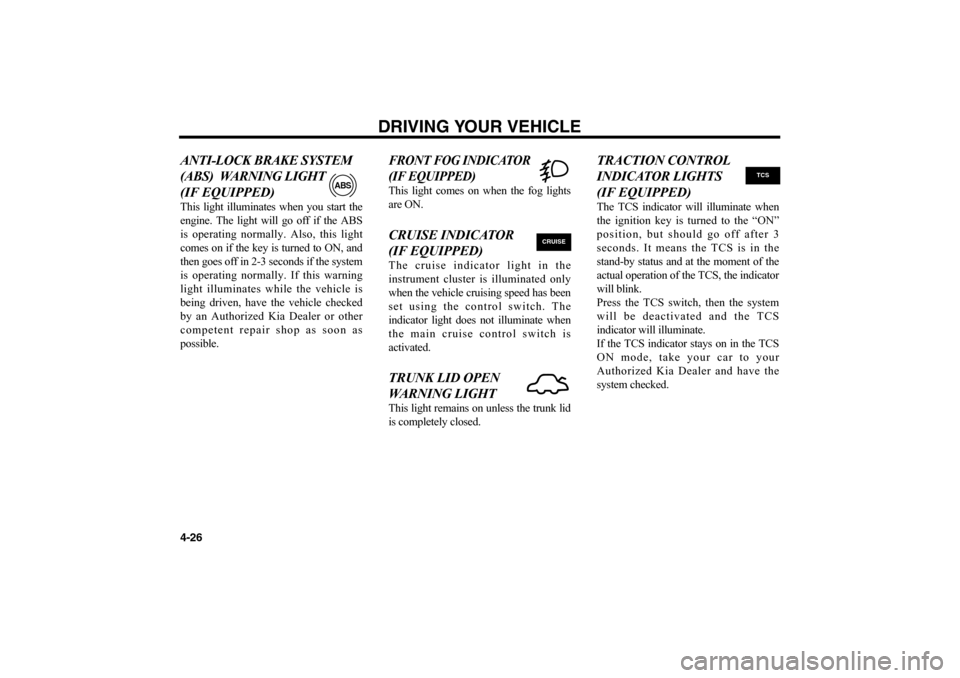
ANTI-LOCK BRAKE SYSTEM
(ABS) WARNING LIGHT
(IF EQUIPPED)This light illuminates when you start the
engine. The light will go off if the ABS
is operating normally. Also, this light
comes on if the key is turned to ON, and
then goes off in 2-3 seconds if the system
is operating normally. If this warning
light illuminates while the vehicle is
being driven, have the vehicle checked
by an Authorized Kia Dealer or other
competent repair shop as soon as
possible.
FRONT FOG INDICATOR
(IF EQUIPPED)This light comes on when the fog lights
are ON.CRUISE INDICATOR
(IF EQUIPPED)The cruise indicator light in the
instrument cluster is illuminated only
when the vehicle cruising speed has been
set using the control switch. The
indicator light does not illuminate when
the main cruise control switch is
activated.TRUNK LID OPEN
WARNING LIGHT This light remains on unless the trunk lid
is completely closed.
TRACTION CONTROL
INDICATOR LIGHTS
(IF EQUIPPED)The TCS indicator will illuminate when
the ignition key is turned to the “ON”
position, but should go off after 3
seconds. It means the TCS is in the
stand-by status and at the moment of the
actual operation of the TCS, the indicator
will blink.
Press the TCS switch, then the system
will be deactivated and the TCS
indicator will illuminate.
If the TCS indicator stays on in the TCS
ON mode, take your car to your
Authorized Kia Dealer and have the
system checked.
DRIVING YOUR VEHICLE
4-26
ABS
CRUISE
TCS
MS-CNA-Eng 4(~39).QXD 7/25/2005 5:16 PM Page 26
Page 108 of 225
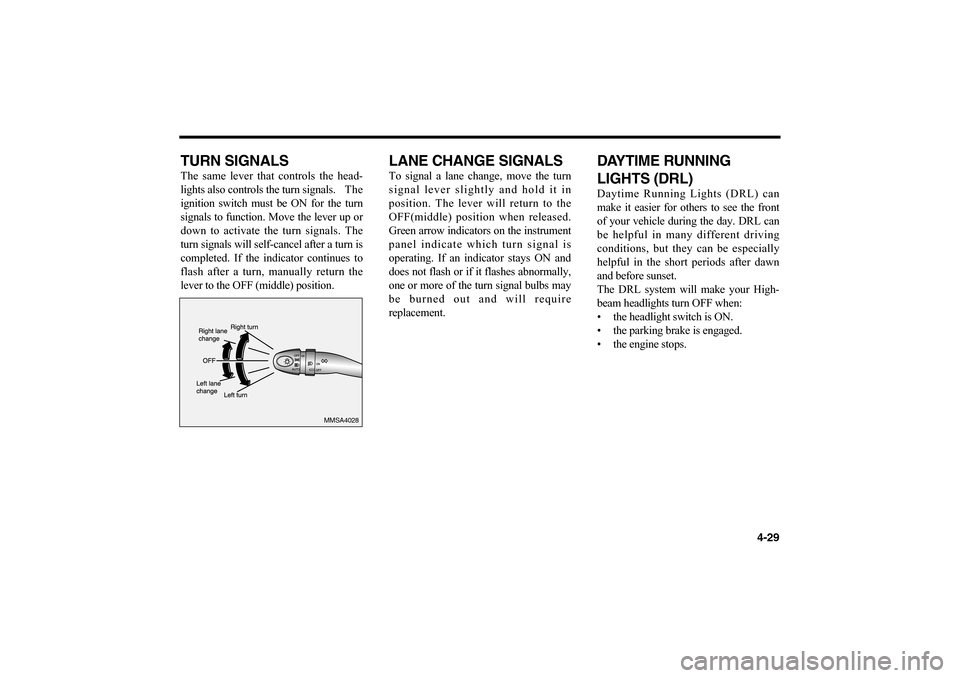
TURN SIGNALSThe same lever that controls the head-
lights also controls the turn signals. The
ignition switch must be ON for the turn
signals to function. Move the lever up or
down to activate the turn signals. The
turn signals will self-cancel after a turn is
completed. If the indicator continues to
flash after a turn, manually return the
lever to the OFF (middle) position.
LANE CHANGE SIGNALSTo signal a lane change, move the turn
signal lever slightly and hold it in
position. The lever will return to the
OFF(middle) position when released.
Green arrow indicators on the instrument
panel indicate which turn signal is
operating. If an indicator stays ON and
does not flash or if it flashes abnormally,
one or more of the turn signal bulbs may
be burned out and will require
replacement.
DAYTIME RUNNING
LIGHTS (DRL) Daytime Running Lights (DRL) can
make it easier for others to see the front
of your vehicle during the day. DRL can
be helpful in many different driving
conditions, but they can be especially
helpful in the short periods after dawn
and before sunset.
The DRL system will make your High-
beam headlights turn OFF when:
• the headlight switch is ON.
• the parking brake is engaged.
• the engine stops.
4-29
MMSA4028
MS-CNA-Eng 4(~39).QXD 7/25/2005 5:16 PM Page 29
Page 116 of 225
4-37
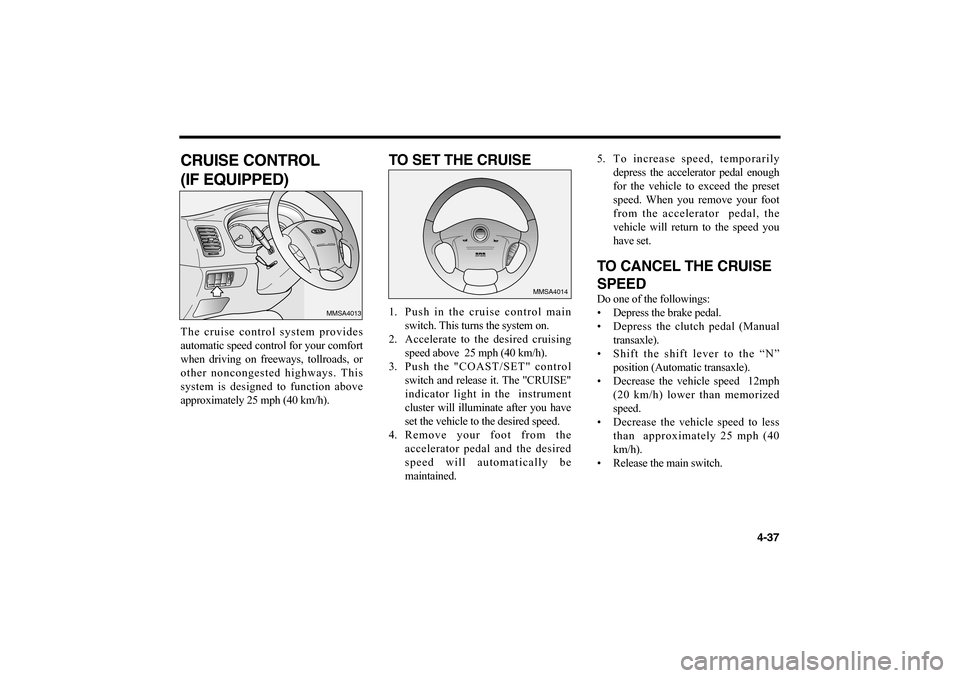
CRUISE CONTROL
(IF EQUIPPED)The cruise control system provides
automatic speed control for your comfort
when driving on freeways, tollroads, or
other noncongested highways. This
system is designed to function above
approximately 25 mph (40 km/h).
TO SET THE CRUISE1. Push in the cruise control main
switch. This turns the system on.
2. Accelerate to the desired cruising
speed above 25 mph (40 km/h).
3. Push the "COAST/SET" control
switch and release it. The "CRUISE"
indicator light in the instrument
cluster will illuminate after you have
set the vehicle to the desired speed.
4. Remove your foot from the
accelerator pedal and the desired
speed will automatically be
maintained.5. To increase speed, temporarily
depress the accelerator pedal enough
for the vehicle to exceed the preset
speed. When you remove your foot
from the accelerator pedal, the
vehicle will return to the speed you
have set.
TO CANCEL THE CRUISE
SPEEDDo one of the followings:
• Depress the brake pedal.
• Depress the clutch pedal (Manual
transaxle).
• Shift the shift lever to the “N”
position (Automatic transaxle).
• Decrease the vehicle speed 12mph
(20 km/h) lower than memorized
speed.
• Decrease the vehicle speed to less
than approximately 25 mph (40
km/h).
• Release the main switch.
C
R
U
I
S
E
MMSA4013
R
E
S
A
C
C
E
L
C
A
N
C
E
L
C
O
A
S
T
S
E
T
MMSA4014
MS-CNA-Eng 4(~39).QXD 7/25/2005 5:16 PM Page 37
Page 118 of 225
4-39
✻
NOTICE
• Keep the main switch off when
not using the cruise control.
• Do not use the cruise control
when it may not be safe to keep
the car at a constant speed, for
instance, driving in heavy or
varying traffic, or on slippery
(rainy, icy or snow-covered) or
winding roads or over 6% up-
hill or down-hill roads.
• Pay particular attention to the
driving conditions whenever
using the cruise control system.
• During cruise-speed driving with
a manual transaxle vehicle, do
not shift into neutral without
depressing the clutch pedal,
since the engine will be over-
revved. If this happens, depress
the clutch pedal or release the
main switch.
• During normal cruise control
operation, when the set button is
activated or reactivated after
applying the brakes, the cruise
control will energize after
approximately 3 seconds. This
delay is normal.
MS-CNA-Eng 4(~39).QXD 7/25/2005 5:16 PM Page 39
Page 120 of 225
4-41
TCS ON/OFF MODEIn the TCS ON mode, the indicator in the
instrument cluster will not be illuminated.
The indicator will illuminate when the
ignition key is turned to the “ON”
position, but it should go off after 3
seconds. It means the TCS is in the stand-
by status and at the moment of the actual
operation of the TCS, the indicator will
blink.
To switch to TCS OFF mode, press the
TCS switch. System will be deactivated
and the TCS indicator in the instrument
cluster will illuminate.
If the TCS indicator stays on in the TCS
ON mode, take your car to your
Authorized Kia Dealer and have the
system checked.
✻
NOTICE
• The TCS ON mode is activated
automatically when the engine is
started.
When the TCS is operating
properly, you may feel a slight
pulsation in the vehicle. This is
only the effect of brake control
and is not unusual.
When the engine starts, your
may hear a “click” sound from
the engine compartment. This is
only the sound of the TCS being
checked.
When moving out of mud or
fresh snow with the TCS ON,
pressing the accelerator pedal
may not cause the engine speed
to increase.
MS-CNA-Eng 4(40~).QXD 7/25/2005 5:15 PM Page 41