warning KIA Optima 2016 4.G Owner's Manual
[x] Cancel search | Manufacturer: KIA, Model Year: 2016, Model line: Optima, Model: KIA Optima 2016 4.GPages: 623, PDF Size: 15.4 MB
Page 422 of 623
Driving your vehicle
66
6
ADVANCED SMART CRUISE CONTROL SYSTEM (ASCC) (IF EQUIPPED)
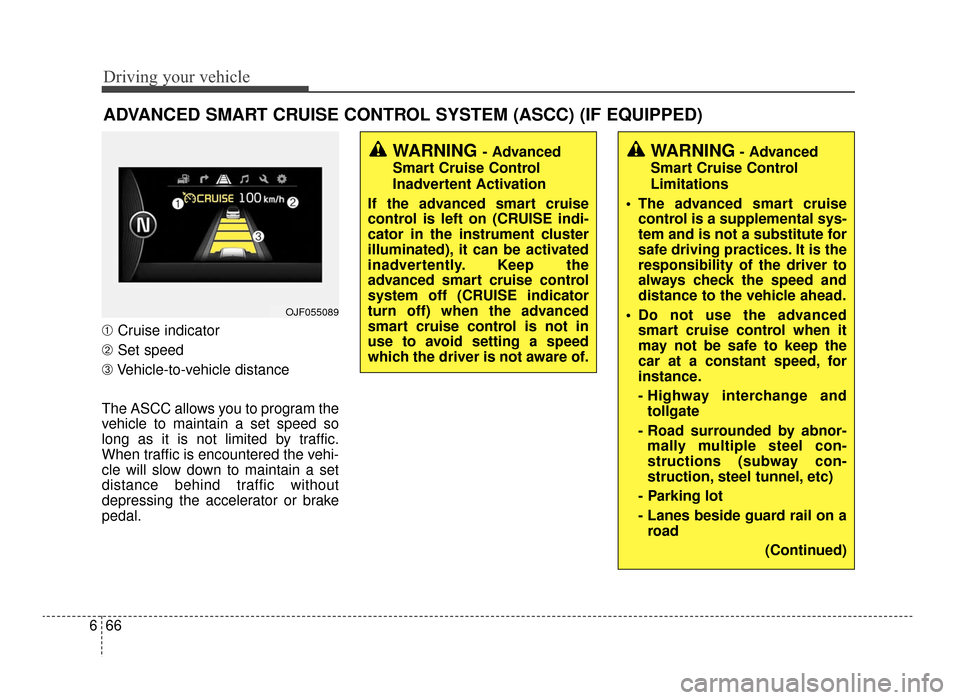
➀ Cruise indicator
➁ Set speed
➂ Vehicle-to-vehicle distance
The ASCC allows you to program the
vehicle to maintain a set speed so
long as it is not limited by traffic.
When traffic is encountered the vehi-
cle will slow down to maintain a set
distance behind traffic without
depressing the accelerator or brake
pedal.
WARNING - Advanced
Smart Cruise Control
Inadvertent Activation
If the advanced smart cruise
control is left on (CRUISE indi-
cator in the instrument cluster
illuminated), it can be activated
inadvertently. Keep the
advanced smart cruise control
system off (CRUISE indicator
turn off) when the advanced
smart cruise control is not in
use to avoid setting a speed
which the driver is not aware of.WARNING- Advanced
Smart Cruise Control
Limitations
The advanced smart cruise control is a supplemental sys-
tem and is not a substitute for
safe driving practices. It is the
responsibility of the driver to
always check the speed and
distance to the vehicle ahead.
Do not use the advanced smart cruise control when it
may not be safe to keep the
car at a constant speed, for
instance.
- Highway interchange andtollgate
- Road surrounded by abnor- mally multiple steel con-
structions (subway con-
struction, steel tunnel, etc)
- Parking lot
- Lanes beside guard rail on a road
(Continued)
OJF055089
JF CAN (ENG) 6.qxp 11/5/2015 6:38 PM Page 66
Page 426 of 623
Driving your vehicle
70
6
To resume cruise control set
speed:
If any method other than the
CRUISE button was used to cancel
cruising speed and the system is still
activated, the cruising speed will
automatically resume when you
move the lever up/down (to RES+ or
SET-).
If you move the lever up (to RES+),
the speed will resume to the recently
set speed. It will not resume if the
vehicle speed has dropped below
approximately 30 km/h (20 mph).
OJF055235L
WARNING - Following Distance
To avoid collisions, always be aware of the selected speed
and vehicle to vehicle dis-
tance settings when activat-
ing your smart cruise control
system.
Always maintain sufficient braking distance and deceler-
ate your vehicle by applying
the brakes if necessary.
OJF055044CAUTION
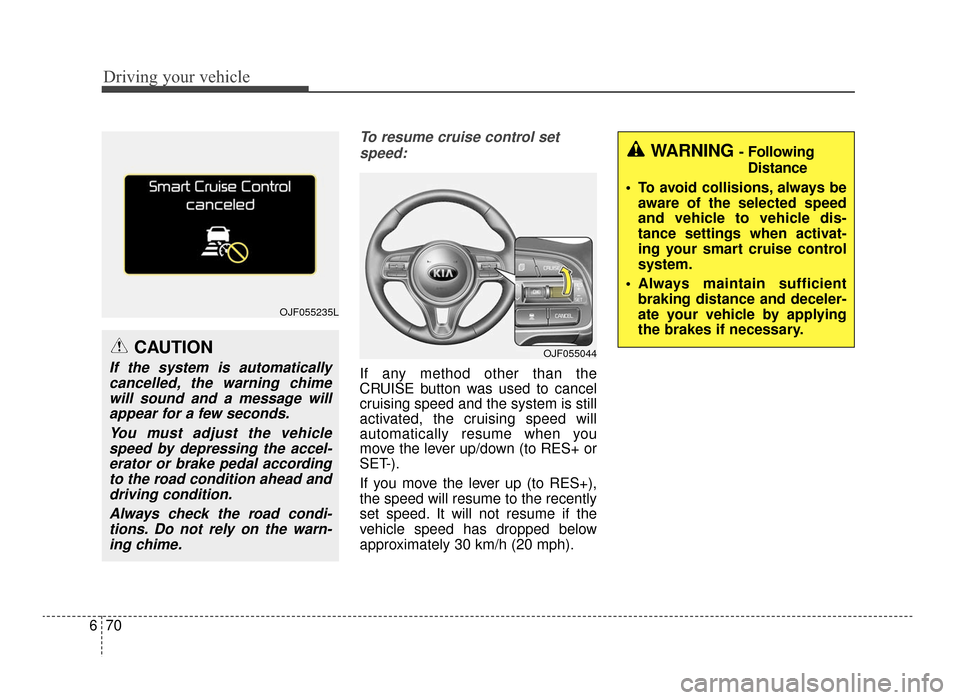
If the system is automaticallycancelled, the warning chimewill sound and a message willappear for a few seconds.
You must adjust the vehiclespeed by depressing the accel-erator or brake pedal accordingto the road condition ahead anddriving condition.
Always check the road condi-tions. Do not rely on the warn-ing chime.
JF CAN (ENG) 6.qxp 11/5/2015 6:39 PM Page 70
Page 429 of 623

673
Driving your vehicle
If the vehicle ahead speeds up,your vehicle will travel at a steady
cruising speed after accelerating to
the selected speed.
The warning chime sounds and LCD display blinks if it is hard to
maintain the selected distance to
the vehicle ahead.
If the warning chime sounds, actively adjust the vehicle speed by
depressing the brake pedal
according to the road condition
ahead and driving condition.
Even if the warning chime is not activated, always pay attention to
the driving conditions to prevent
dangerous situations from occur-
ring. If the vehicle ahead (vehicle speed:
less than 30 km/h (20 mph)) moves
to the next lane, the warning chime
will sound and a message will
appear.
If a vehicle enters into your lane
moving less than the designated
speed, you can adjust your vehicle
speed by depressing the brake
pedal.In heavy traffic
In traffic, your vehicle will stop if the
vehicle ahead of you stops. Also, if
the vehicle ahead of you starts mov-
ing, your vehicle will start as well.
However, if the vehicle stops for
more than 3 seconds, you must
depress the accelerator pedal or
move up/down the lever (to RES+ or
SET-) to start driving.
OJFA055099C
OJFA055100C
JF CAN (ENG) 6.qxp 11/5/2015 6:39 PM Page 73
Page 431 of 623
675
Driving your vehicle
Always keep the sensor andbumper clean.
Use only a genuine Kia sensor cover for your vehicle.
Do not install accessories around the sensor and do not replace the
bumper by yourself. It may interfere
with the sensor performance.
Impact damage to the sensor or sensor area may cause the sensor
to move slightly off position and
result in the ASCC not operating
correctly without any warning or
indicator from the cluster. If this
occurs, have your vehicle checked
by an authorized Kia dealer as
soon as possible.To adjust the sensitivity of
Advanced Smart Cruise Control
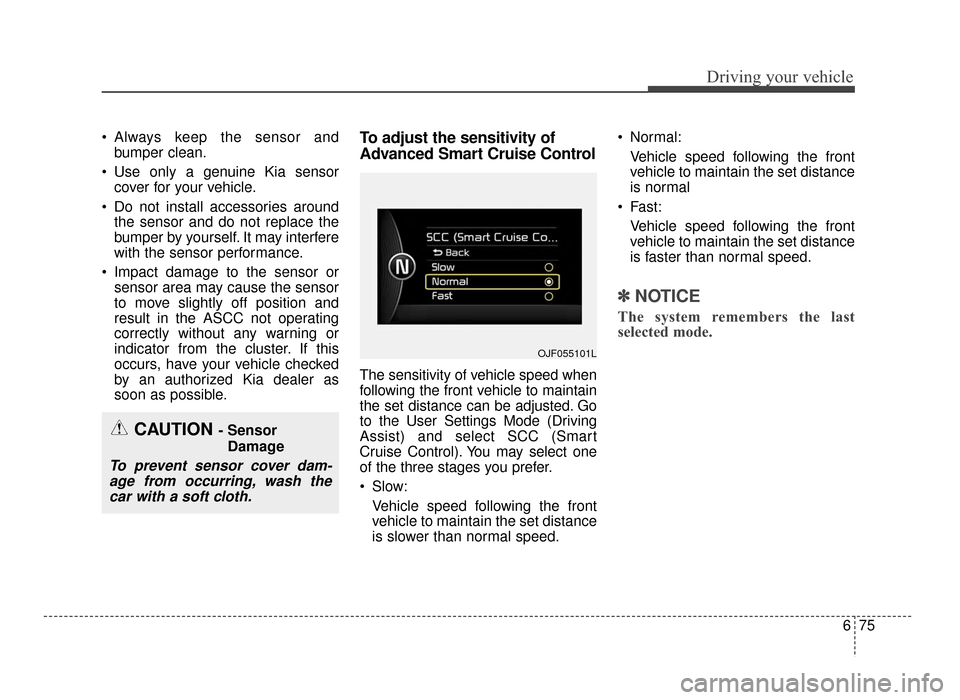
The sensitivity of vehicle speed when
following the front vehicle to maintain
the set distance can be adjusted. Go
to the User Settings Mode (Driving
Assist) and select SCC (Smart
Cruise Control). You may select one
of the three stages you prefer.
Slow:
Vehicle speed following the front
vehicle to maintain the set distance
is slower than normal speed. Normal:
Vehicle speed following the front
vehicle to maintain the set distance
is normal
Fast: Vehicle speed following the front
vehicle to maintain the set distance
is faster than normal speed.
✽ ✽ NOTICE
The system remembers the last
selected mode.
CAUTION - Sensor
Damage
To prevent sensor cover dam-age from occurring, wash thecar with a soft cloth.
OJF055101L
JF CAN (ENG) 6.qxp 11/5/2015 6:39 PM Page 75
Page 436 of 623
Driving your vehicle
80
6
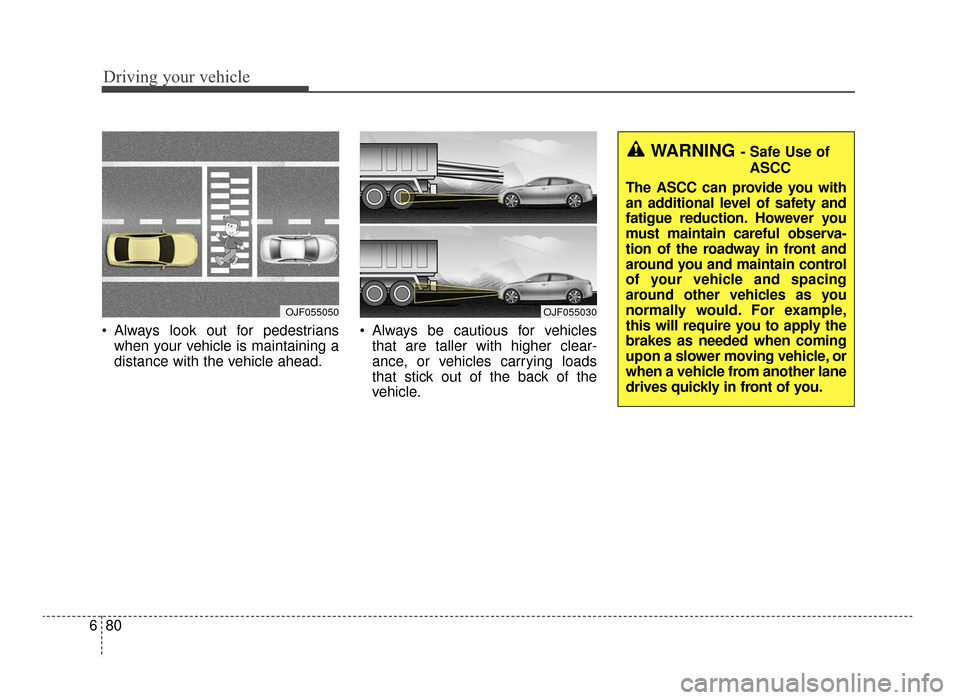
Always look out for pedestrians
when your vehicle is maintaining a
distance with the vehicle ahead. Always be cautious for vehicles
that are taller with higher clear-
ance, or vehicles carrying loads
that stick out of the back of the
vehicle.
WARNING - Safe Use of
ASCC
The ASCC can provide you with
an additional level of safety and
fatigue reduction. However you
must maintain careful observa-
tion of the roadway in front and
around you and maintain control
of your vehicle and spacing
around other vehicles as you
normally would. For example,
this will require you to apply the
brakes as needed when coming
upon a slower moving vehicle, or
when a vehicle from another lane
drives quickly in front of you.
OJF055050OJF055030
JF CAN (ENG) 6.qxp 11/5/2015 6:39 PM Page 80
Page 437 of 623
681
Driving your vehicle
- After an engine start, please stopfor several seconds. If system ini-
tialization is not completed, the
ASCC does not normally operate.
- After an engine start, if any objects are not detected or the sensor
cover is obscured with foreign sub-
stances, there is a possibility that
the ASCC system may not work.
- The following conditions may cause a malfunction: over-loading
the trunk, suspension modification,
tire replacement with unauthorized
tires or tires with different tread
wear and pressure levels. This device complies with
Industry Canada licence-exempt
RSS standard(s).
Operation is subject to the following
three conditions:
(1) This device may not cause inter-
ference, and
(2) This device must accept any
interference, including interfer-
ence that may cause undesired
operation of the device.
(3) Changes or modifications not
expressly approved by the party
responsible for compliance could
void the user’s authority to oper-
ate the device.
WARNING - Inclines &
Towing
Do not use ASCC on steep
inclines or when towing another
vehicle or trailer since such
extreme loading can interfere
with your vehicle's ability to
maintain the selected speed.
JF CAN (ENG) 6.qxp 11/5/2015 6:39 PM Page 81
Page 441 of 623
685
Driving your vehicle
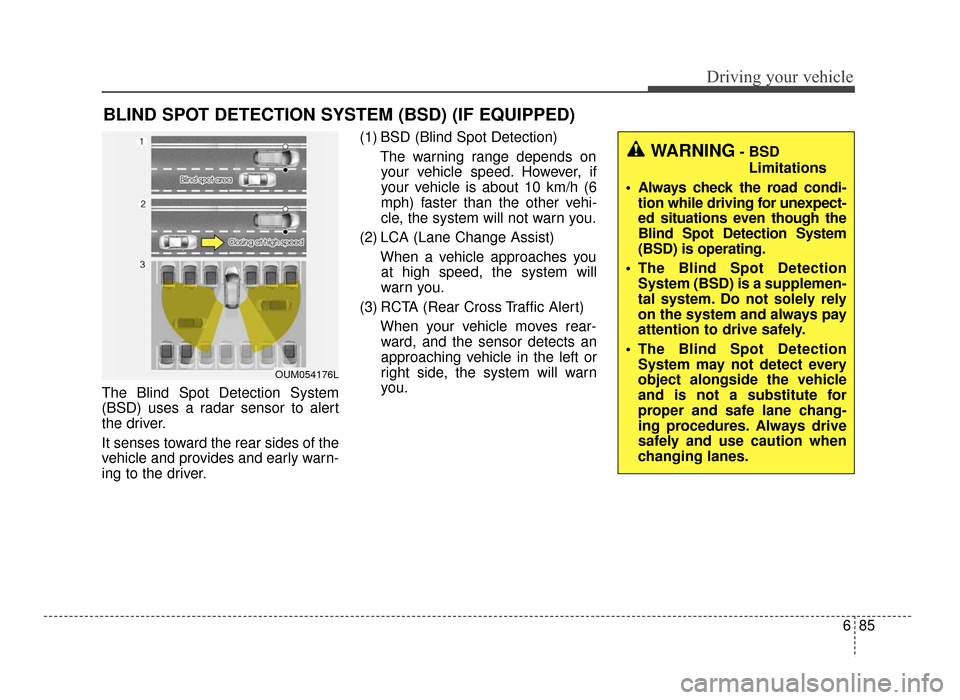
The Blind Spot Detection System
(BSD) uses a radar sensor to alert
the driver.
It senses toward the rear sides of the
vehicle and provides and early warn-
ing to the driver.(1) BSD (Blind Spot Detection)
The warning range depends onyour vehicle speed. However, if
your vehicle is about 10 km/h (6
mph) faster than the other vehi-
cle, the system will not warn you.
(2) LCA (Lane Change Assist) When a vehicle approaches youat high speed, the system will
warn you.
(3) RCTA (Rear Cross Traffic Alert) When your vehicle moves rear-ward, and the sensor detects an
approaching vehicle in the left or
right side, the system will warn
you.
BLIND SPOT DETECTION SYSTEM (BSD) (IF EQUIPPED)
WARNING- BSD
Limitations
Always check the road condi- tion while driving for unexpect-
ed situations even though the
Blind Spot Detection System
(BSD) is operating.
The Blind Spot Detection System (BSD) is a supplemen-
tal system. Do not solely rely
on the system and always pay
attention to drive safely.
The Blind Spot Detection System may not detect every
object alongside the vehicle
and is not a substitute for
proper and safe lane chang-
ing procedures. Always drive
safely and use caution when
changing lanes.
OUM054176L
JF CAN (ENG) 6.qxp 11/5/2015 6:39 PM Page 85
Page 442 of 623
Driving your vehicle
86
6
BSD (Blind Spot Detection) /
LCA (Lane Change Assist)
Operating conditions
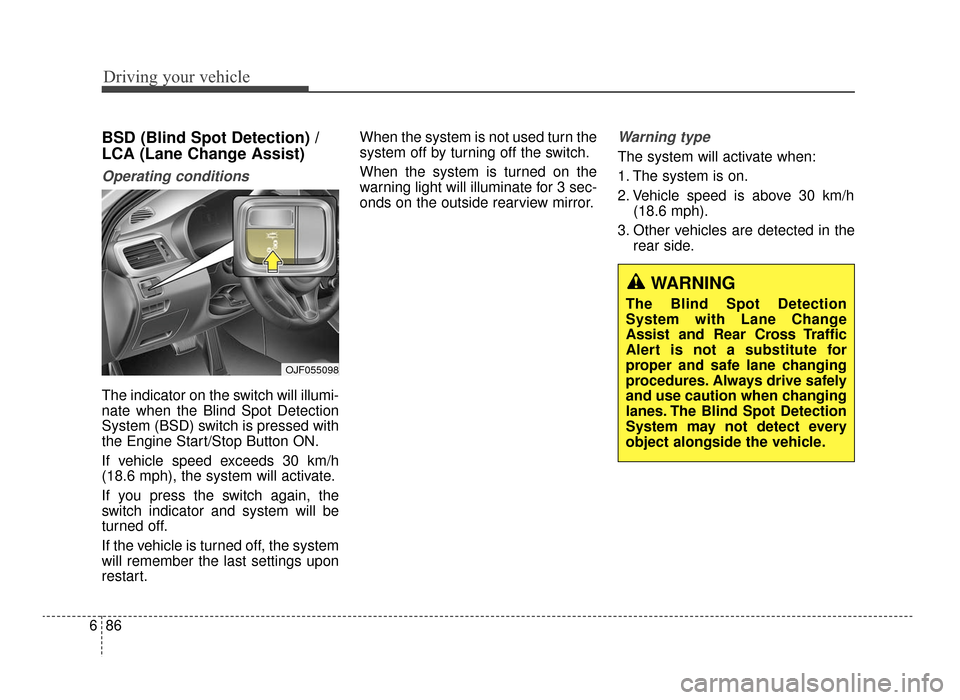
The indicator on the switch will illumi-
nate when the Blind Spot Detection
System (BSD) switch is pressed with
the Engine Start/Stop Button ON.
If vehicle speed exceeds 30 km/h
(18.6 mph), the system will activate.
If you press the switch again, the
switch indicator and system will be
turned off.
If the vehicle is turned off, the system
will remember the last settings upon
restart. When the system is not used turn the
system off by turning off the switch.
When the system is turned on the
warning light will illuminate for 3 sec-
onds on the outside rearview mirror.
Warning type
The system will activate when:
1. The system is on.
2. Vehicle speed is above 30 km/h
(18.6 mph).
3. Other vehicles are detected in the rear side.
WARNING
The Blind Spot Detection
System with Lane Change
Assist and Rear Cross Traffic
Alert is not a substitute for
proper and safe lane changing
procedures. Always drive safely
and use caution when changing
lanes. The Blind Spot Detection
System may not detect every
object alongside the vehicle.
OJF055098
JF CAN (ENG) 6.qxp 11/5/2015 6:39 PM Page 86
Page 443 of 623
687
Driving your vehicle
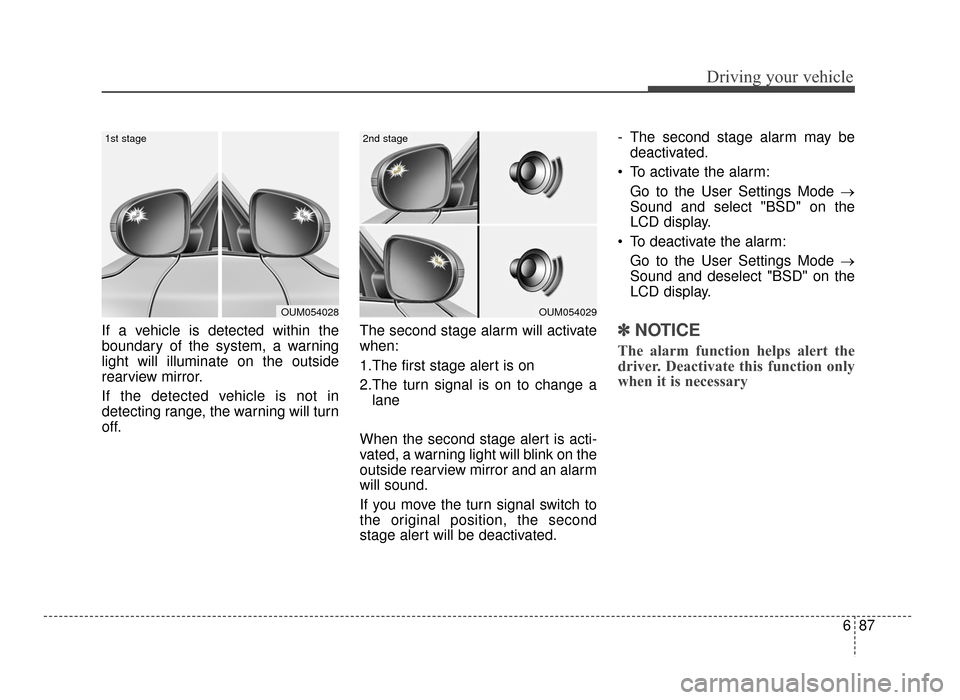
If a vehicle is detected within the
boundary of the system, a warning
light will illuminate on the outside
rearview mirror.
If the detected vehicle is not in
detecting range, the warning will turn
off.The second stage alarm will activate
when:
1.The first stage alert is on
2.The turn signal is on to change a
lane
When the second stage alert is acti-
vated, a warning light will blink on the
outside rearview mirror and an alarm
will sound.
If you move the turn signal switch to
the original position, the second
stage alert will be deactivated. - The second stage alarm may be
deactivated.
To activate the alarm: Go to the User Settings Mode →
Sound and select "BSD" on the
LCD display.
To deactivate the alarm: Go to the User Settings Mode →
Sound and deselect "BSD" on the
LCD display.✽ ✽
NOTICE
The alarm function helps alert the
driver. Deactivate this function only
when it is necessary
OUM054029
2nd stage
OUM054028
1st stage
JF CAN (ENG) 6.qxp 11/5/2015 6:39 PM Page 87
Page 444 of 623
Driving your vehicle
88
6
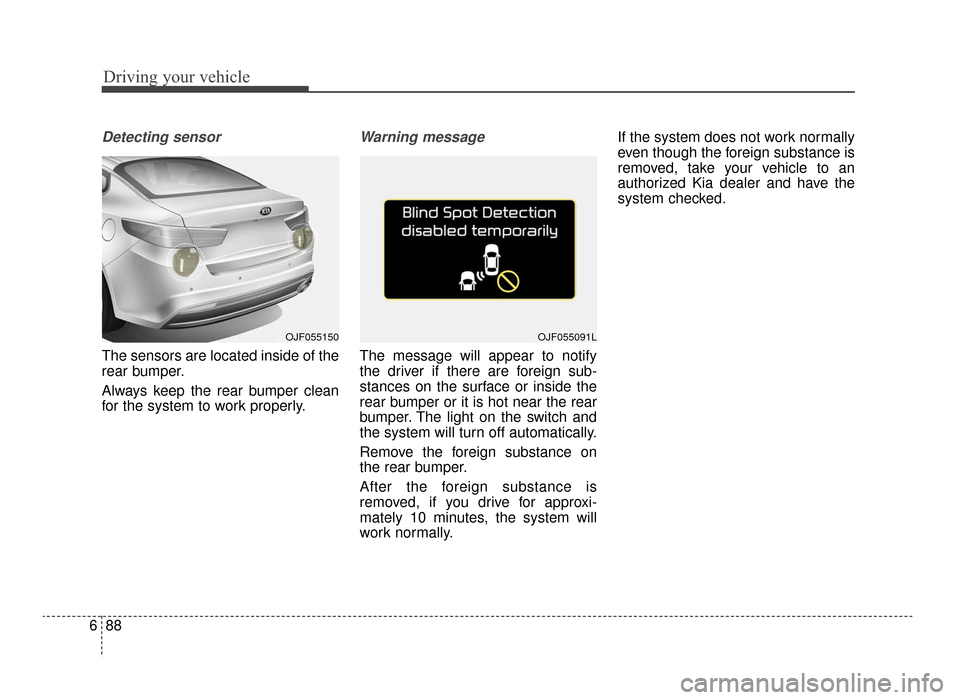
Detecting sensor
The sensors are located inside of the
rear bumper.
Always keep the rear bumper clean
for the system to work properly.
Warning message
The message will appear to notify
the driver if there are foreign sub-
stances on the surface or inside the
rear bumper or it is hot near the rear
bumper. The light on the switch and
the system will turn off automatically.
Remove the foreign substance on
the rear bumper.
After the foreign substance is
removed, if you drive for approxi-
mately 10 minutes, the system will
work normally. If the system does not work normally
even though the foreign substance is
removed, take your vehicle to an
authorized Kia dealer and have the
system checked.
OJF055150OJF055091L
JF CAN (ENG) 6.qxp 11/5/2015 6:39 PM Page 88