ignition KIA OPTIMA 2017 Manual Online
[x] Cancel search | Manufacturer: KIA, Model Year: 2017, Model line: OPTIMA, Model: KIA OPTIMA 2017Pages: 629, PDF Size: 15.24 MB
Page 310 of 629
Audio system
567
(Continued)
• Phone contact names should besaved in English or they may not
be displayed correctly.
• The Handsfree call volume and quality may differ depending on
the mobile phone.
• Only one Bluetooth
®Wireless
Technology device can be connect-
ed at a time.
• In some mobile phones, starting the ignition while talking through
Bluetooth
®Wireless Technology
enabled handsfree call will result
in the call becoming disconnected.
(Switch the call back to your
mobile phone when starting the
ignition.)
• If the mobile phone is not paired or connected, it is not possible to
enter Phone mode. Once a phone
is paired or connected, the guid-
ance screen will be displayed.
• Bluetooth
®Handsfree may not be
supported in some mobile phones.
✽ ✽ NOTICE
Bluetooth®Wireless Technology
Handsfree is a feature that enables
drivers to practice safe driving.
Connecting the car audio system
with a Bluetooth
®Wireless
Technology phone allows the user to
conveniently make calls, receive
calls, and manage the phone book.
Before using the Bluetooth
®Wireless
Technology, carefully read the con-
tents of this user’s manual.
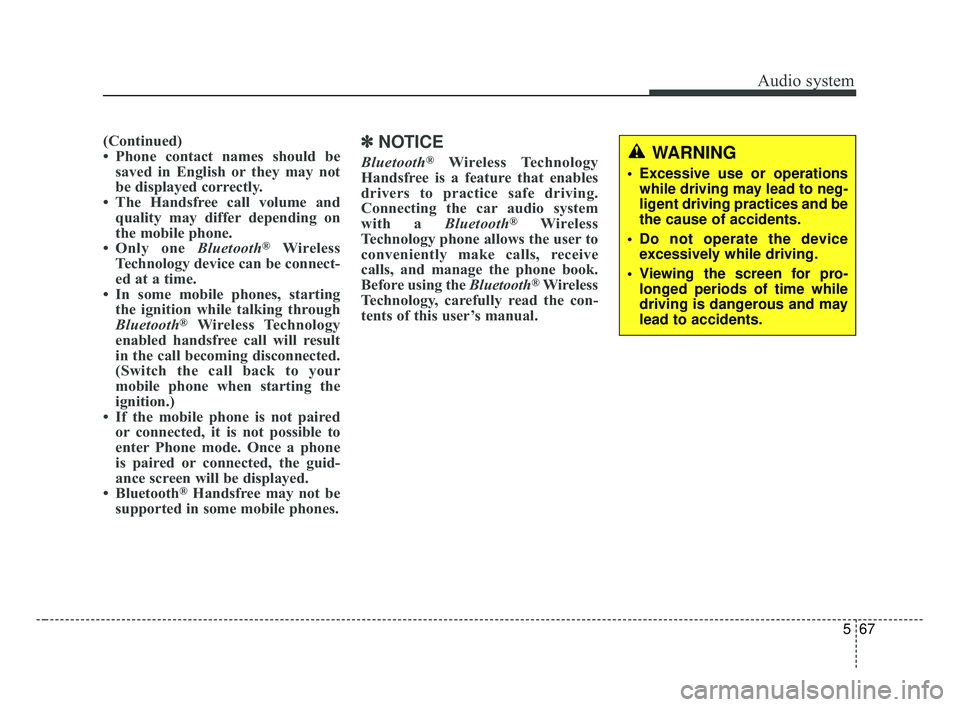
WARNING
Excessive use or operations
while driving may lead to neg-
ligent driving practices and be
the cause of accidents.
Do not operate the device excessively while driving.
Viewing the screen for pro- longed periods of time while
driving is dangerous and may
lead to accidents.
JF CAN (ENG) 5 (Audio).qxp 2016-09-21 11:22 Page 67
Page 358 of 629
Driving your vehicle
Before driving . . . . . . . . . . . . . . . . . . . . . . . . . . . . . . 6-4
• Before entering vehicle . . . . . . . . . . . . . . . . . . . . . . . . . 6-4
• Necessary inspections . . . . . . . . . . . . . . . . . . . . . . . . . . 6-4
• Before starting . . . . . . . . . . . . . . . . . . . . . . . . . . . . . . . 6-4
Key positions . . . . . . . . . . . . . . . . . . . . . . . . . . . . . . . 6-6
• Illuminated ignition switch . . . . . . . . . . . . . . . . . . . . . 6-6
• Ignition switch position . . . . . . . . . . . . . . . . . . . . . . . . . 6-6
• Starting the engine . . . . . . . . . . . . . . . . . . . . . . . . . . . . 6-8
ENGINE START/STOP button . . . . . . . . . . . . . . . 6-9
• Illuminated ENGINE START/STOP button . . . . . . . 6-9
• ENGINE START/STOP button position . . . . . . . . . . . 6-9
• Starting the engine with a smart key . . . . . . . . . . . . . 6-11
Automatic transaxle . . . . . . . . . . . . . . . . . . . . . . . . 6-13
• Automatic transaxle operation. . . . . . . . . . . . . . . . . . 6-13
• Paddle shifter . . . . . . . . . . . . . . . . . . . . . . . . . . . . . . . . 6-17
• Shift lock system . . . . . . . . . . . . . . . . . . . . . . . . . . . . . 6-18
• Good driving practices . . . . . . . . . . . . . . . . . . . . . . . . 6-19
Dual clutch transmission (DCT) . . . . . . . . . . . . . . 6-20
• Dual clutch transmission operation . . . . . . . . . . . . . 6-20
• Good driving practices . . . . . . . . . . . . . . . . . . . . . . . . 6-27
Brake system . . . . . . . . . . . . . . . . . . . . . . . . . . . . . . 6-28
• Power brakes . . . . . . . . . . . . . . . . . . . . . . . . . . . . . . . . 6-28
• Parking brake – Foot type . . . . . . . . . . . . . . . . . . . . . 6-30
• Electronic parking brake (EPB) . . . . . . . . . . . . . . . . 6-31
• Auto hold . . . . . . . . . . . . . . . . . . . . . . . . . . . . . . . . . . . 6-\
38• Anti-lock brake system (ABS) . . . . . . . . . . . . . . . . . . 6-42
• Electronic stability control (ESC) . . . . . . . . . . . . . . . 6-44
• Vehicle stability management (VSM) . . . . . . . . . . . . 6-48
• Hill-start assist control (HAC) . . . . . . . . . . . . . . . . . . 6-49
• Good braking practices. . . . . . . . . . . . . . . . . . . . . . . . 6-50
Autonomous emergency braking (AEB)/
Forward collision warning (FCW) . . . . . . . . . . . 6-51
• System setting and activation . . . . . . . . . . . . . . . . . . . 6-51
• AEB warning message and system control . . . . . . . . 6-54
• Brake operation . . . . . . . . . . . . . . . . . . . . . . . . . . . . . . 6-55
• Sensor to detect the distance from the
vehicle in front (front radar) . . . . . . . . . . . . . . . . . . 6-56
• System malfunction . . . . . . . . . . . . . . . . . . . . . . . . . . . 6-57
• Limitations of the system . . . . . . . . . . . . . . . . . . . . . . 6-58
• Recognizing pedestrians . . . . . . . . . . . . . . . . . . . . . . . 6-61
Cruise Control system . . . . . . . . . . . . . . . . . . . . . . 6-62
• To set cruise control speed . . . . . . . . . . . . . . . . . . . . . 6-63
• To increase cruise control set speed. . . . . . . . . . . . . . 6-63
• To decrease the cruising speed . . . . . . . . . . . . . . . . . . 6-64
• To temporarily accelerate with the cruise control on . . . . . . . . . . . . . . . . . . . . . . . . . . . . 6-64
• To cancel cruise control . . . . . . . . . . . . . . . . . . . . . . . 6-64
• To resume cruising speed at more than approximately 30 km/h (20 mph) . . . . . . . . . . . . . . 6-65
• To turn cruise control off . . . . . . . . . . . . . . . . . . . . . . 6-65
6
JF CAN (ENG) 6.qxp 2016-09-21 11:24 Page 1
Page 359 of 629
Advanced smart cruise control system (ASCC) . . 6-66
• Speed setting (ASCC) . . . . . . . . . . . . . . . . . . . . . . . . . 6-67
• Vehicle to vehicle distance setting (ASCC) . . . . . . . . 6-72
• To adjust the sensitivity of
Advanced Smart Cruise Control . . . . . . . . . . . . . . 6-76
• To convert to cruise control mode: . . . . . . . . . . . . . . 6-77
• Limitations of the system . . . . . . . . . . . . . . . . . . . . . . 6-77
Drive mode integrated control system . . . . . . . . . 6-83
• DRIVE mode . . . . . . . . . . . . . . . . . . . . . . . . . . . . . . . . 6-83
Blind spot detection system (BSD) . . . . . . . . . . . . 6-86
• BSD (Blind Spot Detection) / LCA (Lane Change Assist) . . . . . . . . . . . . . . . . . . . . 6-87
• RCTA (Rear Cross Traffic Alert). . . . . . . . . . . . . . . . 6-90
• Limitations condition . . . . . . . . . . . . . . . . . . . . . . . . . 6-92
Lane departure warning system (LDWS) . . . . . . 6-94
• Warning indicator . . . . . . . . . . . . . . . . . . . . . . . . . . . . 6-96
• Conditions that cause the LDWS not to operate . . . 6-96
• Conditions that cause missed warnings and false warnings . . . . . . . . . . . . . . . . . . . . . . . . . . . . . . . . . . . 6-\
97
Economical operation . . . . . . . . . . . . . . . . . . . . . . 6-98
Special driving conditions . . . . . . . . . . . . . . . . . . 6-100
• Hazardous driving conditions . . . . . . . . . . . . . . . . . 6-100
• Rocking the vehicle . . . . . . . . . . . . . . . . . . . . . . . . . . 6-100
• Smooth cornering . . . . . . . . . . . . . . . . . . . . . . . . . . . 6-101
• Driving at night . . . . . . . . . . . . . . . . . . . . . . . . . . . . . 6-101 • Driving in the rain . . . . . . . . . . . . . . . . . . . . . . . . . . . 6-102
• Driving in flooded areas . . . . . . . . . . . . . . . . . . . . . . 6-103
• Driving off-road . . . . . . . . . . . . . . . . . . . . . . . . . . . . . 6-103
• Highway driving . . . . . . . . . . . . . . . . . . . . . . . . . . . . 6-103
Winter driving . . . . . . . . . . . . . . . . . . . . . . . . . . . 6-104
• Snowy or icy conditions . . . . . . . . . . . . . . . . . . . . . . 6-104
• Use high quality ethylene glycol coolant . . . . . . . . . 6-105
• Check battery and cables . . . . . . . . . . . . . . . . . . . . . 6-105
• Change to "winter weight" oil if necessary . . . . . . 6-105
• Check spark plugs and ignition system. . . . . . . . . . 6-105
• To keep locks from freezing . . . . . . . . . . . . . . . . . . . 6-105
• Use approved window washer anti-freeze in
system . . . . . . . . . . . . . . . . . . . . . . . . . . . . . . . . . . . . \
6-105
• Don’t let your parking brake freeze . . . . . . . . . . . . 6-106
• Don't let ice and snow accumulate underneath . . . 6-106
• Carry emergency equipment . . . . . . . . . . . . . . . . . . 6-106
• Trailer towing. . . . . . . . . . . . . . . . . . . . . . . . . . . . . . . 6-10\
6
Vehicle load limit . . . . . . . . . . . . . . . . . . . . . . . . . 6-107
• Tire and loading information label . . . . . . . . . . . . . 6-107
• Certification label . . . . . . . . . . . . . . . . . . . . . . . . . . . 6-111
Vehicle weight . . . . . . . . . . . . . . . . . . . . . . . . . . . . 6-112
6
JF CAN (ENG) 6.qxp 2016-09-21 11:24 Page 2
Page 361 of 629
Driving your vehicle
46
Before entering vehicle
• Be sure that all windows, outsidemirror(s), and outside lights are
clean.
Check the condition of the tires.
Check under the vehicle for any sign of leaks.
Be sure there are no obstacles behind you if you intend to back up.
Necessary inspections
Fluid levels, such as engine oil,
engine coolant, brake fluid, and
washer fluid should be checked on a
regular basis, at the exact interval
depending on the fluid. Further
details are provided in chapter 8,
“Maintenance”.
Before starting
Close and lock all doors.
Position the seat so that all con-trols are easily reached.
Buckle your seat belt.
Adjust the inside and outside rearview mirrors.
Be sure that all lights work.
Check all gauges.
Check the operation of warning lights when the ignition switch is
turned to the ON position.
Release the parking brake and make sure the brake warning light
goes out.
For safe operation, be sure you are
familiar with your vehicle and its
equipment.
BEFORE DRIVING
WARNING - Distracted driving
Focus on the road while driving.
The driver's primary responsi-
bility is in the safe and legal
operation of the vehicle. Use of
any handled devices, other
equipment or vehicle systems
that distract the drive should
not be used during vehicle
operation.
JF CAN (ENG) 6.qxp 2016-09-21 11:24 Page 4
Page 363 of 629
Driving your vehicle
66
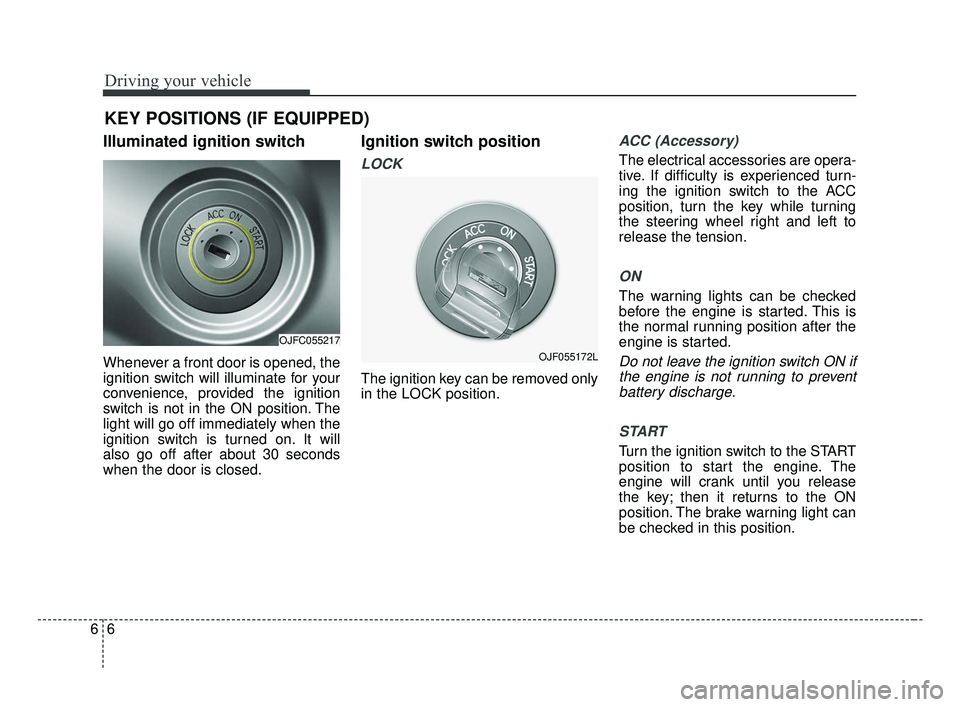
Illuminated ignition switch
Whenever a front door is opened, the
ignition switch will illuminate for your
convenience, provided the ignition
switch is not in the ON position. The
light will go off immediately when the
ignition switch is turned on. It will
also go off after about 30 seconds
when the door is closed.
Ignition switch position
LOCK
The ignition key can be removed only
in the LOCK position.
ACC (Accessory)
The electrical accessories are opera-
tive. If difficulty is experienced turn-
ing the ignition switch to the ACC
position, turn the key while turning
the steering wheel right and left to
release the tension.
ON
The warning lights can be checked
before the engine is started. This is
the normal running position after the
engine is started.
Do not leave the ignition switch ON ifthe engine is not running to preventbattery discharge.
START
Turn the ignition switch to the START
position to start the engine. The
engine will crank until you release
the key; then it returns to the ON
position. The brake warning light can
be checked in this position.
KEY POSITIONS (IF EQUIPPED)
OJFC055217
OJF055172L
JF CAN (ENG) 6.qxp 2016-09-21 11:24 Page 6
Page 364 of 629
67
Driving your vehicle
The anti-theft steering column lock (if
equipped) is not a substitute for the
parking brake. Before leaving the dri-
ver’s seat, always make sure the shift
lever is engaged in P (Park) for auto-
matic transaxle, set the parking
brake fully and shut the engine off.
Unexpected and sudden vehicle
movement may occur if these pre-
cautions are not taken.
WARNING- Key holder
Do not attach small purses,
multiple keys, or any other
heavy accessories to the dri-
ver's key chain used to start the
vehicle. It is possible for the
driver to accidently cause the
key inserted in the vehicle to
change the ignition position to
the ACC position while the vehi-
cle is moving thereby increas-
ing the risk of an accident and
causing the deactivation of sev-
eral safety features.WARNING- Leaving the Vehicle
To avoid unexpected or sudden
vehicle movement, never leave
your vehicle if the transmission
is not locked in the P (Park)
position and the parking brake
is fully engaged. Before leaving
the driver's seat, always make
sure the shift lever is engaged in
P (Park), set the parking brake
fully and shut the engine off.
WARNING- Ignition switch
Never turn the ignition switch to
LOCK or ACC while the vehicle
is moving. This would result in
loss of directional control and
braking function, which could
cause an accident.
JF CAN (ENG) 6.qxp 2016-09-21 11:24 Page 7
Page 365 of 629
Driving your vehicle
86
Starting the engine
1.Make sure the parking brake isapplied.
2.Place the transaxle shift lever in P (Park). Depress the brake pedal
fully.
You can also start the engine when
the shift lever is in the N (Neutral)
position. 3.Turn the ignition switch to START
and hold it there until the engine
starts (a maximum of 10 seconds),
then release the key.
It should be started withoutdepressing the accelerator.
4.Do not wait for the engine to warm up while the vehicle remains sta-
tionary.
Start driving at moderate engine
speeds. (Steep accelerating and
decelerating should be avoided.) If the engine stalls while you are in
motion, do not attempt to move the
shift lever to the P (Park) position. If
traffic and road conditions permit,
you may put the shift lever in the N
(Neutral) position while the vehicle is
still moving and turn the ignition
switch to the START position in an
attempt to restart the engine.
CAUTION- Starter
Do not engage the starter for
more than 10 seconds. If theengine stalls or fails to start,wait 5 to 10 seconds before re-engaging the starter. Improperuse of the starter may damageit.
WARNING- Steering
wheel
Never reach for any controls
through the steering wheel
while the vehicle is in motion.
The presence of your hand or
arm in this area could cause a
loss of vehicle control.
WARNING- Proper footwear
Always wear appropriate shoes
when operating your vehicle.
Unsuitable shoes (high heels,
ski boots, sandals, etc.) may
interfere with your ability to use
the brake and accelerator pedal.
JF CAN (ENG) 6.qxp 2016-09-21 11:24 Page 8
Page 371 of 629
When stopped on an incline, do not
hold the vehicle with the engine
power. Use the service brake or the
parking brake.
Transaxle ranges
The indicator in the instrument clus-
ter displays the shift lever position
when the ignition switch is in the ON
position.
P (Park)
Always come to a complete stop
before shifting into P (Park). This
position locks the transaxle and pre-
vents the drive wheels from rotating.
Shifting into P (Park) while the vehi-
cle is in motion will cause the drive
wheels to lock which will cause you
to lose control of the vehicle.R (Reverse)
Use this position to drive the vehicle
backward.
N (Neutral)
The wheels and transaxle are not
engaged. The vehicle will roll freely
even on the slightest incline unless
the parking brake or service brakes
are applied.
Driving your vehicle
14
6
CAUTION- Shifting
Always come to a complete stop
before shifting into or out of R(Reverse); you may damage thetransaxle if you shift into R(Reverse) while the vehicle is inmotion, except when “Rockingthe vehicle” explained in thischapter.
WARNING- Leaving
Vehicle
Before leaving the driver’s seat,
always make sure the shift lever
is in the P (Park) position; then
set the parking brake fully and
shut the engine off. Do not use
the P position in place of the
parking brake. Always make
sure the shift lever is locked in
the P position and set the park-
ing brake fully. Unexpected and
sudden vehicle movement can
occur if these precautions are
not followed.
CAUTION- Transaxle
To avoid damage to your transaxle, do not accelerate theengine in R (Reverse) or any for-ward gear position with thebrakes on. The transaxle may bedamaged if you shift into P(Park) while the vehicle is inmotion.
JF CAN (ENG) 6.qxp 2016-09-21 11:24 Page 14
Page 372 of 629
615
Driving your vehicle
- Parking in N (Neutral) gear
Follow below steps when parking
and you want the vehicle to move
when pushed.
1.After stopping your vehicle, depressthe brake pedal and move the
transaxle shift lever to [P] with the
ignition button in [ON] or while the
engine is running.
2.If the parking brake is applied, release the parking brake.
- For EPB (Electronic ParkingBrake) equipped vehicles,
depress the brake pedal with the
ignition button in [ON] or while the
engine is running to disengage
the parking brake. If [AUTO
HOLD] function is used while
driving (If [AUTO HOLD] indicator
is on in the cluster), press [AUTO
HOLD] switch and [AUTO HOLD]
function should be turn off.
3.While depressing the brake pedal, turn the ignition button [OFF].
- For smart key equipped vehicles,the ignition switch can be moved
to [OFF] only when the shift lever
is in [P]. 4.Change the gear shift lever to [N]
(Neutral) while depressing the
brake pedal and pressing down a
tool (e.g. flathead screw-driver) into
the [SHIFT LOCK RELEASE]
access hole at the same time.
Then, the vehicle will move when
external force is applied.✽ ✽ NOTICE
After the ignition switch has been
turned off, the EPB (Electronic
Parking Brake) cannot be released.
For EPB (Electronic Parking Brake)
equipped vehicles with [AUTO
HOLD] function used while driving, if
the ignition button has been turned
[OFF], the EPB (Electronic Parking
Brake) will be engaged automatical-
ly. Therefore, [AUTO HOLD] function
should be turned off before the igni-
tion button is turned off.
WARNING
With the exception of parking
in neutral gear, always park the
vehicle in [P] (Park) for safety
and apply the parking brake.
Before parking in [N] (Neutral) gear, first make sure the park-
ing ground is level and flat. Do
not park in [N] gear on any
slopes or gradients.
If parked and left in [N], the
vehicle may move and cause
serious damage or injury.
JF CAN (ENG) 6.qxp 2016-09-21 11:24 Page 15
Page 375 of 629
Shift lock system
For your safety, the automatic
transaxle has a shift lock system
which prevents shifting the transaxle
from P (Park) into R (Reverse)
unless the brake pedal is depressed.
To shift the transaxle from P (Park)
into R (Reverse):
1.Depress and hold the brake pedal.
2.Start the engine or turn the ignitionswitch to the ON position.
3.Move the shift lever.
If the brake pedal is repeatedly
depressed and released with the
shift lever in the P (Park) position, a
chattering noise & vibration near the
shift lever may be heard. It is a nor-
mal condition. Shift-lock override
If the shift lever cannot be moved
from the P (Park) position into R
(Reverse) position with the brake
pedal depressed, continue depress-
ing the brake, then do the following:
1. Place the ignition switch in the
LOCK/OFF position.
2. Apply the parking brake.
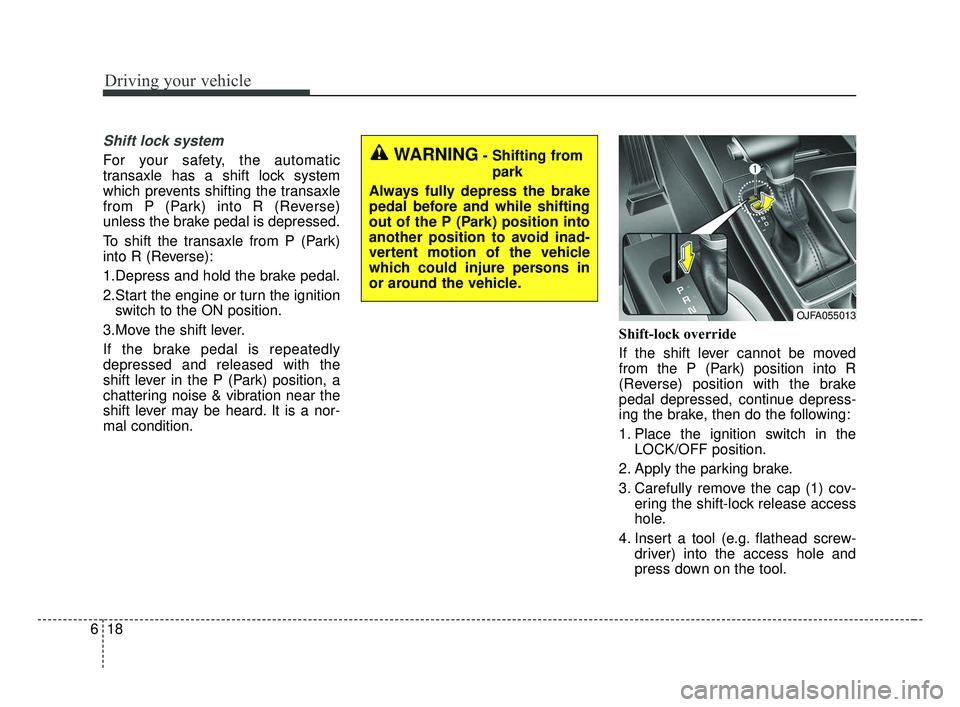
3. Carefully remove the cap (1) cov- ering the shift-lock release access
hole.
4. Insert a tool (e.g. flathead screw- driver) into the access hole and
press down on the tool.
Driving your vehicle
18
6
WARNING- Shifting from
park
Always fully depress the brake
pedal before and while shifting
out of the P (Park) position into
another position to avoid inad-
vertent motion of the vehicle
which could injure persons in
or around the vehicle.
OJFA055013
JF CAN (ENG) 6.qxp 2016-09-21 11:24 Page 18