mirror KIA OPTIMA 2019 Owner's Manual
[x] Cancel search | Manufacturer: KIA, Model Year: 2019, Model line: OPTIMA, Model: KIA OPTIMA 2019Pages: 577, PDF Size: 13.79 MB
Page 233 of 577
4143
Features of your vehicle
For maximum defrosting, set thetemperature control to the extreme
right/hot position and the fan speed
control to the highest speed.
If warm air to the floor is desired while defrosting or defogging, set
the mode to the floor-defrost posi-
tion.
Before driving, clear all snow and ice from the windshield, rear win-
dow, outside rear view mirrors, and
all side windows.
Clear all snow and ice from the hood and air inlet in the cowl grill to
improve heater and defroster effi-
ciency and to reduce the probabili-
ty of fogging up the inside of the
windshield.Manual climate control system
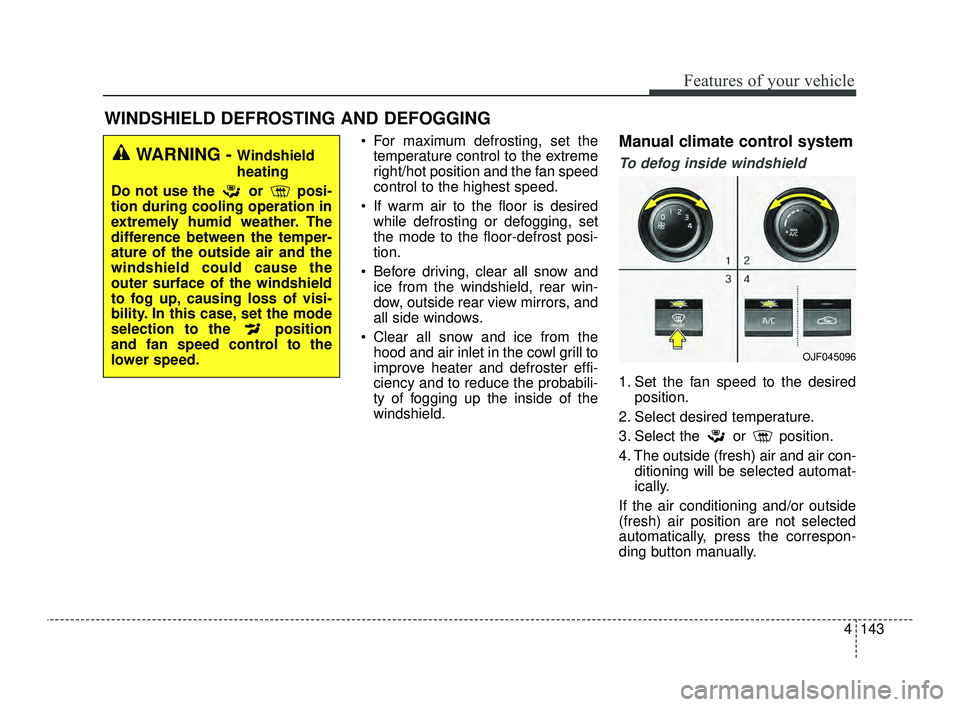
To defog inside windshield
1. Set the fan speed to the desired position.
2. Select desired temperature.
3. Select the or position.
4. The outside (fresh) air and air con- ditioning will be selected automat-
ically.
If the air conditioning and/or outside
(fresh) air position are not selected
automatically, press the correspon-
ding button manually.
WINDSHIELD DEFROSTING AND DEFOGGING
WARNING - Windshield
heating
Do not use the or posi-
tion during cooling operation in
extremely humid weather. The
difference between the temper-
ature of the outside air and the
windshield could cause the
outer surface of the windshield
to fog up, causing loss of visi-
bility. In this case, set the mode
selection to the position
and fan speed control to the
lower speed.
OJF045096
JFa PE USA 4.qxp 5/18/2018 7:25 PM Page 143
Page 242 of 577
Features of your vehicle
152
4
Air ventilation seat (if equipped)
The temperature setting of the seat
changes according to the switch
position.
If you want to ventilate your seat
cushion, press the switch (blue
color).
Each time you press the button, the airflow will change as follows: The seat warmer (with air ventila-
tion) defaults to the OFF position
whenever the ignition switch is
turned on.
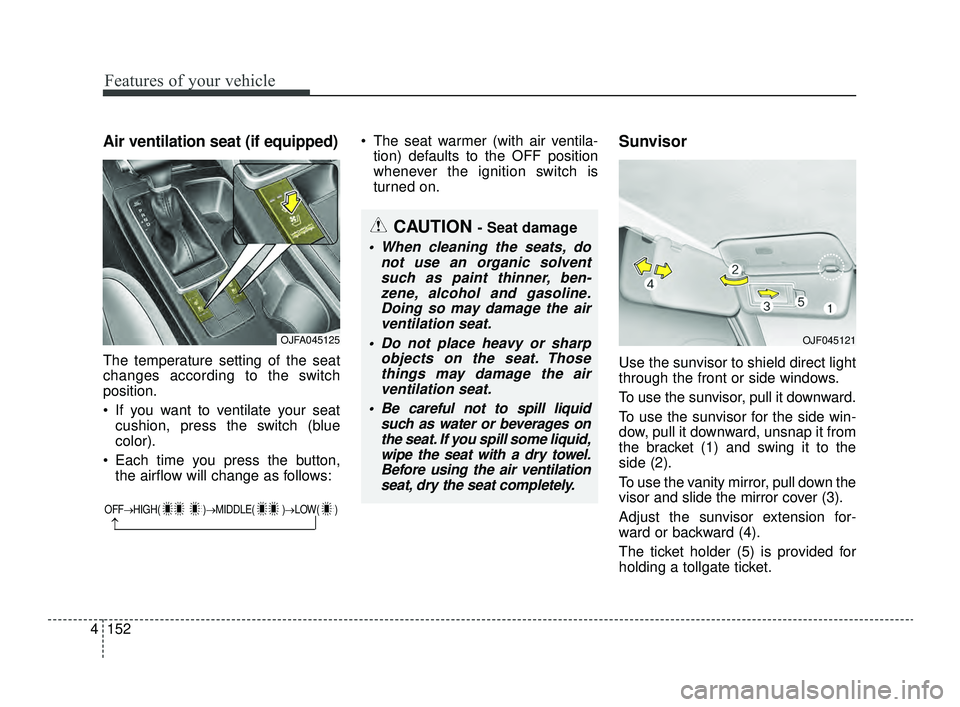
Sunvisor
Use the sunvisor to shield direct light
through the front or side windows.
To use the sunvisor, pull it downward.
To use the sunvisor for the side win-
dow, pull it downward, unsnap it from
the bracket (1) and swing it to the
side (2).
To use the vanity mirror, pull down the
visor and slide the mirror cover (3).
Adjust the sunvisor extension for-
ward or backward (4).
The ticket holder (5) is provided for
holding a tollgate ticket.
OFF→ HIGH( )→ MIDDLE( )→LOW( )
→
CAUTION - Seat damage
When cleaning the seats, do
not use an organic solventsuch as paint thinner, ben-zene, alcohol and gasoline.Doing so may damage the airventilation seat.
Do not place heavy or sharp objects on the seat. Thosethings may damage the airventilation seat.
Be careful not to spill liquid such as water or beverages onthe seat. If you spill some liquid,wipe the seat with a dry towel.Before using the air ventilationseat, dry the seat completely.
OJFA045125OJF045121
JFa PE USA 4.qxp 5/18/2018 7:26 PM Page 152
Page 243 of 577
4153
Features of your vehicle
* The actual sunvisor lamp in the vehi-cle may differ from the illustration.Power outlet (if equipped)
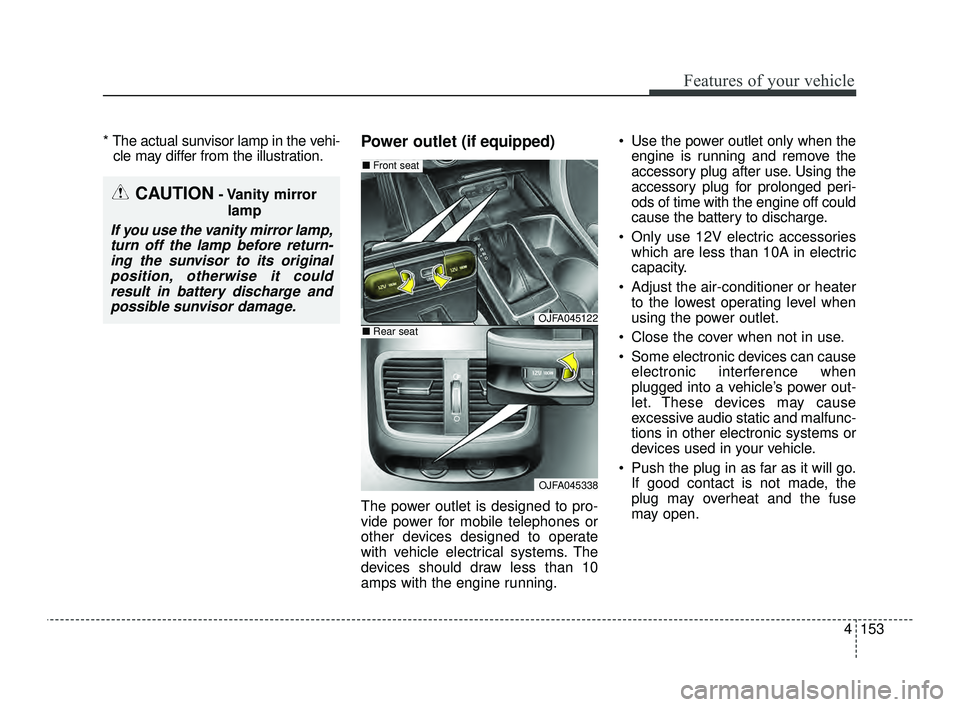
The power outlet is designed to pro-
vide power for mobile telephones or
other devices designed to operate
with vehicle electrical systems. The
devices should draw less than 10
amps with the engine running. Use the power outlet only when the
engine is running and remove the
accessory plug after use. Using the
accessory plug for prolonged peri-
ods of time with the engine off could
cause the battery to discharge.
Only use 12V electric accessories which are less than 10A in electric
capacity.
Adjust the air-conditioner or heater to the lowest operating level when
using the power outlet.
Close the cover when not in use.
Some electronic devices can cause electronic interference when
plugged into a vehicle’s power out-
let. These devices may cause
excessive audio static and malfunc-
tions in other electronic systems or
devices used in your vehicle.
Push the plug in as far as it will go. If good contact is not made, the
plug may overheat and the fuse
may open.
CAUTION- Vanity mirror
lamp
If you use the vanity mirror lamp,turn off the lamp before return-ing the sunvisor to its originalposition, otherwise it couldresult in battery discharge andpossible sunvisor damage.
OJFA045122
OJFA045338
■ Front seat
■Rear seat
JFa PE USA 4.qxp 5/18/2018 7:26 PM Page 153
Page 257 of 577
55
Driving your vehicle
Before entering vehicle
• Be sure that all windows, outsidemirror(s), and outside lights are
clean.
Check the condition of the tires.
Check under the vehicle for any sign of leaks.
Be sure there are no obstacles behind you if you intend to back up.
Necessary inspections
Fluid levels, such as engine oil,
engine coolant, brake fluid, and
washer fluid should be checked on a
regular basis, at the exact interval
depending on the fluid. Further
details are provided in chapter 8,
“Maintenance”.
Before starting
Close and lock all doors.
Position the seat so that all con-trols are easily reached.
Buckle your seat belt.
Adjust the inside and outside rearview mirrors.
Be sure that all lights work.
Check all gauges.
Check the operation of warning lights when the ignition switch is
turned to the ON position.
Release the parking brake and make sure the brake warning light
goes out.
For safe operation, be sure you are
familiar with your vehicle and its
equipment.
BEFORE DRIVING
WARNING - Distracted driving
Focus on the road while driving.
The driver's primary responsi-
bility is in the safe and legal
operation of the vehicle. Use of
any handled devices, other
equipment or vehicle systems
that distract the driver should
not be used during vehicle
operation.
JFa PE USA 5.QXP 5/17/2018 6:09 PM Page 5
Page 317 of 577
565
Driving your vehicle
(Continued)
• Use only genuine parts to repair orreplace a damaged
• Do not tint the window or install stickers, accessories around the
inside mirror where the camera is
installed.
• Make sure the frontal camera installation point does not get wet.
• Do not impact or arbitrarily remove any camera components.
• Do not place reflective objects(white paper or mirror etc.)
on the crash pad.
The system may activate unneces-
sarily due to reflect of the sunlight.
• Excessive audio volume may dis- turb the sound of the system warn-
ing alarm.
• For more cautions for the camera sensor, refer to the Lane Keeping
Assist system in this chapter.System malfunction
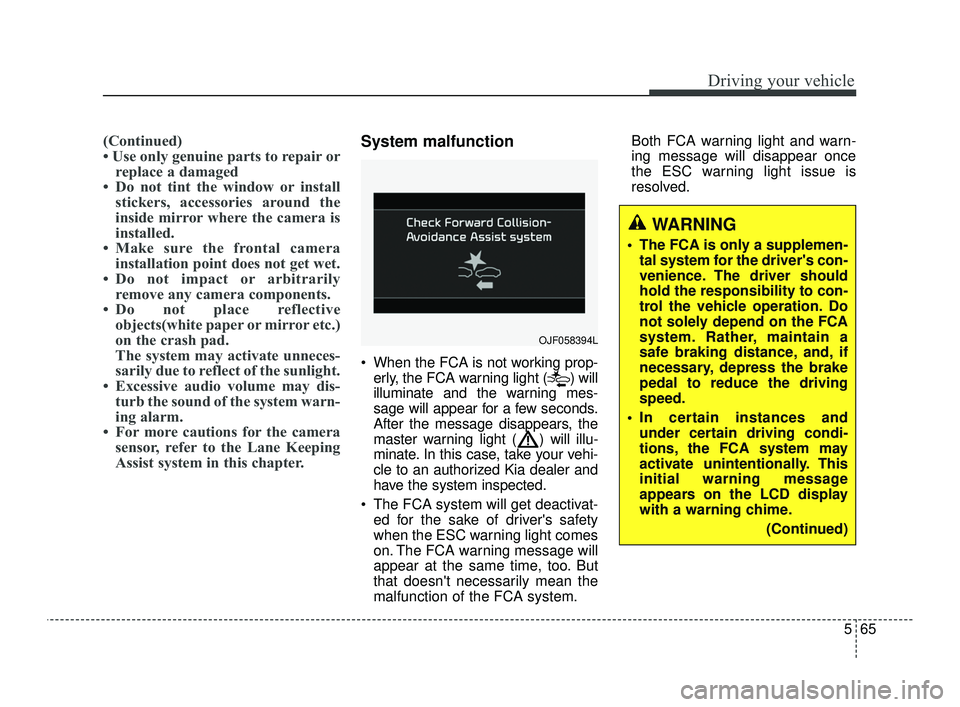
When the FCA is not working prop-
erly, the FCA warning light ( ) will
illuminate and the warning mes-
sage will appear for a few seconds.
After the message disappears, the
master warning light ( ) will illu-
minate. In this case, take your vehi-
cle to an authorized Kia dealer and
have the system inspected.
The FCA system will get deactivat- ed for the sake of driver's safety
when the ESC warning light comes
on. The FCA warning message will
appear at the same time, too. But
that doesn't necessarily mean the
malfunction of the FCA system. Both FCA warning light and warn-
ing message will disappear once
the ESC warning light issue is
resolved.
OJF058394L
WARNING
The FCA is only a supplemen-
tal system for the driver's con-
venience. The driver should
hold the responsibility to con-
trol the vehicle operation. Do
not solely depend on the FCA
system. Rather, maintain a
safe braking distance, and, if
necessary, depress the brake
pedal to reduce the driving
speed.
In certain instances and under certain driving condi-
tions, the FCA system may
activate unintentionally. This
initial warning message
appears on the LCD display
with a warning chime.
(Continued)
JFa PE USA 5.QXP 5/17/2018 6:12 PM Page 65
Page 329 of 577
577
Driving your vehicle
✽ ✽NOTICE
• Do not apply foreign objects such
as a bumper sticker or a bumper
guard near the radar sensor.
Doing so may adversely affect the
sensing performance of the radar.
• Always keep the radar sensor and cover clean and free of dirt and
debris.
• Use only soft clothes to wash the vehicle. Do not spray pressurized
water directly on the sensor or
sensor cover.
• Be careful not to apply unneces- sary force on the radar sensor or
sensor cover. If the sensor is
forcibly moved out of proper
alignment, the FCA system may
not operate correctly. In this case,
a warning message may not be dis-
played. Have the vehicle inspected
by an authorized Kia dealer.
• If the front bumper becomes dam- aged in the area around the radar
sensor, the FCA system may not
operate properly. In this case,
have your vehicle inspected by an
authorized Kia dealer. (Continued)(Continued)
• Use only genuine parts to repair or
replace a damaged sensor or sen-
sor cover. Do not apply paint to
the sensor cover.
• Do not tint the window or install stickers or accessories around the
inside mirror where the camera is
installed.
• Make sure the frontal camera installation point does not get wet.
• Do not impact or remove any radar/camera components.
• Do not place reflective objects(white paper or mirror etc.)
on the dashboard.
The system may activate unneces-
sarily due to reflection of the sun-
light.
• Excessive audio system volume may prevent occupants from hear-
ing the FCA system warning
alarm.
Warning message and warning
light
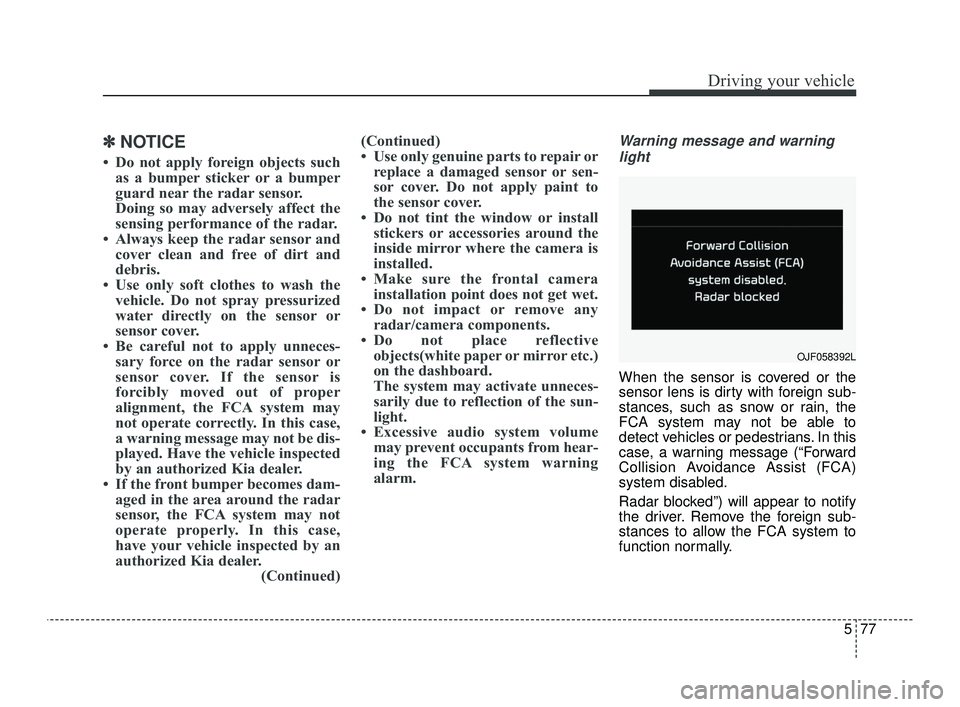
When the sensor is covered or the
sensor lens is dirty with foreign sub-
stances, such as snow or rain, the
FCA system may not be able to
detect vehicles or pedestrians. In this
case, a warning message (“Forward
Collision Avoidance Assist (FCA)
system disabled.
Radar blocked”) will appear to notify
the driver. Remove the foreign sub-
stances to allow the FCA system to
function normally.
OJF058392L
JFa PE USA 5.QXP 5/17/2018 6:12 PM Page 77
Page 367 of 577
5115
Driving your vehicle
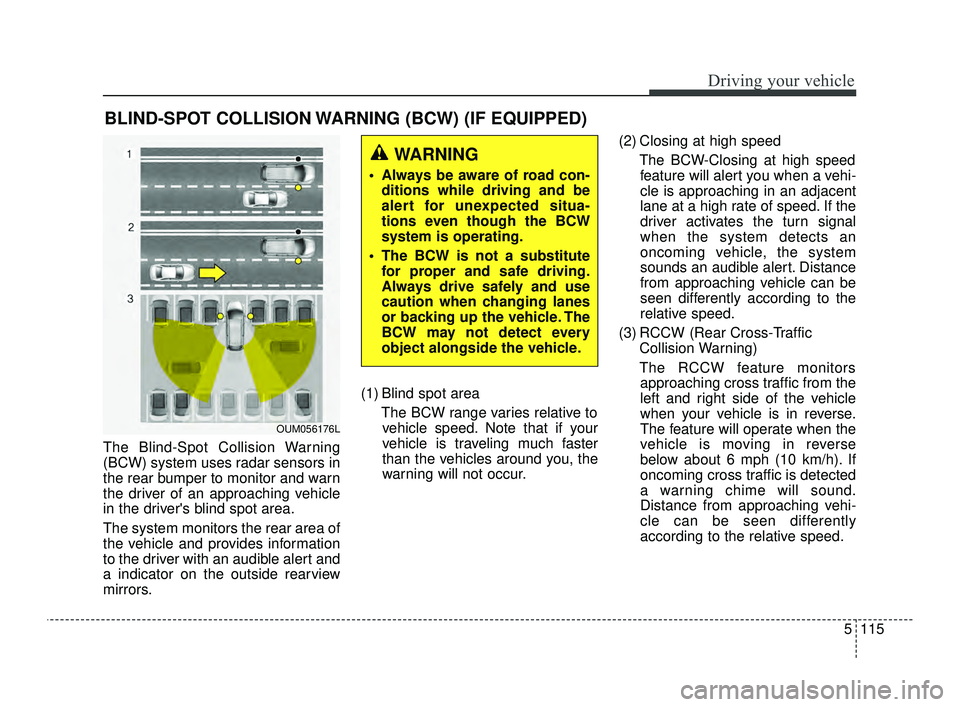
The Blind-Spot Collision Warning
(BCW) system uses radar sensors in
the rear bumper to monitor and warn
the driver of an approaching vehicle
in the driver's blind spot area.
The system monitors the rear area of
the vehicle and provides information
to the driver with an audible alert and
a indicator on the outside rearview
mirrors.(1) Blind spot area
The BCW range varies relative tovehicle speed. Note that if your
vehicle is traveling much faster
than the vehicles around you, the
warning will not occur. (2) Closing at high speed
The BCW-Closing at high speedfeature will alert you when a vehi-
cle is approaching in an adjacent
lane at a high rate of speed. If the
driver activates the turn signal
when the system detects an
oncoming vehicle, the system
sounds an audible alert. Distance
from approaching vehicle can be
seen differently according to the
relative speed.
(3) RCCW (Rear Cross-Traffic Collision Warning)
The RCCW feature monitors approaching cross traffic from the
left and right side of the vehicle
when your vehicle is in reverse.
The feature will operate when the
vehicle is moving in reverse
below about 6 mph (10 km/h). If
oncoming cross traffic is detected
a warning chime will sound.
Distance from approaching vehi-
cle can be seen differently
according to the relative speed.
BLIND-SPOT COLLISION WARNING (BCW) (IF EQUIPPED)
WARNING
Always be aware of road con- ditions while driving and be
alert for unexpected situa-
tions even though the BCW
system is operating.
The BCW is not a substitute for proper and safe driving.
Always drive safely and use
caution when changing lanes
or backing up the vehicle. The
BCW may not detect every
object alongside the vehicle.
OUM056176L
JFa PE USA 5.QXP 5/17/2018 6:14 PM Page 115
Page 368 of 577
Driving your vehicle
116
5
BCW (Blind-Spot Collision
Warning) / LCA (Lane Change
Assist)
Operating conditions
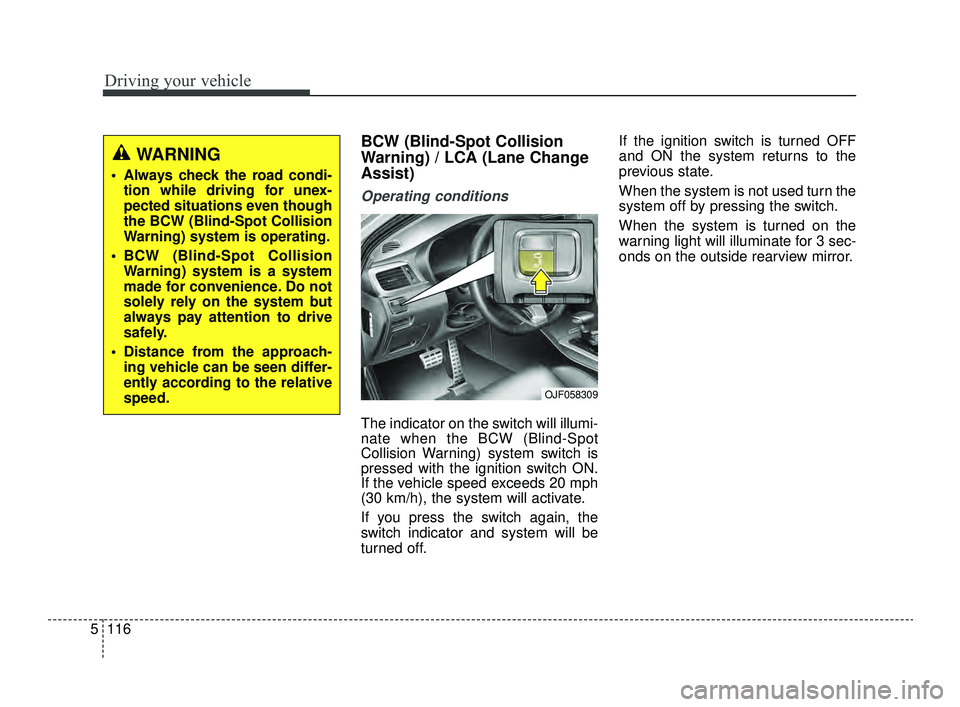
The indicator on the switch will illumi-
nate when the BCW (Blind-Spot
Collision Warning) system switch is
pressed with the ignition switch ON.
If the vehicle speed exceeds 20 mph
(30 km/h), the system will activate.
If you press the switch again, the
switch indicator and system will be
turned off. If the ignition switch is turned OFF
and ON the system returns to the
previous state.
When the system is not used turn the
system off by pressing the switch.
When the system is turned on the
warning light will illuminate for 3 sec-
onds on the outside rearview mirror.
WARNING
Always check the road condi-
tion while driving for unex-
pected situations even though
the BCW (Blind-Spot Collision
Warning) system is operating.
BCW (Blind-Spot Collision Warning) system is a system
made for convenience. Do not
solely rely on the system but
always pay attention to drive
safely.
Distance from the approach- ing vehicle can be seen differ-
ently according to the relative
speed.
OJF058309
JFa PE USA 5.QXP 5/17/2018 6:14 PM Page 116
Page 369 of 577
5117
Driving your vehicle
Warning type
The system will activate when:
1.The system is on
2.Vehicle speed is above 20 mph (30km/h)
3.Other vehicles are detected in the rear side
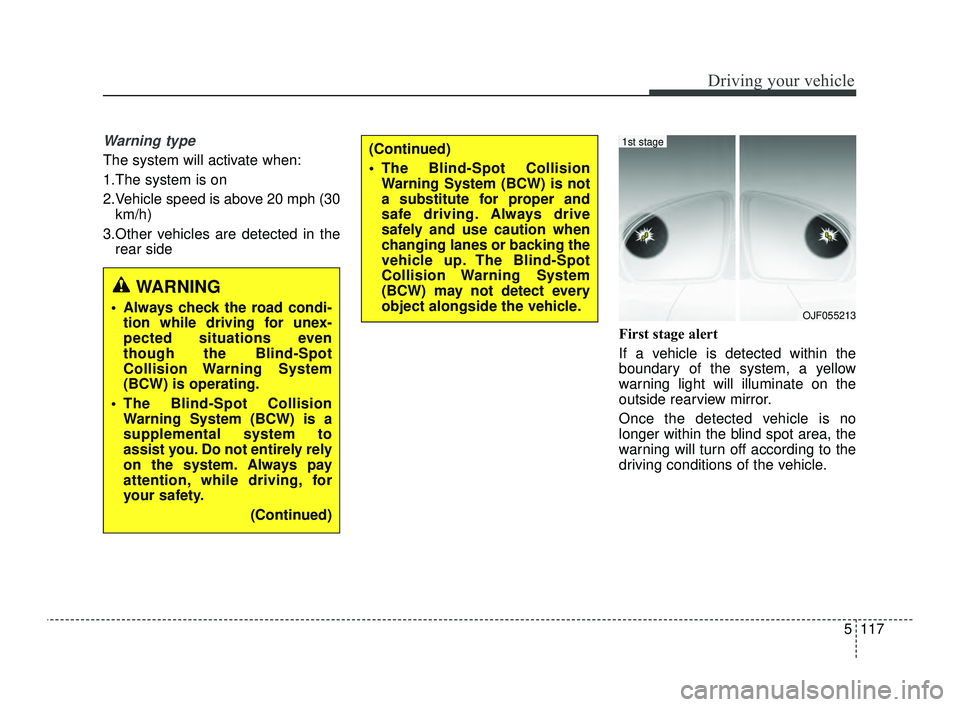
First stage alert
If a vehicle is detected within the
boundary of the system, a yellow
warning light will illuminate on the
outside rearview mirror.
Once the detected vehicle is no
longer within the blind spot area, the
warning will turn off according to the
driving conditions of the vehicle.
WARNING
Always check the road condi-tion while driving for unex-
pected situations even
though the Blind-Spot
Collision Warning System
(BCW) is operating.
The Blind-Spot Collision Warning System (BCW) is a
supplemental system to
assist you. Do not entirely rely
on the system. Always pay
attention, while driving, for
your safety.
(Continued)
(Continued)
The Blind-Spot CollisionWarning System (BCW) is not
a substitute for proper and
safe driving. Always drive
safely and use caution when
changing lanes or backing the
vehicle up. The Blind-Spot
Collision Warning System
(BCW) may not detect every
object alongside the vehicle.
OJF055213
1st stage
JFa PE USA 5.QXP 5/17/2018 6:14 PM Page 117
Page 370 of 577
Driving your vehicle
118
5
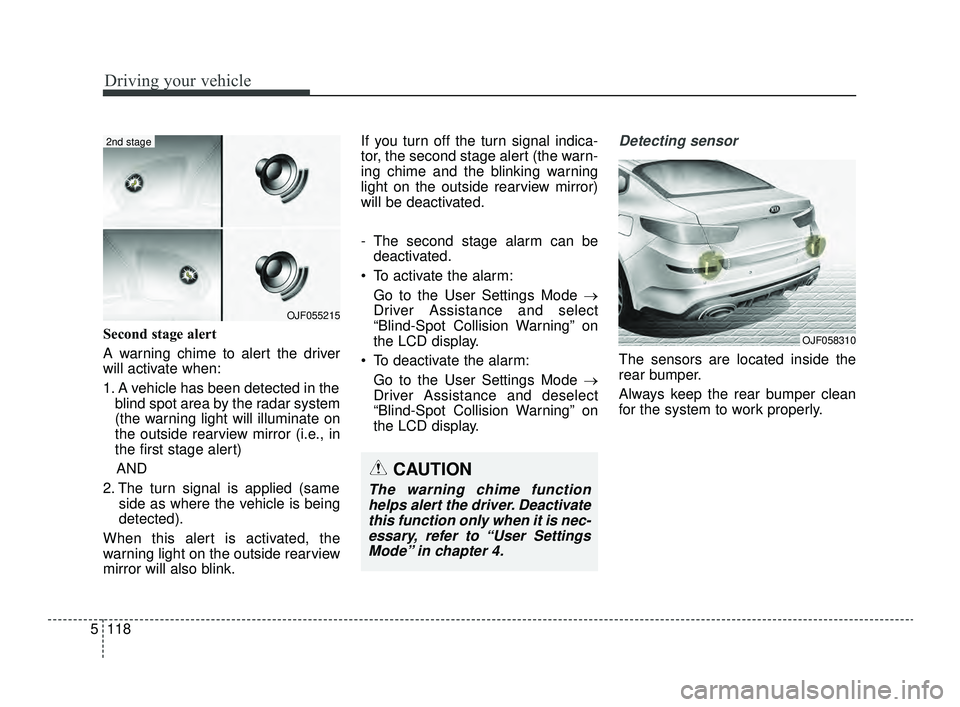
Second stage alert
A warning chime to alert the driver
will activate when:
1. A vehicle has been detected in the
blind spot area by the radar system
(the warning light will illuminate on
the outside rearview mirror (i.e., in
the first stage alert)
AND
2. The turn signal is applied (same side as where the vehicle is being
detected).
When this alert is activated, the
warning light on the outside rearview
mirror will also blink. If you turn off the turn signal indica-
tor, the second stage alert (the warn-
ing chime and the blinking warning
light on the outside rearview mirror)
will be deactivated.
- The second stage alarm can be
deactivated.
To activate the alarm: Go to the User Settings Mode →
Driver Assistance and select
“Blind-Spot Collision Warning” on
the LCD display.
To deactivate the alarm: Go to the User Settings Mode →
Driver Assistance and deselect
“Blind-Spot Collision Warning” on
the LCD display.
Detecting sensor
The sensors are located inside the
rear bumper.
Always keep the rear bumper clean
for the system to work properly.
OJF055215
2nd stage
CAUTION
The warning chime functionhelps alert the driver. Deactivatethis function only when it is nec-essary, refer to “User SettingsMode” in chapter 4.
OJF058310
JFa PE USA 5.QXP 5/17/2018 6:14 PM Page 118