battery KIA OPTIMA HYBRID 2015 Owner's Manual
[x] Cancel search | Manufacturer: KIA, Model Year: 2015, Model line: OPTIMA HYBRID, Model: KIA OPTIMA HYBRID 2015Pages: 495, PDF Size: 13.38 MB
Page 125 of 495
Features of your vehicle
34
4
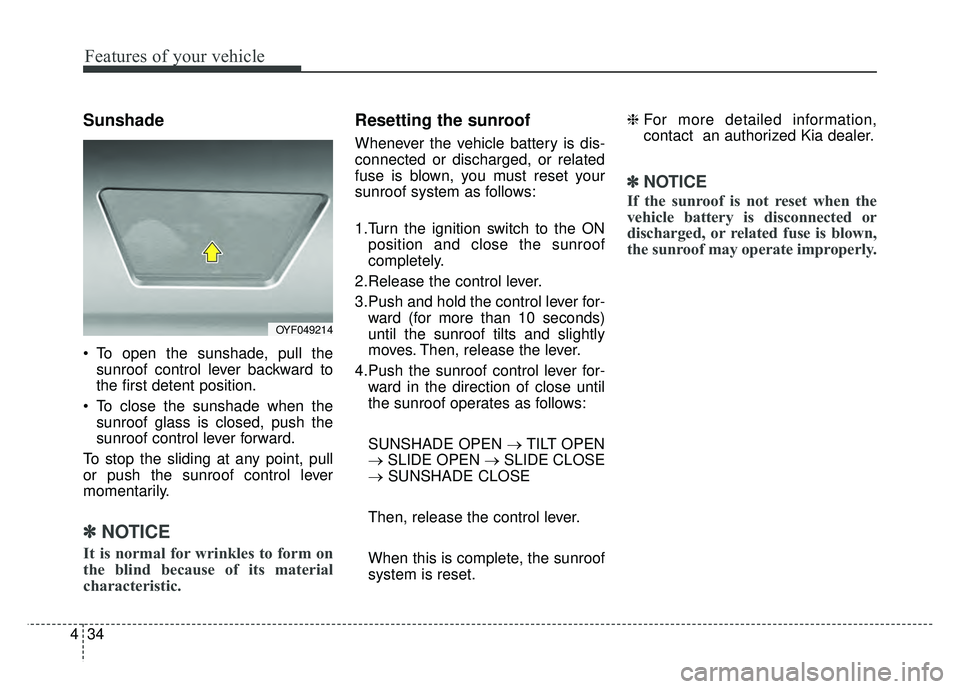
Sunshade
To open the sunshade, pull the
sunroof control lever backward to
the first detent position.
To close the sunshade when the sunroof glass is closed, push the
sunroof control lever forward.
To stop the sliding at any point, pull
or push the sunroof control lever
momentarily.
✽ ✽ NOTICE
It is normal for wrinkles to form on
the blind because of its material
characteristic.
Resetting the sunroof
Whenever the vehicle battery is dis-
connected or discharged, or related
fuse is blown, you must reset your
sunroof system as follows:
1.Turn the ignition switch to the ON
position and close the sunroof
completely.
2.Release the control lever.
3.Push and hold the control lever for- ward (for more than 10 seconds)
until the sunroof tilts and slightly
moves. Then, release the lever.
4.Push the sunroof control lever for- ward in the direction of close until
the sunroof operates as follows:
SUNSHADE OPEN → TILT OPEN
→ SLIDE OPEN → SLIDE CLOSE
→ SUNSHADE CLOSE
Then, release the control lever.
When this is complete, the sunroof
system is reset. ❈
For more detailed information,
contact an authorized Kia dealer.
✽ ✽
NOTICE
If the sunroof is not reset when the
vehicle battery is disconnected or
discharged, or related fuse is blown,
the sunroof may operate improperly.
OYF049214
Page 126 of 495
435
Features of your vehicle
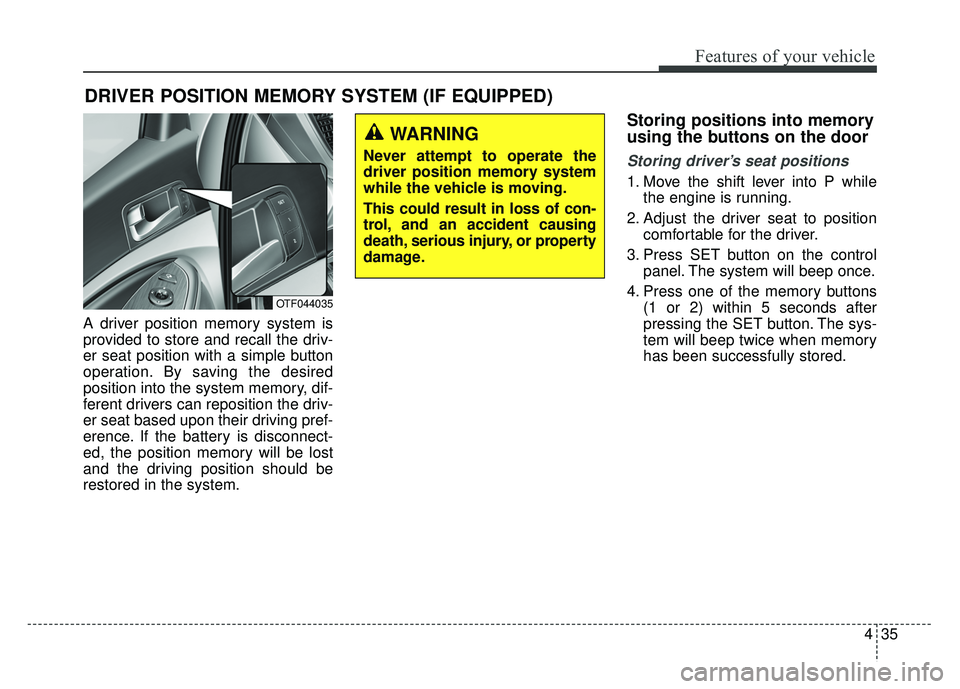
A driver position memory system is
provided to store and recall the driv-
er seat position with a simple button
operation. By saving the desired
position into the system memory, dif-
ferent drivers can reposition the driv-
er seat based upon their driving pref-
erence. If the battery is disconnect-
ed, the position memory will be lost
and the driving position should be
restored in the system.
Storing positions into memory
using the buttons on the door
Storing driver’s seat positions
1. Move the shift lever into P whilethe engine is running.
2. Adjust the driver seat to position comfortable for the driver.
3. Press SET button on the control panel. The system will beep once.
4. Press one of the memory buttons (1 or 2) within 5 seconds after
pressing the SET button. The sys-
tem will beep twice when memory
has been successfully stored.
DRIVER POSITION MEMORY SYSTEM (IF EQUIPPED)
OTF044035
WARNING
Never attempt to operate the
driver position memory system
while the vehicle is moving.
This could result in loss of con-
trol, and an accident causing
death, serious injury, or property
damage.
Page 134 of 495
443
Features of your vehicle
After the adjustment, put the lever
into neutral (center) position to pre-
vent inadvertent adjustment.Folding the outside rearview mirror
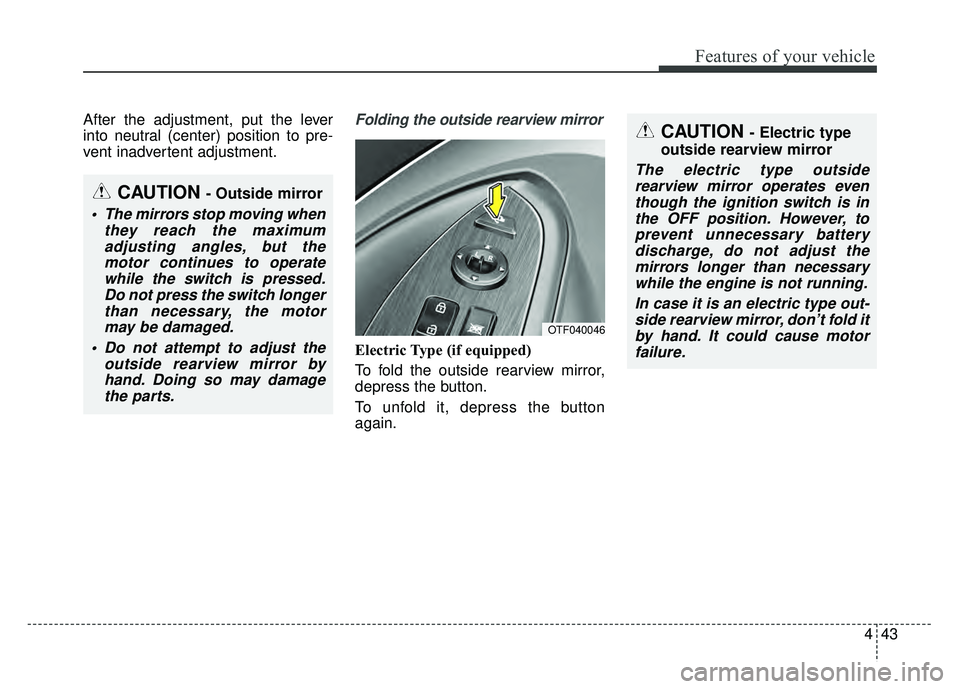
Electric Type (if equipped)
To fold the outside rearview mirror,
depress the button.
To unfold it, depress the button
again.
CAUTION - Outside mirror
The mirrors stop moving whenthey reach the maximumadjusting angles, but themotor continues to operatewhile the switch is pressed.Do not press the switch longerthan necessary, the motormay be damaged.
Do not attempt to adjust the outside rearview mirror byhand. Doing so may damagethe parts.
CAUTION - Electric type
outside rearview mirror
The electric type outside rearview mirror operates eventhough the ignition switch is inthe OFF position. However, toprevent unnecessary batterydischarge, do not adjust themirrors longer than necessarywhile the engine is not running.
In case it is an electric type out-side rearview mirror, don’t fold itby hand. It could cause motorfailure.
OTF040046
Page 139 of 495
Features of your vehicle
48
4
State of charge (SOC)
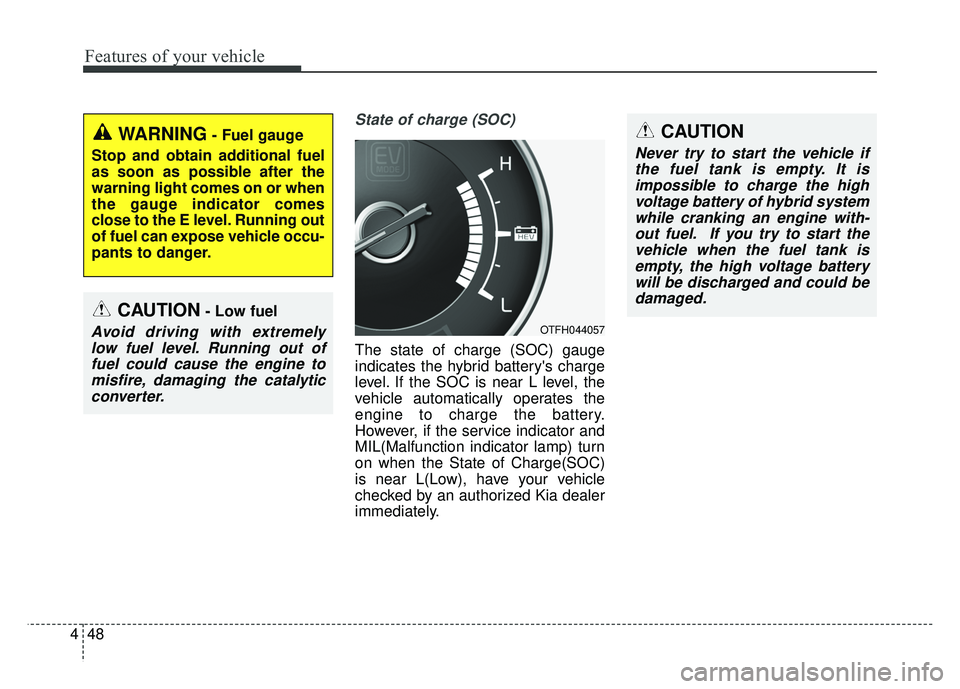
The state of charge (SOC) gauge
indicates the hybrid battery's charge
level. If the SOC is near L level, the
vehicle automatically operates the
engine to charge the battery.
However, if the service indicator and
MIL(Malfunction indicator lamp) turn
on when the State of Charge(SOC)
is near L(Low), have your vehicle
checked by an authorized Kia dealer
immediately.
WARNING- Fuel gauge
Stop and obtain additional fuel
as soon as possible after the
warning light comes on or when
the gauge indicator comes
close to the E level. Running out
of fuel can expose vehicle occu-
pants to danger.
CAUTION- Low fuel
Avoid driving with extremely low fuel level. Running out offuel could cause the engine tomisfire, damaging the catalyticconverter.
CAUTION
Never try to start the vehicle ifthe fuel tank is empty. It isimpossible to charge the highvoltage battery of hybrid systemwhile cranking an engine with-out fuel. If you try to start thevehicle when the fuel tank isempty, the high voltage batterywill be discharged and could bedamaged.
OTFH044057
Page 143 of 495
Features of your vehicle
52
4
Hybrid information modes
Overview
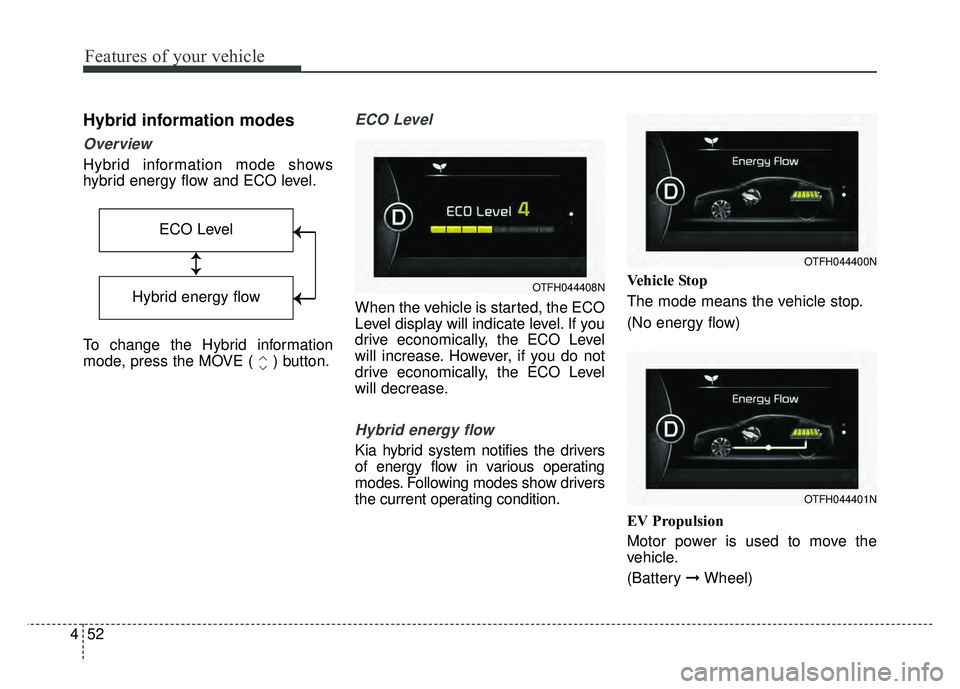
Hybrid information mode shows
hybrid energy flow and ECO level.
To change the Hybrid information
mode, press the MOVE ( ) button.
ECO Level
When the vehicle is started, the ECO
Level display will indicate level. If you
drive economically, the ECO Level
will increase. However, if you do not
drive economically, the ECO Level
will decrease.
Hybrid energy flow
Kia hybrid system notifies the drivers
of energy flow in various operating
modes. Following modes show drivers
the current operating condition. Vehicle Stop
The mode means the vehicle stop.
(No energy flow)
EV Propulsion
Motor power is used to move the
vehicle.
(Battery
➞Wheel)
ECO Level
↕
↕
→
→
→
→
Hybrid energy flow
OTFH044401N
OTFH044400N
OTFH044408N
Page 144 of 495
453
Features of your vehicle
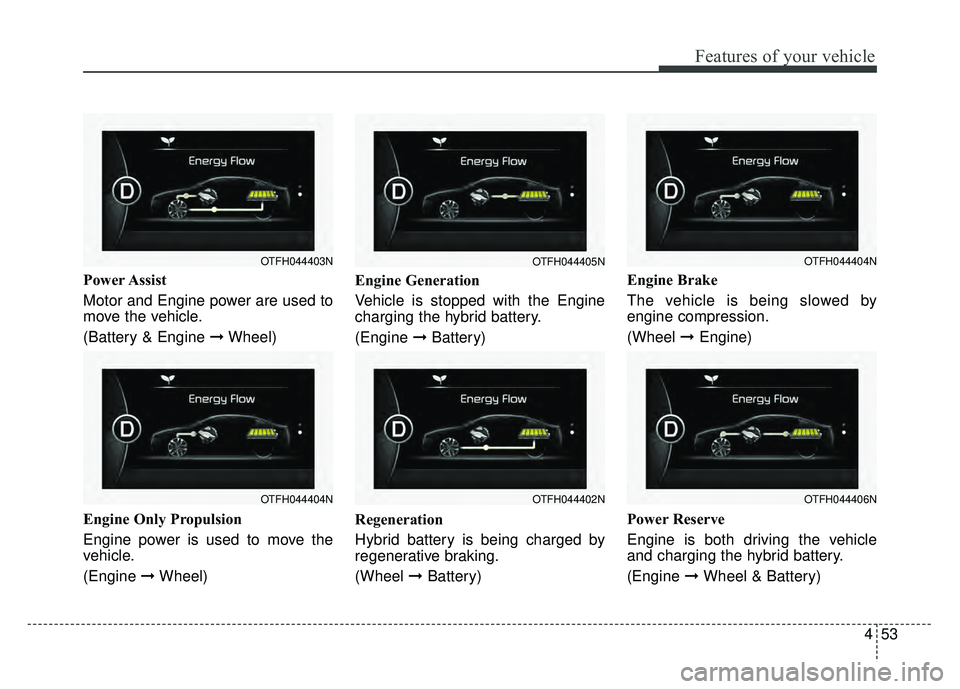
Power Assist
Motor and Engine power are used to
move the vehicle.
(Battery & Engine ➞Wheel)
Engine Only Propulsion
Engine power is used to move the
vehicle.
(Engine ➞Wheel) Engine Generation
Vehicle is stopped with the Engine
charging the hybrid battery.
(Engine
➞Battery)
Regeneration
Hybrid battery is being charged by
regenerative braking.
(Wheel ➞Battery) Engine Brake
The vehicle is being slowed by
engine compression.
(Wheel
➞Engine)
Power Reserve
Engine is both driving the vehicle
and charging the hybrid battery.
(Engine ➞ Wheel & Battery)
OTFH044404N
OTFH044403N
OTFH044402N
OTFH044405N
OTFH044406N
OTFH044404N
Page 145 of 495
Features of your vehicle
54
4
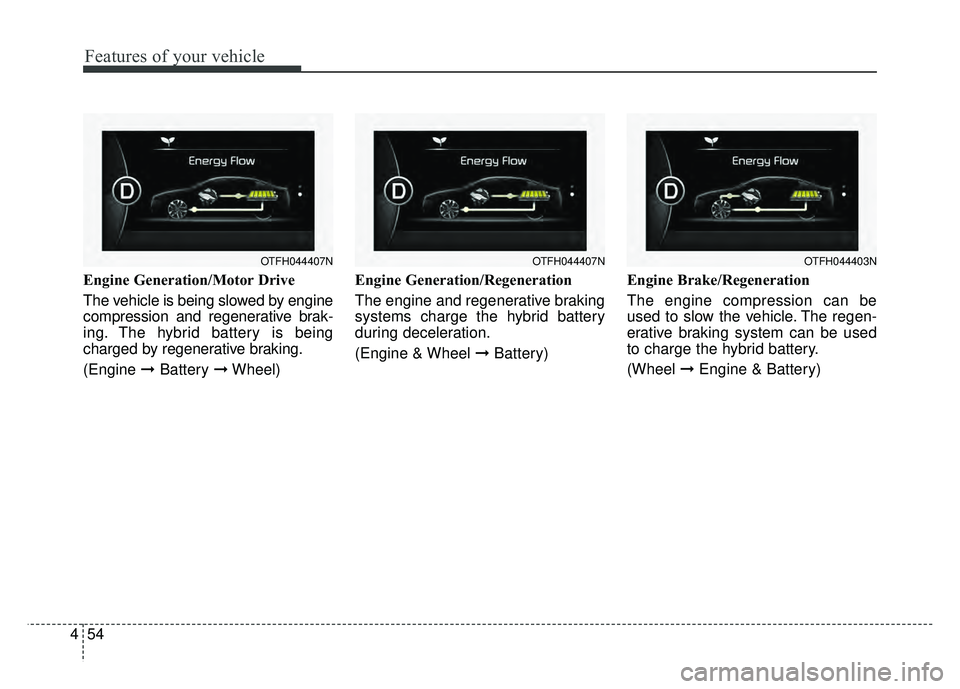
Engine Generation/Motor Drive
The vehicle is being slowed by engine
compression and regenerative brak-
ing. The hybrid battery is being
charged by regenerative braking.
(Engine ➞Battery ➞Wheel) Engine Generation/Regeneration
The engine and regenerative braking
systems charge the hybrid battery
during deceleration.
(Engine & Wheel ➞
Battery)Engine Brake/Regeneration
The engine compression can be
used to slow the vehicle. The regen-
erative braking system can be used
to charge the hybrid battery.
(Wheel
➞Engine & Battery)
OTFH044407NOTFH044403NOTFH044407N
Page 146 of 495
455
Features of your vehicle
Service Mode
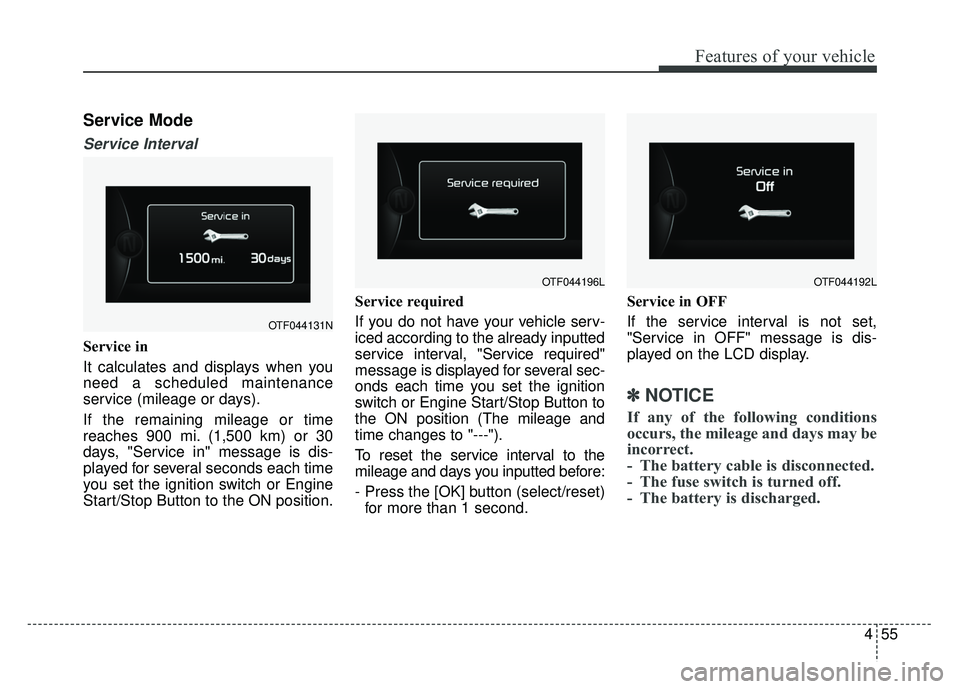
Service Interval
Service in
It calculates and displays when you
need a scheduled maintenance
service (mileage or days).
If the remaining mileage or time
reaches 900 mi. (1,500 km) or 30
days, "Service in" message is dis-
played for several seconds each time
you set the ignition switch or Engine
Start/Stop Button to the ON position.Service required
If you do not have your vehicle serv-
iced according to the already inputted
service interval, "Service required"
message is displayed for several sec-
onds each time you set the ignition
switch or Engine Start/Stop Button to
the ON position (The mileage and
time changes to "---").
To reset the service interval to the
mileage and days you inputted before:
- Press the [OK] button (select/reset)
for more than 1 second. Service in OFF
If the service interval is not set,
"Service in OFF" message is dis-
played on the LCD display.
✽ ✽
NOTICE
If any of the following conditions
occurs, the mileage and days may be
incorrect.
- The battery cable is disconnected.
- The fuse switch is turned off.
- The battery is discharged.
OTF044131N
OTF044196LOTF044192L
Page 150 of 495
459
Features of your vehicle
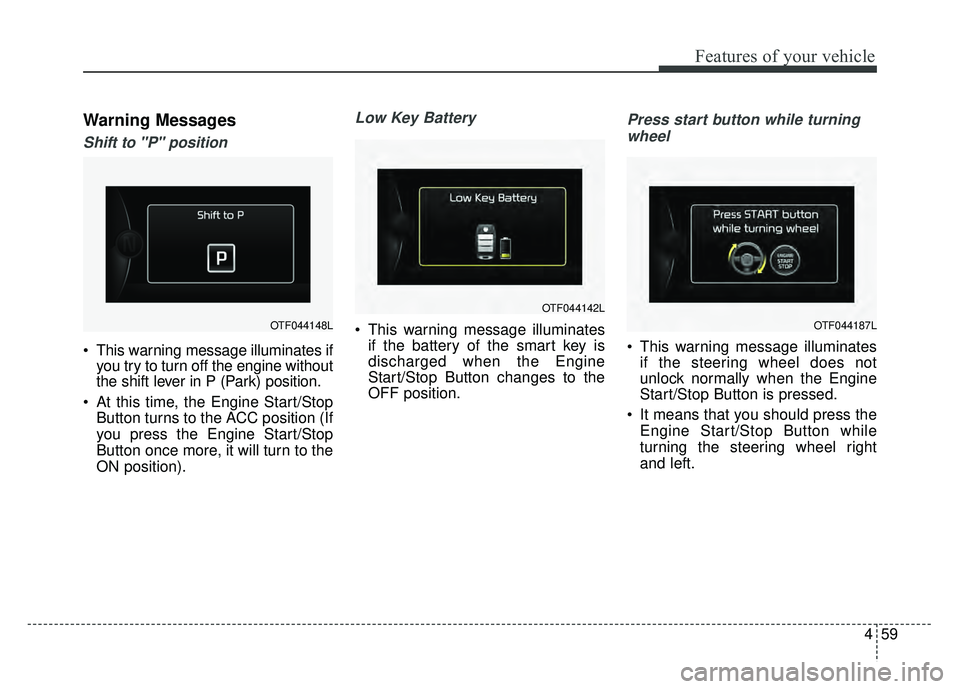
Warning Messages
Shift to "P" position
This warning message illuminates ifyou try to turn off the engine without
the shift lever in P (Park) position.
At this time, the Engine Start/Stop Button turns to the ACC position (If
you press the Engine Start/Stop
Button once more, it will turn to the
ON position).
Low Key Battery
This warning message illuminatesif the battery of the smart key is
discharged when the Engine
Start/Stop Button changes to the
OFF position.
Press start button while turning
wheel
This warning message illuminates if the steering wheel does not
unlock normally when the Engine
Start/Stop Button is pressed.
It means that you should press the Engine Start/Stop Button while
turning the steering wheel right
and left.
OTF044148L
OTF044142L
OTF044187L
Page 155 of 495
Features of your vehicle
64
4
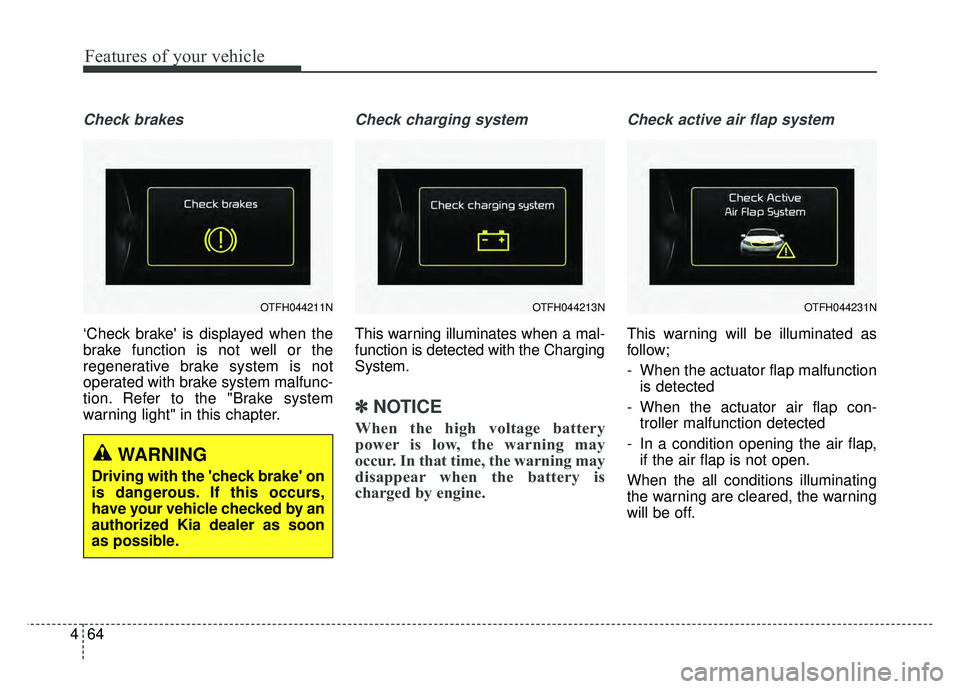
Check brakes
‘Check brake' is displayed when the
brake function is not well or the
regenerative brake system is not
operated with brake system malfunc-
tion. Refer to the "Brake system
warning light" in this chapter.
Check charging system
This warning illuminates when a mal-
function is detected with the Charging
System.
✽ ✽
NOTICE
When the high voltage battery
power is low, the warning may
occur. In that time, the warning may
disappear when the battery is
charged by engine.
Check active air flap system
This warning will be illuminated as
follow;
- When the actuator flap malfunction
is detected
- When the actuator air flap con- troller malfunction detected
- In a condition opening the air flap, if the air flap is not open.
When the all conditions illuminating
the warning are cleared, the warning
will be off.
OTFH044211N
WARNING
Driving with the 'check brake' on
is dangerous. If this occurs,
have your vehicle checked by an
authorized Kia dealer as soon
as possible.
OTFH044213NOTFH044231N