display KIA Optima Hybrid 2016 4.G Owner's Manual
[x] Cancel search | Manufacturer: KIA, Model Year: 2016, Model line: Optima Hybrid, Model: KIA Optima Hybrid 2016 4.GPages: 466, PDF Size: 14.92 MB
Page 14 of 466
23
Your vehicle at a glance
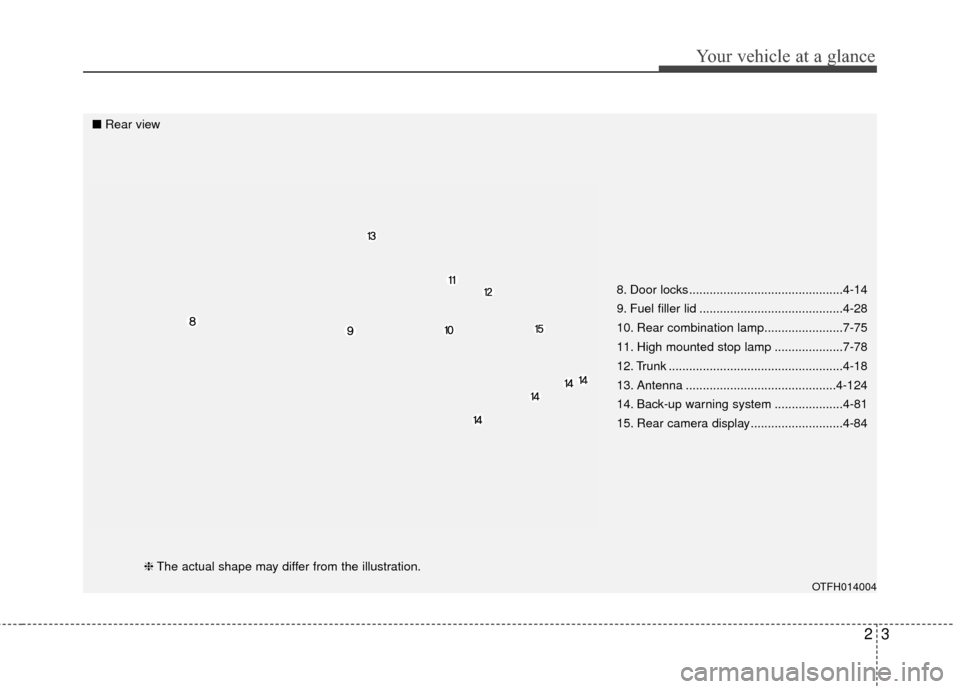
8. Door locks .............................................4-14
9. Fuel filler lid ..........................................4-28
10. Rear combination lamp.......................7-75
11. High mounted stop lamp ....................7-78
12. Trunk ...................................................4-18
13. Antenna ............................................4-124
14. Back-up warning system ....................4-81
15. Rear camera display ...........................4-84
OTFH014004
■Rear view
❈The actual shape may differ from the illustration.
Page 77 of 466
Instrument cluster . . . . . . . . . . . . . . . . . . . . . . . . . 4-45
. . . . . . . . . . . . . . . . . . . . 4-46
. . . . . . . . . . . . . . . . . . . . . . . . . 4-46
. . . . . . . . . . . . . . . . . . . . . . . . . . . . . . . . . . . . \
. 4-47
. . . . . . . . . . . . . . . . . . . . . . 4-50
LCD Display . . . . . . . . . . . . . . . . . . . . . . . . . . . . . . 4-51
. . . . . . . . . . . . . . . . . . . . . . . . . . . . . . . . . 4-51
. . . . . . . . . . . . . . . . . . . . . 4-52
. . . . . . . . . . . . . . . . . . . . . . . . . . . . . . . . 4-55
. . . . . . . . . . . . . . . . . . . . . . . . . . . 4-56
. . . . . . . . . . . . . . . . . . . . . . . . . . . . 4-59
Trip computer . . . . . . . . . . . . . . . . . . . . . . . . . . . . . 4-67
. . . . . . . . . . . . . . . . . . . . . . . . . . . . . . . 4-67
. . . . . . . . . . . . . . . . . . . . . . . . . . . . . . . . . . . . \
4-69
. . . . . . . . . . . . . 4-70
Warning and indicator lights . . . . . . . . . . . . . . . . 4-71
. . . . . . . . . . . . . . . . . . . . . . . . . . . . . . . 4-71
. . . . . . . . . . . . . . . . . . . . . . . . . . . . . . 4-77
Back-Up Warning System . . . . . . . . . . . . . . . . . . . 4-81
. . . . . . . 4-81
System. . . . . . . . . . . . . . . . . . . . . . . . . . . . . . . . . . . . \
. 4-82
. . . . . . . . . . . 4-82
. . . . . . . . . . . . . . . . . . . . . . . . . . . . . . . . 4-83
Rear Camera Display. . . . . . . . . . . . . . . . . . . . . . . 4-84
Welcome system . . . . . . . . . . . . . . . . . . . . . . . . . . . 4-85
positon light). . . . . . . . . 4-85
. . . . . . . . . . . . . . . . . . 4-85
. . . . . . . . . . . . . . . . . . . . . . . . . . . . . . . . 4-85
Lighting . . . . . . . . . . . . . . . . . . . . . . . . . . . . . . . . . . 4-86\
. . . . . . . . . . . . . . . . . . . . . . 4-86
. . . . . . . . . . . . . . . . . . . . . . . . . 4-87
. . . . . . . . . . . . . . . . . . . . . . . . . . . . . . 4-87
. . . . . . . . . . . . 4-90
. . . . . . . . . . . . . . . . . . . . . . . . . . . . . . . 4-91
Wipers and washers . . . . . . . . . . . . . . . . . . . . . . . . 4-92
. . . . . . . . . . . . . . . . . . . . . . . . . . . . 4-92
Interior light . . . . . . . . . . . . . . . . . . . . . . . . . . . . . . 4-95
. . . . . . . . . . . . . . . . . . . . 4-95
. . . . . . . . . . . . . . . . . . . . . . . . . . . . . . . . . . . 4-\
95
. . . . . . . . . . . . . . . . . . . . . . . . . . . . . . . . . . 4-96\
. . . . . . . . . . . . . . . . . . . . . . . . . . . . 4-97
. . . . . . . . . . . . . . . . . . . . . . . . . . . . . . 4-98
. . . . . . . . . . . . . . . . . . . . . . . . . . . 4-98
4
Page 120 of 466
445
Features of your vehicle
INSTRUMENT CLUSTER
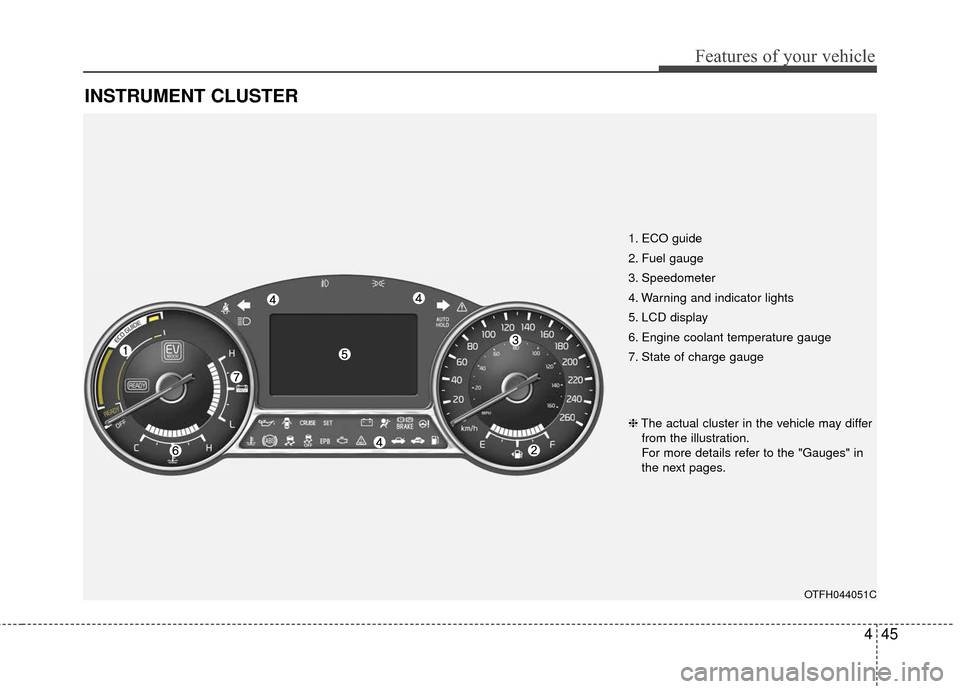
1. ECO guide
2. Fuel gauge
3. Speedometer
4. Warning and indicator lights
5. LCD display
6. Engine coolant temperature gauge
7. State of charge gauge
OTFH044051C
❈The actual cluster in the vehicle may differ
from the illustration.
For more details refer to the "Gauges" in
the next pages.
Page 121 of 466
Features of your vehicle
46
4
Instrument Cluster Control
Adjusting Instrument Cluster
Illumination
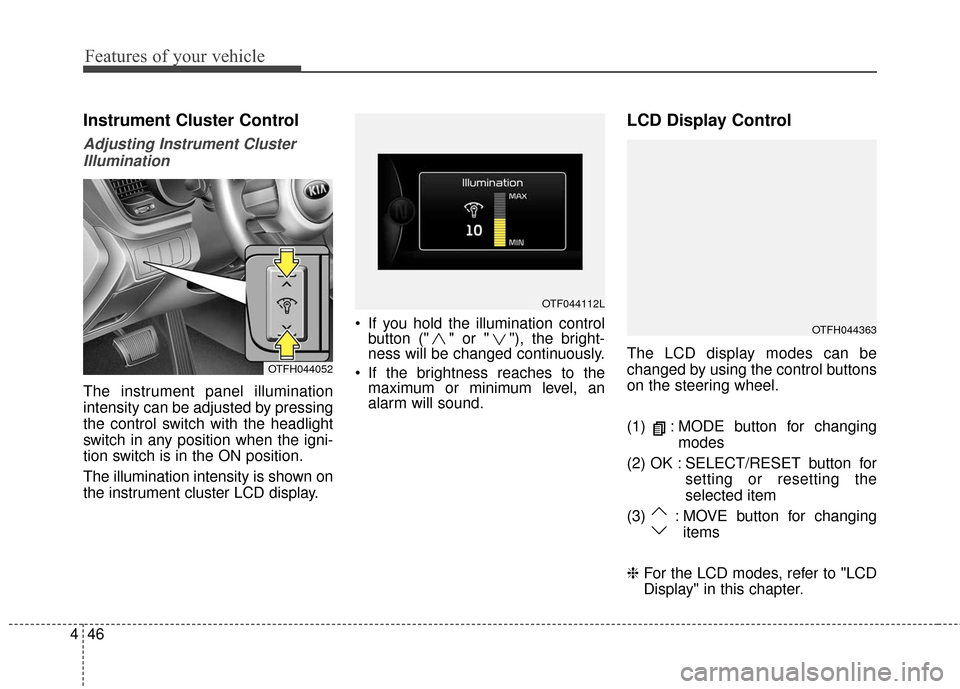
The instrument panel illumination
intensity can be adjusted by pressing
the control switch with the headlight
switch in any position when the igni-
tion switch is in the ON position.
The illumination intensity is shown on
the instrument cluster LCD display. If you hold the illumination control
button (" " or " "), the bright-
ness will be changed continuously.
If the brightness reaches to the maximum or minimum level, an
alarm will sound.
LCD Display Control
The LCD display modes can be
changed by using the control buttons
on the steering wheel.
(1) : MODE button for changing
modes
(2) OK : SELECT/RESET button for setting or resetting the
selected item
(3) : MOVE button for changing items
❈ For the LCD modes, refer to "LCD
Display" in this chapter.OTFH044052
OTF044112L
OTFH044363
Page 124 of 466
449
Features of your vehicle
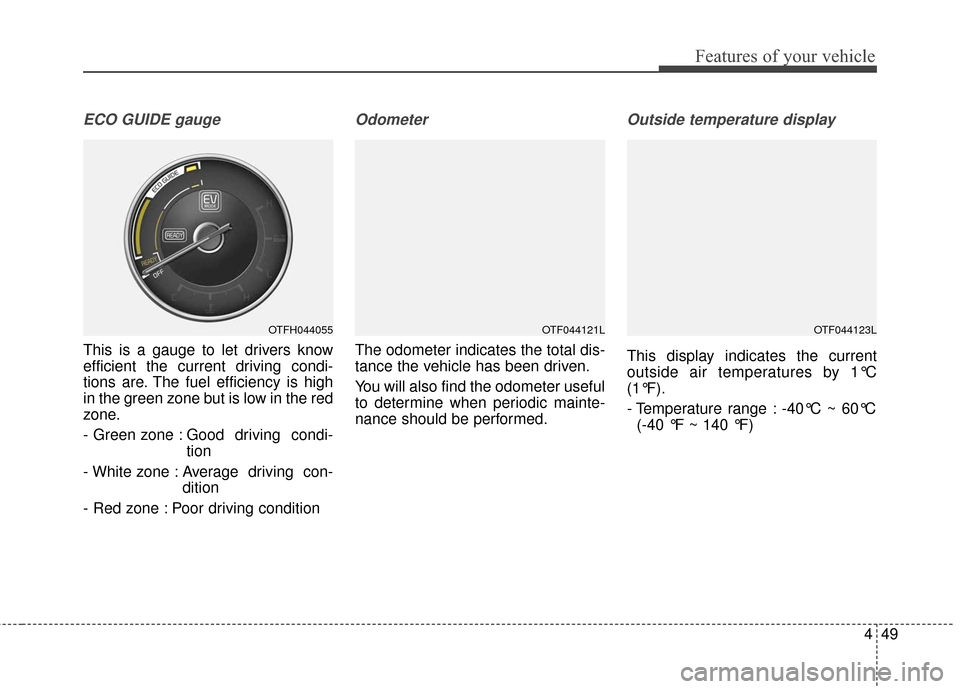
ECO GUIDE gauge
This is a gauge to let drivers know
efficient the current driving condi-
tions are. The fuel efficiency is high
in the green zone but is low in the red
zone.
- Green zone : Good driving condi-tion
- White zone : Average driving con- dition
- Red zone : Poor driving condition
Odometer
The odometer indicates the total dis-
tance the vehicle has been driven.
You will also find the odometer useful
to determine when periodic mainte-
nance should be performed.
Outside temperature display
This display indicates the current
outside air temperatures by 1°C
(1°F).
- Temperature range : -40°C ~ 60°C (-40 °F ~ 140 °F)
OTFH044055OTF044121LOTF044123L
Page 125 of 466
Features of your vehicle
50
4
The outside temperature on the dis-
play may not change immediately
like a Hg thermometer to prevent the
driver from being inattentive.
The temperature unit (from °C to °F
or from °F to °C) can be changed by
using the “User Settings” mode of the
LCD display or While pressing the
OFF button, press the AUTO button
for 3 seconds or more. (for automatic
climate control system)
❈ For more details, refer to “LCD
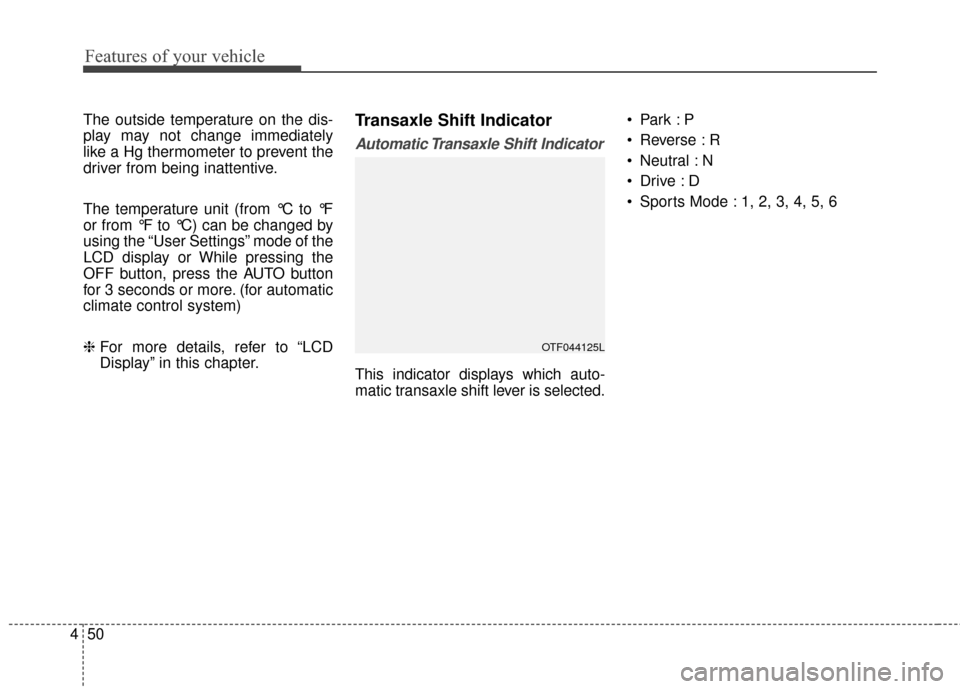
Display” in this chapter.Transaxle Shift Indicator
Automatic Transaxle Shift Indicator
This indicator displays which auto-
matic transaxle shift lever is selected.
Reverse : R
Neutral : N
Sports Mode : 1, 2, 3, 4, 5, 6
OTF044125L
Page 126 of 466
451
Features of your vehicle
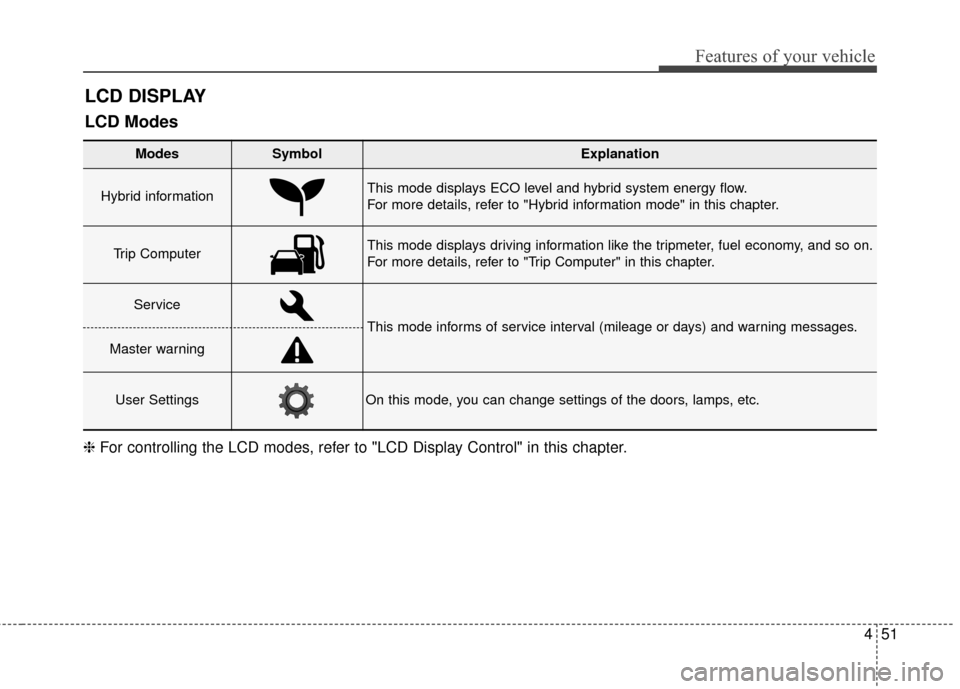
LCD DISPLAY
Modes SymbolExplanation
Hybrid informationThis mode displays ECO level and hybrid system energy flow.
For more details, refer to "Hybrid information mode" in this chapter.
Trip Computer This mode displays driving information like the tripmeter, fuel economy, and so on.
For more details, refer to "Trip Computer" in this chapter.
Service
This mode informs of service interval (mileage or days) and warning messages.
Master warning
User SettingsOn this mode, you can change settings of the doors, lamps, etc.
❈For controlling the LCD modes, refer to "LCD Display Control" in this chapter.
LCD Modes
Page 127 of 466
Features of your vehicle
52
4
Hybrid information modes
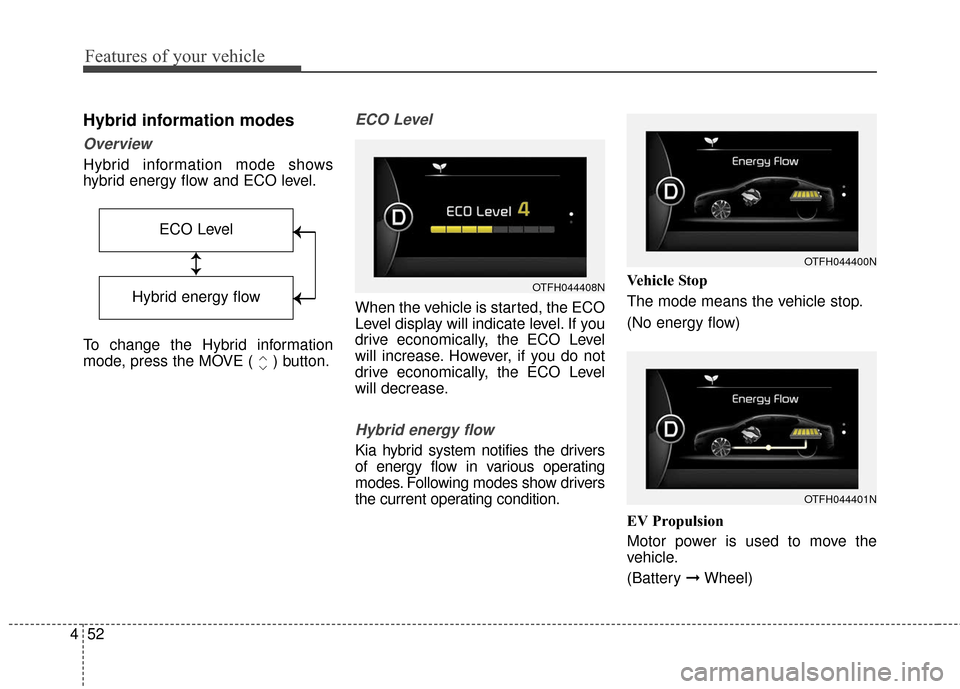
Overview
Hybrid information mode shows
hybrid energy flow and ECO level.
To change the Hybrid information
mode, press the MOVE ( ) button.
ECO Level
When the vehicle is started, the ECO
Level display will indicate level. If you
drive economically, the ECO Level
will increase. However, if you do not
drive economically, the ECO Level
will decrease.
Hybrid energy flow
Kia hybrid system notifies the drivers
of energy flow in various operating
modes. Following modes show drivers
the current operating condition. Vehicle Stop
The mode means the vehicle stop.
(No energy flow)
EV Propulsion
Motor power is used to move the
vehicle.
(Battery
➞Wheel)
ECO Level
↕
↕
→
→
→
→
Hybrid energy flow
OTFH044401N
OTFH044400N
OTFH044408N
Page 130 of 466
455
Features of your vehicle
Service Mode
Service Interval
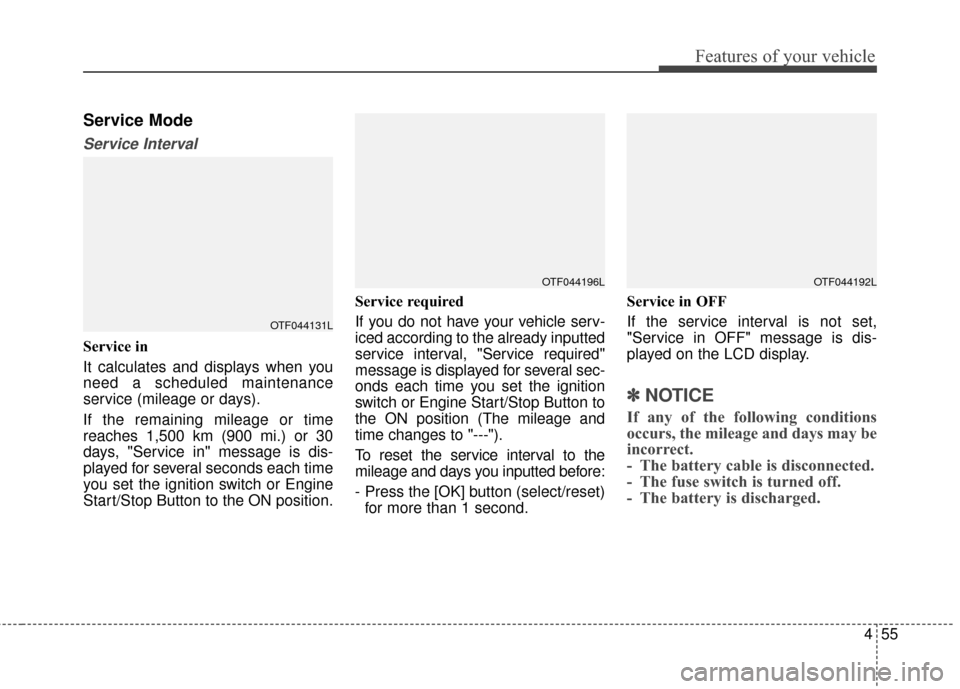
Service in
It calculates and displays when you
need a scheduled maintenance
service (mileage or days).
If the remaining mileage or time
reaches 1,500 km (900 mi.) or 30
days, "Service in" message is dis-
played for several seconds each time
you set the ignition switch or Engine
Start/Stop Button to the ON position.Service required
If you do not have your vehicle serv-
iced according to the already inputted
service interval, "Service required"
message is displayed for several sec-
onds each time you set the ignition
switch or Engine Start/Stop Button to
the ON position (The mileage and
time changes to "---").
To reset the service interval to the
mileage and days you inputted before:
- Press the [OK] button (select/reset)
for more than 1 second. Service in OFF
If the service interval is not set,
"Service in OFF" message is dis-
played on the LCD display.
✽ ✽
NOTICE
If any of the following conditions
occurs, the mileage and days may be
incorrect.
- The battery cable is disconnected.
- The fuse switch is turned off.
- The battery is discharged.
OTF044131L
OTF044196LOTF044192L
Page 139 of 466
Features of your vehicle
64
4
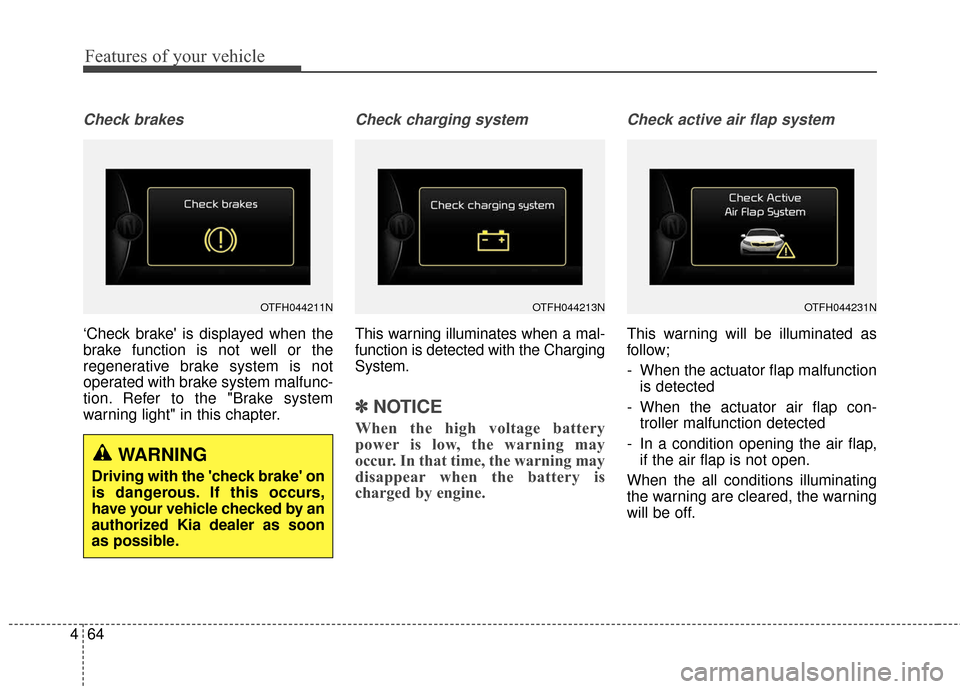
Check brakes
‘Check brake' is displayed when the
brake function is not well or the
regenerative brake system is not
operated with brake system malfunc-
tion. Refer to the "Brake system
warning light" in this chapter.
Check charging system
This warning illuminates when a mal-
function is detected with the Charging
System.
✽ ✽
NOTICE
When the high voltage battery
power is low, the warning may
occur. In that time, the warning may
disappear when the battery is
charged by engine.
Check active air flap system
This warning will be illuminated as
follow;
- When the actuator flap malfunction
is detected
- When the actuator air flap con- troller malfunction detected
- In a condition opening the air flap, if the air flap is not open.
When the all conditions illuminating
the warning are cleared, the warning
will be off.
OTFH044211N
WARNING
Driving with the 'check brake' on
is dangerous. If this occurs,
have your vehicle checked by an
authorized Kia dealer as soon
as possible.
OTFH044213NOTFH044231N