warning light KIA OPTIMA PHEV 2017 Manual PDF
[x] Cancel search | Manufacturer: KIA, Model Year: 2017, Model line: OPTIMA PHEV, Model: KIA OPTIMA PHEV 2017Pages: 604, PDF Size: 13.16 MB
Page 374 of 604
637
Driving your vehicle
ESC OFF usage
When driving
ESC should be turned on for dailydriving whenever possible.
To turn ESC off while driving, press the ESC OFF button while driving
on a flat road surface.
✽ ✽ NOTICE
• When operating the vehicle on a
dynamometer, ensure that the
ESC is turned off (ESC OFF light
illuminated). If the ESC is left on,
it may prevent the vehicle speed
from increasing, and result in false
diagnosis.
• Turning the ESC off does not affect ABS or brake system opera-
tion.
WARNING- Operating
ESC
Never press the ESC OFF but-
ton while ESC is operating (ESC
indicator light blinks).
If ESC is turned off while ESC is
operating, the vehicle may slip
out of control.
WARNING- Electronic sta- bility control
Drive carefully even though your
vehicle has Electronic Stability
Control. It can only assist you in
maintaining control under cer-
tain circumstances.
Page 375 of 604
Driving your vehicle
38
6
Vehicle stability management
(VSM)
This system provides further
enhancements to vehicle stability
and steering responses when a vehi-
cle is driving on a slippery road or a
vehicle detects changes in coeffi-
cient of friction between right wheels
and left wheels when braking.
VSM operation
When the VSM is in operation, ESC
indicator light ( ) blinks.
When the vehicle stability manage-
ment is operating properly, you can
feel a slight pulsation in the vehicle
and/or abnormal steering responses
(EPS- Electronic Power Steering).
This is only the effect of brake and
EPS control and indicates nothing
unusual.
The VSM does not operate when:
Driving on a sloping road such as a
gradient or incline
Driving in reverse
ESC OFF indicator light ( ) remains on the instrument cluster
EPS indicator light remains on the instrument cluster
VSM operation off
If you press the ESC OFF button to
turn off the ESC, the VSM will also
cancel and the ESC OFF indicator
light ( ) illuminates.
To turn on the VSM, press the button
again. The ESC OFF indicator light
goes out.
WARNING- Tire/
Wheel size
When replacing tires and wheels,
make sure they are the same size
as the original tires and wheels
installed. Driving with varying
tire or wheel sizes may diminish
any supplemental safety benefits
of the VSM system.
Page 376 of 604
639
Driving your vehicle
Malfunction indicator
The VSM can be deactivated even if
you don’t cancel the VSM operation
by pressing the ESC OFF button. It
indicates that a malfunction has
been detected somewhere in the
Electric Power Steering system or
VSM system. If the ESC indicator
light ( ) or EPS warning light
remains on, take your vehicle to an
authorized Kia dealer and have the
system checked.
✽ ✽NOTICE
• The VSM is designed to function
above approximately 13 mph (22
km/h) on curves.
• The VSM is designed to function above approximately 6 mph (10
km/h) when a vehicle is braking on
a split-mu surface. A split-mu sur-
face is made of two surfaces which
have different friction forces.
The Vehicle Stability Management
system is not a substitute for safe
driving practices but a supplemen-
tary function only. It is the respon-
sibility of the driver to always check
the speed and the distance to the
vehicle ahead. Always hold the
steering wheel firmly while driving.
Your vehicle is designed to activate according to the driver’s intention,
even with installed VSM. Always fol-
low all the normal precautions for
driving at safe speeds for the condi-
tions – including driving in clement
weather and on a slippery road.
✽ ✽ NOTICE
For maximum protection, always
wear your seat belt. No system, no
matter how advanced, can compen-
sate for all driver error and/or driv-
ing conditions. Always drive respon-
sibly.
Hill-start assist control (HAC)
A vehicle has the tendency to roll
back on a steep hill when it starts to
go after stopping. The Hill-start
Assist Control (HAC) prevents the
vehicle from rolling back by applying
the brakes automatically for about 2
seconds. The brakes are released
when the accelerator pedal is
depressed or after about 2 seconds.
The HAC is activated only for about 2
seconds, so when the vehicle is
starting off always depress the accel-
erator pedal.
WARNING- Maintaining
Brake Pressure on Incline
HAC does not replace the need
to apply brakes while stopped on
an incline. While stopped, make
sure you maintain brake pres-
sure sufficient to prevent your
vehicle from rolling backward
and causing an accident. Don’t
release the brake pedal until you
are ready to accelerate forward.
Page 379 of 604
Driving your vehicle
42
6
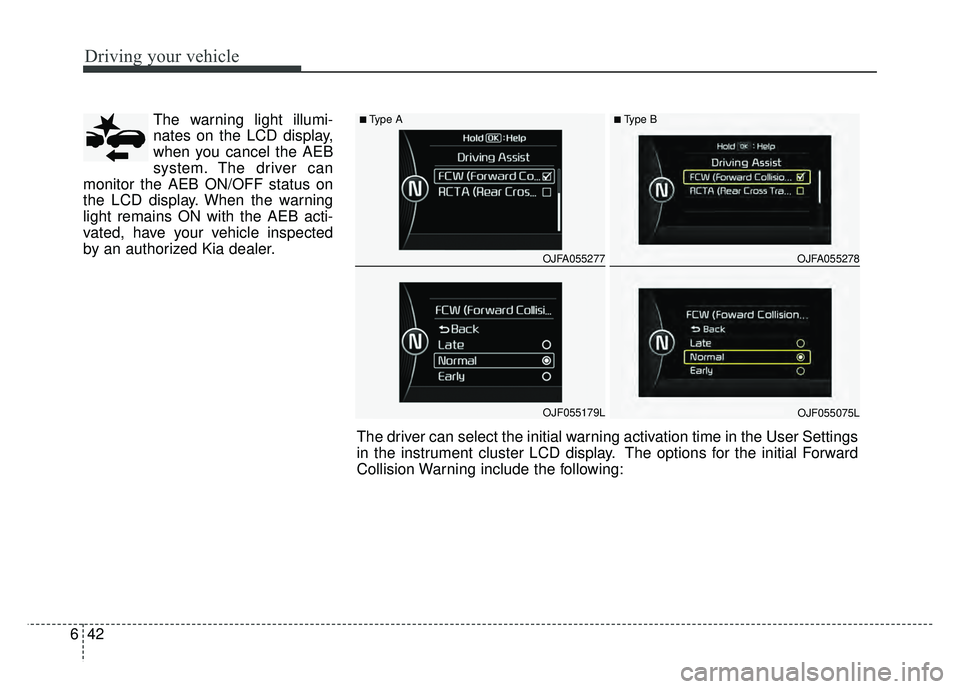
The warning light illumi-
nates on the LCD display,
when you cancel the AEB
system. The driver can
monitor the AEB ON/OFF status on
the LCD display. When the warning
light remains ON with the AEB acti-
vated, have your vehicle inspected
by an authorized Kia dealer.
OJFA055277
OJF055179L
■Type A
OJFA055278
OJF055075L
■Type B
The driver can select the initial warning activation time in the User Settings
in the instrument cluster LCD display. The options for the initial Forward
Collision Warning include the following:
Page 383 of 604
Driving your vehicle
46
6
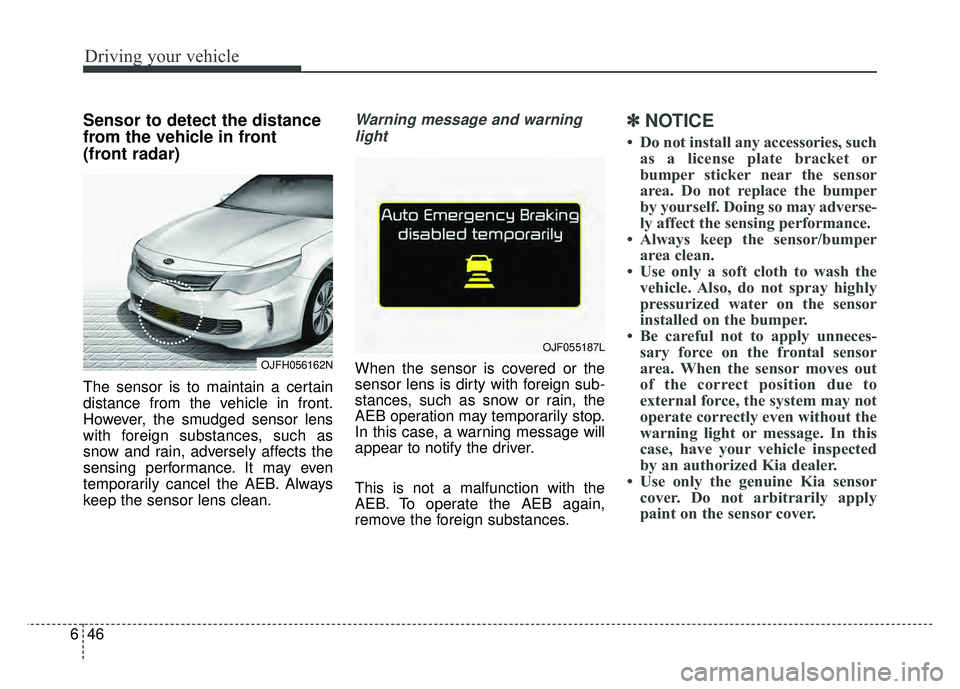
Sensor to detect the distance
from the vehicle in front
(front radar)
The sensor is to maintain a certain
distance from the vehicle in front.
However, the smudged sensor lens
with foreign substances, such as
snow and rain, adversely affects the
sensing performance. It may even
temporarily cancel the AEB. Always
keep the sensor lens clean.
Warning message and warning
light
When the sensor is covered or the
sensor lens is dirty with foreign sub-
stances, such as snow or rain, the
AEB operation may temporarily stop.
In this case, a warning message will
appear to notify the driver.
This is not a malfunction with the
AEB. To operate the AEB again,
remove the foreign substances.
✽ ✽ NOTICE
• Do not install any accessories, such
as a license plate bracket or
bumper sticker near the sensor
area. Do not replace the bumper
by yourself. Doing so may adverse-
ly affect the sensing performance.
• Always keep the sensor/bumper area clean.
• Use only a soft cloth to wash the vehicle. Also, do not spray highly
pressurized water on the sensor
installed on the bumper.
• Be careful not to apply unneces- sary force on the frontal sensor
area. When the sensor moves out
of the correct position due to
external force, the system may not
operate correctly even without the
warning light or message. In this
case, have your vehicle inspected
by an authorized Kia dealer.
• Use only the genuine Kia sensor cover. Do not arbitrarily apply
paint on the sensor cover.
OJFH056162N
OJF055187L
Page 384 of 604
647
Driving your vehicle
System malfunction
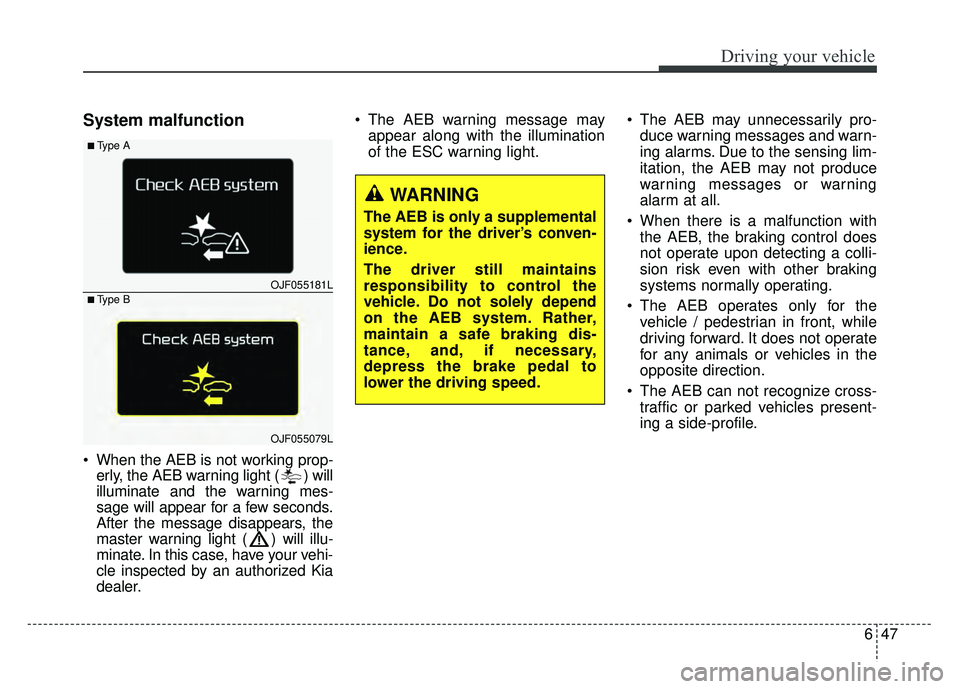
When the AEB is not working prop-erly, the AEB warning light ( ) will
illuminate and the warning mes-
sage will appear for a few seconds.
After the message disappears, the
master warning light ( ) will illu-
minate. In this case, have your vehi-
cle inspected by an authorized Kia
dealer. The AEB warning message may
appear along with the illumination
of the ESC warning light. The AEB may unnecessarily pro-
duce warning messages and warn-
ing alarms. Due to the sensing lim-
itation, the AEB may not produce
warning messages or warning
alarm at all.
When there is a malfunction with the AEB, the braking control does
not operate upon detecting a colli-
sion risk even with other braking
systems normally operating.
The AEB operates only for the vehicle / pedestrian in front, while
driving forward. It does not operate
for any animals or vehicles in the
opposite direction.
The AEB can not recognize cross- traffic or parked vehicles present-
ing a side-profile.
OJF055181L
OJF055079L
■Type A
■Type B
WARNING
The AEB is only a supplemental
system for the driver’s conven-
ience.
The driver still maintains
responsibility to control the
vehicle. Do not solely depend
on the AEB system. Rather,
maintain a safe braking dis-
tance, and, if necessary,
depress the brake pedal to
lower the driving speed.
Page 389 of 604
Driving your vehicle
52
6
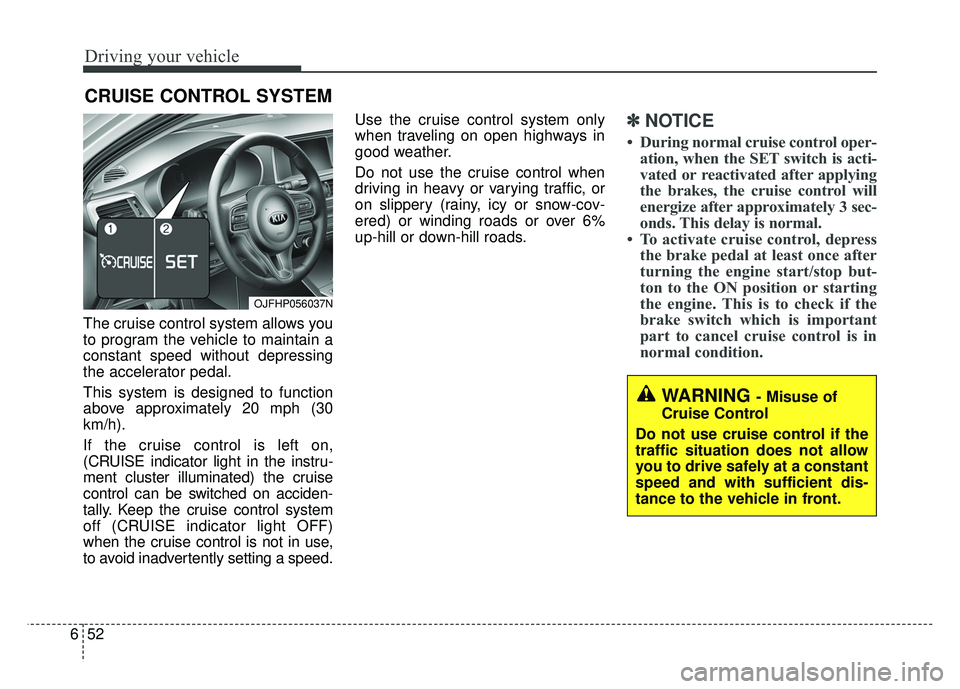
The cruise control system allows you
to program the vehicle to maintain a
constant speed without depressing
the accelerator pedal.
This system is designed to function
above approximately 20 mph (30
km/h).
If the cruise control is left on,
(CRUISE indicator light in the instru-
ment cluster illuminated) the cruise
control can be switched on acciden-
tally. Keep the cruise control system
off (CRUISE indicator light OFF)
when the cruise control is not in use,
to avoid inadvertently setting a speed. Use the cruise control system only
when traveling on open highways in
good weather.
Do not use the cruise control when
driving in heavy or varying traffic, or
on slippery (rainy, icy or snow-cov-
ered) or winding roads or over 6%
up-hill or down-hill roads.
✽ ✽
NOTICE
• During normal cruise control oper-
ation, when the SET switch is acti-
vated or reactivated after applying
the brakes, the cruise control will
energize after approximately 3 sec-
onds. This delay is normal.
• To activate cruise control, depress the brake pedal at least once after
turning the engine start/stop but-
ton to the ON position or starting
the engine. This is to check if the
brake switch which is important
part to cancel cruise control is in
normal condition.
CRUISE CONTROL SYSTEM
WARNING - Misuse of
Cruise Control
Do not use cruise control if the
traffic situation does not allow
you to drive safely at a constant
speed and with sufficient dis-
tance to the vehicle in front.
OJFHP056037N
Page 403 of 604
Driving your vehicle
66
6
ASCC (Advanced Smart Cruise
Control) malfunction message
The message will appear when the
vehicle to vehicle distance control
system is not functioning normally.
Take your vehicle to an authorized
Kia dealer and have the system
checked. Always keep the sensor and
bumper clean.
Use only a genuine Kia sensor cover for your vehicle.
Do not install accessories around the sensor and do not replace the
bumper by yourself. It may interfere
with the sensor performance.
Impact damage to the sensor or sensor area may cause the sensor
to move slightly off position and
result in the ASCC not operating
correctly without any warning or
indicator from the cluster. If this
occurs, have your vehicle checked
by an authorized Kia dealer as
soon as possible.To adjust the sensitivity of
Advanced Smart Cruise Control
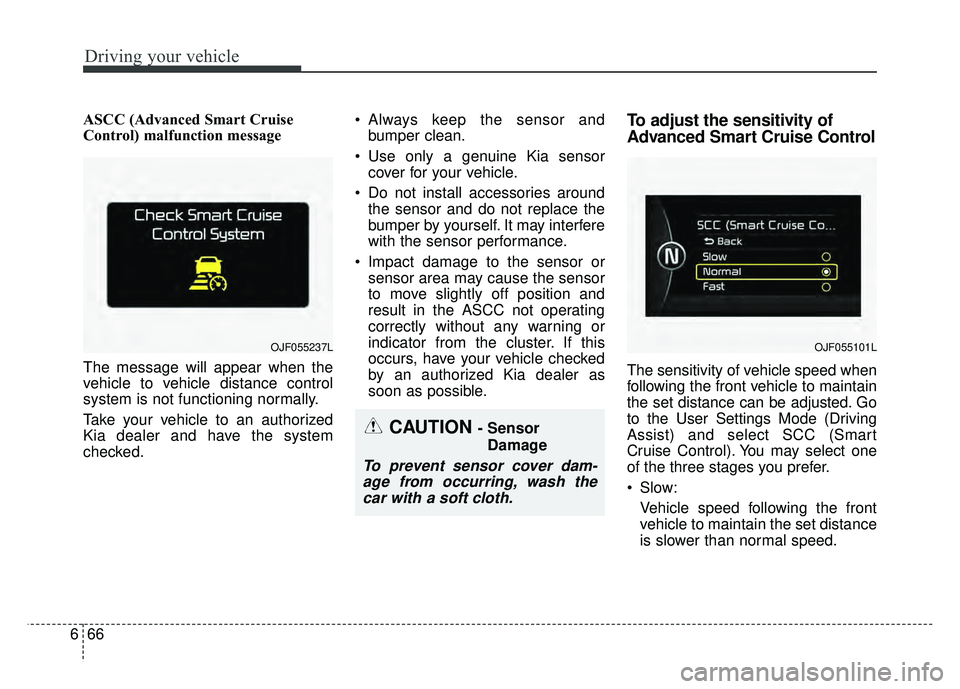
The sensitivity of vehicle speed when
following the front vehicle to maintain
the set distance can be adjusted. Go
to the User Settings Mode (Driving
Assist) and select SCC (Smart
Cruise Control). You may select one
of the three stages you prefer.
Slow:
Vehicle speed following the front
vehicle to maintain the set distance
is slower than normal speed.
CAUTION - SensorDamage
To prevent sensor cover dam-age from occurring, wash thecar with a soft cloth.
OJF055237LOJF055101L
Page 415 of 604
Driving your vehicle
78
6
BSD (Blind Spot Detection) /
LCA (Lane Change Assist)
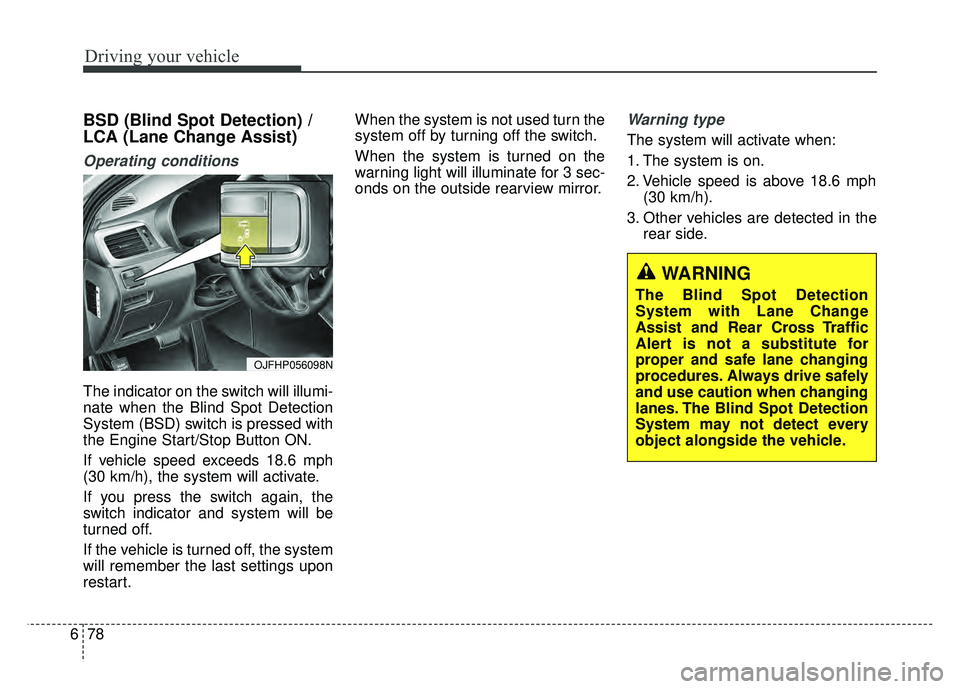
Operating conditions
The indicator on the switch will illumi-
nate when the Blind Spot Detection
System (BSD) switch is pressed with
the Engine Start/Stop Button ON.
If vehicle speed exceeds 18.6 mph
(30 km/h), the system will activate.
If you press the switch again, the
switch indicator and system will be
turned off.
If the vehicle is turned off, the system
will remember the last settings upon
restart. When the system is not used turn the
system off by turning off the switch.
When the system is turned on the
warning light will illuminate for 3 sec-
onds on the outside rearview mirror.
Warning type
The system will activate when:
1. The system is on.
2. Vehicle speed is above 18.6 mph
(30 km/h).
3. Other vehicles are detected in the rear side.
WARNING
The Blind Spot Detection
System with Lane Change
Assist and Rear Cross Traffic
Alert is not a substitute for
proper and safe lane changing
procedures. Always drive safely
and use caution when changing
lanes. The Blind Spot Detection
System may not detect every
object alongside the vehicle.
OJFHP056098N
Page 416 of 604
679
Driving your vehicle
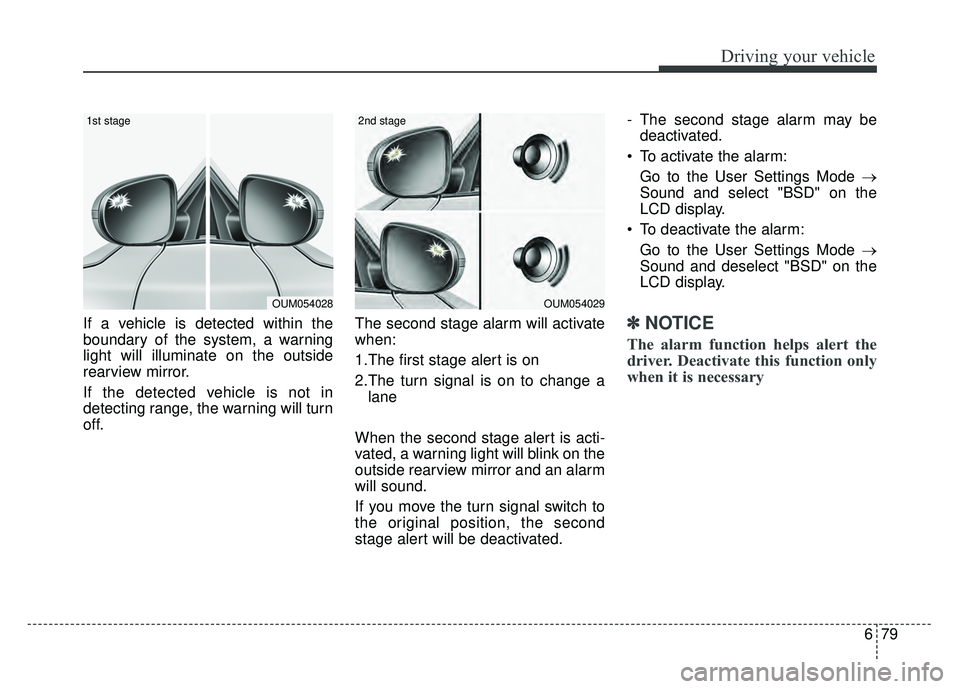
If a vehicle is detected within the
boundary of the system, a warning
light will illuminate on the outside
rearview mirror.
If the detected vehicle is not in
detecting range, the warning will turn
off.The second stage alarm will activate
when:
1.The first stage alert is on
2.The turn signal is on to change a
lane
When the second stage alert is acti-
vated, a warning light will blink on the
outside rearview mirror and an alarm
will sound.
If you move the turn signal switch to
the original position, the second
stage alert will be deactivated. - The second stage alarm may be
deactivated.
To activate the alarm: Go to the User Settings Mode →
Sound and select "BSD" on the
LCD display.
To deactivate the alarm: Go to the User Settings Mode →
Sound and deselect "BSD" on the
LCD display.✽ ✽
NOTICE
The alarm function helps alert the
driver. Deactivate this function only
when it is necessary
OUM054029
2nd stage
OUM054028
1st stage