engine KIA OPTIMA PHEV 2019 Owners Manual
[x] Cancel search | Manufacturer: KIA, Model Year: 2019, Model line: OPTIMA PHEV, Model: KIA OPTIMA PHEV 2019Pages: 553, PDF Size: 11.97 MB
Page 340 of 553
Driving your vehicle
58
6
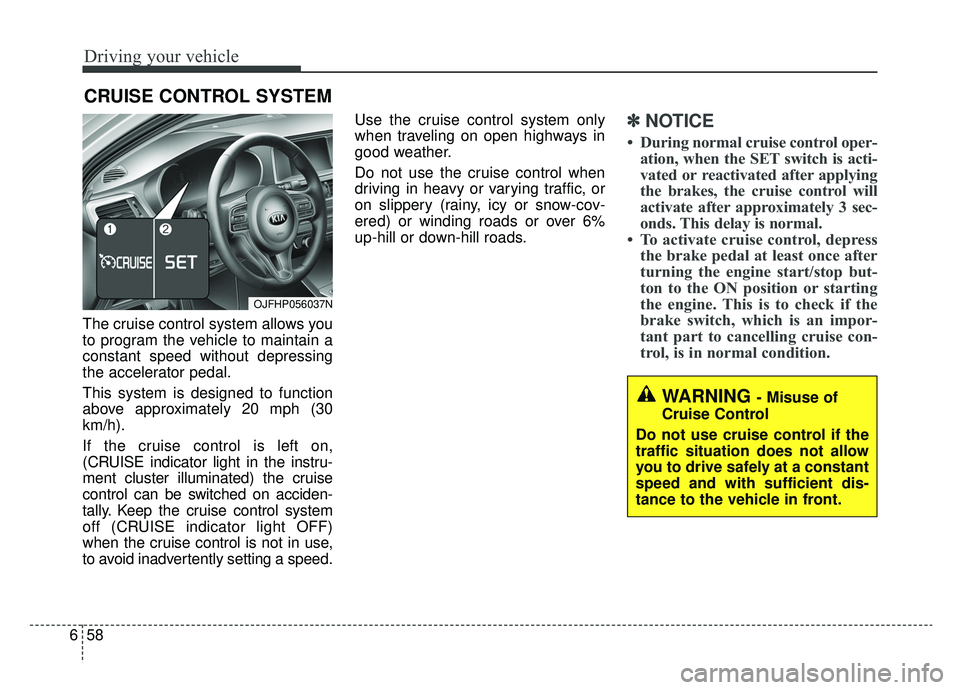
The cruise control system allows you
to program the vehicle to maintain a
constant speed without depressing
the accelerator pedal.
This system is designed to function
above approximately 20 mph (30
km/h).
If the cruise control is left on,
(CRUISE indicator light in the instru-
ment cluster illuminated) the cruise
control can be switched on acciden-
tally. Keep the cruise control system
off (CRUISE indicator light OFF)
when the cruise control is not in use,
to avoid inadvertently setting a speed. Use the cruise control system only
when traveling on open highways in
good weather.
Do not use the cruise control when
driving in heavy or varying traffic, or
on slippery (rainy, icy or snow-cov-
ered) or winding roads or over 6%
up-hill or down-hill roads.
✽ ✽
NOTICE
• During normal cruise control oper-
ation, when the SET switch is acti-
vated or reactivated after applying
the brakes, the cruise control will
activate after approximately 3 sec-
onds. This delay is normal.
• To activate cruise control, depress the brake pedal at least once after
turning the engine start/stop but-
ton to the ON position or starting
the engine. This is to check if the
brake switch, which is an impor-
tant part to cancelling cruise con-
trol, is in normal condition.
CRUISE CONTROL SYSTEM
WARNING - Misuse of
Cruise Control
Do not use cruise control if the
traffic situation does not allow
you to drive safely at a constant
speed and with sufficient dis-
tance to the vehicle in front.
OJFHP056037N
Page 343 of 553
661
Driving your vehicle
Each of these actions will cancelcruise control operation (the SETindicator light in the instrument clus-ter will go off), but it will not turn thesystem off. If you wish to resumecruise control operation, move thelever up (to RES+). You will return toyour previously preset speed.To resume cruising speed at
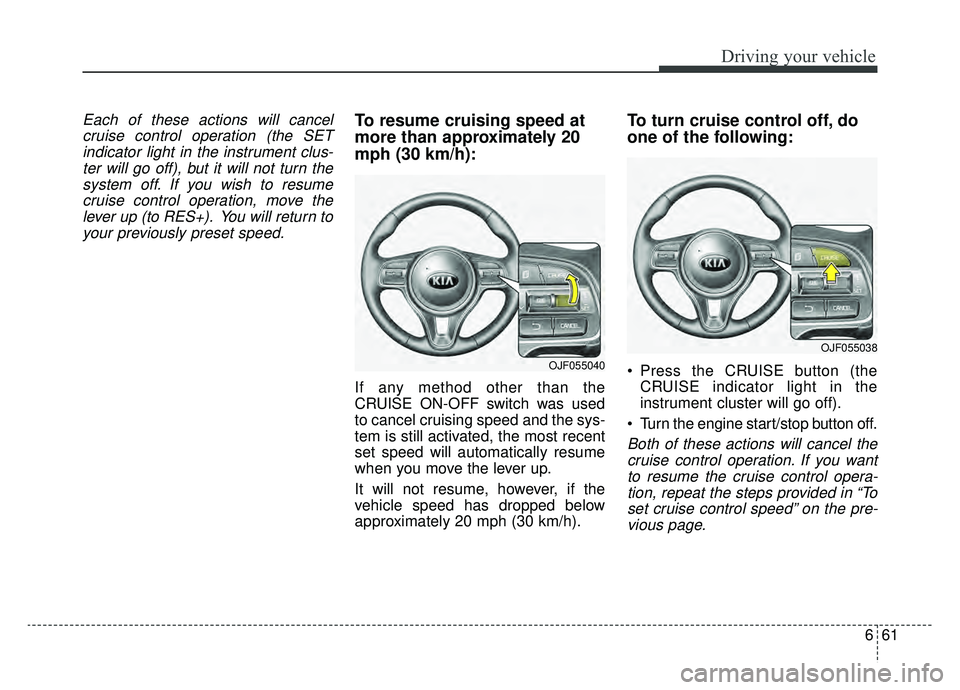
more than approximately 20
mph (30 km/h):
If any method other than the
CRUISE ON-OFF switch was used
to cancel cruising speed and the sys-
tem is still activated, the most recent
set speed will automatically resume
when you move the lever up.
It will not resume, however, if the
vehicle speed has dropped below
approximately 20 mph (30 km/h).
To turn cruise control off, do
one of the following:
Press the CRUISE button (the CRUISE indicator light in the
instrument cluster will go off).
Turn the engine start/stop button off.
Both of these actions will cancel the cruise control operation. If you wantto resume the cruise control opera-tion, repeat the steps provided in “Toset cruise control speed” on the pre-vious page.
OJF055040
OJF055038
Page 344 of 553
Driving your vehicle
62
6
SMART CRUISE CONTROL WITH STOP & GO SYSTEM (IF EQUIPPED)
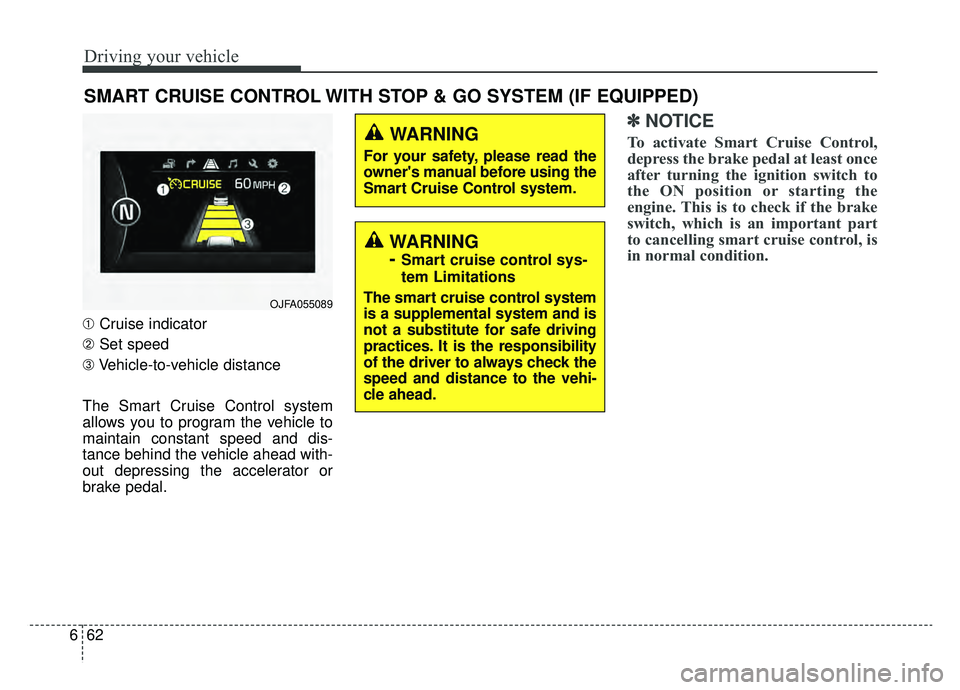
➀ Cruise indicator
➁ Set speed
➂ Vehicle-to-vehicle distance
The Smart Cruise Control system
allows you to program the vehicle to
maintain constant speed and dis-
tance behind the vehicle ahead with-
out depressing the accelerator or
brake pedal.
✽ ✽ NOTICE
To activate Smart Cruise Control,
depress the brake pedal at least once
after turning the ignition switch to
the ON position or starting the
engine. This is to check if the brake
switch, which is an important part
to cancelling smart cruise control, is
in normal condition.WARNING
For your safety, please read the
owner's manual before using the
Smart Cruise Control system.
OJFA055089
WARNING
-
Smart cruise control sys-
tem Limitations
The smart cruise control system
is a supplemental system and is
not a substitute for safe driving
practices. It is the responsibility
of the driver to always check the
speed and distance to the vehi-
cle ahead.
Page 349 of 553
667
Driving your vehicle
Smart Cruise Control will be tem-porarily canceled when:
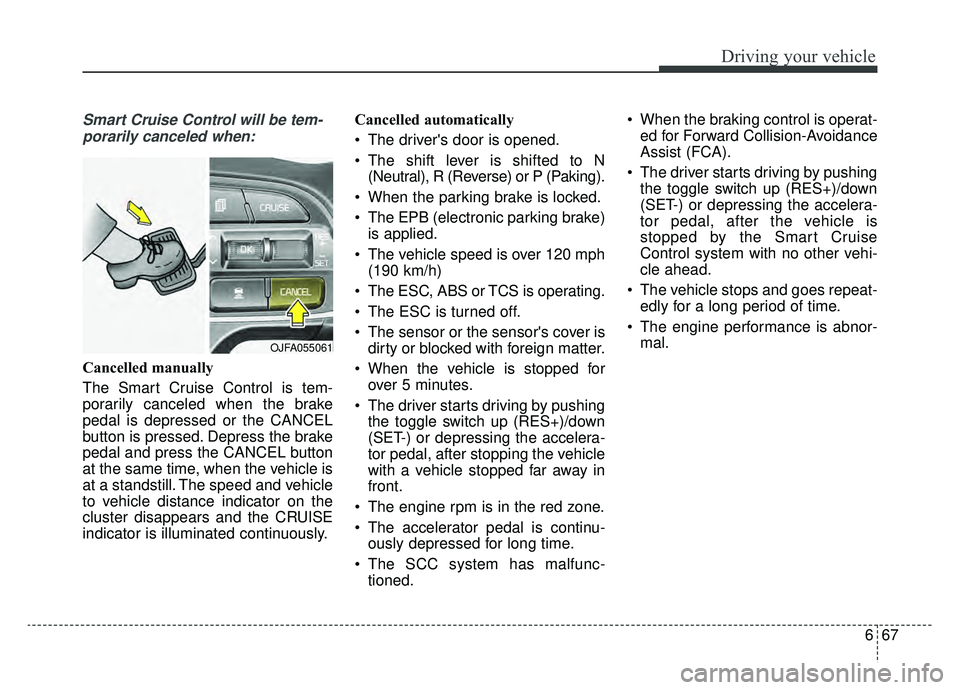
Cancelled manually
The Smart Cruise Control is tem-
porarily canceled when the brake
pedal is depressed or the CANCEL
button is pressed. Depress the brake
pedal and press the CANCEL button
at the same time, when the vehicle is
at a standstill. The speed and vehicle
to vehicle distance indicator on the
cluster disappears and the CRUISE
indicator is illuminated continuously. Cancelled automatically
The driver's door is opened.
The shift lever is shifted to N
(Neutral), R (Reverse) or P (Paking).
When the parking brake is locked.
The EPB (electronic parking brake) is applied.
The vehicle speed is over 120 mph (190 km/h)
The ESC, ABS or TCS is operating.
The ESC is turned off.
The sensor or the sensor's cover is dirty or blocked with foreign matter.
When the vehicle is stopped for over 5 minutes.
The driver starts driving by pushing the toggle switch up (RES+)/down
(SET-) or depressing the accelera-
tor pedal, after stopping the vehicle
with a vehicle stopped far away in
front.
The engine rpm is in the red zone.
The accelerator pedal is continu- ously depressed for long time.
The SCC system has malfunc- tioned. When the braking control is operat-
ed for Forward Collision-Avoidance
Assist (FCA).
The driver starts driving by pushing the toggle switch up (RES+)/down
(SET-) or depressing the accelera-
tor pedal, after the vehicle is
stopped by the Smart Cruise
Control system with no other vehi-
cle ahead.
The vehicle stops and goes repeat- edly for a long period of time.
The engine performance is abnor- mal.
OJFA055061
Page 352 of 553
Driving your vehicle
70
6
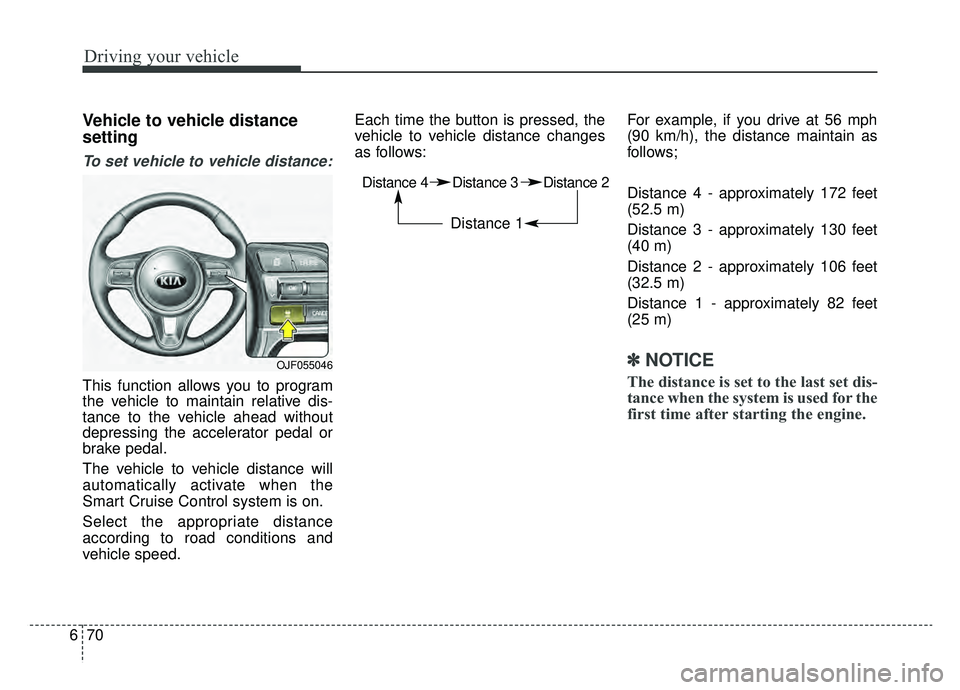
Vehicle to vehicle distance
setting
To set vehicle to vehicle distance:
This function allows you to program
the vehicle to maintain relative dis-
tance to the vehicle ahead without
depressing the accelerator pedal or
brake pedal.
The vehicle to vehicle distance will
automatically activate when the
Smart Cruise Control system is on.
Select the appropriate distance
according to road conditions and
vehicle speed. Each time the button is pressed, the
vehicle to vehicle distance changes
as follows:
For example, if you drive at 56 mph
(90 km/h), the distance maintain as
follows;
Distance 4 - approximately 172 feet
(52.5 m)
Distance 3 - approximately 130 feet
(40 m)
Distance 2 - approximately 106 feet
(32.5 m)
Distance 1 - approximately 82 feet
(25 m)
✽ ✽
NOTICE
The distance is set to the last set dis-
tance when the system is used for the
first time after starting the engine.
Distance 4 Distance 3 Distance 2
Distance 1
OJF055046
Page 355 of 553
673
Driving your vehicle
If you push the Smart CruiseControl toggle switch (RES+ or
SET-) while Auto Hold and Smart
Cruise Control is operating, the
Auto Hold will be released regard-
less of accelerator pedal operation
and the vehicle will start to move.
The AUTO HOLD indicator
changes from green to white. (if
equipped with EPB (Electronic
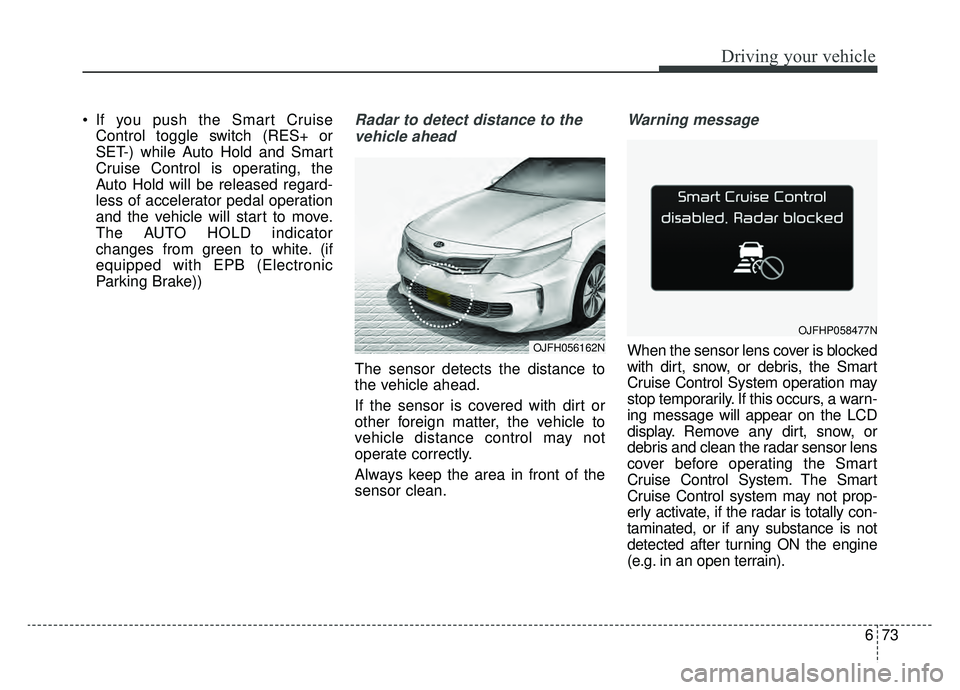
Parking Brake))Radar to detect distance to the
vehicle ahead
The sensor detects the distance to
the vehicle ahead.
If the sensor is covered with dirt or
other foreign matter, the vehicle to
vehicle distance control may not
operate correctly.
Always keep the area in front of the
sensor clean.
Warning message
When the sensor lens cover is blocked
with dirt, snow, or debris, the Smart
Cruise Control System operation may
stop temporarily. If this occurs, a warn-
ing message will appear on the LCD
display. Remove any dirt, snow, or
debris and clean the radar sensor lens
cover before operating the Smart
Cruise Control System. The Smart
Cruise Control system may not prop-
erly activate, if the radar is totally con-
taminated, or if any substance is not
detected after turning ON the engine
(e.g. in an open terrain).OJFH056162N
OJFHP058477N
Page 357 of 553
675
Driving your vehicle
To adjust the sensitivity of
Smart Cruise Control
The sensitivity of vehicle speed when
following the front vehicle to maintain
the set distance can be adjusted. Go
to the User Settings Mode (Driver
Assistance) and select (SCC
Reaction). You may select one of the
three stages you prefer.
Slow:Vehicle speed to the vehicle ahead
to maintain the set distance is
slower than normal speed.
Normal: Vehicle speed to the vehicle ahead
to maintain the set distance is nor-
mal.
Fast: Vehicle speed to the vehicle ahead
to maintain the set distance is
faster than normal speed.
✽ ✽ NOTICE
The last selected mode remains in
the system.
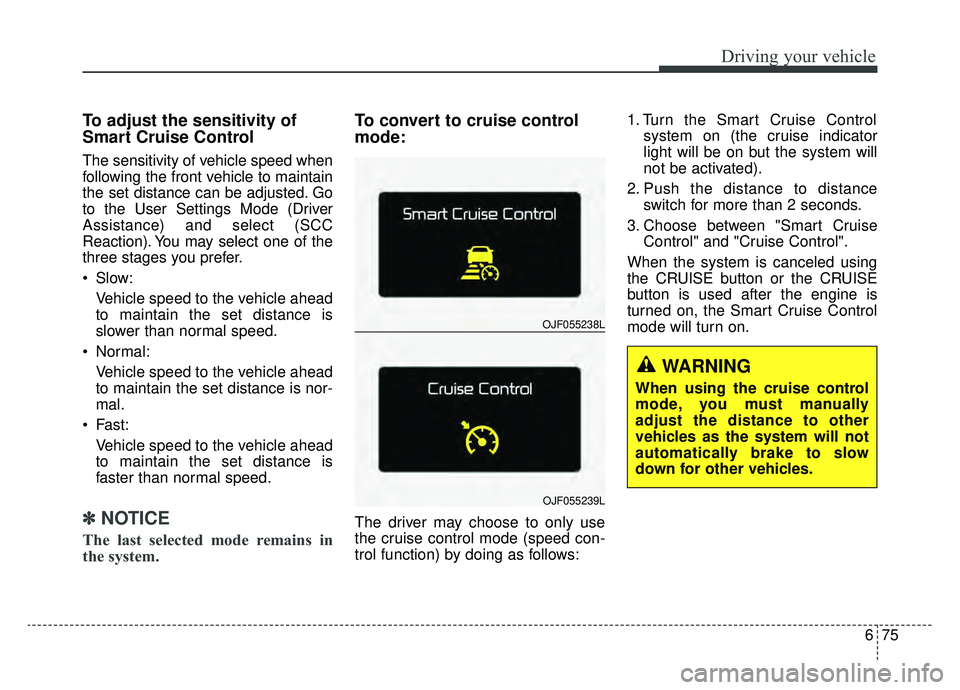
To convert to cruise control
mode:
The driver may choose to only use
the cruise control mode (speed con-
trol function) by doing as follows: 1. Turn the Smart Cruise Control
system on (the cruise indicator
light will be on but the system will
not be activated).
2. Push the distance to distance switch for more than 2 seconds.
3. Choose between "Smart Cruise Control" and "Cruise Control".
When the system is canceled using
the CRUISE button or the CRUISE
button is used after the engine is
turned on, the Smart Cruise Control
mode will turn on.
OJF055238L
OJF055239L
WARNING
When using the cruise control
mode, you must manually
adjust the distance to other
vehicles as the system will not
automatically brake to slow
down for other vehicles.
Page 364 of 553
Driving your vehicle
82
6
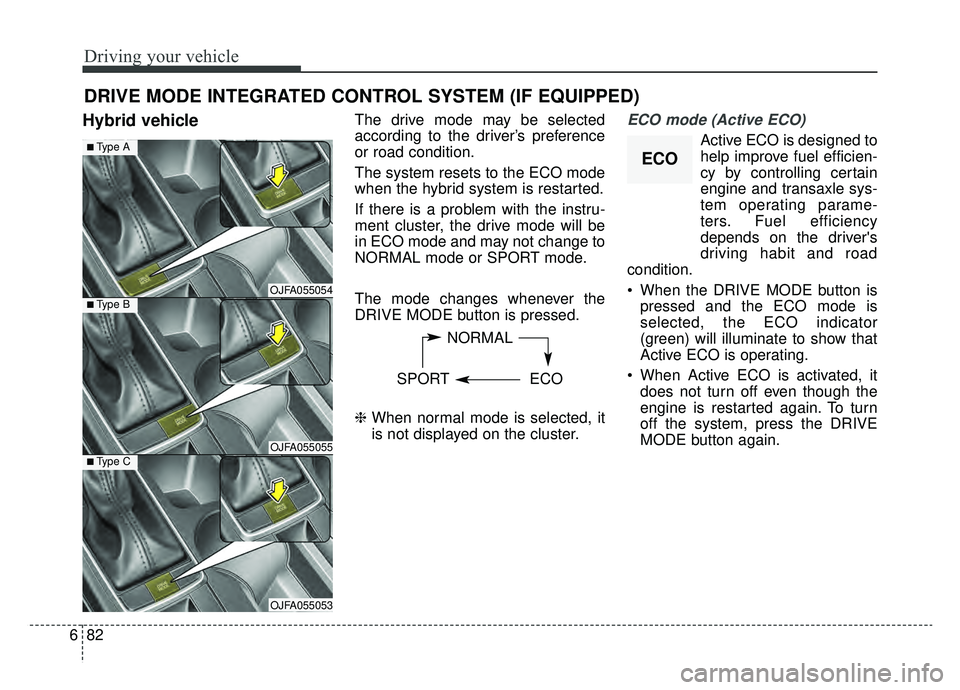
Hybrid vehicleThe drive mode may be selected
according to the driver’s preference
or road condition.
The system resets to the ECO mode
when the hybrid system is restarted.
If there is a problem with the instru-
ment cluster, the drive mode will be
in ECO mode and may not change to
NORMAL mode or SPORT mode.
The mode changes whenever the
DRIVE MODE button is pressed.
\b When normal mode is selected, it
is not displayed on the cluster.ECO mode (Active ECO)
Active ECO is designed to
help improve fuel efficien-
cy by controlling certain
engine and transaxle sys-
tem operating parame-
ters. Fuel efficiency
depends on the driver's
driving habit and road
condition.
When the DRIVE MODE button is pressed and the ECO mode is
selected, the ECO indicator
(green) will illuminate to show that
Active ECO is operating.
When Active ECO is activated, it does not turn off even though the
engine is restarted again. To turn
off the system, press the DRIVE
MODE button again.
DRIVE MODE INTEGRATED CONTROL SYSTEM (IF EQUIPPED)
NORMAL
SPORT ECO
OJFA055054
■Type A
■Type B
OJFA055055■Type C
OJFA055053
ECO
Page 365 of 553
683
Driving your vehicle
When Active ECO is activated:
The acceleration may slightly bereduced even though you depress
the accelerator fully.
The air conditioner performance may be limited
The shift pattern of the automatic transaxle may change.
The engine noise may get louder.
The above situations are normal
conditions when the Active Eco
System is activated to help improve
fuel efficiency in certain situations.
Limitation of Active ECO oper-
ation:
If the following conditions occur while
Active ECO is operating, the system
operation is limited even though
there is no change in the ECO indi-
cator.
When the coolant temperature is low:
The system will be limited until
engine performance becomes nor-
mal.
When driving up a hill: The system will be limited to gain
power when driving uphill because
the engine torque is restricted.
When using manual mode: The system will be limited accord-
ing to the shift location.
When the accelerator pedal is deeply depressed for a few sec-
onds:
The system will be limited, judging
that the driver wants to speed up.
SPORT mode
SPORT mode focuses ondynamic driving by auto-
matically adjusting the
steering wheel, engine
and transaxle system.
When the DRIVE MODE button is pressed and the SPORT mode is
selected, the SPORT indicator
(yellow) will illuminate.
Whenever the hybrid system is restarted, the Drive Mode will revert
back to ECO mode. If SPORT
mode is desired, re-select SPORT
mode from the DRIVE MODE but-
ton.
If the system is activated: - While holding vehicle speed, itmaintains the gear and RPM for
some time even though the accel-
erator pedal is not depressed.
- Up-shifting is delayed.
✽ ✽
NOTICE
In Sport drive mode, the fuel effi-
ciency may decrease.
SPORT
Page 366 of 553
Driving your vehicle
84
6
Plug-in hybrid vehicle
The drive mode may be selected
according to the driver’s preference
or road condition.
The system resets to be in the ECO
mode, when the hybrid system is
restarted.
If there is a problem with the instru-
ment cluster, the drive mode will be
in ECO mode and may not change to
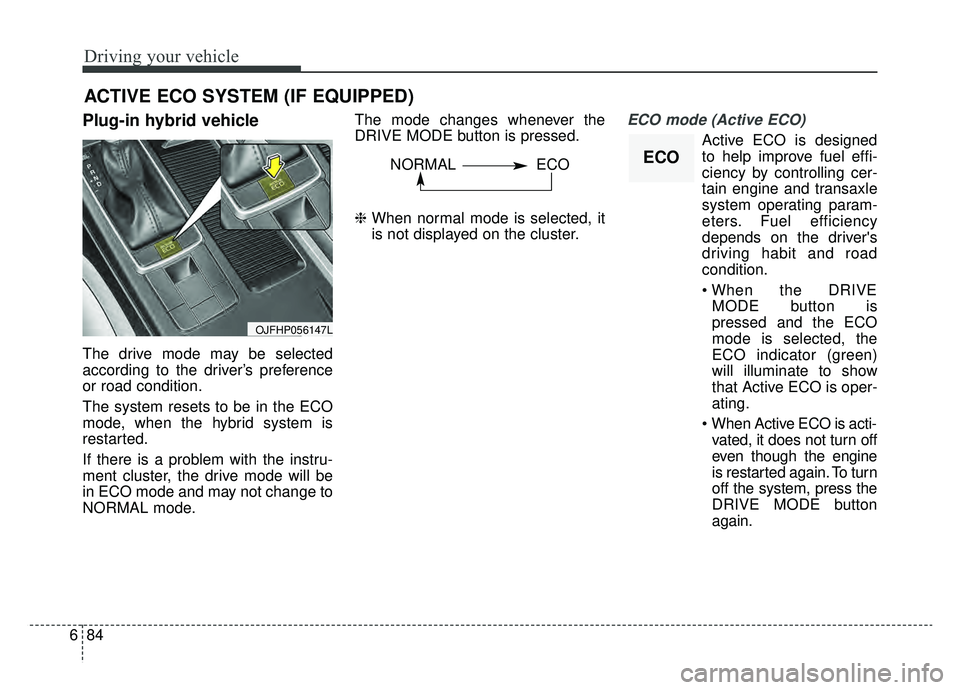
NORMAL mode. The mode changes whenever the
DRIVE MODE button is pressed.
\b
When normal mode is selected, it
is not displayed on the cluster.
ECO mode (Active ECO)
Active ECO is designed
to help improve fuel effi-
ciency by controlling cer-
tain engine and transaxle
system operating param-
eters. Fuel efficiency
depends on the driver's
driving habit and road
condition.
MODE button is
pressed and the ECO
mode is selected, the
ECO indicator (green)
will illuminate to show
that Active ECO is oper-
ating.
vated, it does not turn off
even though the engine
is restarted again. To turn
off the system, press the
DRIVE MODE button
again.
ACTIVE ECO SYSTEM (IF EQUIPPED)
OJFHP056147L
ECONORMAL ECO