light KIA OPTIMA PHEV 2020 Owners Manual
[x] Cancel search | Manufacturer: KIA, Model Year: 2020, Model line: OPTIMA PHEV, Model: KIA OPTIMA PHEV 2020Pages: 597, PDF Size: 14.2 MB
Page 383 of 597
Driving your vehicle
88
5
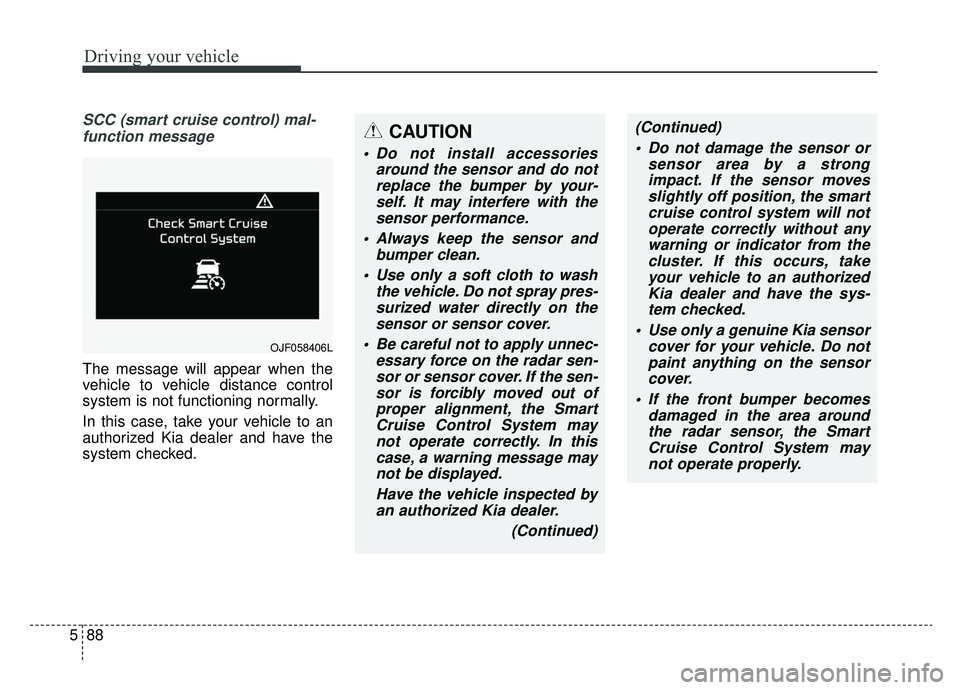
SCC (smart cruise control) mal-
function message
The message will appear when the
vehicle to vehicle distance control
system is not functioning normally.
In this case, take your vehicle to an
authorized Kia dealer and have the
system checked.
CAUTION
Do not install accessories around the sensor and do notreplace the bumper by your-self. It may interfere with thesensor performance.
Always keep the sensor and bumper clean.
Use only a soft cloth to wash the vehicle. Do not spray pres-surized water directly on thesensor or sensor cover.
Be careful not to apply unnec- essary force on the radar sen-sor or sensor cover. If the sen-sor is forcibly moved out ofproper alignment, the SmartCruise Control System maynot operate correctly. In thiscase, a warning message maynot be displayed.
Have the vehicle inspected byan authorized Kia dealer.
(Continued)
OJF058406L
(Continued) Do not damage the sensor or sensor area by a strongimpact. If the sensor movesslightly off position, the smartcruise control system will notoperate correctly without anywarning or indicator from thecluster. If this occurs, takeyour vehicle to an authorizedKia dealer and have the sys-tem checked.
Use only a genuine Kia sensor cover for your vehicle. Do notpaint anything on the sensorcover.
If the front bumper becomes damaged in the area aroundthe radar sensor, the SmartCruise Control System maynot operate properly.
Page 384 of 597
589
Driving your vehicle
To adjust the sensitivity of
smart cruise control
The sensitivity of vehicle speed when
following the front vehicle to maintain
the set distance can be adjusted. Go
to the User Settings Mode (Driver
Assistance) and select (SCC
Reaction). You may select one of the
three stages you prefer.
Slow:Vehicle speed to the vehicle ahead
to maintain the set distance to the
vehicle ahead is slower than nor-
mal speed.
Normal: Vehicle speed to the vehicle ahead
to maintain the set distance to the
vehicle ahead is normal
Fast: Vehicle speed to the vehicle ahead
to maintain the set distance to the
vehicle ahead is faster than normal
speed.
✽ ✽ NOTICE
The last selected mode remains in
the system.
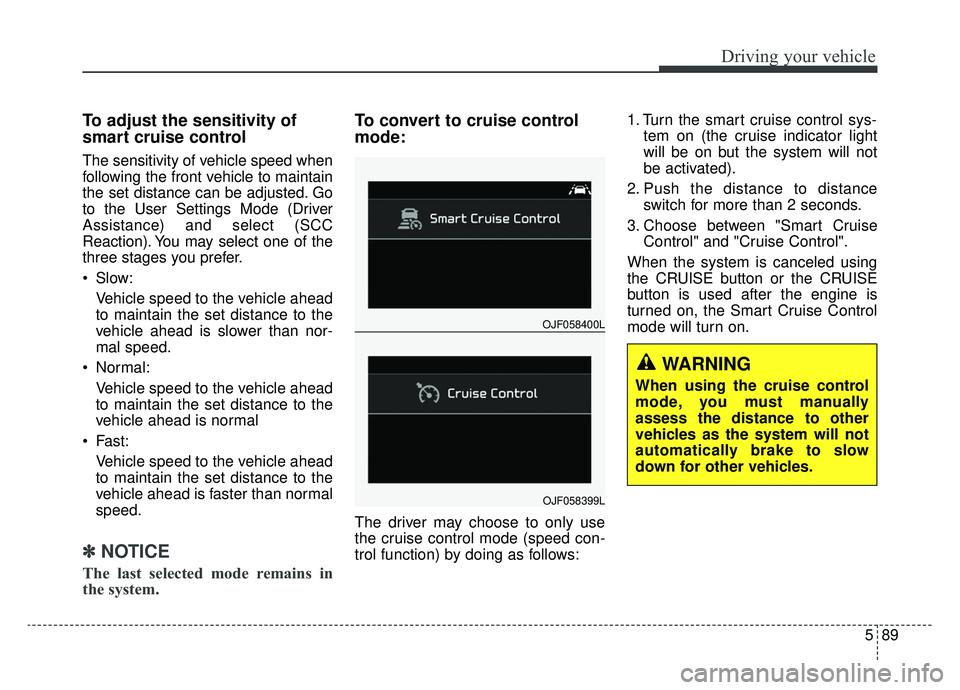
To convert to cruise control
mode:
The driver may choose to only use
the cruise control mode (speed con-
trol function) by doing as follows: 1. Turn the smart cruise control sys-
tem on (the cruise indicator light
will be on but the system will not
be activated).
2. Push the distance to distance switch for more than 2 seconds.
3. Choose between "Smart Cruise Control" and "Cruise Control".
When the system is canceled using
the CRUISE button or the CRUISE
button is used after the engine is
turned on, the Smart Cruise Control
mode will turn on.
OJF058400L
OJF058399L
WARNING
When using the cruise control
mode, you must manually
assess the distance to other
vehicles as the system will not
automatically brake to slow
down for other vehicles.
Page 392 of 597
597
Driving your vehicle
When ECO is activated:
The acceleration may slightly bereduced even though you depress
the accelerator fully.
The air conditioner performance may be limited
The shift pattern of the automatic transmission may change.
The engine noise may get louder.
The above situations are normal
conditions when the Eco System is
activated to help improve fuel effi-
ciency in certain situations.
Limitation of ECO operation:
If the following conditions occur while
ECO is operating, the system opera-
tion is limited even though there is no
change in the ECO indicator.
When the coolant temperature is low:
The system will be limited until
engine performance becomes nor-
mal.
When driving up a hill: The system will be limited to gain
power when driving uphill because
the engine torque is restricted.
When using manual mode: The system will be limited accord-
ing to the shift location.
When the accelerator pedal is deeply depressed for a few sec-
onds:
The system will be limited, judging
that the driver wants to speed up.
SPORT mode
SPORT mode focuses ondynamic driving by auto-
matically adjusting the
steering wheel, engine
and transmission system.
When the DRIVE MODE button is pressed and the SPORT mode is
selected, the SPORT indicator
(yellow) will illuminate.
Whenever the hybrid system is restarted, the Drive Mode will revert
back to ECO mode. If SPORT
mode is desired, re-select SPORT
mode from the DRIVE MODE but-
ton.
If the system is activated: - While holding vehicle speed, itmaintains the gear and RPM for
some time even though the accel-
erator pedal is not depressed.
- Up-shifting is delayed.
✽ ✽
NOTICE
In Sport drive mode, the fuel effi-
ciency may decrease.
SPORT
Page 394 of 597
599
Driving your vehicle
When ECO is activated:
The acceleration may slightly bereduced eventhough you depress
the accelerator fully.
The air conditioner performance may be limited
The shift pattern of the automatic transmission may change.
The engine noise may get louder.
The above situations are normal
conditions when the ECO system is
activated to improve fuel efficiency.
Limitation of ECO operation:
If the following conditions occur while
ECO is operating, the system opera-
tion is limited even though there is no
change in the ECO indicator.
When the coolant temperature is low:
The system will be limited until
engine performance becomes nor-
mal.
When driving up a hill: The system will be limited to gain
power when driving uphill because
the engine torque is restricted.
When using manual mode: The system will be limited accord-
ing to the shift location.
When the accelerator pedal is deeply depressed for a few seconds:
The system will be limited, judging
that the driver wants to speed up.
Page 396 of 597
5101
Driving your vehicle
System setting and activation
System setting
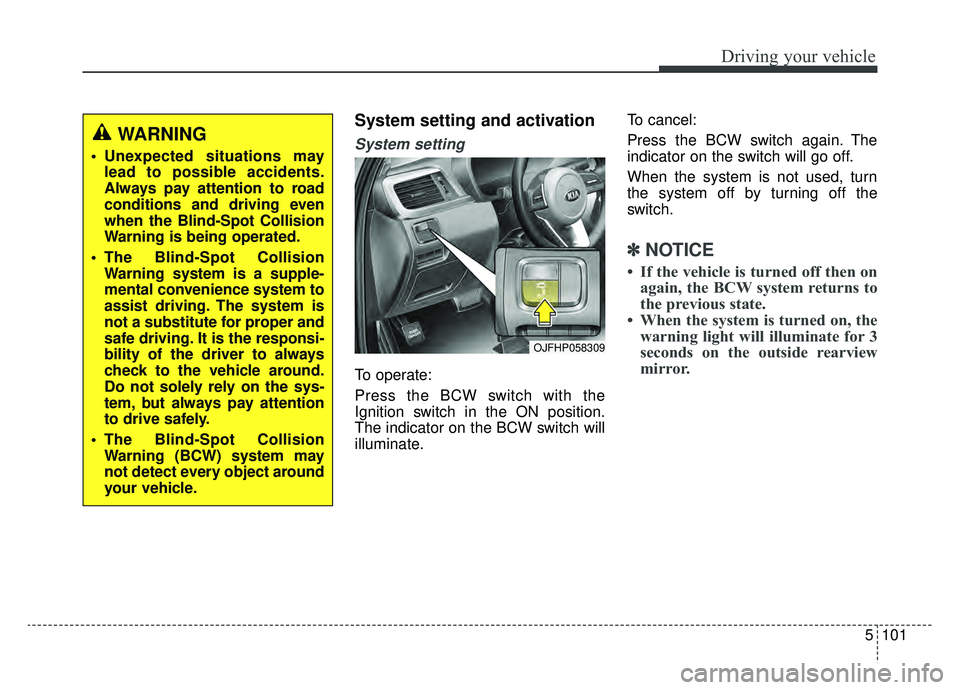
To operate:
Press the BCW switch with the
Ignition switch in the ON position.
The indicator on the BCW switch will
illuminate.To cancel:
Press the BCW switch again. The
indicator on the switch will go off.
When the system is not used, turn
the system off by turning off the
switch.
✽ ✽
NOTICE
• If the vehicle is turned off then on
again, the BCW system returns to
the previous state.
• When the system is turned on, the warning light will illuminate for 3
seconds on the outside rearview
mirror.
OJFHP058309
WARNING
Unexpected situations may
lead to possible accidents.
Always pay attention to road
conditions and driving even
when the Blind-Spot Collision
Warning is being operated.
The Blind-Spot Collision Warning system is a supple-
mental convenience system to
assist driving. The system is
not a substitute for proper and
safe driving. It is the responsi-
bility of the driver to always
check to the vehicle around.
Do not solely rely on the sys-
tem, but always pay attention
to drive safely.
The Blind-Spot Collision Warning (BCW) system may
not detect every object around
your vehicle.
Page 397 of 597
Driving your vehicle
102
5
The system will activate when:
1. The BCW system is on.
2. The vehicle speed is above about
20 mph (30 km/h).
3. Other vehicles are detected in blind spot.Warning indicator and sound
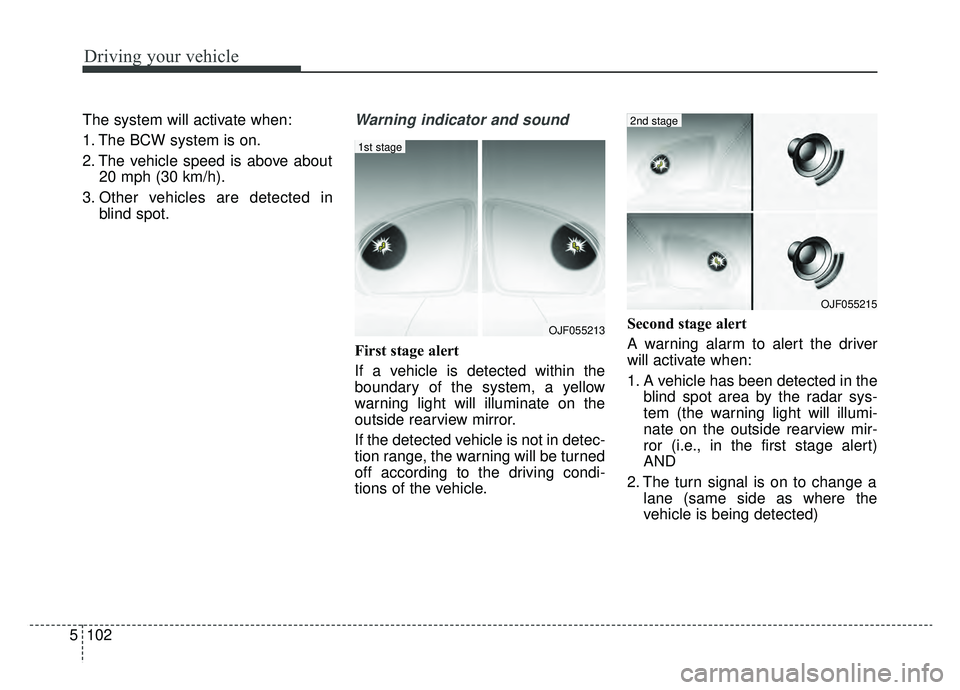
First stage alert
If a vehicle is detected within the
boundary of the system, a yellow
warning light will illuminate on the
outside rearview mirror.
If the detected vehicle is not in detec-
tion range, the warning will be turned
off according to the driving condi-
tions of the vehicle. Second stage alert
A warning alarm to alert the driver
will activate when:
1. A vehicle has been detected in the
blind spot area by the radar sys-
tem (the warning light will illumi-
nate on the outside rearview mir-
ror (i.e., in the first stage alert)
AND
2. The turn signal is on to change a lane (same side as where the
vehicle is being detected)
OJF055213
1st stage
OJF055215
2nd stage
Page 398 of 597
5103
Driving your vehicle
When the second stage alert is acti-
vated, the warning light on the out-
side rearview mirror will also blink.
If you turn off the turn signal switch,
the second stage alert (the warning
chime and the blinking warning light
on the outside rearview mirror) will
be deactivated.
If the detected vehicle is not in detec-
tion range, the warning will be turned
off according to the driving condi-
tions of the vehicle.CAUTION
The driver should always useextreme caution while operat-ing the vehicle, whether or notthe warning light on the out-side rearview mirror illumi-nates or there is a warningalarm.
Playing the vehicle audio sys- tem at high volume may pre-vent occupants from hearingthe Blind-Spot CollisionWarning System warningsounds.
The warning of the Blind-Spot Collision Warning System maynot sound if warning soundsfrom other systems are acti-vated.
WARNING
The warning light on the out-
side rearview mirror will illu-
minate whenever a vehicle is
detected at the rear side by
the system. To avoid acci-
dents, do not focus only on
the warning light and neglect
to see the surrounding of the
vehicle.
Drive safely even though the
vehicle is equipped with a
Blind-Spot Collision Warning
System (BCW). Do not solely
rely on the system but check
your surroundings before
changing lanes or backing the
vehicle up. The Blind-Spot
Collision Warning system
(BCW) may not detect every
object alongside the vehicle.
The system may not alert the
driver in some situations due
to system limitations so
always check your surround-
ings while driving.
Page 400 of 597
5105
Driving your vehicle
✽ ✽NOTICE
• If the vehicle is turned off then on
again, the RCCW system returns
to the previous state.
• When the system is turned on, the warning light will illuminate for 3
seconds on the outside rearview
mirror.
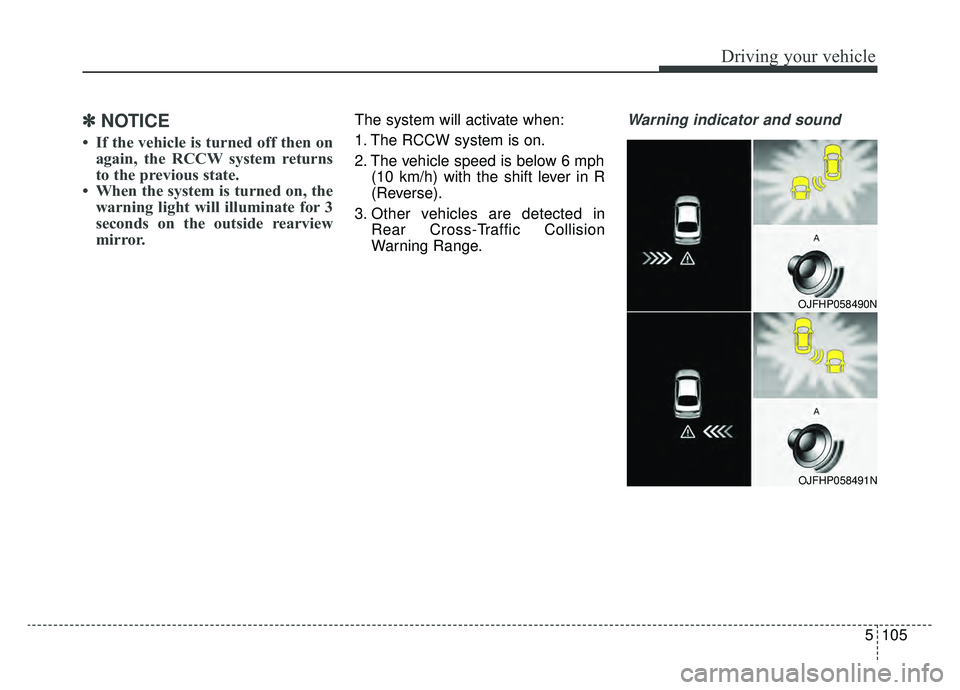
The system will activate when:
1. The RCCW system is on.
2. The vehicle speed is below 6 mph
(10 km/h) with the shift lever in R
(Reverse).
3. Other vehicles are detected in Rear Cross-Traffic Collision
Warning Range.Warning indicator and sound
OJFHP058490N
OJFHP058491N
Page 401 of 597
Driving your vehicle
106
5
If the vehicle detected by the sensors
approaches from the rear left/right
side of your vehicle, the warning
chime will sound, the warning light
on the outside rearview mirror will
blink and a message will appear on
the LCD display.
The warning will stop when:
- The vehicle moving at the rear
left/right side of your vehicle is not
in the detection range.
- The vehicle is right behind your vehicle.
- The vehicle is not driving towards your vehicle.
- The vehicle’s approaching speed is decreased.
WARNING
Drive safely even though thevehicle is equipped with a
Rear Cross-Traffic Collision
Warning (RCCW) System. Do
not solely rely on the system
but check your surrounding
when backing the vehicle up.
The RCCW system may not
detect every object alongside
the vehicle.
The driver is responsible for accurate brake control.
Always pay extreme caution while driving. The Rear Cross-
Traffic Collision Warning
System may not operate prop-
erly or unnecessarily operate
in accordance with your driv-
ing situations.
CAUTION
If the operating conditions of RCCW are satisfied, a warningis issued every time a vehiclecomes to the rear side, even ifyour vehicle is stopped (vehi-cle speed 0 mph (0 km/h)).
The system's warning may not operate properly if theleft/right of your vehicle's rearbumper is blocked by a vehi-cle or obstacle.
The driver should always use extreme caution while operat-ing the vehicle, whether or notthe warning light on the out-side rearview mirror illumi-nates or there is a warningalarm.
Playing the vehicle audio sys- tem at high volume may pre-vent occupants from hearingthe system's warning sounds.
The warning of the Rear Cross- Traffic Collision WarningSystem may not sound if warn-ing sounds from other systemsare activated.
Page 403 of 597
Driving your vehicle
108
5
Warning message
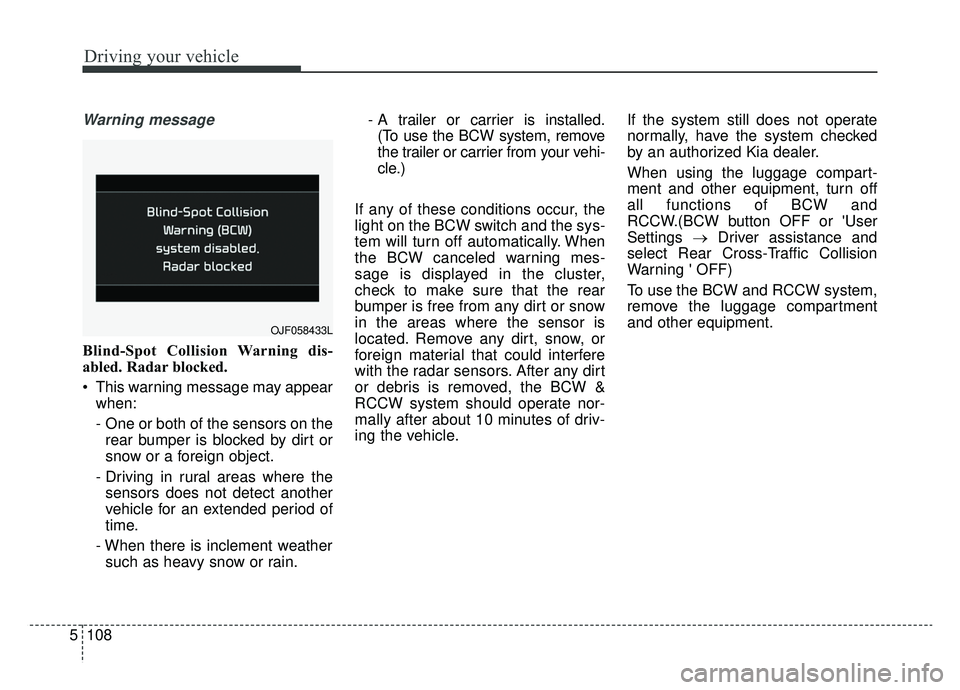
Blind-Spot Collision Warning dis-
abled. Radar blocked.
This warning message may appear
when:
- One or both of the sensors on therear bumper is blocked by dirt or
snow or a foreign object.
- Driving in rural areas where the sensors does not detect another
vehicle for an extended period of
time.
- When there is inclement weather such as heavy snow or rain. - A trailer or carrier is installed.
(To use the BCW system, remove
the trailer or carrier from your vehi-
cle.)
If any of these conditions occur, the
light on the BCW switch and the sys-
tem will turn off automatically. When
the BCW canceled warning mes-
sage is displayed in the cluster,
check to make sure that the rear
bumper is free from any dirt or snow
in the areas where the sensor is
located. Remove any dirt, snow, or
foreign material that could interfere
with the radar sensors. After any dirt
or debris is removed, the BCW &
RCCW system should operate nor-
mally after about 10 minutes of driv-
ing the vehicle. If the system still does not operate
normally, have the system checked
by an authorized Kia dealer.
When using the luggage compart-
ment and other equipment, turn off
all functions of BCW and
RCCW.(BCW button OFF or 'User
Settings
→Driver assistance and
select Rear Cross-Traffic Collision
Warning ' OFF)
To use the BCW and RCCW system,
remove the luggage compartment
and other equipment.
OJF058433L