fog light KIA PICANTO 2012 Owner's Manual
[x] Cancel search | Manufacturer: KIA, Model Year: 2012, Model line: PICANTO, Model: KIA PICANTO 2012Pages: 840, PDF Size: 41.16 MB
Page 572 of 840
473
Features of your vehicle
To turn the rear fog lights on, turn the
headlight switch to the headlight on posi-
tion and turn the rear fog light switch (1)to the on position.
The rear fog lights turn on when the rear
fog light switch is turned on after the
headlight switch is in the parklight posi-tion or highlight position.
To turn the rear fog lights off, turn the rear
fog light switch to the on position again or
turn the headlight switch off. (with Autolight)
To turn off the rear fog lights, turn the
switch to OFF (without Auto light)
✽✽NOTICE
To turn on the rear fog light switch, the
ignition switch must be in the ON position.
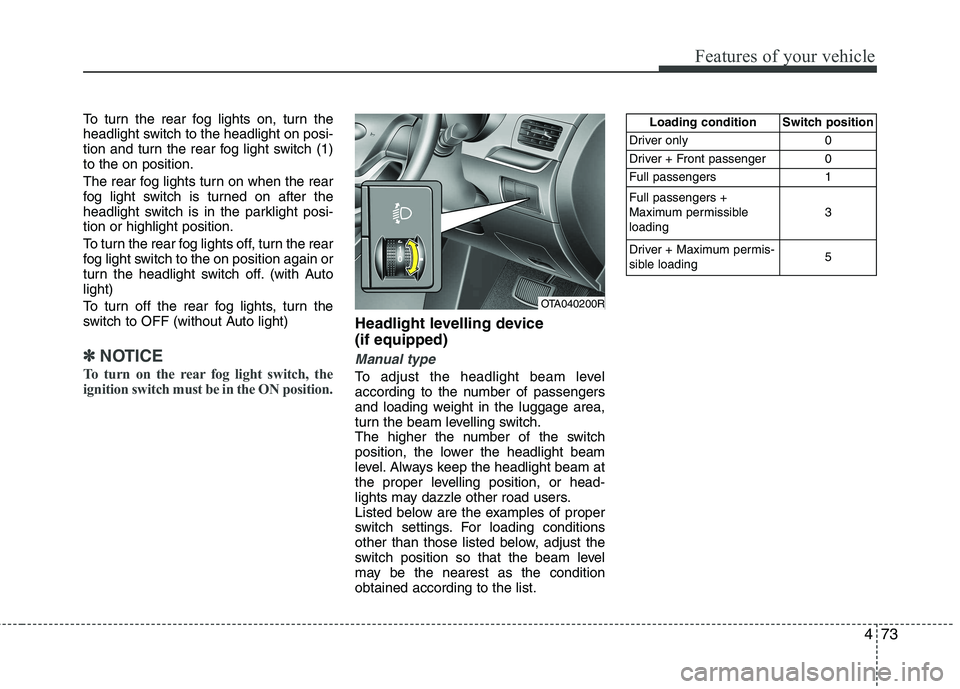
Headlight levelling device (if equipped)
Manual type
To adjust the headlight beam level
according to the number of passengers
and loading weight in the luggage area,
turn the beam levelling switch.
The higher the number of the switch
position, the lower the headlight beam
level. Always keep the headlight beam at
the proper levelling position, or head-
lights may dazzle other road users.
Listed below are the examples of proper
switch settings. For loading conditions
other than those listed below, adjust the
switch position so that the beam level
may be the nearest as the conditionobtained according to the list.
OTA040200R Loading condition Switch position
Driver only 0
Driver + Front passenger 0
Full passengers 1 Full passengers +
Maximum permissibleloading 3
Driver + Maximum permis-
sible loading 5
Page 585 of 840
Features of your vehicle
86
4
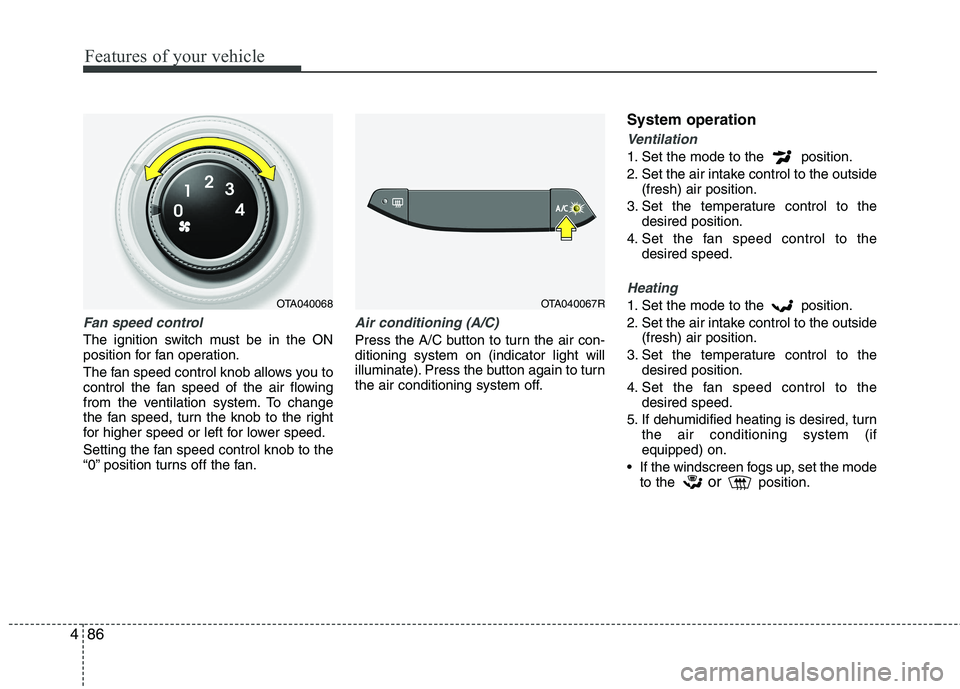
Fan speed control
The ignition switch must be in the ON
position for fan operation.
The fan speed control knob allows you to
control the fan speed of the air flowing
from the ventilation system. To change
the fan speed, turn the knob to the right
for higher speed or left for lower speed.
Setting the fan speed control knob to the
“0” position turns off the fan.
Air conditioning (A/C)
Press the A/C button to turn the air con- ditioning system on (indicator light will
illuminate). Press the button again to turn
the air conditioning system off. System operation
Ventilation
1. Set the mode to the position.
2. Set the air intake control to the outside
(fresh) air position.
3. Set the temperature control to the desired position.
4. Set the fan speed control to the desired speed.
Heating
1. Set the mode to the position.
2. Set the air intake control to the outside(fresh) air position.
3. Set the temperature control to the desired position.
4. Set the fan speed control to the desired speed.
5. If dehumidified heating is desired, turn the air conditioning system (if equipped) on.
If the windscreen fogs up, set the mode to the or
position.OTA040068OTA040067R
Page 587 of 840
Features of your vehicle
88
4
Air conditioning system operation tips
If the vehicle has been parked in direct
sunlight during hot weather, open the
windows for a short time to let the hot
air inside the vehicle escape.
To help reduce moisture inside of the windows on rainy or humid days,
decrease the humidity inside the vehi-
cle by operating the air conditioningsystem.
During air conditioning system opera- tion, you may occasionally notice aslight change in engine speed as the
air conditioning compressor cycles.
This is a normal system operation
characteristic.
Use the air conditioning system every month only for a few minutes to ensure
maximum system performance. When using the air conditioning sys-
tem, you may notice clear water drip-
ping (or even puddling) on the ground
under the passenger side of the vehi-
cle. This is a normal system operation
characteristic.
Operating the air conditioning system in the recirculated air position provides
maximum cooling, however, continual
operation in this mode may cause the
air inside the vehicle to become stale.
During cooling operation, you may occasionally notice a misty air flow
because of rapid cooling and humid air
intake. This is a normal system opera-
tion characteristic.
If you operate air conditioner exces- sively, the difference between the tem-
perature of the outside air and that ofthe windscreen could cause the outer
surface of the windscreen to fog up,
causing loss of visibility. In this case,
set the mode selection knob or button
to the position and fan speed con-
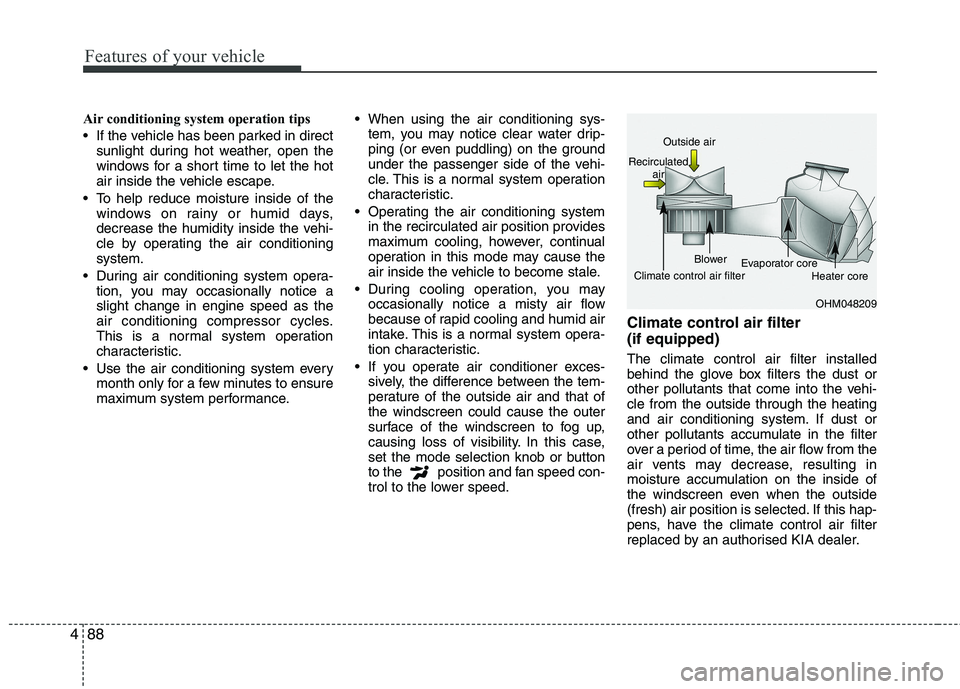
trol to the lower speed. Climate control air filter (if equipped) The climate control air filter installed
behind the glove box filters the dust or
other pollutants that come into the vehi-cle from the outside through the heating
and air conditioning system. If dust or
other pollutants accumulate in the filter
over a period of time, the air flow from the
air vents may decrease, resulting in
moisture accumulation on the inside of
the windscreen even when the outside
(fresh) air position is selected. If this hap-
pens, have the climate control air filter
replaced by an authorised KIA dealer.
OHM048209
Outside air
Recirculated air
Climate control air filter Blower
Evaporator core
Heater core
Page 594 of 840
495
Features of your vehicle
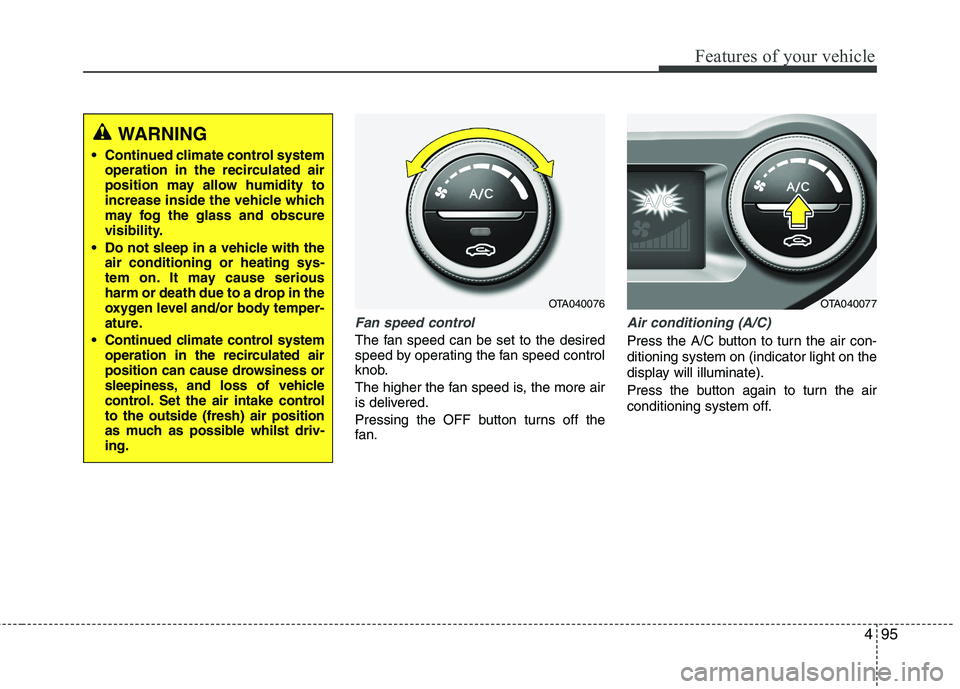
Fan speed control
The fan speed can be set to the desired
speed by operating the fan speed control
knob.
The higher the fan speed is, the more air
is delivered.
Pressing the OFF button turns off the
fan.
Air conditioning (A/C)
Press the A/C button to turn the air con- ditioning system on (indicator light on the
display will illuminate).
Press the button again to turn the air
conditioning system off.
WARNING
Continued climate control system operation in the recirculated air
position may allow humidity to
increase inside the vehicle which
may fog the glass and obscure
visibility.
Do not sleep in a vehicle with the air conditioning or heating sys-
tem on. It may cause serious
harm or death due to a drop in the
oxygen level and/or body temper-
ature.
Continued climate control system operation in the recirculated air
position can cause drowsiness or
sleepiness, and loss of vehicle
control. Set the air intake controlto the outside (fresh) air position
as much as possible whilst driv-ing.
OTA040076OTA040077
Page 808 of 840
761
Maintenance
LIGHT BULBS
Use only the bulbs of the specifiedwattage.
✽✽ NOTICE
After, driving in heavy rain or washing
the vehicle, headlight and taillight lenses
could appear frosty. This condition is
caused by the temperature difference
between the lamp inside and outside.
This is similar to the condensation on
your windows inside your vehicle during
the rain and doesn’t indicate a problem
with your vehicle. If the water leaks into
the lamp bulb circuitry, have the vehicle
checked by an authorised KIA dealer.
Headlight, position light, turn sig-
nal light, front fog light bulbreplacement
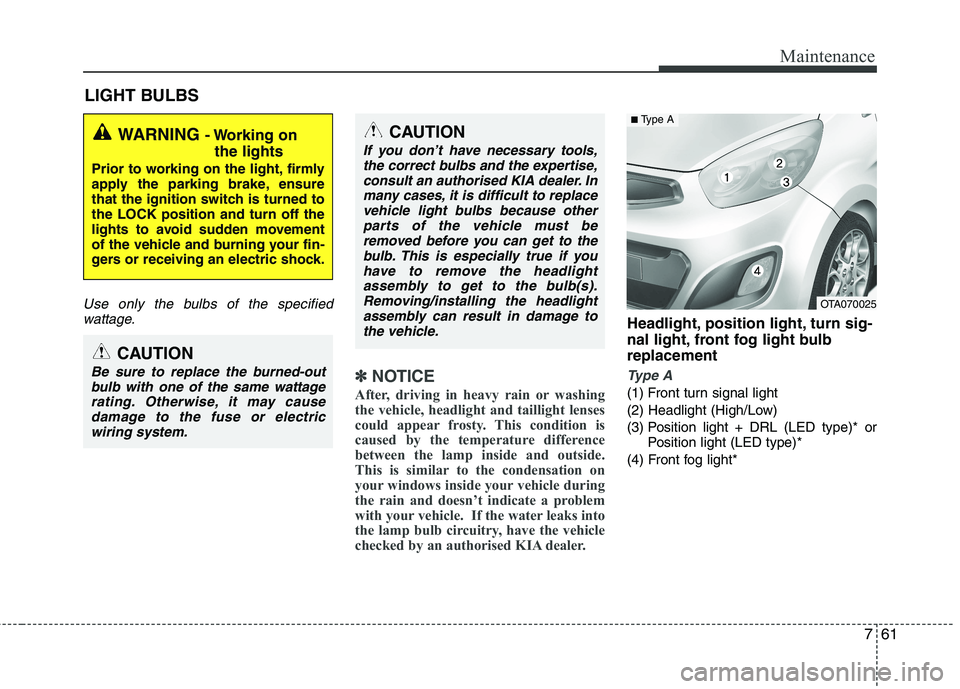
Type A
(1) Front turn signal light
(2) Headlight (High/Low)
(3) Position light + DRL (LED type)* or Position light (LED type)*
(4) Front fog light*
WARNING - Working on
the lights
Prior to working on the light, firmly
apply the parking brake, ensure
that the ignition switch is turned tothe LOCK position and turn off the
lights to avoid sudden movement
of the vehicle and burning your fin-
gers or receiving an electric shock.
CAUTION
Be sure to replace the burned-out bulb with one of the same wattagerating. Otherwise, it may causedamage to the fuse or electricwiring system.
CAUTION
If you don’t have necessary tools,the correct bulbs and the expertise,
consult an authorised KIA dealer. Inmany cases, it is difficult to replacevehicle light bulbs because other parts of the vehicle must be
removed before you can get to thebulb. This is especially true if youhave to remove the headlight
assembly to get to the bulb(s).Removing/installing the headlightassembly can result in damage tothe vehicle.
OTA070025
■ Type A
Page 809 of 840
Maintenance
62
7
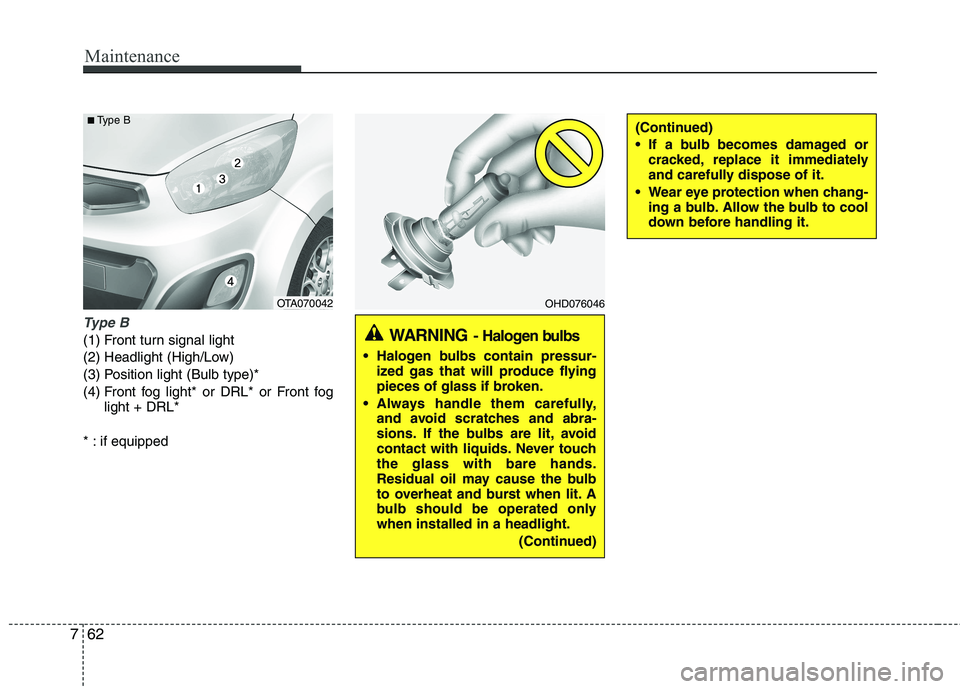
Type B
(1) Front turn signal light
(2) Headlight (High/Low)
(3) Position light (Bulb type)*
(4) Front fog light* or DRL* or Front fog
light + DRL*
* : if equipped
OHD076046
WARNING - Halogen bulbs
Halogen bulbs contain pressur-
ized gas that will produce flying
pieces of glass if broken.
Always handle them carefully, and avoid scratches and abra-
sions. If the bulbs are lit, avoid
contact with liquids. Never touchthe glass with bare hands.
Residual oil may cause the bulb
to overheat and burst when lit. A
bulb should be operated onlywhen installed in a headlight.
(Continued)
(Continued)
If a bulb becomes damaged orcracked, replace it immediately
and carefully dispose of it.
Wear eye protection when chang- ing a bulb. Allow the bulb to cool
down before handling it.
OTA070042
■
Type B
Page 811 of 840
Maintenance
64
7
Position light + DRL (LED type) or
Position light (LED type)(if equipped)
If the light bulb does not operate, have
the vehicle checked by an authorised KIA
dealer.
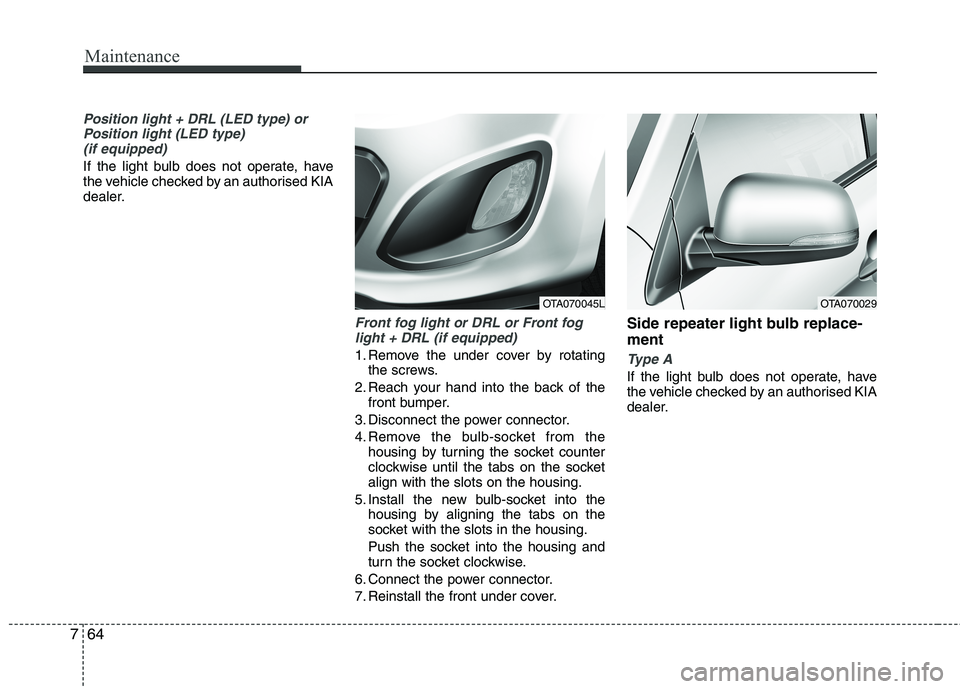
Front fog light or DRL or Front foglight + DRL (if equipped)
1. Remove the under cover by rotating the screws.
2. Reach your hand into the back of the front bumper.
3. Disconnect the power connector.
4. Remove the bulb-socket from the housing by turning the socket counter
clockwise until the tabs on the socketalign with the slots on the housing.
5. Install the new bulb-socket into the housing by aligning the tabs on the
socket with the slots in the housing.
Push the socket into the housing and
turn the socket clockwise.
6. Connect the power connector.
7. Reinstall the front under cover. Side repeater light bulb replace- ment Type A
If the light bulb does not operate, have
the vehicle checked by an authorised KIA
dealer.
OTA070045LOTA070029
Page 812 of 840
765
Maintenance
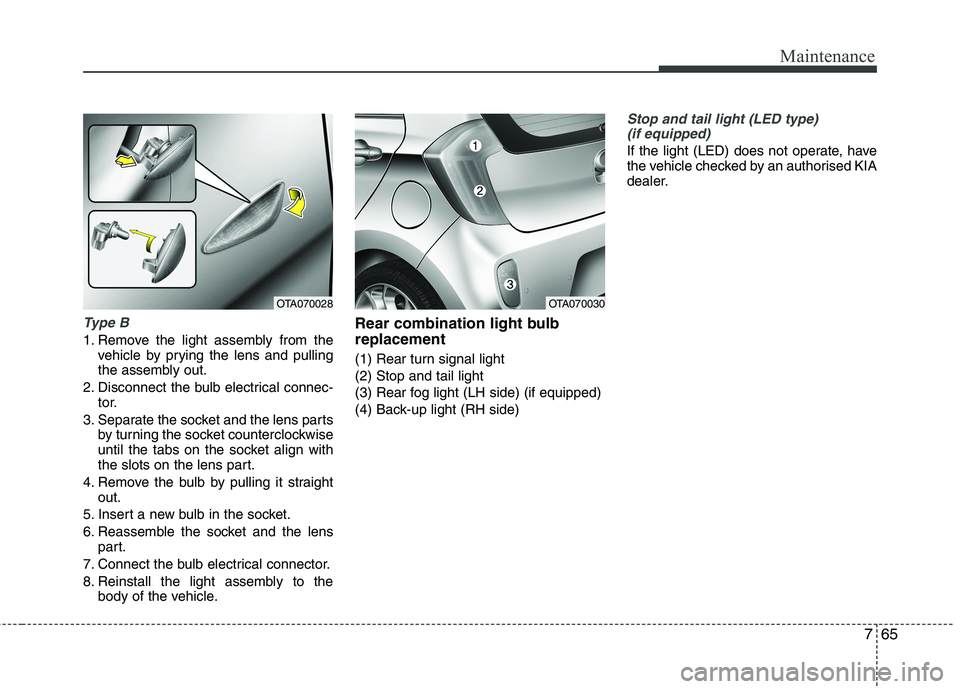
Type B
1. Remove the light assembly from thevehicle by prying the lens and pulling
the assembly out.
2. Disconnect the bulb electrical connec- tor.
3. Separate the socket and the lens parts by turning the socket counterclockwise
until the tabs on the socket align with
the slots on the lens part.
4. Remove the bulb by pulling it straight out.
5. Insert a new bulb in the socket.
6. Reassemble the socket and the lens part.
7. Connect the bulb electrical connector.
8. Reinstall the light assembly to the body of the vehicle. Rear combination light bulb replacement
(1) Rear turn signal light (2) Stop and tail light
(3) Rear fog light (LH side) (if equipped)
(4) Back-up light (RH side)
Stop and tail light (LED type)
(if equipped)
If the light (LED) does not operate, have
the vehicle checked by an authorised KIA
dealer.
OTA070028OTA070030
Page 813 of 840
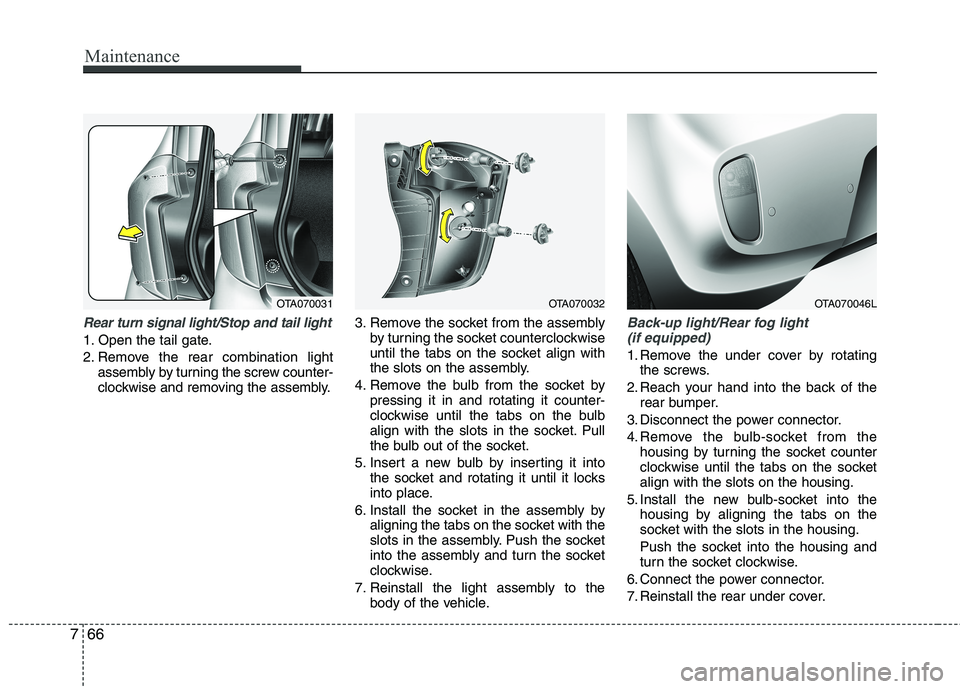
Maintenance
66
7
Rear turn signal light/Stop and tail light
1. Open the tail gate.
2. Remove the rear combination light
assembly by turning the screw counter-
clockwise and removing the assembly. 3. Remove the socket from the assembly
by turning the socket counterclockwise
until the tabs on the socket align with
the slots on the assembly.
4. Remove the bulb from the socket by pressing it in and rotating it counter-
clockwise until the tabs on the bulb
align with the slots in the socket. Pull
the bulb out of the socket.
5. Insert a new bulb by inserting it into the socket and rotating it until it locks
into place.
6. Install the socket in the assembly by aligning the tabs on the socket with the
slots in the assembly. Push the socket
into the assembly and turn the socket
clockwise.
7. Reinstall the light assembly to the body of the vehicle.
Back-up light/Rear fog light
(if equipped)
1. Remove the under cover by rotating the screws.
2. Reach your hand into the back of the rear bumper.
3. Disconnect the power connector.
4. Remove the bulb-socket from the housing by turning the socket counter
clockwise until the tabs on the socketalign with the slots on the housing.
5. Install the new bulb-socket into the housing by aligning the tabs on the
socket with the slots in the housing.
Push the socket into the housing and
turn the socket clockwise.
6. Connect the power connector.
7. Reinstall the rear under cover.
OTA070031OTA070032OTA070046L
Page 826 of 840
![KIA PICANTO 2012 Owners Manual Specifications & Consumer information
2
8
ENGINE BULB WATTAGE
* : If equipped
DIMENSIONS
Item Petrol 1.0 Petrol 1.25
Displacement [cc(cu.in)] 998 (60.9) 1,248 (76.2)
Bore x Stroke [mm(in)] 71 x 84
(](/img/2/57971/w960_57971-825.png "KIA PICANTO 2012 Owners Manual Specifications & Consumer information
2
8
ENGINE BULB WATTAGE
* : If equipped
DIMENSIONS
Item Petrol 1.0 Petrol 1.25
Displacement [cc(cu.in)] 998 (60.9) 1,248 (76.2)
Bore x Stroke [mm(in)] 71 x 84
(")
Specifications & Consumer information
2
8
ENGINE BULB WATTAGE
* : If equipped
DIMENSIONS
Item Petrol 1.0 Petrol 1.25
Displacement [cc(cu.in)] 998 (60.9) 1,248 (76.2)
Bore x Stroke [mm(in)] 71 x 84
(2.80 x 3.31) 71 x 78.8
(2.80 x 3.10)
Firing order 1-2-3 1-3-4-2
No. of cylinders 3, In-line 4, In-line
Item mm (in)
Overall length 3595 (141.5)
Overall width 1595 (62.8)
Overall heightFor Europe 1480 (58.3)
Except Europe 1490 (58.7)
Front tread
155/70R13 1421 (55.9)
165/60R14 1415 (55.7)
175/50R15 1409 (55.5)
Rear tread
155/70R13 1424 (56.1)
165/60R14 1418 (55.8)
175/50R15 1412 (55.6)
Wheelbase 2385 (93.9)
Light Bulb Wattage Bulb type
Headlights (Low/High) 55/60 H4 L/L
Headlights (Low/High)* 55 H7 L/L
Front turn signal lights* 21 PY21W
FRT Position lights (Bulb type)* 5 W5W
FRT Position lights (LED type)*LEDLED
Side repeater lights* 5 WY5W
Side repeater lights (LED type)* LED LED
Front fog lights* 27 GE881
D.R.L (Bulb type)21P21W
D.R.L (LED type)*LEDLED
Stop and tail light* 21/5 P21/5W
Stop and tail light (LED type)* LED LED
Rear turn signal lights 21 P21W
Back-up lights 16 W16W
Rear fog lights*21P21W
High mounted stop light* 5 W5W High mounted stop light (LED type)* LED LED
License plate lights 5 W5W
Map lamps 10 W10W
Room lamp 8 FESTOON 8W
Luggage lamp* 5 FESTOON 5W