Panel KIA PICANTO 2016 User Guide
[x] Cancel search | Manufacturer: KIA, Model Year: 2016, Model line: PICANTO, Model: KIA PICANTO 2016Pages: 488, PDF Size: 31.22 MB
Page 61 of 488
349
Safety features of your vehicle
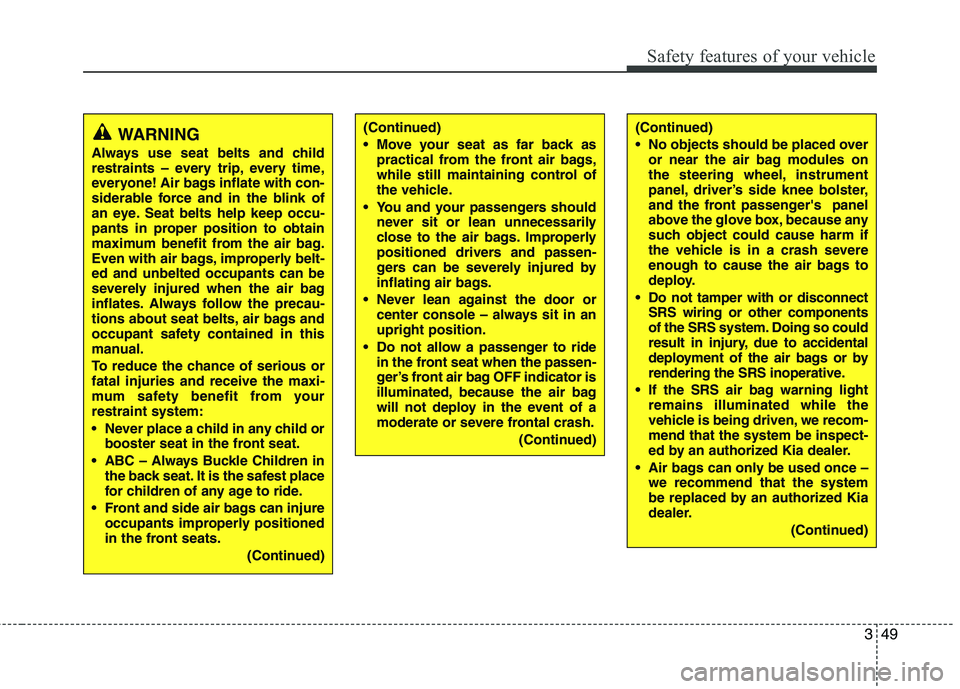
WARNING
Always use seat belts and child
restraints – every trip, every time,
everyone! Air bags inflate with con-
siderable force and in the blink of
an eye. Seat belts help keep occu-
pants in proper position to obtain
maximum benefit from the air bag.
Even with air bags, improperly belt-ed and unbelted occupants can be
severely injured when the air bag
inflates. Always follow the precau-
tions about seat belts, air bags and
occupant safety contained in this
manual.
To reduce the chance of serious or fatal injuries and receive the maxi-
mum safety benefit from yourrestraint system:
Never place a child in any child or booster seat in the front seat.
ABC – Always Buckle Children in the back seat. It is the safest place
for children of any age to ride.
Front and side air bags can injure occupants improperly positioned
in the front seats.
(Continued)(Continued)
Move your seat as far back aspractical from the front air bags,
while still maintaining control of
the vehicle.
You and your passengers should never sit or lean unnecessarily
close to the air bags. Improperly
positioned drivers and passen-
gers can be severely injured by
inflating air bags.
Never lean against the door or center console – always sit in anupright position.
Do not allow a passenger to ride in the front seat when the passen-
ger’s front air bag OFF indicator is
illuminated, because the air bag
will not deploy in the event of a
moderate or severe frontal crash.
(Continued)(Continued)
No objects should be placed overor near the air bag modules on
the steering wheel, instrument
panel, driver’s side knee bolster,
and the front passenger's panel
above the glove box, because any
such object could cause harm if
the vehicle is in a crash severe
enough to cause the air bags to
deploy.
Do not tamper with or disconnect SRS wiring or other components
of the SRS system. Doing so could
result in injury, due to accidental
deployment of the air bags or by
rendering the SRS inoperative.
If the SRS air bag warning light remains illuminated while the
vehicle is being driven, we recom-mend that the system be inspect-
ed by an authorized Kia dealer.
Air bags can only be used once – we recommend that the system
be replaced by an authorized Kia
dealer.
(Continued)
Page 64 of 488

Safety features of your vehicle
52
3
CAUTION
If the passenger’s front air bag
ON/OFF switch is not working
properly, the air bag warning light
()on the instrument panel will
illuminate.
And, the passenger's front air bagOFF indicator
() will not illumi-
nate (The passenger's front air
bag ON indicator comes on andgoes off after approximately 60seconds), the SRS Control Modulereactivate the passenger’s front
air bag and the passenger’s frontair bag will inflate in frontal impactcrashes even if the passenger’s front air bag ON/OFF switch is set
to the OFF position.
If this occurs, we recommend thatthe system be inspected by anauthorized Kia dealer.
(Continued)
(Continued) If the SRS air bag warning light blinks or does not illuminatewhen the ignition switch is turnedto the ON position, or if it illumi-
nates while the vehicle is beingdriven, we recommend that the system be inspected by an
authorized Kia dealer.WARNING
The driver is responsible for the proper position of the passen-
ger’s front air bag ON/OFF switch.
Deactivate the passenger's front air bag only when the ignition
switch is switched off, or the mal-
function may occur in the SRS
Control Module.
And there may be a danger that
the driver's and/or front passen-
ger’s and/or side and curtain air
bag may fail to trigger, or not trig-
ger correctly during a collision.
Never install a rearward facing
child seat on the front passen-
ger's seat unless the passenger's
front air bag has been deactivat-
ed. The infant or child could be
severely injured or killed by an air
bag deployment in case of anaccident. (Continued)
Page 73 of 488
361
Safety features of your vehicle
SRS Care
The SRS is virtually maintenance-free
and so there are no parts you can safely
service by yourself. If the SRS air bag
warning light does not illuminate
when you turn the ignition ON, or if it con-
tinuously remains on, we recommend
that the system be inspected by an
authorized Kia dealer.
WARNING
Modification to SRS components or wiring, including the addition
of any kind of badges to the pad
covers or modifications to the
body structure, can adversely
affect SRS performance and lead
to possible injury.
For cleaning the air bag pad cov- ers, use only a soft, dry cloth or
one which has been moistened
with plain water. Solvents or
cleaners could adversely affect
the air bag covers and proper
deployment of the system.
No objects should be placed over
or near the air bag modules on the
steering wheel, instrument panel,
and the front passenger's panel
above the glove box, because any
such object could cause harm if the
vehicle is in a crash severe enough
to cause the air bags to inflate.
(Continued)
(Continued)
If the air bags inflate, we recom- mend that the system be replaced
by an authorized Kia dealer.
Do not tamper with or disconnect SRS wiring, or other components
of the SRS system. Doing so
could result in injury, due to acci-
dental inflation of the air bags or
by rendering the SRS inoperative.
If components of the air bag sys- tem must be discarded, or if the
vehicle must be scrapped, certain
safety precautions must be
observed. An authorized Kia
dealer knows these precautions
and can give you the necessary
information. Failure to follow
these precautions and proce-dures could increase the risk of
personal injury.
If your car was flooded and has soaked carpeting or water on the
flooring, you shouldn't try to start
the engine; we recommend that
you contact an authorized Kia
dealer.
Page 108 of 488
433
Features of your vehicle
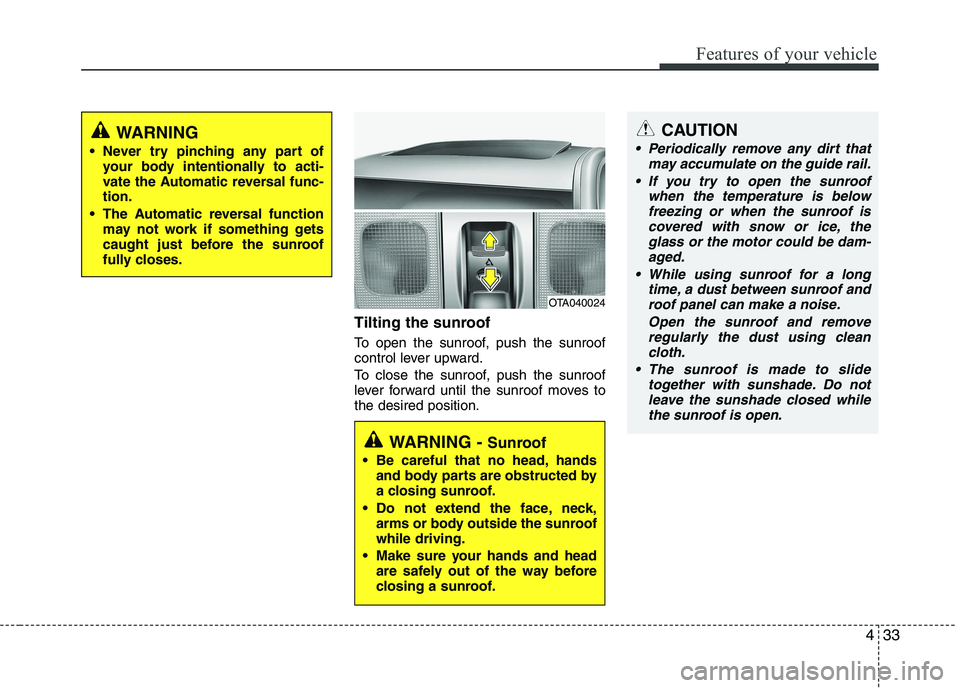
Tilting the sunroof
To open the sunroof, push the sunroof
control lever upward.
To close the sunroof, push the sunroof
lever forward until the sunroof moves tothe desired position.
WARNING
Never try pinching any part of your body intentionally to acti-
vate the Automatic reversal func-tion.
The Automatic reversal function may not work if something gets
caught just before the sunroof
fully closes.
OTA040024
WARNING - Sunroof
Be careful that no head, hands and body parts are obstructed by
a closing sunroof.
Do not extend the face, neck, arms or body outside the sunroofwhile driving.
Make sure your hands and head are safely out of the way before
closing a sunroof.
CAUTION
Periodically remove any dirt that
may accumulate on the guide rail.
If you try to open the sunroof when the temperature is belowfreezing or when the sunroof iscovered with snow or ice, the
glass or the motor could be dam- aged.
While using sunroof for a long time, a dust between sunroof androof panel can make a noise.
Open the sunroof and removeregularly the dust using cleancloth.
The sunroof is made to slide together with sunshade. Do notleave the sunshade closed while
the sunroof is open.
Page 109 of 488
Features of your vehicle
34
4
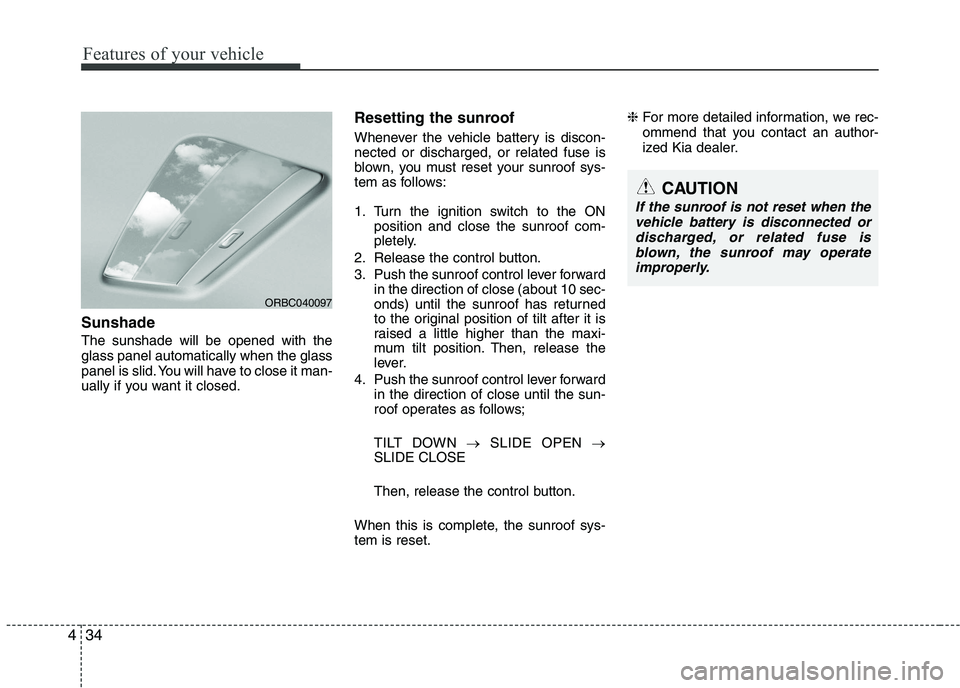
Sunshade The sunshade will be opened with the glass panel automatically when the glass
panel is slid. You will have to close it man-
ually if you want it closed. Resetting the sunroof
Whenever the vehicle battery is discon- nected or discharged, or related fuse is
blown, you must reset your sunroof sys-
tem as follows:
1. Turn the ignition switch to the ON
position and close the sunroof com-
pletely.
2. Release the control button.
3. Push the sunroof control lever forward in the direction of close (about 10 sec-
onds) until the sunroof has returned
to the original position of tilt after it is
raised a little higher than the maxi-
mum tilt position. Then, release the
lever.
4. Push the sunroof control lever forward in the direction of close until the sun-
roof operates as follows;
TILT DOWN SLIDE OPEN
SLIDE CLOSE
Then, release the control button.
When this is complete, the sunroof sys- tem is reset. ❈
For more detailed information, we rec-
ommend that you contact an author-
ized Kia dealer.
ORBC040097
CAUTION
If the sunroof is not reset when the
vehicle battery is disconnected or
discharged, or related fuse isblown, the sunroof may operate improperly.
Page 111 of 488
Features of your vehicle
36
4
Tilt steering (if equipped)
Tilt steering allows you to adjust the
steering wheel before you drive. You can
also raise it to give your legs more room
when you exit and enter the vehicle.
The steering wheel should be positioned
so that it is comfortable for you to drive,
while permitting you to see the instru-
ment panel warning lights and gauges.
Manual type
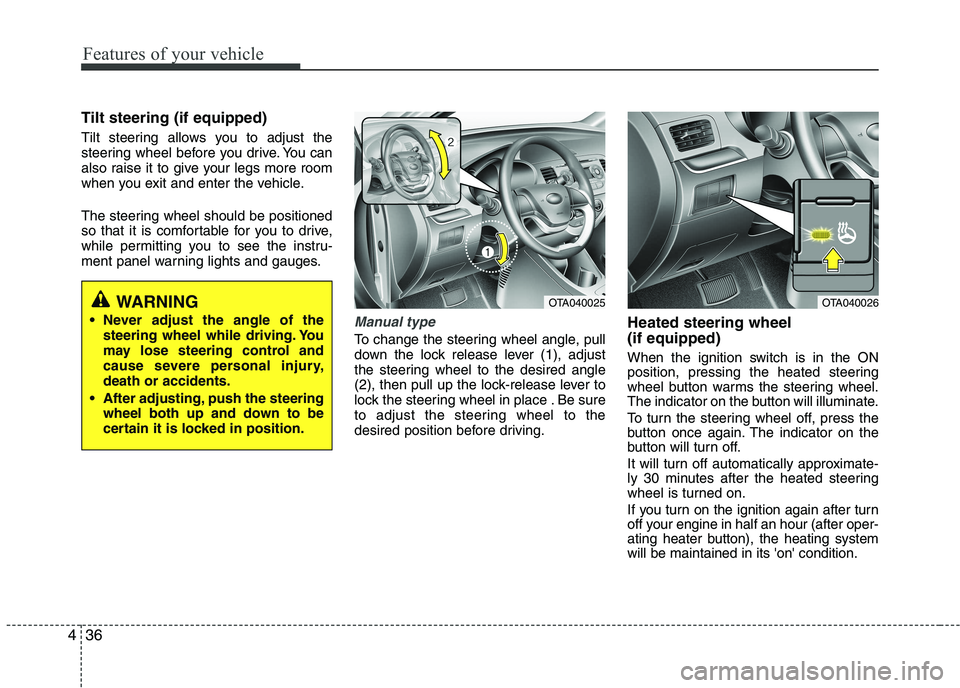
To change the steering wheel angle, pull
down the lock release lever (1), adjust
the steering wheel to the desired angle
(2), then pull up the lock-release lever to
lock the steering wheel in place . Be sure
to adjust the steering wheel to the
desired position before driving. Heated steering wheel (if equipped)
When the ignition switch is in the ON
position, pressing the heated steering
wheel button warms the steering wheel.
The indicator on the button will illuminate.
To turn the steering wheel off, press the
button once again. The indicator on the
button will turn off.
It will turn off automatically approximate-
ly 30 minutes after the heated steering
wheel is turned on.
If you turn on the ignition again after turn
off your engine in half an hour (after oper-
ating heater button), the heating systemwill be maintained in its 'on' condition.
OTA040025OTA040026WARNING
Never adjust the angle of the steering wheel while driving. You
may lose steering control and
cause severe personal injury,death or accidents.
After adjusting, push the steering wheel both up and down to be
certain it is locked in position.
Page 119 of 488
Features of your vehicle
44
4
Instrument Cluster Control
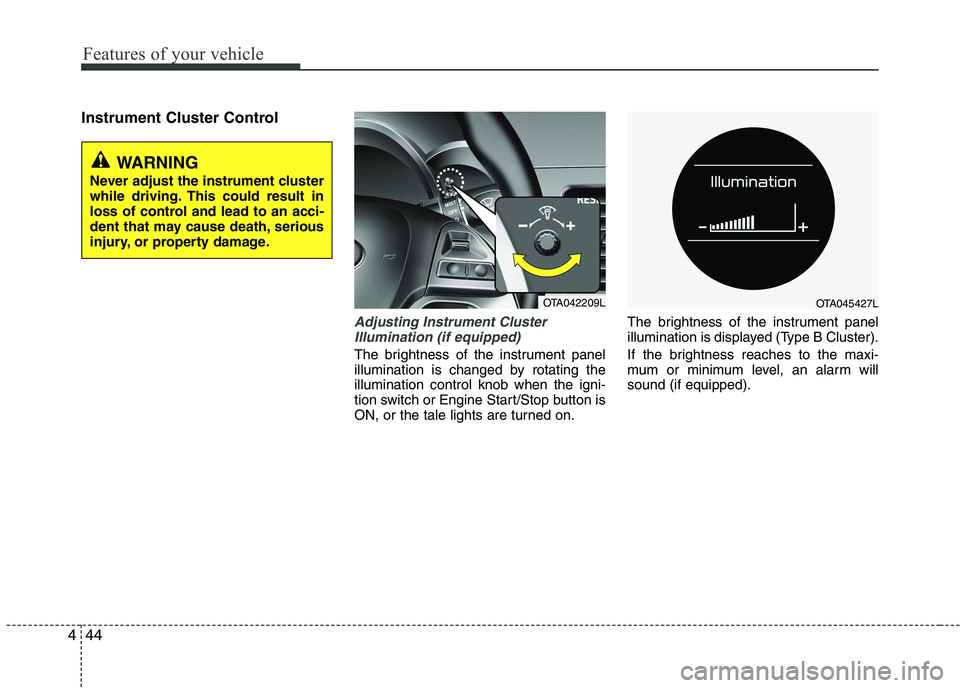
Adjusting Instrument Cluster
Illumination (if equipped)
The brightness of the instrument panel
illumination is changed by rotating theillumination control knob when the igni-
tion switch or Engine Start/Stop button is
ON, or the tale lights are turned on. The brightness of the instrument panel
illumination is displayed (Type B Cluster).
If the brightness reaches to the maxi-
mum or minimum level, an alarm willsound (if equipped).
WARNING
Never adjust the instrument cluster
while driving. This could result in
loss of control and lead to an acci-
dent that may cause death, serious
injury, or property damage.
OTA042209LOTA045427L
Page 138 of 488
463
Features of your vehicle
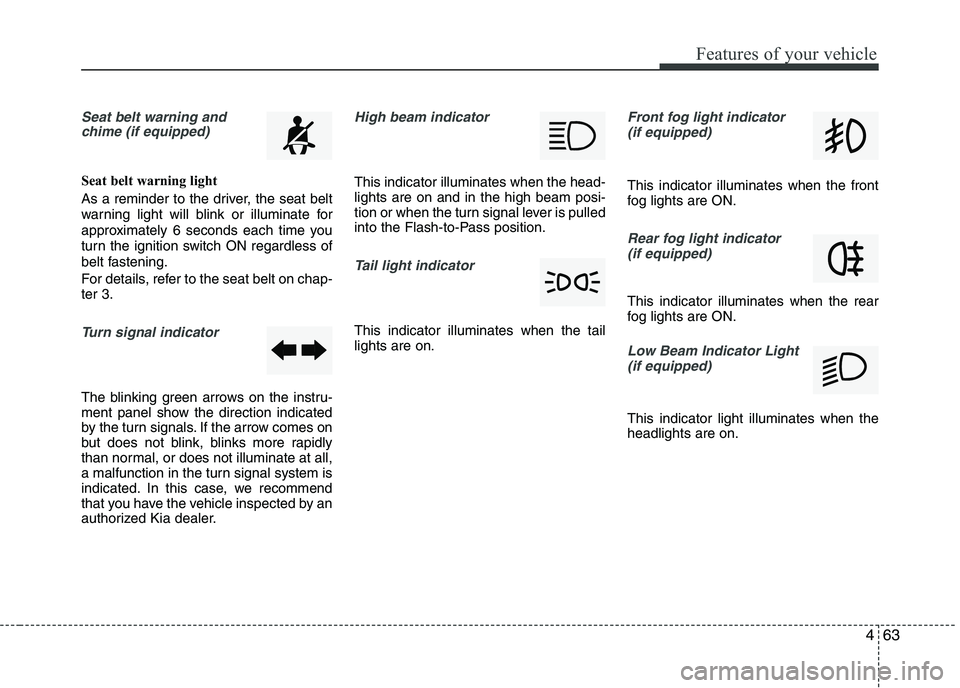
Seat belt warning andchime (if equipped)
Seat belt warning light
As a reminder to the driver, the seat belt
warning light will blink or illuminate for
approximately 6 seconds each time you
turn the ignition switch ON regardless of
belt fastening.
For details, refer to the seat belt on chap- ter 3.
Turn signal indicator
The blinking green arrows on the instru-
ment panel show the direction indicated
by the turn signals. If the arrow comes on
but does not blink, blinks more rapidly
than normal, or does not illuminate at all,
a malfunction in the turn signal system is
indicated. In this case, we recommend
that you have the vehicle inspected by an
authorized Kia dealer.
High beam indicator
This indicator illuminates when the head- lights are on and in the high beam posi-
tion or when the turn signal lever is pulled
into the Flash-to-Pass position.
Tail light indicator
This indicator illuminates when the tail lights are on.
Front fog light indicator
(if equipped)
This indicator illuminates when the front
fog lights are ON.
Rear fog light indicator (if equipped)
This indicator illuminates when the rear
fog lights are ON.
Low Beam Indicator Light
(if equipped)
This indicator light illuminates when the headlights are on.
Page 151 of 488
Features of your vehicle
76
4
Daytime running light (if equipped)
Daytime Running Lights (DRL) can make
it easier for others to see the front of your
vehicle during the day. DRL can be help-
ful in many different driving conditions,
and it is especially helpful after dawn and
before sunset.
The DRL system will make the head-
lights light turn OFF when:
1. The position or head light switch is ON.
2. Engine off or ACC.
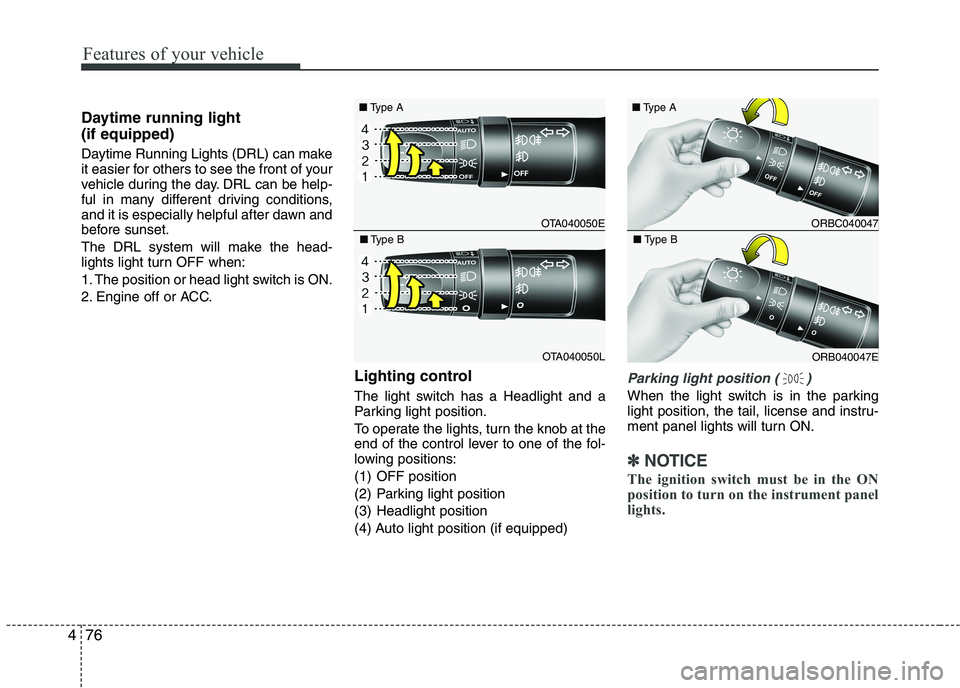
Lighting control
The light switch has a Headlight and a
Parking light position.
To operate the lights, turn the knob at the
end of the control lever to one of the fol-
lowing positions:
(1) OFF position
(2) Parking light position
(3) Headlight position
(4) Auto light position (if equipped)
Parking light position ( )
When the light switch is in the parking
light position, the tail, license and instru-
ment panel lights will turn ON.
✽✽NOTICE
The ignition switch must be in the ON
position to turn on the instrument panel
lights.
OTA040050E
■
Type A
OTA040050L
■
Type B
ORBC040047
■
Type A
ORB040047E
■
Type B
Page 152 of 488
477
Features of your vehicle
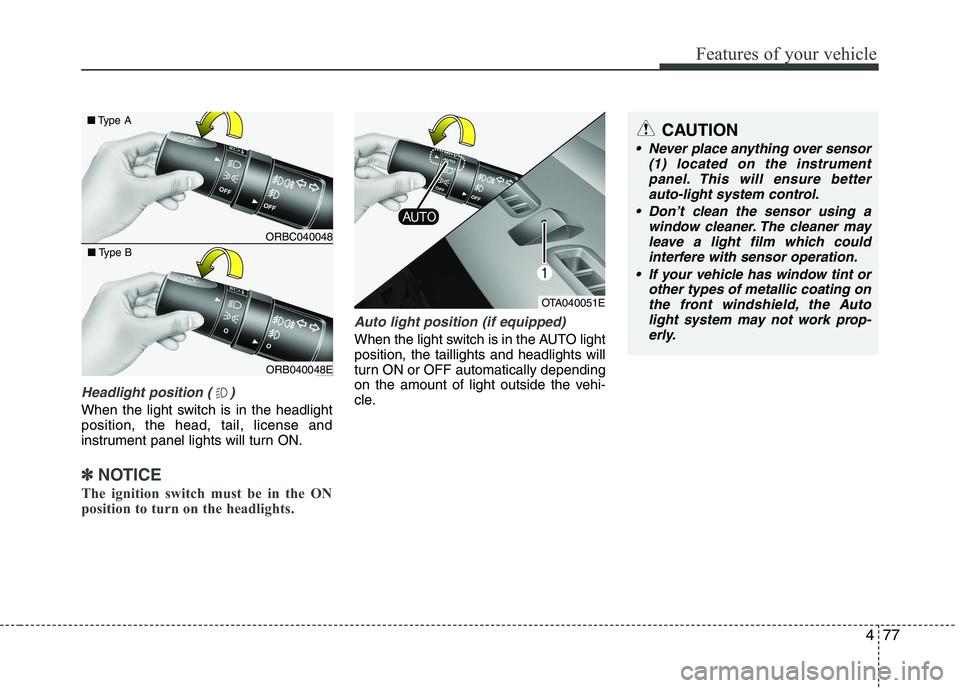
Headlight position ( )
When the light switch is in the headlight position, the head, tail, license and
instrument panel lights will turn ON.
✽✽NOTICE
The ignition switch must be in the ON
position to turn on the headlights.
Auto light position (if equipped)
When the light switch is in the AUTO light position, the taillights and headlights will
turn ON or OFF automatically depending
on the amount of light outside the vehi-
cle.
CAUTION
Never place anything over sensor (1) located on the instrument
panel. This will ensure better auto-light system control.
Don’t clean the sensor using a window cleaner. The cleaner may
leave a light film which could interfere with sensor operation.
If your vehicle has window tint or other types of metallic coating onthe front windshield, the Auto
light system may not work prop- erly.
OTA040051E
ORBC040048
■
Type A
ORB040048E
■
Type B