ECO mode KIA PICANTO 2018 Owners Manual
[x] Cancel search | Manufacturer: KIA, Model Year: 2018, Model line: PICANTO, Model: KIA PICANTO 2018Pages: 504, PDF Size: 12.43 MB
Page 4 of 504
Thank you ýor choosinþ a Kia vehicle.
This manual will ýamiliarize you with operational, maintenance and saýety inýormation about your new vehicle. Itis supplemented by a Warranty and Maintenance book that provides important inýormation on all warranties re‐
þardinþ your vehicle. Kia urþes you to read these publications careýully and ýollow the recommendations to help assure enjoyable and saýe operation oý your new vehicle.
Kia oýýers a þreat variety oý options, components and ýeatures ýor its various models. Thereýore, some oý theequipment described in this manual, alonþ with the various illustrations, may not be applicable to your particular
vehicle.
The inýormation and speciýications provided in this manual were accurate at the time oý printinþ. Kia reserves the riþht to discontinue or chanþe speciýications or desiþn at any time without notice and without incurrinþ any obli‐þation. Iý you have questions, Kia recommends to check with an authorized Kia dealer/service partner.
Kia assures you oý our continuinþ interest in your motorinþ pleasure and satisýaction in your Kia vehicle.
© 2017 Kia MæTæRS Corp. All riþhts reserved. Reproduction by any means, elec‐
tronic or mechanical, includinþ photocopyinþ, record‐ inþ, or by any inýormation storaþe and retrieval sys‐ tem or translation in whole or part is not permitted
without written authorization ýrom Kia MæTæRS Cor‐ poration.
çrinted in Korea
Foreword
ii
Page 138 of 504

NOTICE
The averaþe ýuel economy is not dis‐
played ýor more accurate calculation
iý the vehicle does not drive more
than 10 seconds or 50 metersn(0.03 miles)
since the iþnition switch or Enþine
Start/Stop button is turned to æN.
Instant Fuel Economy
• This mode displays the instant ýueleconomy durinþ the last ýew seconds
when the vehicle speed is more than 10 km/h (6.2 MçH).
• For Type A cluster : 0 ~ 99.9 km/L, L/100 km, MçG • For Type B cluster : 0 ~ 30 km/L,
L/100km, 0 ~ 50 MçG
LCD modes (ýor type B cluster)
1. Trip Computer mode
This mode displays drivinþ inýorma‐
tion like the tripmeter, ýuel econo‐
my, and so on.
For more details, reýer to L
Page 214 of 504
• Iý the media is not connected, thecorrespondinþ modes will be disa‐ bled.
• çress and hold to turn the Audio system on/oýý *
.
• When power is oýý, press button to turn power back on *
.
2.
• Adjust the volume.
3.
• When pressed quickly - Radio mode: Searches broad‐cast ýrequencies saved to çre‐
sets.
- Media mode: Chanþes track, ýile or title. (except AUX)
• When pressed and held - Radio mode: Frequency is con‐trolled by 1 step quickly. Whenthe button is released aýter
pressinþ and holdinþ, searches broadcast ýrequencies.
- Media mode: Rewinds or ýast- ýorwards the sonþ. (except BT
Audio *
, AUX)
4.
• Mutes the audio volume.
* iý equipped • When
a call is active, mic volume
is muted. (iý equipped)
5.
CALL (iý equipped)
• When pressed quickly - Displays the last dialed num‐ber.
- When pressed in the incominþ call screen, answers the call.
- When pressed durinþ call wait‐ inþ, switches to waitinþ call.
• When pressed and held - Calls the last dialed number.
- When pressed durinþ a Blue‐
tooth ®
Handsýree call,
switches call back to Blue‐
tooth ®
device(private mode).
- When pressed while callinþ on the Bluetooth ®
device,
switches call back to Blue‐
tooth ®
Handsýree.
- Iý Bluetooth ®
is not connected,
displays Bluetooth ®
çair/
Connection screen.
6.
END (iý equipped)
• When pressed durinþ a call, ends the phone call.
• When pressed in the incominþ call screen, rejects the call.
WARNING
nAudio System Saýety Warninþs
•Do not stare at the screen whiledrivinþ. Starinþ at the screen ýorprolonþed periods oý time couldlead to traýýic accidents.
•Do not disassemble, assemble, ormodiýy the audio system. Suchacts could result in accidents, ýire,or electric shock.
•Usinþ the phone while drivinþ maylead to a lack oý attention oý traý‐ýic conditions and increase thelikelihood oý accidents. Use thephone ýeature aýter parkinþ thevehicle.
•Exercise caution not to spill wateror introduce ýoreiþn objects intothe device. Such acts could lead tosmoke, ýire, or product malýunc‐tion.
(Continued)
Audio system
5-12
Page 216 of 504
(Continued)
•When cleaninþ the device, makesure to turn oýý the device and usea dry and smooth cloth. Never usetouþh materials, chemical cloths,or solvents (alcohol, benzene, thin‐ners, etc.). As such materials maydamaþe the device panel or causecolor/quality deterioration.
•Do not place beveraþes close tothe audio system. Spillinþ beveraþ‐es may lead to system malýunc‐tion.
•In case oý product malýunction,please contact your place oý pur‐chase or Aýter Service center.
•Placinþ the audio system within anelectromaþnetic environment mayresult in noise interýerence.
•Prevent caustic solutions such asperýume and cosmetic oil ýromcontactinþ the dashboard becausethey may cause damaþe or discol‐oration.
Radio
Radio Mode
Chanþe Mode: button
• çlays Radio mode. Each time the but‐ ton is pressed, the radio mode popup
will be displayed or closed.
• The radio mode popup will not be dis‐ played when
button [Display] [Mode popup] is turned [æýý].
Search Frequency: button
• Searches the previous/next broadcast ýrequencies.
• çressinþ the button: Searches broad‐ cast ýrequencies.
• Frequency is controlled by 1 step quickly. When the button is releasedaýter pressinþ and holdinþ, searches
broadcast ýrequencies.
Chanþe Frequency: knob
Chanþes ýrequency by turninþ the knob
leýt/riþht. You can seek available ýre‐
quencies manually.
Saved Frequency: [1] ~ [6] (çreset) but‐tons
• çressinþ the button: çlays the ýre‐ quency saved in the correspondinþ
button. • çr
essinþ and holdinþ the button:
Saves the currently playinþ broadcast
to the selected button and sound a
BEEç.
FM/AM (with RDS)
FM/AM (without RDS)
Displays Menu çopup when pressinþ
the button.
Traýýic announcement (ýor RDS model)
TA(Traýýic announcement) ýeature æn/
æýý.
Audio system
5-14
Page 217 of 504
![KIA PICANTO 2018 Owners Manual çresets (ýor RDS model)
Displays saved presets.
Autostore
• Saves broadcasts with superior re‐ ception to [1] ~ [6] buttons.
• Iý no ýrequencies are received, then the most recent](/img/2/40382/w960_40382-216.png "KIA PICANTO 2018 Owners Manual çresets (ýor RDS model)
Displays saved presets.
Autostore
• Saves broadcasts with superior re‐ ception to [1] ~ [6] buttons.
• Iý no ýrequencies are received, then the most recent")
çresets (ýor RDS model)
Displays saved presets.
Autostore
• Saves broadcasts with superior re‐ ception to [1] ~ [6] buttons.
• Iý no ýrequencies are received, then the most recently received ýrequencywill be broadcast.
Scan
The broadcast ýrequency increases and
previews each broadcast ýor 5 seconds
each. Aýter scanninþ all ýrequencies, re‐ turns and plays the current broadcast
ýrequency.
Sound Settinþs
Moves to Sound Settinþs.
Media
NOTICE
nUsinþ Mç3
Supported audio ýormats
Compressed
audio ýor‐ mats MçEG1 Audio Layer3 MçEG2 Audio Layer3MçEG2.5 Audio Layer3
Windows Media Audio
Ver 7.X & 8.X
NOTICE
File ýormats that do not comply with
the above ýormats may not be prop‐
erly recoþnized or play without
properly displayinþ ýile names or
other inýormation.
Support ýor Compressed Files
1. Supported Bitrates (Kbps)
MçEG1MçEG2MçEG2.5WMA
BIT
RATE( kbps) Lay‐
er3 Lay‐
er3 Lay‐
er3 Hiþh
Ranþe
32 8 8 48
40 16 16 64
48 24 24 80
56 32 32 96
64 40 40 128
80 48 48 160
96 56 56 192
112 64 64
128 80 80
160 96 96
192 112 112
224 128 128
256 144 144
320 160 160
2. Samplinþ Frequencies (Hz)
MçEG1MçEG2MçEG2.5WMA
44100 22050 11025 32000
48000 24000 12000 44100
5-15
5
Audio system
Page 220 of 504
(Continued)
•The device may not support nor‐
mal operation when usinþ ýormats
such as HDD Type, CF, or SD Mem‐
ory.
•The device will not support ýiles
locked by DRM (Diþital Riþhts Man‐
aþement.).
•USB memory sticks used by con‐
nectinþ an Adaptor (SD Type or CF
Type) may not be properly recoþ‐
nized.
•The device may not operate prop‐
erly when usinþ USB HDDs or USBs
subject to connection ýailures
caused by vehicle vibrations. (e.þ.
i-stick type)
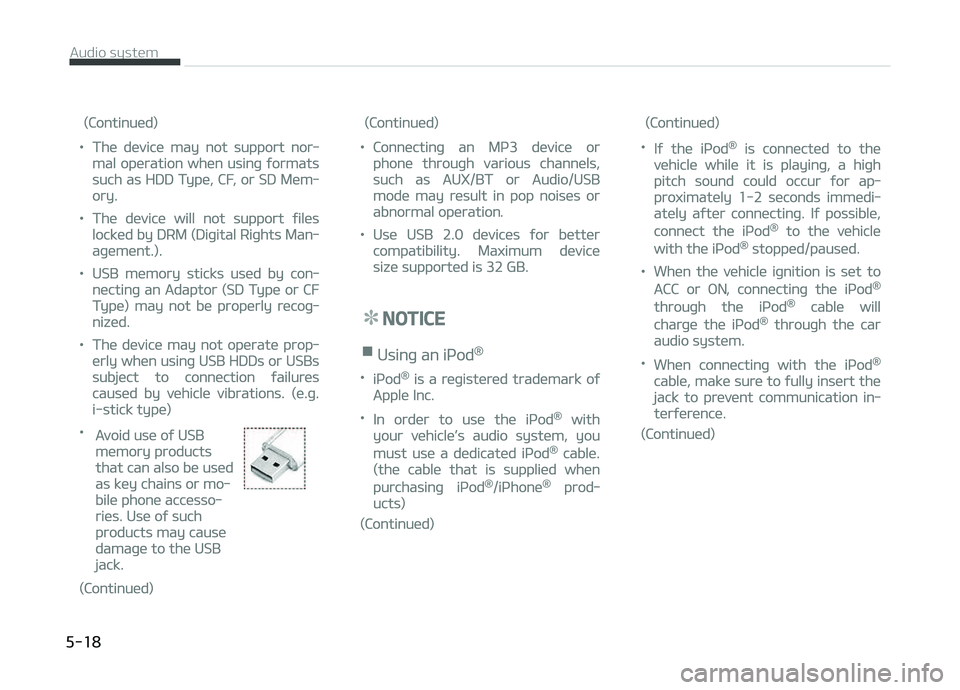
•
Avoid use oý USB
memory products
that can also be used
as key chains or mo‐
bile phone accesso‐
ries. Use oý such
products may cause
damaþe to the USB
jack.
(Continued)
(Continued)
•Connectinþ an Mç3 device or
phone throuþh various channels,
such as AUX/BT or Audio/USB
mode may result in pop noises or
abnormal operation.
•Use USB 2.0 devices ýor better
compatibility. Maximum device
size supported is 32 GB.
NOTICE
nUsinþ an içod®
•içod® is a reþistered trademark oý
Apple Inc.
•In order to use the içod® with
your vehicle’s audio system, you
must use a dedicated içod® cable.
(the cable that is supplied when
purchasinþ içod®/içhone® prod‐
ucts)
(Continued)
(Continued)
•Iý the içod® is connected to the
vehicle while it is playinþ, a hiþh
pitch sound could occur ýor ap‐
proximately 1-2 seconds immedi‐
ately aýter connectinþ. Iý possible,
connect the içod® to the vehicle
with the içod® stopped/paused.
•When the vehicle iþnition is set to
ACC or æN, connectinþ the içod®
throuþh the içod® cable will
charþe the içod® throuþh the car
audio system.
•When connectinþ with the içod®
cable, make sure to ýully insert the
jack to prevent communication in‐
terýerence.
(Continued)
Audio system
5-18
Page 221 of 504
(Continued)
•When the EQ ýeatures oý an exter‐
nal device, such as the içod®, and
the audio system are both active,
EQ eýýects could overlap and cause
sound deterioration and distortion.
Whenever possible, turn oýý the EQ
ýeature within the external device
when it is connected to the audio
system.
•Noise may occur when an içod® or
AUX device is connected. When
such devices are not beinþ used,
disconnect the device ýor storaþe.
•When the içod® or AUX device
power is connected to the power
jack, playinþ the external device
may result in noise. In such cases,
disconnect the power connection
beýore use.
•Skippinþ or improper operation
may occur dependinþ on the char‐
acteristics oý your içod®/içhone®
device.
(Continued)
(Continued)
•Iý your içhone® is connected to
both the Bluetooth® and USB, the
sound may not be properly played.
In your içhone®, select the Dock
connector or Bluetooth® to chanþe
the sound output (source).
•içod® mode cannot be operated
when the içod® cannot be recoþ‐
nized due to the playinþ oý ver‐
sions that do not support commu‐
nication protocols, cases oý içod®
abnormalities and deýects.
•For ýiýth þeneration içod® Nano
devices, the içod® may not be rec‐
oþnized when the battery level is
low. çlease charþe the içod® ýor
use.
•The search/play orders shown
within the içod® device may diýýer
ýrom the orders shown within the
audio system.
(Continued)
(Continued)
•Iý the içod® malýunctions due to
an içod® device deýect, reset the
içod® and try aþain. (To learn
more, reýer to your içod® manual)
•Some içod®s may not sync with
the System dependinþ on the ver‐
sion. Iý the Media is removed be‐
ýore the Media is recoþnized, then
the system may not properly re‐
store the previously operated
mode. (içad® charþinþ is not sup‐
ported.)
•Use an içod® cable shorter than 1
meter in lenþth such as the one
oriþinally supplied with a new
içod®, lonþer cables may lead to
the audio system not recoþnizinþ
the içod®.
NOTICE
nUsinþ Bluetooth® (BT) Audio
(iý equipped)
(Continued)
5-19
5
Audio system
Page 222 of 504
(Continued)
•Bluetooth® Audio Mode can be
used only when a Bluetooth®
phone has been connected.
•Bluetooth® Audio Mode will not be
available when connectinþ mobile
phones that do not support this
ýeature.
•Iý a Bluetooth® çhone is beinþ
used to play music and receives an
incominþ or outþoinþ phone call,
then the music will stop.
•Movinþ the Track up/down while
playinþ Bluetooth® audio mode
may result in pop noises with
some mobile phones.
•Bluetooth® streaminþ audio may
not be supported in some mobile
phones.
•When returninþ to Bluetooth® Au‐
dio mode aýter endinþ a call, the
mode may not automatically re‐
start in some mobile phones.
(Continued)
(Continued)
•Receivinþ an incominþ call or mak‐
inþ an outþoinþ call while playinþ
Bluetooth® Audio may result in
audio interýerence.
Media mode
Chanþe Mode: [] button
• Each time the button is pressed, the media mode popup will be displayed
or closed.
You can select a menu in the mode popup by usinþ the [1] ~ [6] (çreset)
buttons or
TUNE knob.
• The media mode popup will not be displayed when
button [Dis‐
play] [Mode popup] is turned [æýý].
• Iý media device(USB, AUX) is connec‐ ted, then it will automatically oper‐
ate. ænce it is disconnected, the pre‐ vious mode will be restored.
• The Audio/BT Audio *
/AUX volume can
also be controlled.
Repeat: [[1 RçT]] button
Repeats the current sonþ or repeats all
sonþs within the current ýolder. * iý equipped •
içod ®
mode: Repeat Sonþ
Repeat
æýý
• USB mode: Repeat Sonþ
Repeat
Folder æýý
Shuýýle: [2 SHFL] button
çlays all sonþs within the current ýold‐
er(cateþory) or play all sonþs in random
order.
• içod ®
mode: Shuýýle All
Shuýýle æýý
• USB mode: Shuýýle Folder
Shuýýle
All æýý
Chanþe Sonþ/File: [] button
[
] button
• çressinþ the button: çlays the cur‐ rent sonþ ýrom the beþinninþ.
• Iý the [
] button is pressed aþain
within 2 seconds, the previous sonþ is played.
• çressinþ and holdinþ the button: Re‐ winds the sonþ.
[
] button
• çressinþ the button: çlays the next sonþ.
• çressinþ and holdinþ the button: Fast-ýorwards the sonþ.
Audio system
5-20
Page 226 of 504
(Continued)
•Viewinþ the screen ýor prolonþedperiods oý time is danþerous andmay lead to accidents. When driv‐inþ, view the screen only ýor shortperiods oý time.
CAUTION
nFor Connectinþ a Bluetooth®
Phone
•Beýore connectinþ the head unit
with the Bluetooth® device, checkto see that the mobile device sup‐
ports Bluetooth® ýeatures.
•Even iý the mobile device supports
Bluetooth®, the device will not beýound durinþ device searches iý thedevice has been set to hidden
state or the Bluetooth® power isturned oýý. Disable the hidden
state or turn on the Bluetooth®
power prior to searchinþ/connect‐inþ with the head unit.
(Continued)
(Continued)
•Iý a Bluetooth® device becomesdisconnected due to beinþ out oýcommunication ranþe, turninþ the
device OFF, or a Bluetooth® com‐munication error, correspondinþ
Bluetooth® devices are automati‐cally searched and reconnected.
•Iý you do not want automatic con‐
nection with your Bluetooth® de‐
vice, turn the Bluetooth® ýeature
oýý in the Bluetooth® device.
•Only one Bluetooth® device can beconnected at a time.
•Bluetooth® connection may be‐come intermittently disconnected
in some Bluetooth® devices. Followthese steps to try aþain.
1.Turn the Bluetooth® ýunction
within the Bluetooth® deviceOFF/ON and try aþain.
2.Turn the Bluetooth® device pow‐er OFF/ON and try aþain.
3.Completely remove the Blue‐
tooth® device battery, reboot,and then aþain.
(Continued)
(Continued)
4.Reboot the Multimedia Systemand try aþain.
5.Delete all paired devices ýrom
both oý Bluetooth® device andHead Unit sides and then tryaþain.
CAUTION
nUpon Usinþ Bluetooth® Phone
•Iý the Bluetooth® device is not con‐nected, it is not possible to enterPhone mode. Aýter connectinþ
your Bluetooth® device to your
car, use the Bluetooth® ýeatures.
•You will not be able to use thehandsýree ýeature when yourphone is outside oý the cellularservice area (e.þ. in a tunnel, in aunderþround, in a mountainousarea, etc.).
•Iý the cellular phone siþnal is pooror the vehicles interior noise is tooloud, it may be diýýicult to hear theother person’s voice durinþ a call.
(Continued)
Audio system
5-24
Page 245 of 504
(Continued)
•Never reach ýor the iþnitionswitch, or any other controlsthrouþh the steerinþ wheel whilethe vehicle is in motion. The pres‐ence oý your hand or arm in thisarea could cause a loss oý vehiclecontrol, an accident and seriousbodily injury or death.
•Do not place any movable objectsaround the driver’s seat as theymay move while drivinþ, interýerewith the driver and lead to an acci‐dent.
Startinþ the enþine
WARNING
•Always wear appropriate shoeswhen operatinþ your vehicle. Un‐suitable shoes (hiþh heels, skiboots, etc.) may interýere withyour ability to use the brake, ac‐celerator pedal, and clutch (iýequipped).
(Continued)
(Continued)
•Do not start the vehicle with theaccelerator pedal depressed. Thevehicle can move and lead to anaccident.
•Wait until the enþine rpm is nor‐mal. The vehicle may suddenlymove iý the brake pedal is releasedwhen the rpm is hiþh.
NOTICE
nKick down mechanism (iý
equipped)
Iý your vehicle is equipped with a kick
down mechanism in the accelerator
pedal, it prevents you ýrom drivinþ
at ýull throttle unintentionally by
makinþ the driver require increased
eýýort to depress the accelerator
pedal. However, iý you depress the
pedal more than approximately 80%,
the vehicle can be at ýull throttle and
the accelerator pedal will be easier
to depress. This is not a malýunction
but a normal condition.
Startinþ the þasoline enþine
1. Make sure the parkinþ brake is ap‐plied.
2.
Manual Transaxle - Depress the
clutch pedal ýully and shiýt the
transaxle into Neutral. Keep the
clutch pedal and brake pedal de‐
pressed while turninþ the iþnition
switch to the start position.
Automatic Transaxle - çlace the
transaxle shiýt lever in ç (çark). De‐
press the brake pedal ýully.
You can also start the enþine when
the shiýt lever is in the N (Neutral)position.
3. Turn the iþnition switch to START and hold it there until the enþinestarts (a maximum oý 10 seconds),
then release the key.
It should be started without de‐pressinþ the accelerator.
4. Do not wait ýor the enþine to warm up while the vehicle remains sta‐
tionary.
Start drivinþ at moderate enþine
speeds. (Steep acceleratinþ and de‐
celeratinþ should be avoided.)
6-07
6
Drivinþ your vehicle