ECO mode KIA QUORIS 2015 User Guide
[x] Cancel search | Manufacturer: KIA, Model Year: 2015, Model line: QUORIS, Model: KIA QUORIS 2015Pages: 486, PDF Size: 35.55 MB
Page 158 of 486
477
Features of your vehicle
Elapsed Time (3)
The elapsed time is the total driv-ing time since the last elapsed time reset.
- Time range (hh:mm): 00:00 ~ 99:59
To reset the elapsed time, press the OK (RESET) b utton on the steering
wheel for more than 1 second when
the elapsed time is displayed.
✽✽ NOTICE
Even if the vehicle is not in motion,
the elapsed time keeps going while
the engine is running.
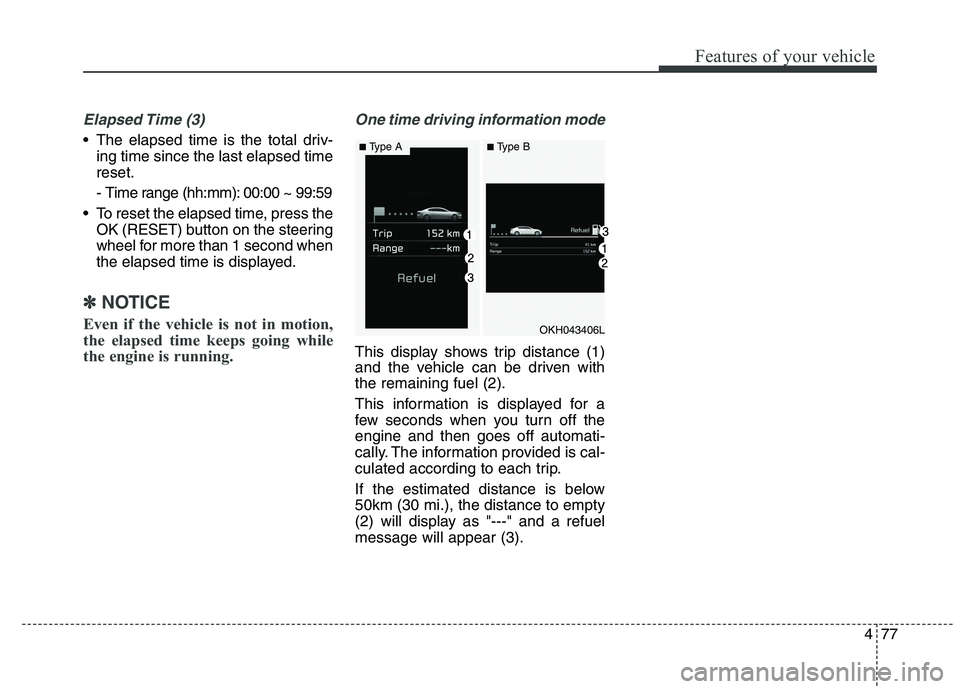
One time driving information mode
This display shows trip distance (1)
and the vehicle can be driven withthe remaining fuel (2).
This information is displayed for a
few seconds when you turn off theengine and then goes off automati-
cally. The information provided is cal-
culated according to each trip.
If the estimated distance is below 50km (30 mi.), the distance to empty
(2) will display as "---" and a refuelmessage will appear (3).
OKH043406L
■ Type A■Type B
Page 171 of 486
Features of your vehicle
90
4
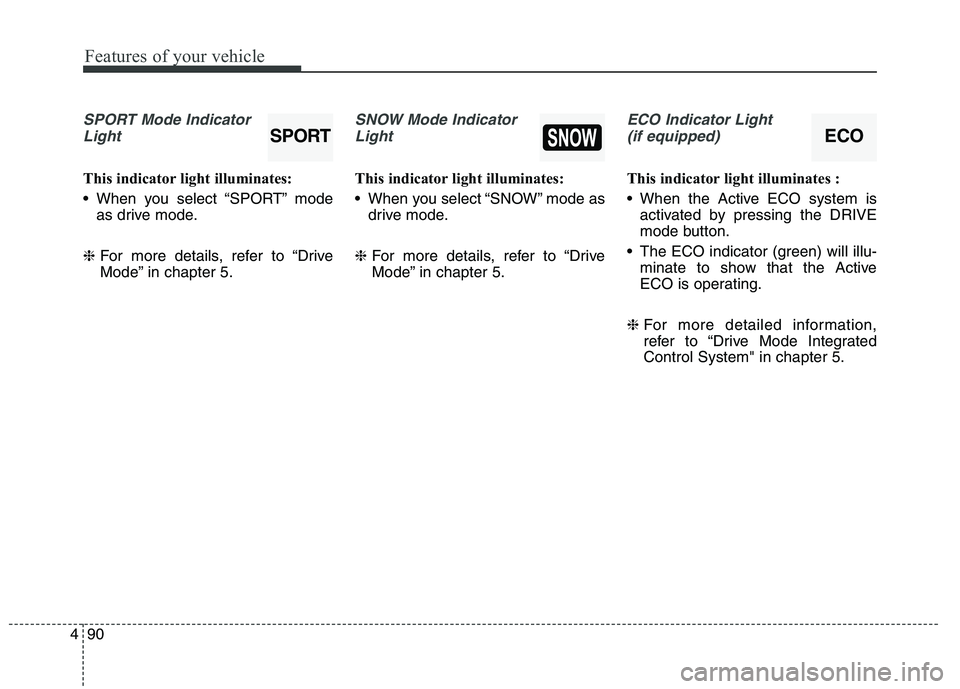
SPORT Mode Indicator
Light
This indicator light illuminates:
When you select “SPORT” mode as drive mode.
❈ For more details, refer to “Drive
Mode” in chapter 5.
SNOW Mode Indicator
Light
This indicator light illuminates:
When you select “SNOW” mode as drive mode.
❈ For more details, refer to “Drive
Mode” in chapter 5.
ECO Indicator Light
(if equipped)
This indicator light illuminates :
When the Active ECO system is activated by pressing the DRIVE
mode button.
The ECO indicator (green) will illu- minate to show that the Active
ECO is operating.
❈ For more detailed information,
refer to “Drive Mode IntegratedControl System" in chapter 5.
SPORTECO
Page 201 of 486
Features of your vehicle
120
4
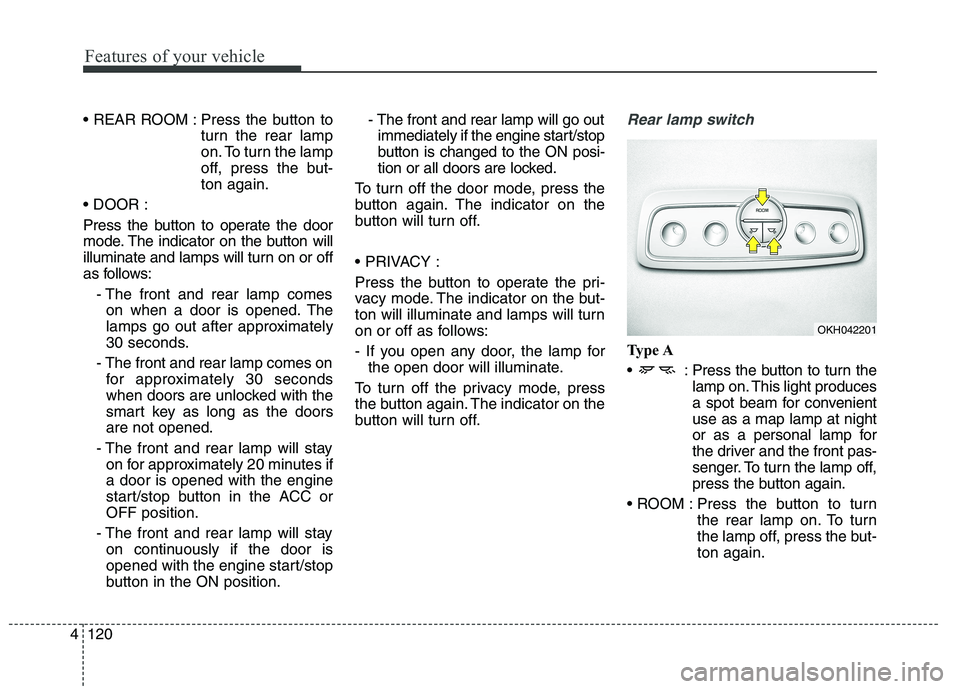
Press the button to
turn the rear lamp
on. To turn the lamp
off, press the but-ton again.
Press the button to operate the door
mode. The indicator on the button will
illuminate and lamps will turn on or off
as follows: - The front and rear lamp comeson when a door is opened. The
lamps go out after approximately
30 seconds.
- The front and rear lamp comes on for approximately 30 seconds
when doors are unlocked with the
smart key as long as the doorsare not opened.
- The front and rear lamp will stay on for approximately 20 minutes ifa door is opened with the engine
start/stop button in the ACC orOFF position.
- The front and rear lamp will stay on continuously if the door is
opened with the engine start/stop
button in the ON position. - The front and rear lamp will go out
immediately if the engine start/stop
button is changed to the ON posi-
tion or all doors are locked.
To turn off the door mode, press the
button again. The indicator on the
button will turn off.
Press the button to operate the pri-
vacy mode. The indicator on the but-
ton will illuminate and lamps will turn
on or off as follows:
- If you open any door, the lamp for the open door will illuminate.
To turn off the privacy mode, press
the button again. The indicator on the
button will turn off.Rear lamp switch
Type A
: Press the button to turn the lamp on. This light produces
a spot beam for convenientuse as a map lamp at night
or as a personal lamp for
the driver and the front pas-
senger. To turn the lamp off,
press the button again.
Press the button to turn the rear lamp on. To turn
the lamp off, press the but-ton again.
OKH042201
Page 202 of 486
4121
Features of your vehicle
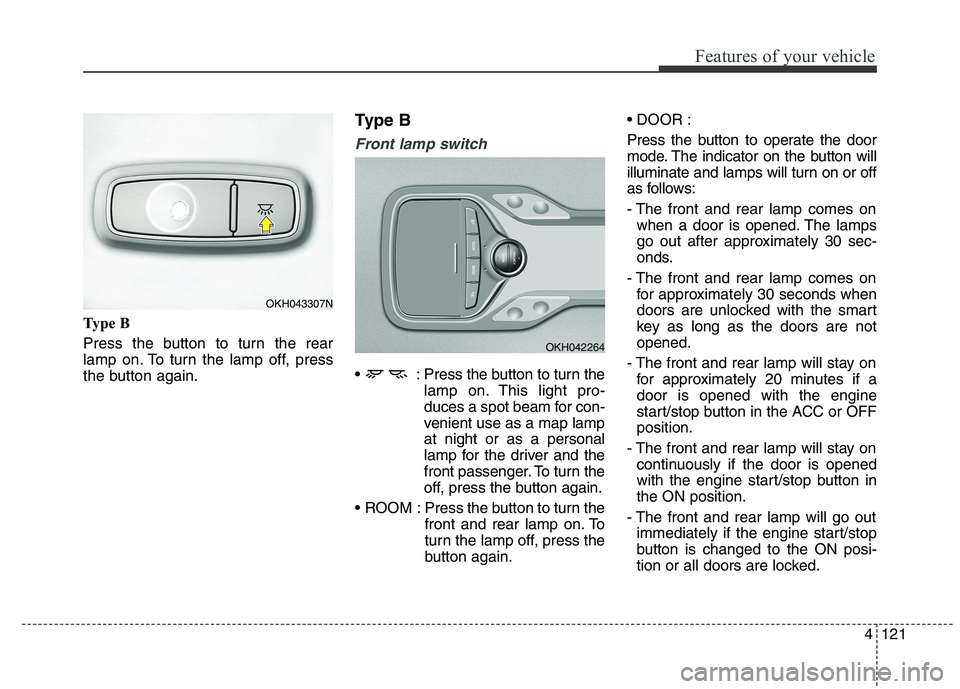
Type B
Press the button to turn the rear
lamp on. To turn the lamp off, press
the button again.Type B
Front lamp switch
: Press the button to turn the
lamp on. This light pro-
duces a spot beam for con-
venient use as a map lampat night or as a personal
lamp for the driver and the
front passenger. To turn the
off, press the button again.
ROOM : Press the button to turn the front and rear lamp on. To
turn the lamp off, press the
button again.
Press the button to operate the door
mode. The indicator on the button will
illuminate and lamps will turn on or off
as follows:
- The front and rear lamp comes on
when a door is opened. The lamps
go out after approximately 30 sec-
onds.
- The front and rear lamp comes on for approximately 30 seconds when
doors are unlocked with the smart
key as long as the doors are notopened.
- The front and rear lamp will stay on for approximately 20 minutes if adoor is opened with the engine
start/stop button in the ACC or OFFposition.
- The front and rear lamp will stay on continuously if the door is opened
with the engine start/stop button inthe ON position.
- The front and rear lamp will go out immediately if the engine start/stop
button is changed to the ON posi-
tion or all doors are locked.
OKH042264
OKH043307N
Page 215 of 486
Features of your vehicle
134
4
Air quality system
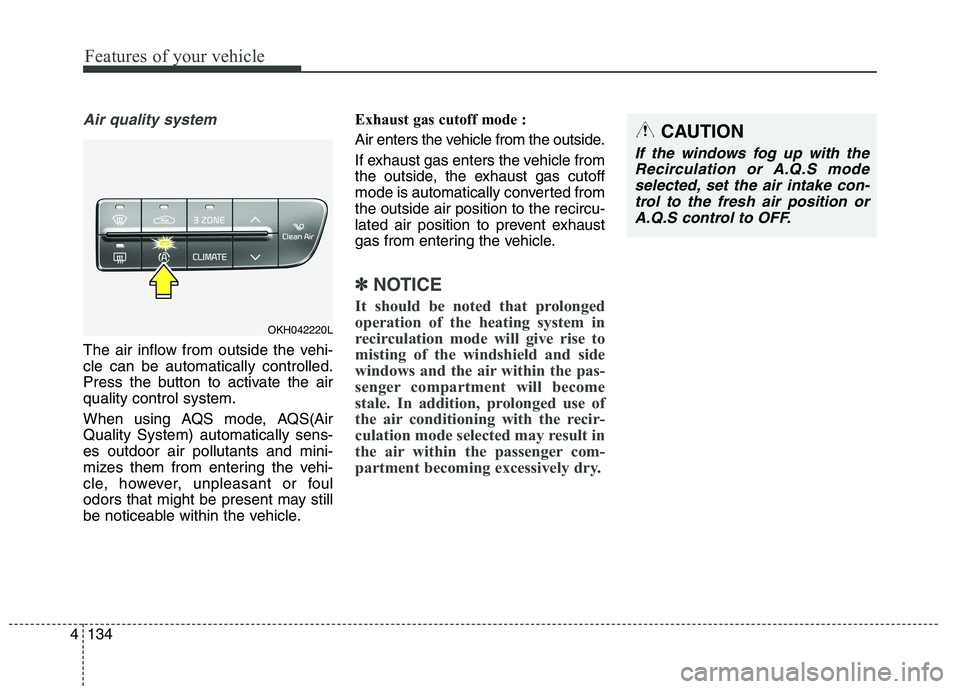
The air inflow from outside the vehi- cle can be automatically controlled.
Press the button to activate the airquality control system.
When using AQS mode, AQS(Air Quality System) automatically sens-es outdoor air pollutants and mini-
mizes them from entering the vehi-
cle, however, unpleasant or foul
odors that might be present may still
be noticeable within the vehicle. Exhaust gas cutoff mode :
Air enters the vehicle from the outside.
If exhaust gas enters the vehicle from
the outside, the exhaust gas cutoff
mode is automatically converted fromthe outside air position to the recircu-
lated air position to prevent exhaust
gas from entering the vehicle.
✽✽
NOTICE
It should be noted that prolonged
operation of the heating system in
recirculation mode will give rise to
misting of the windshield and side
windows and the air within the pas-
senger compartment will become
stale. In addition, prolonged use of
the air conditioning with the recir-
culation mode selected may result in
the air within the passenger com-
partment becoming excessively dry.
OKH042220L
CAUTION
If the windows fog up with the Recirculation or A.Q.S modeselected, set the air intake con-trol to the fresh air position or A.Q.S control to OFF.
Page 219 of 486
Features of your vehicle
138
4
Air conditioning system operation tips
If the vehicle has been parked in
direct sunlight during hot weather,
open the windows for a short time
to let the hot air inside the vehicle
escape.
To help reduce moisture inside of the windows on rainy or humid
days, decrease the humidity inside
the vehicle by operating the airconditioning system.
During air conditioning system operation, you may occasionallynotice a slight change in enginespeed as the air conditioning com-
pressor cycles. This is a normal
system operation characteristic.
Use the air conditioning system every month only for a few minutes
to ensure maximum system per-
formance. When using the air conditioning
system, you may notice clear water
dripping (or even puddling) on the
ground under the passenger side
of the vehicle. This is a normal sys-
tem operation characteristic.
Operating the air conditioning sys- tem in the recirculated air position
provides maximum cooling, how-
ever, continual operation in this
mode may cause the air inside the
vehicle to become stale.
During cooling operation, you may occasionally notice a misty air flow
because of rapid cooling and
humid air intake. This is a normal
system operation characteristics. Climate control air filter The climate control air filter installed
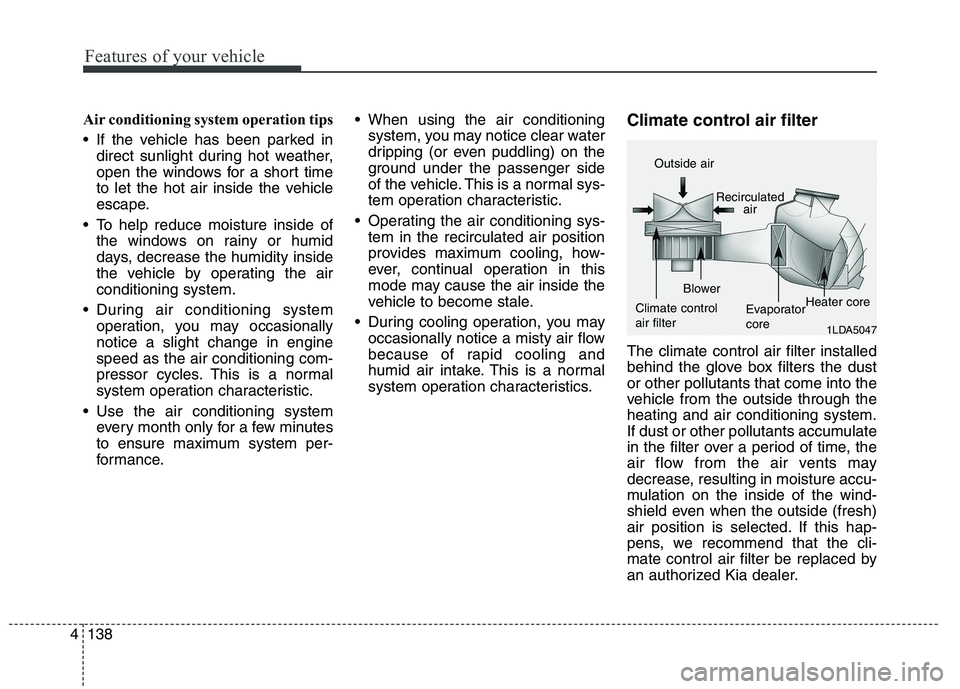
behind the glove box filters the dustor other pollutants that come into the
vehicle from the outside through theheating and air conditioning system.
If dust or other pollutants accumulate
in the filter over a period of time, the
air flow from the air vents may
decrease, resulting in moisture accu-
mulation on the inside of the wind-
shield even when the outside (fresh)
air position is selected. If this hap-
pens, we recommend that the cli-
mate control air filter be replaced by
an authorized Kia dealer.
1LDA5047
Outside air
Recirculatedair
Climate control air filter Blower
EvaporatorcoreHeater core
Page 243 of 486
Features of your vehicle
162
4
Steering wheel audio control
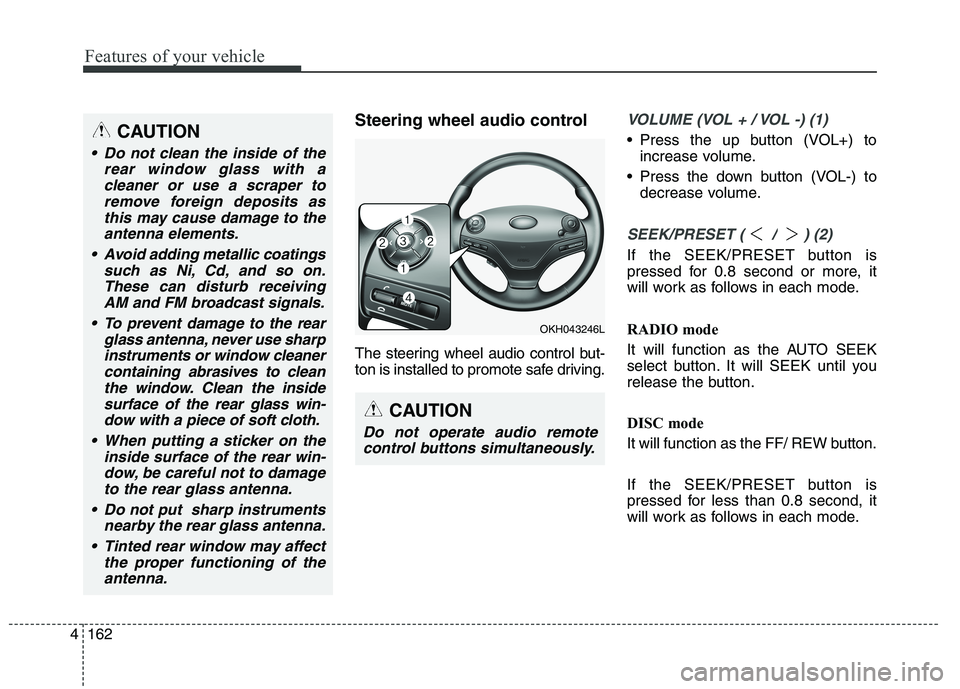
The steering wheel audio control but-
ton is installed to promote safe driving.VOLUME (VOL + / VOL -) (1)
Press the up button (VOL+) to
increase volume.
Press the down button (VOL-) to decrease volume.
SEEK/PRESET ( / ) (2)
If the SEEK/PRESET button is
pressed for 0.8 second or more, it
will work as follows in each mode.
RADIO mode
It will function as the AUTO SEEK
select button. It will SEEK until you
release the button.
DISC mode
It will function as the FF/ REW button.
If the SEEK/PRESET button is
pressed for less than 0.8 second, it
will work as follows in each mode.
OKH043246L
CAUTION
Do not operate audio remote
control buttons simultaneously.
CAUTION
Do not clean the inside of the rear window glass with acleaner or use a scraper toremove foreign deposits asthis may cause damage to the antenna elements.
Avoid adding metallic coatings such as Ni, Cd, and so on.These can disturb receivingAM and FM broadcast signals.
To prevent damage to the rear glass antenna, never use sharpinstruments or window cleanercontaining abrasives to cleanthe window. Clean the inside surface of the rear glass win-dow with a piece of soft cloth.
When putting a sticker on the inside surface of the rear win-dow, be careful not to damage to the rear glass antenna.
Do not put sharp instruments nearby the rear glass antenna.
Tinted rear window may affect the proper functioning of theantenna.
Page 245 of 486
Driving your vehicle
Before driving . . . . . . . . . . . . . . . . . . . . . . . . . . . . . . 5-3
Engine start/stop button . . . . . . . . . . . . . . . . . . . . . 5-5
Automatic transmission (shift by cable). . . . . . . . 5-10• Automatic transmission operation . . . . . . . . . . . . . . . 5-10
Automatic transmission (shift by wire) . . . . . . . . 5-17 . . . . . . . . . . . . . . . 5-17
Brake system . . . . . . . . . . . . . . . . . . . . . . . . . . . . . 5-29 . . . . . . . . . . . . . . . . . . . . . . . . . . . . . . . 5-29
. . . . . . . . . . . . . . . . . . 5-32
. . . . . . . . . . . . . . . . . . 5-34
. . . . . . . . . . . . . . . . . . . . . . . . . . . 5-39
. . . . . . . . . . . . . . . . . . . . . . . . . . . . . . . . . . . 5-40
. . . . . . . . . . . . . . . 5-44
. . . . . . . . . . . . . . . . . . 5-48
AVSM. . . . . . . . . . . . . . . . . . . . . . . . . . . . . . . . . . . . 5-50
Drive mode integrated control system . . . . . . . . . 5-54
Electronic controlled suspension (ECS) . . . . . . . . 5-57
Advanced smart cruise control system. . . . . . . . . 5-65
Lane departure warning system (LDWS) . . . . . . 5-80
Blind spot detection system (BSD) . . . . . . . . . . . . 5-84
Economical operation . . . . . . . . . . . . . . . . . . . . . . 5-92
Special driving conditions . . . . . . . . . . . . . . . . . . 5-94 . . . . . . . . . . . . . . . . . 5-94
. . . . . . . . . . . . . . . . . . . . . . . . . . 5-94 . . . . . . . . . . . . . . . . . . . . . . . . . . . . 5-95
. . . . . . . . . . . . . . . . . . . . . . . . . . . . . 5-96
. . . . . . . . . . . . . . . . . . . . . . . . . . . . 5-96
. . . . . . . . . . . . . . . . . . . . . . 5-97
. . . . . . . . . . . . . . . . . . . . . . . . . . . . . . 5-97
. . . . . . . . . . . . . . . . . . . . . . . . . . . . . 5-97
. . . . . . . . . . . . . . . . . . . . . . . 5-99
Winter driving . . . . . . . . . . . . . . . . . . . . . . . . . . . . 5-99
Vehicle weight . . . . . . . . . . . . . . . . . . . . . . . . . . . . 5-103 . . . . . . . . . . . . . . . . . . . . . . . . . . . 5-103
. . . . . . . . . . . . . . . . . . . . . . . . . . 5-103
. . . . . . . . . . . . . . . . . . . . . . . . . . . . . . . 5-103
. . . . . . . . . . . . . . . . . . . . . . 5-103
. . . . . . . . . . . . . . . . . . . . 5-103
. . . . . . . . . . . . . 5-103
. . . . . . . . . . . . . . . . . . . . . . . . . . . . . . . . 5-103
5
Page 252 of 486
Driving your vehicle
8
5
Starting the engine 1.Carry the smart key or leave it
inside the vehicle.
2.Make sure the parking brake is firmly applied.
3.Place the transaxle shift lever in P (Park). Depress the brake pedal fully.
You can also start the engine when
the shift lever is in the N (Neutral) position.
4.Press the engine start/stop button.
It should be started without depress-
ing the accelerator.
5.Do not wait for the engine to warm up whilst the vehicle remains sta-
tionary.
Start driving at moderate engine
speeds. (Steep accelerating and
decelerating should be avoided.) Even if the smart key is in the vehi-
cle, if it is far away from you, the
engine may not start.
When the engine start/stop button is in the ACC position or above, if
any door is opened, the system
checks for the smart key. If the
smart key is not in the vehicle, the
“ ” indicator and a message
“Key is not in the vehicle” will appear
on the instrument cluster and LCD
display. And if all doors are closed,
the chime will sound for 5 seconds.
The indicator or warning will turn off
while the vehicle is moving. Always
have the smart key with you.
WARNING
Always wear appropriate shoes when operating your
vehicle. Unsuitable shoes (high
heels, ski boots,etc.) may inter-
fere with your ability to use the
brake, accelerator pedal.
Do not start the vehicle with the accelerator pedal
depressed. The vehicle can
move and lead to an accident.
Wait until the engine rpm is nor- mal. The vehicle may suddenly
move if the brake padel isreleased when the rpm is high.
WARNING
The engine will start, only when
the smart key is in the vehicle.
Never allow children or any per- son who is unfamiliar with the
vehicle touch the engine
start/stop button or related parts.
Page 265 of 486
![KIA QUORIS 2015 User Guide 521
Driving your vehicle
To turn off engine :
1. Press the engine start/stop buttonagain to the ON position.
2. Press the [P] button on the shift lever.
3. Press the engine start/stop button again, t](/img/2/57972/w960_57972-264.png "KIA QUORIS 2015 User Guide 521
Driving your vehicle
To turn off engine :
1. Press the engine start/stop buttonagain to the ON position.
2. Press the [P] button on the shift lever.
3. Press the engine start/stop button again, t")
521
Driving your vehicle
To turn off engine :
1. Press the engine start/stop buttonagain to the ON position.
2. Press the [P] button on the shift lever.
3. Press the engine start/stop button again, the engine start/stop button will change to the OFF position.
However, when you open the door
with the shift lever in N (Neutral) and
the engine start/stop button in the
ACC position, the shift lever will auto-
matically move to P (Park) and the
engine start/stop button will changeto the OFF position. D (Drive)
This is the normal forward driving
position. The shift lever will automat-ically shift through a 8-gear
sequence, providing the best fuel
economy and power.
For extra power when passing anoth-
er vehicle or climbing grades,
depress the accelerator fully, at
which time the shift lever will auto-
matically downshift to the lower gear.
To shift into [D], depress the brake
pedal and press the [UNLOCK] but-
ton of shift lever. And then move the
shift lever to backward.
To shift into [D], from [N] you must
depress the brake pedal.
✽✽
NOTICE
Always come to a complete stop
before shifting into D (Drive).
Manual mode
Whether the vehicle is stationary or
in motion, sports mode is selected by
pushing the shift lever from the D
(Drive) position into the manual gate.
To return to D (Drive) range opera-
tion, push the shift lever back into the
main gate.
In manual mode, moving the shift
lever backwards and forwards will
allow you to make gearshifts rapidly.
Up (+) : Push the lever forward once to shift up one gear.
Down (-) : Pull the lever backwards
once to shift down one gear.
OKH052018L
+ (UP)
- (DOWN)
Manual mode