light KIA QUORIS 2016 Owners Manual
[x] Cancel search | Manufacturer: KIA, Model Year: 2016, Model line: QUORIS, Model: KIA QUORIS 2016Pages: 513, PDF Size: 30.14 MB
Page 306 of 513
545
Driving your vehicle
✽✽NOTICE
A click sound may be heard in the
engine compartment when the vehi-
cle begins to move after the engine is
started. These conditions are normal
and indicate that the Electronic
Stability Control System is function-
ing properly. ESC operation
ESC ON condition button is in the ON position, ESC and ESC OFF indicator
lights illuminate for approxi-
mately 3 seconds, then ESC
is turned on.
ton for at least half a sec-ond after placing the
Engine Start/Stop button
to the ON position to turn
ESC off. (ESC OFF indica-
tor will illuminate). To turnthe ESC on, press the
ESC OFF button (ESCOFF indicator light will gooff).
you may hear a slight tick-
ing sound. This is the ESC
performing an automatic
system self-check and does
not indicate a problem. When operating
When the ESC is in opera- tion, the ESC indicator light
blinks.
Stability Control is operat-
ing properly, you can feel a
slight pulsation in the vehi-
cle. This is only the effect
of brake control and indi-
cates nothing unusual.
mud or slippery road,
pressing the accelerator
pedal may not cause the
engine rpm (revolutions
per minute) to increase.
-
Page 307 of 513
Driving your vehicle
46
5
ESC operation off
ESC OFF state
This car has 2 kinds of ESC
off states. If the engine stops when
ESC is off, ESC remains off.
Upon restarting the engine,the ESC will automatically
turn on again.
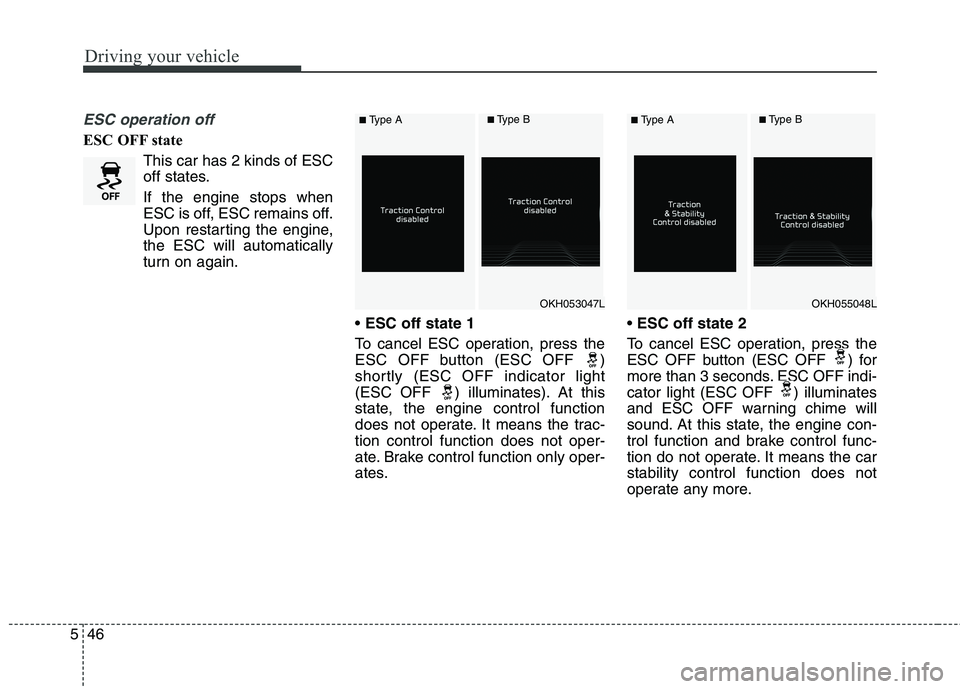
ESC off state 1
To cancel ESC operation, press the
ESC OFF button (ESC OFF )
shortly (ESC OFF indicator light
(ESC OFF ) illuminates). At this
state, the engine control function
does not operate. It means the trac-tion control function does not oper-
ate. Brake control function only oper-
ates.
ESC off state 2
To cancel ESC operation, press the
ESC OFF button (ESC OFF ) for
more than 3 seconds. ESC OFF indi-
cator light (ESC OFF ) illuminates
and ESC OFF warning chime will
sound. At this state, the engine con-
trol function and brake control func-
tion do not operate. It means the carstability control function does not
operate any more.
OKH053047LOKH055048L
■ Type A■Type B■Type A■Type B
Page 308 of 513
547
Driving your vehicle
Indicator light
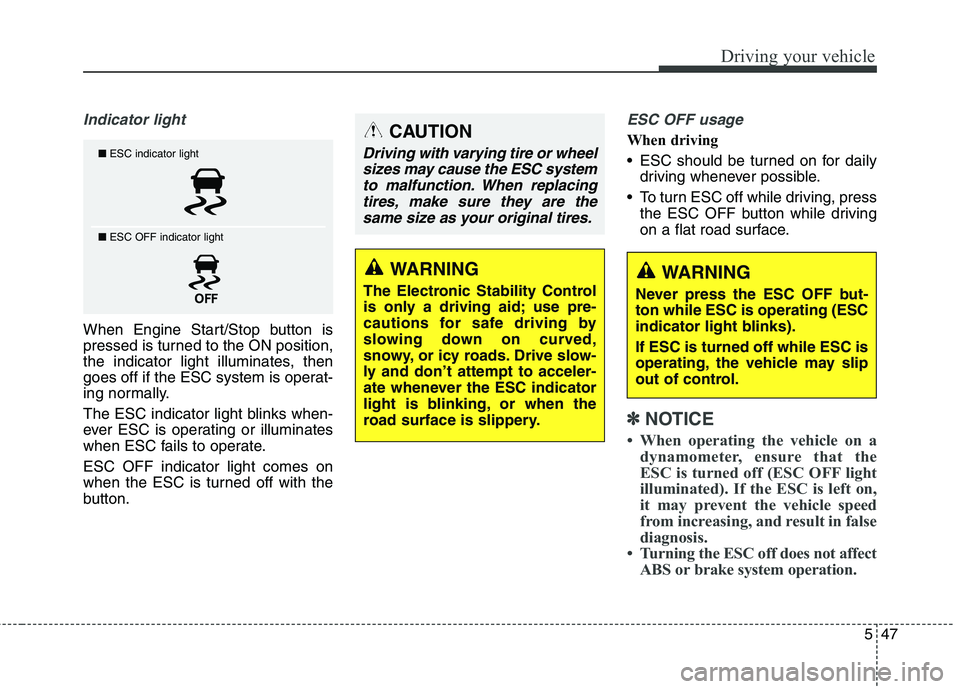
When Engine Start/Stop button is
pressed is turned to the ON position,
the indicator light illuminates, then
goes off if the ESC system is operat-
ing normally.
The ESC indicator light blinks when-
ever ESC is operating or illuminates
when ESC fails to operate. ESC OFF indicator light comes on
when the ESC is turned off with the
button.
ESC OFF usage
When driving
ESC should be turned on for dailydriving whenever possible.
To turn ESC off while driving, press the ESC OFF button while driving
on a flat road surface.
✽✽ NOTICE
When operating the vehicle on a dynamometer, ensure that the
ESC is turned off (ESC OFF light
illuminated). If the ESC is left on,
it may prevent the vehicle speed
from increasing, and result in false
diagnosis.
Turning the ESC off does not affect ABS or brake system operation.
■ESC indicator light
■ ESC OFF indicator light
CAUTION
Driving with varying tire or wheel
sizes may cause the ESC systemto malfunction. When replacing tires, make sure they are thesame size as your original tires.
WARNING
The Electronic Stability Control
is only a driving aid; use pre-
cautions for safe driving by
slowing down on curved,
snowy, or icy roads. Drive slow-
ly and don’t attempt to acceler-
ate whenever the ESC indicator
light is blinking, or when the
road surface is slippery.WARNING
Never press the ESC OFF but- ton while ESC is operating (ESC
indicator light blinks). If ESC is turned off while ESC is
operating, the vehicle may slip
out of control.
Page 309 of 513
Driving your vehicle
48
5
Hill-start assist control (HAC)
A vehicle has the tendency to slip
back on a steep hill when it starts to
go after stopping. The Hill-start Assist
Control (HAC) prevents the vehicle
from slipping back by operating the
brakes automatically for about 2 sec-
onds. The brakes are released when
the accelerator pedal is depressed or
after about 2 seconds.
✽✽
NOTICE
The HAC does not operate when the transaxle shift lever is in the P
(Park) or N (Neutral) position.
The HAC activates even though the ESC is off but it does not acti-
vate when the ESC has malfunc-
tioned.
Good braking practices After parking the vehicle, check to
be sure the parking brake is not
engaged and that the parking
brake indicator light is out before
driving away.
Driving through water may get the brakes wet. They can also get wet
when the car is washed. Wet
brakes can be dangerous! Your car
will not stop as quickly if the brakes
are wet. Wet brakes may cause the
car to pull to one side.
To dry the brakes, apply the brakes
lightly until the braking action
returns to normal, taking care to
keep the car under control at all
times. If the braking action does not
return to normal, stop as soon as it
is safe to do so and call an author-
ized Kia dealer for assistance.
Do not coast down hills with the car out of gear. This is extremely haz-
ardous. Keep the car in gear at all
times, use the brakes to slow
down, then shift to a lower gear so
that engine braking will help you
maintain a safe speed.
WARNING
The HAC is activated only for
about 2 seconds, so when the
vehicle is starting off alwaysdepress the accelerator pedal.
WARNING
Whenever leaving vehicle or parking, always set the park-
ing brake as far as possible
and fully engage the vehicle'stransmission into the park
position. Vehicles not fully
engaged in park with the park-
ing brake set are at risk for
moving inadvertently and
injuring yourself or others.
All vehicles should always have the parking brake fully
engaged when parking to
avoid inadvertent movement
of the car which can injureoccupants or pedestrians.
Page 311 of 513
Driving your vehicle
50
5
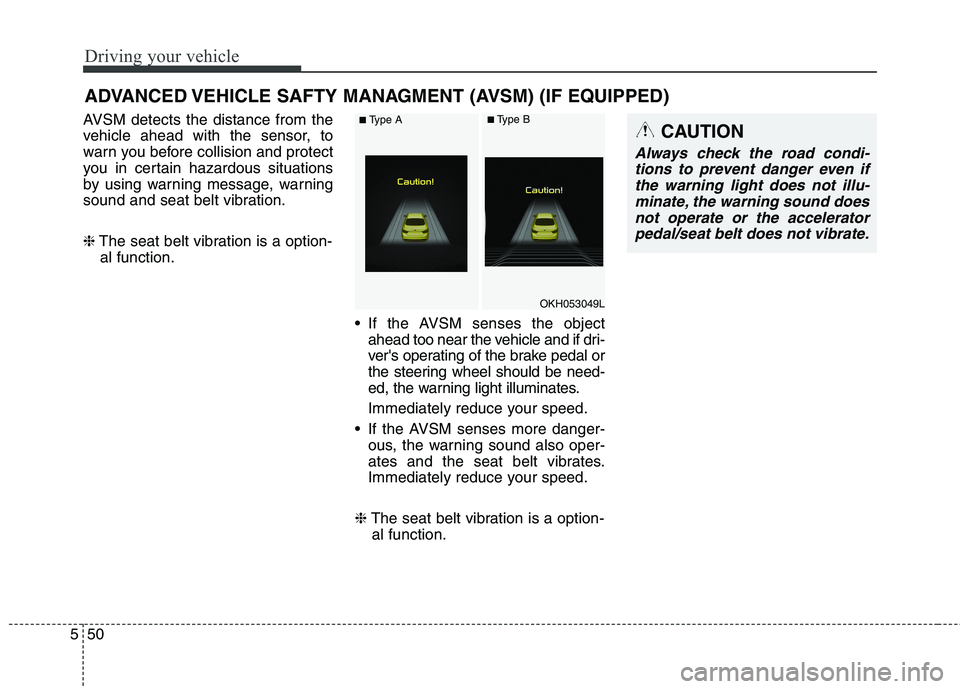
AVSM detects the distance from the
vehicle ahead with the sensor, to
warn you before collision and protect
you in certain hazardous situations
by using warning message, warning
sound and seat belt vibration. ❈ The seat belt vibration is a option-
al function.
If the AVSM senses the objectahead too near the vehicle and if dri-
ver's operating of the brake pedal or
the steering wheel should be need-
ed, the warning light illuminates.
Immediately reduce your speed.
If the AVSM senses more danger- ous, the warning sound also oper-
ates and the seat belt vibrates.
Immediately reduce your speed.
❈ The seat belt vibration is a option-
al function.
ADVANCED VEHICLE SAFTY MANAGMENT (AVSM) (IF EQUIPPED)CAUTION
Always check the road condi-
tions to prevent danger even ifthe warning light does not illu-minate, the warning sound does not operate or the acceleratorpedal/seat belt does not vibrate.
OKH053049L
■ Type A■Type B
Page 318 of 513
557
Driving your vehicle
Malfunction indicator
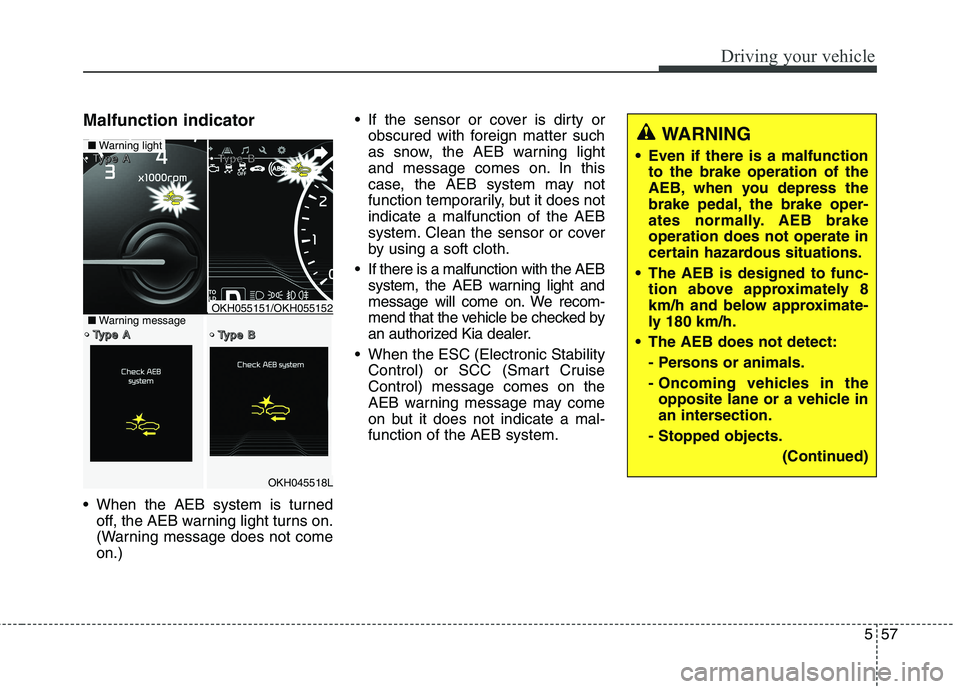
When the AEB system is turnedoff, the AEB warning light turns on.
(Warning message does not comeon.) If the sensor or cover is dirty or
obscured with foreign matter such
as snow, the AEB warning light
and message comes on. In this
case, the AEB system may not
function temporarily, but it does notindicate a malfunction of the AEB
system. Clean the sensor or cover
by using a soft cloth.
If there is a malfunction with the AEB system, the AEB warning light and
message will come on. We recom-
mend that the vehicle be checked by
an authorized Kia dealer.
When the ESC (Electronic Stability Control) or SCC (Smart CruiseControl) message comes on the
AEB warning message may come
on but it does not indicate a mal-function of the AEB system.
OKH045518L
■Warning light TTTTyyyyppppeeee AAAA TTTTyyyyppppeeee BBBB
TTTTyyyyppppeeee AAAA TTTTyyyyppppeeee BBBB■Warning messageOKH055151/OKH055152
WARNING
Even if there is a malfunction to the brake operation of the
AEB, when you depress the
brake pedal, the brake oper-
ates normally. AEB brakeoperation does not operate in
certain hazardous situations.
The AEB is designed to func- tion above approximately 8
km/h and below approximate-
ly 180 km/h.
The AEB does not detect:
- Persons or animals.
- Oncoming vehicles in theopposite lane or a vehicle in
an intersection.
- Stopped objects.
(Continued)
Page 321 of 513
Driving your vehicle
60
5
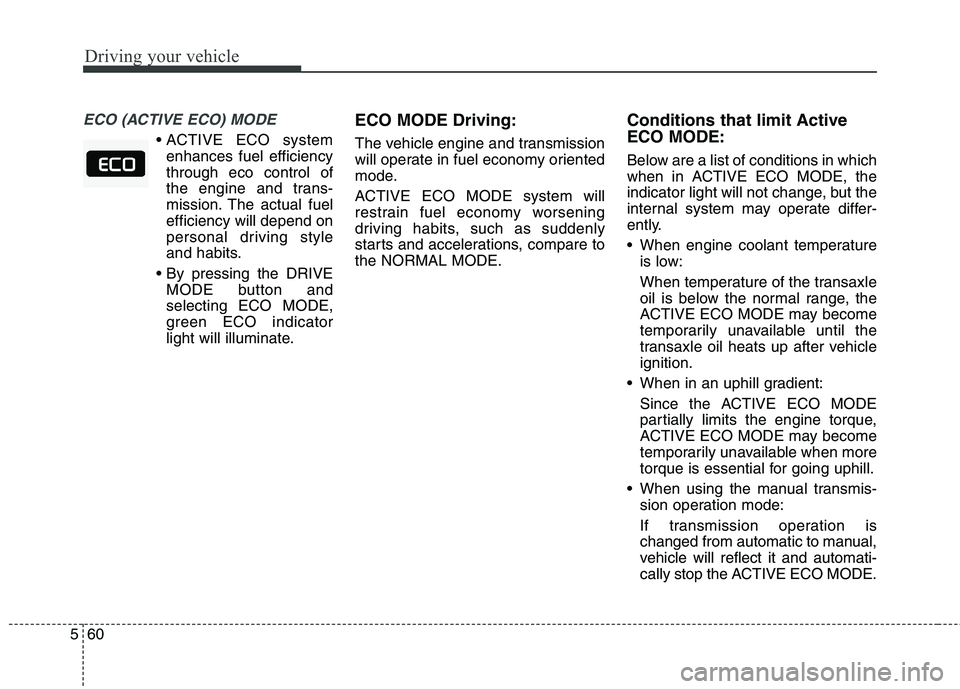
ECO (ACTIVE ECO) MODE
enhances fuel efficiency through eco control of
the engine and trans-
mission. The actual fuelefficiency will depend on
personal driving style
and habits.
MODE button andselecting ECO MODE,
green ECO indicator
light will illuminate. ECO MODE Driving:
The vehicle engine and transmission
will operate in fuel economy oriented
mode.
ACTIVE ECO MODE system will
restrain fuel economy worsening
driving habits, such as suddenly
starts and accelerations, compare tothe NORMAL MODE.
Conditions that limit Active ECO MODE:
Below are a list of conditions in which
when in ACTIVE ECO MODE, the
indicator light will not change, but the
internal system may operate differ-
ently.
When engine coolant temperature
is low:
When temperature of the transaxle
oil is below the normal range, the
ACTIVE ECO MODE may become
temporarily unavailable until the
transaxle oil heats up after vehicleignition.
When in an uphill gradient:
Since the ACTIVE ECO MODE
partially limits the engine torque,
ACTIVE ECO MODE may become
temporarily unavailable when more
torque is essential for going uphill.
When using the manual transmis- sion operation mode:
If transmission operation is
changed from automatic to manual,
vehicle will reflect it and automati-
cally stop the ACTIVE ECO MODE.
Page 323 of 513
Driving your vehicle
62
5
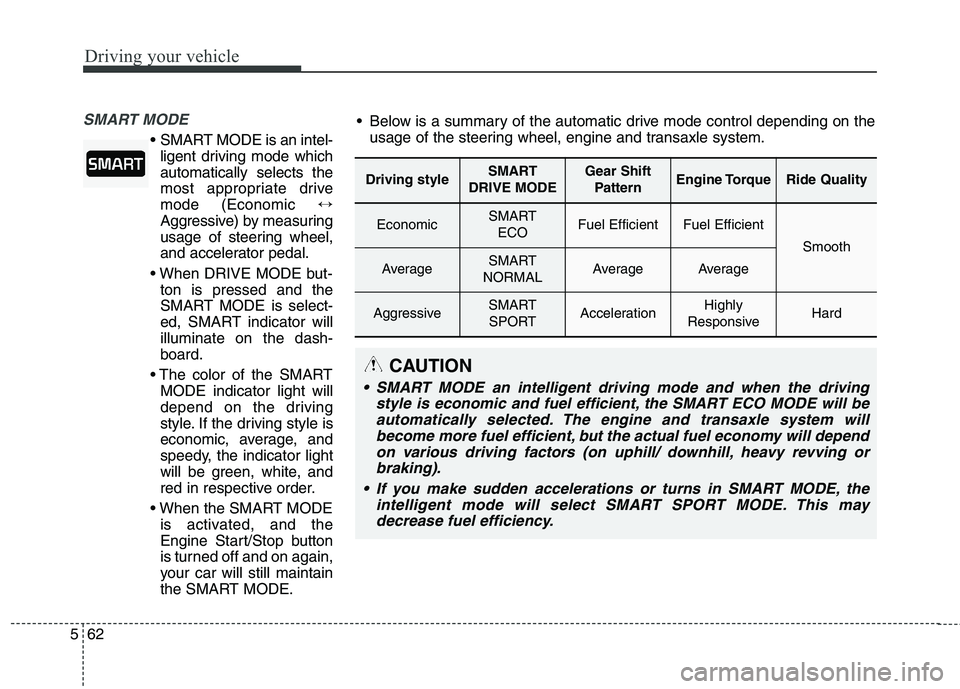
SMART MODE
SMART MODE is an intel-
ligent driving mode which automatically selects the
most appropriate drivemode (Economic ↔
Aggressive) by measuring
usage of steering wheel,
and accelerator pedal.
ton is pressed and the
SMART MODE is select-
ed, SMART indicator willilluminate on the dash-board.
MODE indicator light will
depend on the driving
style. If the driving style is
economic, average, and
speedy, the indicator light
will be green, white, and
red in respective order.
is activated, and the
Engine Start/Stop button
is turned off and on again,
your car will still maintain
the SMART MODE.
Driving styleSMART
DRIVE MODEGear Shift PatternEngine TorqueRide Quality
EconomicSMART ECOFuel EfficientFuel Efficient
Smooth
AverageSMART
NORMALAverageAverage
AggressiveSMART SPORTAccelerationHighly
ResponsiveHard
Below is a summary of the automatic drive mode control depending on the usage of the steering wheel, engine and transaxle system.
CAUTION
SMART MODE an intelligent driving mode and when the driving
style is economic and fuel efficient, the SMART ECO MODE will beautomatically selected. The engine and transaxle system will become more fuel efficient, but the actual fuel economy will dependon various driving factors (on uphill/ downhill, heavy revving orbraking).
If you make sudden accelerations or turns in SMART MODE, the intelligent mode will select SMART SPORT MODE. This maydecrease fuel efficiency.
Page 324 of 513
563
Driving your vehicle
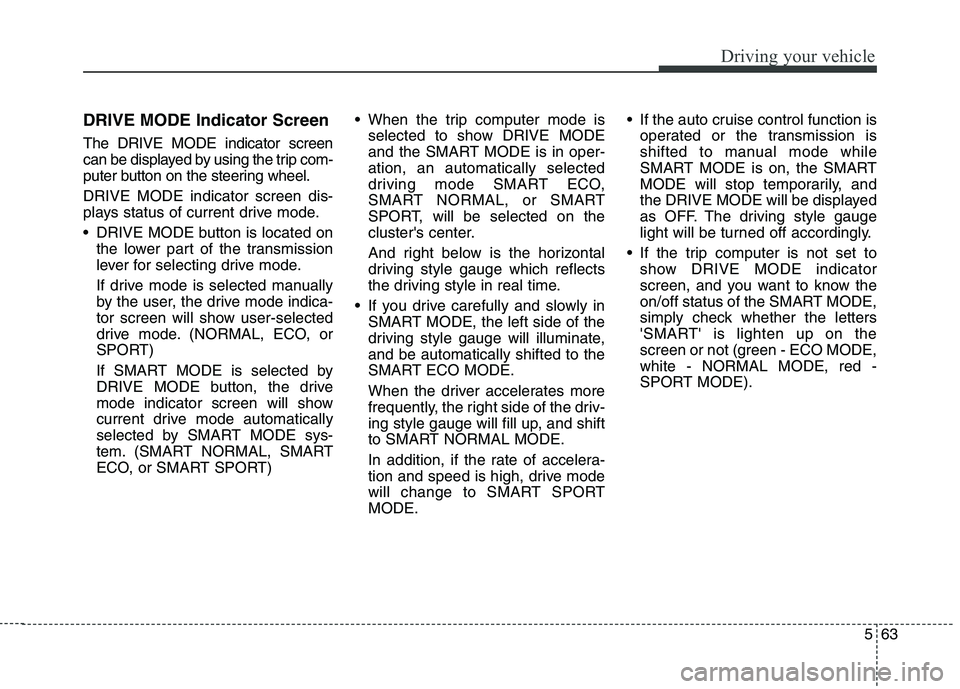
DRIVE MODE Indicator Screen The DRIVE MODE indicator screen
can be displayed by using the trip com-
puter button on the steering wheel. DRIVE MODE indicator screen dis-
plays status of current drive mode.
DRIVE MODE button is located onthe lower part of the transmission
lever for selecting drive mode.
If drive mode is selected manually
by the user, the drive mode indica-
tor screen will show user-selected
drive mode. (NORMAL, ECO, or
SPORT)
If SMART MODE is selected by
DRIVE MODE button, the drive
mode indicator screen will show
current drive mode automatically
selected by SMART MODE sys-
tem. (SMART NORMAL, SMART
ECO, or SMART SPORT) When the trip computer mode is
selected to show DRIVE MODE
and the SMART MODE is in oper-ation, an automatically selected
driving mode SMART ECO,
SMART NORMAL, or SMART
SPORT, will be selected on the
cluster's center.
And right below is the horizontal
driving style gauge which reflects
the driving style in real time.
If you drive carefully and slowly in SMART MODE, the left side of the
driving style gauge will illuminate,and be automatically shifted to the
SMART ECO MODE.
When the driver accelerates more
frequently, the right side of the driv-
ing style gauge will fill up, and shift
to SMART NORMAL MODE.
In addition, if the rate of accelera-
tion and speed is high, drive mode
will change to SMART SPORTMODE. If the auto cruise control function is
operated or the transmission is
shifted to manual mode while
SMART MODE is on, the SMART
MODE will stop temporarily, and
the DRIVE MODE will be displayed
as OFF. The driving style gauge
light will be turned off accordingly.
If the trip computer is not set to show DRIVE MODE indicator
screen, and you want to know the
on/off status of the SMART MODE,
simply check whether the letters
'SMART' is lighten up on the
screen or not (green - ECO MODE,white - NORMAL MODE, red -
SPORT MODE).
Page 325 of 513
Driving your vehicle
64
5
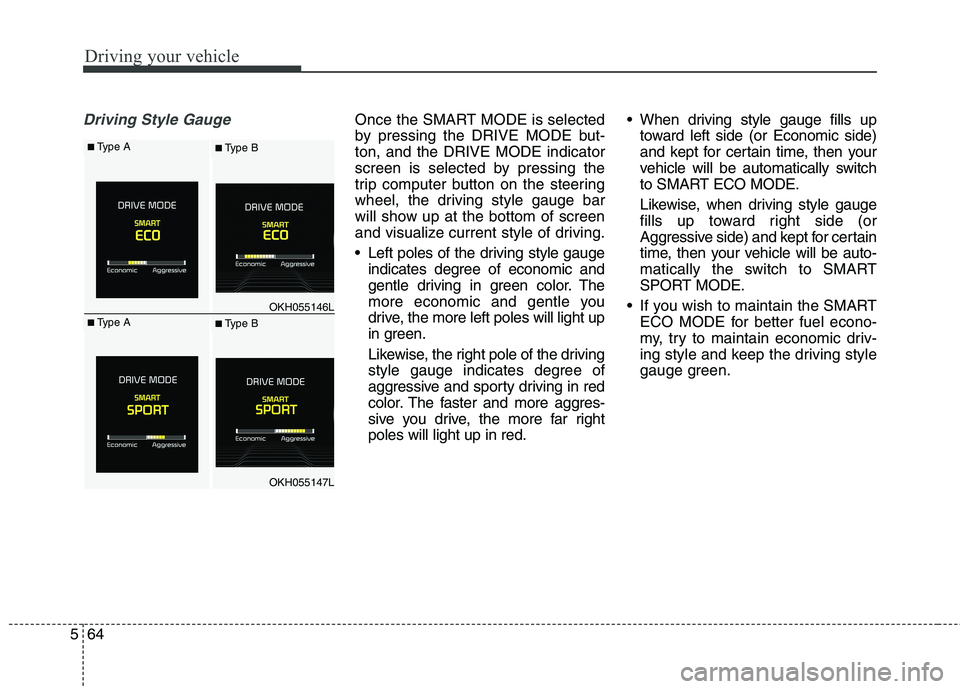
Driving Style GaugeOnce the SMART MODE is selected
by pressing the DRIVE MODE but-ton, and the DRIVE MODE indicator
screen is selected by pressing the
trip computer button on the steering
wheel, the driving style gauge bar
will show up at the bottom of screen
and visualize current style of driving.
Left poles of the driving style gauge
indicates degree of economic and
gentle driving in green color. The
more economic and gentle you
drive, the more left poles will light up
in green.
Likewise, the right pole of the driving
style gauge indicates degree of
aggressive and sporty driving in red
color. The faster and more aggres-
sive you drive, the more far rightpoles will light up in red. When driving style gauge fills up
toward left side (or Economic side)
and kept for certain time, then your
vehicle will be automatically switch
to SMART ECO MODE.
Likewise, when driving style gauge
fills up toward right side (or
Aggressive side) and kept for certain
time, then your vehicle will be auto-
matically the switch to SMART
SPORT MODE.
If you wish to maintain the SMART ECO MODE for better fuel econo-
my, try to maintain economic driv-
ing style and keep the driving style
gauge green.
OKH055146L
OKH055147L
■Type A■ Type B
■Type A■ Type B