steering KIA QUORIS 2016 Service Manual
[x] Cancel search | Manufacturer: KIA, Model Year: 2016, Model line: QUORIS, Model: KIA QUORIS 2016Pages: 513, PDF Size: 30.14 MB
Page 268 of 513
57
Driving your vehicle
START/RUN
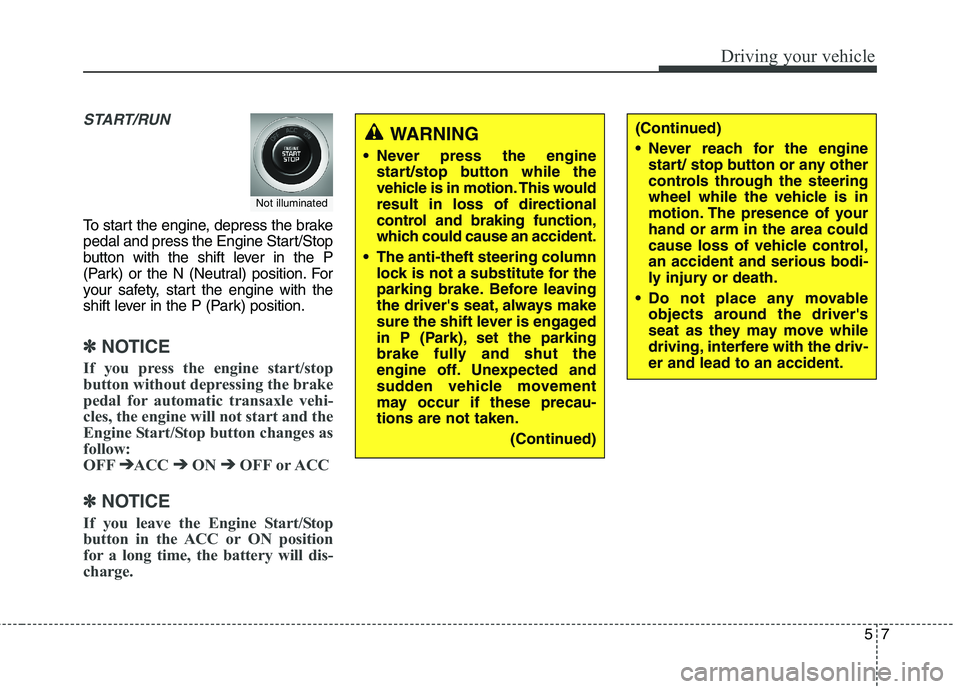
To start the engine, depress the brake
pedal and press the Engine Start/Stop
button with the shift lever in the P
(Park) or the N (Neutral) position. For
your safety, start the engine with the
shift lever in the P (Park) position.
✽✽
NOTICE
If you press the engine start/stop
button without depressing the brake
pedal for automatic transaxle vehi-
cles, the engine will not start and the
Engine Start/Stop button changes as
follow:
OFF ➔
➔
ACC ➔➔
ON ➔➔
OFF or ACC
✽
✽
NOTICE
If you leave the Engine Start/Stop
button in the ACC or ON position
for a long time, the battery will dis-
charge.
Not illuminated
WARNING
Never press the engine start/stop button while the
vehicle is in motion. This wouldresult in loss of directional
control and braking function,
which could cause an accident.
The anti-theft steering column lock is not a substitute for the
parking brake. Before leaving
the driver's seat, always make
sure the shift lever is engaged
in P (Park), set the parking
brake fully and shut the
engine off. Unexpected and
sudden vehicle movement
may occur if these precau-tions are not taken.
(Continued)(Continued)
Never reach for the enginestart/ stop button or any other
controls through the steering
wheel while the vehicle is in
motion. The presence of yourhand or arm in the area could
cause loss of vehicle control,an accident and serious bodi-
ly injury or death.
Do not place any movable objects around the driver's
seat as they may move while
driving, interfere with the driv-er and lead to an accident.
Page 276 of 513
515
Driving your vehicle
Good driving practices
Never move the shift lever from P(Park) or N (Neutral) to any other
position with the accelerator pedaldepressed.
Never move the shift lever into P (Park) when the vehicle is in motion.
Be sure the car is completely stopped before you attempt to shift
into R (Reverse) or D (Drive).
Never take the car out of gear and coast down a hill. This may be
extremely hazardous. Always leave
the car in gear when moving.
Do not "ride" the brakes. This can cause them to overheat and mal-
function. Instead, when you are
driving down a long hill, slow down
and shift to a lower gear. When you
do this, engine braking will help
slow the car.
Slow down before shifting to a lower gear. Otherwise, the lower
gear may not be engaged. Always use the parking brake. Do
not depend on placing the trans-
mission in P (Park) to keep the car
from moving.
Exercise extreme caution when driving on a slippery surface. Be
especially careful when braking,
accelerating or shifting gears. On a
slippery surface, an abrupt change
in vehicle speed can cause the
drive wheels to lose traction and
the vehicle to go out of control.
Optimum vehicle performance and economy is obtained by smoothlydepressing and releasing the
accelerator pedal.WARNING
Always buckle-up! In a colli- sion, an unbelted occupant is
significantly more likely to be
seriously injured or killed than
a properly belted occupant.
Avoid high speeds when cor- nering or turning.
Do not make quick steering wheel movements, such as
sharp lane changes or fast,sharp turns.
The risk of rollover is greatly increased if you lose control of
your vehicle at highway speeds.
Loss of control often occurs if two or more wheels drop off the
roadway and the driver over-
steers to reenter the roadway.
In the event your vehicle leaves the roadway, do not
steer sharply. Instead, slow
down before pulling back into
the travel lanes.
Never exceed posted speed limits.
Page 288 of 513
527
Driving your vehicle
Always use the parking brake. Donot depend on placing the trans-
mission in P (Park) to keep the car
from moving.
Exercise extreme caution when driving on a slippery surface. Be
especially careful when braking,
accelerating or shifting gears. On a
slippery surface, an abrupt change
in vehicle speed can cause the
drive wheels to lose traction and
the vehicle to go out of control.
Optimum vehicle performance and economy is obtained by smoothlydepressing and releasing the
accelerator pedal.
WARNING
Always buckle-up! In a colli- sion, an unbelted occupant is
significantly more likely to be
seriously injured or killed than
a properly belted occupant.
Avoid high speeds when cor- nering or turning.
Do not make quick steering wheel movements, such as
sharp lane changes or fast,sharp turns.
The risk of rollover is greatly increased if you lose control of
your vehicle at highway speeds.
Loss of control often occurs if two or more wheels drop off the
roadway and the driver over-
steers to reenter the roadway.
(Continued)(Continued)
In the event your vehicleleaves the roadway, do not
steer sharply. Instead, slow
down before pulling back into
the travel lanes.
Never exceed posted speed limits.
Page 290 of 513
529
Driving your vehicle
BRAKE SYSTEM
Power brakes
Your vehicle has power-assisted
brakes that adjust automatically
through normal usage.
In the event that the power-assisted
brakes lose power because of a stalled
engine or some other reason, you can
still stop your vehicle by applying
greater force to the brake pedal than
you normally would. The stopping dis-
tance, however, will be longer.
When the engine is not running, the
reserve brake power is partially
depleted each time the brake pedal
is applied. Do not pump the brake
pedal when the power assist has
been interrupted.
Pump the brake pedal only when
necessary to maintain steering con-
trol on slippery surfaces.
(Continued) Always test your brakes in this fashion after driving
through deep water. To dry the
brakes, apply them lightly
while maintaining a safe for-
ward speed until brake per-
formance returns to normal.
Always, confirm the position of the brake and accelerator
pedal before driving. If you
don’t check the position of theaccelerator and brake pedal
before driving, you maydepress the accelerator
instead of the brake pedal. It
may cause a serious accident.WARNING - Brakes
Do not drive with your foot resting on the brake pedal. This will create abnormal high
brake temperatures, excessive
brake lining and pad wear, andincreased stopping distances.
When descending a long or steep hill, shift to a lower gear
and avoid continuous applica-
tion of the brakes. Continuousbrake application will cause
the brakes to overheat and
could result in a temporary
loss of braking performance.
Wet brakes may impair the vehicle’s ability to safely slow
down; the vehicle may alsopull to one side when the
brakes are applied. Applying
the brakes lightly will indicate
whether they have been
affected in this way.
(Continued)
Page 305 of 513
Driving your vehicle
44
5
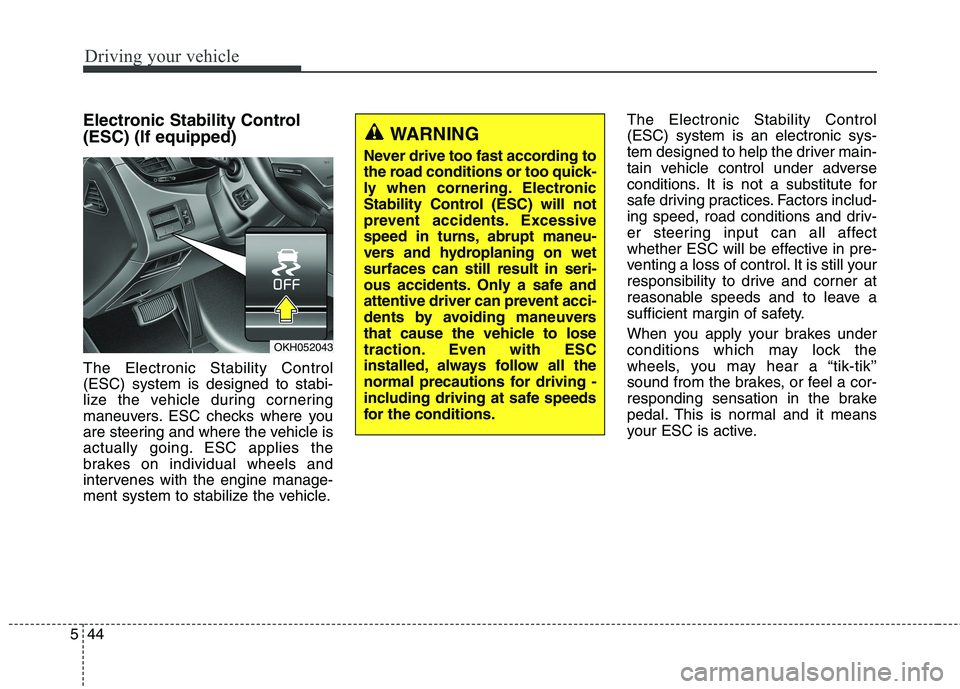
Electronic Stability Control (ESC) (If equipped) The Electronic Stability Control (ESC) system is designed to stabi-
lize the vehicle during cornering
maneuvers. ESC checks where you
are steering and where the vehicle is
actually going. ESC applies the
brakes on individual wheels and
intervenes with the engine manage-
ment system to stabilize the vehicle. The Electronic Stability Control (ESC) system is an electronic sys-
tem designed to help the driver main-
tain vehicle control under adverse
conditions. It is not a substitute for
safe driving practices. Factors includ-
ing speed, road conditions and driv-
er steering input can all affect
whether ESC will be effective in pre-
venting a loss of control. It is still your
responsibility to drive and corner at
reasonable speeds and to leave a
sufficient margin of safety.
When you apply your brakes under
conditions which may lock the
wheels, you may hear a “tik-tik’’
sound from the brakes, or feel a cor-
responding sensation in the brake
pedal. This is normal and it means
your ESC is active.
OKH052043
WARNING
Never drive too fast according to
the road conditions or too quick-
ly when cornering. Electronic
Stability Control (ESC) will not
prevent accidents. Excessive
speed in turns, abrupt maneu-
vers and hydroplaning on wetsurfaces can still result in seri-
ous accidents. Only a safe and
attentive driver can prevent acci-
dents by avoiding maneuvers
that cause the vehicle to lose
traction. Even with ESC
installed, always follow all the
normal precautions for driving -
including driving at safe speeds
for the conditions.
Page 311 of 513
Driving your vehicle
50
5
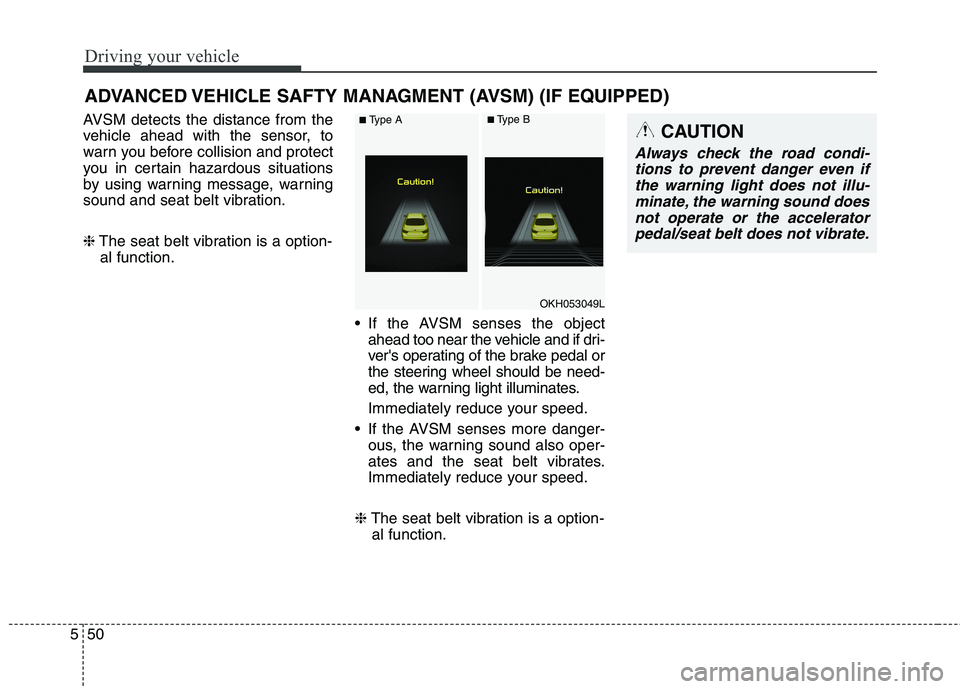
AVSM detects the distance from the
vehicle ahead with the sensor, to
warn you before collision and protect
you in certain hazardous situations
by using warning message, warning
sound and seat belt vibration. ❈ The seat belt vibration is a option-
al function.
If the AVSM senses the objectahead too near the vehicle and if dri-
ver's operating of the brake pedal or
the steering wheel should be need-
ed, the warning light illuminates.
Immediately reduce your speed.
If the AVSM senses more danger- ous, the warning sound also oper-
ates and the seat belt vibrates.
Immediately reduce your speed.
❈ The seat belt vibration is a option-
al function.
ADVANCED VEHICLE SAFTY MANAGMENT (AVSM) (IF EQUIPPED)CAUTION
Always check the road condi-
tions to prevent danger even ifthe warning light does not illu-minate, the warning sound does not operate or the acceleratorpedal/seat belt does not vibrate.
OKH053049L
■ Type A■Type B
Page 316 of 513
555
Driving your vehicle
AEB Operation
Warning message
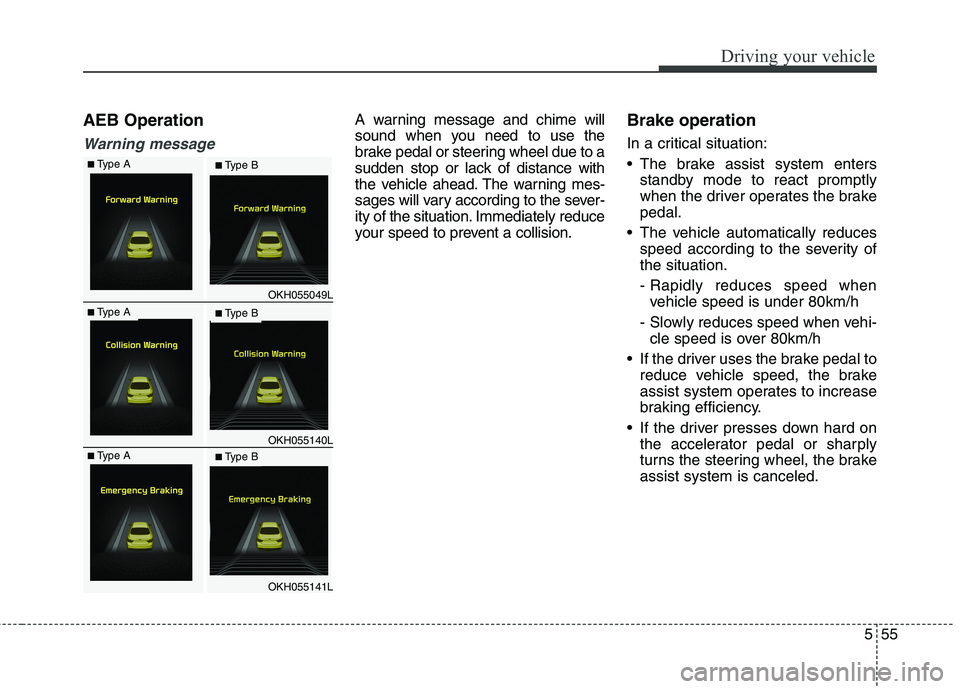
A warning message and chime will
sound when you need to use the
brake pedal or steering wheel due to a
sudden stop or lack of distance with
the vehicle ahead. The warning mes-
sages will vary according to the sever-
ity of the situation. Immediately reduce
your speed to prevent a collision.Brake operation
In a critical situation:
The brake assist system enters
standby mode to react promptly
when the driver operates the brakepedal.
The vehicle automatically reduces speed according to the severity ofthe situation.
- Rapidly reduces speed whenvehicle speed is under 80km/h
- Slowly reduces speed when vehi- cle speed is over 80km/h
If the driver uses the brake pedal to reduce vehicle speed, the brake
assist system operates to increase
braking efficiency.
If the driver presses down hard on the accelerator pedal or sharply
turns the steering wheel, the brakeassist system is canceled.
OKH055049L
OKH055140L
OKH055141L
■Type A■ Type B
■Type A■ Type B
■Type A■ Type B
Page 323 of 513
Driving your vehicle
62
5
SMART MODE
SMART MODE is an intel-
ligent driving mode which automatically selects the
most appropriate drivemode (Economic ↔
Aggressive) by measuring
usage of steering wheel,
and accelerator pedal.
ton is pressed and the
SMART MODE is select-
ed, SMART indicator willilluminate on the dash-board.
MODE indicator light will
depend on the driving
style. If the driving style is
economic, average, and
speedy, the indicator light
will be green, white, and
red in respective order.
is activated, and the
Engine Start/Stop button
is turned off and on again,
your car will still maintain
the SMART MODE.
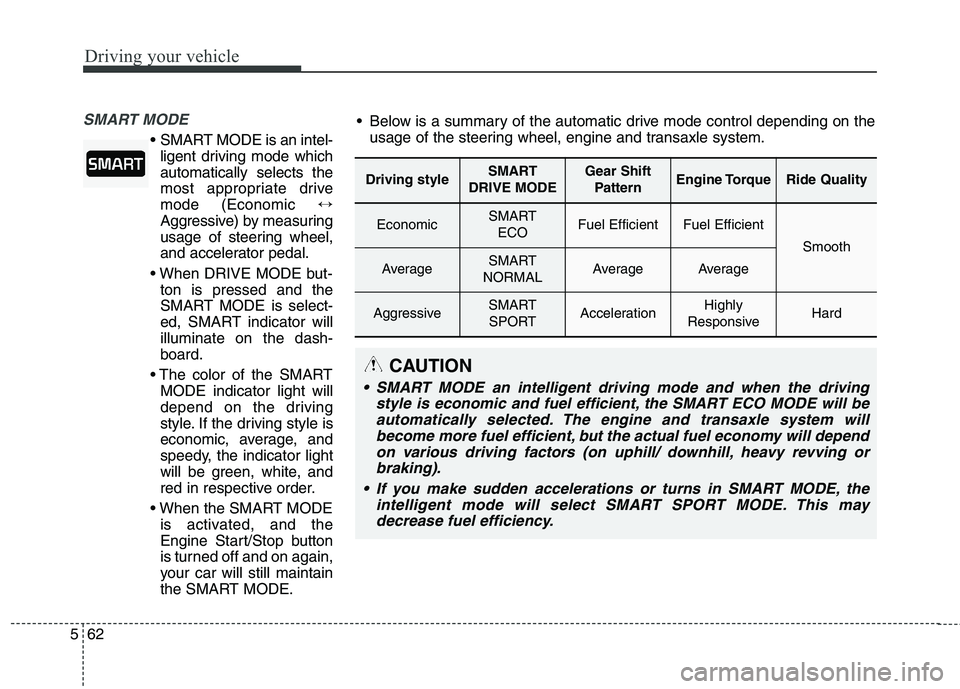
Driving styleSMART
DRIVE MODEGear Shift PatternEngine TorqueRide Quality
EconomicSMART ECOFuel EfficientFuel Efficient
Smooth
AverageSMART
NORMALAverageAverage
AggressiveSMART SPORTAccelerationHighly
ResponsiveHard
Below is a summary of the automatic drive mode control depending on the usage of the steering wheel, engine and transaxle system.
CAUTION
SMART MODE an intelligent driving mode and when the driving
style is economic and fuel efficient, the SMART ECO MODE will beautomatically selected. The engine and transaxle system will become more fuel efficient, but the actual fuel economy will dependon various driving factors (on uphill/ downhill, heavy revving orbraking).
If you make sudden accelerations or turns in SMART MODE, the intelligent mode will select SMART SPORT MODE. This maydecrease fuel efficiency.
Page 324 of 513
563
Driving your vehicle
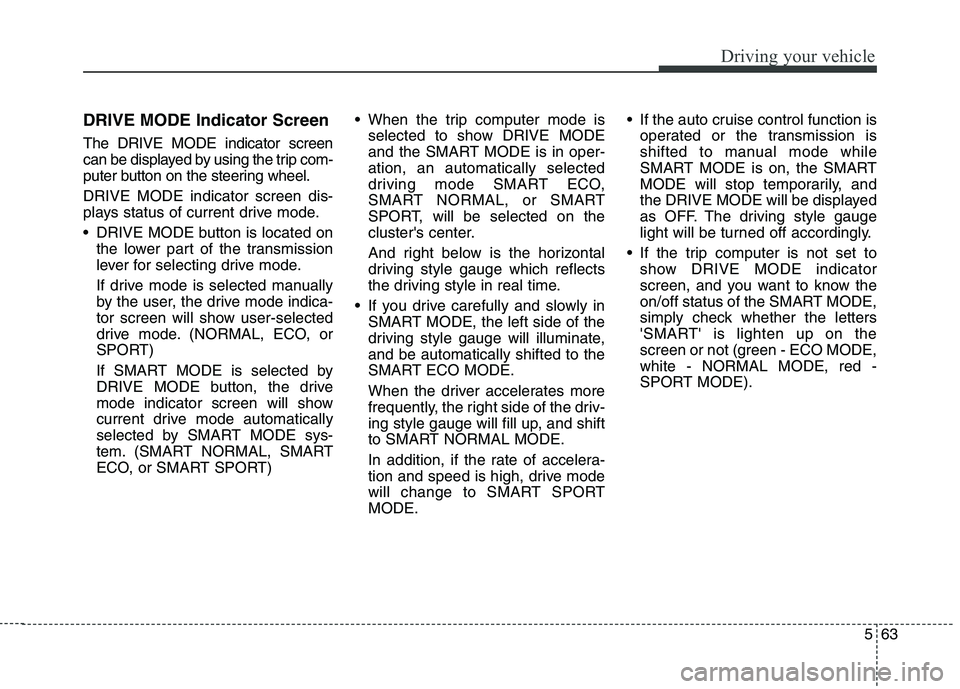
DRIVE MODE Indicator Screen The DRIVE MODE indicator screen
can be displayed by using the trip com-
puter button on the steering wheel. DRIVE MODE indicator screen dis-
plays status of current drive mode.
DRIVE MODE button is located onthe lower part of the transmission
lever for selecting drive mode.
If drive mode is selected manually
by the user, the drive mode indica-
tor screen will show user-selected
drive mode. (NORMAL, ECO, or
SPORT)
If SMART MODE is selected by
DRIVE MODE button, the drive
mode indicator screen will show
current drive mode automatically
selected by SMART MODE sys-
tem. (SMART NORMAL, SMART
ECO, or SMART SPORT) When the trip computer mode is
selected to show DRIVE MODE
and the SMART MODE is in oper-ation, an automatically selected
driving mode SMART ECO,
SMART NORMAL, or SMART
SPORT, will be selected on the
cluster's center.
And right below is the horizontal
driving style gauge which reflects
the driving style in real time.
If you drive carefully and slowly in SMART MODE, the left side of the
driving style gauge will illuminate,and be automatically shifted to the
SMART ECO MODE.
When the driver accelerates more
frequently, the right side of the driv-
ing style gauge will fill up, and shift
to SMART NORMAL MODE.
In addition, if the rate of accelera-
tion and speed is high, drive mode
will change to SMART SPORTMODE. If the auto cruise control function is
operated or the transmission is
shifted to manual mode while
SMART MODE is on, the SMART
MODE will stop temporarily, and
the DRIVE MODE will be displayed
as OFF. The driving style gauge
light will be turned off accordingly.
If the trip computer is not set to show DRIVE MODE indicator
screen, and you want to know the
on/off status of the SMART MODE,
simply check whether the letters
'SMART' is lighten up on the
screen or not (green - ECO MODE,white - NORMAL MODE, red -
SPORT MODE).
Page 325 of 513
Driving your vehicle
64
5
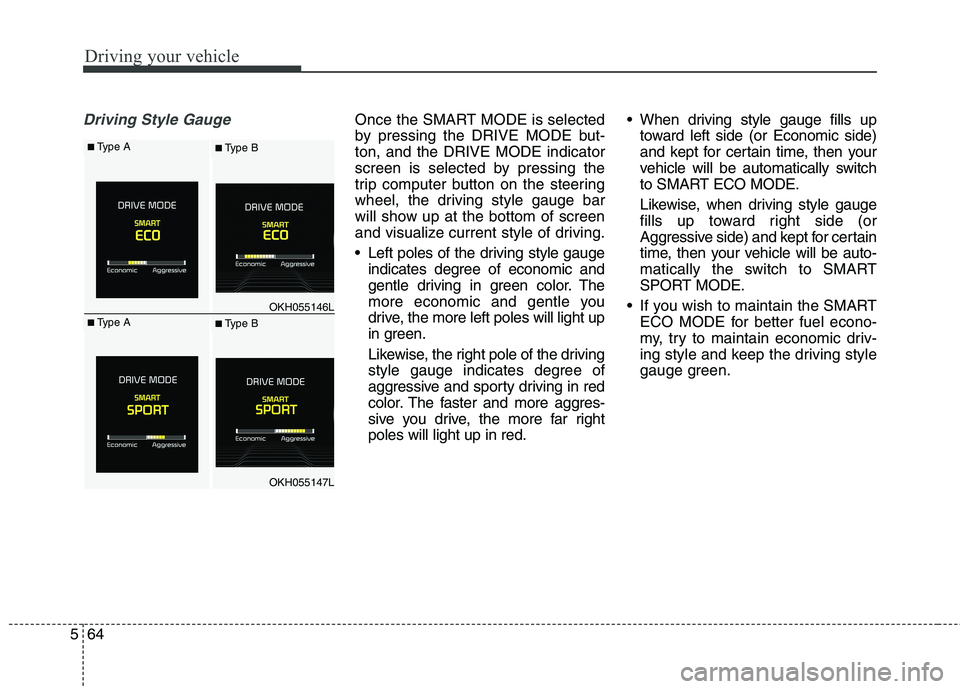
Driving Style GaugeOnce the SMART MODE is selected
by pressing the DRIVE MODE but-ton, and the DRIVE MODE indicator
screen is selected by pressing the
trip computer button on the steering
wheel, the driving style gauge bar
will show up at the bottom of screen
and visualize current style of driving.
Left poles of the driving style gauge
indicates degree of economic and
gentle driving in green color. The
more economic and gentle you
drive, the more left poles will light up
in green.
Likewise, the right pole of the driving
style gauge indicates degree of
aggressive and sporty driving in red
color. The faster and more aggres-
sive you drive, the more far rightpoles will light up in red. When driving style gauge fills up
toward left side (or Economic side)
and kept for certain time, then your
vehicle will be automatically switch
to SMART ECO MODE.
Likewise, when driving style gauge
fills up toward right side (or
Aggressive side) and kept for certain
time, then your vehicle will be auto-
matically the switch to SMART
SPORT MODE.
If you wish to maintain the SMART ECO MODE for better fuel econo-
my, try to maintain economic driv-
ing style and keep the driving style
gauge green.
OKH055146L
OKH055147L
■Type A■ Type B
■Type A■ Type B