jack KIA Rio 2011 2.G Owner's Manual
[x] Cancel search | Manufacturer: KIA, Model Year: 2011, Model line: Rio, Model: KIA Rio 2011 2.GPages: 240, PDF Size: 4.68 MB
Page 104 of 240
395
Knowing your vehicle
(Continued) If you use devices such as a USB hub you purchased separately,the vehicle’s audio system maynot recognize the USB device.Connect the USB device directlyto the multimedia terminal of the vehicle.
If USB device is divided by logical drives, only the music files on thehighest-priority drive are recog-nized by the car audio.
Devices, such as MP3 players, cellular phones, or digital cam-eras not recognized by standardUSB I/F may not be recognized.
USB devices other than standard- ized goods (METAL COVER TYPEUSB) can be unrecognizable.
USB flash memory reader (such as CF, SD, microSD, etc.) or exter-nal-HDD type devices may beunrecognized.
Music files protected by DRM (DIGITAL RIGHTS MANAGEMENT)are not recognizable.
(Continued)(Continued) The data in the USB memory may be lost while using this AUDIO. Itis recommeded to back up impor-tant data on a personal storage device.
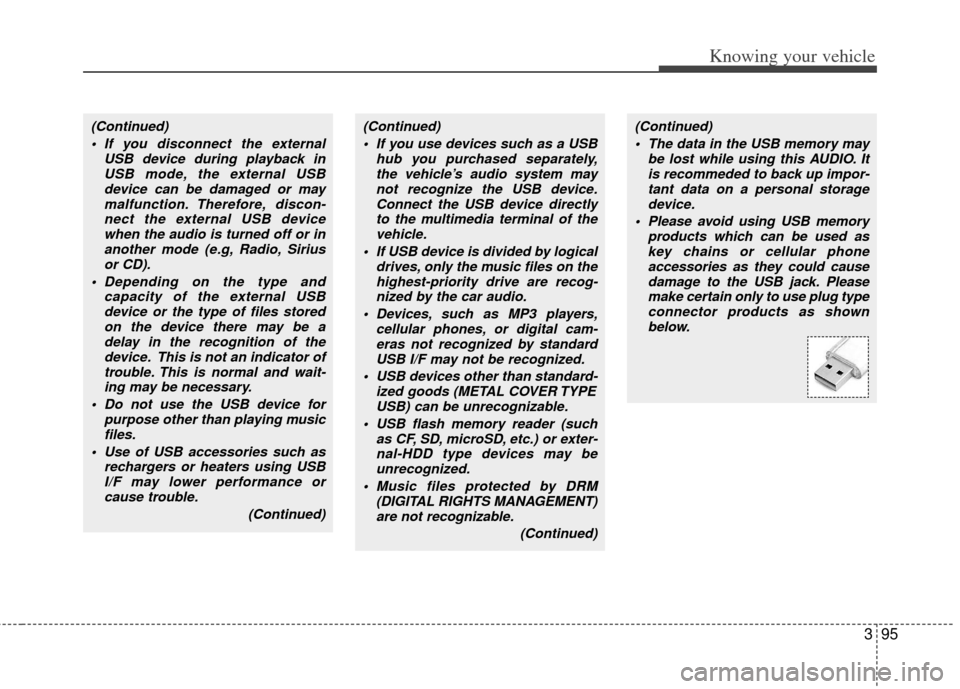
Please avoid using USB memory products which can be used askey chains or cellular phone accessories as they could causedamage to the USB jack. Pleasemake certain only to use plug typeconnector products as shown below.(Continued)
If you disconnect the external USB device during playback inUSB mode, the external USBdevice can be damaged or maymalfunction. Therefore, discon-nect the external USB devicewhen the audio is turned off or inanother mode (e.g, Radio, Siriusor CD).
Depending on the type and capacity of the external USBdevice or the type of files storedon the device there may be adelay in the recognition of thedevice. This is not an indicator oftrouble. This is normal and wait-ing may be necessary.
Do not use the USB device for purpose other than playing musicfiles.
Use of USB accessories such as rechargers or heaters using USBI/F may lower performance orcause trouble.
(Continued)
Page 109 of 240
Knowing your vehicle
100
3
✽
✽
NOTICE FOR USING iPod
DEVICE
• Some iPod models might not sup- port the communication protocol
and the files will not be played.
(iPod models supported: Mini, 4G,
Photo, Nano, 5G)
• The order of search or playback of songs in the iPod can be different
from the order searched in the
audio system.
• If the iPod crashes due to its own malfunction, reset the iPod. (Reset:
Refer to iPod manual)
• An iPod may not operate normally on low battery.
CAUTION IN USING
iPod DEVICE
You need the power cable exclu-
sive for an iPod in order to oper-ate an iPod with the buttons on the audio system. The PC cableprovided by Apple may cause amalfunction and do not use it forvehicle use.
When connecting the device with an iPod cable, push in the jackfully not to interfere with commu-nication.
When adjusting the sound effects of an iPod and the audio system,the sound effects of both deviceswill overlap and might reduce ordistort the quality of the sound.
Deactivate (turn off) the equalizer function of an iPod when adjust-ing the audio system’s volume,and turn off the equalizer of theaudio system when using theequalizer of an iPod.
(Continued)
(Continued) When the iPod cable is connected, the system can be switched to theAUX mode even without the iPoddevice and can cause noise. Disconnect the iPod cable whenyou are not using the iPod device.
When the iPod is not used for the audio system, the iPod cable hasto be separate from iPod devices.Original display of iPod may not bedisplayed.
Page 186 of 240
617
In case of an emergency
Tips for towing a stuck vehicle
The following methods are effective
when your vehicle is stuck in mud, sand
or similar substances that prevent the
vehicle from being driven out under its
own power.
Remove the soil and sand, etc. fromthe front and the back of the tires.
Place a stone or wood under the tires.
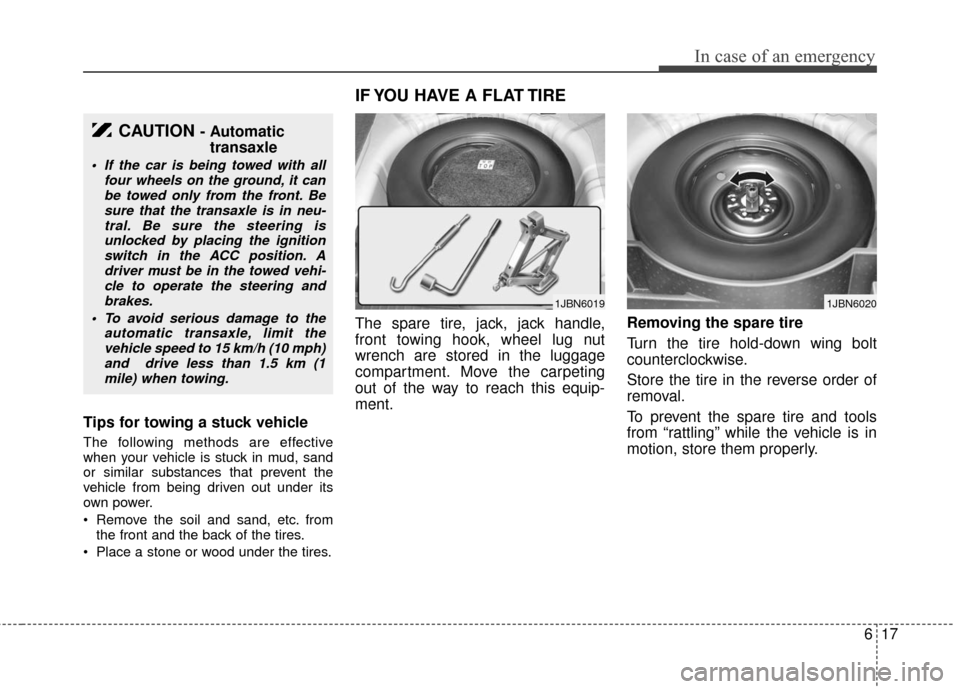
The spare tire, jack, jack handle,
front towing hook, wheel lug nut
wrench are stored in the luggage
compartment. Move the carpeting
out of the way to reach this equip-
ment. Removing the spare tire
Turn the tire hold-down wing bolt
counterclockwise.
Store the tire in the reverse order of
removal.
To prevent the spare tire and tools
from “rattling” while the vehicle is in
motion, store them properly.
CAUTION - Automatic
transaxle
If the car is being towed with all
four wheels on the ground, it canbe towed only from the front. Besure that the transaxle is in neu-tral. Be sure the steering isunlocked by placing the ignitionswitch in the ACC position. Adriver must be in the towed vehi-cle to operate the steering and brakes.
To avoid serious damage to the automatic transaxle, limit thevehicle speed to 15 km/h (10 mph)and drive less than 1.5 km (1mile) when towing.
IF YOU HAVE A FLAT TIRE
1JBN60191JBN6020
Page 188 of 240
619
In case of an emergency
Changing tires
Jacking instructions
The jack is provided for emergency
tire changing only.
Follow jacking instructions to reduce
the possibility of personal injury.
Tire replacement
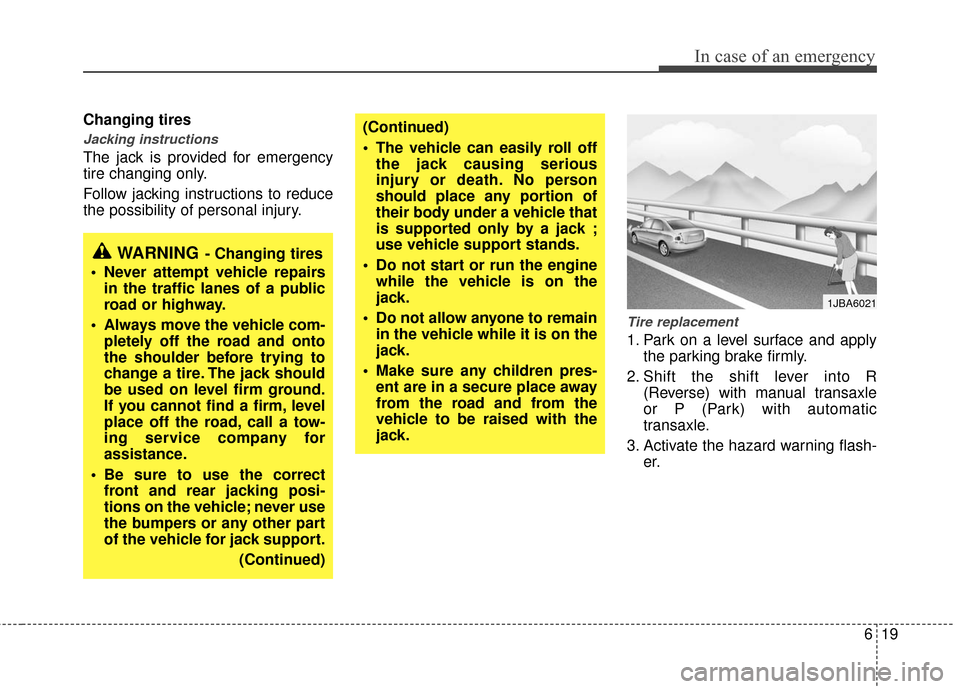
1. Park on a level surface and applythe parking brake firmly.
2. Shift the shift lever into R (Reverse) with manual transaxle
or P (Park) with automatic
transaxle.
3. Activate the hazard warning flash- er.
WARNING- Changing tires
Never attempt vehicle repairs in the traffic lanes of a public
road or highway.
Always move the vehicle com- pletely off the road and onto
the shoulder before trying to
change a tire. The jack should
be used on level firm ground.
If you cannot find a firm, level
place off the road, call a tow-
ing service company for
assistance.
Be sure to use the correct front and rear jacking posi-
tions on the vehicle; never use
the bumpers or any other part
of the vehicle for jack support.
(Continued)
(Continued)
The vehicle can easily roll offthe jack causing serious
injury or death. No person
should place any portion of
their body under a vehicle that
is supported only by a jack ;
use vehicle support stands.
Do not start or run the engine while the vehicle is on the
jack.
Do not allow anyone to remain in the vehicle while it is on the
jack.
Make sure any children pres- ent are in a secure place away
from the road and from the
vehicle to be raised with the
jack.
1JBA6021
Page 189 of 240
In case of an emergency
20
6
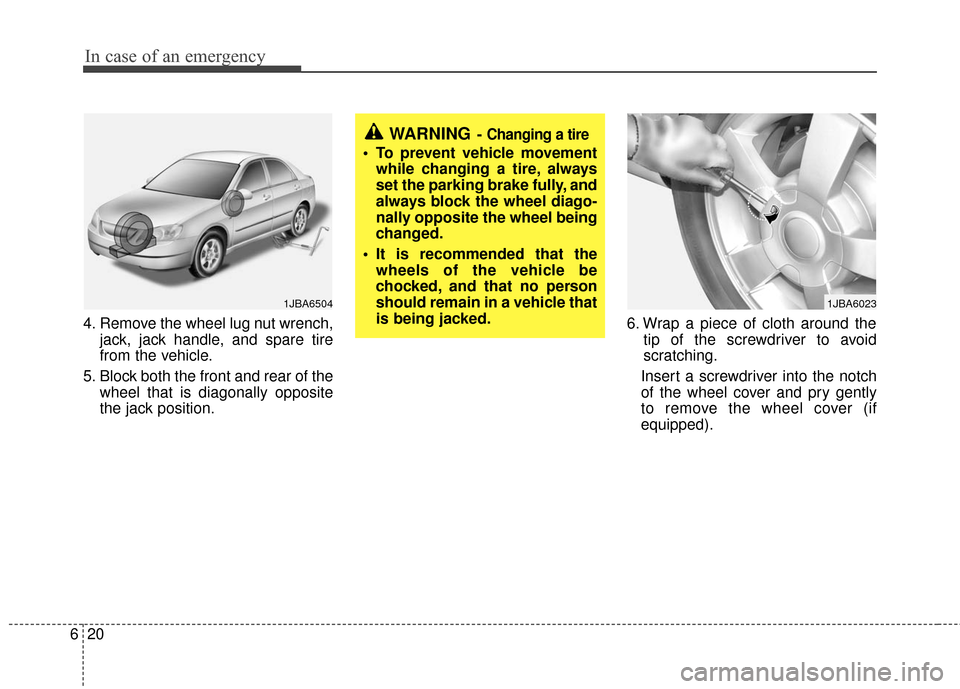
4. Remove the wheel lug nut wrench,
jack, jack handle, and spare tire
from the vehicle.
5. Block both the front and rear of the wheel that is diagonally opposite
the jack position. 6. Wrap a piece of cloth around the
tip of the screwdriver to avoid
scratching.
Insert a screwdriver into the notch
of the wheel cover and pry gently
to remove the wheel cover (if
equipped).
WARNING- Changing a tire
To prevent vehicle movement while changing a tire, always
set the parking brake fully, and
always block the wheel diago-
nally opposite the wheel being
changed.
It is recommended that the wheels of the vehicle be
chocked, and that no person
should remain in a vehicle that
is being jacked.
1JBA65041JBA6023
Page 190 of 240
621
In case of an emergency
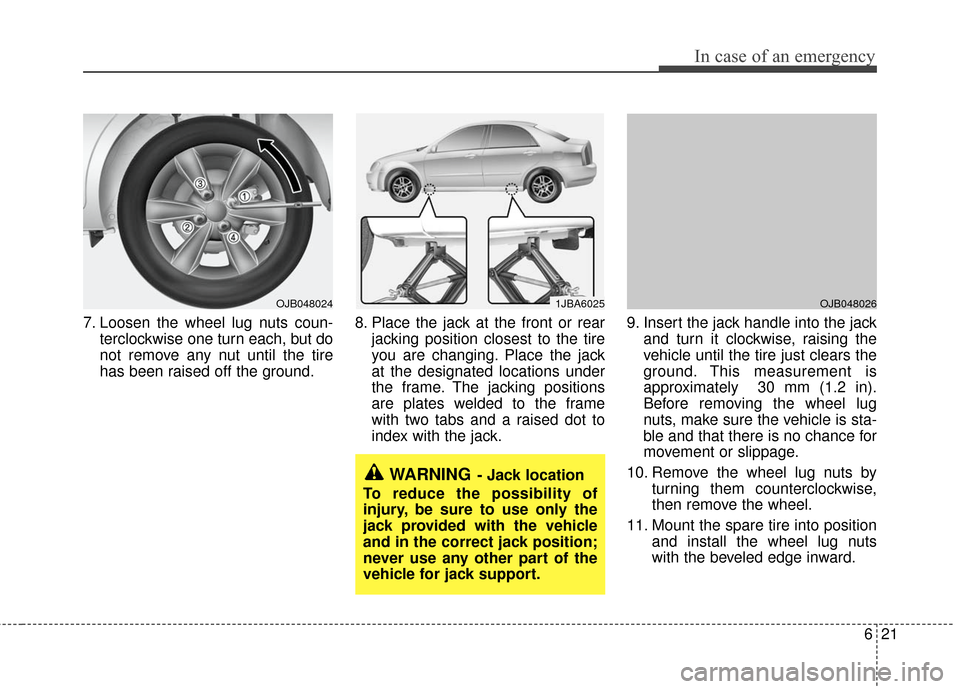
7. Loosen the wheel lug nuts coun-terclockwise one turn each, but do
not remove any nut until the tire
has been raised off the ground. 8. Place the jack at the front or rear
jacking position closest to the tire
you are changing. Place the jack
at the designated locations under
the frame. The jacking positions
are plates welded to the frame
with two tabs and a raised dot to
index with the jack. 9. Insert the jack handle into the jack
and turn it clockwise, raising the
vehicle until the tire just clears the
ground. This measurement is
approximately 30 mm (1.2 in).
Before removing the wheel lug
nuts, make sure the vehicle is sta-
ble and that there is no chance for
movement or slippage.
10. Remove the wheel lug nuts by turning them counterclockwise,
then remove the wheel.
11. Mount the spare tire into position and install the wheel lug nuts
with the beveled edge inward.
1JBA6025
WARNING- Jack location
To reduce the possibility of
injury, be sure to use only the
jack provided with the vehicle
and in the correct jack position;
never use any other part of the
vehicle for jack support.
OJB048026OJB048024
Page 191 of 240
In case of an emergency
22
6
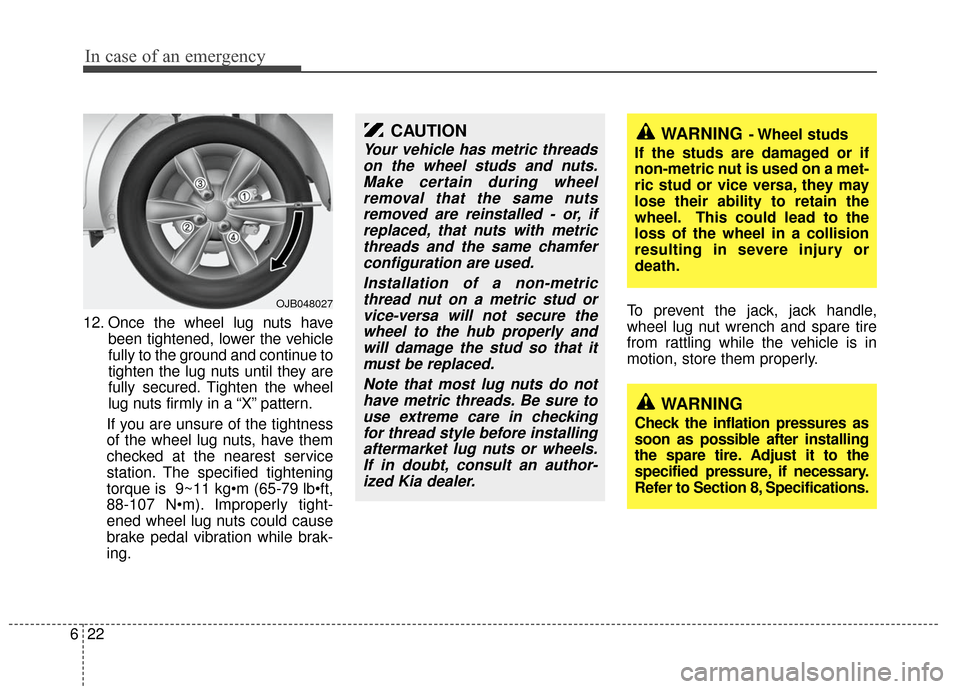
12. Once the wheel lug nuts have
been tightened, lower the vehicle
fully to the ground and continue to
tighten the lug nuts until they are
fully secured. Tighten the wheel
lug nuts firmly in a “X” pattern.
If you are unsure of the tightness
of the wheel lug nuts, have them
checked at the nearest service
station. The specified tightening
torque is 9~11 kg
88-107 N Improperly tight-
ened wheel lug nuts could cause
brake pedal vibration while brak-
ing. To prevent the jack, jack handle,
wheel lug nut wrench and spare tire
from rattling while the vehicle is in
motion, store them properly.
CAUTION
Your vehicle has metric threads
on the wheel studs and nuts.Make certain during wheelremoval that the same nutsremoved are reinstalled - or, ifreplaced, that nuts with metricthreads and the same chamferconfiguration are used.
Installation of a non-metricthread nut on a metric stud orvice-versa will not secure thewheel to the hub properly andwill damage the stud so that itmust be replaced.
Note that most lug nuts do nothave metric threads. Be sure touse extreme care in checkingfor thread style before installingaftermarket lug nuts or wheels.If in doubt, consult an author-ized Kia dealer.WARNING- Wheel studs
If the studs are damaged or if
non-metric nut is used on a met-
ric stud or vice versa, they may
lose their ability to retain the
wheel. This could lead to the
loss of the wheel in a collision
resulting in severe injury or
death.
WARNING
Check the inflation pressures as
soon as possible after installing
the spare tire. Adjust it to the
specified pressure, if necessary.
Refer to Section 8, Specifications.
OJB048027
Page 235 of 240

93
Index
Climate control air filter ··················\
··················\
············7-19
Climate control system ··················\
··················\
··············4-39Air conditioning ··················\
··················\
··················\
··4-44
Clock (Digital) ··················\
··················\
··················\
·········3-78
Combined instrument, see instrument cluster ···············4-20
Compact spare tire ··················\
··················\
··················\
···6-18
Compact spare tire replacement ··················\
··················\
6-19
Coolant ··················\
··················\
··················\
··················\
···7-12
Cooling fluid, see engine coolant ··················\
················7-12
Cruise control system ··················\
··················\
················4-14
Cup holder ··················\
··················\
··················\
···············3-76
Curtain air bag ··················\
··················\
··················\
·········3-54
Dashboard illumination, see instrument panel illumination ··················\
···········4-25
Dashboard, see instrument cluster ··················\
···············4-20
Defogging (Windshield) ··················\
··················\
············4-46
Defroster (Rear window) ··················\
··················\
···········4-38
Defrosting (Windshield) ··················\
··················\
············4-46
Digital clock··················\
··················\
··················\
·············3-78
Dimensions ··················\
··················\
··················\
················8-2
Display illumination, see instrument panel illumination ··················\
···········4-25
Displays, see instrument cluster ··················\
··················\
4-20
Door locks··················\
··················\
··················\
··················\
3-9 Central door lock switch ··················\
··················\
·······3-10
Child-protector rear door lock ··················\
················3-12 Drinks holders, see cup holders··················\
··················\
·3-76
Driver's air bag··················\
··················\
··················\
·········3-51
Driving at night ··················\
··················\
··················\
··········5-7
Driving in flooded areas ··················\
··················\
··············5-8
Driving in the rain··················\
··················\
··················\
······5-7
Economical operation ··················\
··················\
··················\
5-5
Emergency starting ··················\
··················\
··················\
····6-4
Jump starting ··················\
··················\
··················\
·········6-4
Push starting ··················\
··················\
··················\
··········6-5
Emergency trunk safety release ··················\
··················\
·3-65
Emergency while driving ··················\
··················\
·············6-2
Emission control system ··················\
··················\
··············5-2
Engine compartment ··················\
··················\
············2-4, 7-9
Engine coolant ··················\
··················\
··················\
·········7-11
Engine number ··················\
··················\
··················\
·········5-11
Engine oil ··················\
··················\
··················\
·················7-11\
Engine overheats ··················\
··················\
··················\
········6-3
Exterior care··················\
··················\
··················\
·············7-34
Flat tire ··················\
··················\
··················\
··················\
···6-17 Changing tires ··················\
··················\
··················\
·····6-19
Compact spare tire ··················\
··················\
················6-18
Jack and tools ··················\
··················\
··················\
······6-17
Removing and storing the spare tire ··················\
·······6-17
D
E
F
Page 237 of 240

95
Index
Jack and tools··················\
··················\
··················\
···········6-17
Jump starting··················\
··················\
··················\
··············6-4
Key positions ··················\
··················\
··················\
·············4-2
Keys ··················\
··················\
··················\
··················\
·········3-2Immobilizer system ··················\
··················\
·················3-7
Label Air bag warning label··················\
··················\
············3-63
Certification label ··················\
··················\
··················\
5-10
Tire sidewall labeling ··················\
··················\
············7-29
Tire specification and pressure label ··················\
·······5-11
Vehicle certification label··················\
··················\
······5-10
Latch system, see lower anchor system··················\
·······3-47
Lighting··················\
··················\
··················\
··················\
··4-31 Battery saver function ··················\
··················\
···········4-31
Lower anchor system ··················\
··················\
·················3-47\
Lubricants and capacities··················\
··················\
·············8-4
Luggage net (holder) ··················\
··················\
·················3-81\
Main fuse ··················\
··················\
··················\
··················\
·6-8
Maintenance
Maintenance services ··················\
··················\
··············7-2
Owner maintenance··················\
··················\
·················7-7
Tire maintenance ··················\
··················\
··················\
·7-29
Manual climate control system··················\
··················\
··4-39 Air conditioning ··················\
··················\
··················\
··4-44
Climate control air filter··················\
··················\
········7-19
Heating and air conditioning ··················\
··················\
·4-44
Manual transaxle··················\
··················\
··················\
········4-4
Memory fuse ··················\
··················\
··················\
············6-12
Mirrors ··················\
··················\
··················\
··················\
···4-32 Inside rearview mirror ··················\
··················\
···········3-72
Outside rearview mirror ··················\
··················\
········3-70
Moonroof, see sunroof··················\
··················\
···············3-79
Neck restraints, see headrest ··················\
··············3-21, 3-26
Odometer ··················\
··················\
··················\
·················4-21\
Oil (Engine) ··················\
··················\
··················\
·············7-11
J
K
L
M
N
O