light KIA RIO 2017 Repair Manual
[x] Cancel search | Manufacturer: KIA, Model Year: 2017, Model line: RIO, Model: KIA RIO 2017Pages: 449, PDF Size: 14.88 MB
Page 162 of 449
491
Features of your vehicle
Air conditioning (if equipped)
Kia Air Conditioning Systems are filled
with environmentally friendly
R-134a refrigerant.
1. Start the engine. Push the air condi-tioning button.
2. Set the mode to the position.
3. Set the air intake control to the recircu- lated air position. However, prolonged
operation of the reticulated air position
will excessively dry the air. In this case,
change the air position.
4. Adjust the fan speed control and tem- perature control to maintain maximum
comfort.
When maximum cooling is desired, set the temperature control to the extreme
left position, set the mode control to
the MAX A/C position, then set the fan
speed control to the highest speed. Air conditioning system operation tips
If the vehicle has been parked in direct
sunlight during hot weather, open the
windows for a short time to let the hot
air inside the vehicle escape.
To help reduce moisture inside of the windows on rainy or humid days,
decrease the humidity inside the vehi-
cle by operating the air conditioning
system.
During air conditioning system opera- tion, you may occasionally notice a
slight change in engine speed as the
air conditioning compressor cycles.
This is a normal system operation
characteristic.
Use the air conditioning system every month only for a few minutes to ensure
maximum system performance.
When using the air conditioning sys- tem, you may notice clear water drip-
ping (or even puddling) on the ground
under the passenger side of the vehi-
cle. This is a normal system operation
characteristic.CAUTION - Excessive AC
While using the air conditioningsystem, monitor the temperaturegauge closely while driving up hillsor in heavy traffic when outsidetemperatures are high. Air condi- tioning system operation maycause engine overheating andpotential engine damage. Continueto use the blower fan but turn theair conditioning system off if thetemperature gauge indicatesengine overheating.
Page 172 of 449
4101
Features of your vehicle
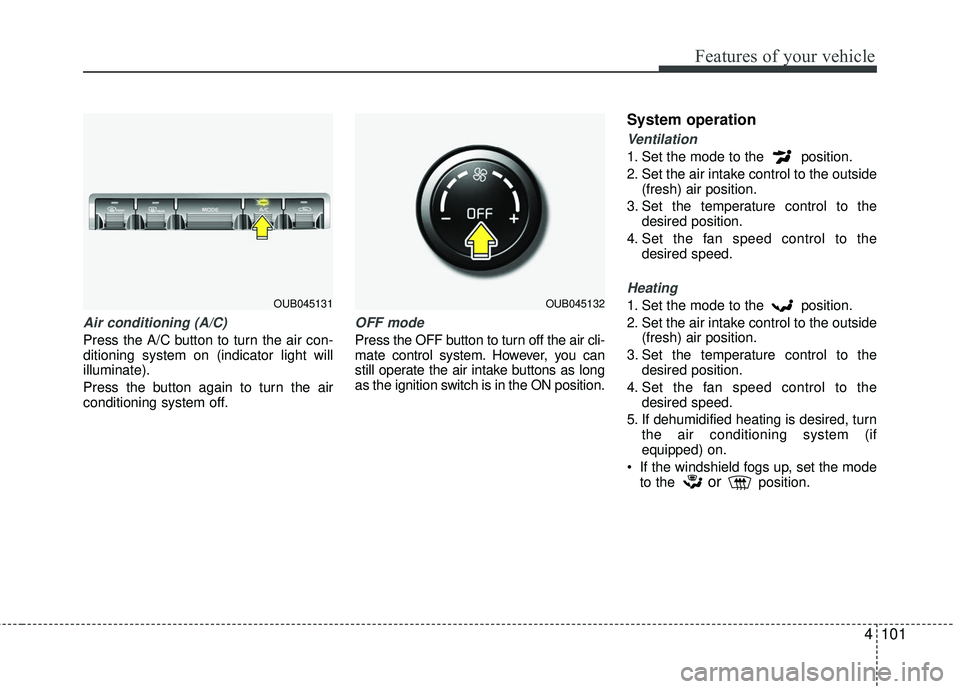
Air conditioning (A/C)
Press the A/C button to turn the air con-
ditioning system on (indicator light will
illuminate).
Press the button again to turn the air
conditioning system off.
OFF mode
Press the OFF button to turn off the air cli-
mate control system. However, you can
still operate the air intake buttons as long
as the ignition switch is in the ON position.
System operation
Ventilation
1. Set the mode to the position.
2. Set the air intake control to the outside(fresh) air position.
3. Set the temperature control to the desired position.
4. Set the fan speed control to the desired speed.
Heating
1. Set the mode to the position.
2. Set the air intake control to the outside(fresh) air position.
3. Set the temperature control to the desired position.
4. Set the fan speed control to the desired speed.
5. If dehumidified heating is desired, turn the air conditioning system (if
equipped) on.
If the windshield fogs up, set the mode to the
orposition.
OUB045131OUB045132
Page 174 of 449
4103
Features of your vehicle
Air conditioning system operation tips
If the vehicle has been parked in directsunlight during hot weather, open the
windows for a short time to let the hot
air inside the vehicle escape.
To help reduce moisture inside of the windows on rainy or humid days,
decrease the humidity inside the vehicle
by operating the air conditioning system.
During air conditioning system opera- tion, you may occasionally notice a
slight change in engine speed as the
air conditioning compressor cycles.
This is a normal system operation
characteristic.
Use the air conditioning system every month only for a few minutes to ensure
maximum system performance.
When using the air conditioning sys- tem, you may notice clear water drip-
ping (or even puddling) on the ground
under the passenger side of the vehi-
cle. This is a normal system operation
characteristic. Operating the air conditioning system
in the recirculated air position provides
maximum cooling, however, continual
operation in this mode may cause the
air inside the vehicle to become stale.
During cooling operation, you may occasionally notice a misty air flow
because of rapid cooling and humid air
intake. This is a normal system opera-
tion characteristic.
If you operate air conditioner exces- sively, the difference between the tem-
perature of the outside air and that of
the windshield could cause the outer
surface of the windshield to fog up,
causing loss of visibility. In this case,
set the mode selection knob or button
to the position and fan speed con-
trol to the lower speed.
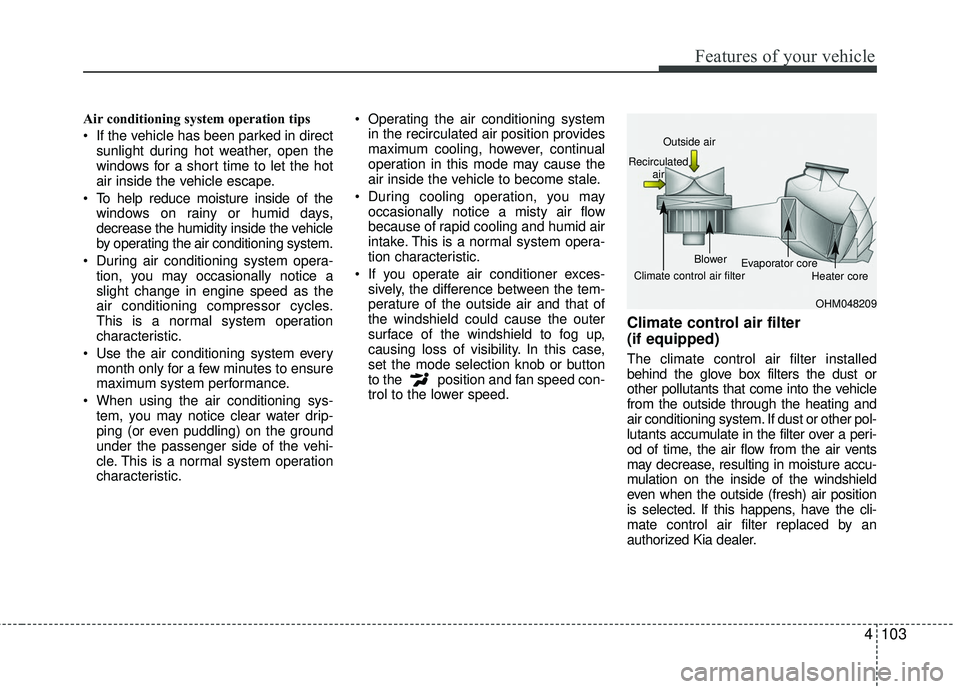
Climate control air filter
(if equipped)
The climate control air filter installed
behind the glove box filters the dust or
other pollutants that come into the vehicle
from the outside through the heating and
air conditioning system. If dust or other pol-
lutants accumulate in the filter over a peri-
od of time, the air flow from the air vents
may decrease, resulting in moisture accu-
mulation on the inside of the windshield
even when the outside (fresh) air position
is selected. If this happens, have the cli-
mate control air filter replaced by an
authorized Kia dealer.
OHM048209
Outside air
Recirculated air
Climate control air filter Blower
Evaporator core
Heater core
Page 178 of 449
4107
Features of your vehicle
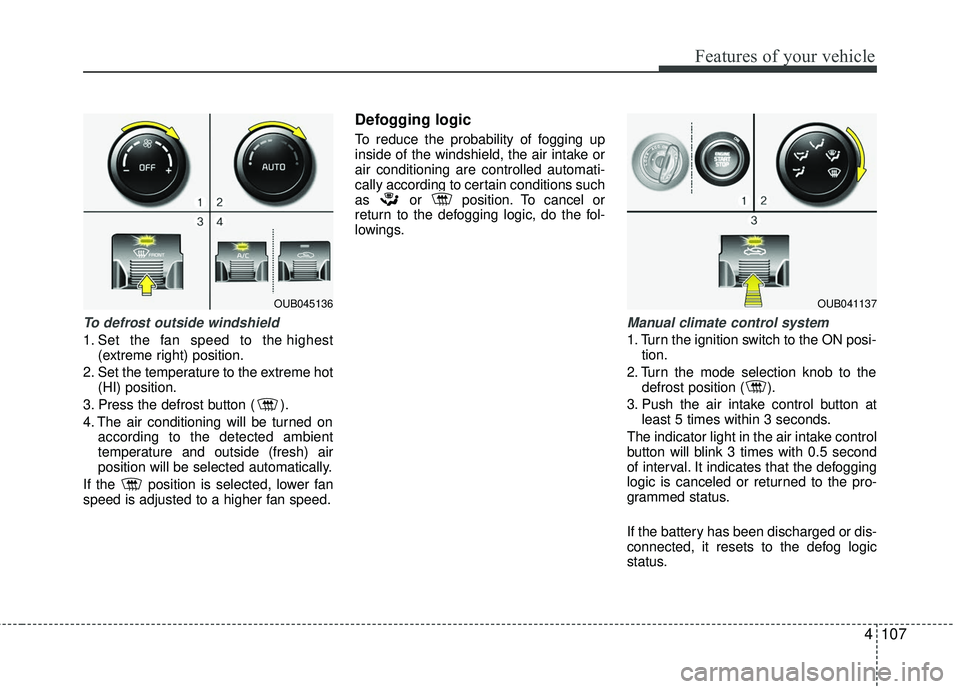
To defrost outside windshield
1. Set the fan speed to the highest(extreme right) position.
2. Set the temperature to the extreme hot (HI) position.
3. Press the defrost button ( ).
4. The air conditioning will be turned on according to the detected ambient
temperature and outside (fresh) air
position will be selected automatically.
If the position is selected, lower fan
speed is adjusted to a higher fan speed.
Defogging logic
To reduce the probability of fogging up
inside of the windshield, the air intake or
air conditioning are controlled automati-
cally according to certain conditions such
as or position. To cancel or
return to the defogging logic, do the fol-
lowings.
Manual climate control system
1. Turn the ignition switch to the ON posi- tion.
2. Turn the mode selection knob to the defrost position ( ).
3. Push the air intake control button at least 5 times within 3 seconds.
The indicator light in the air intake control
button will blink 3 times with 0.5 second
of interval. It indicates that the defogging
logic is canceled or returned to the pro-
grammed status.
If the battery has been discharged or dis-
connected, it resets to the defog logic
status.
OUB045136OUB041137
Page 185 of 449
Features of your vehicle
114
4
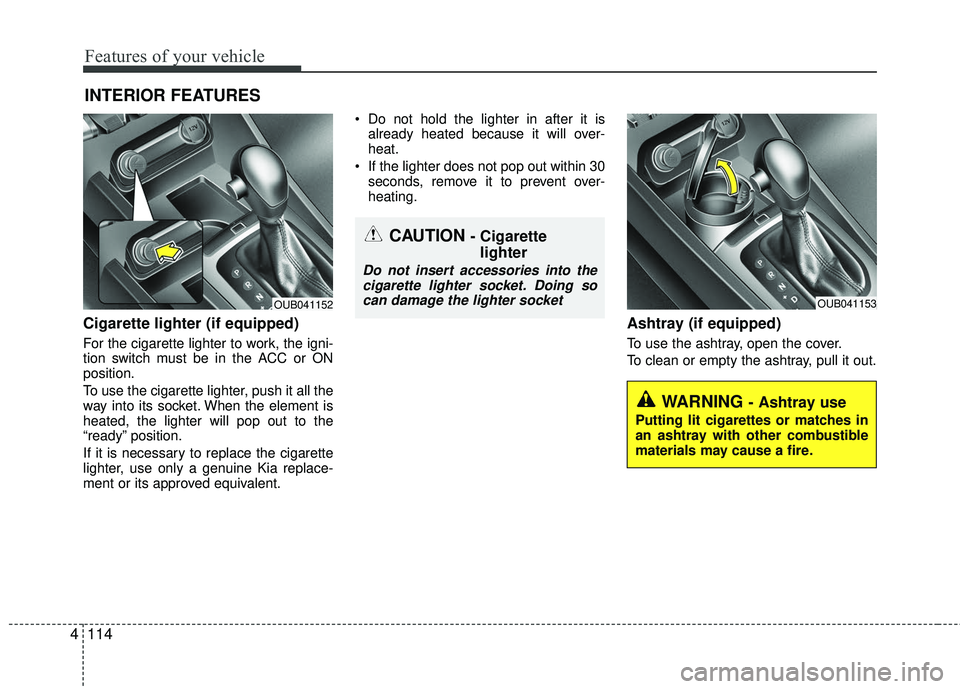
Cigarette lighter (if equipped)
For the cigarette lighter to work, the igni-
tion switch must be in the ACC or ON
position.
To use the cigarette lighter, push it all the
way into its socket. When the element is
heated, the lighter will pop out to the
“ready” position.
If it is necessary to replace the cigarette
lighter, use only a genuine Kia replace-
ment or its approved equivalent. Do not hold the lighter in after it is
already heated because it will over-
heat.
If the lighter does not pop out within 30 seconds, remove it to prevent over-
heating.
Ashtray (if equipped)
To use the ashtray, open the cover.
To clean or empty the ashtray, pull it out.
INTERIOR FEATURES
OUB041153OUB041152
WARNING - Ashtray use
Putting lit cigarettes or matches in
an ashtray with other combustible
materials may cause a fire.
CAUTION - Cigarettelighter
Do not insert accessories into the
cigarette lighter socket. Doing socan damage the lighter socket
Page 187 of 449
Features of your vehicle
116
4
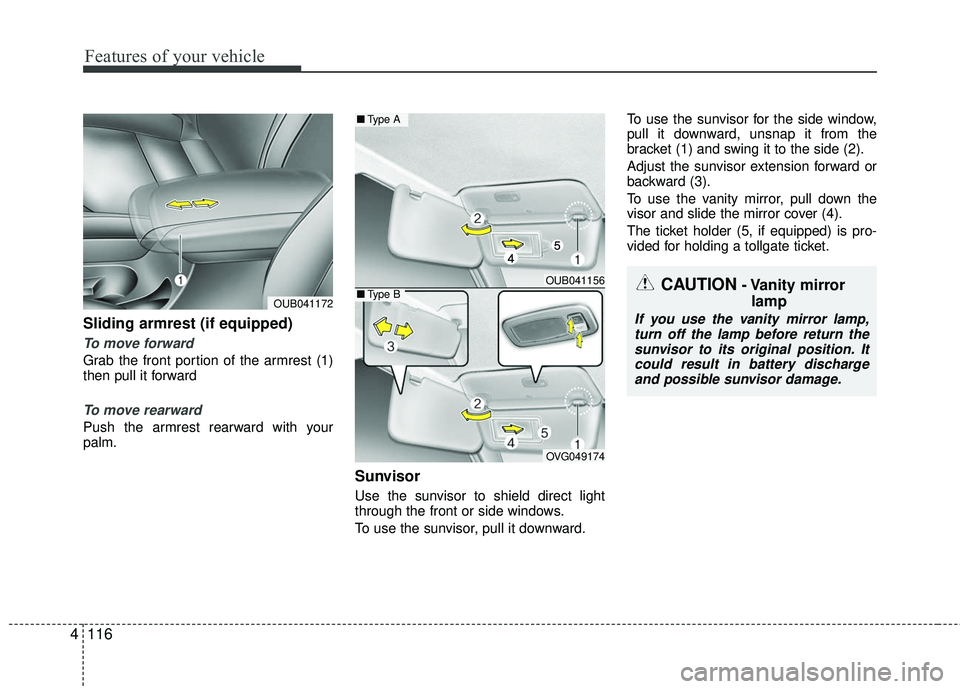
Sliding armrest (if equipped)
To move forward
Grab the front portion of the armrest (1)
then pull it forward
To move rearward
Push the armrest rearward with your
palm.
Sunvisor
Use the sunvisor to shield direct light
through the front or side windows.
To use the sunvisor, pull it downward. To use the sunvisor for the side window,
pull it downward, unsnap it from the
bracket (1) and swing it to the side (2).
Adjust the sunvisor extension forward or
backward (3).
To use the vanity mirror, pull down the
visor and slide the mirror cover (4).
The ticket holder (5, if equipped) is pro-
vided for holding a tollgate ticket.
OUB041172
OUB041156
OVG049174
■
Type A
■Type BCAUTION- Vanity mirror
lamp
If you use the vanity mirror lamp,
turn off the lamp before return thesunvisor to its original position. It could result in battery dischargeand possible sunvisor damage.
Page 197 of 449
Features of your vehicle
126
4
Using a cellular phone or a two-way
radio
When a cellular phone is used inside the
vehicle, noise may be produced from the
audio system. This does not mean that
something is wrong with the audio equip-
ment. In such a case, try to operate
mobile devices as far from the audio
equipment as possible.
When using a communication system
such as a cellular phone or a radio set
inside the vehicle, a separate external
antenna must be fitted. When a cellular
phone or a radio set is used with an inter-
nal antenna alone, it may interfere with
the vehicle's electrical system and
adversely affect safe operation of the
vehicle.
WARNING- Cell phone use
Do not use a cellular phone while
driving. Stop at a safe location to
use a cellular phone.
WARNING- Driver Distraction
Do not stare at the screen while
driving. Staring at the screen for
prolonged periods of time could
lead to traffic accidents.
Using the phone while driving may lead to a lack of attention of
traffic conditions and increase
the likelihood of accidents. Use
the phone feature after parking
the vehicle.
WARNING- Audio System
Do not disassemble, assemble, or
modify the audio system. Such acts
could result in fire or electric
shock.
WARNING- Antenna
Do not touch the antenna during
thunder or lightening as such acts
may lead to lightning induced elec-
tric shock.
CAUTION
Refrain from use if the screen isblank or no sound can be heard as these signs may indicate productmalfunction.
Page 216 of 449
Features of your vehicle
4145
SiriusXM RADIO
Using SiriusXM Satellite Radio
Your Kia vehicle is equipped with a 3-
month trial subscription to SiriusXM so
you have access to over 140 channels of
music, information, and entertainment
programming.
Activation
In order to extend or reactivate your
Sirius Select subscription, you will need
to contact SiriusXM Customer Care at 1-
800-643-2112. Have your 12-digit RID
(Radio Identification Number) / ESN
(Electronic Serial Number) ready. To
retrieve the RID / ESN, turn on the radio,
press the key, and tune to chan-
nel zero.Please note that the vehicle will need to
be turned on, in Sirius mode, and have an
unobstructed view of the sky in order for
the radio to receive the activation signal.
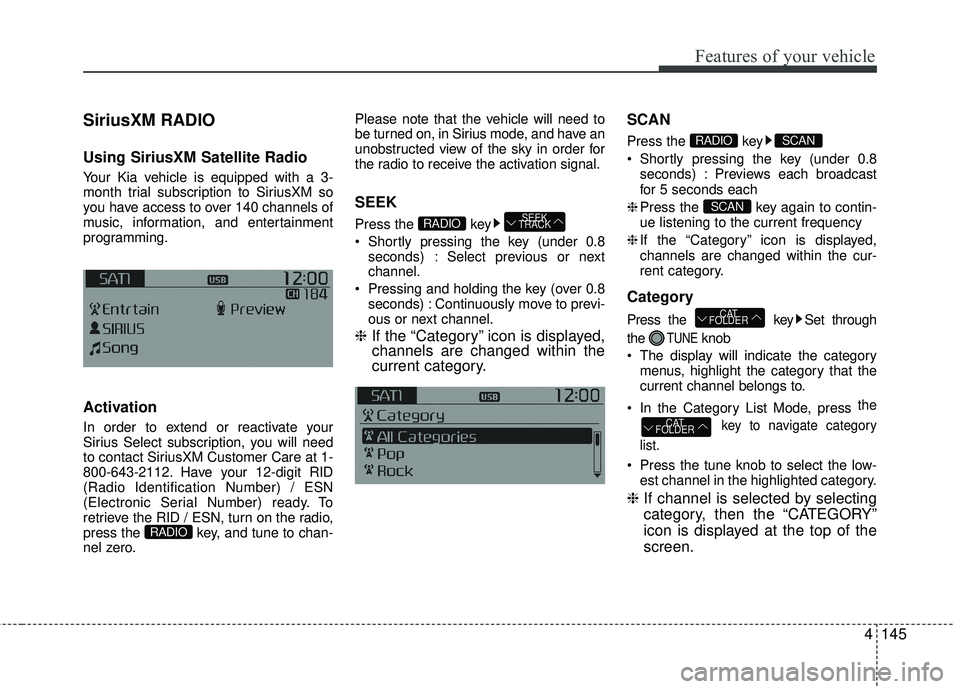
SEEK
Press the key
Shortly pressing the key (under 0.8
seconds) : Select previous or next
channel.
Pressing and holding the key (over 0.8 seconds) : Continuously move to previ-
ous or next channel.
❈ If the “Category” icon is displayed,
channels are changed within the
current category. SCAN
Press the key
Shortly pressing the key (under 0.8
seconds) : Previews each broadcast
for 5 seconds each
❈ Press the key again to contin-
ue listening to the current frequency
❈ If the “Category” icon is displayed,
channels are changed within the cur-
rent category.
Category
Press the key Set through
the
TUNEknob
The display will indicate the category menus, highlight the category that the
current channel belongs to.
In the Category List Mode, press the
key to navigate category
list.
Press the tune knob to select the low- est channel in the highlighted category.
❈ If channel is selected by selecting
category, then the “CATEGORY”
icon is displayed at the top of the
screen.
CAT
FOLDER
CAT
FOLDER
SCAN
SCANRADIO
SEEK
TRACKRADIO
RADIO
Page 250 of 449
53
Driving your vehicle
Before entering vehicle
• Be sure that all windows, outside mir-ror(s), and outside lights are clean.
Check the condition of the tires.
Check under the vehicle for any sign of leaks.
Be sure there are no obstacles behind you if you intend to back up.
Necessary inspections
Fluid levels, such as engine oil, engine
coolant, brake fluid, and washer fluid
should be checked on a regular basis,
with the exact interval depending on the
fluid. Further details are provided in
Section 7, “Maintenance”.
Before starting
Close and lock all doors.
Position the seat so that all controls are
easily reached.
Buckle your seat belt.
Adjust the inside and outside rearview mirrors.
Be sure that all lights work.
Check all gauges.
Check the operation of warning lights when the ignition switch is turned to
the ON position.
Release the parking brake and make sure the brake warning light goes out.
For safe operation, be sure you are famil-
iar with your vehicle and its equipment.
BEFORE DRIVING
WARNING - Distracted driving
Focus on the road while driving.
The driver's primary responsibility
is in the safe and legal operation of
the vehicle. Use of any handled
devices, other equipment or vehicle
systems that distract the drive
should not be used during vehicle
operation.
WARNING
- Check surrounding
Always check the surrounding areas
near your vehicle for people, espe-
cially children, before putting a vehi-
cle into D (Drive) or R (Reverse).
Page 252 of 449
55
Driving your vehicle
Illuminated ignition switch
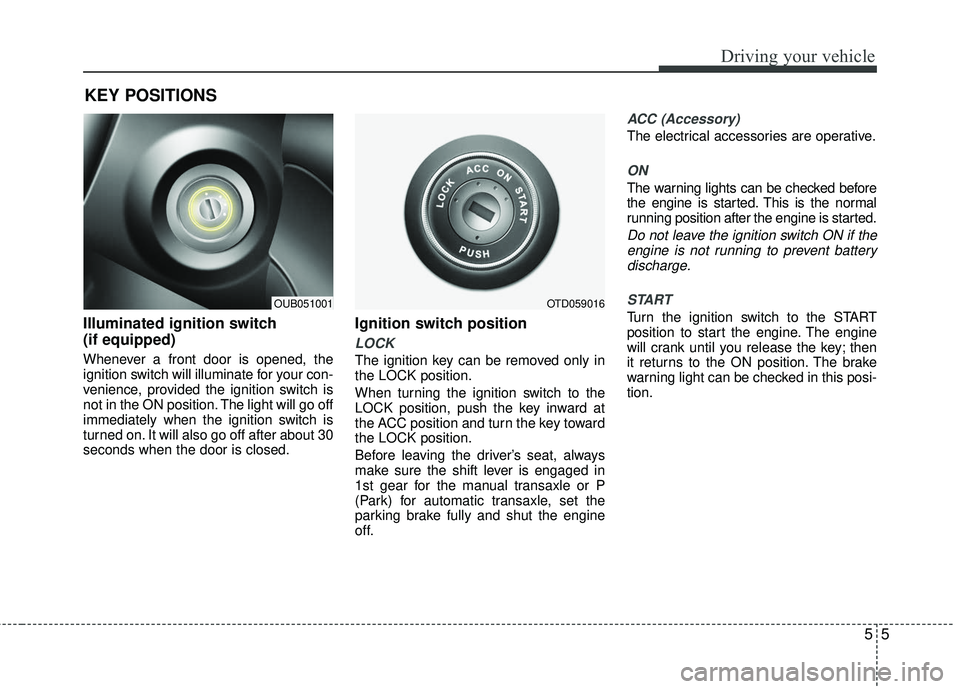
(if equipped)
Whenever a front door is opened, the
ignition switch will illuminate for your con-
venience, provided the ignition switch is
not in the ON position. The light will go off
immediately when the ignition switch is
turned on. It will also go off after about 30
seconds when the door is closed.
Ignition switch position
LOCK
The ignition key can be removed only in
the LOCK position.
When turning the ignition switch to the
LOCK position, push the key inward at
the ACC position and turn the key toward
the LOCK position.
Before leaving the driver’s seat, always
make sure the shift lever is engaged in
1st gear for the manual transaxle or P
(Park) for automatic transaxle, set the
parking brake fully and shut the engine
off.
ACC (Accessory)
The electrical accessories are operative.
ON
The warning lights can be checked before
the engine is started. This is the normal
running position after the engine is started.
Do not leave the ignition switch ON if theengine is not running to prevent batterydischarge.
START
Turn the ignition switch to the START
position to start the engine. The engine
will crank until you release the key; then
it returns to the ON position. The brake
warning light can be checked in this posi-
tion.
KEY POSITIONS
OUB051001OTD059016