warning KIA RIO 2020 Owners Manual
[x] Cancel search | Manufacturer: KIA, Model Year: 2020, Model line: RIO, Model: KIA RIO 2020Pages: 516, PDF Size: 10.49 MB
Page 235 of 516
Audio system
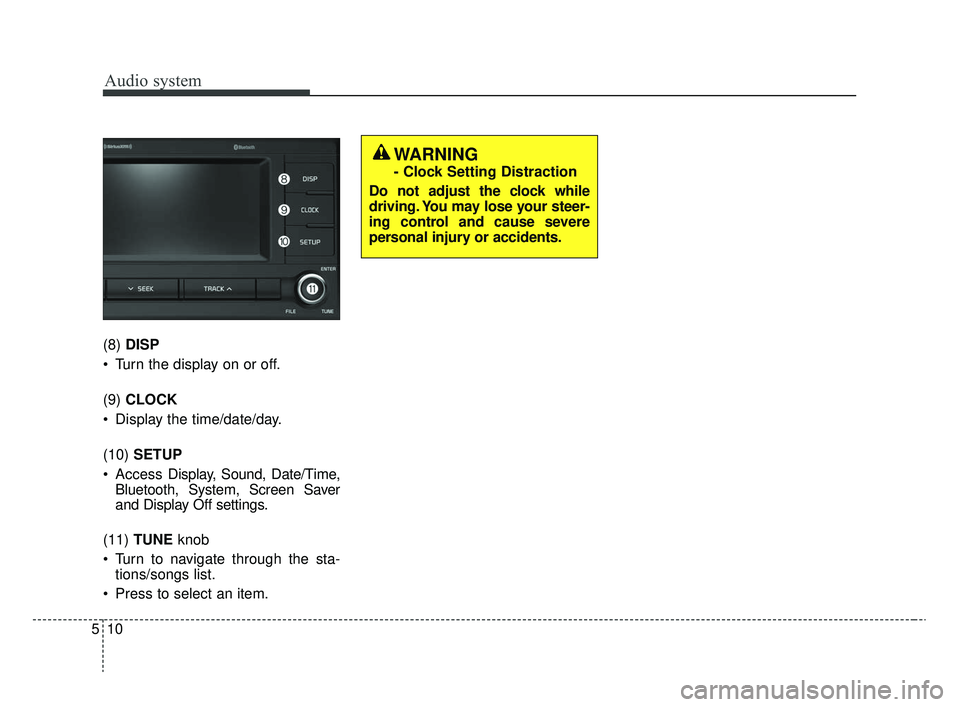
510(8)
DISP
Turn the display on or off.
(9) CLOCK
Display the time/date/day.
(10) SETUP
Access Display, Sound, Date/Time,
Bluetooth, System, Screen Saver
and Display Off settings.
(11) TUNE knob
Turn to navigate through the sta- tions/songs list.
Press to select an item.
WARNING
- Clock Setting Distraction
Do not adjust the clock while
driving. You may lose your steer-
ing control and cause severe
personal injury or accidents.
SC CAN (ENG) 5(audio).qxp 6/7/2019 9:52 AM Page 10
Page 237 of 516
Audio system
512 Pressing and holding the button
- If not in
Bluetooth®Wireless
Technology Handsfree mode or
receiving a phone call, the most
recently Dialed Call number is
dialed.
- Press in
Bluetooth®Wireless
Technology Handsfree mode to
transfer the call to your cell
phone.
- Press in cell phone mode to switch to
Bluetooth®Wireless
Technology Handsfree mode.
(6) END
Press in
Bluetooth®Wireless
Technology Handsfree mode to
end the phone call.
Press in the incoming call screen to reject the call. Adjust the volume to levels that
allow the driver to hear sounds
from outside of the vehicle. Driving
in a state where external sounds
cannot be heard may lead to acci-
dents.
Pay attention to the volume setting when turning the device on. A sud-
den output of extreme volume
upon turning the device on could
lead to hearing impairment. (Adjust
the volume to a suitable levels
before turning off the device.)
Turn on the car ignition before using this device. Do not operate
the audio system for long periods
of time with the ignition turned off
as such operations may lead to
battery discharge.
In case of product malfunction, please contact your place of pur-
chase or customer service center.
Placing the audio system within an electromagnetic environment may
result in noise interference.
WARNING
Driving while distracted can
result in a loss of vehicle con-
trol that may lead to an acci-
dent, severe personal injury,
and death. The driver’s primary
responsibility is in the safe and
legal operation of a vehicle, and
use of any handheld devices,
other equipment, or vehicle sys-
tems which take the driver’s
eyes, attention and focus away
from the safe operation of a
vehicle or which are not permis-
sible by law should never be
used during operation of the
vehicle.
SC CAN (ENG) 5(audio).qxp 6/7/2019 9:52 AM Page 12
Page 251 of 516
![KIA RIO 2020 Owners Manual Audio system
526Repeat play
Select [Repeat] to enable or disable
‘Repeat category’, ‘Repeat current
song’.
Repeat category: Repeat all
songs in the current category.
Repeat current song: The](/img/2/40413/w960_40413-250.png "KIA RIO 2020 Owners Manual Audio system
526Repeat play
Select [Repeat] to enable or disable
‘Repeat category’, ‘Repeat current
song’.
Repeat category: Repeat all
songs in the current category.
Repeat current song: The")
Audio system
526Repeat play
Select [Repeat] to enable or disable
‘Repeat category’, ‘Repeat current
song’.
Repeat category: Repeat all
songs in the current category.
Repeat current song: The cur- rently playing song is repeated.
Shuffle play
Select [Shuffle] to enable/disable
‘Shuffle category’ play.
Shuffle category: Songs within the current category are played in
random order.
Menu
Select [Menu], and select the desired
function.
Information: Detailed info on the currently playing song is displayed.
Sound Settings: Audio sound set- tings can be changed. When other music programs are running
When songs saved on your iPod
®
are playing through a separate music
app, the following screen is dis-
played.
(1) Play/Pause: Pause or play music
.
(2) Play iPod Files: Play music saved
on your iPod®.
(3) Album Image: View playback info.
✽ ✽NOTICE
Operation cannot be carried out
correctly due to iPod®application
malfunction.
Playing iPod files
Select [Play iPod Files] to play
songs saved on your iPod
®.
If there are no songs saved on your
iPod
®, the [Play iPod Files] is dis-
abled.
WARNING- Distracted driving
Driving while distracted can
result in a loss of vehicle control
that may lead to an accident,
severe personal injury, and death.
The driver's primary responsibili-
ty is in the safe and legal opera-
tion of a vehicle, and use of any
handheld devices, other equip-
ment, or vehicle systems which
take the driver's eyes, attention
and focus away from the safe
operation of a vehicle or which
are not permissible by law should
never be used during operation
of the vehicle.
SC CAN (ENG) 5(audio).qxp 6/7/2019 9:52 AM Page 26
Page 252 of 516
Audio system
27
5
✽ ✽
NOTICE
-
Using Bluetooth®Wireless
Technology Audio
• Bluetooth®Wireless Technology
Audio mode can only be used if a
Bluetooth
®Wireless Technology-
enabled phone is connected. Only
devices that support Bluetooth
®
Wireless Technology audio can be
used.
• If the Bluetooth
®Wireless
Technology-enabled phone is dis-
connected during play, the music
stops.
• When the TRACK UP/DOWN buttons are used during Bluetooth
®
Wireless Technology audio stream-
ing, a popping noise or sound inter-
ruptions may occur, depending on
the cell phone device.
• Depending on the cell phone model, the audio streaming func-
tion may not be supported.
• If a phone call is made or received when music is playing in
Bluetooth
®Wireless Technology
Audio mode, the call may mix with
the music. (Continued)(Continued)
• When returning to Bluetooth
®
Wireless Technology Audio mode
after ending a call, play might not
resume automatically for some cell
phone models.
Precautions for Safe Driving
Bluetooth®Wireless Technology
Handsfree is a feature that enables
drivers to practice safe driving.
Connecting the car audio system
with a
Bluetooth®Wireless
Technology phone allows the user to
conveniently make calls, receive
calls, and manage the phone book.
Before using the
Bluetooth®Wireless
Technology, carefully read the con-
tents of this user’s manual.
WARNING- Distracted driving
Driving while distracted can
result in a loss of vehicle control
that may lead to an accident,
severe personal injury, and death.
The driver's primary responsibili-
ty is in the safe and legal opera-
tion of a vehicle, and use of any
handheld devices, other equip-
ment, or vehicle systems which
take the driver's eyes, attention
and focus away from the safe
operation of a vehicle or which
are not permissible by law should
never be used during operation
of the vehicle.
SC CAN (ENG) 5(audio).qxp 6/7/2019 9:52 AM Page 27
Page 255 of 516
Audio system
530
Phone
✽ ✽NOTICE
-
Using Bluetooth®Wireless
Technology Phone
• Bluetooth®Wireless Technology is
a near-field wireless networking
technology that uses the 2.4 GHz
frequency to connect various
devices within a certain distance
wirelessly.
• The technology is used in PCs, peripherals, Bluetooth
®Wireless
Technology phones, tablet PCs,
household appliances and automo-
biles. Devices supporting Bluetooth
®
Wireless Technology can exchange
data at high speeds without physi-
cal cable connections.
• Bluetooth
®Wireless Technology
Handsfree devices enable conven-
ient access to phone functions
through cell phones equipped with
Bluetooth
®Wireless Technology.
• Some Bluetooth®Wireless Technology
devices may not be supported by
the Bluetooth
®Wireless Technology
Handsfree function. (Continued)(Continued)
• When
Bluetooth
®Wireless Technology
is connected and calls are attempt-
ed through a connected cell phone
from outside the vehicle, the call is
connected through the Bluetooth
®
Wireless Technology Handsfree
function of the vehicle.
• Please be sure to disconnect the Bluetooth
®Wireless Technology
Handsfree function through your
Bluetooth
®Wireless Technology
device or the audio screen.
• The Bluetooth
®Wireless Technology
Handsfree function helps drivers
to drive safely. By connecting a
Bluetooth
®Wireless Technology-
enabled phone to the vehicle’s
audio system, phone calls can be
made and received through the
audio system and contacts can be
managed. Consult the user manual
before use.
WARNING- Distracted
driving
Driving while distracted can
result in a loss of vehicle control
that may lead to an accident,
severe personal injury, and death.
The driver's primary responsibili-
ty is in the safe and legal opera-
tion of a vehicle, and use of any
handheld devices, other equip-
ment, or vehicle systems which
take the driver's eyes, attention
and focus away from the safe
operation of a vehicle or which
are not permissible by law should
never be used during operation
of the vehicle.
SC CAN (ENG) 5(audio).qxp 6/7/2019 9:52 AM Page 30
Page 263 of 516
![KIA RIO 2020 Owners Manual Audio system
538
Dial
Press the [PHONE]button on the
audio ➟Select [Dial].
(1) Phone number entry window: The phone number entered using the
keypad is displayed.
(2) Clear - Select to delete indivi](/img/2/40413/w960_40413-262.png "KIA RIO 2020 Owners Manual Audio system
538
Dial
Press the [PHONE]button on the
audio ➟Select [Dial].
(1) Phone number entry window: The phone number entered using the
keypad is displayed.
(2) Clear - Select to delete indivi")
Audio system
538
Dial
Press the [PHONE]button on the
audio ➟Select [Dial].
(1) Phone number entry window: The phone number entered using the
keypad is displayed.
(2) Clear - Select to delete individual digits.
- Press and hold to delete theentire phone number.
(3) Keypad: Enter phone number.
(4)
Bluetooth®Wireless Technology
phone name
- The name of the connected
Bluetooth®Wireless Technology
device is displayed.
- Contacts matching the keypad number/letter input are displayed.(5) Call
- Enter and select a phone num-ber to call.
- Select without entering a phone number to see the most recent
dialed call.
Connections (if equipped)
Press the [PHONE] button on the
audio ➟Select [Connections].
- For connections setting, refer to Setup ➟Select [Bluetooth] ➟
Select [Connections] page.
Setup
Press the [PHONE] button on the
audio ➟Select [Settings].
- For phone Setup, refer to Setup page ➟Select [Bluetooth].
WARNING- Distracted
driving
Driving while distracted can
result in a loss of vehicle control
that may lead to an accident,
severe personal injury, and death.
The driver's primary responsibili-
ty is in the safe and legal opera-
tion of a vehicle, and use of any
handheld devices, other equip-
ment, or vehicle systems which
take the driver's eyes, attention
and focus away from the safe
operation of a vehicle or which
are not permissible by law should
never be used during operation
of the vehicle.
SC CAN (ENG) 5(audio).qxp 6/7/2019 9:52 AM Page 38
Page 264 of 516
![KIA RIO 2020 Owners Manual Audio system
39
5
Setup
Access Display, Sound, Date/Time,
Bluetooth, System, Screen Saver
and Display Off settings.
Press the [SETUP] button on the
audio system.
Display
Press the [SETUP] button on t](/img/2/40413/w960_40413-263.png "KIA RIO 2020 Owners Manual Audio system
39
5
Setup
Access Display, Sound, Date/Time,
Bluetooth, System, Screen Saver
and Display Off settings.
Press the [SETUP] button on the
audio system.
Display
Press the [SETUP] button on t")
Audio system
39
5
Setup
Access Display, Sound, Date/Time,
Bluetooth, System, Screen Saver
and Display Off settings.
Press the [SETUP] button on the
audio system.
Display
Press the [SETUP] button on the
audio system ➟ Select [Display].
Mode: Audio screen brightness can be adjusted to the time of day.
Illumination: The brightness of the audio screen can be changed.
Sound
Press the [SETUP] button on the
audio system ➟ Select [Sound].
Position: Sound balance and pan- ning can be adjusted.
Tone: Sound tone color can be adjusted.
Back-up Warning Priority: Automatically lower audio volume while reversing.
Speed Dependent Volume: Automatically adjust volume based
on vehicle speed.
Beep: Select whether to play a sound when the screen is touched.
Date/Time
Press the [SETUP] button on the
audio system ➟ Select [Date/Time].
Set Time: Set the time displayed on the audio screen.
Time Format: Choose between 12- hour and 24-hour time formats.
Set Date: Set the date displayed on the audio screen.
SC CAN (ENG) 5(audio).qxp 6/7/2019 9:52 AM Page 39
Page 268 of 516
Driving your vehicle
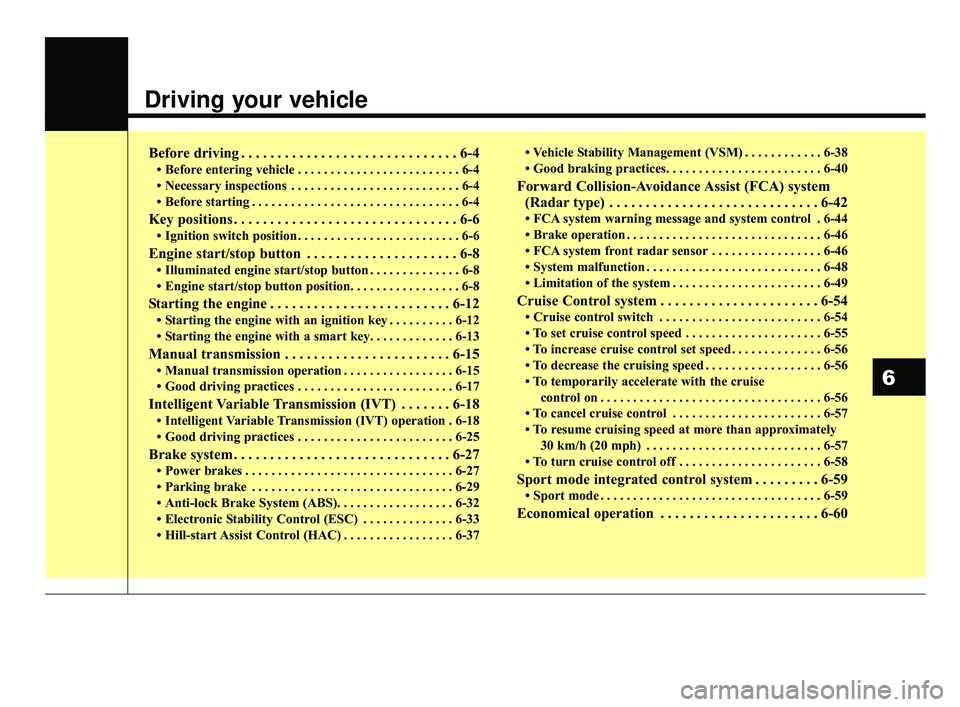
Before driving . . . . . . . . . . . . . . . . . . . . . . . . . . . . . . 6-4
• Before entering vehicle . . . . . . . . . . . . . . . . . . . . . . . . . 6-4
• Necessary inspections . . . . . . . . . . . . . . . . . . . . . . . . . . 6-4
• Before starting . . . . . . . . . . . . . . . . . . . . . . . . . . . . . . . . 6-4
Key positions . . . . . . . . . . . . . . . . . . . . . . . . . . . . . . . 6-6
• Ignition switch position . . . . . . . . . . . . . . . . . . . . . . . . . 6-6
Engine start/stop button . . . . . . . . . . . . . . . . . . . . . 6-8
• Illuminated engine start/stop button . . . . . . . . . . . . . . 6-8
• Engine start/stop button position. . . . . . . . . . . . . . . . . 6-8
Starting the engine . . . . . . . . . . . . . . . . . . . . . . . . . 6-12
• Starting the engine with an ignition key . . . . . . . . . . 6-12
• Starting the engine with a smart key. . . . . . . . . . . . . 6-13
Manual transmission . . . . . . . . . . . . . . . . . . . . . . . 6-15
• Manual transmission operation . . . . . . . . . . . . . . . . . 6-15
• Good driving practices . . . . . . . . . . . . . . . . . . . . . . . . 6-17
Intelligent Variable Transmission (IVT) . . . . . . . 6-18
• Intelligent Variable Transmission (IVT) operation . 6-18
• Good driving practices . . . . . . . . . . . . . . . . . . . . . . . . 6-25
Brake system . . . . . . . . . . . . . . . . . . . . . . . . . . . . . . 6-27
• Power brakes . . . . . . . . . . . . . . . . . . . . . . . . . . . . . . . . 6-27
• Parking brake . . . . . . . . . . . . . . . . . . . . . . . . . . . . . . . 6-29
• Anti-lock Brake System (ABS). . . . . . . . . . . . . . . . . . 6-32
• Electronic Stability Control (ESC) . . . . . . . . . . . . . . 6-33
• Hill-start Assist Control (HAC) . . . . . . . . . . . . . . . . . 6-37• Vehicle Stability Management (VSM) . . . . . . . . . . . . 6-38
• Good braking practices. . . . . . . . . . . . . . . . . . . . . . . . 6-40
Forward Collision-Avoidance Assist (FCA) system
(Radar type) . . . . . . . . . . . . . . . . . . . . . . . . . . . . . 6-42
• FCA system warning message and system control . 6-44
• Brake operation . . . . . . . . . . . . . . . . . . . . . . . . . . . . . . 6-46
• FCA system front radar sensor . . . . . . . . . . . . . . . . . 6-46
• System malfunction . . . . . . . . . . . . . . . . . . . . . . . . . . . 6-48
• Limitation of the system . . . . . . . . . . . . . . . . . . . . . . . 6-49
Cruise Control system . . . . . . . . . . . . . . . . . . . . . . 6-54
• Cruise control switch . . . . . . . . . . . . . . . . . . . . . . . . . 6-54
• To set cruise control speed . . . . . . . . . . . . . . . . . . . . . 6-55
• To increase cruise control set speed. . . . . . . . . . . . . . 6-56
• To decrease the cruising speed . . . . . . . . . . . . . . . . . . 6-56
• To temporarily accelerate with the cruise
control on . . . . . . . . . . . . . . . . . . . . . . . . . . . . . . . . . . 6-56\
• To cancel cruise control . . . . . . . . . . . . . . . . . . . . . . . 6-57
• To resume cruising speed at more than approximately 30 km/h (20 mph) . . . . . . . . . . . . . . . . . . . . . . . . . . . 6-57
• To turn cruise control off . . . . . . . . . . . . . . . . . . . . . . 6-58
Sport mode integrated control system . . . . . . . . . 6-59
• Sport mode . . . . . . . . . . . . . . . . . . . . . . . . . . . . . . . . . . 6-59\
Economical operation . . . . . . . . . . . . . . . . . . . . . . 6-60
6
SC CAN (ENG) 6.QXP 6/7/2019 9:49 AM Page 1
Page 270 of 516
63
Driving your vehicle
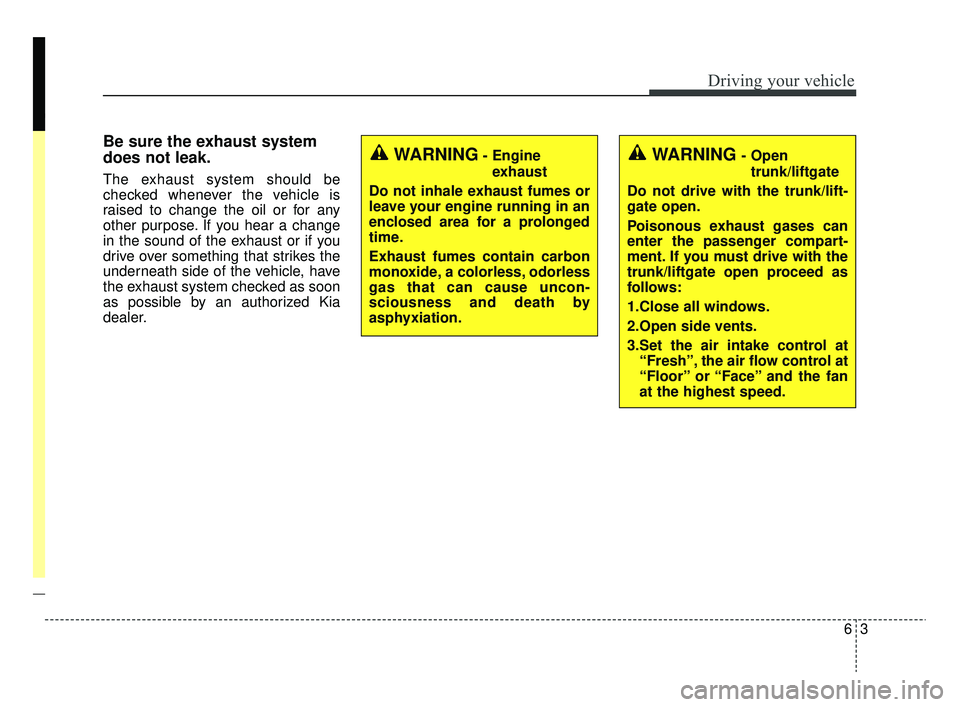
Be sure the exhaust system
does not leak.
The exhaust system should be
checked whenever the vehicle is
raised to change the oil or for any
other purpose. If you hear a change
in the sound of the exhaust or if you
drive over something that strikes the
underneath side of the vehicle, have
the exhaust system checked as soon
as possible by an authorized Kia
dealer.
WARNING- Engineexhaust
Do not inhale exhaust fumes or
leave your engine running in an
enclosed area for a prolonged
time.
Exhaust fumes contain carbon
monoxide, a colorless, odorless
gas that can cause uncon-
sciousness and death by
asphyxiation.WARNING- Open trunk/liftgate
Do not drive with the trunk/lift-
gate open.
Poisonous exhaust gases can
enter the passenger compart-
ment. If you must drive with the
trunk/liftgate open proceed as
follows:
1.Close all windows.
2.Open side vents.
3.Set the air intake control at “Fresh”, the air flow control at
“Floor” or “Face” and the fan
at the highest speed.
SC CAN (ENG) 6.QXP 6/7/2019 9:49 AM Page 3
Page 271 of 516
Driving your vehicle
46
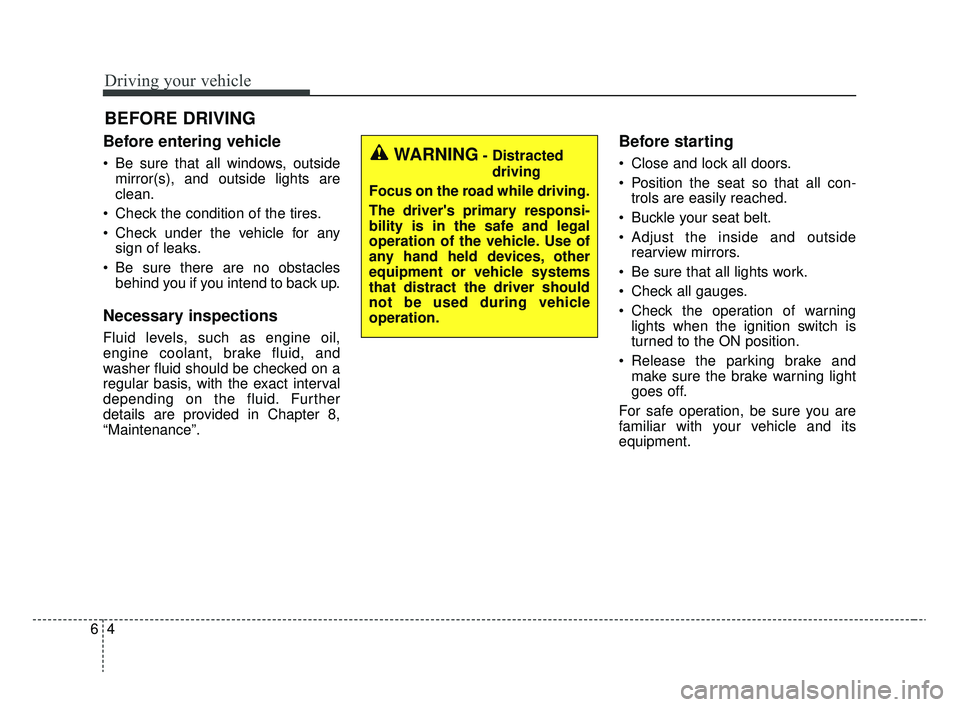
Before entering vehicle
• Be sure that all windows, outsidemirror(s), and outside lights are
clean.
Check the condition of the tires.
Check under the vehicle for any sign of leaks.
Be sure there are no obstacles behind you if you intend to back up.
Necessary inspections
Fluid levels, such as engine oil,
engine coolant, brake fluid, and
washer fluid should be checked on a
regular basis, with the exact interval
depending on the fluid. Further
details are provided in Chapter 8,
“Maintenance”.
Before starting
Close and lock all doors.
Position the seat so that all con-trols are easily reached.
Buckle your seat belt.
Adjust the inside and outside rearview mirrors.
Be sure that all lights work.
Check all gauges.
Check the operation of warning lights when the ignition switch is
turned to the ON position.
Release the parking brake and make sure the brake warning light
goes off.
For safe operation, be sure you are
familiar with your vehicle and its
equipment.
BEFORE DRIVING
WARNING- Distracted driving
Focus on the road while driving.
The driver's primary responsi-
bility is in the safe and legal
operation of the vehicle. Use of
any hand held devices, other
equipment or vehicle systems
that distract the driver should
not be used during vehicle
operation.
SC CAN (ENG) 6.QXP 6/7/2019 9:49 AM Page 4