ESP KIA RIO 2020 Service Manual
[x] Cancel search | Manufacturer: KIA, Model Year: 2020, Model line: RIO, Model: KIA RIO 2020Pages: 516, PDF Size: 10.49 MB
Page 305 of 516
Driving your vehicle
38
6
Vehicle stability management
(VSM)
This system is designed to provide
further enhancements to vehicle sta-
bility and steering responses when a
vehicle is driving on a slippery road
or a vehicle detected changes in
coefficient of friction between the
right wheels and left wheels when
braking.
VSM operation
When the VSM is in operation, the
ESC indicator light ( ) blinks.
When the vehicle stability manage-
ment is operating properly, you can
feel a slight pulsation in the vehicle
and/or abnormal steering responses
(EPS). This is only the effect of brake
and EPS control and indicates noth-
ing unusual. The VSM does not operate when:
Driving on bank roads such as gra-
dient or incline
Driving in reverse
ESC OFF indicator light ( ) remains on the instrument cluster
EPS indicator light remains on the instrument cluster
WARNING- Maintaining
Brake Pressure on Incline
HAC does not replace the need
to apply brakes while stopped on
an incline. While stopped, make
sure you maintain brake pres-
sure sufficient to prevent your
vehicle from rolling backward
and causing an accident. Don’t
release the brake pedal until you
are ready to accelerate forward.
CAUTION
The HAC does not operate when the transmission shiftlever is in the P (Park) or N(Neutral) position.
The HAC activates even though the ESC is off but itdoes not activate when theESC has malfunctioned.
SC CAN (ENG) 6.QXP 6/7/2019 9:50 AM Page 38
Page 306 of 516
639
Driving your vehicle
VSM operation off
If you press the ESC OFF button to
turn off the ESC, the VSM will also
cancel and the ESC OFF indicator
light ( ) illuminates.
To turn on the VSM, press the button
again. The ESC OFF indicator light
will turn off.
Malfunction indicator
The VSM can be deactivated even if
you don’t cancel the VSM operation
by pressing the ESC OFF button. It
indicates that a malfunction has
been detected somewhere in the
Electric Power Steering system or
VSM system. If the ESC indicator
light ( ) or EPS warning light
remains on, take your vehicle to an
authorized Kia dealer and have the
system checked.
The VSM is designed to functionabove approximately 15 km/h (9
mph) on curves. The VSM is designed to function
above approximately 30 km/h (18
mph) when a vehicle is braking on
a split-mu road. The split-mu road
is made of surfaces which have dif-
ferent friction forces.
Your vehicle is designed to activate according to the driver’s intention,
even with installed VSM. Always
follow all the normal precautions
for driving at safe speeds for the
conditions – including driving in
inclement weather and on a slip-
pery road.
WARNING- Vehicle stabili-
ty management
Drive carefully even though your
vehicle has Vehicle stability man-
agement. It can only assist you in
maintaining control under cer-
tain circumstances.
WARNING
The Vehicle Stability
Management system is not a
substitute for safe driving prac-
tices but a supplementary func-
tion only. It is the responsibility
of the driver to always check the
speed and the distance to the
vehicle ahead. Always hold the
steering wheel firmly while driv-
ing.
SC CAN (ENG) 6.QXP 6/7/2019 9:50 AM Page 39
Page 307 of 516
Driving your vehicle
40
6
Good braking practices
Check to be sure the parking brake
is not engaged and that the park-
ing brake indicator light is out
before driving away.
Driving through water may get the brakes wet. They can also get wet
when the vehicle is washed. Wet
brakes can be dangerous! Your
vehicle will not stop as quickly if the
brakes are wet. Wet brakes may
cause the vehicle to pull to one
side.
To dry the brakes, apply the brakes
lightly until the braking action
returns to normal, taking care to
keep the vehicle under control at
all times. If the braking action does
not return to normal, stop as soon
as it is safe to do so and call an
authorized Kia dealer for assis-
tance.
Don't coast down hills with the vehicle out of gear. This is extreme-
ly hazardous. Keep the vehicle in
gear at all times, use the brakes to
slow down, then shift to a lower
gear so that engine braking will
help you maintain a safe speed. Don't "ride" the brake pedal.
Resting your foot on the brake
pedal while driving can be danger-
ous because the brakes might
overheat and lose their effective-
ness. It also increases the wear of
the brake components.
If a tire goes flat while you are driv- ing, apply the brakes gently and
keep the vehicle pointed straight
ahead while you slow down. When
you are moving slowly enough for it
to be safe to do so, pull off the road
and stop in a safe place.
If your vehicle is equipped with an intelligent variable transmission,
don't let your vehicle creep for-
ward. To avoid creeping forward,
keep your foot firmly on the brake
pedal when the vehicle is stopped.WARNING- Tire/Wheel
size
When replacing tires and
wheels, make sure they are the
same size as the original tires
and wheels installed. Driving
with varying tire or wheel sizes
may affect the vehicle's han-
dling.
WARNING
For maximum protection, always
wear your seat belt. No system,
no matter how advanced, can
compensate for all driver error
and/or driving conditions.
Always drive responsibly.
SC CAN (ENG) 6.QXP 6/7/2019 9:50 AM Page 40
Page 309 of 516

Driving your vehicle
42
6
FCA system is designed to detect
and monitor a vehicle ahead in the
roadway through sensors (i.e., radar)
to warn the driver that a collision is
imminent and, if necessary, apply
emergency braking.
❈ Radar type FCA system does not
operate to detect pedestrians in
front.System setting and activation
System setting
The driver can activate FCA system
by placing the ignition switch to the
ON position and by selecting 'User
Settings' →'Driver Assistance' →
'Forward Collision-Avoidance Assist
(FCA) system'.
FCA system deactivates when the
driver cancels the system setting.
FORWARD COLLISION-AVOIDANCE ASSIST (FCA) SYSTEM (RADAR TYPE) (IF EQUIPPED)
WARNING
-
Forward Collision-
Avoidance Assist (FCA)
Limitations
FCA system is a supplemental
system and is not a substitute
for safe driving practices. It is
the responsibility of the driver
to always check the speed and
distance to the vehicle ahead to
ensure it is safety to use FCA
system.
WARNING
Take the following precautions
when using Forward Collision-
Avoidance Assist (FCA) sys-
tem:
• This system is only a supple- mental system and is not
intended to, nor does it,
replace the need for extreme
care and attention of the driv-
er. The sensing range and
objects detectable by the sen-
sors are limited. Pay attention
to the road conditions at all
times.
NEVER drive too fast for the road conditions or while cor-
nering.
Always drive cautiously to prevent unexpected and sud-
den situations from occur-
ring. FCA system does not
stop the vehicle completely
and does not avoid collisions.
FCA system does not stop the
vehicle completely and is not
a collision avoidance system.
SC CAN (ENG) 6.QXP 6/13/2019 5:07 PM Page 42
Page 313 of 516

Driving your vehicle
46
6
Brake operation
In an emergency situation, the
braking system enters in ready sta-
tus for prompt reaction upon the
driver depressing the brake pedal.
FCA system provides additional braking power for optimum braking
performance when the driver
depresses the brake pedal.
The braking control is automatical- ly deactivated when the driver
sharply depresses the accelerator
pedal, or when the driver abruptly
turns the steering wheel.
The braking control is automatical- ly canceled when risk factors dis-
appear.
FCA system front radar sensor
In order for FCA system to operate
properly, always make sure the sen-
sor or sensor cover is clean and free
of dirt, snow, and debris. Dirt, snow,
or foreign substances on the lens
may adversely affect the sensing
performance of the sensor.
WARNING
FCA system logic operates
within certain parameters, such
as the distance from the vehicle
ahead, the speed of the vehicle
ahead, and the driver's vehicle
speed. Certain conditions such
as inclement weather, road con-
ditions, and systems limitations
may affect the operation of the
FCA system.
WARNING
FCA system braking control
cannot completely stop the
vehicle nor avoid all collisions.
The driver should hold the
responsibility to drive safely
and control the vehicle.
WARNING
Never deliberately drive danger-
ously to activate the system.
CAUTION
The driver should always exer-cise caution when operatingthe vehicle, even though there isno warning message or warningalarm.
OYB056063
SC CAN (ENG) 6.QXP 6/7/2019 9:50 AM Page 46
Page 315 of 516
Driving your vehicle
48
6
System malfunction
When FCA is not working properly,
FCA warning light ( ) will illumi-
nate and the warning message
(“Check FCA system”) will appear
for a few seconds. After the mes-
sage disappears, the master warn-
ing light ( ) will illuminate. In this
case, have the vehicle inspected by
an authorized Kia dealer.
FCA warning message may appear along with the illumination
of the ESC warning light.WARNING
FCA system is only a supple-mental system for the driver's
convenience. The driver
should hold the responsibility
to control the vehicle opera-
tion. Do not solely depend on
FCA system. Rather, maintain
a safe braking distance, and, if
necessary, depress the brake
pedal to reduce the driving
speed.
In certain instances and under certain driving condi-
tions, FCA system may acti-
vate prematurely. This initial
warning message appears on
the LCD display with a warn-
ing chime. Also, in certain
instances the front radar sen-
sor may not detect the vehicle
ahead. FCA system may not
activate and the warning mes-
sage will not be displayed.
(Continued)
(Continued)
If there is a malfunction withFCA system, Forward
Collision-Avoidance Assist
(FCA) system is not applied
even though the braking sys-
tem is operating normally.
If the vehicle in front stops suddenly, you may have less
control of the brake system.
Therefore, always keep a safe
distance between your vehicle
and the vehicle in front of you.
FCA system may activate dur- ing braking and the vehicle
may stop suddenly shifting
loose objects toward the pas-
sengers. Always keep loose
objects secured.
FCA system may not activate if the driver applies the brake
pedal to avoid a collision.
(Continued)
SC CAN (ENG) 6.QXP 6/7/2019 9:50 AM Page 48
Page 319 of 516
Driving your vehicle
52
6
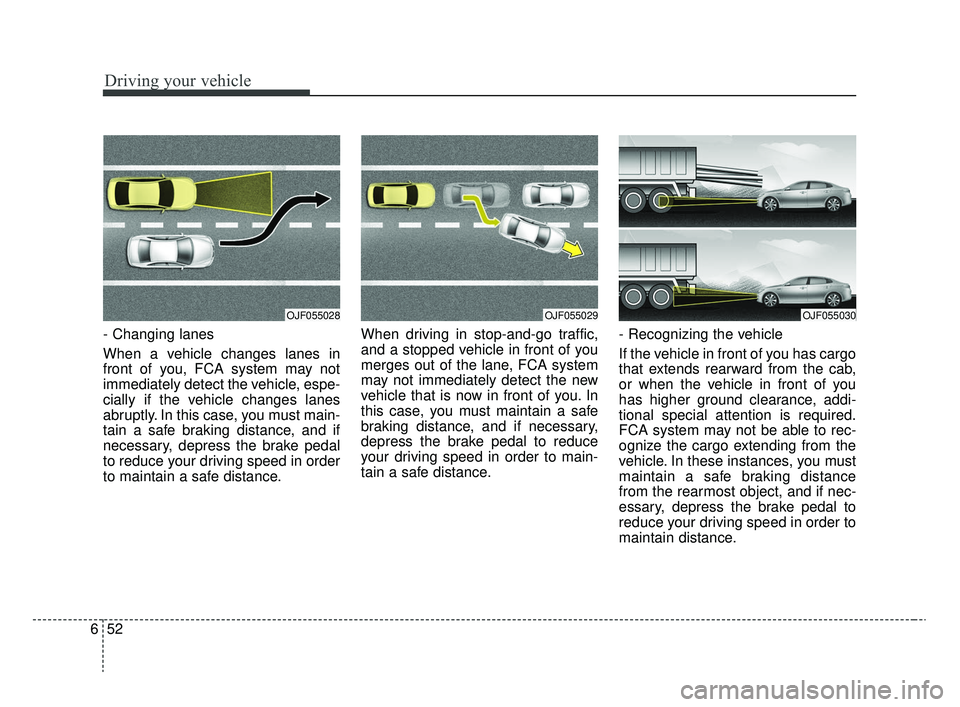
- Changing lanes
When a vehicle changes lanes in
front of you, FCA system may not
immediately detect the vehicle, espe-
cially if the vehicle changes lanes
abruptly. In this case, you must main-
tain a safe braking distance, and if
necessary, depress the brake pedal
to reduce your driving speed in order
to maintain a safe distance. When driving in stop-and-go traffic,
and a stopped vehicle in front of you
merges out of the lane, FCA system
may not immediately detect the new
vehicle that is now in front of you. In
this case, you must maintain a safe
braking distance, and if necessary,
depress the brake pedal to reduce
your driving speed in order to main-
tain a safe distance.
- Recognizing the vehicle
If the vehicle in front of you has cargo
that extends rearward from the cab,
or when the vehicle in front of you
has higher ground clearance, addi-
tional special attention is required.
FCA system may not be able to rec-
ognize the cargo extending from the
vehicle. In these instances, you must
maintain a safe braking distance
from the rearmost object, and if nec-
essary, depress the brake pedal to
reduce your driving speed in order to
maintain distance.
OJF055030OJF055029OJF055028
SC CAN (ENG) 6.QXP 6/7/2019 9:50 AM Page 52
Page 327 of 516
Driving your vehicle
60
6
Your vehicle's fuel economy depends
mainly on your style of driving, where
you drive and when you drive.
Each of these factors affects how
many miles (kilometers) you can get
from a gallon (liter) of fuel. To operate
your vehicle as economically as pos-
sible, use the following driving sug-
gestions to help save money in both
fuel and repairs:
Drive smoothly. Accelerate at a
moderate rate. Don't make "jack-
rabbit" starts or full-throttle shifts
and maintain a steady cruising
speed. Don't race between stop-
lights. Try to adjust your speed to
the traffic so you don't have to
change speeds unnecessarily.
Avoid heavy traffic whenever pos-
sible. Always maintain a safe dis-
tance from other vehicles so you
can avoid unnecessary braking.
This also reduces brake wear.
Drive at a moderate speed. The faster you drive, the more fuel your
vehicle uses. Driving at a moderate
speed, especially on the highway,
is one of the most effective ways to
reduce fuel consumption. Don't "ride" the brake pedal. This
can increase fuel consumption and
also increase wear on these com-
ponents. In addition, driving with
your foot resting on the brake pedal
may cause the brakes to overheat,
which reduces their effectiveness
and may lead to more serious con-
sequences.
Take care of your tires. Keep them inflated to the recommended pres-
sure. Incorrect inflation, either too
much or too little, results in unnec-
essary tire wear. Check the tire
pressures at least once a month.
Be sure that the wheels are aligned correctly. Improper align-
ment can result from hitting curbs
or driving too fast over irregular
surfaces. Poor alignment causes
faster tire wear and may also result
in other problems as well as
greater fuel consumption. Keep your vehicle in good condi-
tion. For better fuel economy and
reduced maintenance costs, main-
tain your vehicle in accordance
with the maintenance schedule in
section 8. If you drive your vehicle
in severe conditions, more frequent
maintenance is required (see sec-
tion 8 for details).
Keep your vehicle clean. For maxi- mum service, your vehicle should
be kept clean and free of corrosive
materials. It is especially important
that mud, dirt, ice, etc. not be
allowed to accumulate on the
underside of the vehicle. This extra
weight can result in increased fuel
consumption and also contribute to
corrosion.
Travel lightly. Don't carry unneces- sary weight in your vehicle. Weight
reduces fuel economy.
Don't let the engine idle longer than necessary. If you are waiting
(and not in traffic), turn off your
engine and restart only when
you're ready to go.
ECONOMICAL OPERATION
SC CAN (ENG) 6.QXP 6/7/2019 9:51 AM Page 60
Page 330 of 516
663
Driving your vehicle
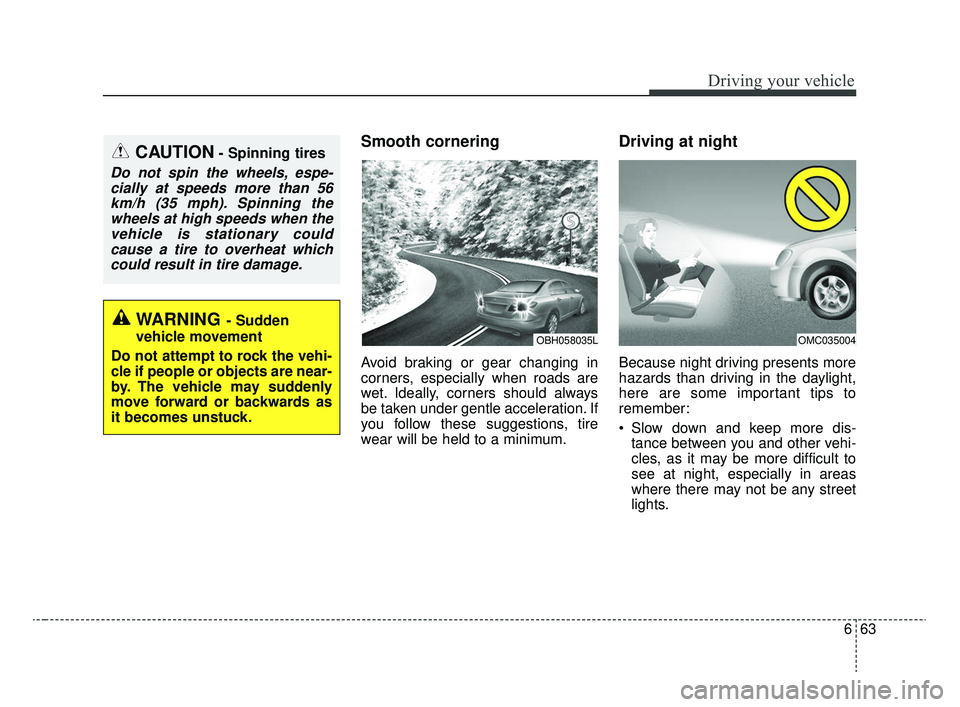
Smooth cornering
Avoid braking or gear changing in
corners, especially when roads are
wet. Ideally, corners should always
be taken under gentle acceleration. If
you follow these suggestions, tire
wear will be held to a minimum.
Driving at night
Because night driving presents more
hazards than driving in the daylight,
here are some important tips to
remember:
Slow down and keep more dis-tance between you and other vehi-
cles, as it may be more difficult to
see at night, especially in areas
where there may not be any street
lights.
OMC035004OBH058035L
WARNING- Sudden
vehicle movement
Do not attempt to rock the vehi-
cle if people or objects are near-
by. The vehicle may suddenly
move forward or backwards as
it becomes unstuck.
CAUTION- Spinning tires
Do not spin the wheels, espe- cially at speeds more than 56km/h (35 mph). Spinning thewheels at high speeds when thevehicle is stationary couldcause a tire to overheat whichcould result in tire damage.
SC CAN (ENG) 6.QXP 6/7/2019 9:51 AM Page 63
Page 331 of 516
Driving your vehicle
64
6
Adjust your mirrors to reduce the
glare from other driver's head-
lights.
Keep your headlights clean and properly aimed on vehicles not
equipped with the automatic head-
light aiming feature. Dirty or
improperly aimed headlights will
make it much more difficult to see
at night.
Avoid staring directly at the head- lights of oncoming vehicles. You
could be temporarily blinded, and it
will take several seconds for your
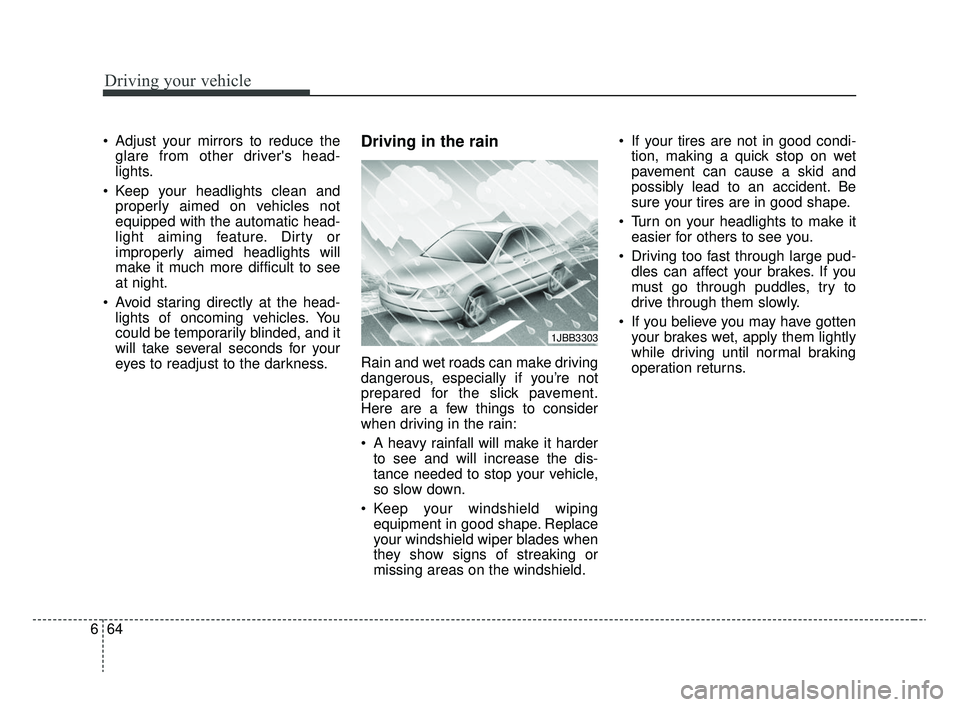
eyes to readjust to the darkness.Driving in the rain
Rain and wet roads can make driving
dangerous, especially if you’re not
prepared for the slick pavement.
Here are a few things to consider
when driving in the rain:
A heavy rainfall will make it harderto see and will increase the dis-
tance needed to stop your vehicle,
so slow down.
Keep your windshield wiping equipment in good shape. Replace
your windshield wiper blades when
they show signs of streaking or
missing areas on the windshield. If your tires are not in good condi-
tion, making a quick stop on wet
pavement can cause a skid and
possibly lead to an accident. Be
sure your tires are in good shape.
Turn on your headlights to make it easier for others to see you.
Driving too fast through large pud- dles can affect your brakes. If you
must go through puddles, try to
drive through them slowly.
If you believe you may have gotten your brakes wet, apply them lightly
while driving until normal braking
operation returns.
1JBB3303
SC CAN (ENG) 6.QXP 6/7/2019 9:51 AM Page 64