change wheel KIA RIO 2020 Owners Manual
[x] Cancel search | Manufacturer: KIA, Model Year: 2020, Model line: RIO, Model: KIA RIO 2020Pages: 516, PDF Size: 10.49 MB
Page 82 of 516

• Sunshade . . . . . . . . . . . . . . . . . . . . . . . . . . . . . . . . . . . 4-\
49
• Resetting the sunroof . . . . . . . . . . . . . . . . . . . . . . . . . 4-49
Steering wheel . . . . . . . . . . . . . . . . . . . . . . . . . . . . . 4-51
• Electric Power Steering (EPS) . . . . . . . . . . . . . . . . . . 4-51
• Tilt and telescopic steering . . . . . . . . . . . . . . . . . . . . . 4-52
• Horn . . . . . . . . . . . . . . . . . . . . . . . . . . . . . . . . . . . . \
. . . 4-52
• Heated steering wheel . . . . . . . . . . . . . . . . . . . . . . . . . 4-53
Mirrors . . . . . . . . . . . . . . . . . . . . . . . . . . . . . . . . . . 4-54\
• Inside rearview mirror . . . . . . . . . . . . . . . . . . . . . . . . 4-54
• Outside rearview mirror. . . . . . . . . . . . . . . . . . . . . . . 4-54
Instrument cluster . . . . . . . . . . . . . . . . . . . . . . . . . 4-57
• Instrument cluster control . . . . . . . . . . . . . . . . . . . . . 4-58
• LCD window control . . . . . . . . . . . . . . . . . . . . . . . . . . 4-58
• Gauges . . . . . . . . . . . . . . . . . . . . . . . . . . . . . . . . . . . . \
. 4-59
• Transmission Shift Indicator . . . . . . . . . . . . . . . . . . . 4-62
LCD windows . . . . . . . . . . . . . . . . . . . . . . . . . . . . . 4-64
• Over view . . . . . . . . . . . . . . . . . . . . . . . . . . . . . . . . . . . 4-\
64
• Trip information (Trip computer) . . . . . . . . . . . . . . . 4-64
• LCD modes (for type B cluster) . . . . . . . . . . . . . . . . . 4-69
• Service mode . . . . . . . . . . . . . . . . . . . . . . . . . . . . . . . . 4-70
• User settings mode (for type B cluster) . . . . . . . . . . . 4-70
Warning and indicator lights . . . . . . . . . . . . . . . . 4-79
• Warning lights . . . . . . . . . . . . . . . . . . . . . . . . . . . . . . . 4-79
• Indicator lights. . . . . . . . . . . . . . . . . . . . . . . . . . . . . . . 4-87
Rear view monitor system . . . . . . . . . . . . . . . . . . . 4-91
• Rear view monitor function . . . . . . . . . . . . . . . . . . . . 4-91
Lighting . . . . . . . . . . . . . . . . . . . . . . . . . . . . . . . . . . 4-92\
• Battery saver function. . . . . . . . . . . . . . . . . . . . . . . . . 4-92
• Headlight escort function . . . . . . . . . . . . . . . . . . . . . . 4-92
• Headlight welcome function . . . . . . . . . . . . . . . . . . . . 4-92
• Daytime running light . . . . . . . . . . . . . . . . . . . . . . . . . 4-93
• Lighting control . . . . . . . . . . . . . . . . . . . . . . . . . . . . . . 4-93
• High beam operation. . . . . . . . . . . . . . . . . . . . . . . . . . 4-95
• Turn signals and lane change signals . . . . . . . . . . . . 4-96
• Front fog light . . . . . . . . . . . . . . . . . . . . . . . . . . . . . . . 4-97
Wipers and washers . . . . . . . . . . . . . . . . . . . . . . . . 4-98
• Windshield wipers . . . . . . . . . . . . . . . . . . . . . . . . . . . . 4-99
• Windshield washers (front) . . . . . . . . . . . . . . . . . . . 4-100
• Rear window wiper and washer switch (for 5 door) . . . . . . . . . . . . . . . . . . . . . . . . . . . . . . . . 4-102
Interior light . . . . . . . . . . . . . . . . . . . . . . . . . . . . . 4-103
• Automatic turn off function . . . . . . . . . . . . . . . . . . . 4-103
• Map lamp . . . . . . . . . . . . . . . . . . . . . . . . . . . . . . . . . . 4-10\
3
• Room lamp . . . . . . . . . . . . . . . . . . . . . . . . . . . . . . . . . 4-104
• Trunk/Liftgate room lamp . . . . . . . . . . . . . . . . . . . . 4-106
• Glove box lamp . . . . . . . . . . . . . . . . . . . . . . . . . . . . . 4-106
• Vanity mirror lamp . . . . . . . . . . . . . . . . . . . . . . . . . . 4-107
Defroster . . . . . . . . . . . . . . . . . . . . . . . . . . . . . . . . 4-108
• Rear window defroster . . . . . . . . . . . . . . . . . . . . . . . 4-108
4
SC CAN (ENG) 4.QXP 12/12/2019 5:08 PM Page 2
Page 131 of 516
451
Features of your vehicle
Electric power steering (EPS)
Power steering uses a motor to
assist you in steering the vehicle. If
the engine is off or if the power steer-
ing system becomes inoperative, the
vehicle may still be steered, but it will
require increased steering effort.
The electric power steering is con-
trolled by the power steering control
unit which senses the steering wheel
torque and vehicle speed to com-
mand the motor.
The steering wheel becomes heavier
as the vehicle’s speed increases and
becomes lighter as the vehicle’s
speed decreases for better control of
the steering wheel.
Should you notice any change in the
effort required to steer during normal
vehicle operation, have the power
steering checked by an authorized
Kia dealer.
✽ ✽NOTICE
The following symptoms may occur
during normal vehicle operation:
• The steering effort is increased
immediately after turning the igni-
tion switch on. This happens as the
system performs the EPS system
diagnostics. When the diagnostics
are completed, the steering wheel
will return to its normal condition
• A click noise may be heard from the EPS relay after the ignition
switch is turned to the ON or
LOCK position.
• Motor noise may be heard when the vehicle is at a stop or at a low
driving speed.
• The steering effort increases if the steering wheel is rotated continu-
ously when the vehicle is not in
motion. However, after a few min-
utes, it will return to its normal
condition.
• When you operate the steering wheel in low temperature, noise
may occur. If the temperature
rises, the noise will likely disap-
pear. This is a normal condition. (Continued)(Continued)
• When the charging system warn-
ing light comes on or the battery
voltage is low (when the alternator
or battery does not operate nor-
mally), the steering wheel may get
heavy and become difficult to con-
trol or operate abnormally.
If the Electric Power Steering System
does not operate normally, the warn-
ing light will illuminate on the instru-
ment cluster. The steering wheel may
require increased steering effort.
Take your vehicle to an authorized
Kia dealer and have the vehicle
checked as soon as possible.
STEERING WHEEL
SC CAN (ENG) 4.QXP 12/12/2019 5:10 PM Page 51
Page 132 of 516
Features of your vehicle
52
4
Tilt and telescopic steering
(if equipped)
Tilt steering allows you to adjust the
steering wheel before you drive. You
can also raise it to give your legs
more room when you exit and enter
the vehicle.
The steering wheel should be posi-
tioned so that it is comfortable for
you to drive, while permitting you to
see the instrument panel warning
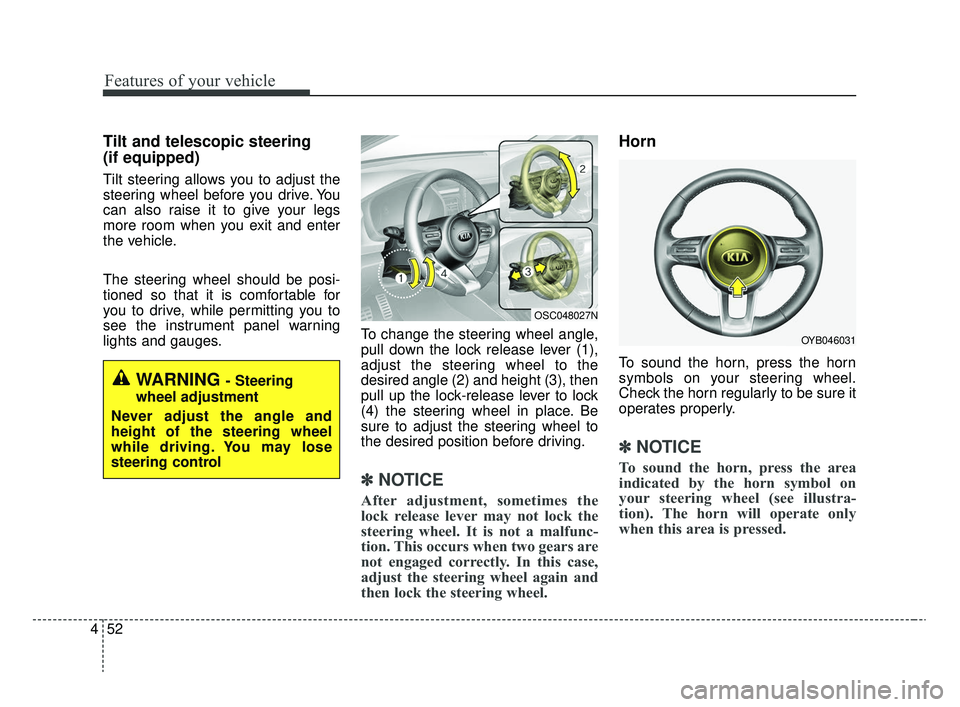
lights and gauges. To change the steering wheel angle,
pull down the lock release lever (1),
adjust the steering wheel to the
desired angle (2) and height (3), then
pull up the lock-release lever to lock
(4) the steering wheel in place. Be
sure to adjust the steering wheel to
the desired position before driving.
✽ ✽
NOTICE
After adjustment, sometimes the
lock release lever may not lock the
steering wheel. It is not a malfunc-
tion. This occurs when two gears are
not engaged correctly. In this case,
adjust the steering wheel again and
then lock the steering wheel.
Horn
To sound the horn, press the horn
symbols on your steering wheel.
Check the horn regularly to be sure it
operates properly.
✽ ✽NOTICE
To sound the horn, press the area
indicated by the horn symbol on
your steering wheel (see illustra-
tion). The horn will operate only
when this area is pressed.
WARNING - Steering
wheel adjustment
Never adjust the angle and
height of the steering wheel
while driving. You may lose
steering control
OYB046031
OSC048027N
SC CAN (ENG) 4.QXP 12/12/2019 5:10 PM Page 52
Page 138 of 516
Features of your vehicle
58
4
Instrument Cluster Control
Adjusting Instrument Cluster
Illumination
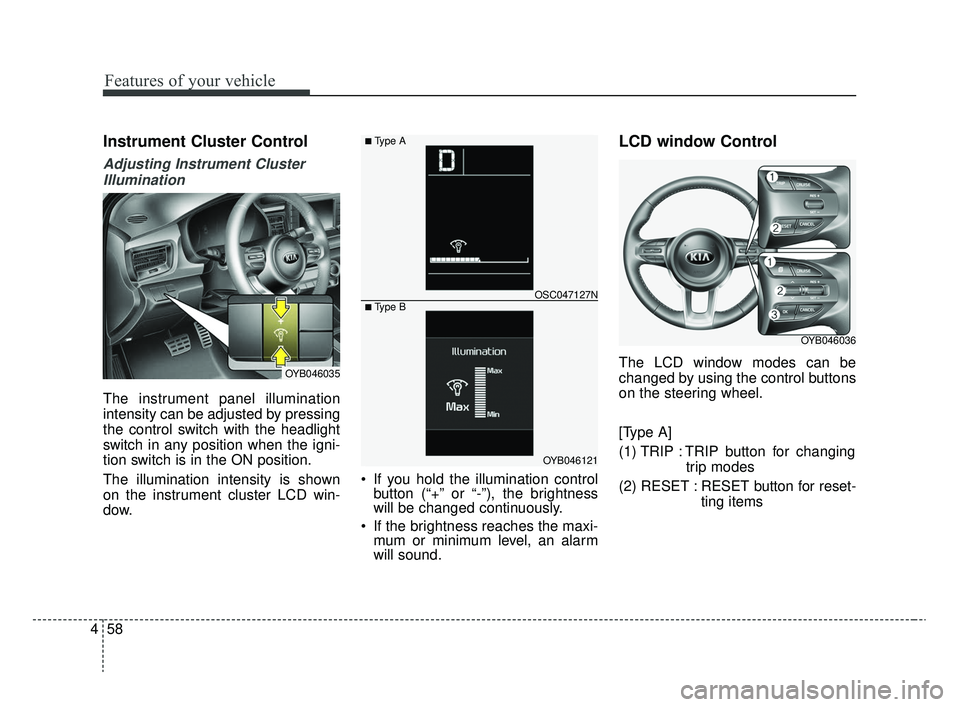
The instrument panel illumination
intensity can be adjusted by pressing
the control switch with the headlight
switch in any position when the igni-
tion switch is in the ON position.
The illumination intensity is shown
on the instrument cluster LCD win-
dow. If you hold the illumination control
button (“+” or “-”), the brightness
will be changed continuously.
If the brightness reaches the maxi- mum or minimum level, an alarm
will sound.
LCD window Control
The LCD window modes can be
changed by using the control buttons
on the steering wheel.
[Type A]
(1) TRIP : TRIP button for changing
trip modes
(2) RESET : RESET button for reset- ting itemsOYB046035
OYB046121
OSC047127N
■ Type A
■ Type B
OYB046036
SC CAN (ENG) 4.QXP 12/12/2019 5:11 PM Page 58
Page 155 of 516
475
Features of your vehicle
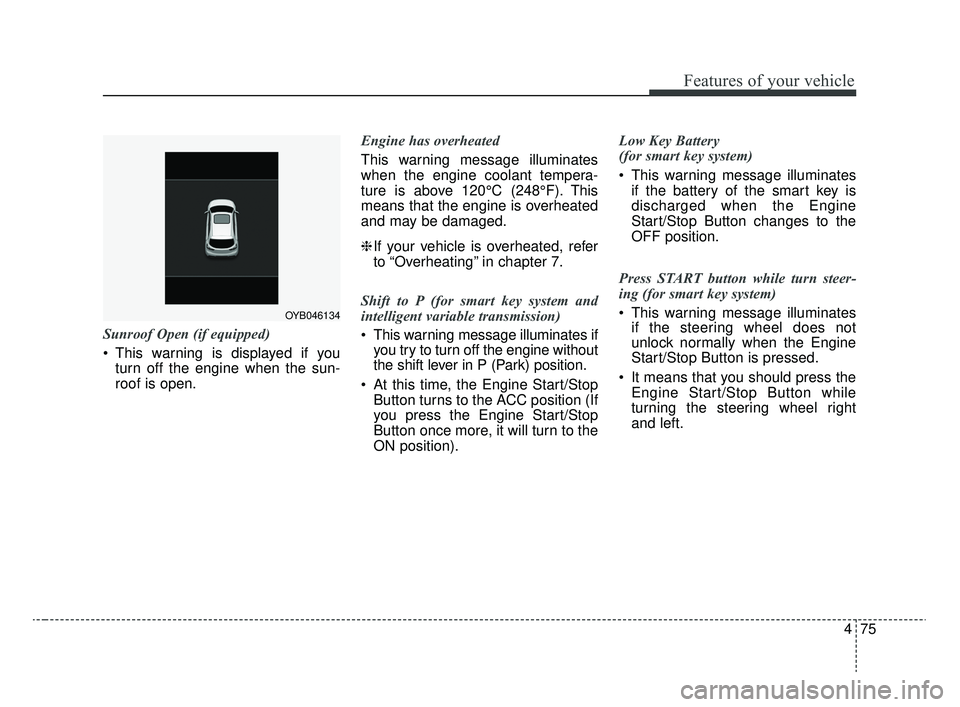
Sunroof Open (if equipped)
This warning is displayed if youturn off the engine when the sun-
roof is open. Engine has overheated
This warning message illuminates
when the engine coolant tempera-
ture is above 120°C (248°F). This
means that the engine is overheated
and may be damaged.
❈
If your vehicle is overheated, refer
to “Overheating” in chapter 7.
Shift to P (for smart key system and
intelligent variable transmission)
This warning message illuminates if you try to turn off the engine without
the shift lever in P (Park) position.
At this time, the Engine Start/Stop Button turns to the ACC position (If
you press the Engine Start/Stop
Button once more, it will turn to the
ON position). Low Key Battery
(for smart key system)
This warning message illuminates
if the battery of the smart key is
discharged when the Engine
Start/Stop Button changes to the
OFF position.
Press START button while turn steer-
ing (for smart key system)
This warning message illuminates if the steering wheel does not
unlock normally when the Engine
Start/Stop Button is pressed.
It means that you should press the Engine Start/Stop Button while
turning the steering wheel right
and left.
OYB046134
SC CAN (ENG) 4.QXP 12/12/2019 5:11 PM Page 75
Page 156 of 516
Features of your vehicle
76
4
Steering wheel unlocked
(for smart key system)
This warning message illuminates
if the steering wheel does not lock
when the Engine Start/Stop Button
changes to the OFF position.
Check Steering Wheel Lock System
(for smart key system)
This warning message illuminates if the steering wheel does not lock
normally when the Engine
Start/Stop Button changes to the
OFF position. Press brake pedal to start engine
(for smart key system and intelligent
variable transmission)
This warning message illuminates
if the Engine Start/Stop Button
changes to the ACC position twice
by pressing the button repeatedly
without depressing the brake pedal.
It means that you should depress the brake pedal to start the engine.
Press clutch pedal to start engine (for
smart key system and manual transmis-
sion)
This warning message illuminates if the Engine Start/Stop Button
changes to the ACC position twice
by pressing the button repeatedly
without depressing the clutch pedal.
It means that you should depress the clutch pedal to start the engine. Key not in vehicle (for smart key system)
This warning message illuminates
if the smart key is not in the vehicle
when you press the Engine
Start/Stop Button.
It means that you should always have the smart key with you.
Key not detected (for smart key system)
This warning message illuminates if the smart key is not detected
when you press the Engine
Start/Stop Button.
SC CAN (ENG) 4.QXP 12/12/2019 5:11 PM Page 76
Page 192 of 516
Features of your vehicle
112
4
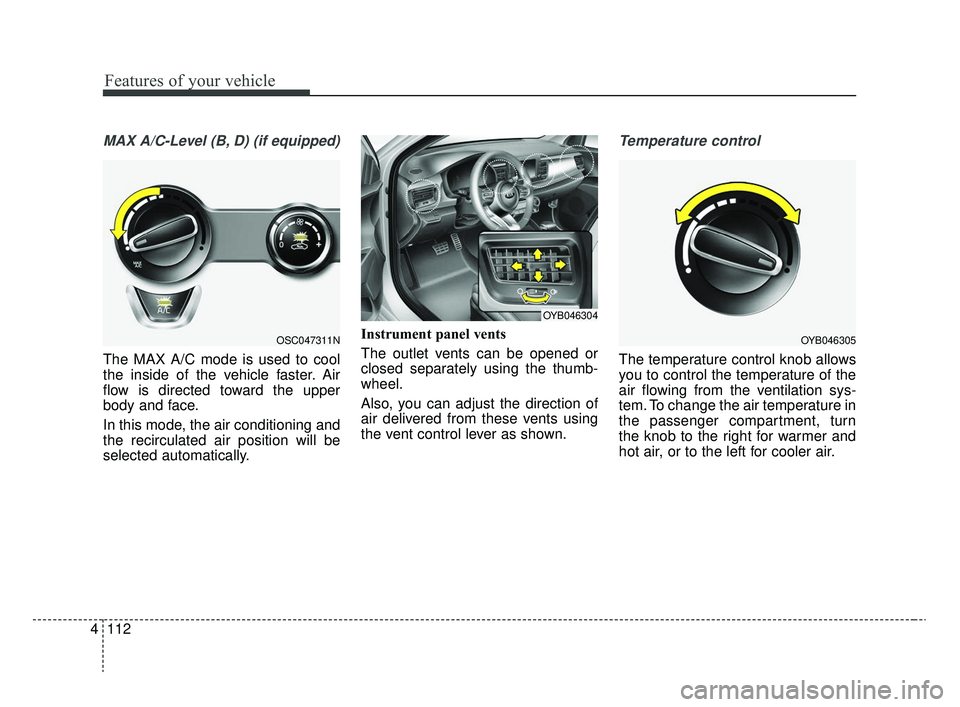
MAX A/C-Level (B, D) (if equipped)
The MAX A/C mode is used to cool
the inside of the vehicle faster. Air
flow is directed toward the upper
body and face.
In this mode, the air conditioning and
the recirculated air position will be
selected automatically. Instrument panel vents
The outlet vents can be opened or
closed separately using the thumb-
wheel.
Also, you can adjust the direction of
air delivered from these vents using
the vent control lever as shown.
Temperature control
The temperature control knob allows
you to control the temperature of the
air flowing from the ventilation sys-
tem. To change the air temperature in
the passenger compartment, turn
the knob to the right for warmer and
hot air, or to the left for cooler air.
OSC047311NOYB046305
OYB046304
SC CAN (ENG) 4.QXP 12/12/2019 5:14 PM Page 112
Page 236 of 516
Audio system
11
5
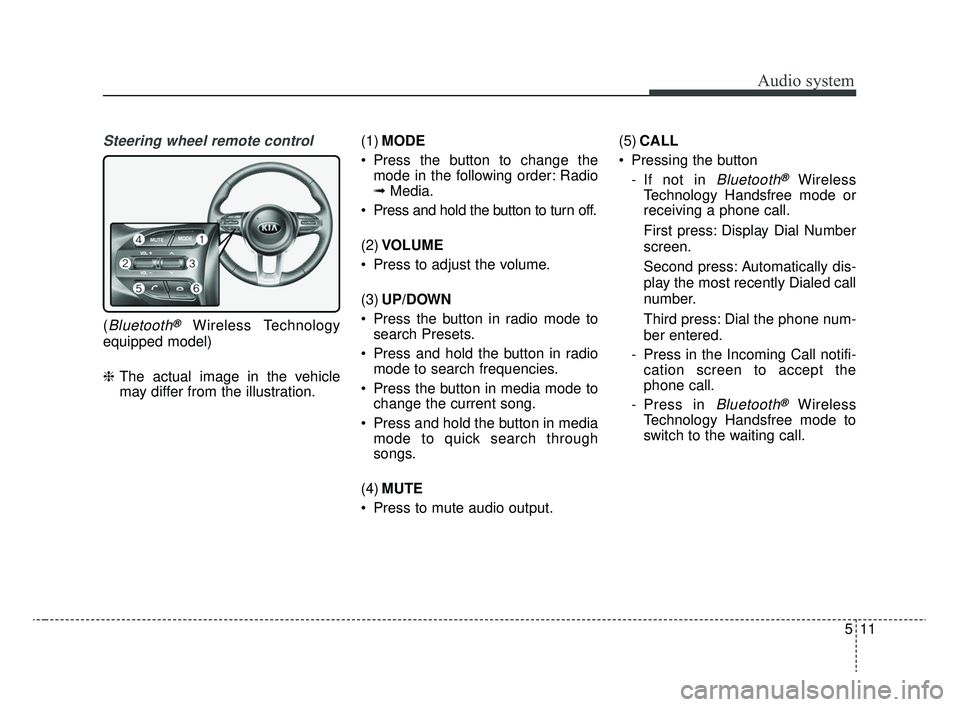
Steering wheel remote control
(Bluetooth®Wireless Technology
equipped model)
❈ The actual image in the vehicle
may differ from the illustration. (1)
MODE
Press the button to change the mode in the following order: Radio
➟ Media.
Press and hold the button to turn off.
(2) VOLUME
Press to adjust the volume.
(3) UP/DOWN
Press the button in radio mode to search Presets.
Press and hold the button in radio mode to search frequencies.
Press the button in media mode to change the current song.
Press and hold the button in media mode to quick search through
songs.
(4) MUTE
Press to mute audio output. (5)
CALL
Pressing the button - If not in
Bluetooth®Wireless
Technology Handsfree mode or
receiving a phone call.
First press: Display Dial Number
screen.
Second press: Automatically dis-
play the most recently Dialed call
number.
Third press: Dial the phone num-
ber entered.
- Press in the Incoming Call notifi- cation screen to accept the
phone call.
- Press in
Bluetooth®Wireless
Technology Handsfree mode to
switch to the waiting call.
SC CAN (ENG) 5(audio).qxp 6/7/2019 9:52 AM Page 11
Page 274 of 516
67
Driving your vehicle
START
Turn the ignition switch to the START
position to start the engine. The
engine will crank until you release
the key; then it returns to the ON
position. The brake warning light can
be checked in this position.
✽ ✽NOTICE
If you leave the ignition switch to the
ACC or ON position for a long time,
the battery may discharge.
WARNING- Ignition
switch
Never turn the ignition switch to
LOCK or ACC while the vehicle
is moving. This would result in
loss of directional control and
braking function, which could
cause an accident.
WARNING- Steering wheel
Never reach for any controls
through the steering wheel
while the vehicle is in motion.
The presence of your hand or
arm in this area could cause a
loss of vehicle control.
WARNING- Key holder
Do not attach small purses,
multiple keys, or any other
heavy accessories to the dri-
ver's key chain used to start the
vehicle. This may cause the
inserted key to inadvertently
change the ignition position to
the ACC position while the vehi-
cle is moving, thereby increas-
ing the risk of an accident and
deactivating several safety fea-
tures.
WARNING- Leaving the vehicle
To avoid unexpected or sudden
vehicle movement, never leave
your vehicle if the transmission
is not locked in the P (Park)
position and the parking brake
is not fully engaged. Before
leaving the driver's seat, always
make sure the shift lever is
engaged in P (Park), set the
parking brake fully and shut the
engine off.
SC CAN (ENG) 6.QXP 6/7/2019 9:49 AM Page 7
Page 275 of 516
Driving your vehicle
86
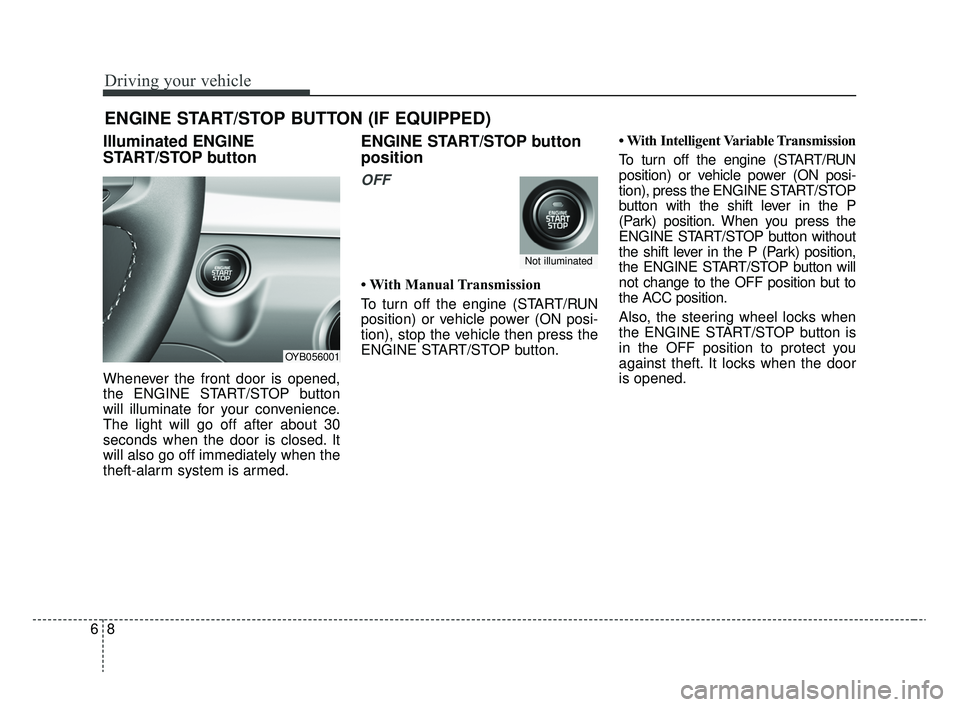
Illuminated ENGINE
START/STOP button
Whenever the front door is opened,
the ENGINE START/STOP button
will illuminate for your convenience.
The light will go off after about 30
seconds when the door is closed. It
will also go off immediately when the
theft-alarm system is armed.
ENGINE START/STOP button
position
OFF
• With Manual Transmission
To turn off the engine (START/RUN
position) or vehicle power (ON posi-
tion), stop the vehicle then press the
ENGINE START/STOP button.• With Intelligent Variable Transmission
To turn off the engine (START/RUN
position) or vehicle power (ON posi-
tion), press the ENGINE START/STOP
button with the shift lever in the P
(Park) position. When you press the
ENGINE START/STOP button without
the shift lever in the P (Park) position,
the ENGINE START/STOP button will
not change to the OFF position but to
the ACC position.
Also, the steering wheel locks when
the ENGINE START/STOP button is
in the OFF position to protect you
against theft. It locks when the door
is opened.
ENGINE START/STOP BUTTON (IF EQUIPPED)
OYB056001
Not illuminated
SC CAN (ENG) 6.QXP 6/7/2019 9:49 AM Page 8