eco KIA RIO 2021 Owners Manual
[x] Cancel search | Manufacturer: KIA, Model Year: 2021, Model line: RIO, Model: KIA RIO 2021Pages: 534, PDF Size: 13.49 MB
Page 272 of 534
535
Driving your vehicle
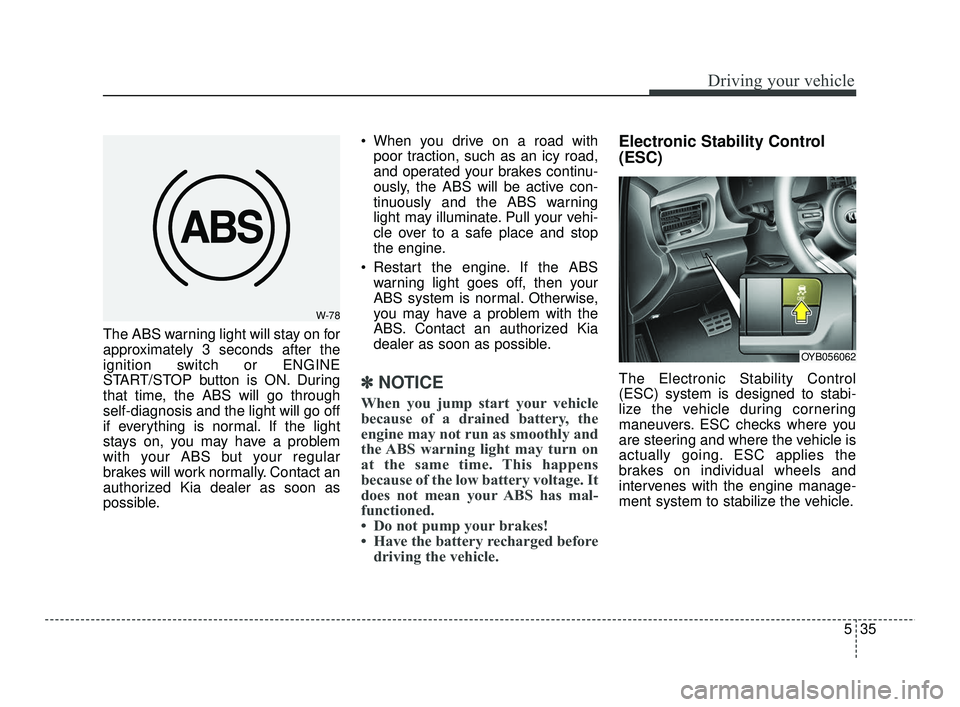
The ABS warning light will stay on for
approximately 3 seconds after the
ignition switch or ENGINE
START/STOP button is ON. During
that time, the ABS will go through
self-diagnosis and the light will go off
if everything is normal. If the light
stays on, you may have a problem
with your ABS but your regular
brakes will work normally. Contact an
authorized Kia dealer as soon as
possible. When you drive on a road with
poor traction, such as an icy road,
and operated your brakes continu-
ously, the ABS will be active con-
tinuously and the ABS warning
light may illuminate. Pull your vehi-
cle over to a safe place and stop
the engine.
Restart the engine. If the ABS warning light goes off, then your
ABS system is normal. Otherwise,
you may have a problem with the
ABS. Contact an authorized Kia
dealer as soon as possible.
✽ ✽ NOTICE
When you jump start your vehicle
because of a drained battery, the
engine may not run as smoothly and
the ABS warning light may turn on
at the same time. This happens
because of the low battery voltage. It
does not mean your ABS has mal-
functioned.
• Do not pump your brakes!
• Have the battery recharged before
driving the vehicle.
Electronic Stability Control
(ESC)
The Electronic Stability Control
(ESC) system is designed to stabi-
lize the vehicle during cornering
maneuvers. ESC checks where you
are steering and where the vehicle is
actually going. ESC applies the
brakes on individual wheels and
intervenes with the engine manage-
ment system to stabilize the vehicle.
W-78
OYB056062
SC PE USA 5.QXP 10/23/2020 5:50 PM Page 35
Page 274 of 534

537
Driving your vehicle
When operatingWhen the ESC is in opera-
tion, ESC indicator light
blinks.
Stability Control is operat-
ing properly, you can feel a
slight pulsation in the vehi-
cle. This is only the effect
of brake control and indi-
cates nothing unusual.
mud or slippery road,
pressing the accelerator
pedal may not cause the
engine rpm (revolutions
per minute) to increase.ESC operation off
ESC OFF state
This car has 2 kinds of ESC
off states.
If the engine stops when
ESC is off, ESC remains off.
Upon restarting the engine,
the ESC will automatically
turn on again.
ESC off state 1 : “Traction
Control disabled”
To turn off the traction control func-
tion and only operate the brake con-
trol function of the ESC, press the
ESC OFF button ( ) for less than 3
seconds and the ESC OFF indicator
light ( ) will illuminate. At this state,
only the brake function will operate.
ODL3059100L
SC PE USA 5.QXP 10/23/2020 5:50 PM Page 37
Page 275 of 534

Driving your vehicle
38
5
ESC off state 2 : “Traction &
Stability Control disabled”
To turn off the traction control func-
tion and the brake control function of
the ESC, press the ESC OFF button
( ) for more than 3 seconds. ESC
OFF indicator light ( ) will illuminate
and ESC OFF warning chime will
sound. In this state, the car stability
control function will not operate.
Indicator light
When the ignition switch or ENGINE
START/STOP button is turned ON,
the indicator light illuminates, then
goes off if ESC system is operating
normally.
The ESC indicator light blinks when-
ever ESC is operating or illuminates
when ESC fails to operate.
The ESC OFF indicator light comes
on when the ESC is turned off with
the button.
ODL3059101L
■ESC indicator light
■ ESC OFF indicator light
WARNING
Driving with varying tire or
wheel sizes may cause the ESC
system to malfunction. When
replacing tires, make sure they
are the same size as your origi-
nal tires.
WARNING- Electronic sta- bility control
Drive carefully even though
your vehicle has Electronic
Stability Control. It can only
assist you in maintaining con-
trol under certain circum-
stances.
SC PE USA 5.QXP 10/23/2020 5:50 PM Page 38
Page 276 of 534

539
Driving your vehicle
ESC OFF usage
When driving
It’s a good idea to keep the ESCturned on for daily driving whenev-
er possible.
To turn ESC off while driving, press the ESC OFF button while driving
on a flat road surface.
Hill-start Assist Control (HAC)
The Hill-start Assist Control (HAC) is
designed to prevent the vehicle from
rolling back by applying the brakes
automatically for about 2 seconds.
The brakes are released when the
accelerator pedal is depressed or
after about 2 seconds.
The HAC is activated only for about 2
seconds, so when the vehicle is
starting off always depress the accel-
erator pedal.
WARNING- Operating
ESC
Never press the ESC OFF but-
ton while ESC is operating.
If the ESC is turned off while
ESC is operating, the vehicle
may go out of control.
WARNING- Maintaining
Brake Pressure on Incline
HAC does not replace the need
to apply brakes while stopped on
an incline. While stopped, make
sure you maintain brake pres-
sure sufficient to prevent your
vehicle from rolling backward
and causing an accident. Don’t
release the brake pedal until you
are ready to accelerate forward.
CAUTION
The HAC does not operate when the transmission shiftlever is in the P (Park) or N(Neutral) position.
The HAC activates even though the ESC is off but itdoes not activate when theESC has malfunctioned.
SC PE USA 5.QXP 10/23/2020 5:50 PM Page 39
Page 282 of 534
545
Driving your vehicle
FCA is designed to detect and moni-
tor a vehicle ahead or detect a
pedestrian or in the roadway through
front view camera recognition to
warn the driver that a collision is
imminent, and if necessary, apply
emergency braking.
✽ ✽
NOTICE
FCA stands for Forward Collision-
Avoidance Assist.
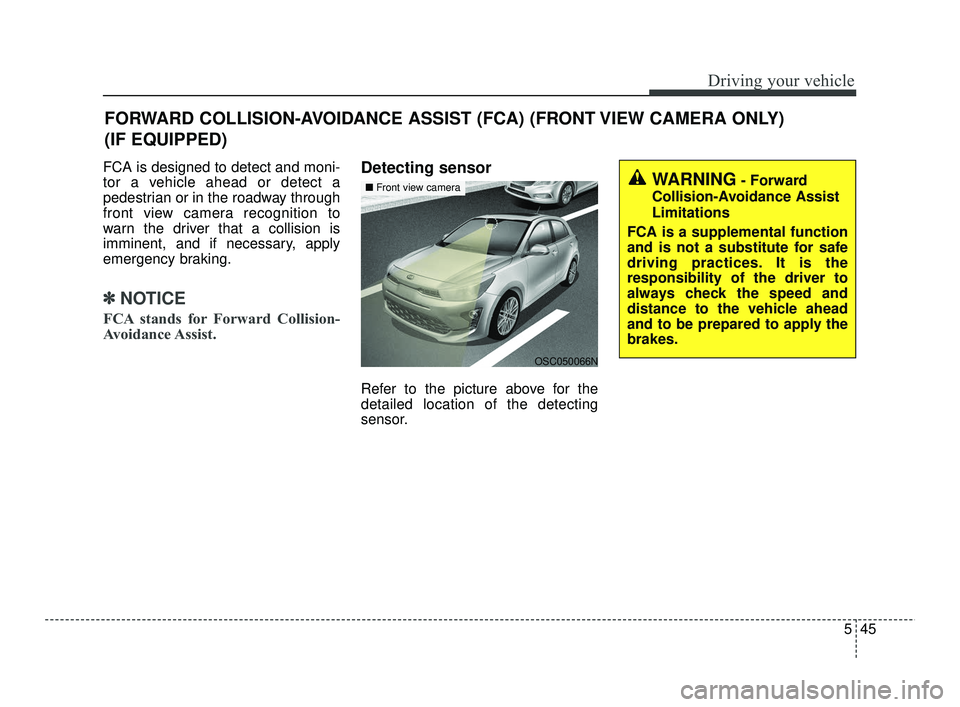
Detecting sensor
Refer to the picture above for the
detailed location of the detecting
sensor.
FORWARD COLLISION-AVOIDANCE ASSIST (FCA) (FRONT VIEW CAMERA ONLY)
(IF EQUIPPED)
WARNING- Forward
Collision-Avoidance Assist
Limitations
FCA is a supplemental function
and is not a substitute for safe
driving practices. It is the
responsibility of the driver to
always check the speed and
distance to the vehicle ahead
and to be prepared to apply the
brakes.
OSC050066N
■ Front view camera
SC PE USA 5.QXP 10/23/2020 5:50 PM Page 45
Page 285 of 534
Driving your vehicle
48
5
Prerequisite for activation
FCA will activate when FCA is
selected on the LCD display, and
when the following prerequisites are
satisfied:
The ESC (Electronic Stability
Control) is activated.
When FCA recognizes a vehicle or the pedestrian in front.
FCA warning message and
function control
FCA produces warning messages,
warning alarms, and emergency
braking based on the level of risk of
a frontal collision, such as when a
vehicle ahead suddenly brakes, or
when the function detects that a col-
lision with a pedestrian is imminent.
The driver can select the initial warn-
ing activation time in the User
Settings in the LCD display. The
options for the initial Forward
Collision Warning include Early,
Normal or Late initial warning time.
WARNING
FCA may not recognize every
obstacle or provide warnings
and braking in every situation,
so do not rely on FCA to stop
the vehicle in instances where
the driver sees an obstacle and
has the ability to apply the
brakes
FCA automatically activatesupon placing the ignition
switch or ENGINE
START/STOP button to the ON
position. The driver can deac-
tivate FCA by canceling the
function setting on the LCD
display.
FCA automatically deacti- vates upon canceling the
ESC. When the ESC is can-
celed, FCA cannot be activat-
ed on the LCD display. FCA
warning light will illuminate.
SC PE USA 5.QXP 10/23/2020 5:50 PM Page 48
Page 289 of 534
Driving your vehicle
52
5
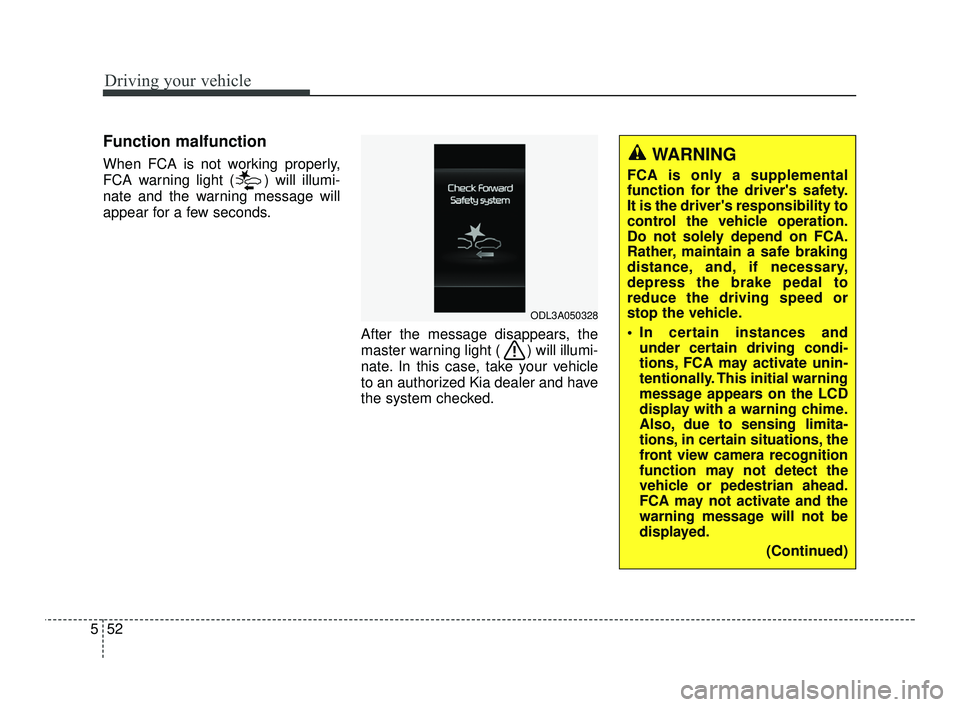
Function malfunction
When FCA is not working properly,
FCA warning light ( ) will illumi-
nate and the warning message will
appear for a few seconds.
After the message disappears, the
master warning light ( ) will illumi-
nate. In this case, take your vehicle
to an authorized Kia dealer and have
the system checked.
ODL3A050328
WARNING
FCA is only a supplemental
function for the driver's safety.
It is the driver's responsibility to
control the vehicle operation.
Do not solely depend on FCA.
Rather, maintain a safe braking
distance, and, if necessary,
depress the brake pedal to
reduce the driving speed or
stop the vehicle.
In certain instances andunder certain driving condi-
tions, FCA may activate unin-
tentionally. This initial warning
message appears on the LCD
display with a warning chime.
Also, due to sensing limita-
tions, in certain situations, the
front view camera recognition
function may not detect the
vehicle or pedestrian ahead.
FCA may not activate and the
warning message will not be
displayed.
(Continued)
SC PE USA 5.QXP 10/23/2020 5:51 PM Page 52
Page 290 of 534
553
Driving your vehicle
Limitations of FCA
FCA is designed to monitor the vehi-
cle ahead in the roadway through
front view camera recognition to
warn the driver that a collision is
imminent, and if necessary, apply
emergency braking.
In certain situations, the front view
camera may not be able to detect the
vehicle ahead. In these cases, FCA
may not operate normally. The driver
must pay careful attention in the fol-
lowing situations where FCA opera-
tion may be limited.(Continued)
FCA may unnecessarily pro-duce the warning message
and the warning alarms. Also,
due to the sensing limitation,
FCA may not produce the
warning message and the
warning alarm at all.
When there is a malfunction with FCA, the autonomous
emergency braking does not
operate upon detecting a col-
lision risk even with other
braking systems normally
operating.
FCA may not activate if the driver applies the brake pedal
before warning to avoid risk of
collision.
FCA does not operate when the vehicle is in reverse.
FCA is not designed to detect other objects on the road
such as animals.
(Continued)(Continued)
FCA does not detect vehiclesin the opposite lane.
FCA does not detect cross traffic vehicles that are
approaching.
FCA cannot detect the driver approaching the side view of
a parked vehicle (for example
on a dead end street). In these
cases, you must maintain a
safe braking distance, and if
necessary, depress the brake
pedal to reduce the driving
speed in order to maintain a
safe distance.
FCA may not activate depend- ing on road or driving condi-
tions.
FCA may not activate to all types of vehicles.
SC PE USA 5.QXP 10/23/2020 5:51 PM Page 53
Page 291 of 534
Driving your vehicle
54
5
The sensor may be limited when:
The function may not operate for
15 seconds after the vehicle is
started or the camera is initialized.
Front view camera contaminated or blocked.
The camera lens is contaminated due to tinted, filmed or coated
windshield, damaged glass, or
stuck of foreign matter (sticker,
bug, etc.) on the glass.
Inclement weather such as heavy rain or snow obscures the field of
view of the camera.
There is interference by electro- magnetic waves.
The camera sensor recognition is limited
The vehicle in front is too small to be detected. (for example a motor-
cycle etc.)
The vehicle in front is an oversize vehicle or trailer that is too big to
be detected by the camera recog-
nition function. (for example a trac-
tor trailer, etc.) The camera's field of view is not
well illuminated (either too dark or
too much reflection or too much
backlight that obscures the field of
view).
The vehicle in front does not have their rear lights or their rear lights
does not turned ON or their rear
lights are located unusually.
The outside brightness changes suddenly, for example when enter-
ing or exiting a tunnel.
Light coming from a street light or an oncoming vehicle is reflected on
a wet road surface such as a pud-
dle in the road.
The field of view in front is obstructed by sun glare or head
light of oncoming vehicle.
The windshield glass is fogged up; a clear view of the road is obstruct-
ed.
The vehicle in front is driving errat- ically.
The vehicle is on unpaved or uneven rough. surfaces, or road
with sudden gradient changes. The camera sensor recognition is
limited
The vehicle in front is too small to be detected. (for example a motor-
cycle etc.)
The vehicle in front is an oversize vehicle or trailer that is too big to
be detected by the camera recog-
nition function. (for example a trac-
tor trailer, etc.)
The camera's field of view is not well illuminated. (either too dark or
too much reflection or too much
backlight that obscures the field of
view)
The vehicle in front does not have their rear lights or their rear lights
does not turned ON or their rear
lights are located unusually.
The outside brightness changes suddenly, for example when enter-
ing or exiting a tunnel.
Light coming from a street light or an oncoming vehicle is reflected on
a wet road surface such as a pud-
dle in the road.
The field of view in front is obstructed by sun glare or head
light of oncoming vehicle.
SC PE USA 5.QXP 10/23/2020 5:51 PM Page 54
Page 292 of 534
555
Driving your vehicle
The windshield glass is fogged up;a clear view of the road is obstruct-
ed.
The vehicle in front is driving errat- ically.
The vehicle is on unpaved or uneven rough surfaces, or road
with sudden gradient changes.
The vehicle is driven near areas containing metal substances as a
construction zone, railroad, etc.
The vehicle drives inside a building, such as a basement parking lot.
The camera does not recognize the entire vehicle in front.
The camera is damaged.
The brightness outside is too low such as when the headlamps are
not on at night or the vehicle is
going through a tunnel.
The shadow is on the road by a median strip, trees, etc.
The vehicle drives through a toll- gate.
The windshield glass is fogged up; a clear view of the road is obstruct-
ed. The rear part of the vehicle in front
is not normally visible. (The vehicle
turns in other direction or the vehi-
cle is overturned.)
The adverse road conditions cause excessive vehicle vibrations while
driving.
The sensor recognition changes suddenly when passing over a
speed bump.
The vehicle in front is moving verti- cally to the driving direction.
The vehicle in front is stopped ver- tically.
The vehicle in front is driving towards your vehicle or reversing.
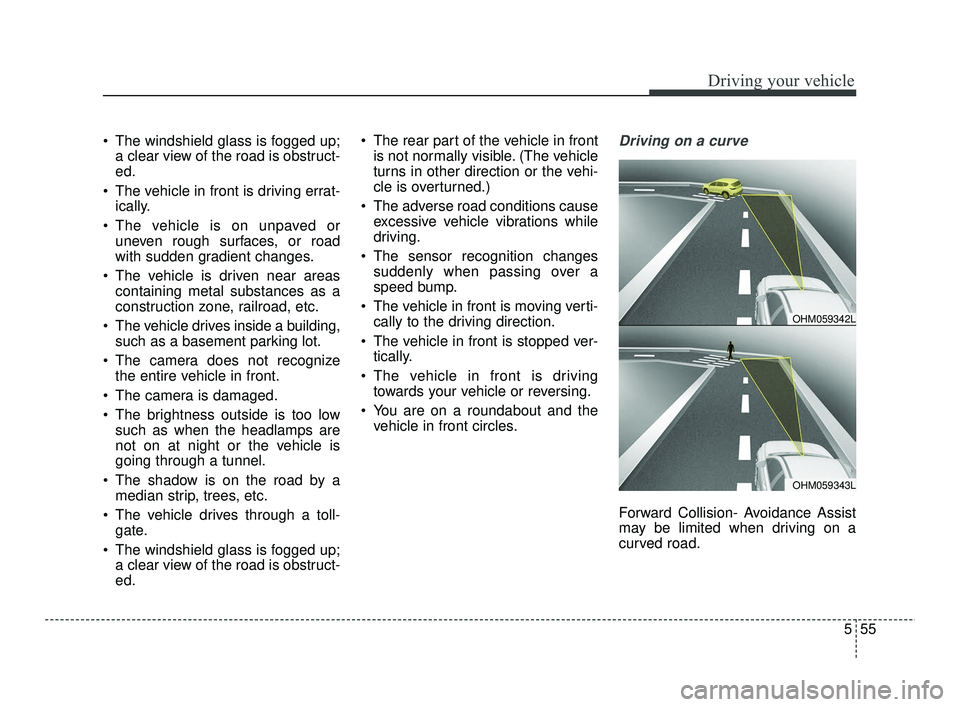
You are on a roundabout and the vehicle in front circles.Driving on a curve
Forward Collision- Avoidance Assist
may be limited when driving on a
curved road.
OHM059343L
OHM059342L
SC PE USA 5.QXP 10/23/2020 5:51 PM Page 55