eco KIA RIO 2021 Owners Manual
[x] Cancel search | Manufacturer: KIA, Model Year: 2021, Model line: RIO, Model: KIA RIO 2021Pages: 534, PDF Size: 13.49 MB
Page 293 of 534
Driving your vehicle
56
5
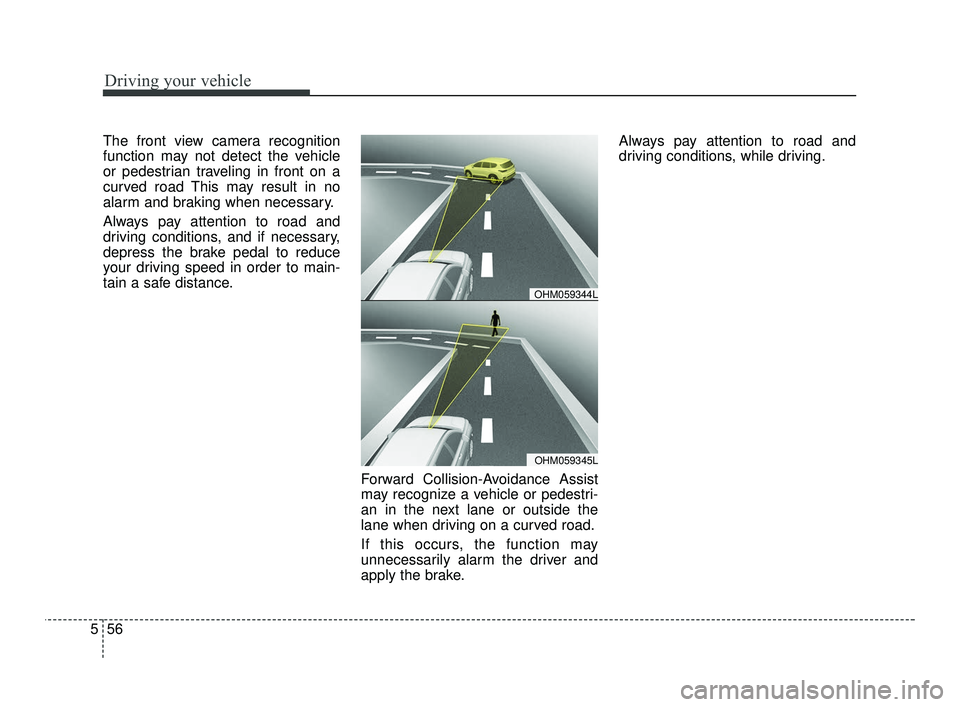
The front view camera recognition
function may not detect the vehicle
or pedestrian traveling in front on a
curved road This may result in no
alarm and braking when necessary.
Always pay attention to road and
driving conditions, and if necessary,
depress the brake pedal to reduce
your driving speed in order to main-
tain a safe distance.
Forward Collision-Avoidance Assist
may recognize a vehicle or pedestri-
an in the next lane or outside the
lane when driving on a curved road.
If this occurs, the function may
unnecessarily alarm the driver and
apply the brake.Always pay attention to road and
driving conditions, while driving.
OHM059345L
OHM059344L
SC PE USA 5.QXP 10/23/2020 5:51 PM Page 56
Page 294 of 534
557
Driving your vehicle
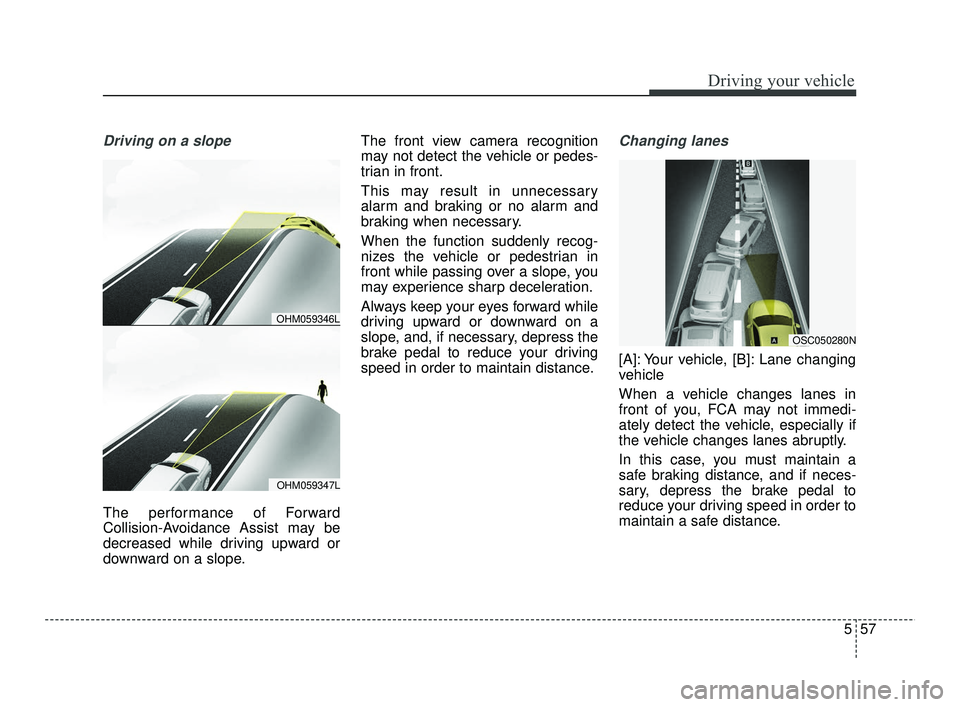
Driving on a slope
The performance of Forward
Collision-Avoidance Assist may be
decreased while driving upward or
downward on a slope.The front view camera recognition
may not detect the vehicle or pedes-
trian in front.
This may result in unnecessary
alarm and braking or no alarm and
braking when necessary.
When the function suddenly recog-
nizes the vehicle or pedestrian in
front while passing over a slope, you
may experience sharp deceleration.
Always keep your eyes forward while
driving upward or downward on a
slope, and, if necessary, depress the
brake pedal to reduce your driving
speed in order to maintain distance.
Changing lanes
[A]: Your vehicle, [B]: Lane changing
vehicle
When a vehicle changes lanes in
front of you, FCA may not immedi-
ately detect the vehicle, especially if
the vehicle changes lanes abruptly.
In this case, you must maintain a
safe braking distance, and if neces-
sary, depress the brake pedal to
reduce your driving speed in order to
maintain a safe distance.
OHM059347L
OHM059346L
OSC050280N
SC PE USA 5.QXP 10/23/2020 5:51 PM Page 57
Page 295 of 534
![KIA RIO 2021 Owners Manual Driving your vehicle
58
5
[A]: Your vehicle, [B]: Lane changing
vehicle, [C]: Same lane vehicle
When driving in stop-and-go traffic,
and a stopped vehicle in front of you
merges out of the lane, FCA m](/img/2/54889/w960_54889-294.png "KIA RIO 2021 Owners Manual Driving your vehicle
58
5
[A]: Your vehicle, [B]: Lane changing
vehicle, [C]: Same lane vehicle
When driving in stop-and-go traffic,
and a stopped vehicle in front of you
merges out of the lane, FCA m")
Driving your vehicle
58
5
[A]: Your vehicle, [B]: Lane changing
vehicle, [C]: Same lane vehicle
When driving in stop-and-go traffic,
and a stopped vehicle in front of you
merges out of the lane, FCA may not
immediately detect the new vehicle
that is now in front of you. In this
case, you must maintain a safe brak-
ing distance, and if necessary,
depress the brake pedal to reduce
your driving speed in order to main-
tain a safe distance.
Recognizing the vehicle
When the vehicle in front has heavy
loading extended rearward, or when
the vehicle in front has higher ground
clearance, it may induce a haz-
ardous situation. Always pay atten-
tion to road and driving conditions,
while driving and, if necessary,
depress the brake pedal to reduce
your driving speed in order to main-
tain distance.
Situation in which the function
may not detect pedestrian
properly.
The sensor may be limited when:
The pedestrian is not fully detected
by the camera recognition function,
for example, if the pedestrian is
leaning over or is not fully walking
upright.
The pedestrian is moving very quickly or appears abruptly in the
camera detection area.
The pedestrian is wearing clothing that easily blends into the back-
ground, making it difficult to be
detected by the camera recogni-
tion function.
The outside lighting is too bright (e.g. when driving in bright sun-
light or in sun glare) or too dark.
(e.g. when driving on a dark rural
road at night)
It is difficult to detect and distin- guish the pedestrian from other
objects in the surroundings, for
example, when there is a group of
pedestrians, or a large crowd.
OSC050281N
OSC050154N
SC PE USA 5.QXP 10/23/2020 5:51 PM Page 58
Page 296 of 534
559
Driving your vehicle
There is an item similar to a per-son's body structure
The pedestrian is small.
The pedestrian has impaired mobility.
The sensor recognition is limited.
The camera is blocked with a for- eign object or debris.
Inclement weather such as heavy rain or snow obscures the field of
view of the camera.
When light coming from a street light or an oncoming vehicle is
reflected on a wet road surface
such as a puddle in the road.
The field of view in front is obstructed by sun glare.
The windshield glass is fogged up; a clear view of the road is obstruct-
ed.
The adverse road conditions cause excessive vehicle vibrations while
driving.
The sensor recognition changes suddenly when passing over a
speed bump. You are on a roundabout.
The pedestrian suddenly interrupts
in front of the vehicle.
There is any other electromagnetic interference.
WARNING
Cancel FCA in the UserSettings on the LCD display,
before towing another vehicle.
While towing, the brake appli-
cation may adversely affect
your vehicle safety.
Exercise extreme caution to the vehicle in front, when it
has heavy loading extended
rearward, or when it has high-
er ground clearance.
Never try to test the operation of FCA. Doing so may cause
severe injury or death.
FCA is designed to detect and monitor the vehicle ahead or
detect a pedestrian in the
roadway through front view
camera recognition. It is not
designed to detect bicycles,
motorcycles, or smaller
wheeled objects such as lug-
gage bags, shopping carts, or
strollers.
(Continued)
SC PE USA 5.QXP 10/23/2020 5:51 PM Page 59
Page 297 of 534
Driving your vehicle
60
5
✽ ✽
NOTICE
In some instances, FCA may be can-
celed when subjected to electromag-
netic interference.
This device complies with Part 15
of the FCC rules.
Operation is subject to the following
three conditions:
1. This device may not cause harm-
ful interference, and
2. This device must accept any inter- ference received, including inter-
ference that may cause undesired
operation.
3. Changes or modifications not expressly approved by the party
responsible for compliance could
void the user’s authority to operate
the device. Radio frequency radiation expo-
sure information:
This equipment complies with FCC
radiation exposure limits set forth for
an uncontrolled environment.
This equipment should be installed
and operated with minimum distance
of 8 in (20 cm) between the radiator
(antenna) and your body.
This transmitter must not be co-locat-
ed or operating in conjunction with
any other antenna or transmitter.(Continued)
When replacing or reinstalling
the windshield, front bumper
or front view camera recogni-
tion after removal, take your
vehicle to an authorized Kia
dealer and have the system
checked.
SC PE USA 5.QXP 10/23/2020 5:51 PM Page 60
Page 301 of 534
Driving your vehicle
64
5
To warn the driver that the vehicle
is departing from the projected
lane in front, the green ( ) indi-
cator light will blink on the cluster,
the lane line will blink on the clus-
ter depending on which direction
the vehicle is veering, and an audi-
ble warning will sound.
The function will operate when your vehicle speed is between
approximately 40~120 mph
(60~200 km/h).Lane Keeping Assist
To warn the driver that the vehicleis departing from the projected
lane in front, the green ( ) indi-
cator light will blink on the cluster,
and the steering wheel will make
adjustments to keep vehicle inside
the lane.
The function will operate when your vehicle speed is between
approximately 40~120 mph
(60~200 km/h).
Hands-off warning
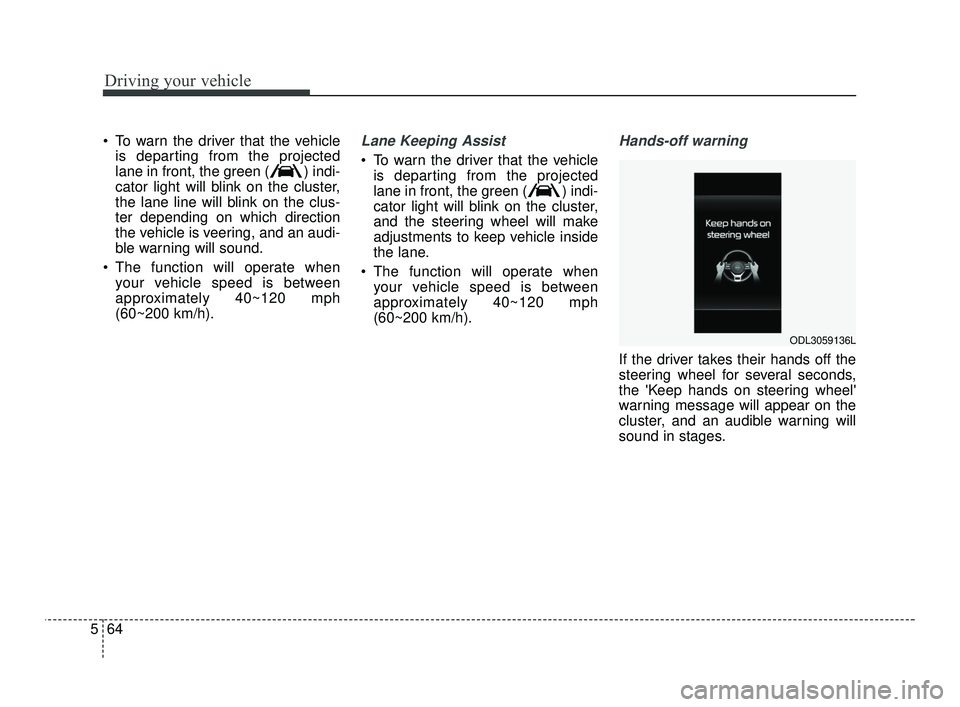
If the driver takes their hands off the
steering wheel for several seconds,
the 'Keep hands on steering wheel'
warning message will appear on the
cluster, and an audible warning will
sound in stages.
ODL3059136L
SC PE USA 5.QXP 10/23/2020 5:51 PM Page 64
Page 302 of 534
565
Driving your vehicle
✽ ✽NOTICE
• For more details on setting the
functions, refer to "LCD Display
Mode" in chapter 4.
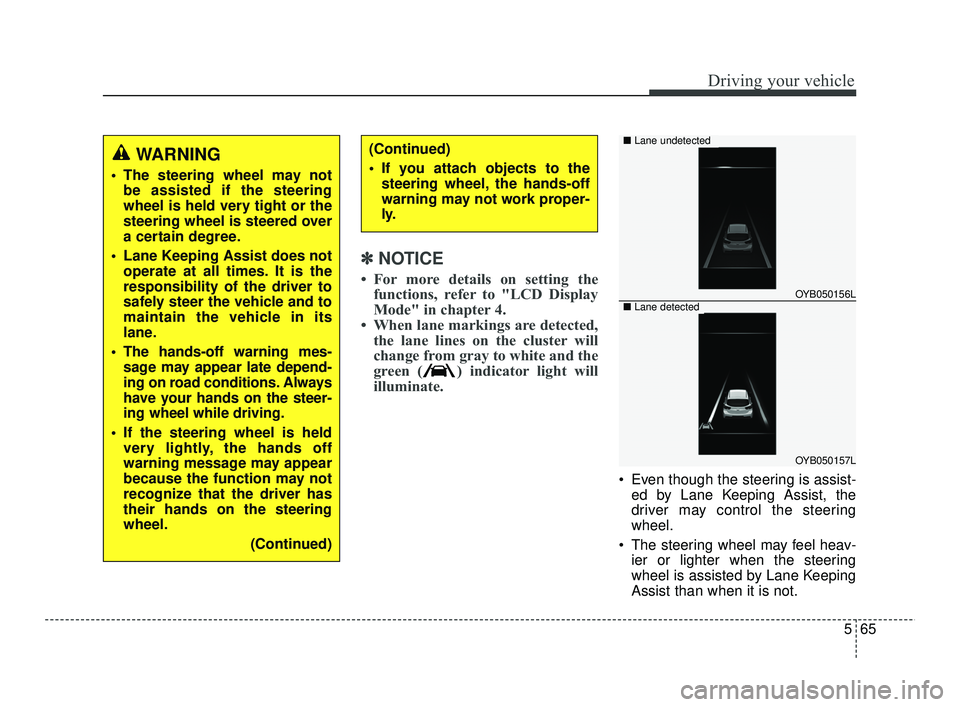
• When lane markings are detected, the lane lines on the cluster will
change from gray to white and the
green ( ) indicator light will
illuminate.
Even though the steering is assist-
ed by Lane Keeping Assist, the
driver may control the steering
wheel.
The steering wheel may feel heav- ier or lighter when the steering
wheel is assisted by Lane Keeping
Assist than when it is not.
WARNING
The steering wheel may notbe assisted if the steering
wheel is held very tight or the
steering wheel is steered over
a certain degree.
Lane Keeping Assist does not operate at all times. It is the
responsibility of the driver to
safely steer the vehicle and to
maintain the vehicle in its
lane.
The hands-off warning mes- sage may appear late depend-
ing on road conditions. Always
have your hands on the steer-
ing wheel while driving.
If the steering wheel is held very lightly, the hands off
warning message may appear
because the function may not
recognize that the driver has
their hands on the steering
wheel.
(Continued)
(Continued)
If you attach objects to thesteering wheel, the hands-off
warning may not work proper-
ly.
OYB050156L
OYB050157L
■ Lane undetected
■Lane detected
SC PE USA 5.QXP 10/23/2020 5:51 PM Page 65
Page 304 of 534

567
Driving your vehicle
WARNING
Take the following precautions
when using Lane Keeping
Assist:
The driver should hold theresponsibility to safely drive
and control the vehicle. Do
not solely rely on the function
and drive dangerously.
The operation of Lane Keeping Assist can be can-
celled or not work properly
depending on road conditions
and surroundings. Always be
cautious while driving.
Refer to "Limitations of the function" in chapter 5, if the
lane is not detected properly.
When you are towing a trailer or another vehicle, we recom-
mend that Lane Keeping
Assist is turned off due to
safety reasons.
(Continued)
(Continued)
If the vehicle is driven at highspeed, the steering wheel will
not be controlled. The driver
must always follow the speed
limit when using the function.
If any other function's warn- ing message is displayed or
audible warning is generated,
Lane Keeping Assist warning
message may not be dis-
played and audible warning
may not be generated.
You may not hear the warning sound of Lane Keeping Assist
if the surrounding is noisy.
If you attach objects to the steering wheel, steering may
not be assisted properly.
Lane Keeping Assist may not operate for 15 seconds after
the vehicle is started, or the
front view camera is initial-
ized.
Lane Keeping Assist will not operate when:
(Continued)(Continued)- The turn signal or hazardwarning flasher is turned on
- The vehicle is not driven in the center of the lane when
the function is turned on or
right after changing a lane
- ESC (Electronic Stability Control) or VSM (Vehicle
Stability Management) is
activated
- The vehicle is driven on a sharp curve
- Vehicle speed is below 35 mph (55 km/h) or above 130
mph (210 km/h)
- The vehicle makes sharp lane changes
- The vehicle is suddenly stopped
SC PE USA 5.QXP 10/23/2020 5:51 PM Page 67
Page 307 of 534
Driving your vehicle
70
5
Function settings
Setting
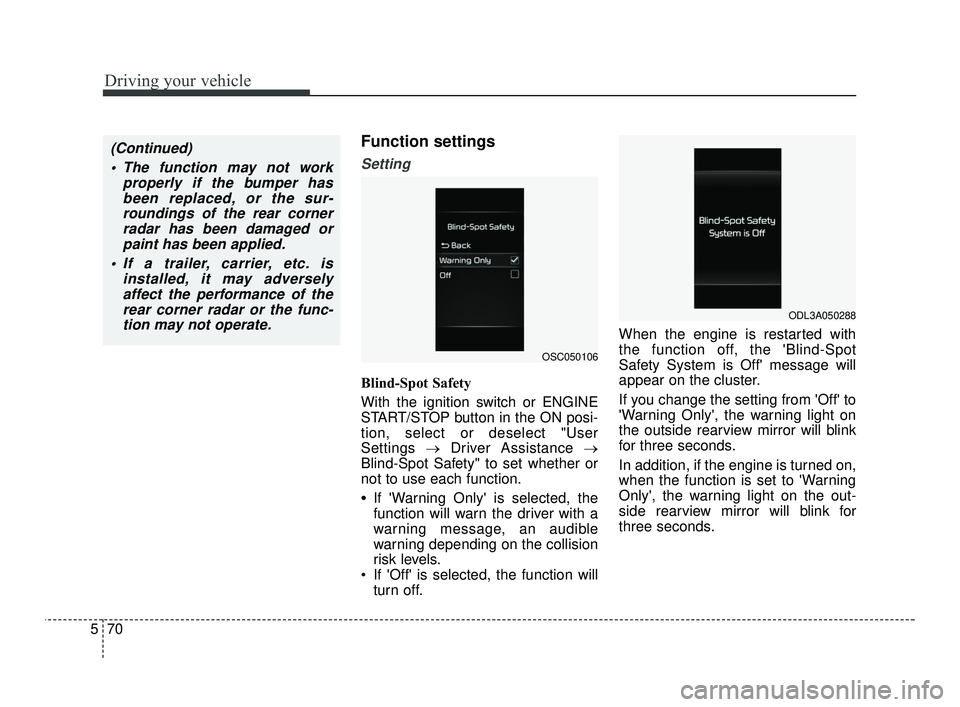
Blind-Spot Safety
With the ignition switch or ENGINE
START/STOP button in the ON posi-
tion, select or deselect "User
Settings →Driver Assistance →
Blind-Spot Safety" to set whether or
not to use each function.
•If 'Warning Only' is selected, the
function will warn the driver with a
warning message, an audible
warning depending on the collision
risk levels.
If 'Off' is selected, the function will turn off. When the engine is restarted with
the function off, the 'Blind-Spot
Safety System is Off' message will
appear on the cluster.
If you change the setting from 'Off' to
'Warning Only', the warning light on
the outside rearview mirror will blink
for three seconds.
In addition, if the engine is turned on,
when the function is set to 'Warning
Only', the warning light on the out-
side rearview mirror will blink for
three seconds.
(Continued)
The function may not work properly if the bumper hasbeen replaced, or the sur-roundings of the rear cornerradar has been damaged orpaint has been applied.
If a trailer, carrier, etc. is installed, it may adverselyaffect the performance of therear corner radar or the func-tion may not operate.
OSC050106
ODL3A050288
SC PE USA 5.QXP 10/23/2020 5:52 PM Page 70
Page 313 of 534
Driving your vehicle
76
5
WARNING
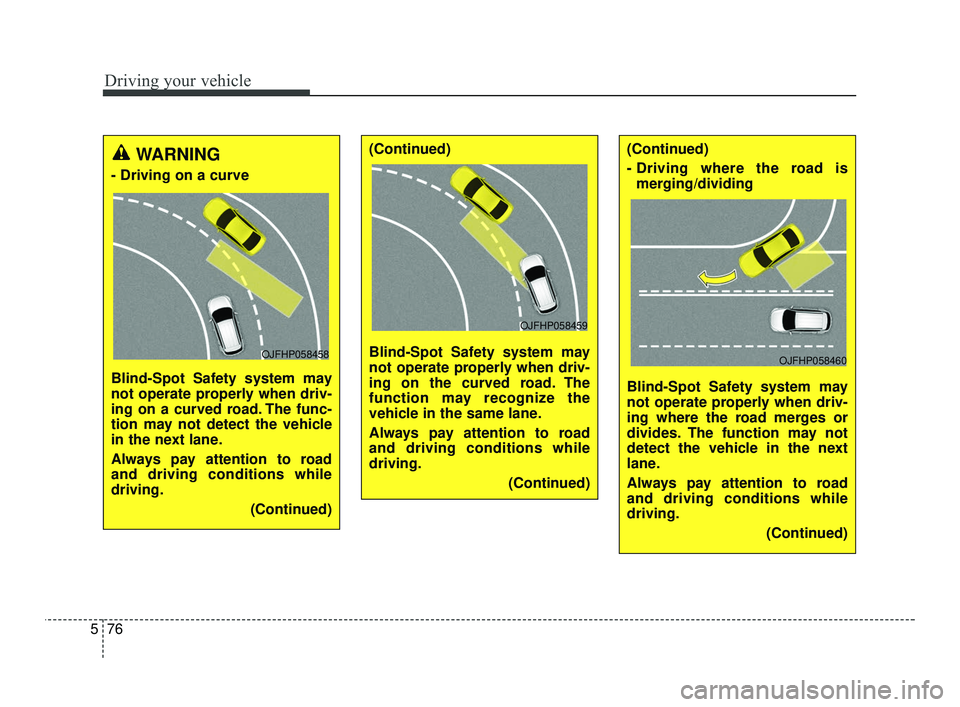
- Driving on a curve
Blind-Spot Safety system may
not operate properly when driv-
ing on a curved road. The func-
tion may not detect the vehicle
in the next lane.
Always pay attention to road
and driving conditions while
driving.
(Continued)
OJFHP058458
(Continued)
Blind-Spot Safety system may
not operate properly when driv-
ing on the curved road. The
function may recognize the
vehicle in the same lane.
Always pay attention to road
and driving conditions while
driving.(Continued)
OJFHP058459
(Continued)
- Driving where the road ismerging/dividing
Blind-Spot Safety system may
not operate properly when driv-
ing where the road merges or
divides. The function may not
detect the vehicle in the next
lane.
Always pay attention to road
and driving conditions while
driving. (Continued)
OJFHP058460
SC PE USA 5.QXP 10/23/2020 5:52 PM Page 76