page 3 KIA RIO 2022 Owners Manual
[x] Cancel search | Manufacturer: KIA, Model Year: 2022, Model line: RIO, Model: KIA RIO 2022Pages: 528, PDF Size: 11.8 MB
Page 223 of 528
Features of your vehicle
144
4
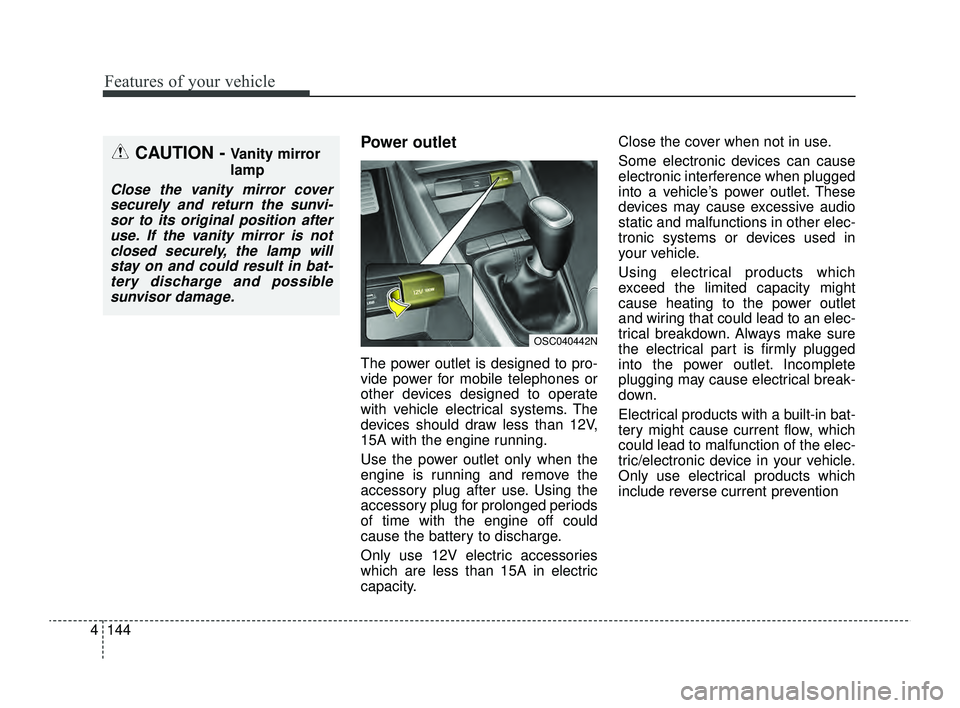
Power outlet
The power outlet is designed to pro-
vide power for mobile telephones or
other devices designed to operate
with vehicle electrical systems. The
devices should draw less than 12V,
15A with the engine running.
Use the power outlet only when the
engine is running and remove the
accessory plug after use. Using the
accessory plug for prolonged periods
of time with the engine off could
cause the battery to discharge.
Only use 12V electric accessories
which are less than 15A in electric
capacity. Close the cover when not in use.
Some electronic devices can cause
electronic interference when plugged
into a vehicle’s power outlet. These
devices may cause excessive audio
static and malfunctions in other elec-
tronic systems or devices used in
your vehicle.
Using electrical products which
exceed the limited capacity might
cause heating to the power outlet
and wiring that could lead to an elec-
trical breakdown. Always make sure
the electrical part is firmly plugged
into the power outlet. Incomplete
plugging may cause electrical break-
down.
Electrical products with a built-in bat-
tery might cause current flow, which
could lead to malfunction of the elec-
tric/electronic device in your vehicle.
Only use electrical products which
include reverse current prevention
CAUTION - Vanity mirror
lamp
Close the vanity mirror cover
securely and return the sunvi-sor to its original position afteruse. If the vanity mirror is notclosed securely, the lamp willstay on and could result in bat-tery discharge and possiblesunvisor damage.
OSC040442N
SC PE USA 4.QXP 9/9/2021 6:09 PM Page 144
Page 224 of 528
4145
Features of your vehicle
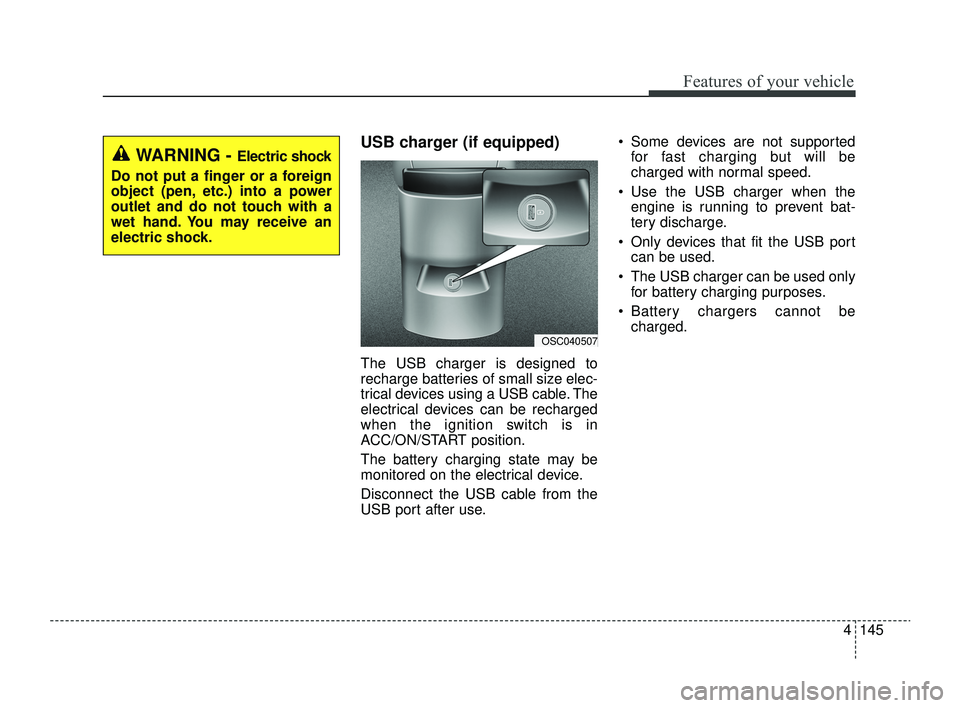
USB charger (if equipped)
The USB charger is designed to
recharge batteries of small size elec-
trical devices using a USB cable. The
electrical devices can be recharged
when the ignition switch is in
ACC/ON/START position.
The battery charging state may be
monitored on the electrical device.
Disconnect the USB cable from the
USB port after use. Some devices are not supported
for fast charging but will be
charged with normal speed.
Use the USB charger when the engine is running to prevent bat-
tery discharge.
Only devices that fit the USB port can be used.
The USB charger can be used only for battery charging purposes.
Battery chargers cannot be charged.
OSC040507
WARNING - Electric shock
Do not put a finger or a foreign
object (pen, etc.) into a power
outlet and do not touch with a
wet hand. You may receive an
electric shock.
SC PE USA 4.QXP 9/9/2021 6:09 PM Page 145
Page 225 of 528
Features of your vehicle
146
4
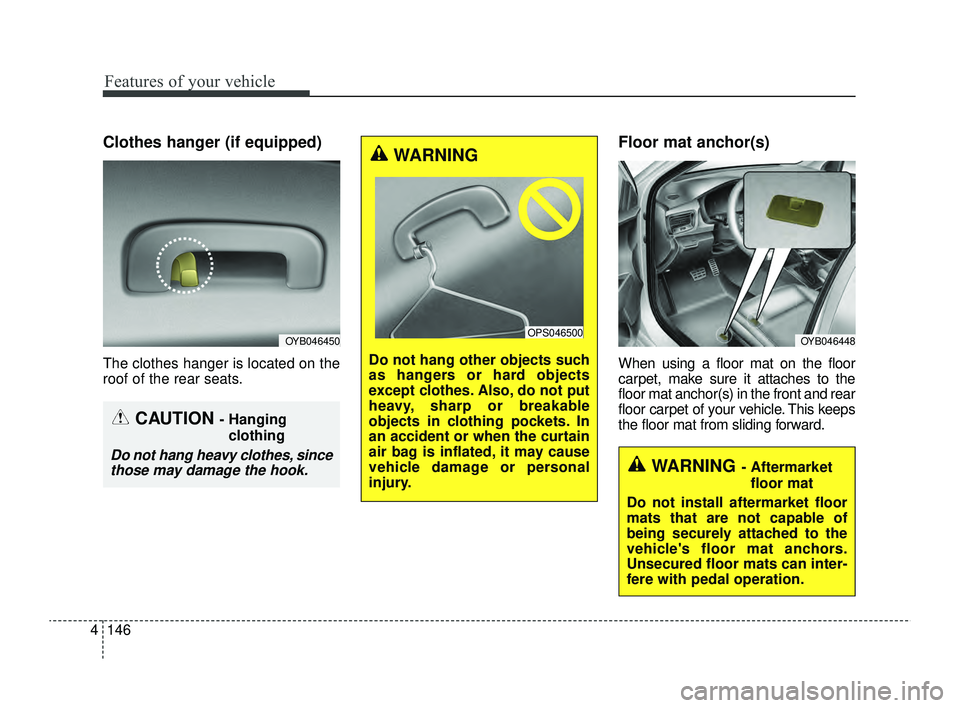
Clothes hanger (if equipped)
The clothes hanger is located on the
roof of the rear seats.
Floor mat anchor(s)
When using a floor mat on the floor
carpet, make sure it attaches to the
floor mat anchor(s) in the front and rear
floor carpet of your vehicle. This keeps
the floor mat from sliding forward.
OYB046450
CAUTION - Hanging
clothing
Do not hang heavy clothes, sincethose may damage the hook.
WARNING
Do not hang other objects such
as hangers or hard objects
except clothes. Also, do not put
heavy, sharp or breakable
objects in clothing pockets. In
an accident or when the curtain
air bag is inflated, it may cause
vehicle damage or personal
injury.
OPS046500OYB046448
WARNING - Aftermarket
floor mat
Do not install aftermarket floor
mats that are not capable of
being securely attached to the
vehicle's floor mat anchors.
Unsecured floor mats can inter-
fere with pedal operation.
SC PE USA 4.QXP 9/9/2021 6:09 PM Page 146
Page 226 of 528
4147
Features of your vehicle
The following must be observed
when installing ANY floor mat in the
vehicle.
Ensure that the floor mats aresecurely attached to the vehicle's
floor mat anchor(s) before driving
the vehicle.
Do not use ANY floor mat that can- not be firmly attached to the vehi-
cle's floor mat anchors.
Do not stack floor mats on top of one another (e.g. ,all-weather rub-
ber mat on top of a carpeted floor
mat). Only a single floor mat should
be installed in each position.
✽ ✽ NOTICE
Your vehicle was manufactured with
driver's side floor mat anchors that
are designed to securely hold the
floor mat in place. To avoid any
interference with pedal operation,
Kia recommends that only the Kia
floor mat designed for use in your
vehicle should be installed.
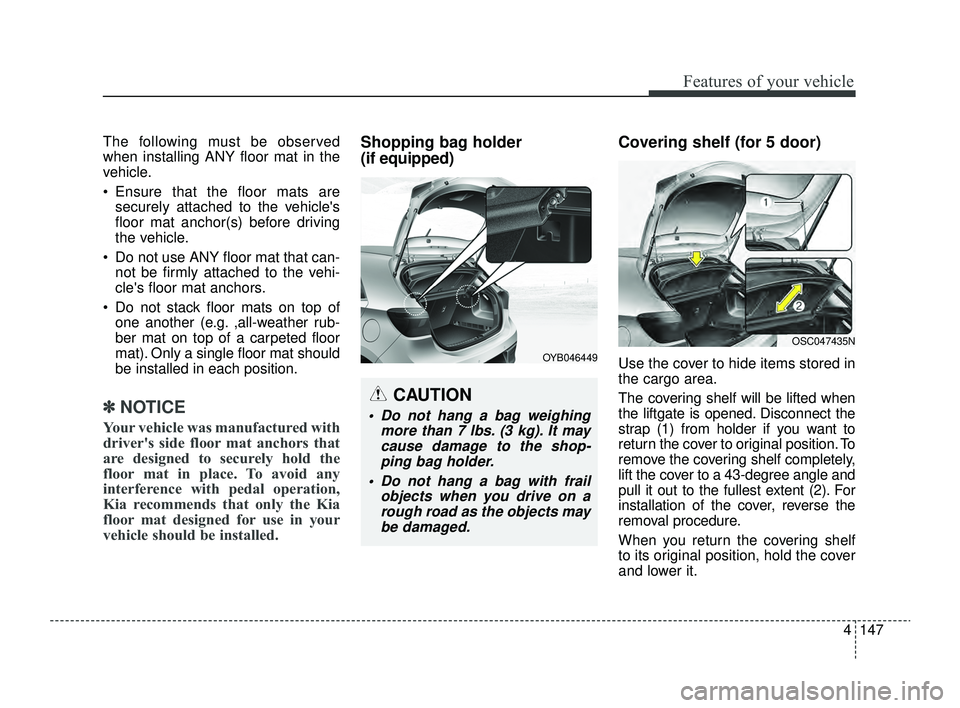
Shopping bag holder
(if equipped) Covering shelf (for 5 door)
Use the cover to hide items stored in
the cargo area.
The covering shelf will be lifted when
the liftgate is opened. Disconnect the
strap (1) from holder if you want to
return the cover to original position. To
remove the covering shelf completely,
lift the cover to a 43-degree angle and
pull it out to the fullest extent (2). For
installation of the cover, reverse the
removal procedure.
When you return the covering shelf
to its original position, hold the cover
and lower it.
CAUTION
Do not hang a bag weighing
more than 7 lbs. (3 kg). It maycause damage to the shop-ping bag holder.
Do not hang a bag with frail objects when you drive on arough road as the objects maybe damaged.
OYB046449
OSC047435N
SC PE USA 4.QXP 9/9/2021 6:09 PM Page 147
Page 227 of 528
Features of your vehicle
148
4
Never allow anyone to ride in the lug-
gage compartment. It is designed for
luggage only.
Maintain the balance of the vehicle
and locate the weight as far forward
as possible.
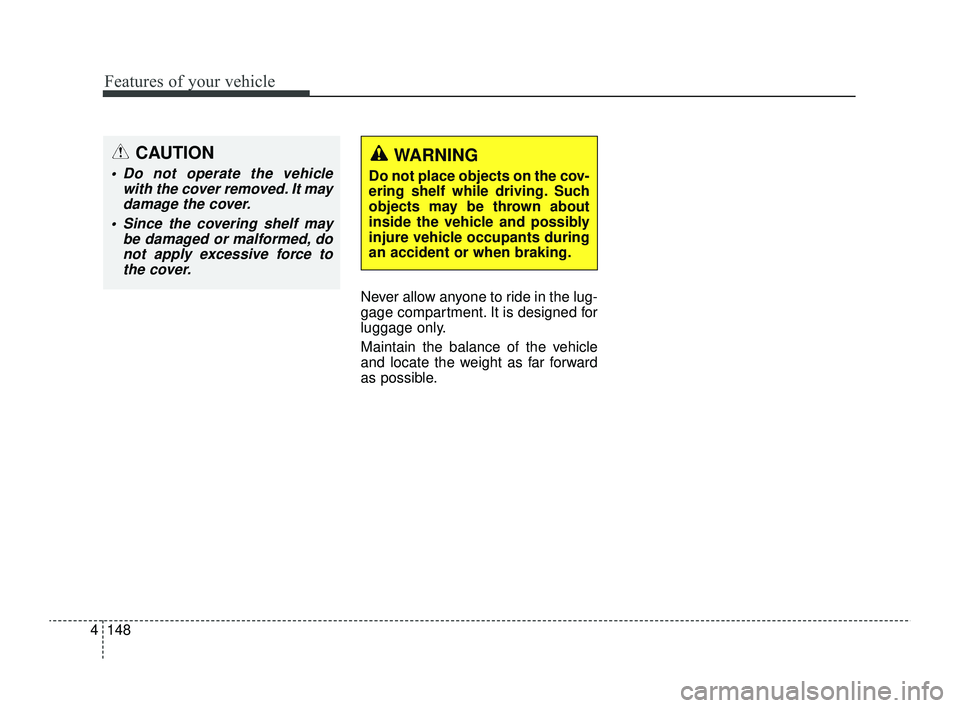
CAUTION
Do not operate the vehicle
with the cover removed. It maydamage the cover.
Since the covering shelf may be damaged or malformed, donot apply excessive force tothe cover.
WARNING
Do not place objects on the cov-
ering shelf while driving. Such
objects may be thrown about
inside the vehicle and possibly
injure vehicle occupants during
an accident or when braking.
SC PE USA 4.QXP 9/9/2021 6:09 PM Page 148
Page 228 of 528
4149
Features of your vehicle
✽ ✽NOTICE
If you install an aftermarket HID
head lamp, your vehicle’s audio and
electronic device may malfunction.
❈ If your vehicle is equipped with
Infotainment system, refer to a
separately supplied manual for
detailed information.
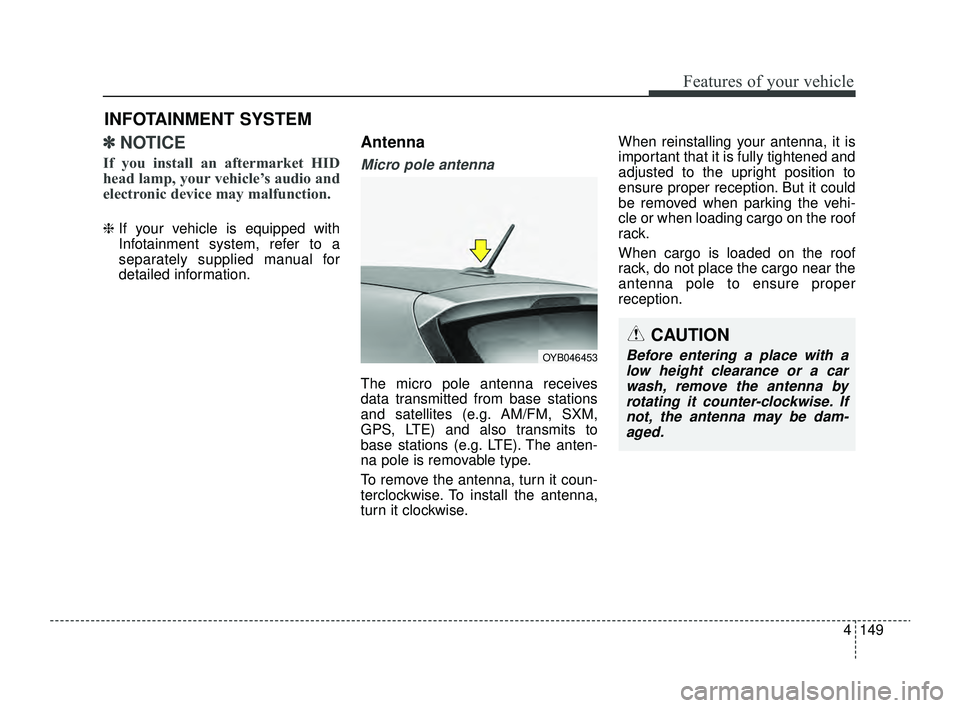
Antenna
Micro pole antenna
The micro pole antenna receives
data transmitted from base stations
and satellites (e.g. AM/FM, SXM,
GPS, LTE) and also transmits to
base stations (e.g. LTE). The anten-
na pole is removable type.
To remove the antenna, turn it coun-
terclockwise. To install the antenna,
turn it clockwise. When reinstalling your antenna, it is
important that it is fully tightened and
adjusted to the upright position to
ensure proper reception. But it could
be removed when parking the vehi-
cle or when loading cargo on the roof
rack.
When cargo is loaded on the roof
rack, do not place the cargo near the
antenna pole to ensure proper
reception.
INFOTAINMENT SYSTEM
CAUTION
Before entering a place with a
low height clearance or a carwash, remove the antenna byrotating it counter-clockwise. Ifnot, the antenna may be dam-aged.OYB046453
SC PE USA 4.QXP 9/9/2021 6:09 PM Page 149
Page 229 of 528
Features of your vehicle
150
4
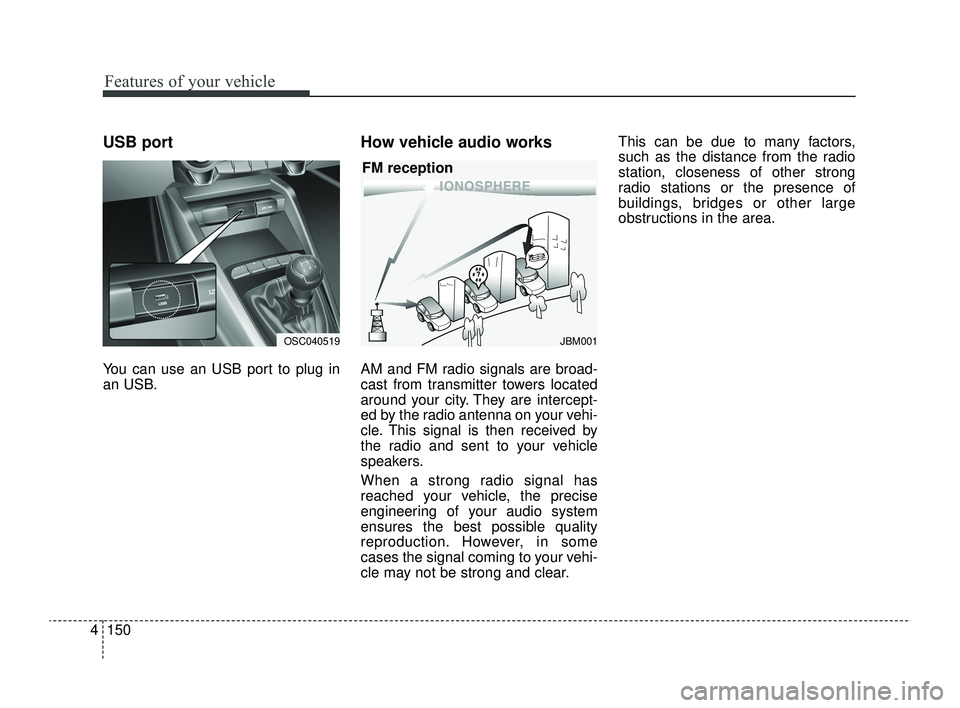
USB port
You can use an USB port to plug in
an USB.
How vehicle audio works
AM and FM radio signals are broad-
cast from transmitter towers located
around your city. They are intercept-
ed by the radio antenna on your vehi-
cle. This signal is then received by
the radio and sent to your vehicle
speakers.
When a strong radio signal has
reached your vehicle, the precise
engineering of your audio system
ensures the best possible quality
reproduction. However, in some
cases the signal coming to your vehi-
cle may not be strong and clear. This can be due to many factors,
such as the distance from the radio
station, closeness of other strong
radio stations or the presence of
buildings, bridges or other large
obstructions in the area.
JBM001
FM reception
OSC040519
SC PE USA 4.QXP 9/9/2021 6:09 PM Page 150
Page 230 of 528
4151
Features of your vehicle
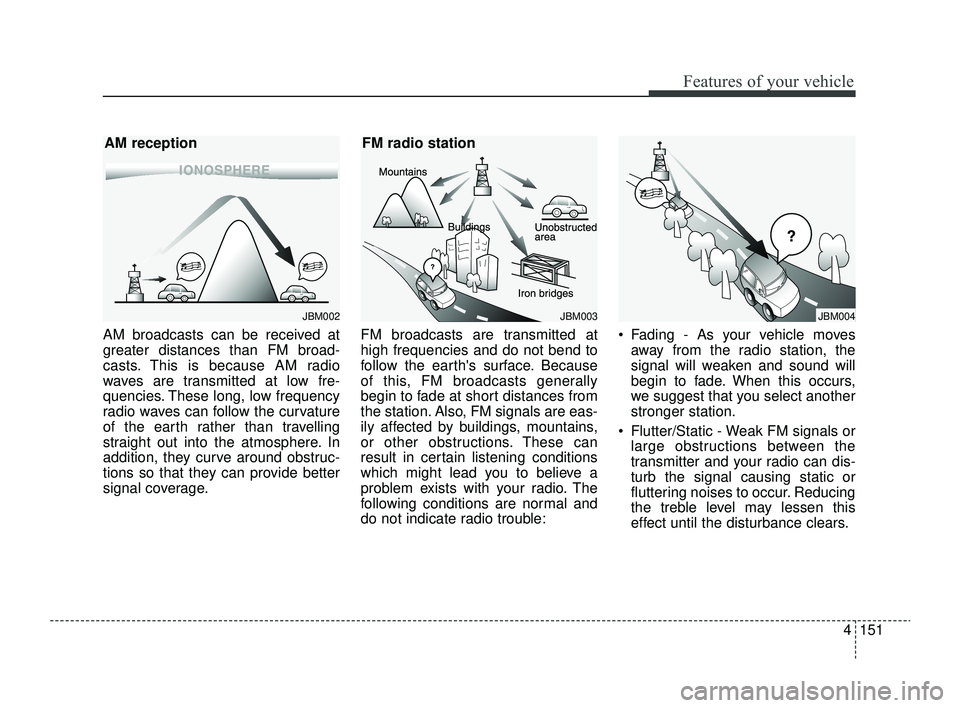
AM broadcasts can be received at
greater distances than FM broad-
casts. This is because AM radio
waves are transmitted at low fre-
quencies. These long, low frequency
radio waves can follow the curvature
of the earth rather than travelling
straight out into the atmosphere. In
addition, they curve around obstruc-
tions so that they can provide better
signal coverage.FM broadcasts are transmitted at
high frequencies and do not bend to
follow the earth's surface. Because
of this, FM broadcasts generally
begin to fade at short distances from
the station. Also, FM signals are eas-
ily affected by buildings, mountains,
or other obstructions. These can
result in certain listening conditions
which might lead you to believe a
problem exists with your radio. The
following conditions are normal and
do not indicate radio trouble: Fading - As your vehicle moves
away from the radio station, the
signal will weaken and sound will
begin to fade. When this occurs,
we suggest that you select another
stronger station.
Flutter/Static - Weak FM signals or large obstructions between the
transmitter and your radio can dis-
turb the signal causing static or
fluttering noises to occur. Reducing
the treble level may lessen this
effect until the disturbance clears.
JBM002
AM reception
JBM003
FM radio station
JBM004
SC PE USA 4.QXP 9/9/2021 6:09 PM Page 151
Page 231 of 528
Features of your vehicle
152
4
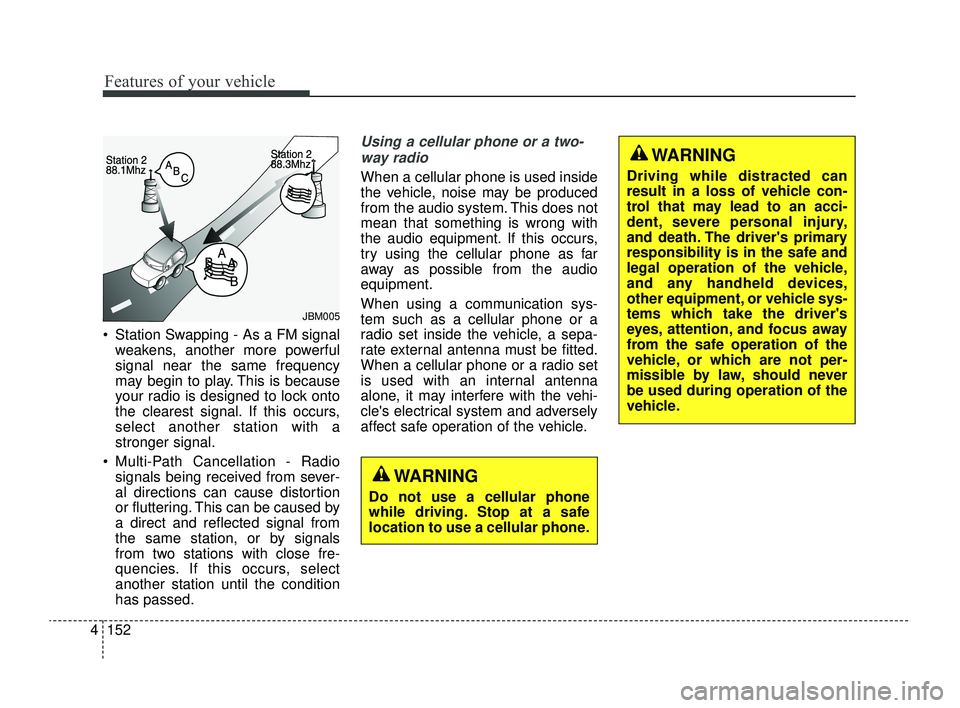
Station Swapping - As a FM signal
weakens, another more powerful
signal near the same frequency
may begin to play. This is because
your radio is designed to lock onto
the clearest signal. If this occurs,
select another station with a
stronger signal.
Multi-Path Cancellation - Radio signals being received from sever-
al directions can cause distortion
or fluttering. This can be caused by
a direct and reflected signal from
the same station, or by signals
from two stations with close fre-
quencies. If this occurs, select
another station until the condition
has passed.
Using a cellular phone or a two-
way radio
When a cellular phone is used inside
the vehicle, noise may be produced
from the audio system. This does not
mean that something is wrong with
the audio equipment. If this occurs,
try using the cellular phone as far
away as possible from the audio
equipment.
When using a communication sys-
tem such as a cellular phone or a
radio set inside the vehicle, a sepa-
rate external antenna must be fitted.
When a cellular phone or a radio set
is used with an internal antenna
alone, it may interfere with the vehi-
cle's electrical system and adversely
affect safe operation of the vehicle.
JBM005
WARNING
Do not use a cellular phone
while driving. Stop at a safe
location to use a cellular phone.
WARNING
Driving while distracted can
result in a loss of vehicle con-
trol that may lead to an acci-
dent, severe personal injury,
and death. The driver's primary
responsibility is in the safe and
legal operation of the vehicle,
and any handheld devices,
other equipment, or vehicle sys-
tems which take the driver's
eyes, attention, and focus away
from the safe operation of the
vehicle, or which are not per-
missible by law, should never
be used during operation of the
vehicle.
SC PE USA 4.QXP 9/9/2021 6:09 PM Page 152
Page 232 of 528
4153
Features of your vehicle
WARNING - Audio
System
Do not disassemble, assemble,
or modify this audio system.
Such acts could result in fire or
electric shock.
WARNING - Antenna
Do not touch the antenna dur-
ing thunder or lightning as such
acts may lead to lightning
induced electric shock.
SC PE USA 4.QXP 9/9/2021 6:09 PM Page 153