steering wheel KIA RIO 2022 Owner's Guide
[x] Cancel search | Manufacturer: KIA, Model Year: 2022, Model line: RIO, Model: KIA RIO 2022Pages: 528, PDF Size: 11.8 MB
Page 280 of 528
Driving your vehicle
46
5
For the pedestrian, the vehicle
speed is greater than or equal to 3
mph (5 km/h) and less than 37
mph (60 km/h). (Depending on the
condition of pedestrian and the
surrounding environment the pos-
sible maximum operating speed
may be reduced.)
- If you select "Warning Only",Forward Collision-Avoidance
Assist activates and produces
only warning alarms in accor-
dance with the collision risk lev-
els. You should control the brake
directly because Forward
Collision-Avoidance Assist do not
control the brake.Brake operation
In an urgent situation, the braking
system enters into the ready status
for prompt reaction to assist the driv-
er in depressing the brake pedal.
Forward Collision-Avoidance Assist provides additional braking
power for optimum braking per-
formance when the driver depress-
es the brake pedal during warning.
The braking control is automatical- ly deactivated when the driver
sharply depresses the accelerator
pedal, or when the driver abruptly
operates the steering wheel.
The braking control is automatical- ly canceled when risk factors dis-
appear.
The driver should always exercise
caution when operating the vehicle,
even though there is no warning
message or warning alarm.WARNING
Forward Collision-Avoidance
Assist cannot avoid all colli-
sions nor completely stop the
vehicle before collision. The
driver has the responsibility to
drive safely and control the
vehicle.
WARNING
Forward Collision-Avoidance
Assist is a supplemental func-
tion and cannot completely
stop the vehicle in all situations
or avoid all collisions. It is the
responsibility of the driver to
safely drive and control the
vehicle.
SC PE USA 5.QXP 9/9/2021 6:18 PM Page 46
Page 293 of 528
559
Driving your vehicle
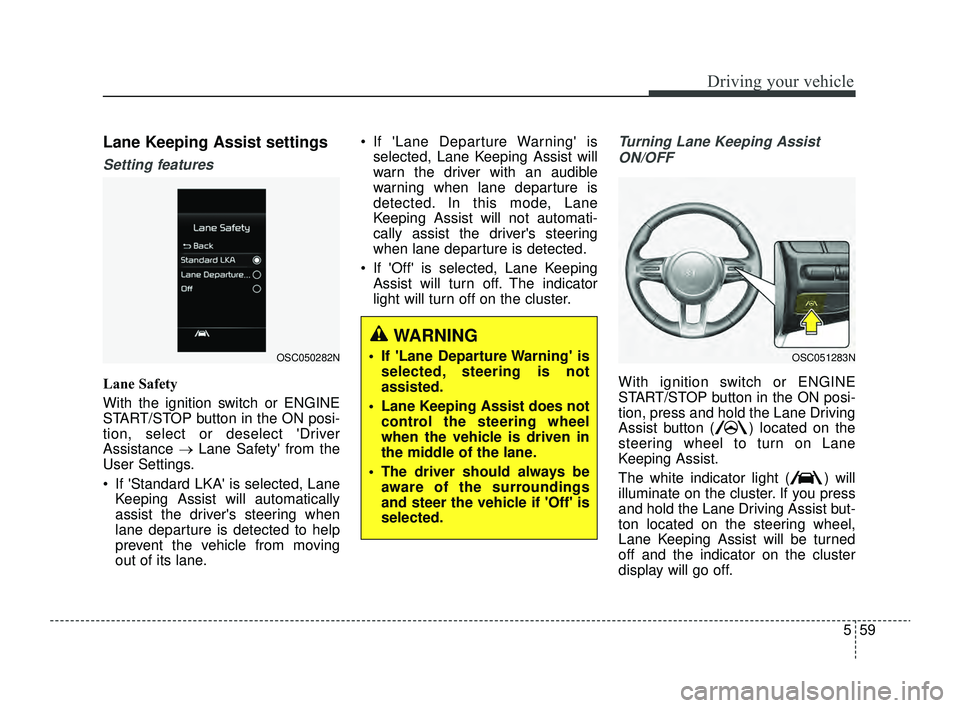
Lane Keeping Assist settings
Setting features
Lane Safety
With the ignition switch or ENGINE
START/STOP button in the ON posi-
tion, select or deselect 'Driver
Assistance →Lane Safety' from the
User Settings.
If 'Standard LKA' is selected, Lane Keeping Assist will automatically
assist the driver's steering when
lane departure is detected to help
prevent the vehicle from moving
out of its lane. If 'Lane Departure Warning' is
selected, Lane Keeping Assist will
warn the driver with an audible
warning when lane departure is
detected. In this mode, Lane
Keeping Assist will not automati-
cally assist the driver's steering
when lane departure is detected.
If 'Off' is selected, Lane Keeping Assist will turn off. The indicator
light will turn off on the cluster.
Turning Lane Keeping Assist
ON/OFF
With ignition switch or ENGINE
START/STOP button in the ON posi-
tion, press and hold the Lane Driving
Assist button ( ) located on the
steering wheel to turn on Lane
Keeping Assist.
The white indicator light ( ) will
illuminate on the cluster. If you press
and hold the Lane Driving Assist but-
ton located on the steering wheel,
Lane Keeping Assist will be turned
off and the indicator on the cluster
display will go off.
OSC050282NOSC051283N
WARNING
If 'Lane Departure Warning' is selected, steering is not
assisted.
Lane Keeping Assist does not control the steering wheel
when the vehicle is driven in
the middle of the lane.
The driver should always be aware of the surroundings
and steer the vehicle if 'Off' is
selected.
SC PE USA 5.QXP 9/9/2021 6:19 PM Page 59
Page 295 of 528
561
Driving your vehicle
To warn the driver that the vehicleis departing from the projected
lane in front, the green ( ) indi-
cator light will blink on the cluster,
the lane line will blink on the clus-
ter depending on which direction
the vehicle is veering, and an audi-
ble warning will sound.
Lane Keeping Assist will operate when your vehicle speed is
between approximately 40~120
mph (60~200 km/h).Lane Keeping Assist
To warn the driver that the vehicleis departing from the projected
lane in front, the green ( ) indi-
cator light will blink on the cluster,
and the steering wheel will make
adjustments to keep vehicle inside
the lane.
Lane Keeping Assist will operate when your vehicle speed is
between approximately 40~120
mph (60~200 km/h).
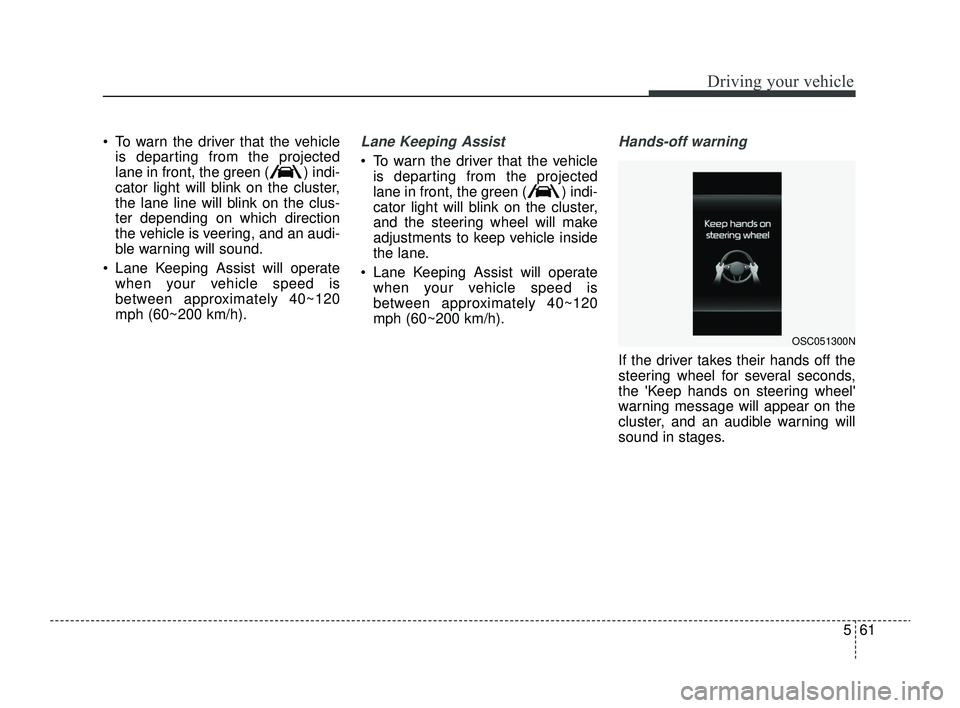
Hands-off warning
If the driver takes their hands off the
steering wheel for several seconds,
the 'Keep hands on steering wheel'
warning message will appear on the
cluster, and an audible warning will
sound in stages.
OSC051300N
SC PE USA 5.QXP 9/9/2021 6:19 PM Page 61
Page 296 of 528
Driving your vehicle
62
5
✽ ✽
NOTICE
• For more details on setting the
functions, refer to "LCD Display
Mode" in chapter 4.
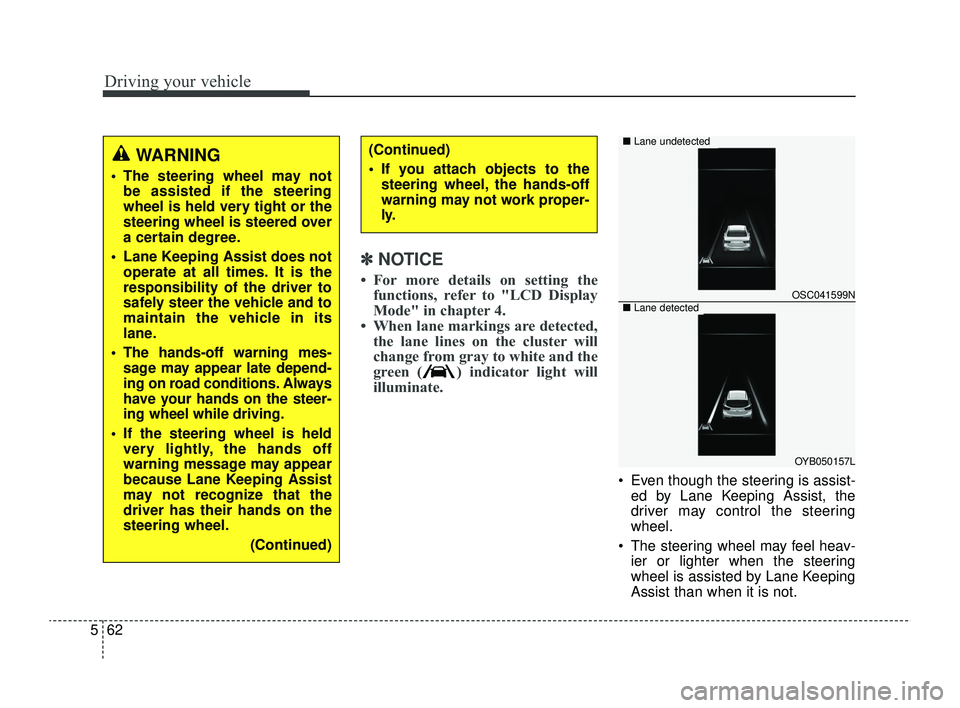
• When lane markings are detected, the lane lines on the cluster will
change from gray to white and the
green ( ) indicator light will
illuminate.
Even though the steering is assist-
ed by Lane Keeping Assist, the
driver may control the steering
wheel.
The steering wheel may feel heav- ier or lighter when the steering
wheel is assisted by Lane Keeping
Assist than when it is not.
WARNING
The steering wheel may notbe assisted if the steering
wheel is held very tight or the
steering wheel is steered over
a certain degree.
Lane Keeping Assist does not operate at all times. It is the
responsibility of the driver to
safely steer the vehicle and to
maintain the vehicle in its
lane.
The hands-off warning mes- sage may appear late depend-
ing on road conditions. Always
have your hands on the steer-
ing wheel while driving.
If the steering wheel is held very lightly, the hands off
warning message may appear
because Lane Keeping Assist
may not recognize that the
driver has their hands on the
steering wheel.
(Continued)
(Continued)
If you attach objects to thesteering wheel, the hands-off
warning may not work proper-
ly.
OSC041599N
OYB050157L
■ Lane undetected
■Lane detected
SC PE USA 5.QXP 9/9/2021 6:19 PM Page 62
Page 298 of 528
Driving your vehicle
64
5
WARNING
Take the following precautions
when using Lane Keeping
Assist:
The driver should hold the
responsibility to safely drive
and control the vehicle. Do not
solely rely on Lane Keeping
Assist or drive dangerously.
The operation of Lane Keeping Assist can be can-
celled or not work properly
depending on road conditions
and surroundings. Always be
cautious while driving.
Refer to "Limitations of Lane Keeping Assist" in chapter 5,
if the lane is not detected
properly.
When you are towing a trailer or another vehicle, we recom-
mend that Lane Keeping
Assist is turned off due to
safety reasons.
(Continued)
(Continued)
If the vehicle is driven at highspeed, the steering wheel will
not be controlled. The driver
must always follow the speed
limit when using Lane Keeping
Assist.
If any other function's warn- ing message is displayed or
audible warning is generated,
Lane Keeping Assist warning
message may not be dis-
played and audible warning
may not be generated.
You may not hear the warning sound of Lane Keeping Assist
if the surrounding is noisy.
If you attach objects to the steering wheel, steering may
not be assisted properly.
Lane Keeping Assist may not operate for 15 seconds after
the vehicle is started, or the
front view camera is initial-
ized.
Lane Keeping Assist will not operate when:
(Continued)(Continued)- The turn signal or hazardwarning flasher is turned on
- The vehicle is not driven in the center of the lane when
Lane Keeping Assist is
turned on or right after
changing a lane
- ESC (Electronic Stability Control) or VSM (Vehicle
Stability Management) is
activated
- The vehicle is driven on a sharp curve
- Vehicle speed is below 35 mph (55 km/h) or above 130
mph (210 km/h)
- The vehicle makes sharp lane changes
- The vehicle is suddenly stopped
SC PE USA 5.QXP 9/9/2021 6:19 PM Page 64
Page 318 of 528
Driving your vehicle
84
5
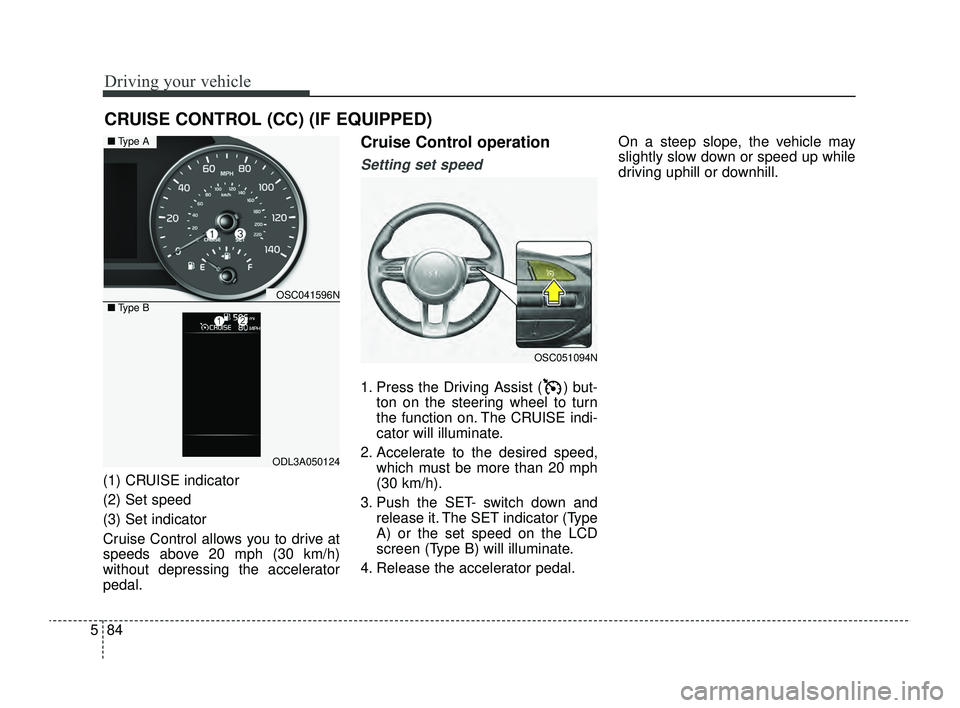
(1) CRUISE indicator
(2) Set speed
(3) Set indicator
Cruise Control allows you to drive at
speeds above 20 mph (30 km/h)
without depressing the accelerator
pedal.
Cruise Control operation
Setting set speed
1. Press the Driving Assist ( ) but-
ton on the steering wheel to turn
the function on. The CRUISE indi-
cator will illuminate.
2. Accelerate to the desired speed, which must be more than 20 mph
(30 km/h).
3. Push the SET- switch down and release it. The SET indicator (Type
A) or the set speed on the LCD
screen (Type B) will illuminate.
4. Release the accelerator pedal. On a steep slope, the vehicle may
slightly slow down or speed up while
driving uphill or downhill.
CRUISE CONTROL (CC) (IF EQUIPPED)
OSC051094N
OSC041596N
ODL3A050124
■
Type A
■ Type B
SC PE USA 5.QXP 9/9/2021 6:21 PM Page 84
Page 324 of 528
Driving your vehicle
90
5
CAUTION
When the steering wheel is not
controlled, the green ( ) indi-cator light will blink and changeto white.
Lane Following Assist set-
tings
Setting features
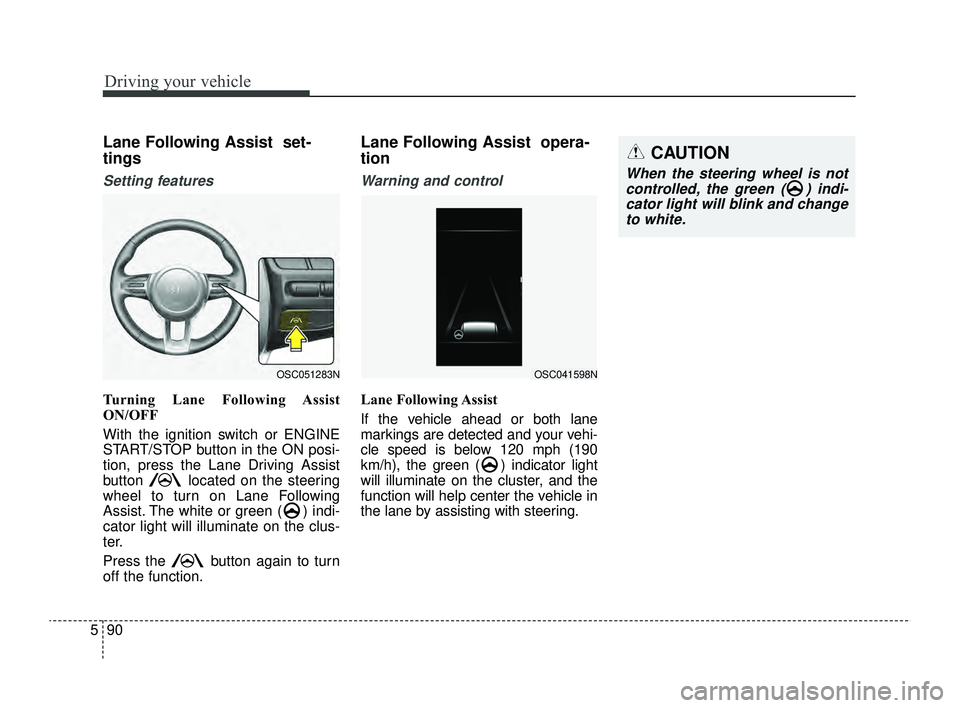
Turning Lane Following Assist
ON/OFF
With the ignition switch or ENGINE
START/STOP button in the ON posi-
tion, press the Lane Driving Assist
button located on the steering
wheel to turn on Lane Following
Assist. The white or green ( ) indi-
cator light will illuminate on the clus-
ter.
Press the button again to turn
off the function.
Lane Following Assist opera-
tion
Warning and control
Lane Following Assist
If the vehicle ahead or both lane
markings are detected and your vehi-
cle speed is below 120 mph (190
km/h), the green ( ) indicator light
will illuminate on the cluster, and the
function will help center the vehicle in
the lane by assisting with steering.
OSC051283NOSC041598N
SC PE USA 5.QXP 9/9/2021 6:21 PM Page 90
Page 325 of 528
591
Driving your vehicle
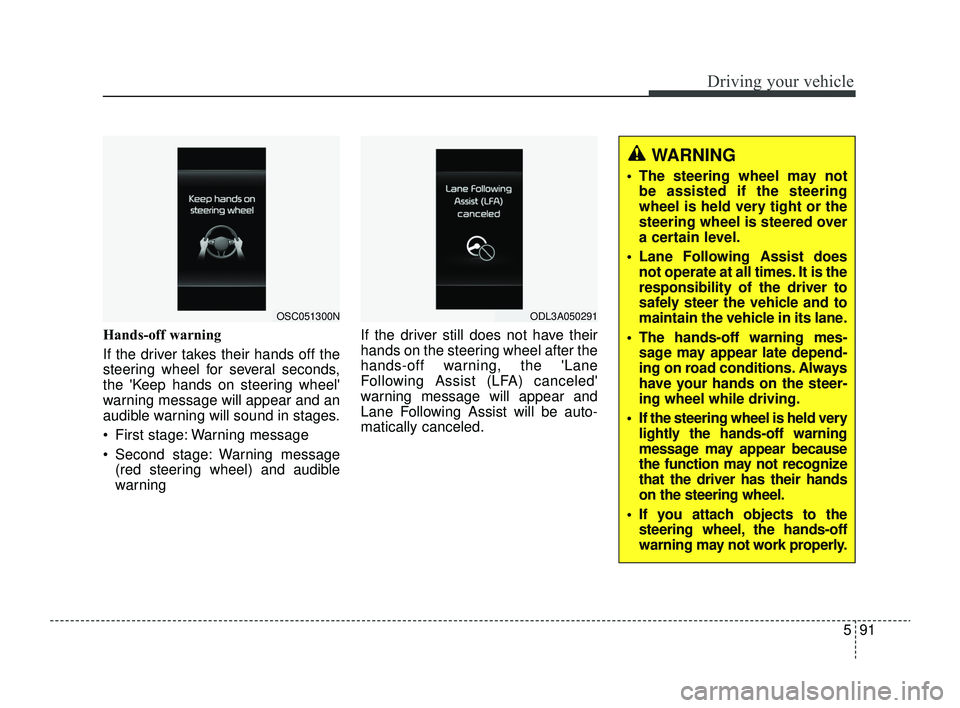
Hands-off warning
If the driver takes their hands off the
steering wheel for several seconds,
the 'Keep hands on steering wheel'
warning message will appear and an
audible warning will sound in stages.
First stage: Warning message
Second stage: Warning message(red steering wheel) and audible
warning If the driver still does not have their
hands on the steering wheel after the
hands-off warning, the 'Lane
Following Assist (LFA) canceled'
warning message will appear and
Lane Following Assist will be auto-
matically canceled.
OSC051300NODL3A050291
WARNING
The steering wheel may not
be assisted if the steering
wheel is held very tight or the
steering wheel is steered over
a certain level.
Lane Following Assist does not operate at all times. It is the
responsibility of the driver to
safely steer the vehicle and to
maintain the vehicle in its lane.
The hands-off warning mes- sage may appear late depend-
ing on road conditions. Always
have your hands on the steer-
ing wheel while driving.
If the steering wheel is held very lightly the hands-off warning
message may appear because
the function may not recognize
that the driver has their hands
on the steering wheel.
If you attach objects to the steering wheel, the hands-off
warning may not work properly.
SC PE USA 5.QXP 9/9/2021 6:21 PM Page 91
Page 326 of 528
Driving your vehicle
92
5
✽ ✽
NOTICE
• For more details on setting the
functions, refer to "LCD Display
Mode" in chapter 4.
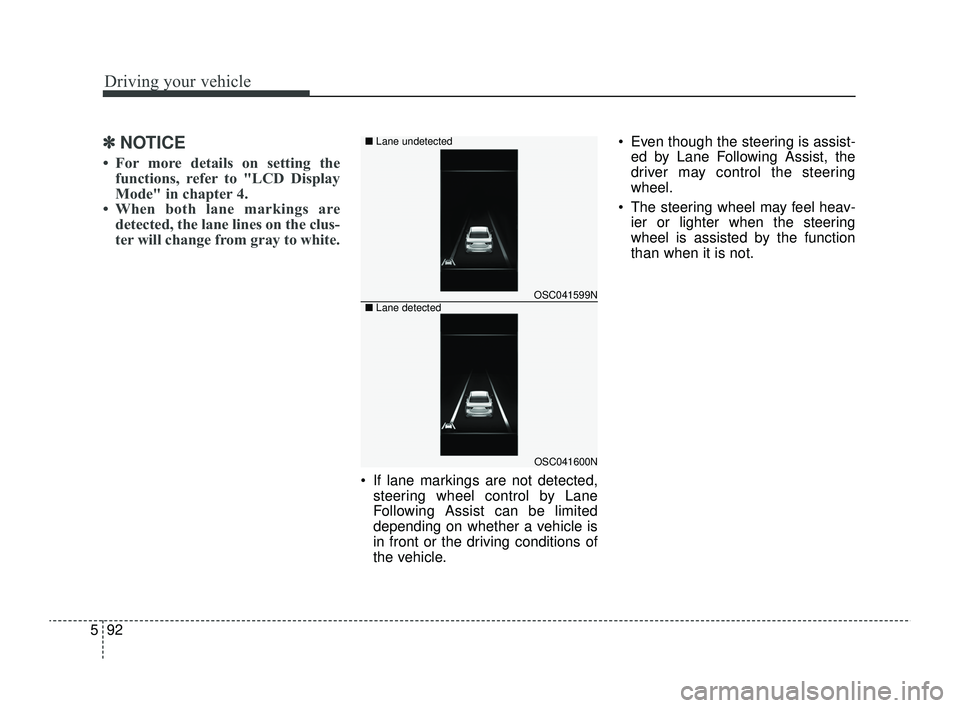
• When both lane markings are detected, the lane lines on the clus-
ter will change from gray to white.
If lane markings are not detected,
steering wheel control by Lane
Following Assist can be limited
depending on whether a vehicle is
in front or the driving conditions of
the vehicle. Even though the steering is assist-
ed by Lane Following Assist, the
driver may control the steering
wheel.
The steering wheel may feel heav- ier or lighter when the steering
wheel is assisted by the function
than when it is not.
OSC041599N
OSC041600N
■
Lane undetected
■ Lane detected
SC PE USA 5.QXP 9/9/2021 6:21 PM Page 92
Page 338 of 528
Driving your vehicle
104
5
Remember, your vehicle does not
require extended warm-up. After
the engine has started, allow the
engine to run for 10 to 20 seconds
prior to placing the vehicle in gear.
In very cold weather, however, give
your engine a slightly longer warm-
up period.
Don't “lug” or “over-rev” the engine. Lugging is driving too slowly in a
very high gear resulting in engine
bucking. If this happens, shift to a
lower gear. Over-revving is racing
the engine beyond its safe limit.
This can be avoided by shifting at
the recommended speed. Use your air conditioning sparingly.
The air conditioning system is
operated by engine power so your
fuel economy is reduced when you
use it.
Open windows at high speeds can reduce fuel economy.
Fuel economy is reduced by cross- winds and headwinds. To help off-
set some of this loss, slow down
when driving in these conditions.
Keeping a vehicle in good operating
condition is important both for econ-
omy and safety. Therefore, have an
authorized Kia dealer perform
scheduled inspections and mainte-
nance.
WARNING- Engine off during
motion
Never turn the engine off to
coast down hills or anytime the
vehicle is in motion. The power
steering and power brakes will
not function properly without
the engine running. In addition,
turning off the ignition while
driving could engage the steer-
ing wheel lock resulting in loss
of vehicle steering. Keep the
engine on and downshift to an
appropriate gear for engine
braking effect.
SC PE USA 5.QXP 9/9/2021 6:22 PM Page 104