lane assist KIA RIO 2022 Owners Manual
[x] Cancel search | Manufacturer: KIA, Model Year: 2022, Model line: RIO, Model: KIA RIO 2022Pages: 528, PDF Size: 11.8 MB
Page 81 of 528
Instrument cluster . . . . . . . . . . . . . . . . . . . . . . . . . 4-51
• Instrument Cluster Control . . . . . . . . . . . . . . . . . . . . 4-52
• LCD Display Control . . . . . . . . . . . . . . . . . . . . . . . . . 4-52
• Gauges . . . . . . . . . . . . . . . . . . . . . . . . . . . . . . . . . . . . \
. 4-53
• Transmission Shift Indicator . . . . . . . . . . . . . . . . . . . 4-57
Trip computer . . . . . . . . . . . . . . . . . . . . . . . . . . . . . 4-58
• Trip information (Trip computer) . . . . . . . . . . . . . . . 4-58
• Service Mode (For type A cluster) . . . . . . . . . . . . . . . 4-63
LCD display (For Type B cluster) . . . . . . . . . . . . 4-64
• LCD Display Mode . . . . . . . . . . . . . . . . . . . . . . . . . . . 4-64
• Driving Assist mode. . . . . . . . . . . . . . . . . . . . . . . . . . . 4-65
• User Settings Mode (For type B cluster) . . . . . . . . . 4-66
• Warning messages (For type B cluster) . . . . . . . . . . 4-74
Warning and indicator lights . . . . . . . . . . . . . . . . 4-78
• Warning lights . . . . . . . . . . . . . . . . . . . . . . . . . . . . . . . 4-78
• Indicator Lights . . . . . . . . . . . . . . . . . . . . . . . . . . . . . . 4-86
Rear View Monitor (RVM) . . . . . . . . . . . . . . . . . . 4-90
• Rear View Monitor malfunction and limitations . . . 4-90
Lighting . . . . . . . . . . . . . . . . . . . . . . . . . . . . . . . . . . 4-92\
• Battery saver function. . . . . . . . . . . . . . . . . . . . . . . . . 4-92
• Headlight escort function . . . . . . . . . . . . . . . . . . . . . . 4-92
• Headlight welcome function . . . . . . . . . . . . . . . . . . . . 4-92
• Lighting control . . . . . . . . . . . . . . . . . . . . . . . . . . . . . . 4-93
• High beam operation. . . . . . . . . . . . . . . . . . . . . . . . . . 4-95
• High Beam Assist (HBA) . . . . . . . . . . . . . . . . . . . . . . 4-96• Turn signals and lane change signals . . . . . . . . . . . . 4-97
• Front fog light . . . . . . . . . . . . . . . . . . . . . . . . . . . . . . . 4-98
Wipers and washers . . . . . . . . . . . . . . . . . . . . . . . . 4-99
• Windshield wipers . . . . . . . . . . . . . . . . . . . . . . . . . . . 4-100
• Windshield washers (front) . . . . . . . . . . . . . . . . . . . 4-101
• Rear window wiper and washer switch (for 5 door) .
4-103
Interior light . . . . . . . . . . . . . . . . . . . . . . . . . . . . . 4-104
• Automatic turn off function . . . . . . . . . . . . . . . . . . . 4-104
• Map lamp . . . . . . . . . . . . . . . . . . . . . . . . . . . . . . . . . 4-104
• Room lamp . . . . . . . . . . . . . . . . . . . . . . . . . . . . . . . . . 4-105
• Trunk/Liftgate room lamp . . . . . . . . . . . . . . . . . . . . 4-107
• Glove box lamp . . . . . . . . . . . . . . . . . . . . . . . . . . . . . 4-107
• Vanity mirror lamp . . . . . . . . . . . . . . . . . . . . . . . . . . 4-108
Defroster . . . . . . . . . . . . . . . . . . . . . . . . . . . . . . . . 4-109
• Rear window defroster . . . . . . . . . . . . . . . . . . . . . . . 4-109
Manual climate control system . . . . . . . . . . . . . . 4-110
• Heating and air conditioning . . . . . . . . . . . . . . . . . . 4-111
• System operation . . . . . . . . . . . . . . . . . . . . . . . . . . . . 4-116
• Climate control air filter . . . . . . . . . . . . . . . . . . . . . . 4-118
• Checking the amount of air conditioner refrigerant
and compressor lubricant . . . . . . . . . . . . . . . . . . . . 4-119
• Air Conditioning refrigerant label . . . . . . . . . . . . . 4-120
• Activate upon Washer Fluid Use . . . . . . . . . . . . . . 4-121
4
SC PE USA 4.QXP 9/9/2021 6:01 PM Page 2
Page 128 of 528
449
Features of your vehicle
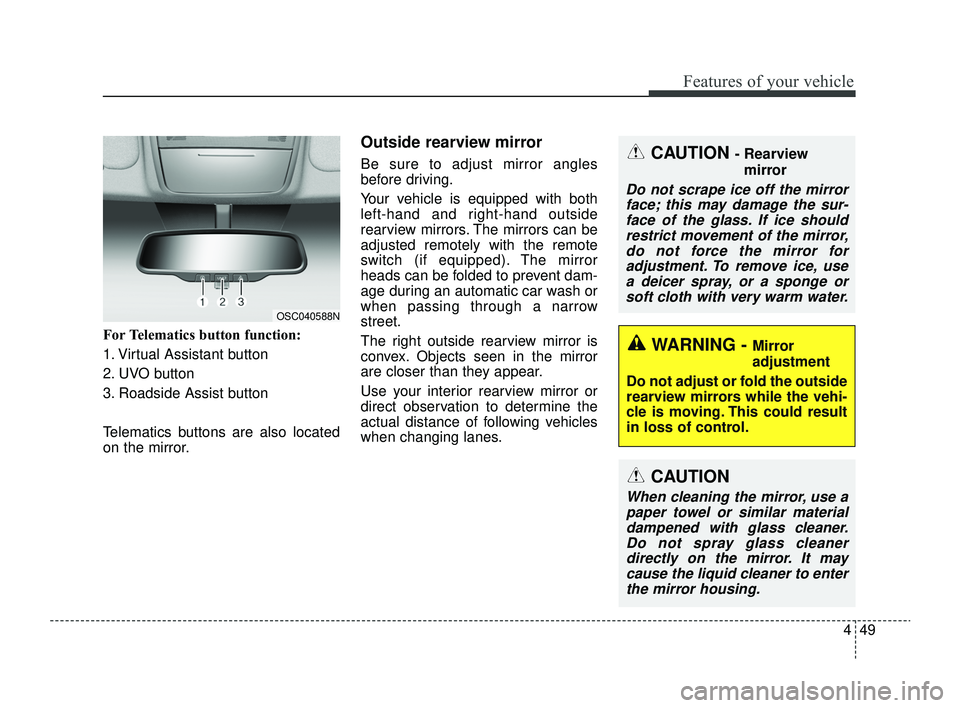
For Telematics button function:
1. Virtual Assistant button
2. UVO button
3. Roadside Assist button
Telematics buttons are also located
on the mirror.
Outside rearview mirror
Be sure to adjust mirror angles
before driving.
Your vehicle is equipped with both
left-hand and right-hand outside
rearview mirrors. The mirrors can be
adjusted remotely with the remote
switch (if equipped). The mirror
heads can be folded to prevent dam-
age during an automatic car wash or
when passing through a narrow
street.
The right outside rearview mirror is
convex. Objects seen in the mirror
are closer than they appear.
Use your interior rearview mirror or
direct observation to determine the
actual distance of following vehicles
when changing lanes.CAUTION - Rearview mirror
Do not scrape ice off the mirrorface; this may damage the sur-face of the glass. If ice shouldrestrict movement of the mirror,do not force the mirror foradjustment. To remove ice, usea deicer spray, or a sponge orsoft cloth with very warm water.
WARNING - Mirror
adjustment
Do not adjust or fold the outside
rearview mirrors while the vehi-
cle is moving. This could result
in loss of control.
CAUTION
When cleaning the mirror, use a paper towel or similar materialdampened with glass cleaner.Do not spray glass cleanerdirectly on the mirror. It maycause the liquid cleaner to enterthe mirror housing.
OSC040588N
SC PE USA 4.QXP 9/9/2021 6:03 PM Page 49
Page 143 of 528
Features of your vehicle
64
4
LCD DISPLAY (FOR TYPE B CLUSTER)
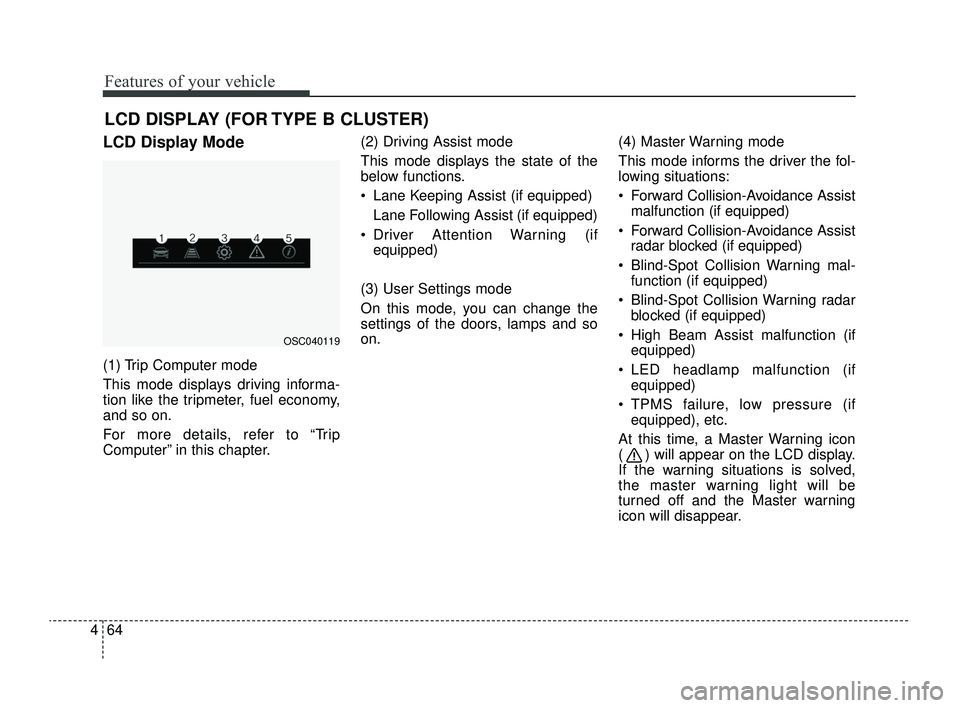
LCD Display Mode
(1) Trip Computer mode
This mode displays driving informa-
tion like the tripmeter, fuel economy,
and so on.
For more details, refer to “Trip
Computer” in this chapter. (2) Driving Assist mode
This mode displays the state of the
below functions.
Lane Keeping Assist (if equipped)
Lane Following Assist (if equipped)
Driver Attention Warning (if equipped)
(3) User Settings mode
On this mode, you can change the
settings of the doors, lamps and so
on. (4) Master Warning mode
This mode informs the driver the fol-
lowing situations:
Forward Collision-Avoidance Assist
malfunction (if equipped)
Forward Collision-Avoidance Assist radar blocked (if equipped)
Blind-Spot Collision Warning mal- function (if equipped)
Blind-Spot Collision Warning radar blocked (if equipped)
High Beam Assist malfunction (if equipped)
LED headlamp malfunction (if equipped)
TPMS failure, low pressure (if equipped), etc.
At this time, a Master Warning icon
( ) will appear on the LCD display.
If the warning situations is solved,
the master warning light will be
turned off and the Master warning
icon will disappear.
OSC040119
SC PE USA 4.QXP 9/9/2021 6:04 PM Page 64
Page 144 of 528
465
Features of your vehicle
(5) Information mode
This mode informs of the digital
speedometer.
❈For controlling the LCD modes,
refer to “LCD Display Control” in
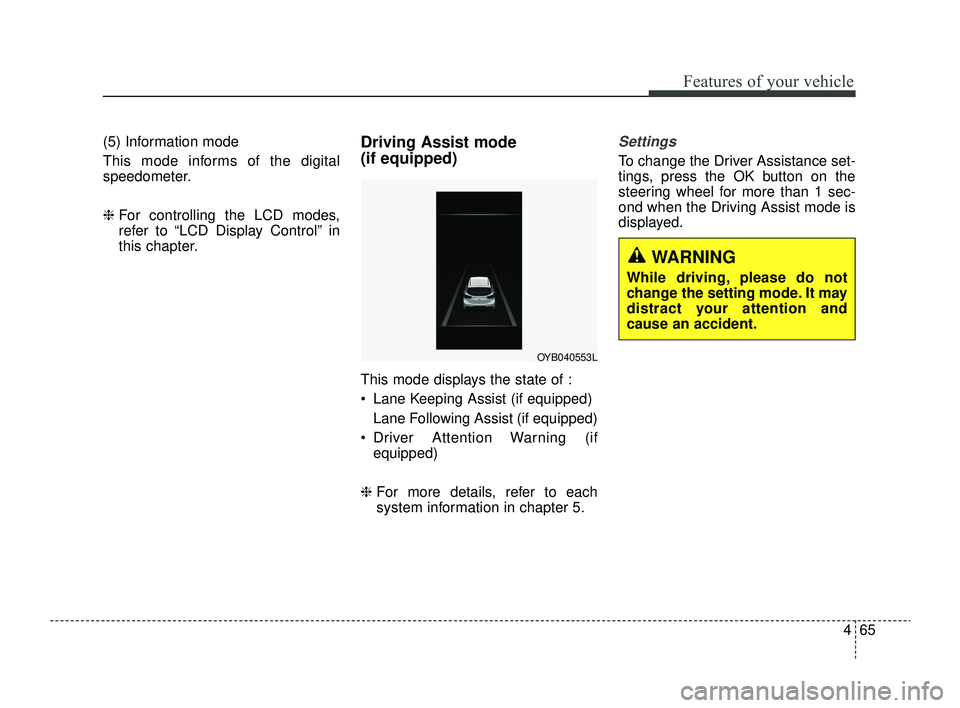
this chapter.Driving Assist mode
(if equipped)
This mode displays the state of :
Lane Keeping Assist (if equipped)
Lane Following Assist (if equipped)
Driver Attention Warning (if equipped)
❈ For more details, refer to each
system information in chapter 5.
Settings
To change the Driver Assistance set-
tings, press the OK button on the
steering wheel for more than 1 sec-
ond when the Driving Assist mode is
displayed.
OYB040553L
WARNING
While driving, please do not
change the setting mode. It may
distract your attention and
cause an accident.
SC PE USA 4.QXP 9/9/2021 6:04 PM Page 65
Page 145 of 528
Features of your vehicle
66
4
✽ ✽
NOTICE
The information provided may dif-
fer depending on which functions
are applicable to your vehicle.
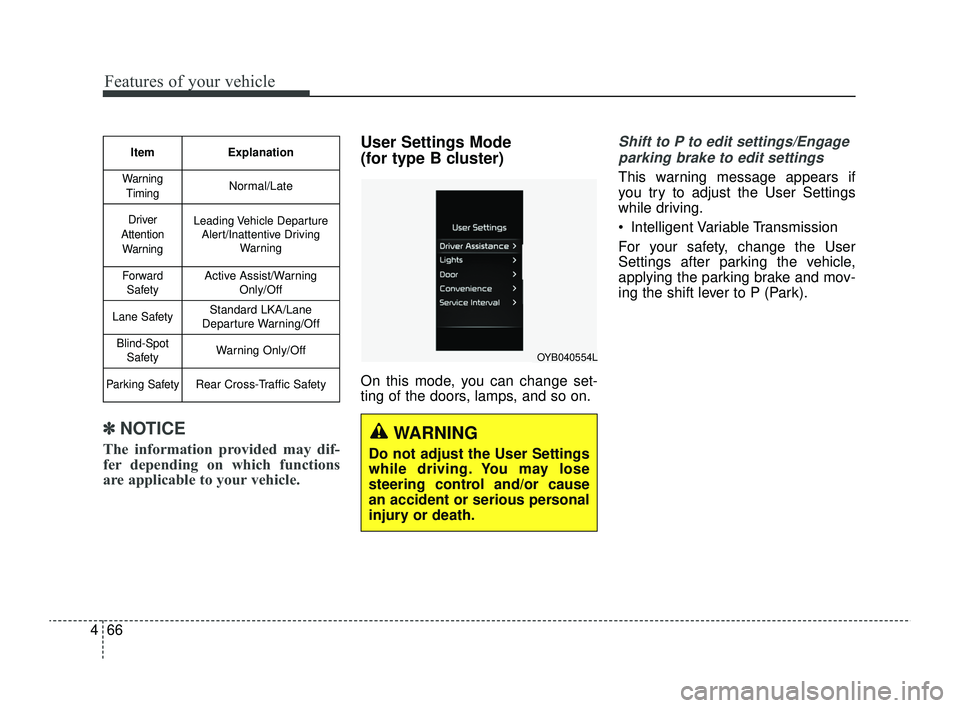
User Settings Mode
(for type B cluster)
On this mode, you can change set-
ting of the doors, lamps, and so on.
Shift to P to edit settings/Engage
parking brake to edit settings
This warning message appears if
you try to adjust the User Settings
while driving.
Intelligent Variable Transmission
For your safety, change the User
Settings after parking the vehicle,
applying the parking brake and mov-
ing the shift lever to P (Park).
Item Explanation
Warning
TimingNormal/Late
Driver
Attention WarningLeading Vehicle Departure Alert/Inattentive Driving Warning
ForwardSafetyActive Assist/Warning Only/Off
Lane SafetyStandard LKA/Lane
Departure Warning/Off
Blind-Spot SafetyWarning Only/Off
Parking SafetyRear Cross-Traffic Safety
WARNING
Do not adjust the User Settings
while driving. You may lose
steering control and/or cause
an accident or serious personal
injury or death.
OYB040554L
SC PE USA 4.QXP 9/9/2021 6:05 PM Page 66
Page 146 of 528
467
Features of your vehicle
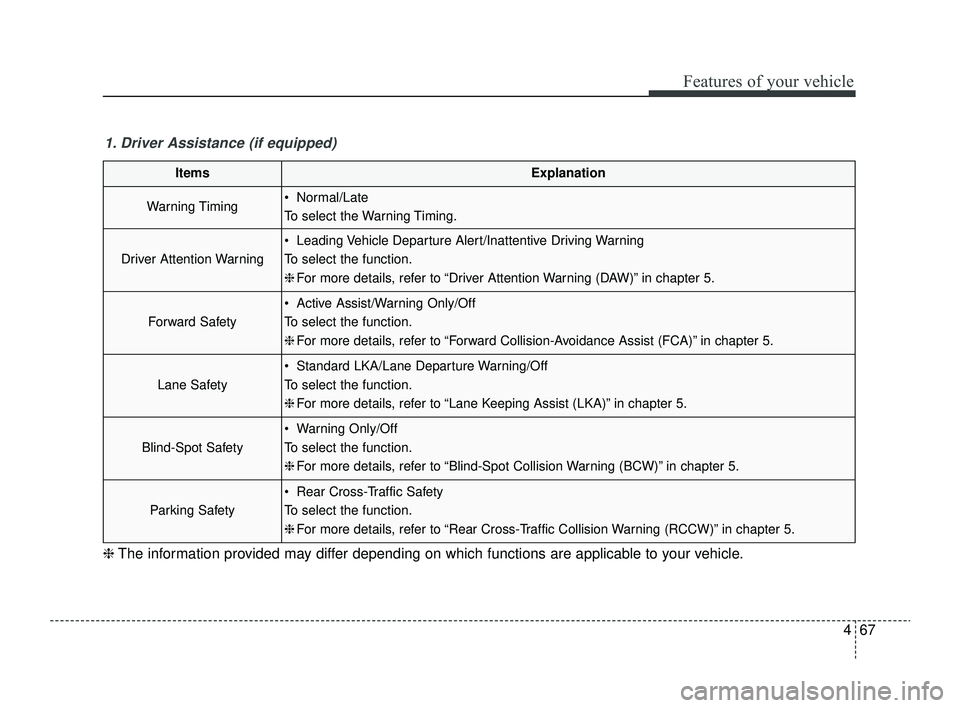
1. Driver Assistance (if equipped)
ItemsExplanation
Warning Timing Normal/Late
To select the Warning Timing.
Driver Attention Warning
Leading Vehicle Departure Alert/Inattentive Driving Warning
To select the function.
❈For more details, refer to “Driver Attention Warning (DAW)” in chapter 5.
Forward Safety
Active Assist/Warning Only/Off
To select the function.
❈For more details, refer to “Forward Collision-Avoidance Assist (FCA)” in chapter 5.
Lane Safety
Standard LKA/Lane Departure Warning/Off
To select the function.
❈For more details, refer to “Lane Keeping Assist (LKA)” in chapter 5.
Blind-Spot Safety
Warning Only/Off
To select the function.
❈For more details, refer to “Blind-Spot Collision Warning (BCW)” in chapter 5.
Parking Safety
Rear Cross-Traffic Safety
To select the function.
❈For more details, refer to “Rear Cross-Traffic Collision Warning (RCCW)” in chapter 5.
❈ The information provided may differ depending on which functions are applicable to your vehicle.
SC PE USA 4.QXP 9/9/2021 6:05 PM Page 67
Page 168 of 528
489
Features of your vehicle
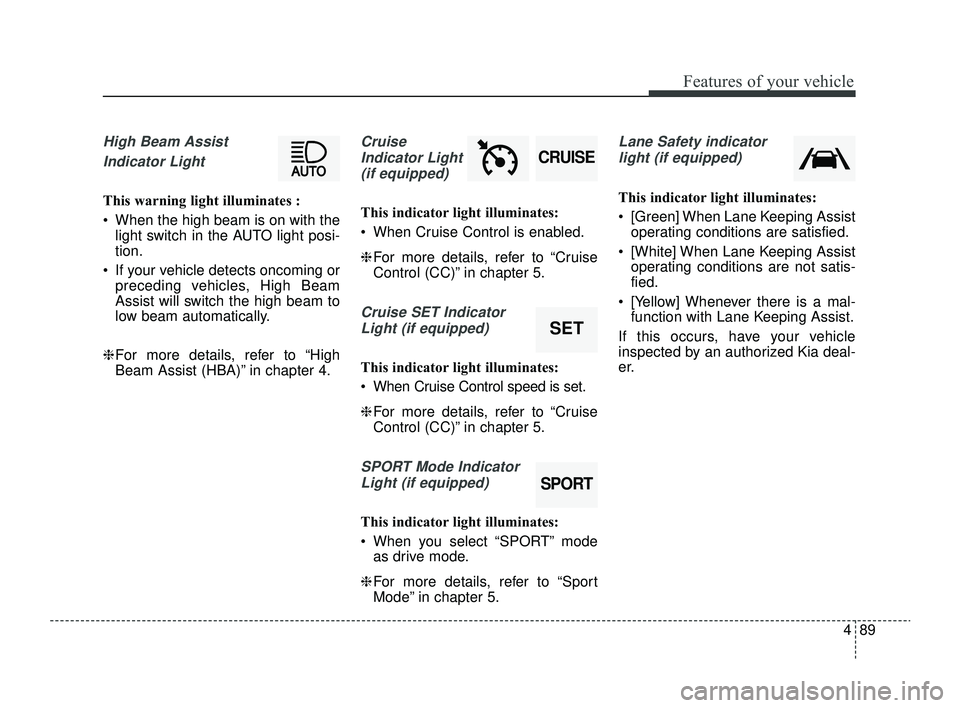
High Beam Assist Indicator Light
This warning light illuminates :
When the high beam is on with the light switch in the AUTO light posi-
tion.
If your vehicle detects oncoming or preceding vehicles, High Beam
Assist will switch the high beam to
low beam automatically.
❈ For more details, refer to “High
Beam Assist (HBA)” in chapter 4.
Cruise
Indicator Light (if equipped)
This indicator light illuminates:
When Cruise Control is enabled.
❈ For more details, refer to “Cruise
Control (CC)” in chapter 5.
Cruise SET Indicator
Light (if equipped)
This indicator light illuminates:
When Cruise Control speed is set.
❈ For more details, refer to “Cruise
Control (CC)” in chapter 5.
SPORT Mode Indicator
Light (if equipped)
This indicator light illuminates:
When you select “SPORT” mode as drive mode.
❈ For more details, refer to “Sport
Mode” in chapter 5.
Lane Safety indicator
light (if equipped)
This indicator light illuminates:
[Green] When Lane Keeping Assist operating conditions are satisfied.
[White] When Lane Keeping Assist operating conditions are not satis-
fied.
[Yellow] Whenever there is a mal- function with Lane Keeping Assist.
If this occurs, have your vehicle
inspected by an authorized Kia deal-
er.
SPORT
SET
CRUISE
SC PE USA 4.QXP 9/9/2021 6:05 PM Page 89
Page 235 of 528
Driving your vehicle
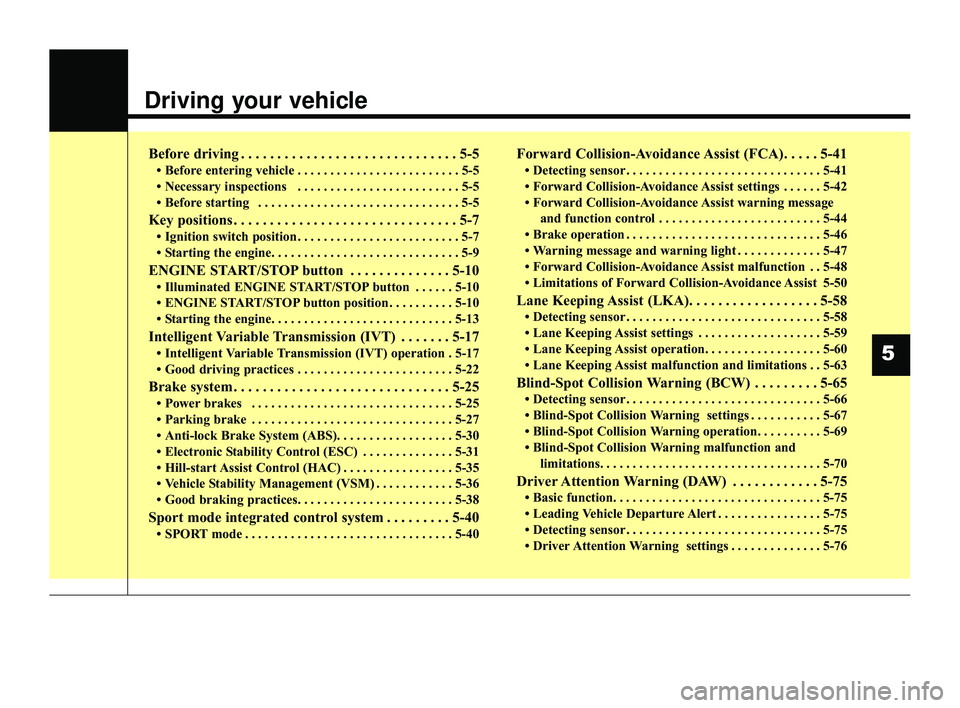
Before driving . . . . . . . . . . . . . . . . . . . . . . . . . . . . . . 5-5
• Before entering vehicle . . . . . . . . . . . . . . . . . . . . . . . . . 5-5
• Necessary inspections . . . . . . . . . . . . . . . . . . . . . . . . . 5-5
• Before starting . . . . . . . . . . . . . . . . . . . . . . . . . . . . . . . 5-5
Key positions . . . . . . . . . . . . . . . . . . . . . . . . . . . . . . . 5-7
• Ignition switch position . . . . . . . . . . . . . . . . . . . . . . . . . 5-7
• Starting the engine. . . . . . . . . . . . . . . . . . . . . . . . . . . . . 5-9
ENGINE START/STOP button . . . . . . . . . . . . . . 5-10
• Illuminated ENGINE START/STOP button . . . . . . 5-10
• ENGINE START/STOP button position . . . . . . . . . . 5-10
• Starting the engine. . . . . . . . . . . . . . . . . . . . . . . . . . . . 5-13
Intelligent Variable Transmission (IVT) . . . . . . . 5-17
• Intelligent Variable Transmission (IVT) operation . 5-17
• Good driving practices . . . . . . . . . . . . . . . . . . . . . . . . 5-22
Brake system . . . . . . . . . . . . . . . . . . . . . . . . . . . . . . 5-25
• Power brakes . . . . . . . . . . . . . . . . . . . . . . . . . . . . . . . 5-25
• Parking brake . . . . . . . . . . . . . . . . . . . . . . . . . . . . . . . 5-27
• Anti-lock Brake System (ABS). . . . . . . . . . . . . . . . . . 5-30
• Electronic Stability Control (ESC) . . . . . . . . . . . . . . 5-31
• Hill-start Assist Control (HAC) . . . . . . . . . . . . . . . . . 5-35
• Vehicle Stability Management (VSM) . . . . . . . . . . . . 5-36
• Good braking practices. . . . . . . . . . . . . . . . . . . . . . . . 5-38
Sport mode integrated control system . . . . . . . . . 5-40
• SPORT mode . . . . . . . . . . . . . . . . . . . . . . . . . . . . . . . . 5-40
Forward Collision-Avoidance Assist (FCA). . . . . 5-41
• Detecting sensor . . . . . . . . . . . . . . . . . . . . . . . . . . . . . . 5-41
• Forward Collision-Avoidance Assist settings . . . . . . 5-42
• Forward Collision-Avoidance Assist warning messageand function control . . . . . . . . . . . . . . . . . . . . . . . . . 5-44
• Brake operation . . . . . . . . . . . . . . . . . . . . . . . . . . . . . . 5-46
• Warning message and warning light . . . . . . . . . . . . . 5-47
• Forward Collision-Avoidance Assist malfunction . . 5-48
• Limitations of Forward Collision-Avoidance Assist 5-50
Lane Keeping Assist (LKA). . . . . . . . . . . . . . . . . . 5-58
• Detecting sensor . . . . . . . . . . . . . . . . . . . . . . . . . . . . . . 5-58
• Lane Keeping Assist settings . . . . . . . . . . . . . . . . . . . 5-59
• Lane Keeping Assist operation. . . . . . . . . . . . . . . . . . 5-60
• Lane Keeping Assist malfunction and limitations . . 5-63
Blind-Spot Collision Warning (BCW) . . . . . . . . . 5-65
• Detecting sensor . . . . . . . . . . . . . . . . . . . . . . . . . . . . . . 5-66
• Blind-Spot Collision Warning settings . . . . . . . . . . . 5-67
• Blind-Spot Collision Warning operation. . . . . . . . . . 5-69
• Blind-Spot Collision Warning malfunction and limitations. . . . . . . . . . . . . . . . . . . . . . . . . . . . . . . . . . 5-70\
Driver Attention Warning (DAW) . . . . . . . . . . . . 5-75
• Basic function. . . . . . . . . . . . . . . . . . . . . . . . . . . . . . . . \
5-75
• Leading Vehicle Departure Alert . . . . . . . . . . . . . . . . 5-75
• Detecting sensor . . . . . . . . . . . . . . . . . . . . . . . . . . . . . . 5-75
• Driver Attention Warning settings . . . . . . . . . . . . . . 5-76
5
SC PE USA 5.QXP 9/9/2021 6:17 PM Page 1
Page 236 of 528

• Driver Attention Warning operation . . . . . . . . . . . . 5-78
• Driver Attention Warning malfunction andlimitations. . . . . . . . . . . . . . . . . . . . . . . . . . . . . . . . . . 5-81\
Cruise Control (CC). . . . . . . . . . . . . . . . . . . . . . . . 5-84
• Cruise Control operation . . . . . . . . . . . . . . . . . . . . . . 5-84
• Increasing set speed. . . . . . . . . . . . . . . . . . . . . . . . . . . 5-85
• Decreasing set speed . . . . . . . . . . . . . . . . . . . . . . . . . . 5-85
• Accelerating temporarily . . . . . . . . . . . . . . . . . . . . . . 5-86
• Temporarily pausing Cruise Control . . . . . . . . . . . . 5-86
• Resuming Cruise Control . . . . . . . . . . . . . . . . . . . . . . 5-87
• Turning off Cruise Control. . . . . . . . . . . . . . . . . . . . . 5-87
Lane Following Assist (LFA) . . . . . . . . . . . . . . . . . 5-89
• Detecting sensor . . . . . . . . . . . . . . . . . . . . . . . . . . . . . . 5-89
• Lane Following Assist settings . . . . . . . . . . . . . . . . . 5-89
• Lane Following Assist operation . . . . . . . . . . . . . . . . 5-90
• Lane Following Assist malfunction and limitations . 5-93
Rear Cross-Traffic Collision Warning (RCCW) . 5-94
• Detecting sensor . . . . . . . . . . . . . . . . . . . . . . . . . . . . . . 5-94
• Rear Cross-Traffic Collision Warning settings . . . . 5-95
• Rear Cross-Traffic Collision Warning operation . . . 5-96
• Rear Cross-Traffic Collision Warning malfunction
and limitations . . . . . . . . . . . . . . . . . . . . . . . . . . . . . . 5-97
Declaration of conformity . . . . . . . . . . . . . . . . . . 5-102
• The radio frequency components (Rear Corner Radar)complies . . . . . . . . . . . . . . . . . . . . . . . . . . . . . . . . . . 5-10\
2
Economical operation . . . . . . . . . . . . . . . . . . . . . 5-103
Special driving conditions . . . . . . . . . . . . . . . . . . 5-105
• Hazardous driving conditions . . . . . . . . . . . . . . . . . 5-105
• Rocking the vehicle . . . . . . . . . . . . . . . . . . . . . . . . . . 5-105
• Smooth cornering . . . . . . . . . . . . . . . . . . . . . . . . . . . 5-106
• Driving at night . . . . . . . . . . . . . . . . . . . . . . . . . . . . 5-106
• Driving in the rain . . . . . . . . . . . . . . . . . . . . . . . . . . . 5-107
• Driving in flooded areas . . . . . . . . . . . . . . . . . . . . . . 5-108
• Driving off-road . . . . . . . . . . . . . . . . . . . . . . . . . . . . . 5-108
• Highway driving . . . . . . . . . . . . . . . . . . . . . . . . . . . . 5-108
Winter driving . . . . . . . . . . . . . . . . . . . . . . . . . . . 5-110
• Snowy or Icy conditions . . . . . . . . . . . . . . . . . . . . . . 5-110
• Use high quality ethylene glycol coolant . . . . . . . . . 5-112
• Check battery and cables . . . . . . . . . . . . . . . . . . . . . 5-112
• Change to "winter weight" oil if necessary . . . . . . 5-113
• Check spark plugs and ignition system . . . . . . . . . . 5-113
• To keep locks from freezing . . . . . . . . . . . . . . . . . . . 5-113
• Use approved window washer anti-freeze in system5-113
• Don't let your parking brake freeze . . . . . . . . . . . . 5-113
• Don't let ice and snow accumulate underneath . . . 5-113
• Carry emergency equipment . . . . . . . . . . . . . . . . . . 5-114
• Trailer Towing . . . . . . . . . . . . . . . . . . . . . . . . . . . . . . 5-114
5
SC PE USA 5.QXP 9/9/2021 6:17 PM Page 2
Page 283 of 528
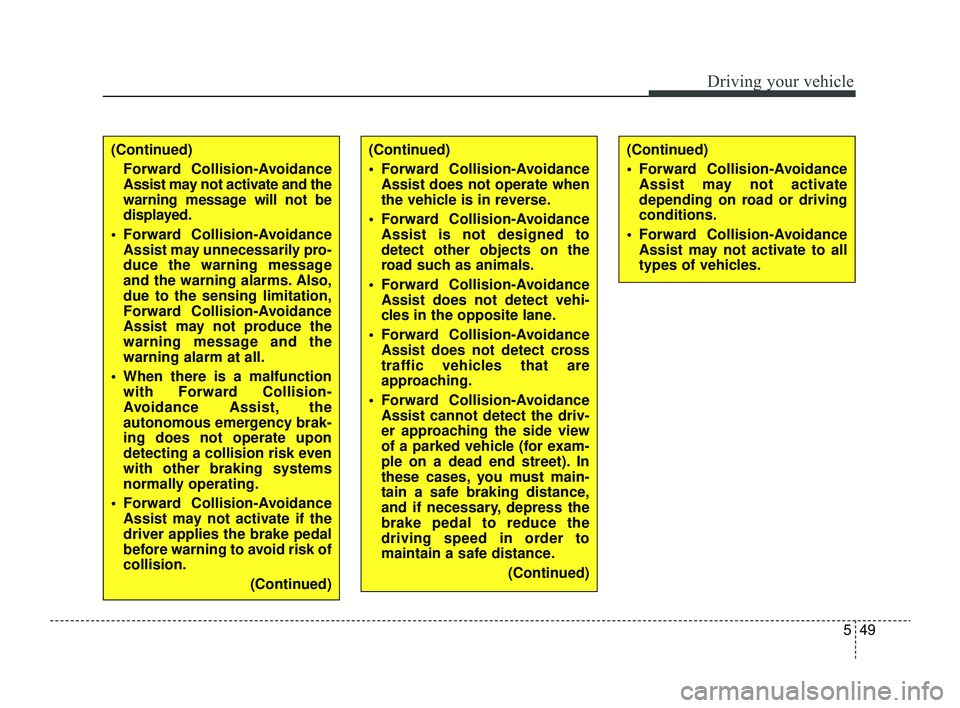
549
Driving your vehicle
(Continued)Forward Collision-Avoidance
Assist may not activate and the
warning message will not be
displayed.
Forward Collision-Avoidance Assist may unnecessarily pro-
duce the warning message
and the warning alarms. Also,
due to the sensing limitation,
Forward Collision-Avoidance
Assist may not produce the
warning message and the
warning alarm at all.
When there is a malfunction with Forward Collision-
Avoidance Assist, the
autonomous emergency brak-
ing does not operate upon
detecting a collision risk even
with other braking systems
normally operating.
Forward Collision-Avoidance Assist may not activate if the
driver applies the brake pedal
before warning to avoid risk of
collision.
(Continued)(Continued)
Forward Collision-AvoidanceAssist does not operate when
the vehicle is in reverse.
Forward Collision-Avoidance Assist is not designed to
detect other objects on the
road such as animals.
Forward Collision-Avoidance Assist does not detect vehi-
cles in the opposite lane.
Forward Collision-Avoidance Assist does not detect cross
traffic vehicles that are
approaching.
Forward Collision-Avoidance Assist cannot detect the driv-
er approaching the side view
of a parked vehicle (for exam-
ple on a dead end street). In
these cases, you must main-
tain a safe braking distance,
and if necessary, depress the
brake pedal to reduce the
driving speed in order to
maintain a safe distance.
(Continued)(Continued)
Forward Collision-AvoidanceAssist may not activate
depending on road or driving
conditions.
Forward Collision-Avoidance Assist may not activate to all
types of vehicles.
SC PE USA 5.QXP 9/9/2021 6:18 PM Page 49