remote control KIA Sedona 2016 3.G Owner's Manual
[x] Cancel search | Manufacturer: KIA, Model Year: 2016, Model line: Sedona, Model: KIA Sedona 2016 3.GPages: 644, PDF Size: 19.23 MB
Page 15 of 644
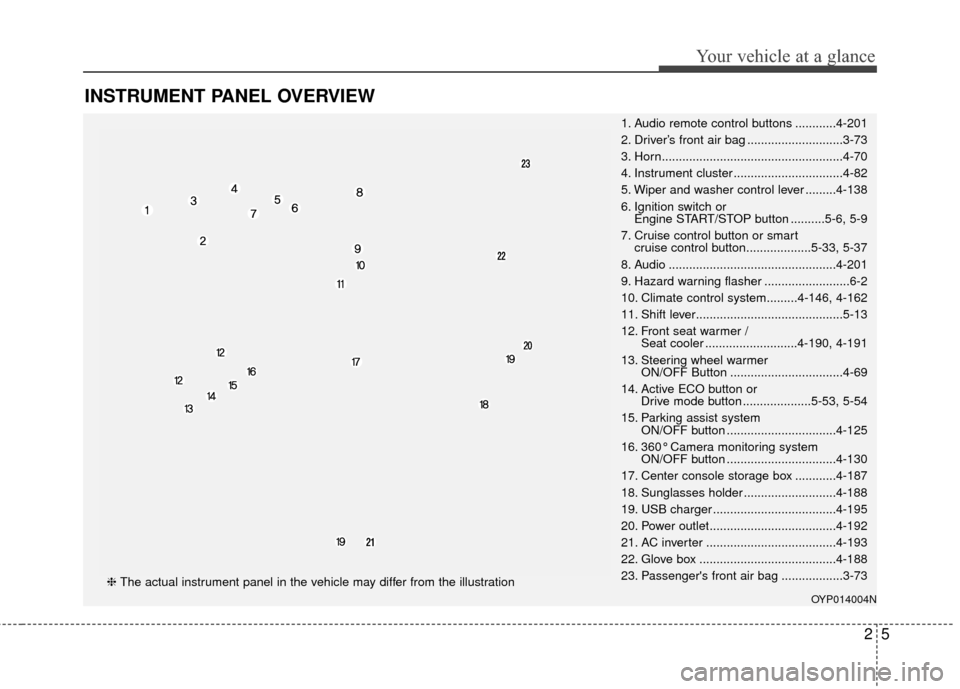
INSTRUMENT PANEL OVERVIEW
25
Your vehicle at a glance
1. Audio remote control buttons ............4-201
2. Driver’s front air bag ............................3-73
3. Horn.....................................................4-70
4. Instrument cluster ................................4-82
5. Wiper and washer control lever .........4-138
6. Ignition switch or Engine START/STOP button ..........5-6, 5-9
7. Cruise control button or smart cruise control button...................5-33, 5-37
8. Audio .................................................4-201
9. Hazard warning flasher .........................6-2
10. Climate control system.........4-146, 4-162
11. Shift lever...........................................5-13
12. Front seat warmer / Seat cooler ...........................4-190, 4-191
13. Steering wheel warmer ON/OFF Button .................................4-69
14. Active ECO button or Drive mode button ....................5-53, 5-54
15. Parking assist system ON/OFF button ................................4-125
16. 360° Camera monitoring system ON/OFF button ................................4-130
17. Center console storage box ............4-187
18. Sunglasses holder ...........................4-188
19. USB charger ....................................4-195
20. Power outlet.....................................4-192
21. AC inverter ......................................4-193
22. Glove box ........................................4-188
23. Passenger's front air bag ..................3-73
OYP014004N
❈ The actual instrument panel in the vehicle may differ from the illustration
Page 106 of 644

• Bottle holder. . . . . . . . . . . . . . . . . . . . . . . . . . . . . . . . 4-\
190
• Seat warmer . . . . . . . . . . . . . . . . . . . . . . . . . . . . . . . . 4-190
• Seat cooler (air ventilation seat) . . . . . . . . . . . . . . . 4-191
• Sunvisor . . . . . . . . . . . . . . . . . . . . . . . . . . . . . . . . . . . 4-\
192
• Power outlet . . . . . . . . . . . . . . . . . . . . . . . . . . . . . . . . 4-192
• AC inverter. . . . . . . . . . . . . . . . . . . . . . . . . . . . . . . . \
. 4-193
• USB charger . . . . . . . . . . . . . . . . . . . . . . . . . . . . . . . . 4-195
• Clock . . . . . . . . . . . . . . . . . . . . . . . . . . . . . . . . . . . . \
. . 4-196
• Clothes hanger . . . . . . . . . . . . . . . . . . . . . . . . . . . . . . 4-196
• Floor mat anchor (s) . . . . . . . . . . . . . . . . . . . . . . . . . 4-197
• Side curtain . . . . . . . . . . . . . . . . . . . . . . . . . . . . . . . . 4-197
Exterior features . . . . . . . . . . . . . . . . . . . . . . . . . . 4-199
• Roof rack . . . . . . . . . . . . . . . . . . . . . . . . . . . . . . . . . . 4-19\
9
Audio system . . . . . . . . . . . . . . . . . . . . . . . . . . . . . 4-201
• Antenna . . . . . . . . . . . . . . . . . . . . . . . . . . . . . . . . . . . 4-\
201
• Steering wheel remote controller . . . . . . . . . . . . . . . 4-201
• Aux, USB port . . . . . . . . . . . . . . . . . . . . . . . . . . . . . . 4-203
• How vehicle audio works . . . . . . . . . . . . . . . . . . . . . 4-204
• CD player . . . . . . . . . . . . . . . . . . . . . . . . . . . . . . 4-215, 264
4
Page 163 of 644
461
Features of your vehicle
Make sure to refuel your vehicle
according to the “Fuel requirements”
suggested in chapter 1.
If the fuel filler cap requires replace-
ment, use only a genuine Kia cap or
the equivalent specified for your vehi-
cle. An incorrect fuel filler cap can
result in a serious malfunction of the
fuel system or emission control sys-
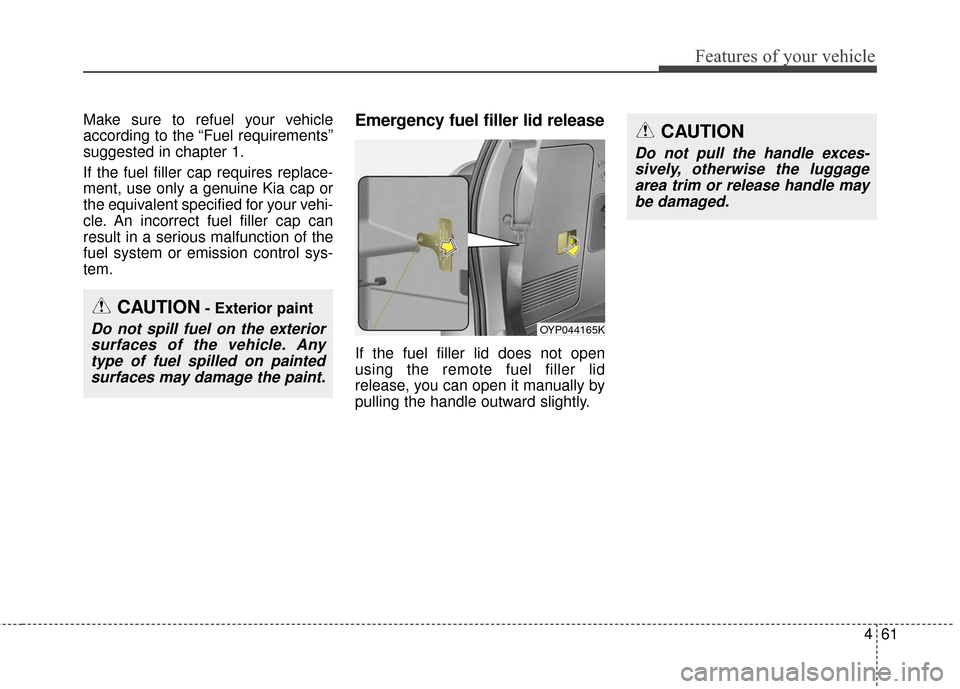
tem.Emergency fuel filler lid release
If the fuel filler lid does not open
using the remote fuel filler lid
release, you can open it manually by
pulling the handle outward slightly.
CAUTION- Exterior paint
Do not spill fuel on the exteriorsurfaces of the vehicle. Anytype of fuel spilled on paintedsurfaces may damage the paint.
CAUTION
Do not pull the handle exces-sively, otherwise the luggagearea trim or release handle maybe damaged.
OYP044165K
Page 181 of 644
479
Features of your vehicle
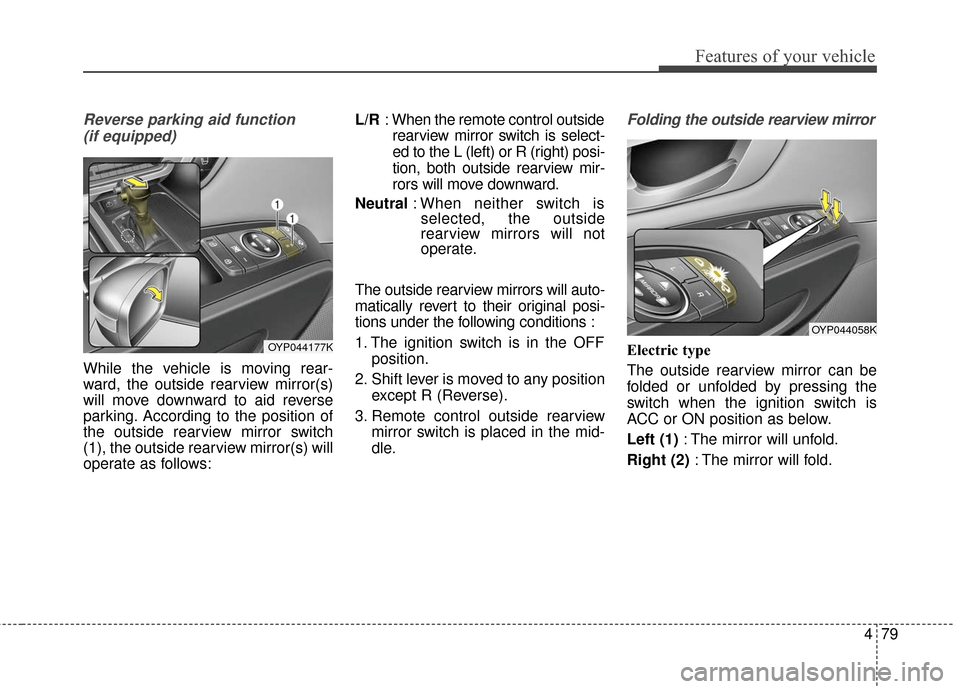
Reverse parking aid function (if equipped)
While the vehicle is moving rear-
ward, the outside rearview mirror(s)
will move downward to aid reverse
parking. According to the position of
the outside rearview mirror switch
(1), the outside rearview mirror(s) will
operate as follows: L/R
: When the remote control outside
rearview mirror switch is select-
ed to the L (left) or R (right) posi-
tion, both outside rearview mir-
rors will move downward.
Neutral : When neither switch is
selected, the outside
rearview mirrors will not
operate.
The outside rearview mirrors will auto-
matically revert to their original posi-
tions under the following conditions :
1. The ignition switch is in the OFF position.
2. Shift lever is moved to any position except R (Reverse).
3. Remote control outside rearview mirror switch is placed in the mid-
dle.
Folding the outside rearview mirror
Electric type
The outside rearview mirror can be
folded or unfolded by pressing the
switch when the ignition switch is
ACC or ON position as below.
Left (1) : The mirror will unfold.
Right (2) : The mirror will fold.OYP044177K
OYP044058K
Page 303 of 644
4201
Features of your vehicle
✽
✽NOTICE
If you install an after market HID
head lamp, your vehicle’s audio and
electronic device may malfunction.
Antenna
Your vehicle uses a roof antenna to
receive AM or/and FM broadcast sig-
nals.
When reinstalling your roof antenna,
it is important that it is fully tightened
and adjusted to the upright position
to ensure proper reception.
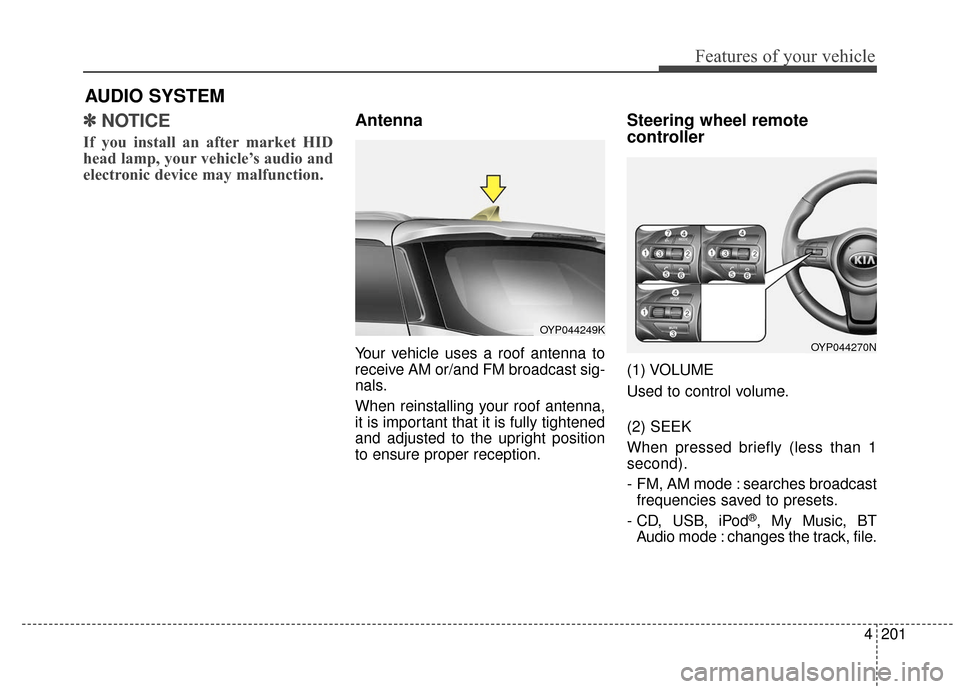
Steering wheel remote
controller
(1) VOLUME
Used to control volume.
(2) SEEK
When pressed briefly (less than 1
second).
- FM, AM mode : searches broadcast
frequencies saved to presets.
- CD, USB, iPod
®, My Music, BT
Audio mode : changes the track, file.
AUDIO SYSTEM
OYP044249K
OYP044270N
Page 340 of 644
Features of your vehicle
238
4
Bluetooth®Wireless Technology
AUDIO (for Type A-1)
What is Bluetooth®Wireless
Technology
?
Bluetooth®Wireless Technology
allows devices to be connected in a
short distance, including hands-free
devices, stereo headsets, wireless
remote controllers, etc. For more
information, visit
the Bluetooth®
Wireless Technologywebsite at
www.Bluetooth.com
Before using Bluetooth®Wireless
Technology audio features
Bluetooth®Wireless Technology
audio may not be supported
depending on the compatibility of
your
Bluetooth®Wireless Technology
mobile phone.
Bluetooth®Wireless
Technology audio, you must first
pair and connect the
Bluetooth®
Wireless Technology mobile phone. The Bluetooth
®word mark and
logos are registered trademarks
owned by Bluetooth SIG, Inc. and
any use of such marks by Kia is
under license. Other trademarks
and trade names are those of their
respective owners. A Bluetooth
®
enabled cell phone is required to
use
Bluetooth®Wireless Technology.
Bluetooth®Wireless Technology
audio can be used only when the
[Audio Streaming] of Phone is
turned .
On
WARNING - Distracted
driving
Driving while distracted can
result in a loss of vehicle control
that may lead to an accident,
severe personal injury, and
death. The driver's primary
responsibility is in the safe and
legal operation of a vehicle, and
use of any handheld devices,
other equipment, or vehicle sys-
tems which take the driver's
eyes, attention and focus away
from the safe operation of a vehi-
cle or which are not permissible
by law should never be used dur-
ing operation of the vehicle.
Page 342 of 644
Features of your vehicle
240
4
PHONE (for Type A-1)
Before using the Bluetooth® Wireless
Technology phone features
Bluetooth®Wireless
Technology phone, you must first
pair and connect the
Bluetooth®
Wireless Technology mobile phone.
connected, it is not possible to
enter Phone mode. Once a phone
is paired or connected, the guid-
ance screen will be displayed.
tion (IGN/ACC ON), the
Bluetooth®
Wireless Technology phone will be
automatically connected. Even if
you are outside, the
Bluetooth®
Wireless Technology phone will be
automatically connected once you
are in the vicinity of the vehicle. If
you do not want automatic
Bluetooth®Wireless Technology
phone connection, set the
Bluetooth®Wireless Technology
power to OFF
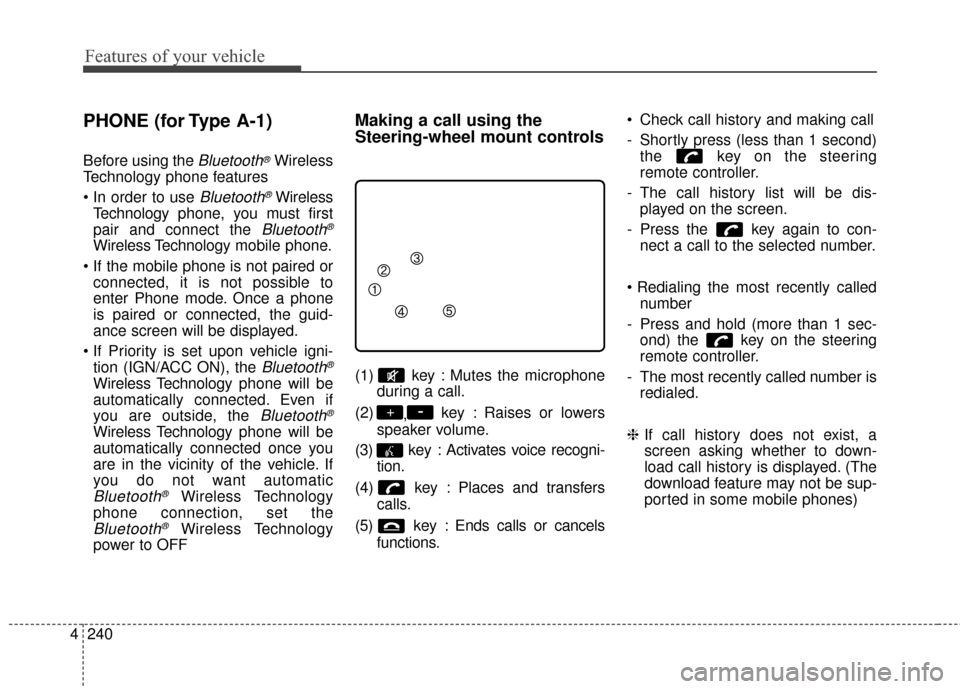
Making a call using the
Steering-wheel mount controls
(1) key : Mutes the microphone during a call.
(2) ,key : Raises or lowers
speaker volume.
(3) key : Activates voice recogni- tion.
(4) key : Places and transfers calls.
(5) key : Ends calls or cancels functions. Check call history and making call
- Shortly press (less than 1 second)
the key on the steering
remote controller.
- The call history list will be dis- played on the screen.
- Press the key again to con- nect a call to the selected number.
number
- Press and hold (more than 1 sec- ond) the key on the steering
remote controller.
- The most recently called number is redialed.
❈ If call history does not exist, a
screen asking whether to down-
load call history is displayed. (The
download feature may not be sup-
ported in some mobile phones)
-+
Page 344 of 644
Features of your vehicle
242
4
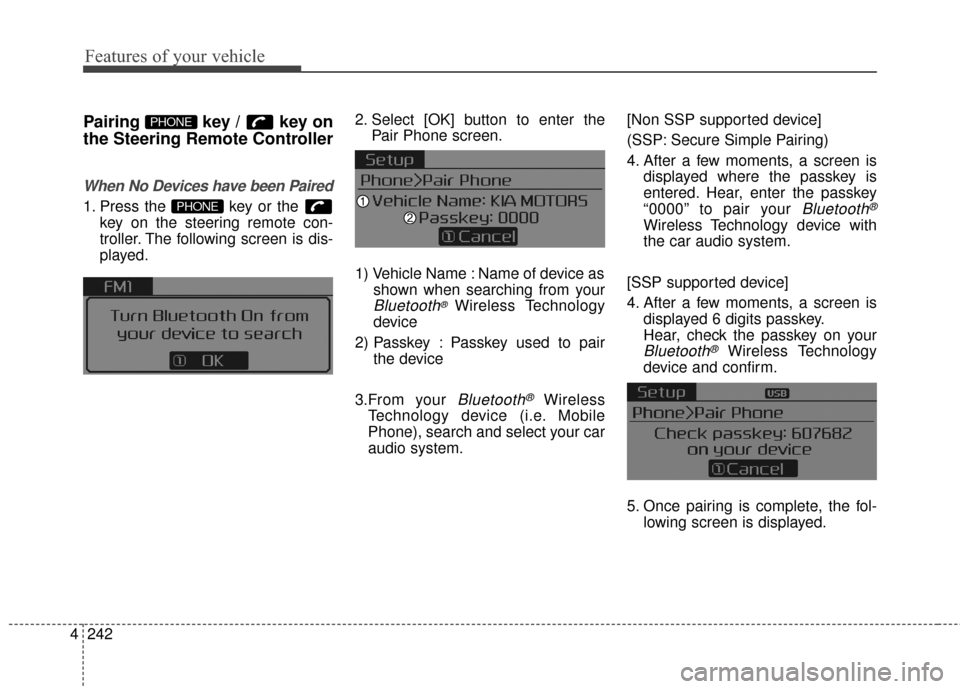
Pairing key / key on
the Steering Remote Controller
When No Devices have been Paired
1. Press the key or the
key on the steering remote con-
troller. The following screen is dis-
played. 2. Select [OK] button to enter the
Pair Phone screen.
1) Vehicle Name : Name of device as shown when searching from your
Bluetooth®Wireless Technology
device
2) Passkey : Passkey used to pair the device
3.From your
Bluetooth®Wireless
Technology device (i.e. Mobile
Phone), search and select your car
audio system. [Non SSP supported device]
(SSP: Secure Simple Pairing)
4. After a few moments, a screen is
displayed where the passkey is
entered. Hear, enter the passkey
“0000” to pair your
Bluetooth®
Wireless Technology device with
the car audio system.
[SSP supported device]
4. After a few moments, a screen is displayed 6 digits passkey.
Hear, check the passkey on your
Bluetooth®Wireless Technology
device and confirm.
5. Once pairing is complete, the fol- lowing screen is displayed.
PHONE
PHONE
Page 357 of 644
4255
Features of your vehicle
Skipping Prompt Messages
While prompt message is being stat-
ed Shortly press the key on the
steering remote controller
The prompt message is immediately
ended and the beep tone will sound.
After the “beep”, say the voice com-
mand.
Re-starting Voice Recognition
While system waits for a command
Shortly press the key on the
steering remote controller
The command wait state is immedi-
ately ended and the beep ton will
sound. After the “beep”, say the voice
command.
ENDING VOICE
RECOGNITION
While Voice Recognition is operatingPress and hold the key on the
steering remote controller
ing any steering wheel control or a
different key will end voice com-
mand.
voice command, say “cancel” or
“end” to end voice command.
voice command, press and hold the key on the steering wheel to
end voice command.
Voice Recognition and Phone
Contact Tips:
The Kia Voice Recognition System
may have difficulty understanding
some accents or uncommon
names. When using Voice
Recognition to place a call, speak in
a moderate tone, with clear pronun-
ciation
To maximize the use of Voice
Recognition, consider these guide-
lines when storing contacts:
Use full names vs. short or single syllab
le names (“John Smith” vs.
“Dad”, “Smith Residence” vs.
“Home”)
Avoid using special characters or hyphens (@, &, #, /, -, *, +, etc.)
Emergency” vs. “ICE”)
Spell words completely, no abbre- viations (“Doctor Goodman” vs.
“Dr. Goodman”)
Page 387 of 644
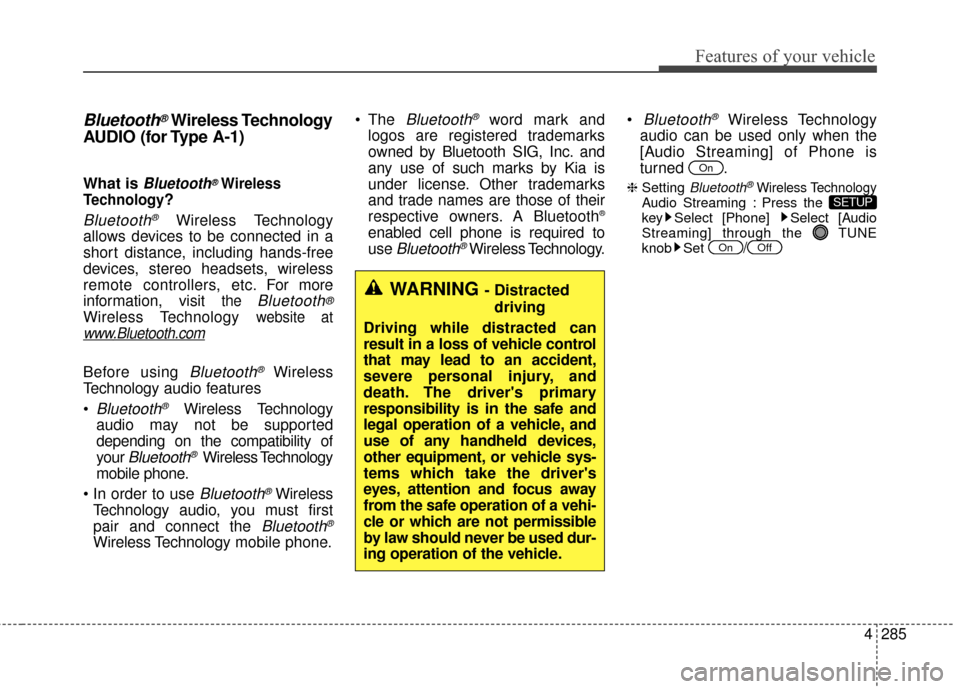
4285
Features of your vehicle
Bluetooth®Wireless Technology
AUDIO (for Type A-1)
What is Bluetooth®Wireless
Technology
?
Bluetooth®Wireless Technology
allows devices to be connected in a
short distance, including hands-free
devices, stereo headsets, wireless
remote controllers, etc. For more
information, visit
the Bluetooth®
Wireless Technologywebsite at
www.Bluetooth.com
Before using Bluetooth®Wireless
Technology audio features
Bluetooth®Wireless Technology
audio may not be supported
depending on the compatibility of
your
Bluetooth®Wireless Technology
mobile phone.
Bluetooth®Wireless
Technology audio, you must first
pair and connect the
Bluetooth®
Wireless Technology mobile phone. The
Bluetooth®word mark and
logos are registered trademarks
owned by Bluetooth SIG, Inc. and
any use of such marks by Kia is
under license. Other trademarks
and trade names are those of their
respective owners. A Bluetooth
®
enabled cell phone is required to
use
Bluetooth®Wireless Technology.
Bluetooth®Wireless Technology
audio can be used only when the
[Audio Streaming] of Phone is
turned .
❈ Setting Bluetooth®Wireless TechnologyAudio Streaming : Press the
key Select [Phone] Select [Audio
Streaming] through the TUNE
knob Set
/OffOn
SETUP
On
WARNING - Distracted
driving
Driving while distracted can
result in a loss of vehicle control
that may lead to an accident,
severe personal injury, and
death. The driver's primary
responsibility is in the safe and
legal operation of a vehicle, and
use of any handheld devices,
other equipment, or vehicle sys-
tems which take the driver's
eyes, attention and focus away
from the safe operation of a vehi-
cle or which are not permissible
by law should never be used dur-
ing operation of the vehicle.