display KIA SEDONA 2019 User Guide
[x] Cancel search | Manufacturer: KIA, Model Year: 2019, Model line: SEDONA, Model: KIA SEDONA 2019Pages: 593, PDF Size: 15.93 MB
Page 194 of 593
Features of your vehicle
90
4
Instrument Cluster Control
Adjusting Instrument Cluster
Illumination
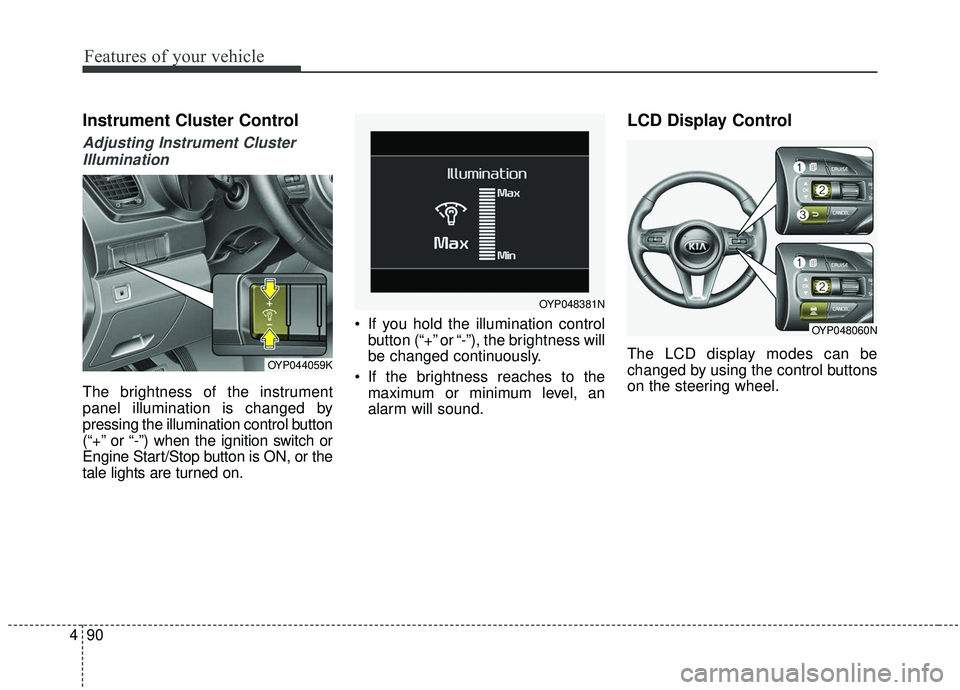
The brightness of the instrument
panel illumination is changed by
pressing the illumination control button
(“+” or “-”) when the ignition switch or
Engine Start/Stop button is ON, or the
tale lights are turned on. If you hold the illumination control
button (“+” or “-”), the brightness will
be changed continuously.
If the brightness reaches to the maximum or minimum level, an
alarm will sound.
LCD Display Control
The LCD display modes can be
changed by using the control buttons
on the steering wheel.OYP044059K
OYP048381N
OYP048060N
Page 195 of 593
491
Features of your vehicle
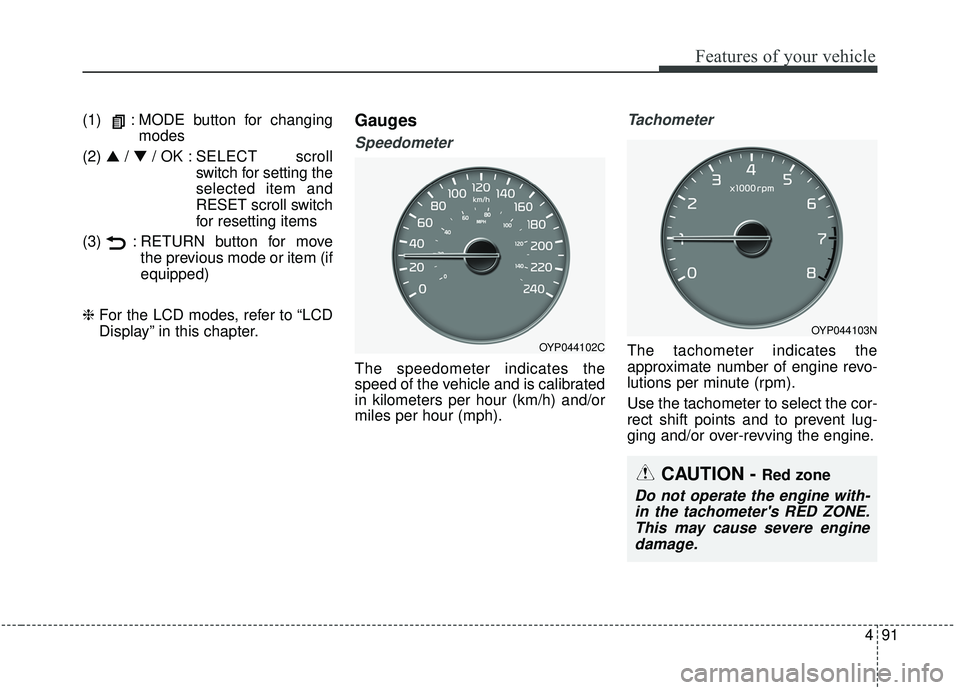
(1) : MODE button for changingmodes
(2) ▲ /▼ / OK : SELECT scroll
switch for setting the
selected item and
RESET scroll switch
for resetting items
(3) : RETURN button for move the previous mode or item (if
equipped)
❈ For the LCD modes, refer to “LCD
Display” in this chapter.Gauges
Speedometer
The speedometer indicates the
speed of the vehicle and is calibrated
in kilometers per hour (km/h) and/or
miles per hour (mph).
Tachometer
The tachometer indicates the
approximate number of engine revo-
lutions per minute (rpm).
Use the tachometer to select the cor-
rect shift points and to prevent lug-
ging and/or over-revving the engine.OYP044102C
OYP044103N
CAUTION - Red zone
Do not operate the engine with-
in the tachometer's RED ZONE.This may cause severe enginedamage.
Page 197 of 593
493
Features of your vehicle
✽ ✽NOTICE
Fuel display may not be accurate if
you are filling in sloping places.
Odometer
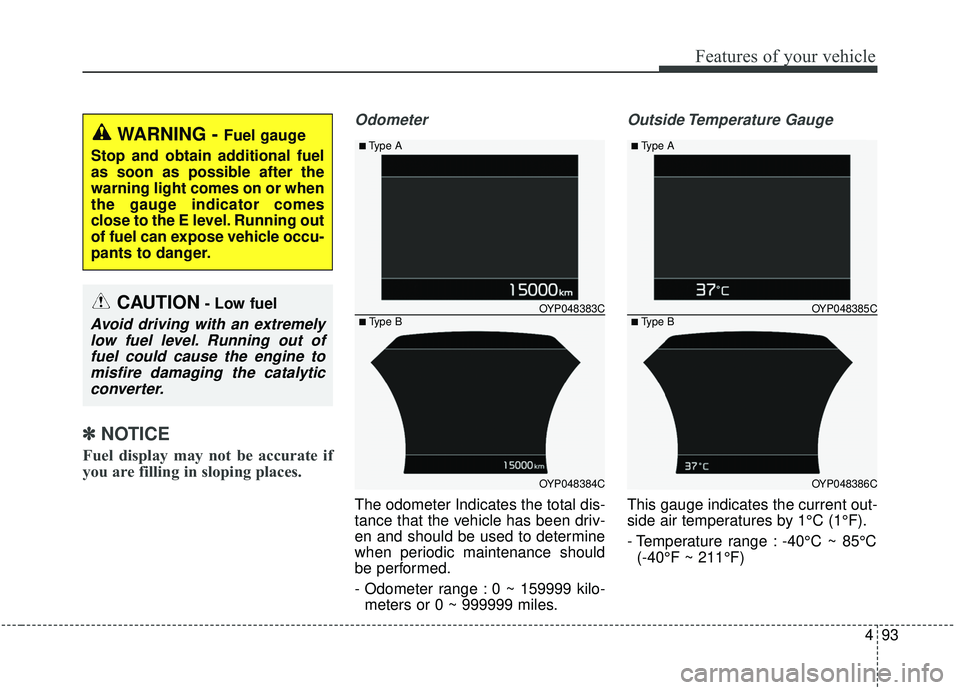
The odometer Indicates the total dis-
tance that the vehicle has been driv-
en and should be used to determine
when periodic maintenance should
be performed.
- Odometer range : 0 ~ 159999 kilo-
meters or 0 ~ 999999 miles.
Outside Temperature Gauge
This gauge indicates the current out-
side air temperatures by 1°C (1°F).
- Temperature range : -40°C ~ 85°C(-40°F ~ 211°F)
WARNING - Fuel gauge
Stop and obtain additional fuel
as soon as possible after the
warning light comes on or when
the gauge indicator comes
close to the E level. Running out
of fuel can expose vehicle occu-
pants to danger.
CAUTION- Low fuel
Avoid driving with an extremely low fuel level. Running out offuel could cause the engine tomisfire damaging the catalyticconverter.
OYP048384C
OYP048383C
■Type A
■ Type B
OYP048386C
OYP048385C
■Type A
■ Type B
Page 198 of 593
Features of your vehicle
94
4
The outside temperature on the dis-
play may not change immediately
like a general thermometer to pre-
vent the driver from being inattentive.
To change the temperature unit (from
°C to °F or from °F to °C) can be
changed by using the “User Settings”
mode of the LCD display.
❈ For more details, refer to “LCD
Display” in this chapter.Transaxle Shift Indicator
Automatic Transaxle Shift Indicator
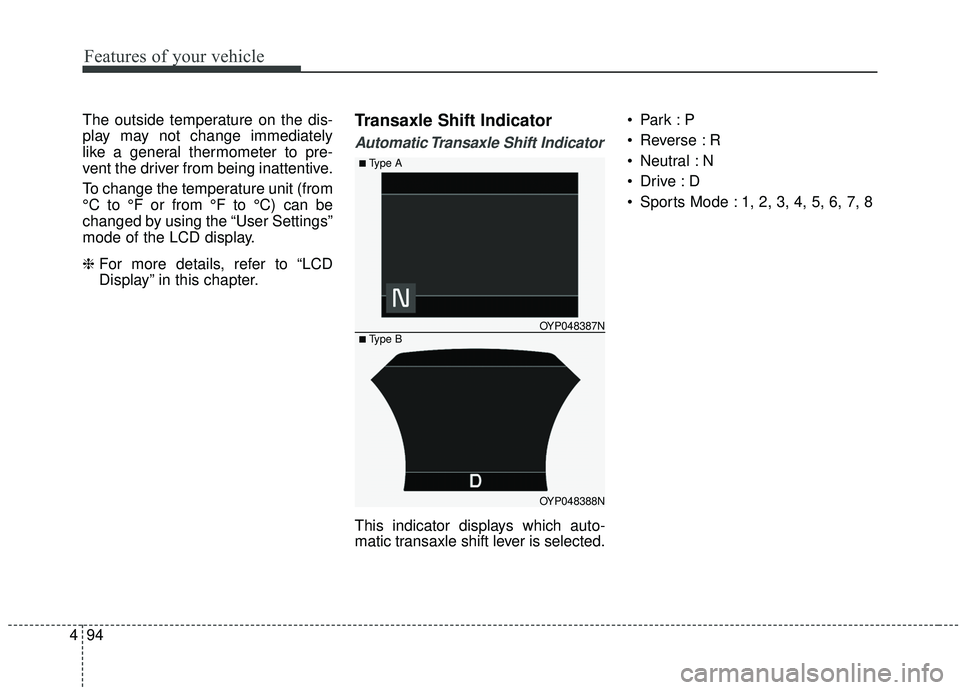
This indicator displays which auto-
matic transaxle shift lever is selected.
Reverse : R
Neutral : N
Sports Mode : 1, 2, 3, 4, 5, 6, 7, 8
OYP048388N
OYP048387N
■Type A
■ Type B
Page 199 of 593
495
Features of your vehicle
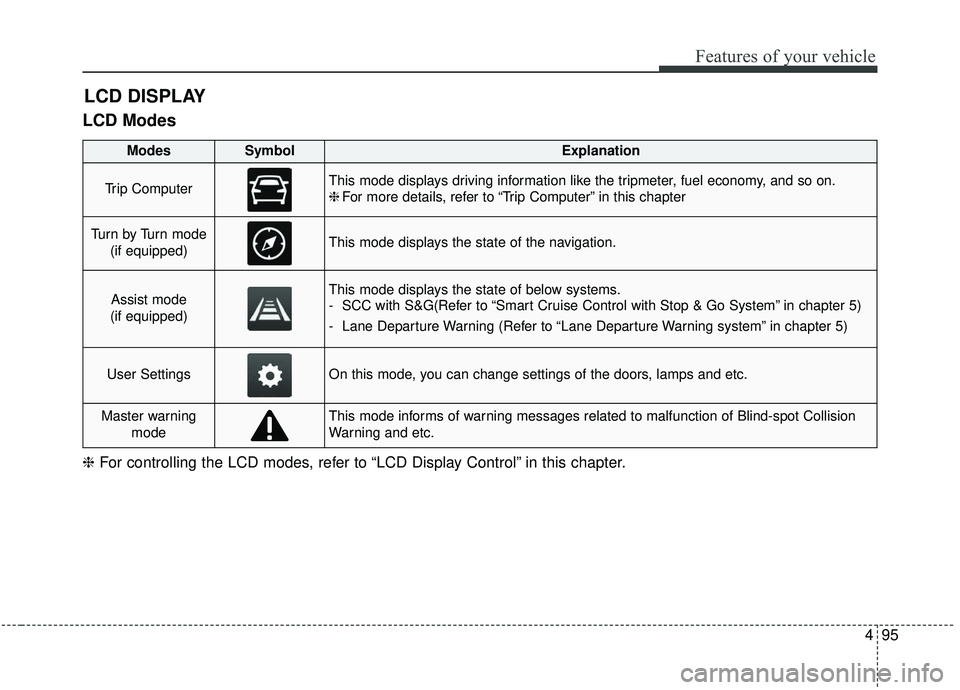
LCD Modes
LCD DISPLAY
❈For controlling the LCD modes, refer to “LCD Display Control” in this chapter.
ModesSymbolExplanation
Trip ComputerThis mode displays driving information like the tripmeter, fuel economy, and so on.
❈For more details, refer to “Trip Computer” in this chapter
Tu r n b y Tu r n m o d e
(if equipped)This mode displays the state of the navigation.
Assist mode
(if equipped)This mode displays the state of below systems.
- SCC with S&G(Refer to “Smart Cruise Control with Stop & Go System” in chapter 5)
- Lane Departure Warning (Refer to “Lane Departure Warning system” in chapter 5)
User SettingsOn this mode, you can change settings of the doors, lamps and etc.
Master warning modeThis mode informs of warning messages related to malfunction of Blind-spot Collision
Warning and etc.
Page 200 of 593
Features of your vehicle
96
4
The trip computer is a microcomput-
er-controlled driver information sys-
tem that displays information related
to driving.
✽ ✽
NOTICE
Some driving information stored in
the trip computer (for example
Average Vehicle Speed) resets if the
battery is disconnected.
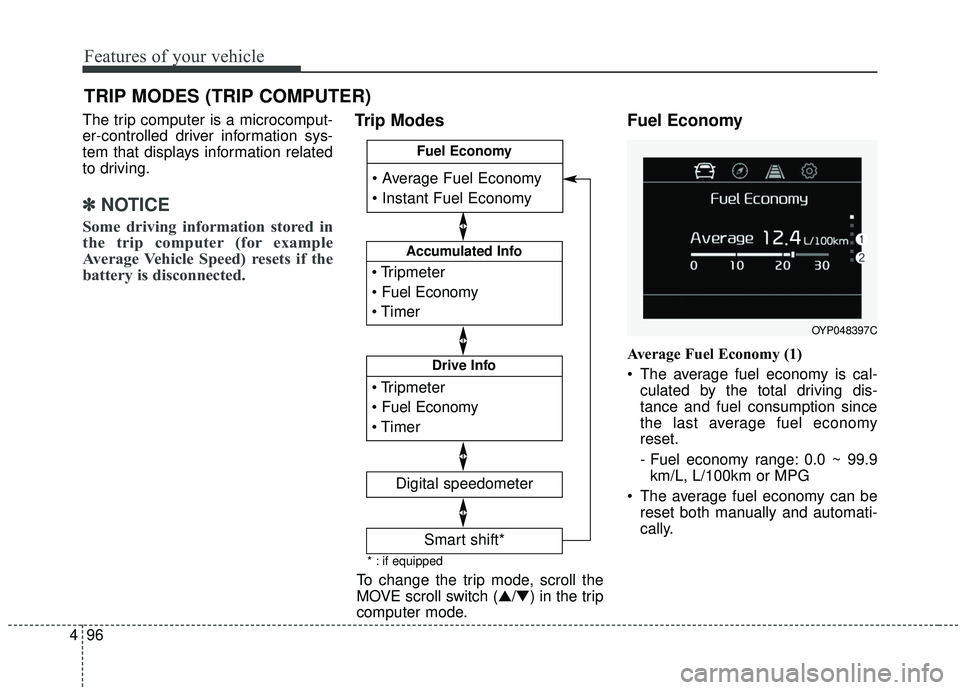
Trip Modes Fuel Economy
Average Fuel Economy (1)
The average fuel economy is cal-
culated by the total driving dis-
tance and fuel consumption since
the last average fuel economy
reset.
- Fuel economy range: 0.0 ~ 99.9km/L, L/100km or MPG
The average fuel economy can be reset both manually and automati-
cally.
TRIP MODES (TRIP COMPUTER)
To change the trip mode, scroll the
MOVE scroll switch (▲/▼) in the trip
computer mode.
OYP048397C
* : if equipped
Accumulated Info
Digital speedometer
Drive Info
Fuel Economy
Smart shift*
Page 201 of 593
497
Features of your vehicle
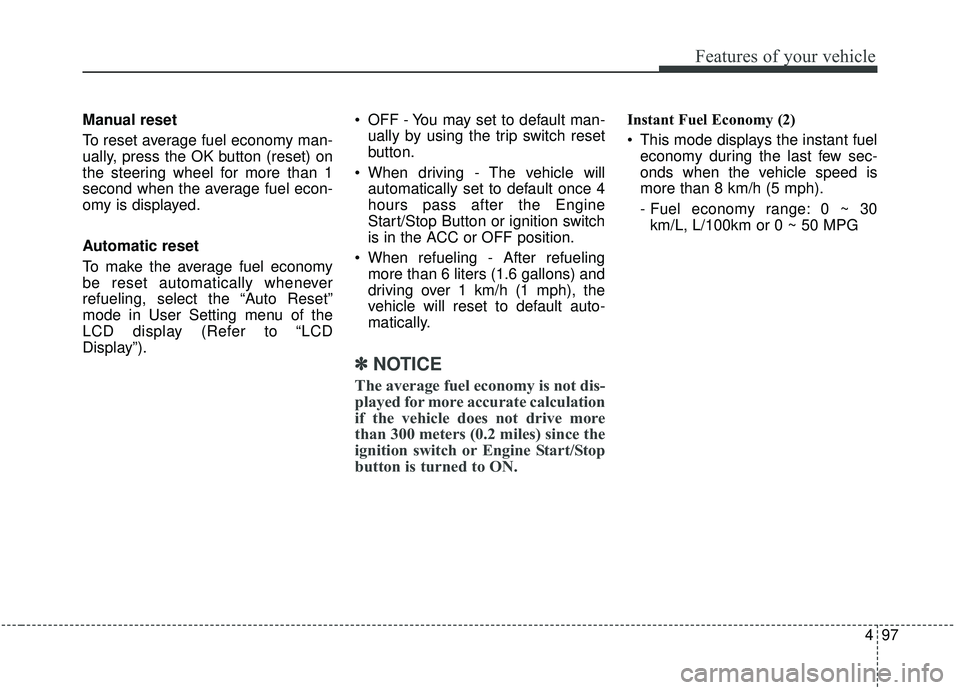
Manual reset
To reset average fuel economy man-
ually, press the OK button (reset) on
the steering wheel for more than 1
second when the average fuel econ-
omy is displayed.
Automatic reset
To make the average fuel economy
be reset automatically whenever
refueling, select the “Auto Reset”
mode in User Setting menu of the
LCD display (Refer to “LCD
Display”). OFF - You may set to default man-
ually by using the trip switch reset
button.
When driving - The vehicle will automatically set to default once 4
hours pass after the Engine
Start/Stop Button or ignition switch
is in the ACC or OFF position.
When refueling - After refueling more than 6 liters (1.6 gallons) and
driving over 1 km/h (1 mph), the
vehicle will reset to default auto-
matically.
✽ ✽ NOTICE
The average fuel economy is not dis-
played for more accurate calculation
if the vehicle does not drive more
than 300 meters (0.2 miles) since the
ignition switch or Engine Start/Stop
button is turned to ON.
Instant Fuel Economy (2)
This mode displays the instant fuel
economy during the last few sec-
onds when the vehicle speed is
more than 8 km/h (5 mph).
- Fuel economy range: 0 ~ 30km/L, L/100km or 0 ~ 50 MPG
Page 202 of 593
Features of your vehicle
98
4
Accumulated driving informa-
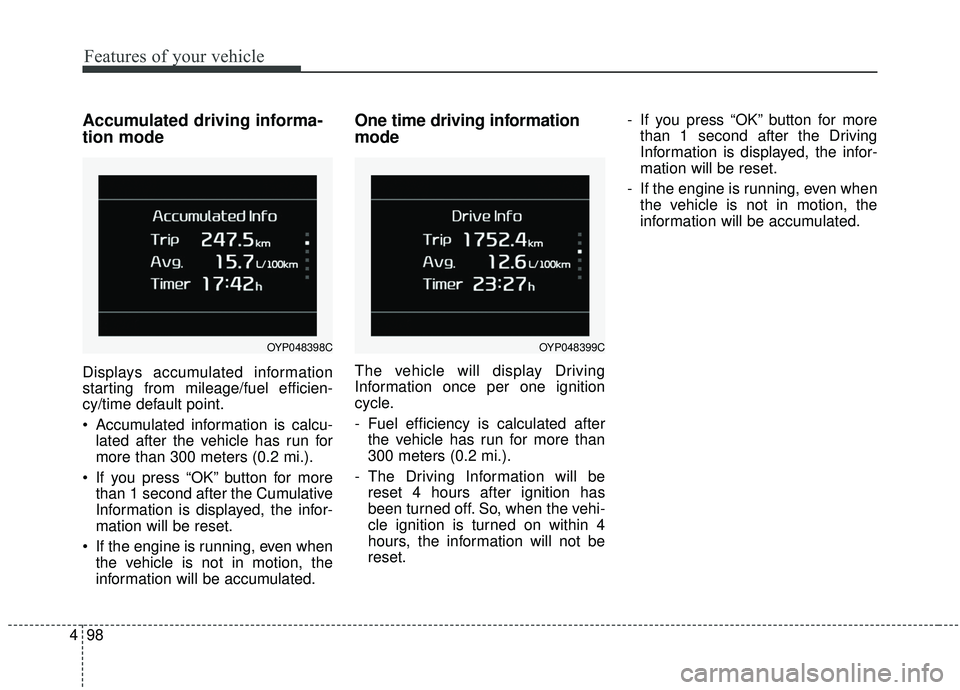
tion mode
Displays accumulated information
starting from mileage/fuel efficien-
cy/time default point.
Accumulated information is calcu-
lated after the vehicle has run for
more than 300 meters (0.2 mi.).
If you press “OK” button for more than 1 second after the Cumulative
Information is displayed, the infor-
mation will be reset.
If the engine is running, even when the vehicle is not in motion, the
information will be accumulated.
One time driving information
mode
The vehicle will display Driving
Information once per one ignition
cycle.
- Fuel efficiency is calculated afterthe vehicle has run for more than
300 meters (0.2 mi.).
- The Driving Information will be reset 4 hours after ignition has
been turned off. So, when the vehi-
cle ignition is turned on within 4
hours, the information will not be
reset. - If you press “OK” button for more
than 1 second after the Driving
Information is displayed, the infor-
mation will be reset.
- If the engine is running, even when the vehicle is not in motion, the
information will be accumulated.
OYP048399COYP048398C
Page 203 of 593
499
Features of your vehicle
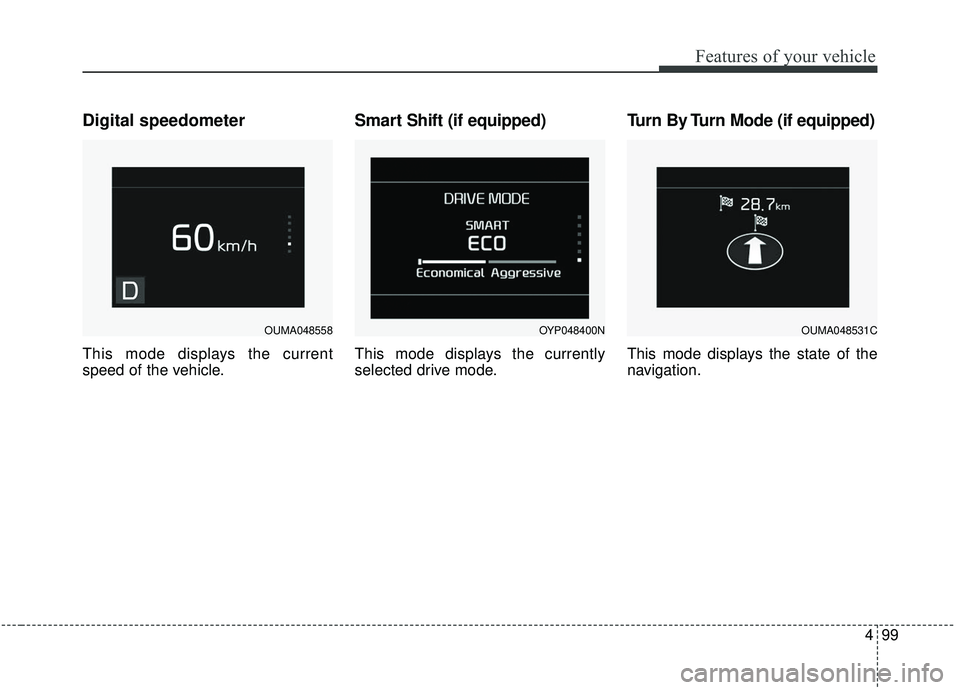
Digital speedometer
This mode displays the current
speed of the vehicle.
Smart Shift (if equipped)
This mode displays the currently
selected drive mode.
Turn By Turn Mode (if equipped)
This mode displays the state of the
navigation.
OUMA048558OYP048400NOUMA048531C
Page 204 of 593
Features of your vehicle
100
4
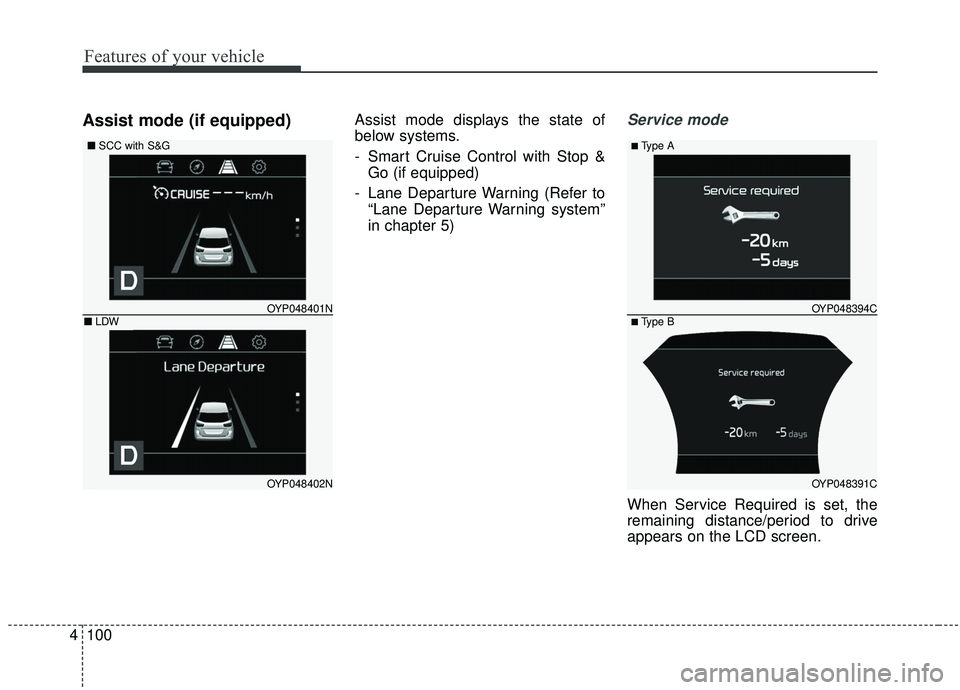
Assist mode (if equipped)Assist mode displays the state of
below systems.
- Smart Cruise Control with Stop &
Go (if equipped)
- Lane Departure Warning (Refer to “Lane Departure Warning system”
in chapter 5)Service mode
When Service Required is set, the
remaining distance/period to drive
appears on the LCD screen.
OYP048391C
OYP048394C
■Type A
■ Type B
OYP048402N
OYP048401N
■ SCC with S&G
■LDW