display KIA SEDONA 2019 Owner's Guide
[x] Cancel search | Manufacturer: KIA, Model Year: 2019, Model line: SEDONA, Model: KIA SEDONA 2019Pages: 593, PDF Size: 15.93 MB
Page 294 of 593
Features of your vehicle
190
4
This indicator illuminates
when the auto defogging
system senses the mois-
ture of inside the wind-
shield and operates.
If more moisture is in the vehicle,
higher steps operate as follow. For
example if auto defogging does not
defog inside the windshield at step 1
Outside air position, it tries to defog
again at step 2 Blowing air toward
the windshield.
Step 1 : Outside air position
Step 2 :Blowing air toward the wind-
shield
Step 3 : Increasing air flow toward the windshield
Step 4 : Operating the air conditioning
Step 5 : M aximizing the air condi-
tioning To cancel or reset the Auto Defogging
System
Press the front windshield defroster
button for 3 seconds when the igni-
tion switch is in the ON position.
When the ADS system is canceled,
[ADS OFF] symbol will blink 3 times
per 1 sec and the position [ADS
OFF] will be displayed on the A/C
display. (A TYPE)
When the ADS system is canceled,
Indicator on the button will blink 3
times per 0.5 sec. (B TYPE)
When the ADS system is reset, [ADS
OFF] symbol will blink 6 times per
0.5sec and the position [ADS OFF]
will be disappeared on the A/C dis-
play. (A TYPE)
When the ADS system is reset,
Indicator on the button will blink 6
times per 0.25 sec. (B TYPE)
✽ ✽
NOTICE
If the A/C off or recirculated air
position is manually selected while
the auto defogging system is on, the
auto defogging indicator will blink 3
times to give notice that manual
operation is canceled.
Do not remove the sensor cover
located on the upper end of the pas-
senger side windshield glass.
Damage to the system parts could
occur and may not be covered by
your vehicle warranty.
Page 326 of 593
Driving your vehicle
12
5
✽ ✽
NOTICE
If you leave the engine start/stop
button in the ACC or ON position
for a long time, the battery will dis-
charge.
Starting the engine with a
smart key
1.Carry the smart key or leave it
inside the vehicle.
2.Make sure the parking brake is firmly applied
3.Place the transaxle shift lever in P (Park). Depress the brake pedal
fully.
You can also start the engine whenthe shift lever is in the N (Neutral)position.
4.Press the engine start/stop button while depressing the brake pedal.
It should be started withoutdepressing the accelerator.
5.Do not wait for the engine to warm up while the vehicle remains sta-
tionary.
Start driving at moderate engine
speeds. (Steep accelerating and
decelerating should be avoided.) Even if the smart key is in the vehi-
cle, if it is far away from you, the
engine may not start.
When the engine start/stop button is in the ACC position or above, if
any door is opened, the system
checks for the smart key. If the
smart key is not in the vehicle, a
message "key is not in the vehicle"
will appear on the LCD display. And
if all doors are closed, the chime
will sound for 5 seconds. The indi-
cator or warning will turn off while
the vehicle is moving. Always have
the smart key with you.
WARNING- Starting
vehicle
Never press the engine
start/stop button while the vehi-
cle is in motion except in an
emergency. This would result in
loss of directional control and
braking function, which could
cause an accident.
Page 329 of 593
515
Driving your vehicle
For smooth operation, depress thebrake pedal and the lock release but-ton when shifting from N (Neutral) toa forward or reverse gear.
When stopped on an incline, do not
hold the vehicle with the engine
power. Use the service brake or the
parking brake.
Transmission ranges
The indicator in the instrument clus-
ter displays the shift lever position
when the ignition switch is in the ON
position.
P (Park)
Always come to a complete stop
before shifting into P (Park). This posi-
tion locks the transmission and pre-
vents the drive wheels from rotating.
Shifting into P (Park) while the vehi-
cle is in motion will cause the drive
wheels to lock which will cause you
to lose control of the vehicle.
WARNING
- Automatic transmission
Before leaving the driver’s seat,
always make sure the shift lever
is in the P (Park) position; then
set the parking brake fully and
shut the engine off. Do not use
the P position in place of the
parking brake. Always make
sure the shift lever is latched in
the P position and set the park-
ing brake fully. Unexpected and
sudden vehicle movement can
occur if these precautions are
not followed.
CAUTION- transmission
To avoid damage to your transaxle, do not accelerate theengine in R (Reverse) or any for-ward gear position with thebrakes on. The transaxle may bedamaged if you shift into P(Park) while the vehicle is inmotion.
Page 352 of 593
Driving your vehicle
38
5
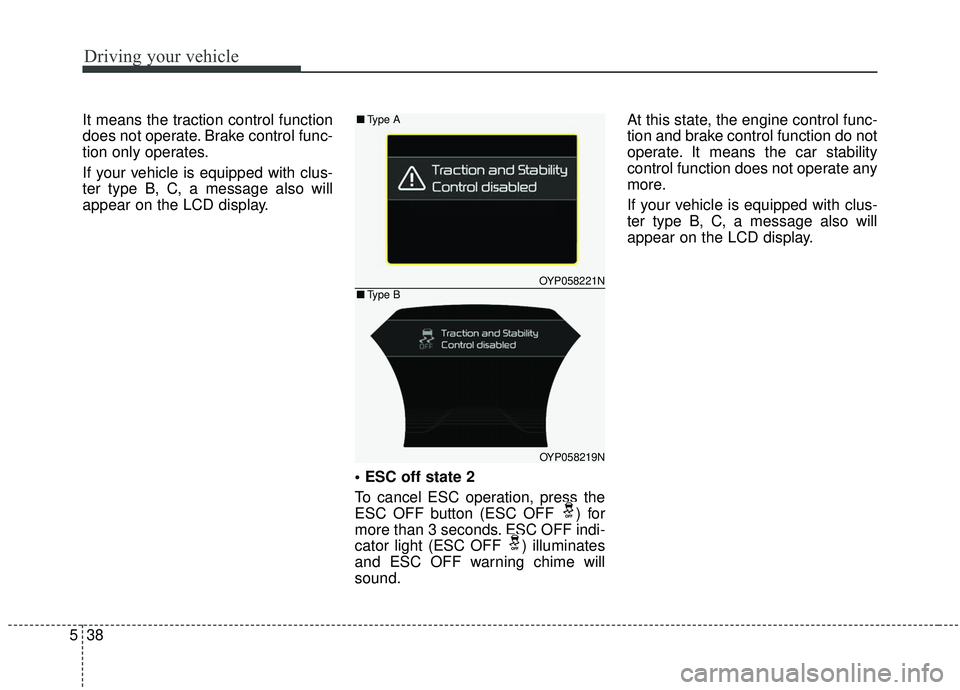
It means the traction control function
does not operate. Brake control func-
tion only operates.
If your vehicle is equipped with clus-
ter type B, C, a message also will
appear on the LCD display.
To cancel ESC operation, press the
ESC OFF button (ESC OFF ) for
more than 3 seconds. ESC OFF indi-
cator light (ESC OFF ) illuminates
and ESC OFF warning chime will
sound.At this state, the engine control func-
tion and brake control function do not
operate. It means the car stability
control function does not operate any
more.
If your vehicle is equipped with clus-
ter type B, C, a message also will
appear on the LCD display.
OYP058221N
OYP058219N
■
Type A
■Type B
Page 359 of 593
545
Driving your vehicle
The warning light illumi-
nates on the LCD display,
when you cancel the FCA
system. The driver can
monitor the FCA ON/OFF status on
the LCD display. Also, the warning
light illuminates when the
ESC(Electronic Stability Control) is
turned off (Traction & Stability control
disabled.). When the warning light
remains ON with the FCA activated,
have the system checked by an
authorized Kia dealer.
The driver can select the initial warn-
ing activation time in the User
Settings in the instrument cluster
LCD display. The options for the ini-
tial Forward Collision Warning
include the following:
selected, the initial
Forward Collision Warning
is activated earlier than
normal. This setting maxi-
mizes the amount of dis-
tance between the vehicle
or pedestrian ahead before
the initial warning occurs. If
the ‘EARLY’ condition feels
too sensitive, change it into
‘NORMAL’. When the vehi-
cle ahead suddenly stops,
the warning may seem to
activate later even if the
‘EARLY’ condition was
selected.
selected, the initial
Forward Collision
Warning is activated nor-
mally. This setting allows
for a nominal amount of
distance between the
vehicle or pedestrian
ahead before the initial
warning occurs.
selected, the initial Forward
Collision Warning is activat-
ed later than normal. This
setting reduces the amount
of distance between the
vehicle or pedestrian ahead
before the initial warning
occurs. Select this condition
only when traffic is light,
and you are driving slowly.
Page 360 of 593
Driving your vehicle
46
5
Prerequisite for activation
The FCA will activate when the FCA
is selected on the LCD display, and
when the following prerequisites are
satisfied:
- The ESC (Electronic Stability
Control) is activated.
- The driving speed is over 10 km/h (6 mph). (The FCA only works
within a certain range of vehicle
speeds)
- When the FCA recognizes a vehi- cle or the pedestrian in front. (The
FCA may not recognize every
obstacle or provide warnings and
braking in every situation, so do
not rely on the FCA to stop the
vehicle in instances where the driv-
er sees an obstacle and has the
ability to apply the brakes) The FCA automatically activates
upon placing the ignition switch to
the ON position. The driver can
deactivate the FCA by canceling the
system setting on the LCD display.
The FCA automatically deactivates upon canceling the ESC. When the
ESC is cancelind, the FCA cannot
be activated on the LCD display.
The FCA warning light will illumi-
nate, but it does not indicate a mal-
function of the system.
Set or cancel FCA with controlling switches on steering wheel after
stopping the vehicle in the safe
place for your safety.
FCA warning message and
system control
The FCA produces warning mes-
sages and warning alarms in accor-
dance with the collision risk levels of
followings like vehicle’s sudden brak-
ing in front or lack of vehicle to vehicle
distance or collision to pedestrians.
Also, it controls the brakes in accor-
dance with the collision risk levels.
WARNING
Set or cancel FCA with control-
ling switches on steering wheel
after stopping the vehicle in the
safe place for your safety.
Do not attempt to set or cancel
the FCA while your vehicle is
moving.
Page 361 of 593
547
Driving your vehicle
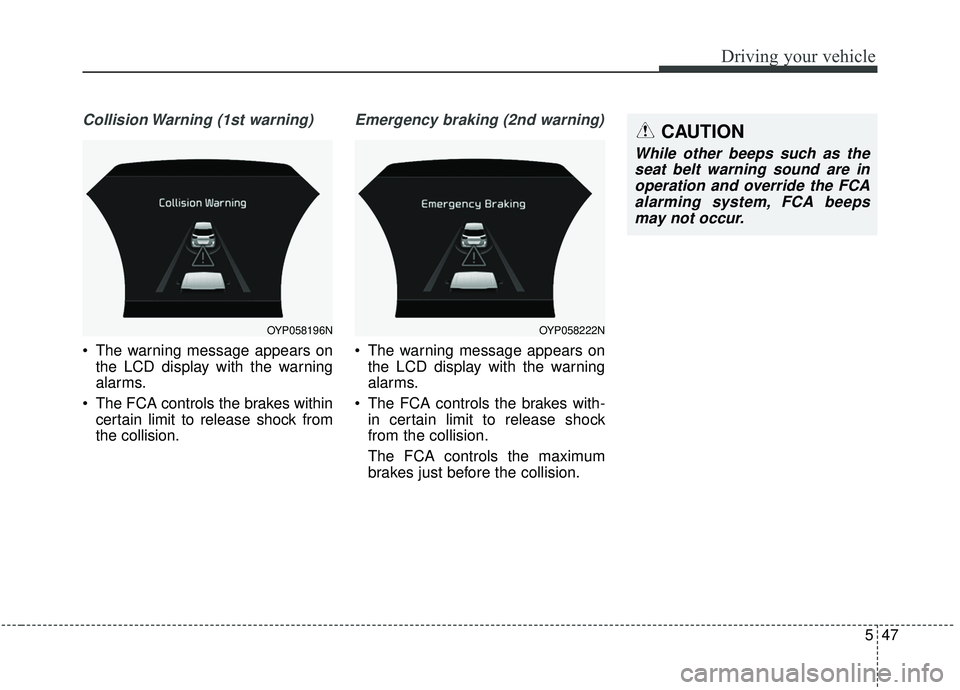
Collision Warning (1st warning)
The warning message appears onthe LCD display with the warning
alarms.
The FCA controls the brakes within certain limit to release shock from
the collision.
Emergency braking (2nd warning)
The warning message appears onthe LCD display with the warning
alarms.
The FCA controls the brakes with- in certain limit to release shock
from the collision.
The FCA controls the maximum
brakes just before the collision.
OYP058196NOYP058222N
CAUTION
While other beeps such as theseat belt warning sound are inoperation and override the FCAalarming system, FCA beepsmay not occur.
Page 371 of 593
557
Driving your vehicle
- The radar or camera or cameralens is damaged.
- If the headlights of the vehicle are not used at night or in the tunnel
section, or the light is too weak
- If street light or the light of the vehi- cle coming from the opposite is
reflected or when sunlight is
reflected by the water on the road
surface
- When the back light is projected in the direction of the vehicle's motion
(including the headlights of vehi-
cles)
- Road sign, shadow on the road, tunnel entrance, toll gate, partial
pavement
- If the moist on the front windshield is not entirely removed or it is
frozen
- The weather is foggy
- The radar/camera sensor recogni- tion is limited.
✽ ✽ NOTICE
The system may temporarily cancel
due to the strong electric waves.
Pay great caution to the vehicle in
front, when it has heavy loading
extended rearward, or when it has
higher ground clearance.
The FCA system is designed to detect and monitor the vehicle
ahead or detect a pedestrian in the
roadway through radar signals and
camera recognition. It is not
designed to detect bicycles, motor-
cycles, or smaller wheeled objects
such as lug- gage bags, shopping
carts, or strollers.
The FCA does not operate in a cer- tain situation. Thus, never test-
operate the FCA against a person
or an object. It may cause a severe
injury or even death.
When replacing or reinstalling the windshield, front bumper or
radar/camera after removal, we
recommend you to have the vehi-
cle inspected by an authorized Kia
dealer.
WARNING - Testing the
FCA
The FCA does not operate in
certain situations. Thus, never
test-operate the FCA against a
person or an object. It may
cause a severe injury or even
death.
WARNING - FCA and
Towing
Cancel the FCA in the User
Settings on the LCD display,
before towing another vehicle.
While towing, the brake applica-
tion may adversely affect your
vehicle safety.
Page 382 of 593
Driving your vehicle
68
5
The smart cruise control system
has malfunctioned.
The accelerator pedal is continu- ously depressed for long time.
When the braking control is operat- ed for Forward Collision-Avoidance
Assist(FCA)
The vehicle is stopped for more than 5 minutes.
The driver starts driving by pushing the toggle switch up (RES+)/down
(SET-) or depressing the accelera-
tor pedal, after the vehicle is
stopped by the Smart Cruise
Control system with no other vehi-
cle ahead.
The vehicle stops and goes repeat- edly for a long period of time.
When the parking brake is locked. Engine has some problems.
Each of these actions will cancel the
smart cruise control system opera-
tion. (The set speed and vehicle-to-
vehicle distance on the LCD display
will go off.)
If the smart cruise control system is
cancelled automatically, the smart
cruise control system will not
resume even though the RES+ or
SET- lever is moved.
If the smart cruise control system is
cancelled by a reason not men-
tioned, have the system checked by
an authorized Kia dealer.
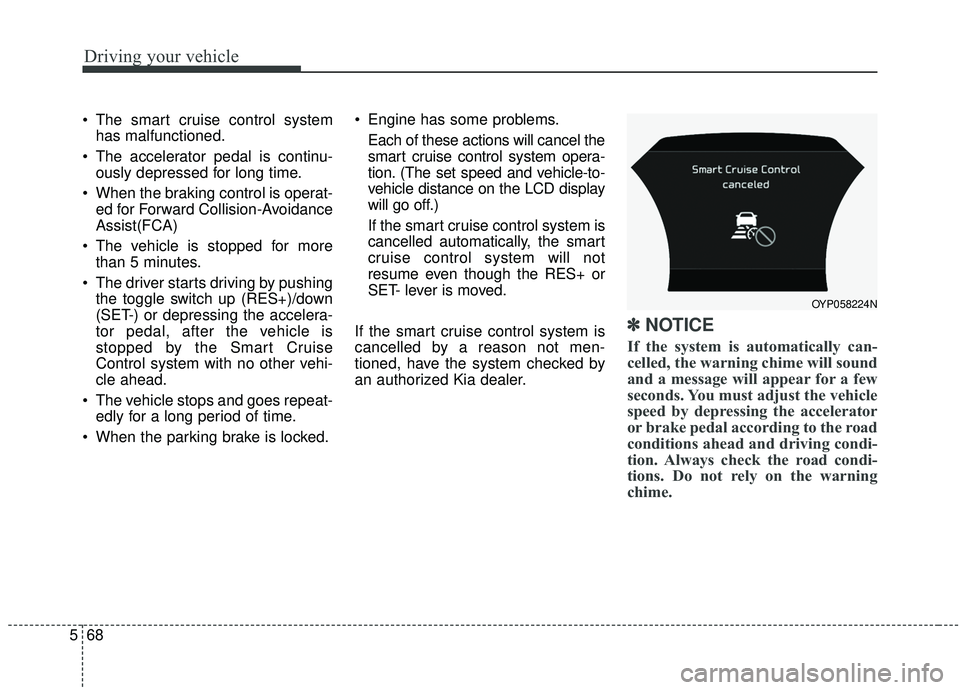
✽ ✽ NOTICE
If the system is automatically can-
celled, the warning chime will sound
and a message will appear for a few
seconds. You must adjust the vehicle
speed by depressing the accelerator
or brake pedal according to the road
conditions ahead and driving condi-
tion. Always check the road condi-
tions. Do not rely on the warning
chime.
OYP058224N
Page 386 of 593
Driving your vehicle
72
5
The vehicle will maintain the set
speed, when the lane ahead is
clear.
The vehicle will slow down or speed up within selected speed to
maintain the selected distance,
when there is a vehicle ahead of
you in the lane. (A vehicle will
appear in front of your vehicle in
the LCD display only when there is
an actual vehicle in front of you)
If the vehicle ahead speeds up, your vehicle will travel at a steady
cruising speed after accelerating to
the selected speed.
The warning chime sounds and LCD display blinks if it is hard to
maintain the selected distance to
the vehicle ahead.
If the warning chime sounds, actively adjust the vehicle speed by
depressing the brake pedal
according to the road condition
ahead and driving condition.
Even if the warning chime is not acti- vated, always pay attention to the
driving conditions to prevent danger-
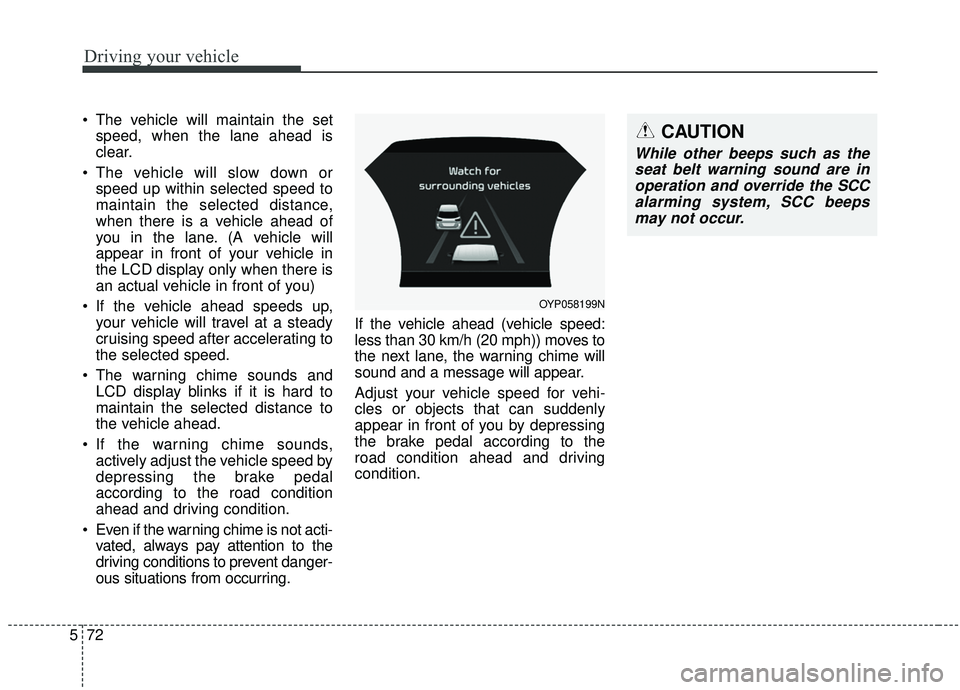
ous situations from occurring. If the vehicle ahead (vehicle speed:
less than 30 km/h (20 mph)) moves to
the next lane, the warning chime will
sound and a message will appear.
Adjust your vehicle speed for vehi-
cles or objects that can suddenly
appear in front of you by depressing
the brake pedal according to the
road condition ahead and driving
condition.
OYP058199N
CAUTION
While other beeps such as the
seat belt warning sound are inoperation and override the SCCalarming system, SCC beepsmay not occur.