Wing KIA SEDONA 2020 Manual PDF
[x] Cancel search | Manufacturer: KIA, Model Year: 2020, Model line: SEDONA, Model: KIA SEDONA 2020Pages: 604, PDF Size: 16.24 MB
Page 361 of 604
Driving your vehicle
32
5
Cancel
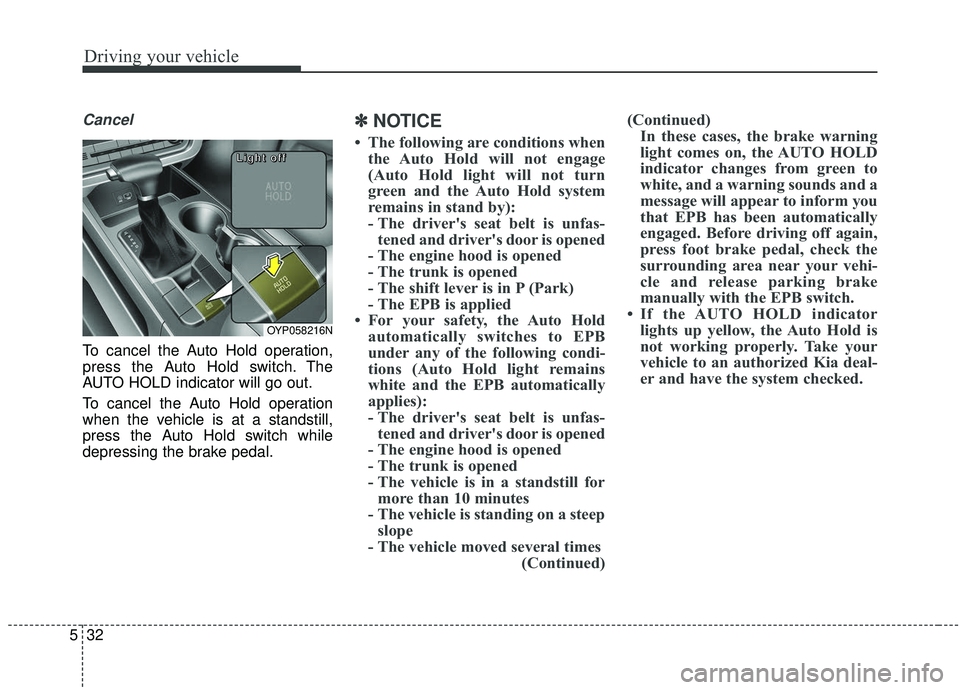
To cancel the Auto Hold operation,
press the Auto Hold switch. The
AUTO HOLD indicator will go out.
To cancel the Auto Hold operation
when the vehicle is at a standstill,
press the Auto Hold switch while
depressing the brake pedal.
✽ ✽
NOTICE
• The following are conditions when
the Auto Hold will not engage
(Auto Hold light will not turn
green and the Auto Hold system
remains in stand by):
- The driver's seat belt is unfas-tened and driver's door is opened
- The engine hood is opened
- The trunk is opened
- The shift lever is in P (Park)
- The EPB is applied
• For your safety, the Auto Hold automatically switches to EPB
under any of the following condi-
tions (Auto Hold light remains
white and the EPB automatically
applies):
- The driver's seat belt is unfas-tened and driver's door is opened
- The engine hood is opened
- The trunk is opened
- The vehicle is in a standstill for more than 10 minutes
- The vehicle is standing on a steep slope
- The vehicle moved several times (Continued)(Continued)
In these cases, the brake warning
light comes on, the AUTO HOLD
indicator changes from green to
white, and a warning sounds and a
message will appear to inform you
that EPB has been automatically
engaged. Before driving off again,
press foot brake pedal, check the
surrounding area near your vehi-
cle and release parking brake
manually with the EPB switch.
• If the AUTO HOLD indicator lights up yellow, the Auto Hold is
not working properly. Take your
vehicle to an authorized Kia deal-
er and have the system checked.
OYP058216N
L L
L L
i i
i i
g g
g g
h h
h h
t t
t t
o o
o o
f f
f f
f f
f f
Page 362 of 604
533
Driving your vehicle
If there is a malfunction with the dri-
ver’s door, engine hood or trunk open
detection system, the Auto Hold may
not work properly.
Take your vehicle to an authorized Kia
dealer and have the system checked.
✽ ✽NOTICE
A click or electric brake motor
whine sound may be heard while
operating or releasing the EPB, but
these conditions are normal and
indicate that the EPB is functioning
properly.
Anti-lock brake system (ABS)
ABS (or ESC) will not prevent acci-
dents due to improper or dangerous
driving maneuvers. Even though
vehicle control is improved during
emergency braking, always maintain
a safe distance between you and
objects ahead. Vehicle speeds
should always be reduced during
extreme road conditions. The vehicle
should be driven at reduced speeds
in the following circumstances:
When driving on rough, gravel or
snow-covered roads
When driving on roads where the road surface is pitted or has differ-
ent surface heights.
Driving in these conditions increase
the stopping distance for your vehi-
cle. The ABS continuously senses the
speed of the wheels. If the wheels
are going to lock, the ABS system
repeatedly modulates the hydraulic
brake pressure to the wheels.
When you apply your brakes under
conditions which may lock the
wheels, you may hear a “tik-tik’’
sound from the brakes, or feel a cor-
responding sensation in the brake
pedal. This is normal and it means
your ABS is active.
In order to obtain the maximum ben-
efit from your ABS in an emergency
situation, do not attempt to modulate
your brake pressure and do not try to
pump your brakes. Press your brake
pedal as hard as possible or as hard
as the situation allows the ABS to
control the force being delivered to
the brakes.WARNING
To reduce the risk of an acci-
dent, do not activate Auto Hold
while driving downhill, backing
up or parking your vehicle.
Page 368 of 604
539
Driving your vehicle
Indicator light
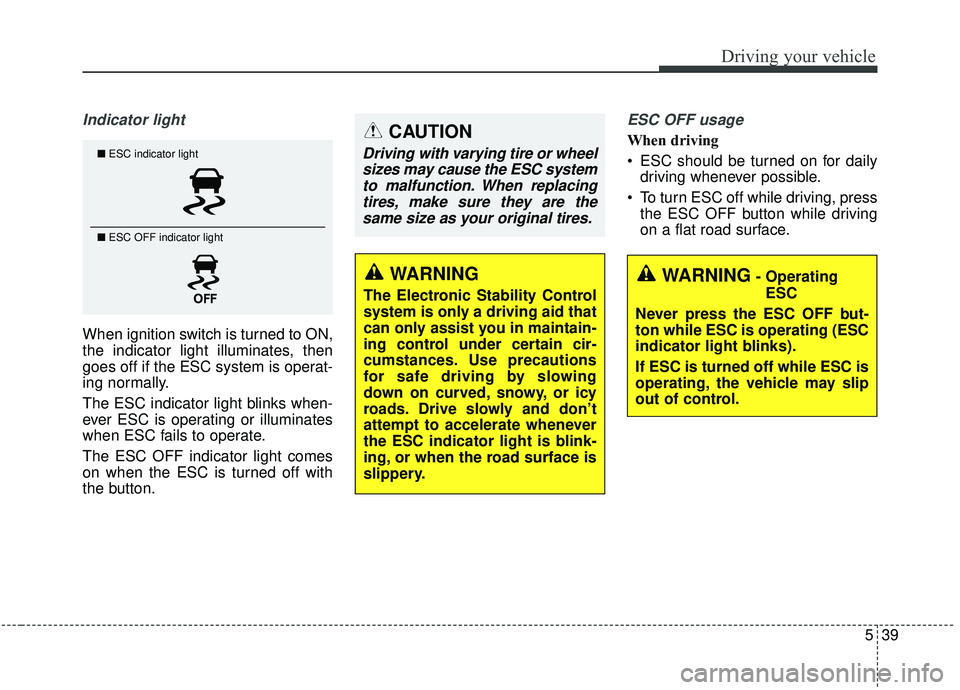
When ignition switch is turned to ON,
the indicator light illuminates, then
goes off if the ESC system is operat-
ing normally.
The ESC indicator light blinks when-
ever ESC is operating or illuminates
when ESC fails to operate.
The ESC OFF indicator light comes
on when the ESC is turned off with
the button.
ESC OFF usage
When driving
ESC should be turned on for dailydriving whenever possible.
To turn ESC off while driving, press the ESC OFF button while driving
on a flat road surface.
WARNING- Operating
ESC
Never press the ESC OFF but-
ton while ESC is operating (ESC
indicator light blinks).
If ESC is turned off while ESC is
operating, the vehicle may slip
out of control.
■ ESC indicator light
■ ESC OFF indicator light
CAUTION
Driving with varying tire or wheel
sizes may cause the ESC systemto malfunction. When replacingtires, make sure they are thesame size as your original tires.
WARNING
The Electronic Stability Control
system is only a driving aid that
can only assist you in maintain-
ing control under certain cir-
cumstances. Use precautions
for safe driving by slowing
down on curved, snowy, or icy
roads. Drive slowly and don’t
attempt to accelerate whenever
the ESC indicator light is blink-
ing, or when the road surface is
slippery.
Page 373 of 604
Driving your vehicle
44
5
The FCA system is designed to
detect and monitor the vehicle ahead
or detect a pedestrian (if equipped)
in the roadway through radar signals
and camera recognition to warn the
driver that a collision is imminent,
and if necessary, apply emergency
braking.System setting and activation
System setting
The driver can activate the FCA by
placing the ignition switch to the ON
position and by selecting 'User
Settings', 'Driver Assistance', and
‘Forward Collision-Avoidance Assist’.
The FCA deactivates when the driv-
er cancels the system setting.
FORWARD COLLISION-AVOIDANCE ASSIST (FCA) (IF EQUIPPED)
WARNING
Take the following precautions
when using the forward colli-
sion-avoidance assist (FCA):
This system is only a supple-
mental system and it is not
intended to, nor does it
replace the need for extreme
care and attention of the driv-
er. The sensing range and
objects detectable by the sen-
sors are limited. Pay attention
to the road conditions at all
times.
NEVER drive too fast in accor- dance with the road condi-
tions or while cornering.
Always drive cautiously to prevent unexpected and sud-
den situations from occur-
ring. FCA does not stop the
vehicle completely and does
not avoid collisions.
Page 374 of 604
545
Driving your vehicle
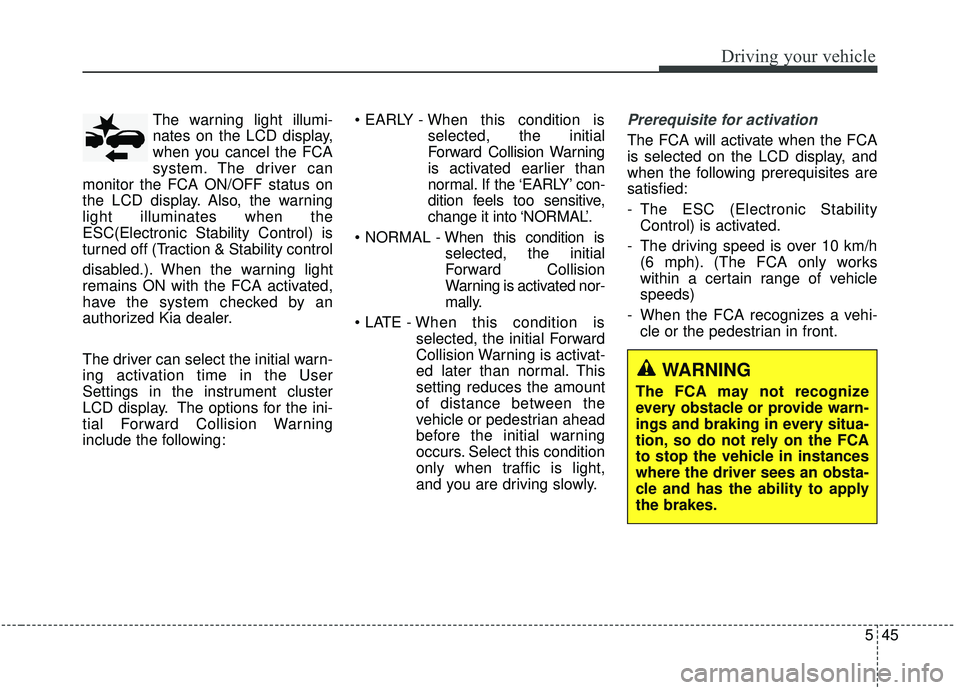
The warning light illumi-
nates on the LCD display,
when you cancel the FCA
system. The driver can
monitor the FCA ON/OFF status on
the LCD display. Also, the warning
light illuminates when the
ESC(Electronic Stability Control) is
turned off (Traction & Stability control
disabled.). When the warning light
remains ON with the FCA activated,
have the system checked by an
authorized Kia dealer.
The driver can select the initial warn-
ing activation time in the User
Settings in the instrument cluster
LCD display. The options for the ini-
tial Forward Collision Warning
include the following:
selected, the initial
Forward Collision Warning
is activated earlier than
normal. If the ‘EARLY’ con-
dition feels too sensitive,
change it into ‘NORMAL’.
selected, the initial
Forward Collision
Warning is activated nor-
mally.
selected, the initial Forward
Collision Warning is activat-
ed later than normal. This
setting reduces the amount
of distance between the
vehicle or pedestrian ahead
before the initial warning
occurs. Select this condition
only when traffic is light,
and you are driving slowly.Prerequisite for activation
The FCA will activate when the FCA
is selected on the LCD display, and
when the following prerequisites are
satisfied:
- The ESC (Electronic StabilityControl) is activated.
- The driving speed is over 10 km/h (6 mph). (The FCA only works
within a certain range of vehicle
speeds)
- When the FCA recognizes a vehi- cle or the pedestrian in front.
WARNING
The FCA may not recognize
every obstacle or provide warn-
ings and braking in every situa-
tion, so do not rely on the FCA
to stop the vehicle in instances
where the driver sees an obsta-
cle and has the ability to apply
the brakes.
Page 380 of 604
551
Driving your vehicle
Limitation of the system
The FCA system is designed to mon-
itor the driving situation ahead
through camera and radar sensors to
warn the driver that a collision is
imminent, and if necessary, apply
emergency braking.
In certain situations, the camera and
sensors may not be able to detect
the situation ahead. In these cases,
the FCA system may not operate
normally. The driver must pay careful
attention in the following situations
where the FCA operation may be
limited.
Recognizing vehicles
The sensor may be limited when:
- The radar or the camera is coveredwith foreign substances.
- It heavily rains or snows.
- There is interference by electro- magnetic waves.
- The vehicle in front has a narrow body. (i.e. motor cycle and bicycle)
- The driver’s view is unclear due to the backlight, the reflected light, or
darkness.
- The camera cannot contain the full image of the vehicle in front.
- The vehicle in front is a special vehicle, such as a heavily-loaded
truck or a trailer.
- The outside brightness is greatly changed, such as entering/exiting
the tunnel.
- The vehicle driving is unstable.
- The radar/camera sensor recogni- tion is limited.
- The driver's field of view is not well illuminated (either too dark or too
much reflection or too much back-
light that obscures the field of view) - The vehicle in front is driving errat-
ically
- The vehicle is driven near areas containing metal substances such
as a construction zone, railroad,
etc.
- Backlight is reflected in the direc- tion of the vehicle (including front
light from the vehicle ahead)
- Moisture on the windshield is not completely removed or frozen.
- The weather is misty.
- The vehicle in front does not turn ON the rear lights, does not have
rear lights, has asymmetric rear
lights, or has rear lights out of
angle.
- The vehicle is on unpaved or uneven rough surfaces, or roads
with sudden gradient changes.
- The vehicle is moving under ground level or inside a building.
- If a sudden change in the sensor recognition takes place while driv-
ing over the speed bump,
- When the vehicle is severely shaken,
- When driving around a roundabout with a vehicle in front,
Page 383 of 604
Driving your vehicle
54
5
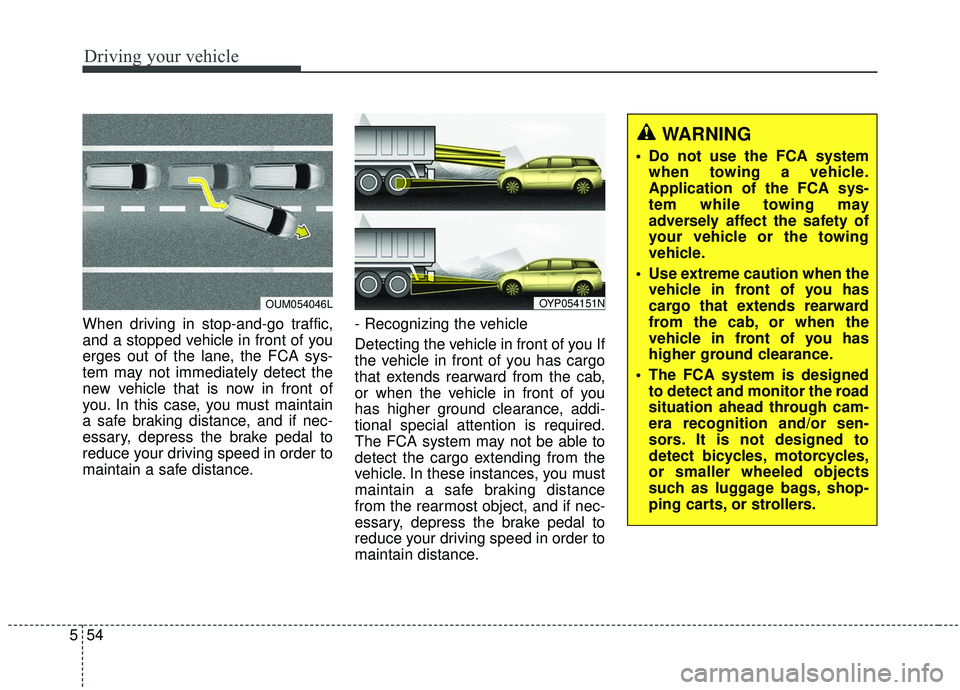
When driving in stop-and-go traffic,
and a stopped vehicle in front of you
erges out of the lane, the FCA sys-
tem may not immediately detect the
new vehicle that is now in front of
you. In this case, you must maintain
a safe braking distance, and if nec-
essary, depress the brake pedal to
reduce your driving speed in order to
maintain a safe distance. - Recognizing the vehicle
Detecting the vehicle in front of you If
the vehicle in front of you has cargo
that extends rearward from the cab,
or when the vehicle in front of you
has higher ground clearance, addi-
tional special attention is required.
The FCA system may not be able to
detect the cargo extending from the
vehicle. In these instances, you must
maintain a safe braking distance
from the rearmost object, and if nec-
essary, depress the brake pedal to
reduce your driving speed in order to
maintain distance.
OUM054046L
WARNING
Do not use the FCA system
when towing a vehicle.
Application of the FCA sys-
tem while towing may
adversely affect the safety of
your vehicle or the towing
vehicle.
Use extreme caution when the vehicle in front of you has
cargo that extends rearward
from the cab, or when the
vehicle in front of you has
higher ground clearance.
The FCA system is designed to detect and monitor the road
situation ahead through cam-
era recognition and/or sen-
sors. It is not designed to
detect bicycles, motorcycles,
or smaller wheeled objects
such as luggage bags, shop-
ping carts, or strollers.
OYP054151N
Page 385 of 604
Driving your vehicle
56
5
✽ ✽
NOTICE
The system may temporarily cancel
if there is interference by electro-
magnetic waves.
When replacing or reinstalling the
windshield, front bumper or
radar/camera after removal, have the
vehicle inspected by an authorized
Kia dealer. This device complies with Industry
Canada licence-exempt RSS stan-
dard(s).
Operation is subject to the following
conditions:
(1) This device may not cause inter-
ference, and
(2) This device must accept any
interference, including interfer-
ence that may cause undesired
operation of the device.
(3) Changes or modifications not
expressly approved by the party
responsible for compliance could
void the user's authority to oper-
ate the device.
WARNING - Testing the
FCA
Never try to test the operation
of the FCA system. Doing so
may cause severe injury or
death.
Page 388 of 604
559
Driving your vehicle
To temporarily accelerate with
the cruise control on:
If you want to speed up temporarily
when the cruise control is on,
depress the accelerator pedal.
Increased speed will not interfere
with the cruise control operation or
change the set speed.
To return to the set speed, take your
foot off the accelerator.
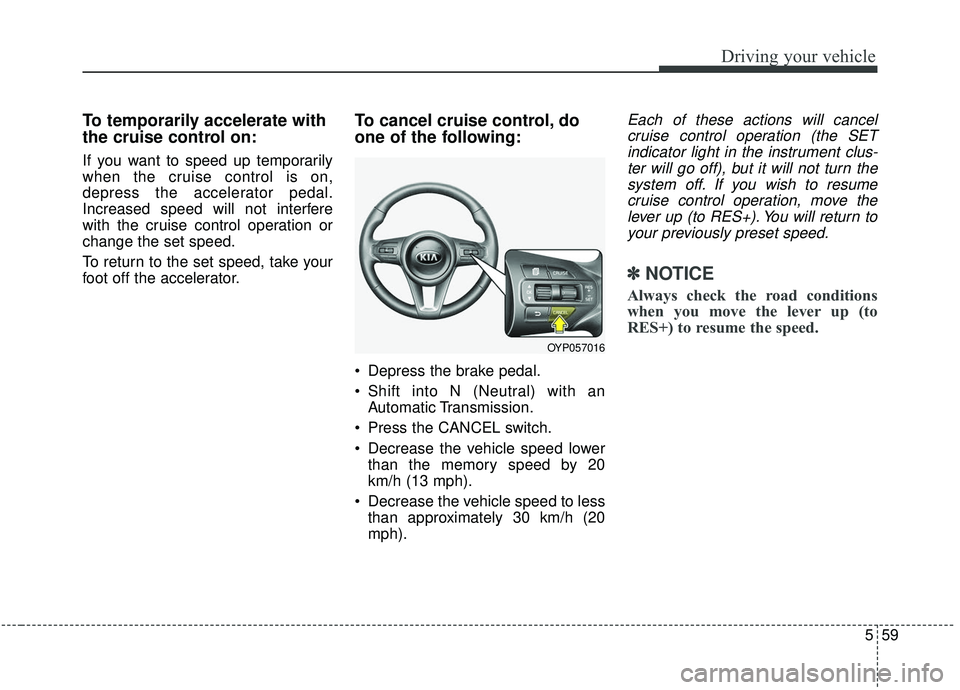
To cancel cruise control, do
one of the following:
Depress the brake pedal.
Shift into N (Neutral) with anAutomatic Transmission.
Press the CANCEL switch.
Decrease the vehicle speed lower than the memory speed by 20
km/h (13 mph).
Decrease the vehicle speed to less than approximately 30 km/h (20
mph).
Each of these actions will cancelcruise control operation (the SETindicator light in the instrument clus-ter will go off), but it will not turn thesystem off. If you wish to resumecruise control operation, move thelever up (to RES+). You will return toyour previously preset speed.
✽ ✽ NOTICE
Always check the road conditions
when you move the lever up (to
RES+) to resume the speed.
OYP057016
Page 389 of 604
Driving your vehicle
60
5
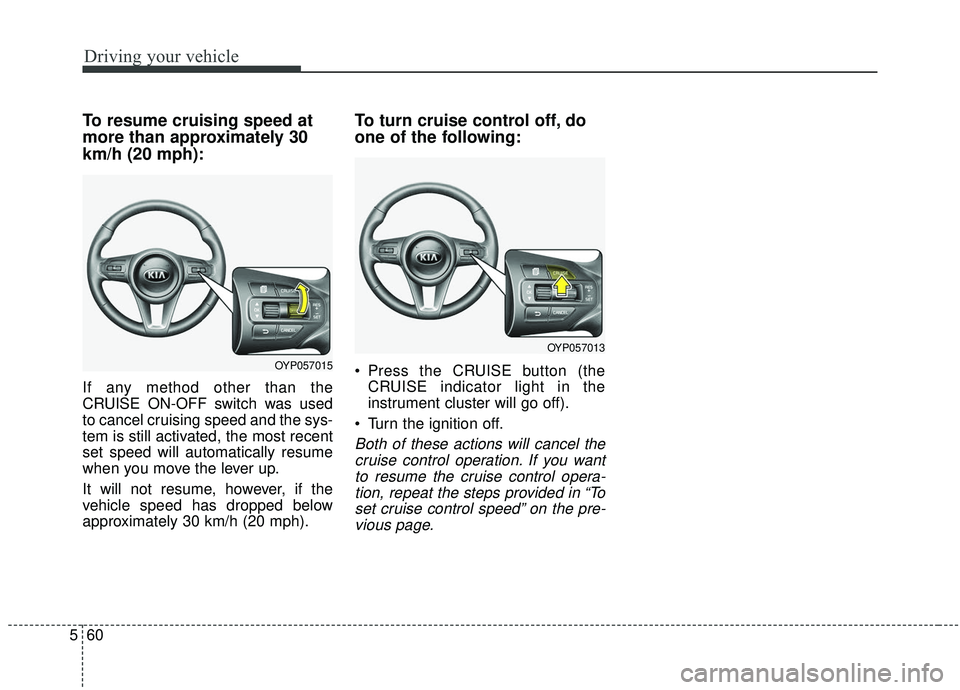
To resume cruising speed at
more than approximately 30
km/h (20 mph):
If any method other than the
CRUISE ON-OFF switch was used
to cancel cruising speed and the sys-
tem is still activated, the most recent
set speed will automatically resume
when you move the lever up.
It will not resume, however, if the
vehicle speed has dropped below
approximately 30 km/h (20 mph).
To turn cruise control off, do
one of the following:
Press the CRUISE button (the
CRUISE indicator light in the
instrument cluster will go off).
Turn the ignition off.
Both of these actions will cancel the cruise control operation. If you wantto resume the cruise control opera-tion, repeat the steps provided in “Toset cruise control speed” on the pre-vious page.
OYP057015
OYP057013