Wing KIA SEDONA 2020 Manual Online
[x] Cancel search | Manufacturer: KIA, Model Year: 2020, Model line: SEDONA, Model: KIA SEDONA 2020Pages: 604, PDF Size: 16.24 MB
Page 397 of 604
Driving your vehicle
68
5
✽ ✽
NOTICE
To reduce the risk of an accident,
always check the road conditions
when reactivating the smart cruise
control using the RES+ lever to
ensure the road conditions permit
safe use of the cruise control.
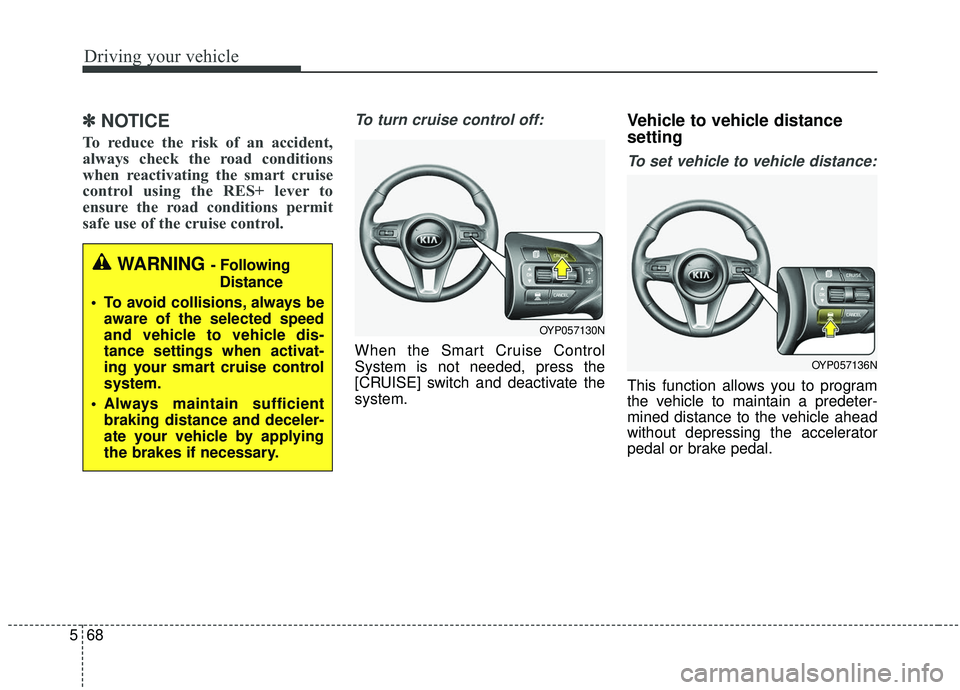
To turn cruise control off:
When the Smart Cruise Control
System is not needed, press the
[CRUISE] switch and deactivate the
system.
Vehicle to vehicle distance
setting
To set vehicle to vehicle distance:
This function allows you to program
the vehicle to maintain a predeter-
mined distance to the vehicle ahead
without depressing the accelerator
pedal or brake pedal.
WARNING - Following
Distance
To avoid collisions, always be aware of the selected speed
and vehicle to vehicle dis-
tance settings when activat-
ing your smart cruise control
system.
Always maintain sufficient braking distance and deceler-
ate your vehicle by applying
the brakes if necessary.
OYP057130N
OYP057136N
Page 400 of 604
571
Driving your vehicle
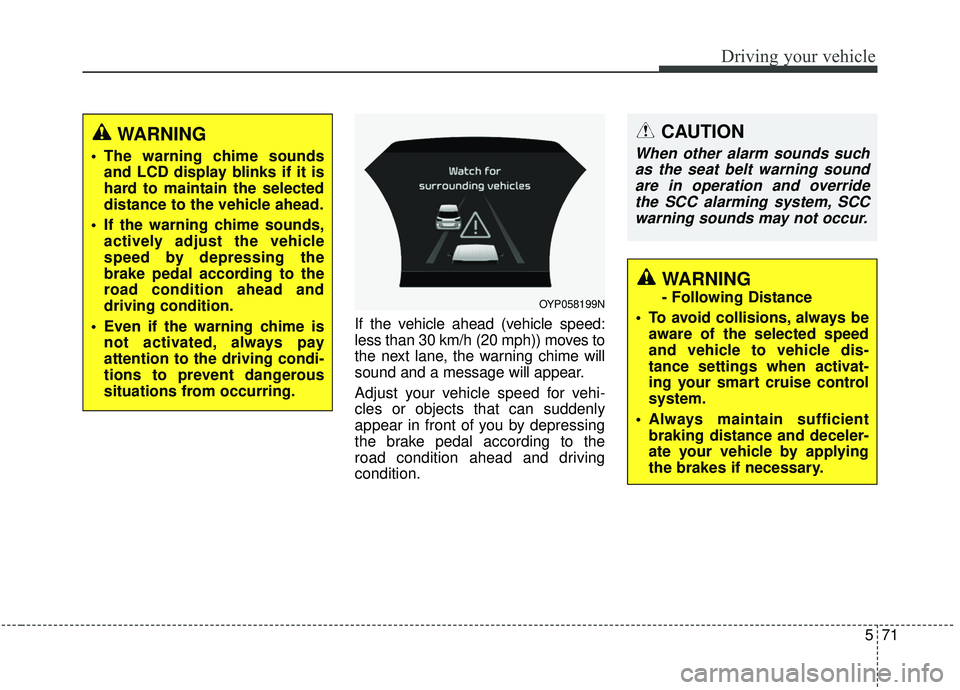
If the vehicle ahead (vehicle speed:
less than 30 km/h (20 mph)) moves to
the next lane, the warning chime will
sound and a message will appear.
Adjust your vehicle speed for vehi-
cles or objects that can suddenly
appear in front of you by depressing
the brake pedal according to the
road condition ahead and driving
condition.
OYP058199N
CAUTION
When other alarm sounds suchas the seat belt warning soundare in operation and overridethe SCC alarming system, SCCwarning sounds may not occur.
WARNING
- Following Distance
To avoid collisions, always be aware of the selected speed
and vehicle to vehicle dis-
tance settings when activat-
ing your smart cruise control
system.
Always maintain sufficient braking distance and deceler-
ate your vehicle by applying
the brakes if necessary.
WARNING
The warning chime soundsand LCD display blinks if it is
hard to maintain the selected
distance to the vehicle ahead.
If the warning chime sounds, actively adjust the vehicle
speed by depressing the
brake pedal according to the
road condition ahead and
driving condition.
Even if the warning chime is not activated, always pay
attention to the driving condi-
tions to prevent dangerous
situations from occurring.
Page 403 of 604
Driving your vehicle
74
5
To adjust the sensitivity of
smart cruise control system
The sensitivity of vehicle speed
when following the front vehicle to
maintain the set distance can be
adjusted. Go to User Settings (Driver
Assistance) and select SCC
Reaction (Smart Cruise Control). You
may select one of the three stages
you prefer.
Slow:
Vehicle speed following the front
vehicle to maintain the set distance
is slower than normal speed.
Normal: Vehicle speed following the front
vehicle to maintain the set distance
is normal
Fast: Vehicle speed following the front
vehicle to maintain the set distance
is faster than normal speed.
✽ ✽ NOTICE
The system remembers the last
selected mode.
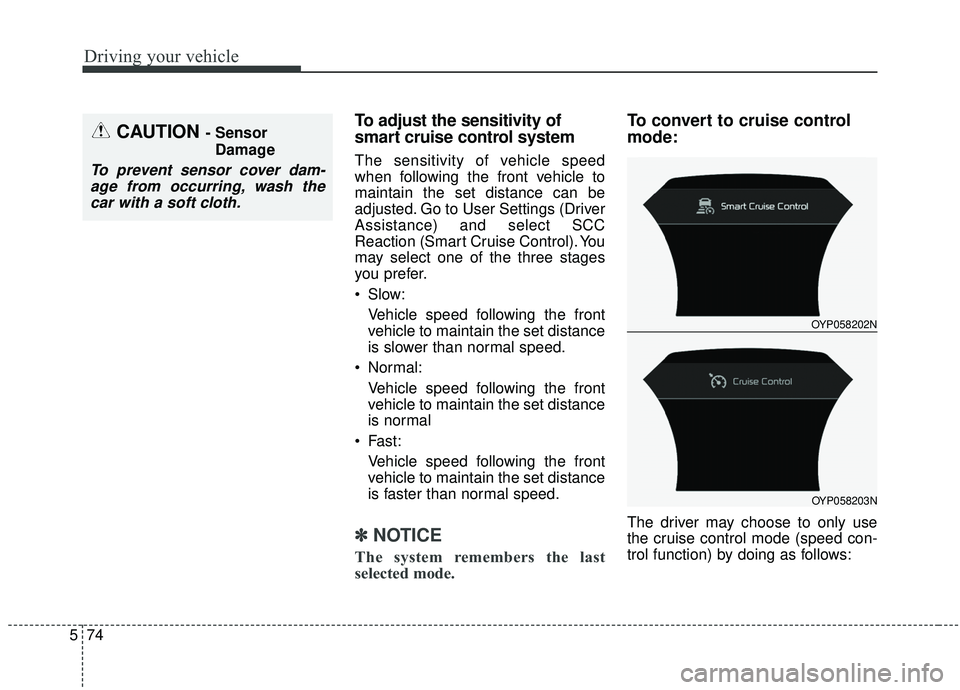
To convert to cruise control
mode:
The driver may choose to only use
the cruise control mode (speed con-
trol function) by doing as follows:
CAUTION - Sensor
Damage
To prevent sensor cover dam-age from occurring, wash thecar with a soft cloth.
OYP058202N
OYP058203N
Page 407 of 604
Driving your vehicle
78
5
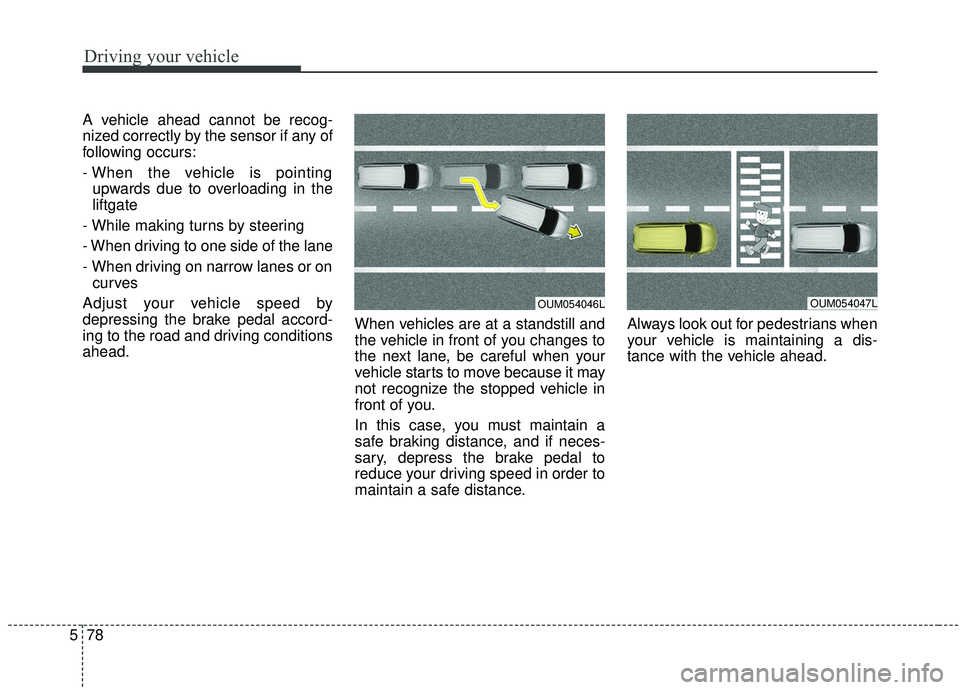
A vehicle ahead cannot be recog-
nized correctly by the sensor if any of
following occurs:
- When the vehicle is pointing
upwards due to overloading in the
liftgate
- While making turns by steering
- When driving to one side of the lane
- When driving on narrow lanes or on curves
Adjust your vehicle speed by
depressing the brake pedal accord-
ing to the road and driving conditions
ahead. When vehicles are at a standstill and
the vehicle in front of you changes to
the next lane, be careful when your
vehicle starts to move because it may
not recognize the stopped vehicle in
front of you.
In this case, you must maintain a
safe braking distance, and if neces-
sary, depress the brake pedal to
reduce your driving speed in order to
maintain a safe distance.Always look out for pedestrians when
your vehicle is maintaining a dis-
tance with the vehicle ahead.
OUM054047LOUM054046L
Page 408 of 604
579
Driving your vehicle
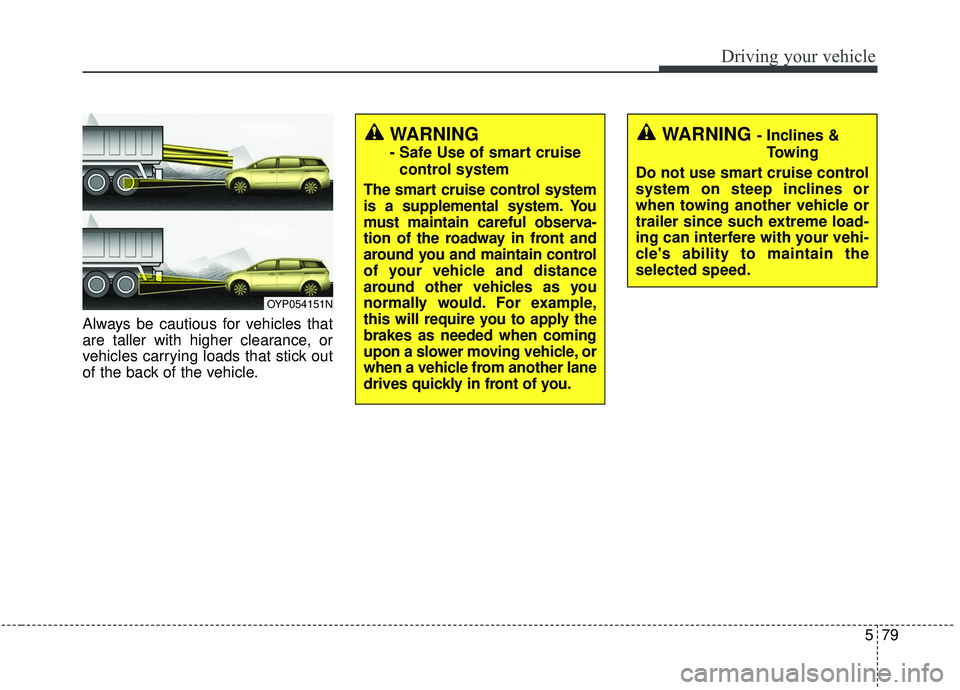
Always be cautious for vehicles that
are taller with higher clearance, or
vehicles carrying loads that stick out
of the back of the vehicle.
OYP054151N
WARNING - Inclines &Towing
Do not use smart cruise control
system on steep inclines or
when towing another vehicle or
trailer since such extreme load-
ing can interfere with your vehi-
cle's ability to maintain the
selected speed.WARNING
- Safe Use of smart cruise control system
The smart cruise control system
is a supplemental system. You
must maintain careful observa-
tion of the roadway in front and
around you and maintain control
of your vehicle and distance
around other vehicles as you
normally would. For example,
this will require you to apply the
brakes as needed when coming
upon a slower moving vehicle, or
when a vehicle from another lane
drives quickly in front of you.
Page 409 of 604
Driving your vehicle
80
5
(Continued)
Always be aware of the select-
ed speed and vehicle to vehi-
cle distance.
Always maintain sufficient braking distance and deceler-
ate your vehicle by applying
the brakes if necessary.(Continued)
If an emergency stop is nec-
essary, you must apply the
brakes.
Keep a safe distance accord- ing to road conditions and
vehicle speed. If the vehicle to
vehicle distance is too close
during a high-speed driving, a
serious collision may result.
The smart cruise control sys- tem cannot recognize a
stopped vehicle, pedestrians
or an oncoming vehicle.
Always look ahead cautiously
to prevent unexpected and
suddensituations from occur-
ring.
When other vehicles are changing lanes in front of you
frequently, the smart cruise
control system may not oper-
ate appropriately. Always look
ahead cautiously to prevent
unexpected and sudden situa-
tions from occurring.
(Continued)WARNING
After starting the engine,please stop for several sec-
onds. If system initialization is
not completed, the smart
cruise control system does
not normally operate.
After starting the engine, if any objects are not detected
or the sensor cover is
obscured with foreign sub-
stances, there is a possibility
that the smart cruise control
system may not work.
The following conditions may cause a malfunction: over-
loading the liftgate, suspen-
sion modification, tire
replacement with unautho-
rized tires or tires with differ-
ent tread wear and pressure
levels.
The Smart Cruise Control sys- tem may not be able to com-
pletely stop the vehicle or
avoid a collision in every situ-
ation.
(Continued)
Page 410 of 604
581
Driving your vehicle
This device complies with Industry
Canada licence-exempt RSS stan-
dard(s).
Operation is subject to the following
conditions:
(1) This device may not cause inter-ference, and
(2) This device must accept any interference, including interfer-
ence that may cause undesired
operation of the device.
(3) Changes or modifications not expressly approved by the party
responsible for compliance could
void the user's authority to oper-
ate the device.
Page 411 of 604
Driving your vehicle
82
5
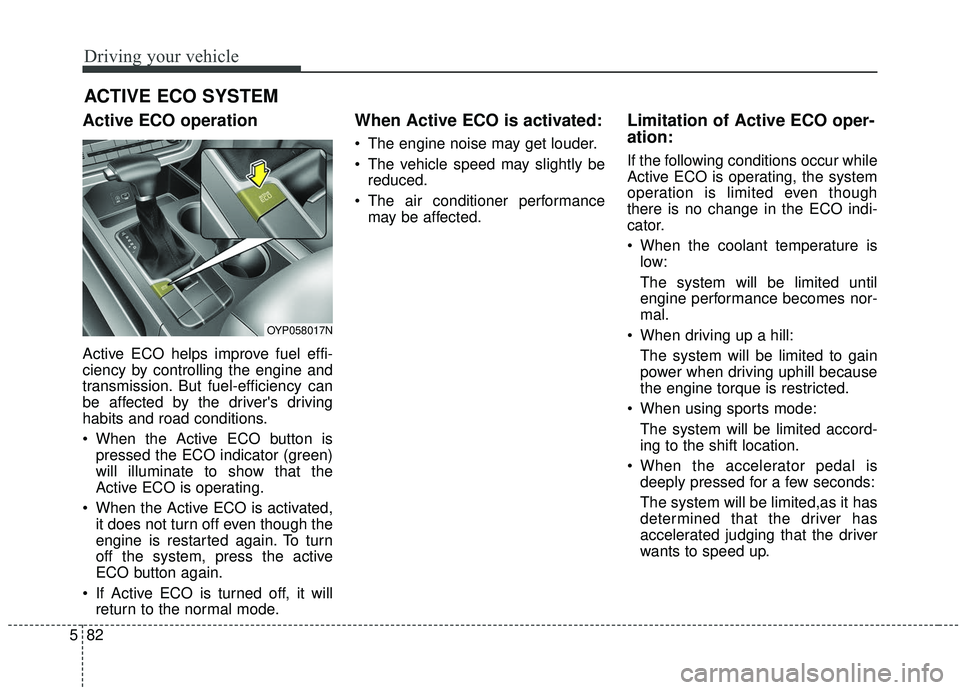
Active ECO operation
Active ECO helps improve fuel effi-
ciency by controlling the engine and
transmission. But fuel-efficiency can
be affected by the driver's driving
habits and road conditions.
When the Active ECO button is
pressed the ECO indicator (green)
will illuminate to show that the
Active ECO is operating.
When the Active ECO is activated, it does not turn off even though the
engine is restarted again. To turn
off the system, press the active
ECO button again.
If Active ECO is turned off, it will return to the normal mode.
When Active ECO is activated:
The engine noise may get louder.
The vehicle speed may slightly bereduced.
The air conditioner performance may be affected.
Limitation of Active ECO oper-
ation:
If the following conditions occur while
Active ECO is operating, the system
operation is limited even though
there is no change in the ECO indi-
cator.
When the coolant temperature islow:
The system will be limited until
engine performance becomes nor-
mal.
When driving up a hill: The system will be limited to gain
power when driving uphill because
the engine torque is restricted.
When using sports mode: The system will be limited accord-
ing to the shift location.
When the accelerator pedal is deeply pressed for a few seconds:
The system will be limited,as it has
determined that the driver has
accelerated judging that the driver
wants to speed up.
ACTIVE ECO SYSTEM
OYP058017N
Page 413 of 604
Driving your vehicle
84
5
Limitation of Active ECO operation:
If the following conditions occur while
Active ECO is operating, the system
operation is limited even though
there is no change in the ECO indi-
cator.
When the coolant temperature is
low:
The system will be limited until
engine performance becomes nor-
mal.
When driving up a hill: The system will be limited to gain
power when driving uphill because
the engine torque is restricted.
When using manual mode: The system will be limited accord-
ing to the shift location.
When the accelerator pedal is deeply depressed for a few sec-
onds:
The system will be limited, judging
that the driver wants to speed up.Comfort mode
The steering wheelbecomes lighter. The com-
fort mode is usually used
when driving in the city or
when parking the vehicle.
For your safety, if you press the steering mode button while operat-
ing the steering wheel, but the
steering effort will not change
immediately. After operating the
steering wheel, the steering effort
will change automatically to the
selected mode.
When the electronic power steer- ing is not operating properly, the
flex steering wheel will not work.
CAUTION
Use caution when changing thesteering mode while driving.
Page 422 of 604

593
Driving your vehicle
A big vehicle is near such as a busor truck.
A motorcycle or bicycle is near.
A flat trailer is near.
If the vehicle has started at the same time as the vehicle next to
you and has accelerated.
When the other vehicle passes at a very fast speed.
While changing lanes.
When going down or up a steep road where the height of the lane is
different.
When the other vehicle approach- es very close.
When a trailer or carrier is installed.
When the temperature of the rear bumper is very high or low.
When the sensors are blocked by other vehicles, walls or parking-lot
pillars.
When the detected vehicle also moves back, as your vehicle drives
back.
If there are small things like a shopping cart or baby carriage. If there is a low height vehicle.
When other vehicles are close to
your vehicle.
When the vehicle in the next lane moves two lanes away from you
OR when the vehicle two lanes
away moves to the next lane from
you.
When driving through a narrow road with many plants.
When driving on wet surface.
The vehicle is driven near areas containing metal substances such
as a construction zone, railroad,
etc.
When the surrounding vehicle or structure is driving in a wide area
(desert, field, suburb etc.) This device complies with Industry
Canada licence-exempt RSS stan-
dard(s).
Operation is subject to the following
conditions:
(1) This device may not cause inter-
ference, and
(2) This device must accept any
interference, including interfer-
ence that may cause undesired
operation of the device.
(3) Changes or modifications not
expressly approved by the party
responsible for compliance could
void the user's authority to oper-
ate the device.