tow KIA Sephia 2009 2.G User Guide
[x] Cancel search | Manufacturer: KIA, Model Year: 2009, Model line: Sephia, Model: KIA Sephia 2009 2.GPages: 291, PDF Size: 2.63 MB
Page 102 of 291
Knowing your vehicle92
3
1
2
3
4
5
6
7
8
9
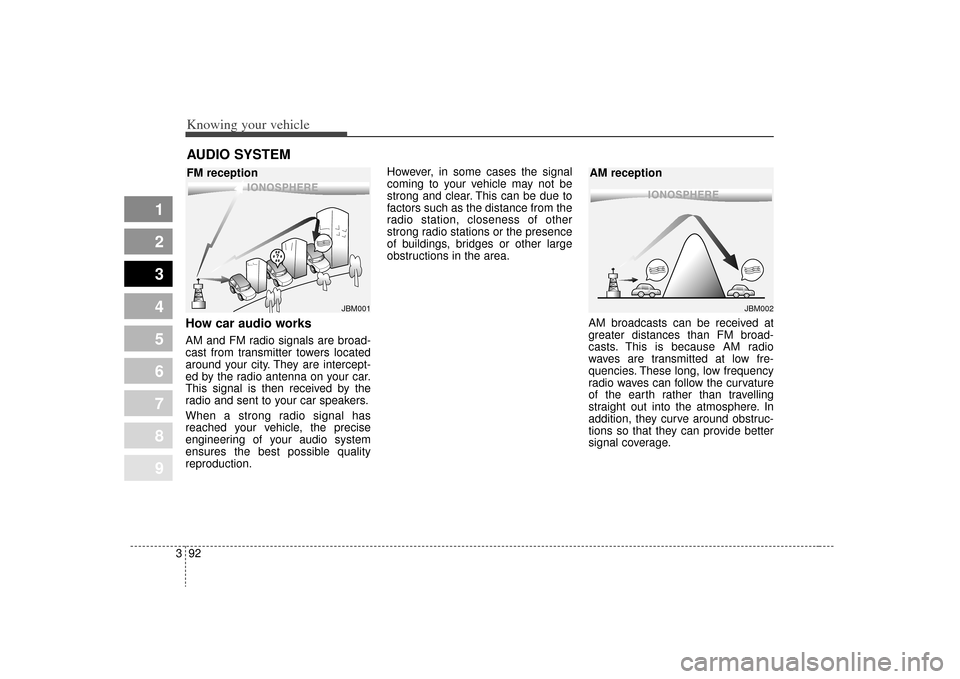
How car audio worksAM and FM radio signals are broad-
cast from transmitter towers located
around your city. They are intercept-
ed by the radio antenna on your car.
This signal is then received by the
radio and sent to your car speakers.
When a strong radio signal has
reached your vehicle, the precise
engineering of your audio system
ensures the best possible quality
reproduction. However, in some cases the signal
coming to your vehicle may not be
strong and clear. This can be due to
factors such as the distance from the
radio station, closeness of other
strong radio stations or the presence
of buildings, bridges or other large
obstructions in the area.
AM broadcasts can be received at
greater distances than FM broad-
casts. This is because AM radio
waves are transmitted at low fre-
quencies. These long, low frequency
radio waves can follow the curvature
of the earth rather than travelling
straight out into the atmosphere. In
addition, they curve around obstruc-
tions so that they can provide better
signal coverage.AUDIO SYSTEM
¢¢¢
JBM001
¢¢¢
¢¢¢JBM002
FM reception AM reception
Page 128 of 291
Driving your vehicle24
1
2
3
4
5
6
7
8
9
Illuminated ignition switchWhenever a door is opened, the igni-
tion switch will be illuminated for your
convenience, provided the ignition
switch is not in the ON position. The
light will go off approximately 30 sec-
onds after closing the door or when
the ignition switch is turned on.
Ignition switch and anti-theft
steering column lock Ignition switch positionLOCK
The steering wheel locks to protect
against theft. The ignition key can be
removed only in the LOCK position.
When turning the ignition switch to
the LOCK position, push the key
inward at the ACC position and turn
the key toward the LOCK position.
ACC (Accessory)
The steering wheel is unlocked and
electrical accessories are operative.
✽ ✽NOTICEIf difficulty is experienced turning
the ignition switch to the ACC posi-
tion, turn the key while turning the
steering wheel right and left to
release the tension.ON
The warning lights can be checked
before the engine is started. This is
the normal running position after the
engine is started.Do not leave the ignition switch ON if
the engine is not running to preventbattery discharge.START
Turn the ignition key to the START
position to start the engine. The
engine will crank until you release
the key; then it returns to the ON
position. The brake warning lamp
can be checked in this position.
IGNITION SWITCH
1LDA3012
OUN036002
Page 135 of 291
49
1
2
3
4
5
6
7
8
9
Driving your vehicle
D (drive)This is the normal forward driving
position. The transaxle will automati-
cally shift through a 4-gear
sequence, providing the best fuel
economy and power.
For extra power when passing anoth-
er vehicle or climbing grades,
depress the accelerator fully, at
which time the transaxle will auto-
matically downshift to the next lower
gear.✽ ✽NOTICEAlways come to a complete stop
before shifting into D (Drive).
3 (Third Gear)Move shift lever to this position for
towing a trailer during hill climbing.
This position also provides engine
braking when going down hills.2 (Second Gear)Use 2 (Second Gear) for more power
when climbing hills and for increased
braking when going down hills. This
position also helps reduce wheel
spin on slippery surfaces. When the
shift lever is placed in 2 (Second
Gear), the transaxle will automatical-
ly shift from first to second gear.
L (Low)Move the shift lever to this position in
hard pulling situations and for climb-
ing steep grades.
CAUTION
Do not exceed the recommend-
ed maximum speeds in 2(Second Gear) or L (Low).Operating the vehicle at speedsabove the maximum recom-mended, for 2 (Second Gear) orL (Low) may cause excessiveheat to develop which couldresult in damage to or failure ofthe automatic transaxle.
Page 140 of 291
Driving your vehicle14
4
1
2
3
4
5
6
7
8
9
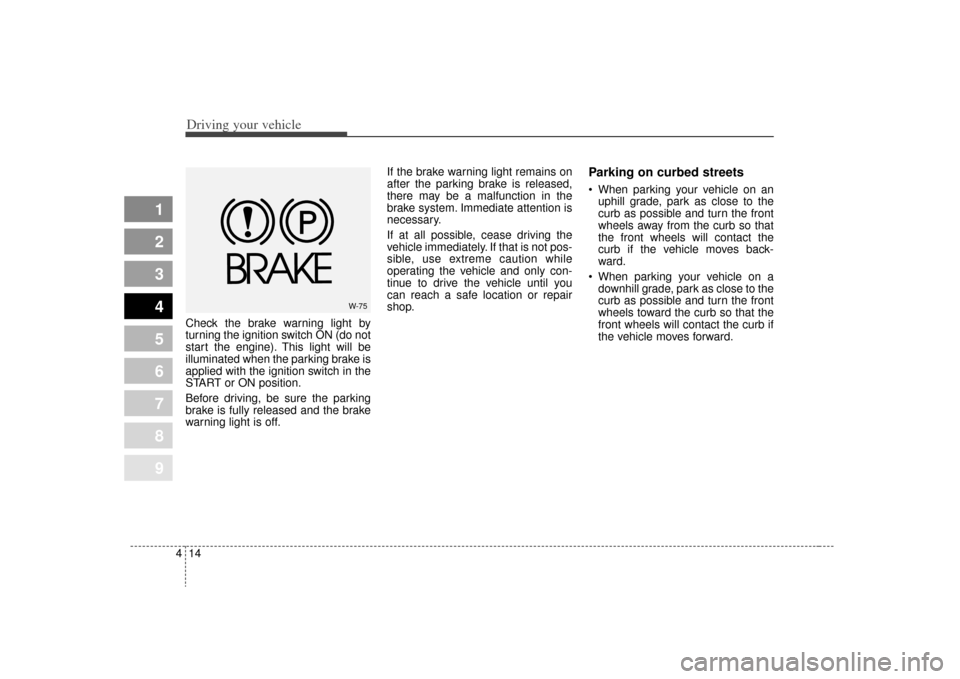
Check the brake warning light by
turning the ignition switch ON (do not
start the engine). This light will be
illuminated when the parking brake is
applied with the ignition switch in the
START or ON position.
Before driving, be sure the parking
brake is fully released and the brake
warning light is off. If the brake warning light remains on
after the parking brake is released,
there may be a malfunction in the
brake system. Immediate attention is
necessary.
If at all possible, cease driving the
vehicle immediately. If that is not pos-
sible, use extreme caution while
operating the vehicle and only con-
tinue to drive the vehicle until you
can reach a safe location or repair
shop.
Parking on curbed streets When parking your vehicle on an
uphill grade, park as close to the
curb as possible and turn the front
wheels away from the curb so that
the front wheels will contact the
curb if the vehicle moves back-
ward.
When parking your vehicle on a downhill grade, park as close to the
curb as possible and turn the front
wheels toward the curb so that the
front wheels will contact the curb if
the vehicle moves forward.
W-75
Page 156 of 291
Driving your vehicle30
4
1
2
3
4
5
6
7
8
9
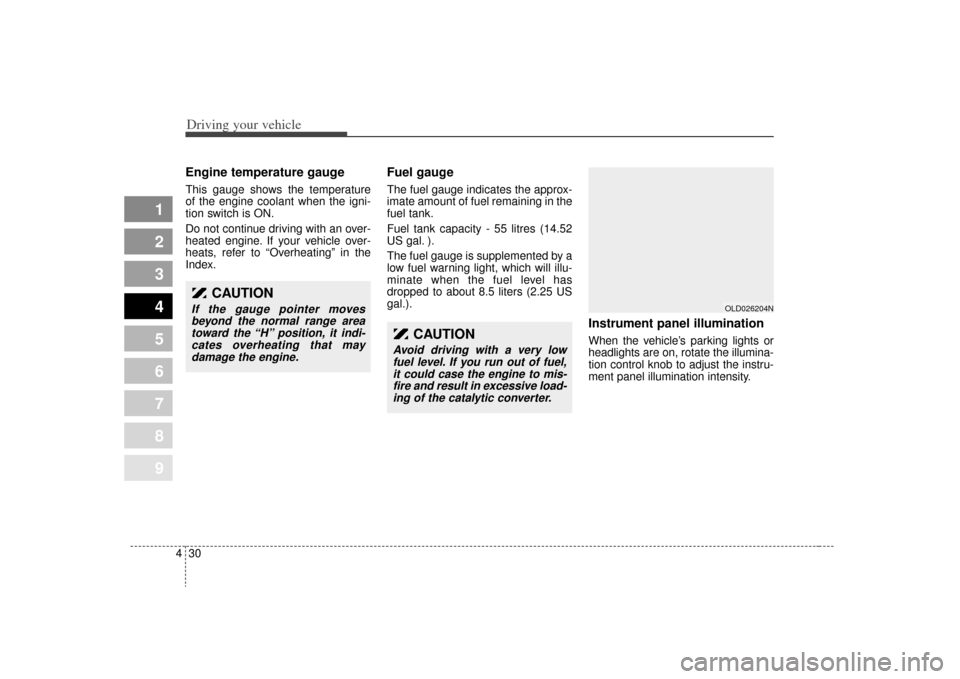
Engine temperature gauge This gauge shows the temperature
of the engine coolant when the igni-
tion switch is ON.
Do not continue driving with an over-
heated engine. If your vehicle over-
heats, refer to “Overheating” in the
Index.
Fuel gaugeThe fuel gauge indicates the approx-
imate amount of fuel remaining in the
fuel tank.
Fuel tank capacity - 55 litres (14.52
US gal. ).
The fuel gauge is supplemented by a
low fuel warning light, which will illu-
minate when the fuel level has
dropped to about 8.5 liters (2.25 US
gal.).
Instrument panel illuminationWhen the vehicle’s parking lights or
headlights are on, rotate the illumina-
tion control knob to adjust the instru-
ment panel illumination intensity.
OLD026204N
CAUTION
If the gauge pointer moves
beyond the normal range areatoward the “H” position, it indi-cates overheating that maydamage the engine.
CAUTION
Avoid driving with a very lowfuel level. If you run out of fuel,it could case the engine to mis-fire and result in excessive load-ing of the catalytic converter.
Page 160 of 291
Driving your vehicle34
4
1
2
3
4
5
6
7
8
9
3. Do not drive the vehicle if leaks
are found, the warning light
remains on or the brakes do not
operate properly. Have it towed to
any Authorized Kia Dealer for a
brake system inspection and nec-
essary repairs.
To check bulb operation, check
whether the parking brake and brake
fluid warning light illuminates when
the ignition switch is in the ON posi-
tion.
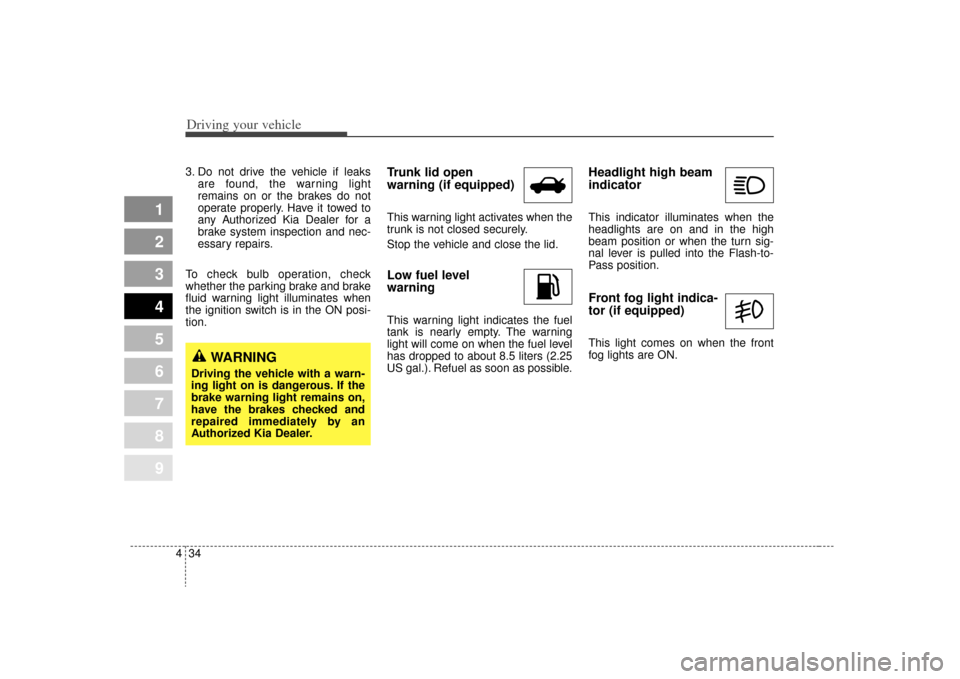
Trunk lid open
warning (if equipped)This warning light activates when the
trunk is not closed securely.
Stop the vehicle and close the lid.Low fuel level
warningThis warning light indicates the fuel
tank is nearly empty. The warning
light will come on when the fuel level
has dropped to about 8.5 liters (2.25
US gal.). Refuel as soon as possible.
Headlight high beam
indicator This indicator illuminates when the
headlights are on and in the high
beam position or when the turn sig-
nal lever is pulled into the Flash-to-
Pass position.Front fog light indica-
tor (if equipped) This light comes on when the front
fog lights are ON.
WARNING
Driving the vehicle with a warn-
ing light on is dangerous. If the
brake warning light remains on,
have the brakes checked and
repaired immediately by an
Authorized Kia Dealer.
Page 161 of 291
435
1
2
3
4
5
6
7
8
9
Driving your vehicle
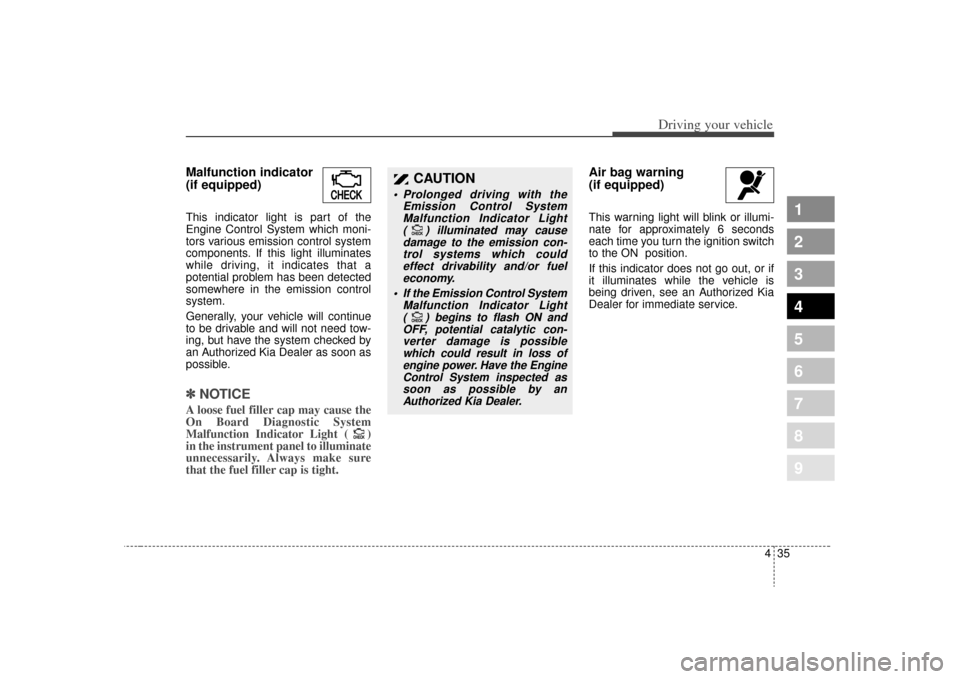
Malfunction indicator
(if equipped)This indicator light is part of the
Engine Control System which moni-
tors various emission control system
components. If this light illuminates
while driving, it indicates that a
potential problem has been detected
somewhere in the emission control
system.
Generally, your vehicle will continue
to be drivable and will not need tow-
ing, but have the system checked by
an Authorized Kia Dealer as soon as
possible.✽ ✽
NOTICEA loose fuel filler cap may cause the
On Board Diagnostic System
Malfunction Indicator Light ( )
in the instrument panel to illuminate
unnecessarily. Always make sure
that the fuel filler cap is tight.
Air bag warning
(if equipped) This warning light will blink or illumi-
nate for approximately 6 seconds
each time you turn the ignition switch
to the ON position.
If this indicator does not go out, or if
it illuminates while the vehicle is
being driven, see an Authorized Kia
Dealer for immediate service.
CHECK
CHECK
CHECKCHECK
CAUTION
Prolonged driving with the
Emission Control SystemMalfunction Indicator Light ( ) illuminated may causedamage to the emission con-trol systems which couldeffect drivability and/or fueleconomy.
If the
Emission
Control System
Malfunction Indicator Light ( ) begins to flash ON andOFF, potential catalytic con-verter damage is possiblewhich could result in loss ofengine power. Have the EngineControl System inspected assoon as possible by anAuthorized Kia Dealer.
CHECK
CHECKCHECK
CHECK
Page 166 of 291
Driving your vehicle40
4
1
2
3
4
5
6
7
8
9
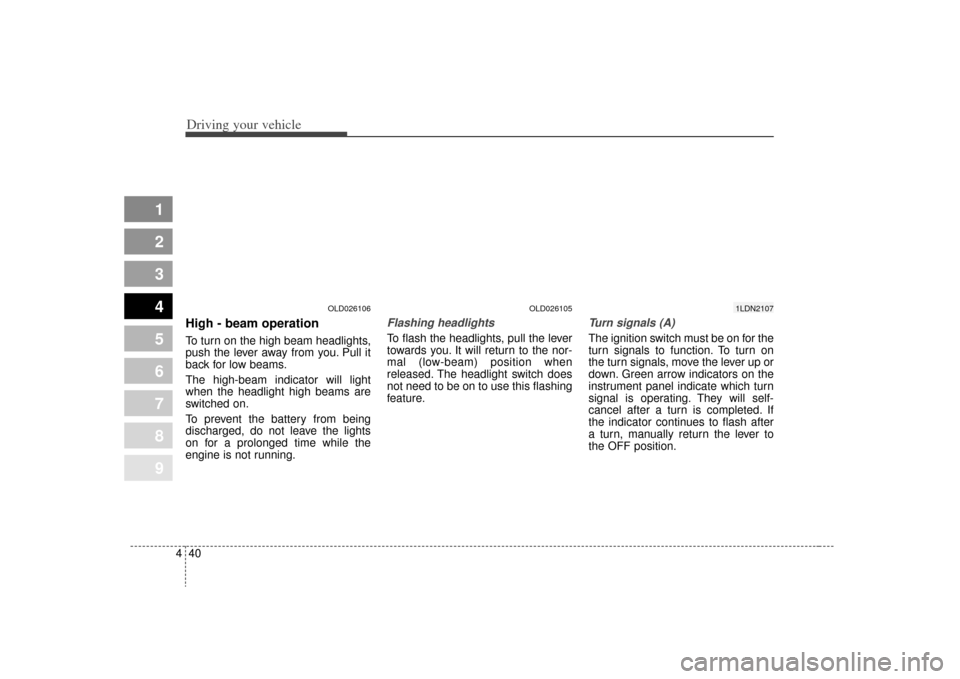
High - beam operation To turn on the high beam headlights,
push the lever away from you. Pull it
back for low beams.
The high-beam indicator will light
when the headlight high beams are
switched on.
To prevent the battery from being
discharged, do not leave the lights
on for a prolonged time while the
engine is not running.
Flashing headlights To flash the headlights, pull the lever
towards you. It will return to the nor-
mal (low-beam) position when
released. The headlight switch does
not need to be on to use this flashing
feature.
Turn signals (A)The ignition switch must be on for the
turn signals to function. To turn on
the turn signals, move the lever up or
down. Green arrow indicators on the
instrument panel indicate which turn
signal is operating. They will self-
cancel after a turn is completed. If
the indicator continues to flash after
a turn, manually return the lever to
the OFF position.
OLD026106
OLD026105
1LDN2107
Page 170 of 291
Driving your vehicle44
4
1
2
3
4
5
6
7
8
9
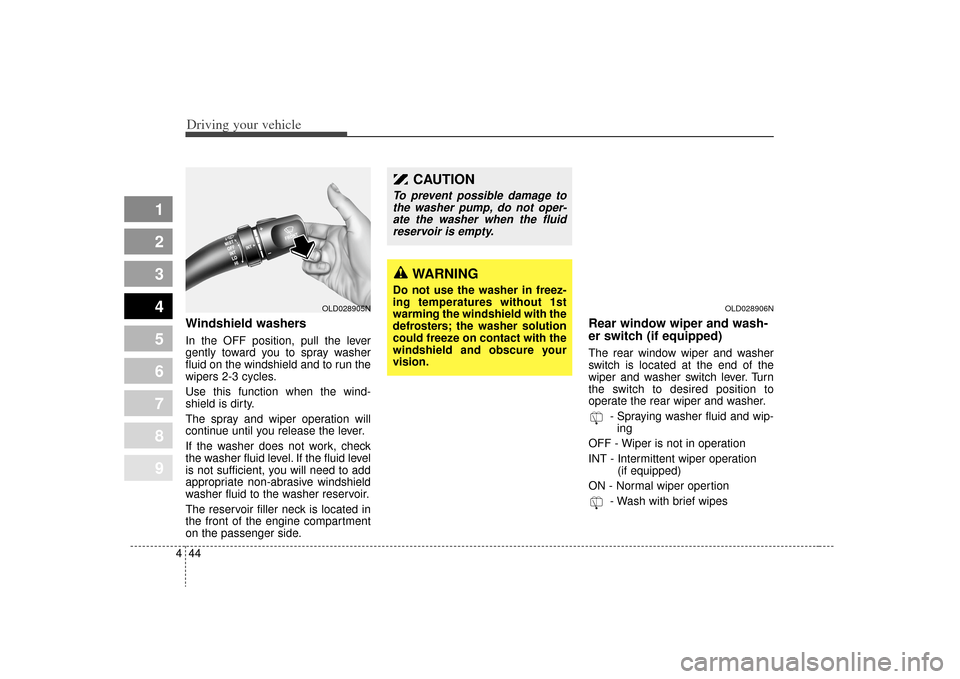
Windshield washers In the OFF position, pull the lever
gently toward you to spray washer
fluid on the windshield and to run the
wipers 2-3 cycles.
Use this function when the wind-
shield is dirty.
The spray and wiper operation will
continue until you release the lever.
If the washer does not work, check
the washer fluid level. If the fluid level
is not sufficient, you will need to add
appropriate non-abrasive windshield
washer fluid to the washer reservoir.
The reservoir filler neck is located in
the front of the engine compartment
on the passenger side.
Rear window wiper and wash-
er switch (if equipped)The rear window wiper and washer
switch is located at the end of the
wiper and washer switch lever. Turn
the switch to desired position to
operate the rear wiper and washer.
- Spraying washer fluid and wip-ing
OFF - Wiper is not in operation
INT - Intermittent wiper operation (if equipped)
ON - Normal wiper opertion - Wash with brief wipes
WARNING
Do not use the washer in freez-
ing temperatures without 1st
warming the windshield with the
defrosters; the washer solution
could freeze on contact with the
windshield and obscure your
vision.
CAUTION
To prevent possible damage tothe washer pump, do not oper-ate the washer when the fluidreservoir is empty.
OLD028905N
OLD028906N
Page 176 of 291

Driving your vehicle50
4
1
2
3
4
5
6
7
8
9
Face position
Air flow is directed toward
the upper body and face.
Additionally, each outlet
can be controlled to direct
the air discharged from
the outlet.
(outlet port: B, D)
Face - floor position
Air flow is directed towardsthe face and the floor. The
air to the floor is warmer
than the air to the face
(except when the temper-
ature control is set to the
extreme cold position).
(outlet port: B, D, C, E)
Floor position
Most of the air flow is
directed to the floor, with a
small amount of the air
being directed to the wind-
shield and side window
defroster.
(outlet port: C, E, A, D)
Floor - defrost position
Most of the air flow is
directed to the floor and
the windshield with a small
amount directed to the
side window defrosters.
(outlet port: A, C, E, D)
Defrost position
Most of the air flow is
directed to the windshield
with a small amount of air
directed to the side win-
dow defrosters.
(outlet port: A, D)
Instrument panel ventsIf air flow control is not satisfactory,
check the instrument panel vents.
The outlet port (B, D) can be opened
or closed separately using the verti-
cal thumbwheel. To close the vent,
rotate it upward to the maximum
position. To open the vent, rotate it
downward.
Also, you can adjust the direction of
air delivery from these vents using
vertical or horizontal thumbwheels
as shown.
OLD026122