change time KIA Sorento 2015 3.G Owner's Guide
[x] Cancel search | Manufacturer: KIA, Model Year: 2015, Model line: Sorento, Model: KIA Sorento 2015 3.GPages: 508, PDF Size: 7.59 MB
Page 261 of 508
Features of your vehicle170
4USING THE iPod
®DEVICE
Some iPod models may not sup-
port communication protocol
and files may not properly play.
Supported iPod models:
- iPhone 3GS/4
- iPod touch 1st~4th generation
- iPod nano 1st~6th generation
- iPod classic
The order of search or playback of songs in the iPod can be dif-
ferent from the order searched in
the audio system.
If the iPod is disabled due to its own malfunction, reset the iPod.
(Reset: Refer to iPod manual)
An iPod may not operate nor- mally on low battery.
(Continued)(Continued)
Some iPod devices, such as the
iPhone, can be connected
through the
Bluetooth
®Wireless
Technology interface. The device
must have audio
Bluetooth
®
Wireless Technology capability
(such as for stereo headphoneBluetooth
®Wireless Technology).
The device can play, but it will not
be controlled by the audio system.
To use iPod features within the audio, use the cable provided
upon purchasing an iPod device.
Skipping or improper operation may occur depending on the
characteristics of your
iPod/Phone device.
If your iPhone is connected to both the Bluetooth
®
Wireless
Technology and USB, the sound
may not be properly played. In
your iPhone, select the Dock
connector or
Bluetooth
®
Wireless Technology to change
the sound output (source).
(Continued)(Continued)
When connecting iPod with the
iPod Power Cable, insert the
connector to the multimedia
socket completely. If not inserted
completely, communications
between iPod and audio may be
interrupted.
When adjusting the sound effects of the iPod and the audio
system, the sound effects of
both devices will overlap and
might reduce or distort the qual-
ity of the sound.
Deactivate (turn off) the equaliz- er function of an iPod when
adjusting the audio system’s vol-
ume, and turn off the equalizer
of the audio system when using
the equalizer of an iPod.
When not using iPod with car audio, detach the iPod cable
from iPod. Otherwise, iPod may
remain in accessory mode, and
may not work properly.
XM(FL) CAN(ENG) 4b(AUDIO).qxp 1/23/2013 3:42 PM Page 170
Page 266 of 508
4 175
Features of your vehicle
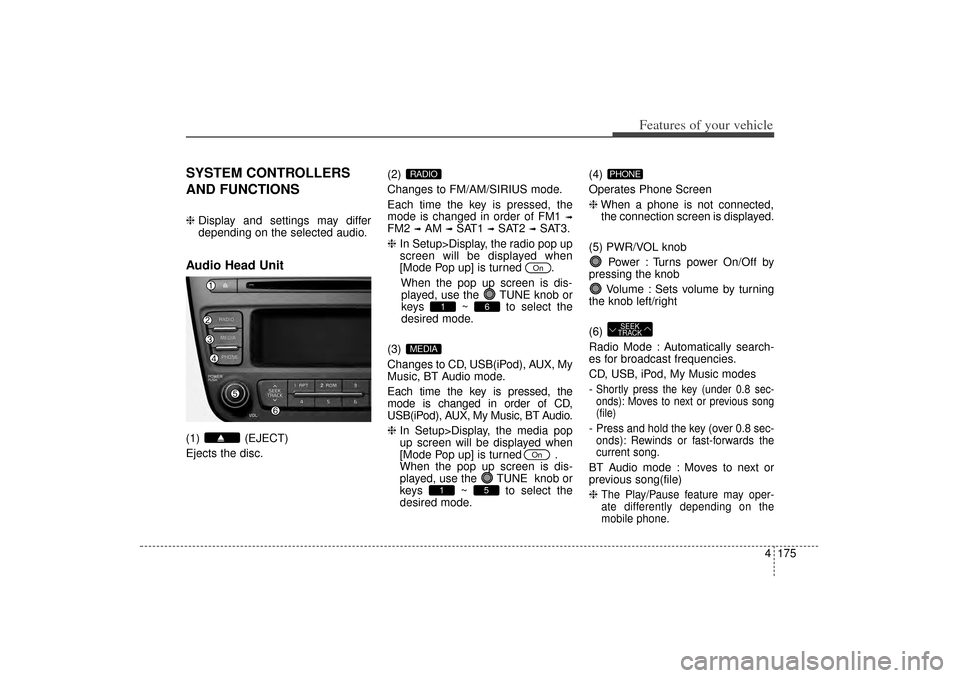
SYSTEM CONTROLLERS
AND FUNCTIONS❈Display and settings may differ
depending on the selected audio.Audio Head Unit(1) (EJECT)
Ejects the disc. (2)
Changes to FM/AM/SIRIUS mode.
Each time the key is pressed, the
mode is changed in order of FM1
➟
FM2
➟AM
➟SAT1
➟SAT2
➟SAT3.
❈ In Setup>Display, the radio pop up
screen will be displayed when
[Mode Pop up] is turned .
When the pop up screen is dis-played, use the TUNE knob or
keys ~ to select the
desired mode.
(3)
Changes to CD, USB(iPod), AUX, My
Music, BT Audio mode.
Each time the key is pressed, the
mode is changed in order of CD,
USB(iPod), AUX, My Music, BT Audio.
❈ In Setup>Display, the media pop
up screen will be displayed when
[Mode Pop up] is turned .
When the pop up screen is dis-
played, use the TUNE knob or
keys ~ to select the
desired mode. (4)
Operates Phone Screen
❈
When a phone is not connected,
the connection screen is displayed.
(5) PWR/VOL knob Power : Turns power On/Off by
pressing the knob
Volume : Sets volume by turning
the knob left/right
(6)
Radio Mode : Automatically search-
es for broadcast frequencies.
CD, USB, iPod, My Music modes
-
Shortly press the key (under 0.8 sec-
onds): Moves to next or previous song
(file)- Press and hold the key (over 0.8 sec-
onds): Rewinds or fast-forwards the
current song.BT Audio mode : Moves to next or
previous song(file)
❈
The Play/Pause feature may oper-
ate differently depending on the
mobile phone.
SEEK
TRACKPHONE
5
1
On
MEDIA
6
1
On
RADIO
XM(FL) CAN(ENG) 4b(AUDIO).qxp 1/23/2013 3:42 PM Page 175
Page 267 of 508
Features of your vehicle176
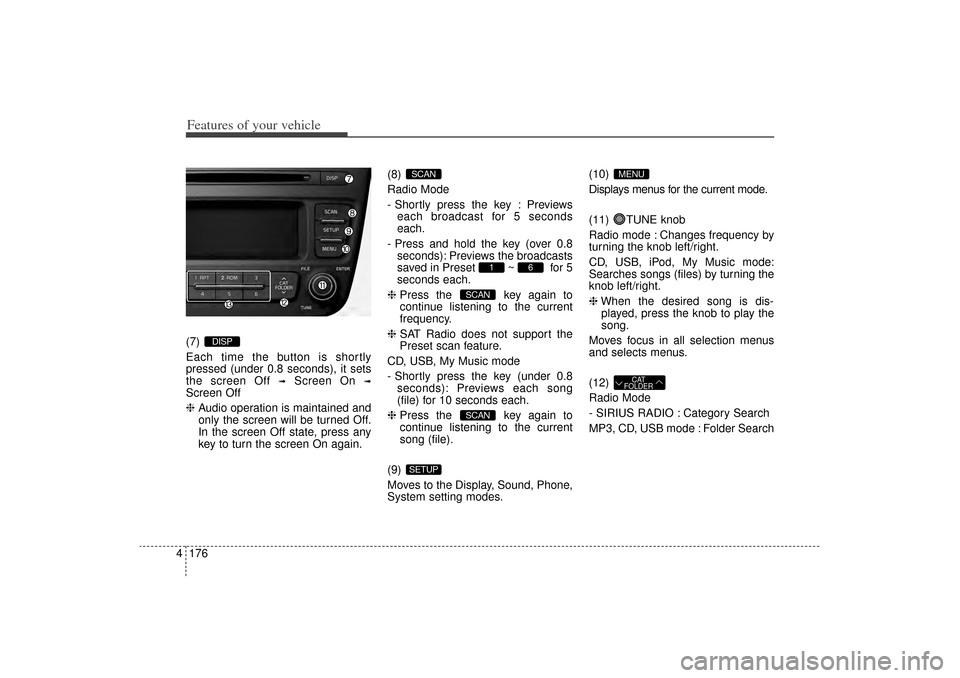
4(7)
Each time the button is shortly
pressed (under 0.8 seconds), it sets
the screen Off
➟
Screen On
➟
Screen Off
❈ Audio operation is maintained and
only the screen will be turned Off.
In the screen Off state, press any
key to turn the screen On again. (8)
Radio Mode
- Shortly press the key : Previews
each broadcast for 5 seconds
each.
- Press and hold the key (over 0.8 seconds): Previews the broadcasts
saved in Preset ~ for 5
seconds each.
❈ Press the key again to
continue listening to the current
frequency.
❈ SAT Radio does not support the
Preset scan feature.
CD, USB, My Music mode
- Shortly press the key (under 0.8 seconds): Previews each song
(file) for 10 seconds each.
❈ Press the key again to
continue listening to the current
song (file).
(9)
Moves to the Display, Sound, Phone,
System setting modes. (10)
Displays menus for the current mode.
(11) TUNE knob
Radio mode : Changes frequency by
turning the knob left/right.
CD, USB, iPod, My Music mode:
Searches songs (files) by turning the
knob left/right.
❈
When the desired song is dis-
played, press the knob to play the
song.
Moves focus in all selection menus
and selects menus.
(12)
Radio Mode
- SIRIUS RADIO : Category Search
MP3, CD, USB mode : Folder Search
CAT
FOLDER
MENU
SETUP
SCANSCAN
6
1
SCAN
DISP
XM(FL) CAN(ENG) 4b(AUDIO).qxp 1/23/2013 3:42 PM Page 176
Page 269 of 508
![KIA Sorento 2015 3.G Owners Guide Features of your vehicle178
4SETUP
Display SettingsPress the key Select [Display]
through TUNE knob or key
Select menu through TUNE knob
Mode Pop up[Mode Pop up] Changes /
selection mode
During](/img/2/2967/w960_2967-268.png "KIA Sorento 2015 3.G Owners Guide Features of your vehicle178
4SETUP
Display SettingsPress the key Select [Display]
through TUNE knob or key
Select menu through TUNE knob
Mode Pop up[Mode Pop up] Changes /
selection mode
During")
Features of your vehicle178
4SETUP
Display SettingsPress the key Select [Display]
through TUNE knob or key
Select menu through TUNE knob
Mode Pop up[Mode Pop up] Changes /
selection mode
During On state, press the
or key to display the mode
change pop up screen.Text Scroll[Text Scroll] Set /
: Maintains scroll
: Scrolls only one (1) time.Media DisplayWhen playing an MP3 file, select the
desired display info from ‘Folder/File’
or ‘Album/Artist/Song’.
OffOn
Off
On
MEDIA
RADIO
Off
On
1
SETUP
XM(FL) CAN(ENG) 4b(AUDIO).qxp 1/23/2013 3:42 PM Page 178
Page 283 of 508
Features of your vehicle192
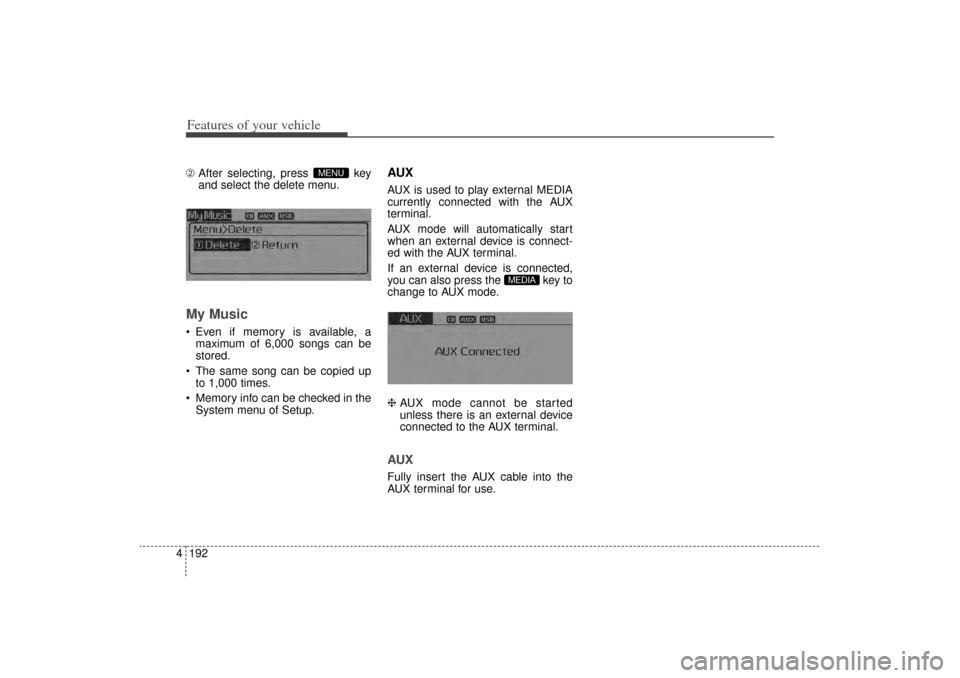
4➁ After selecting, press key
and select the delete menu.My Music Even if memory is available, a
maximum of 6,000 songs can be
stored.
The same song can be copied up to 1,000 times.
Memory info can be checked in the System menu of Setup.
AUXAUX is used to play external MEDIA
currently connected with the AUX
terminal.
AUX mode will automatically start
when an external device is connect-
ed with the AUX terminal.
If an external device is connected,
you can also press the key to
change to AUX mode.
❈ AUX mode cannot be started
unless there is an external device
connected to the AUX terminal.AUXFully insert the AUX cable into the
AUX terminal for use.
MEDIA
MENU
XM(FL) CAN(ENG) 4b(AUDIO).qxp 1/23/2013 3:42 PM Page 192
Page 307 of 508
Driving your vehicle25
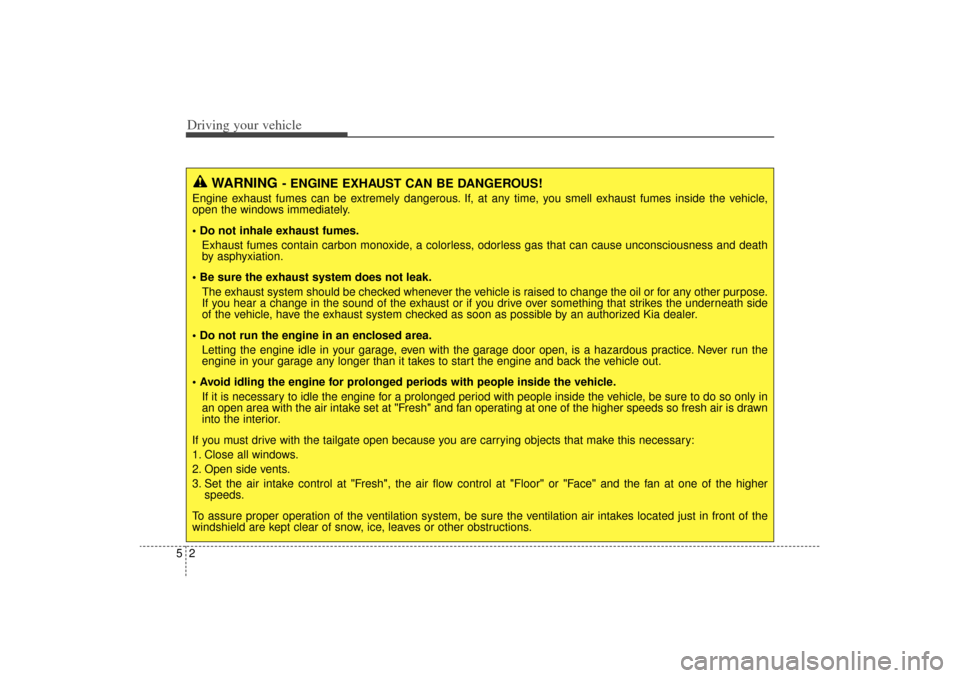
WARNING
- ENGINE EXHAUST CAN BE DANGEROUS!
Engine exhaust fumes can be extremely dangerous. If, at any time, you smell exhaust fumes inside the vehicle,
open the windows immediately.
• Do not inhale exhaust fumes.Exhaust fumes contain carbon monoxide, a colorless, odorless gas that can cause unconsciousness and death
by asphyxiation.
Be sure the exhaust system does not leak. The exhaust system should be checked whenever the vehicle is raised to change the oil or for any other purpose.
If you hear a change in the sound of the exhaust or if you drive over something that strikes the underneath side
of the vehicle, have the exhaust system checked as soon as possible by an authorized Kia dealer.
Do not run the engine in an enclosed area. Letting the engine idle in your garage, even with the garage door open, is a hazardous practice. Never run the
engine in your garage any longer than it takes to start the engine and back the vehicle out.
Avoid idling the engine for prolonged periods with people inside the vehicle. If it is necessary to idle the engine for a prolonged period with people inside the vehicle, be sure to do so only in
an open area with the air intake set at "Fresh" and fan operating at one of the higher speeds so fresh air is drawn
into the interior.
If you must drive with the tailgate open because you are carrying objects that make this necessary:
1. Close all windows.
2. Open side vents.
3. Set the air intake control at "Fresh", the air flow control at "Floor" or "Face" and the fan at one of the higher speeds.
To assure proper operation of the ventilation system, be sure the ventilation air intakes located just in front of the
windshield are kept clear of snow, ice, leaves or other obstructions.
XM(FL) CAN(ENG) 5.QXP 1/23/2013 3:29 PM Page 2
Page 313 of 508
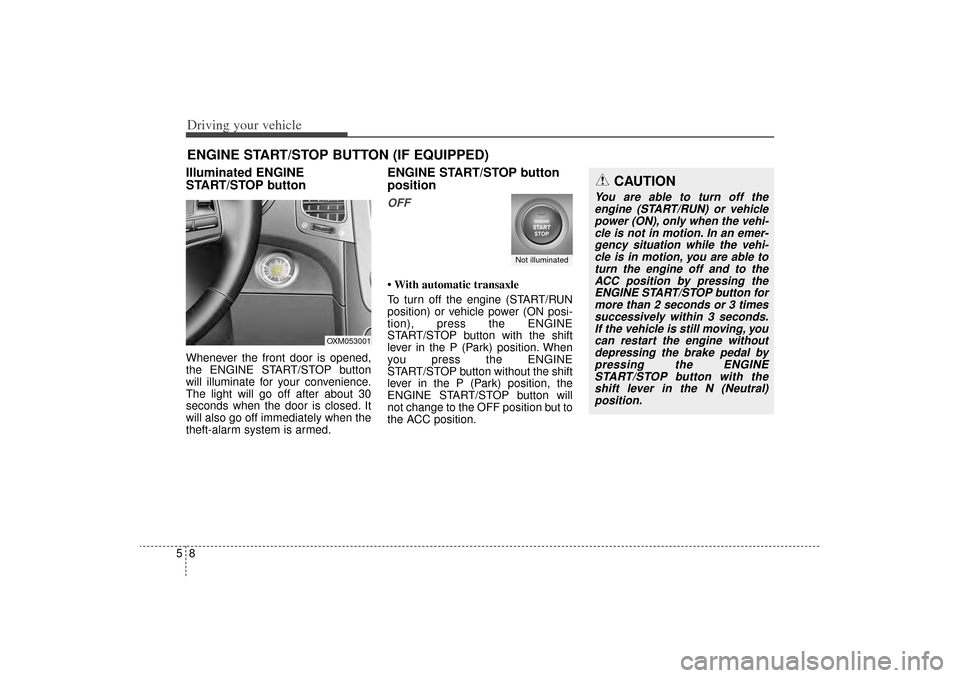
Driving your vehicle85Illuminated ENGINE
START/STOP buttonWhenever the front door is opened,
the ENGINE START/STOP button
will illuminate for your convenience.
The light will go off after about 30
seconds when the door is closed. It
will also go off immediately when the
theft-alarm system is armed.
ENGINE START/STOP button
positionOFF• With automatic transaxle
To turn off the engine (START/RUN
position) or vehicle power (ON posi-
tion), press the ENGINE
START/STOP button with the shift
lever in the P (Park) position. When
you press the ENGINE
START/STOP button without the shift
lever in the P (Park) position, the
ENGINE START/STOP button will
not change to the OFF position but to
the ACC position.
ENGINE START/STOP BUTTON (IF EQUIPPED)
OXM053001
Not illuminated
CAUTION
You are able to turn off theengine (START/RUN) or vehiclepower (ON), only when the vehi-cle is not in motion. In an emer-gency situation while the vehi-cle is in motion, you are able toturn the engine off and to theACC position by pressing theENGINE START/STOP button formore than 2 seconds or 3 timessuccessively within 3 seconds.If the vehicle is still moving, youcan restart the engine withoutdepressing the brake pedal bypressing the ENGINESTART/STOP button with theshift lever in the N (Neutral)position.
XM(FL) CAN(ENG) 5.QXP 1/23/2013 3:29 PM Page 8
Page 314 of 508
59
Driving your vehicle
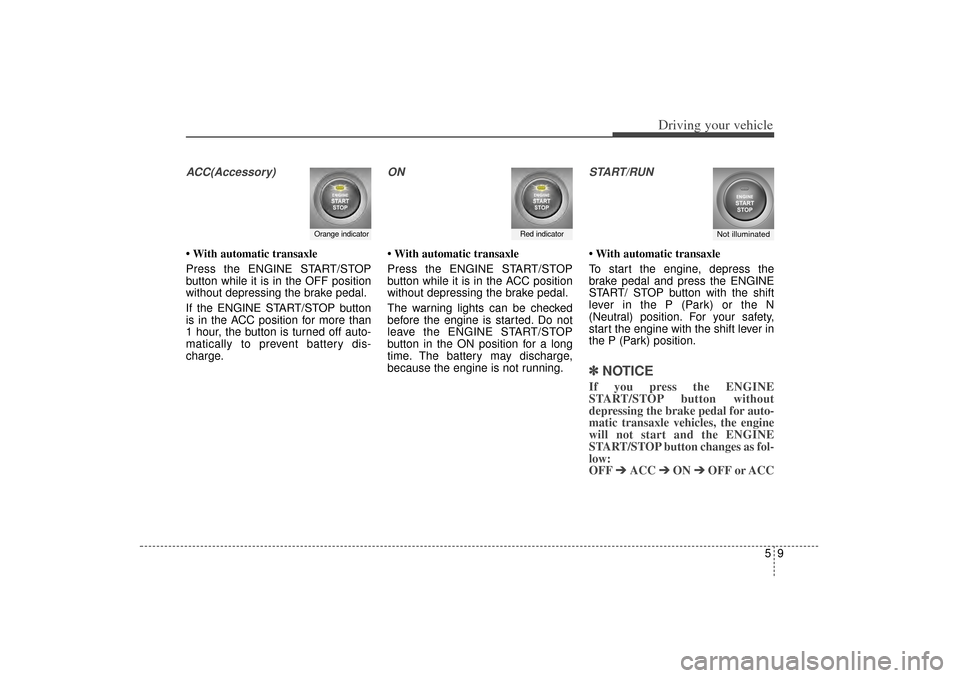
ACC(Accessory)• With automatic transaxle
Press the ENGINE START/STOP
button while it is in the OFF position
without depressing the brake pedal.
If the ENGINE START/STOP button
is in the ACC position for more than
1 hour, the button is turned off auto-
matically to prevent battery dis-
charge.
ON• With automatic transaxle
Press the ENGINE START/STOP
button while it is in the ACC position
without depressing the brake pedal.
The warning lights can be checked
before the engine is started. Do not
leave the ENGINE START/STOP
button in the ON position for a long
time. The battery may discharge,
because the engine is not running.
START/RUN• With automatic transaxle
To start the engine, depress the
brake pedal and press the ENGINE
START/ STOP button with the shift
lever in the P (Park) or the N
(Neutral) position. For your safety,
start the engine with the shift lever in
the P (Park) position.✽ ✽
NOTICEIf you press the ENGINE
START/STOP button without
depressing the brake pedal for auto-
matic transaxle vehicles, the engine
will not start and the ENGINE
START/STOP button changes as fol-
low:
OFF ➔ ➔
ACC ➔
➔
ON ➔
➔
OFF or ACC
Orange indicator
Not illuminated
Red indicator
XM(FL) CAN(ENG) 5.QXP 1/23/2013 3:29 PM Page 9
Page 330 of 508
525
Driving your vehicle
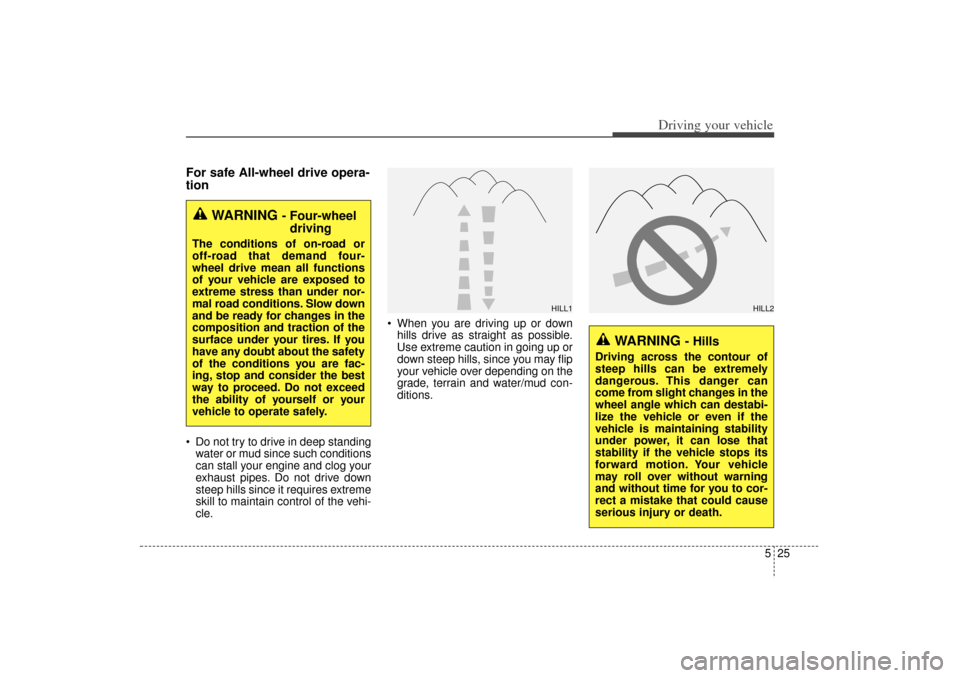
For safe All-wheel drive opera-
tion Do not try to drive in deep standingwater or mud since such conditions
can stall your engine and clog your
exhaust pipes. Do not drive down
steep hills since it requires extreme
skill to maintain control of the vehi-
cle. When you are driving up or down
hills drive as straight as possible.
Use extreme caution in going up or
down steep hills, since you may flip
your vehicle over depending on the
grade, terrain and water/mud con-
ditions.
WARNING
- Four-wheeldriving
The conditions of on-road or
off-road that demand four-
wheel drive mean all functions
of your vehicle are exposed to
extreme stress than under nor-
mal road conditions. Slow down
and be ready for changes in the
composition and traction of the
surface under your tires. If you
have any doubt about the safety
of the conditions you are fac-
ing, stop and consider the best
way to proceed. Do not exceed
the ability of yourself or your
vehicle to operate safely.
WARNING
- Hills
Driving across the contour of
steep hills can be extremely
dangerous. This danger can
come from slight changes in the
wheel angle which can destabi-
lize the vehicle or even if the
vehicle is maintaining stability
under power, it can lose that
stability if the vehicle stops its
forward motion. Your vehicle
may roll over without warning
and without time for you to cor-
rect a mistake that could cause
serious injury or death.
HILL1
HILL2
XM(FL) CAN(ENG) 5.QXP 1/23/2013 3:29 PM Page 25
Page 332 of 508
527
Driving your vehicle
✽
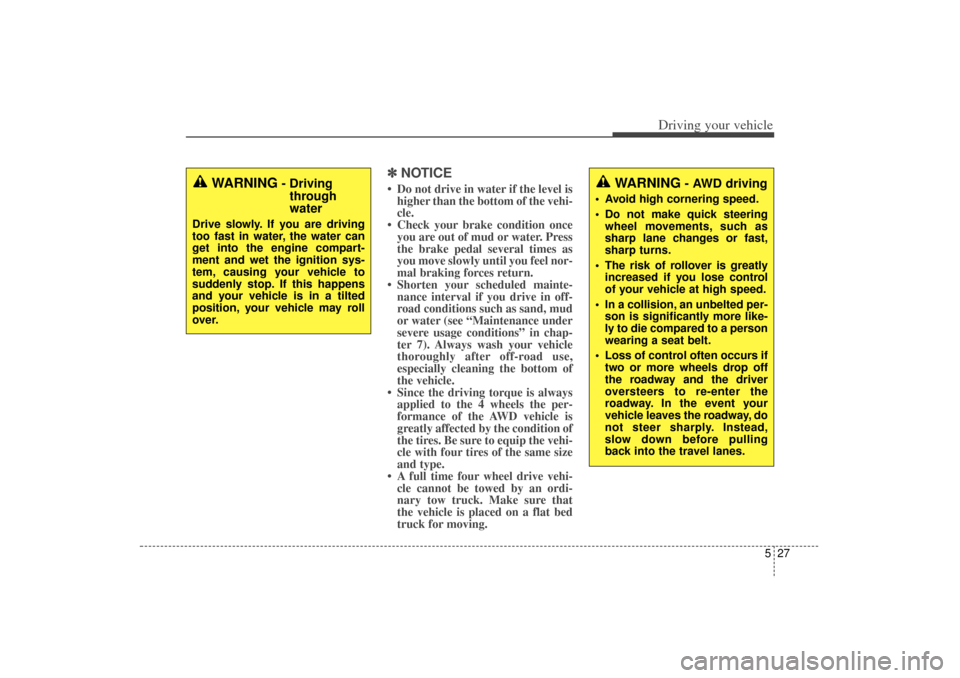
✽NOTICE• Do not drive in water if the level is
higher than the bottom of the vehi-
cle.
• Check your brake condition once you are out of mud or water. Press
the brake pedal several times as
you move slowly until you feel nor-
mal braking forces return.
• Shorten your scheduled mainte- nance interval if you drive in off-
road conditions such as sand, mud
or water (see “Maintenance under
severe usage conditions” in chap-
ter 7). Always wash your vehicle
thoroughly after off-road use,
especially cleaning the bottom of
the vehicle.
• Since the driving torque is always applied to the 4 wheels the per-
formance of the AWD vehicle is
greatly affected by the condition of
the tires. Be sure to equip the vehi-
cle with four tires of the same size
and type.
• A full time four wheel drive vehi- cle cannot be towed by an ordi-
nary tow truck. Make sure that
the vehicle is placed on a flat bed
truck for moving.
WARNING
- Drivingthrough
water
Drive slowly. If you are driving
too fast in water, the water can
get into the engine compart-
ment and wet the ignition sys-
tem, causing your vehicle to
suddenly stop. If this happens
and your vehicle is in a tilted
position, your vehicle may roll
over.
WARNING
- AWD driving
Avoid high cornering speed.
Do not make quick steering
wheel movements, such as
sharp lane changes or fast,
sharp turns.
The risk of rollover is greatly increased if you lose control
of your vehicle at high speed.
In a collision, an unbelted per- son is significantly more like-
ly to die compared to a person
wearing a seat belt.
Loss of control often occurs if two or more wheels drop off
the roadway and the driver
oversteers to re-enter the
roadway. In the event your
vehicle leaves the roadway, do
not steer sharply. Instead,
slow down before pulling
back into the travel lanes.
XM(FL) CAN(ENG) 5.QXP 1/23/2013 3:30 PM Page 27