driver KIA Sorento 2016 3.G Owner's Manual
[x] Cancel search | Manufacturer: KIA, Model Year: 2016, Model line: Sorento, Model: KIA Sorento 2016 3.GPages: 565, PDF Size: 10.63 MB
Page 9 of 565
Introduction
61
This vehicle is equipped with an
event data recorder (EDR). The
main purpose of an EDR is to
record, in certain crash or near
crash-like situations, such as an
air bag deployment or hitting a
road obstacle, data that will assist
in understanding how a vehicle's
systems performed. The EDR is
designed to record data related to
vehicle dynamics and safety sys-
tems for a short period of time,
typically 30 seconds or less. The
EDR in this vehicle is designed to
record such data as:
How various systems in yourvehicle were operating;
Whether or not the driver and passenger safety belts were
buckled/ fastened;
How far (if at all) the driver was depressing the accelerator
and/or brake pedal; and,
How fast the vehicle was travel- ing. These data can help provide a bet-
ter understanding of the circum-
stances in which crashes and
injuries occur. NOTE: EDR data
are recorded by your vehicle only
if a non-trivial crash situation
occurs; no data are recorded by
the EDR under normal driving
conditions and no personal data
(e.g., name, gender, age, and
crash location) are recorded.
However, other parties, such as
law enforcement, could combine
the EDR data with the type of per-
sonally identifying data routinely
acquired during a crash investiga-
tion.
To read data recorded by an EDR,
special equipment is required, and
access to the vehicle or the EDR is
needed. In addition to the vehicle
manufacturer, other parties, such
as law enforcement, that have the
special equipment, can read the
information if they have access to
the vehicle or the EDR.
VEHICLE DATA COLLECTION AND EVENT DATA RECORDERS
UM CAN (ENG) 1.qxp 12/1/2014 11:49 AM Page 6
Page 14 of 565
25
Your vehicle at a glance
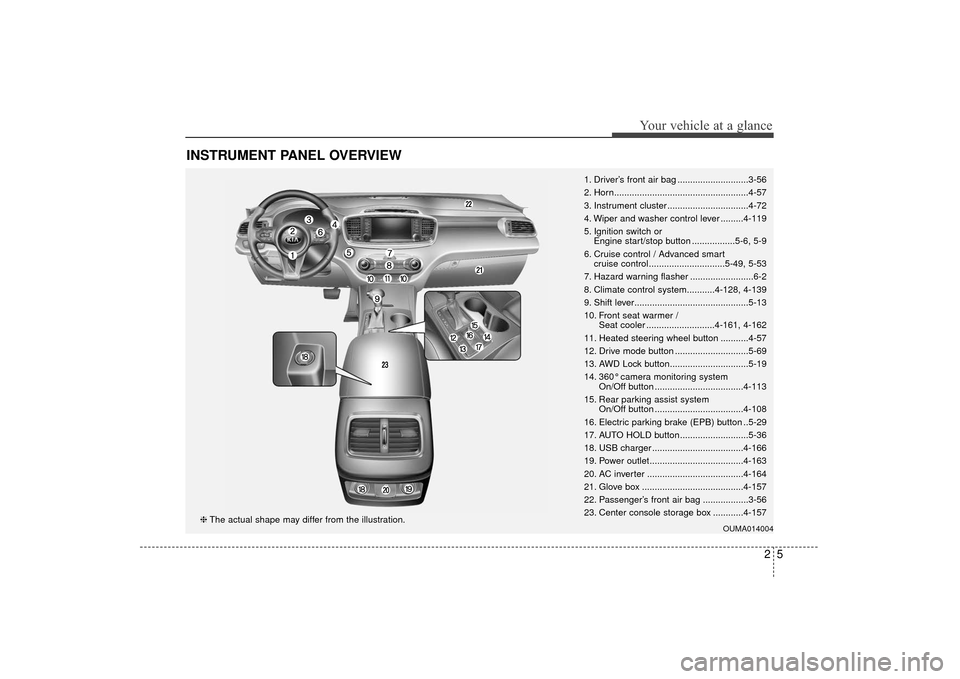
INSTRUMENT PANEL OVERVIEW
1. Driver’s front air bag ............................3-56
2. Horn.....................................................4-57
3. Instrument cluster ................................4-72
4. Wiper and washer control lever .........4-119
5. Ignition switch or Engine start/stop button .................5-6, 5-9
6. Cruise control / Advanced smart cruise control..............................5-49, 5-53
7. Hazard warning flasher .........................6-2
8. Climate control system...........4-128, 4-139
9. Shift lever.............................................5-13
10. Front seat warmer / Seat cooler ...........................4-161, 4-162
11. Heated steering wheel button ...........4-57
12. Drive mode button .............................5-69
13. AWD Lock button...............................5-19
14. 360° camera monitoring system On/Off button ...................................4-113
15. Rear parking assist system On/Off button ...................................4-108
16. Electric parking brake (EPB) button ..5-29
17. AUTO HOLD button...........................5-36
18. USB charger ....................................4-166
19. Power outlet.....................................4-163
20. AC inverter ......................................4-164
21. Glove box ........................................4-157
22. Passenger’s front air bag ..................3-56
23. Center console storage box ............4-157
OUMA014004❈ The actual shape may differ from the illustration.
UM CAN (ENG) 2.qxp 12/1/2014 11:50 AM Page 5
Page 19 of 565
Safety features of your vehicle
23
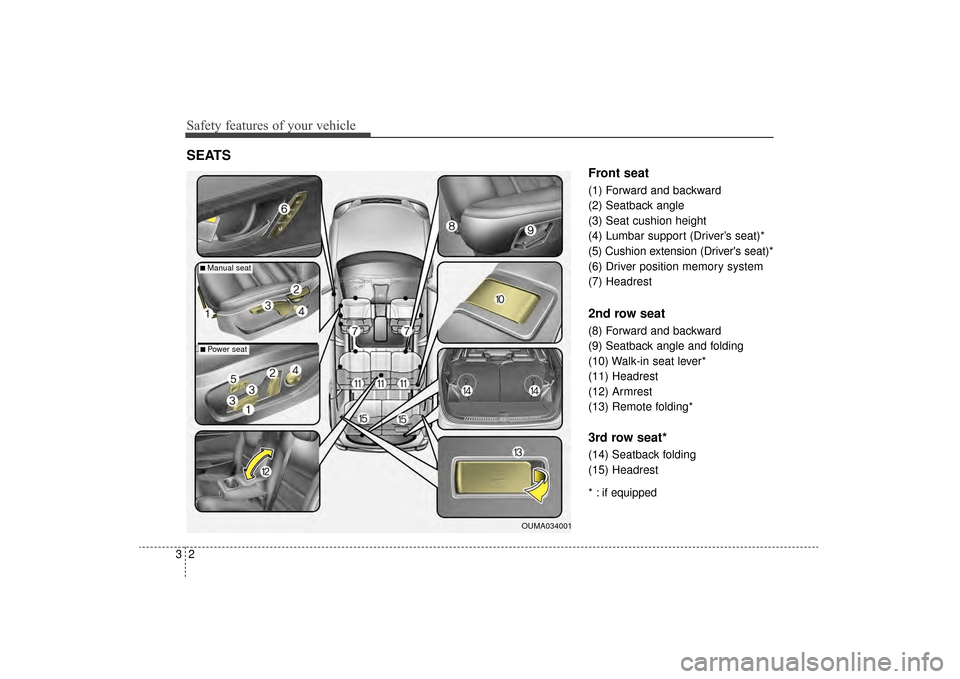
Front seat
(1) Forward and backward
(2) Seatback angle
(3) Seat cushion height
(4) Lumbar support (Driver’s seat)*
(5) Cushion extension (Driver's seat)*
(6) Driver position memory system
(7) Headrest
2nd row seat
(8) Forward and backward
(9) Seatback angle and folding
(10) Walk-in seat lever*
(11) Headrest
(12) Armrest
(13) Remote folding*
3rd row seat*
(14) Seatback folding
(15) Headrest
* : if equipped
SEATS
OUMA034001
■Manual seat
■Power seat
UM CAN (ENG) 3.QXP 12/1/2014 11:56 AM Page 2
Page 20 of 565
33
Safety features of your vehicle
WARNING- Uprightingseat
Do not press the release lever
on a manual seatback without
holding and controlling the
seatback. The seatback will
spring upright possibly impact-
ing you or other passengers.
WARNING- Loose objects
Do not place anything in the dri-
ver's foot well or under the front
seats. Loose objects in the dri-
ver's foot area could interfere
with the operation of the foot
pedals.WARNING- Seat cushion
Occupants should never sit on
supplemental seat cushions.
The passenger's hips may slide
under the lap portion of the seat
belt during an accident or a
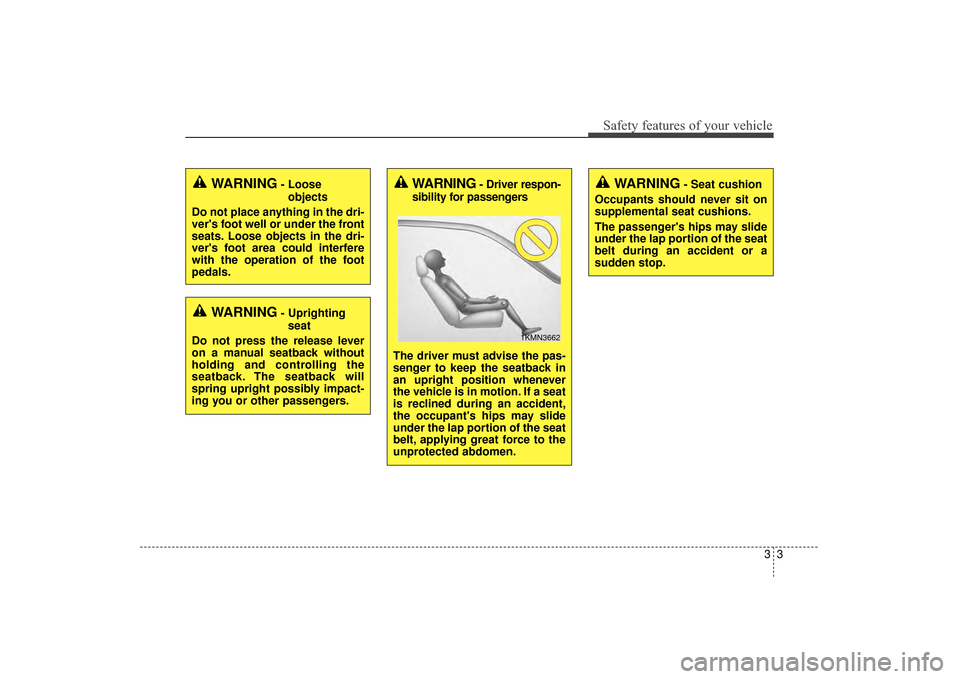
sudden stop.WARNING- Driver respon-
sibility for passengers
The driver must advise the pas-
senger to keep the seatback in
an upright position whenever
the vehicle is in motion. If a seat
is reclined during an accident,
the occupant's hips may slide
under the lap portion of the seat
belt, applying great force to the
unprotected abdomen.
1KMN3662
UM CAN (ENG) 3.QXP 12/1/2014 11:56 AM Page 3
Page 21 of 565
Safety features of your vehicle
43
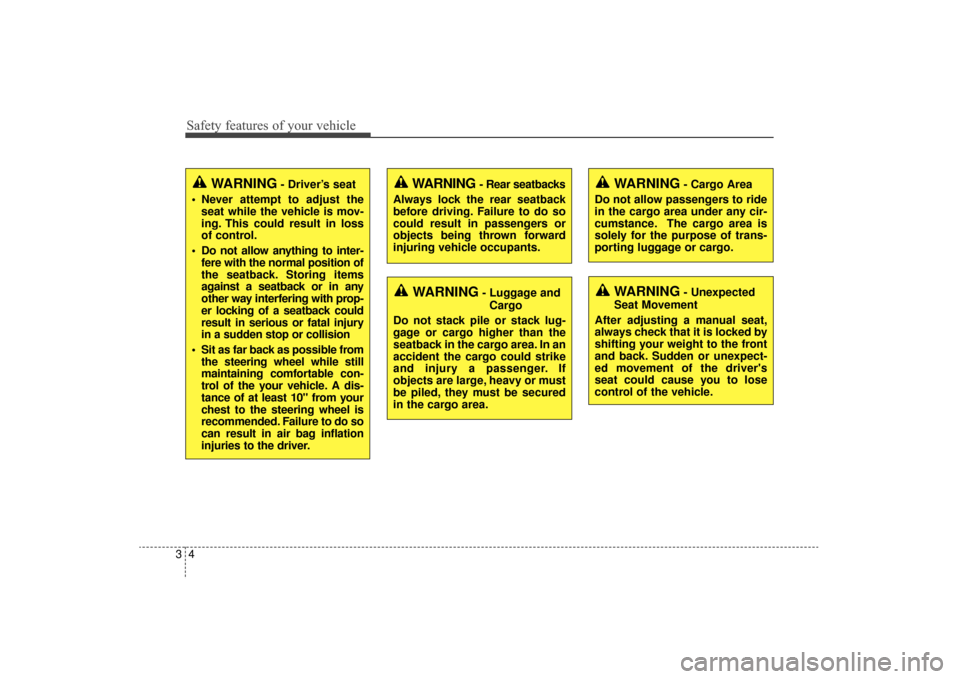
WARNING- Driver’s seat
Never attempt to adjust the seat while the vehicle is mov-
ing. This could result in loss
of control.
Do not allow anything to inter- fere with the normal position of
the seatback. Storing items
against a seatback or in any
other way interfering with prop-
er locking of a seatback could
result in serious or fatal injury
in a sudden stop or collision
Sit as far back as possible from the steering wheel while still
maintaining comfortable con-
trol of the your vehicle. A dis-
tance of at least 10" from your
chest to the steering wheel is
recommended. Failure to do so
can result in air bag inflation
injuries to the driver.
WARNING- Unexpected
Seat Movement
After adjusting a manual seat,
always check that it is locked by
shifting your weight to the front
and back. Sudden or unexpect-
ed movement of the driver's
seat could cause you to lose
control of the vehicle.
WARNING - Rear seatbacks
Always lock the rear seatback
before driving. Failure to do so
could result in passengers or
objects being thrown forward
injuring vehicle occupants.
WARNING- Luggage and Cargo
Do not stack pile or stack lug-
gage or cargo higher than the
seatback in the cargo area. In an
accident the cargo could strike
and injury a passenger. If
objects are large, heavy or must
be piled, they must be secured
in the cargo area.
WARNING- Cargo Area
Do not allow passengers to ride
in the cargo area under any cir-
cumstance. The cargo area is
solely for the purpose of trans-
porting luggage or cargo.
UM CAN (ENG) 3.QXP 12/1/2014 11:56 AM Page 4
Page 24 of 565
37
Safety features of your vehicle
When in operation, the power seat-
consumes a large amount of electri-
cal power. To prevent unnecessary
charging system drain, don’t adjust
the power seat longer than neces-
sary while the engine is not running.
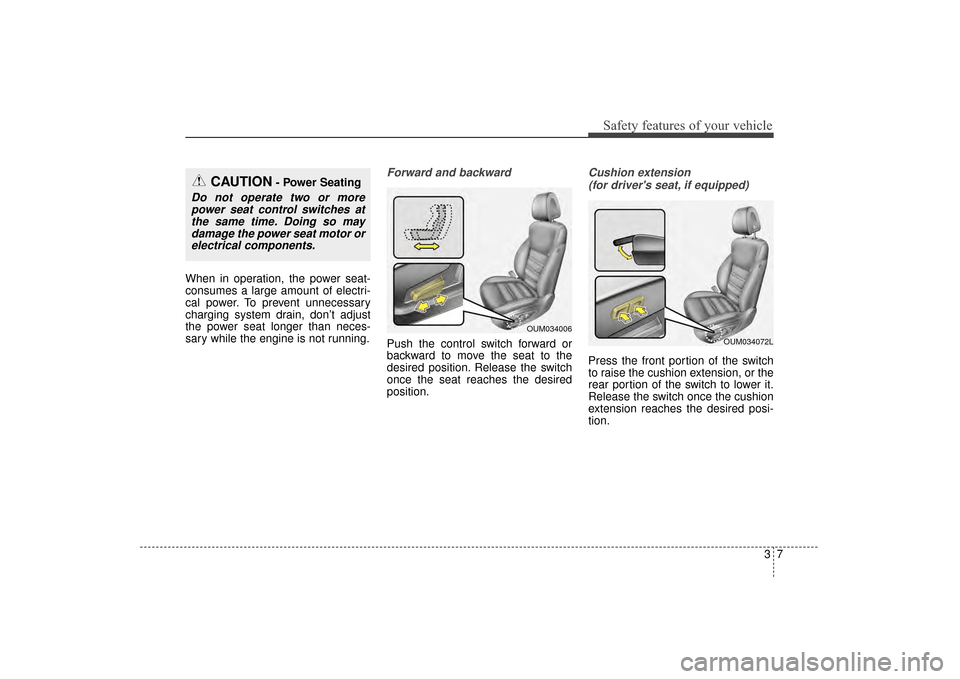
Forward and backward
Push the control switch forward or
backward to move the seat to the
desired position. Release the switch
once the seat reaches the desired
position.
Cushion extension (for driver's seat, if equipped)
Press the front portion of the switch
to raise the cushion extension, or the
rear portion of the switch to lower it.
Release the switch once the cushion
extension reaches the desired posi-
tion.
CAUTION- Power Seating
Do not operate two or morepower seat control switches atthe same time. Doing so maydamage the power seat motor orelectrical components.
OUM034006
OUM034072L
UM CAN (ENG) 3.QXP 12/1/2014 11:57 AM Page 7
Page 25 of 565
Safety features of your vehicle
83
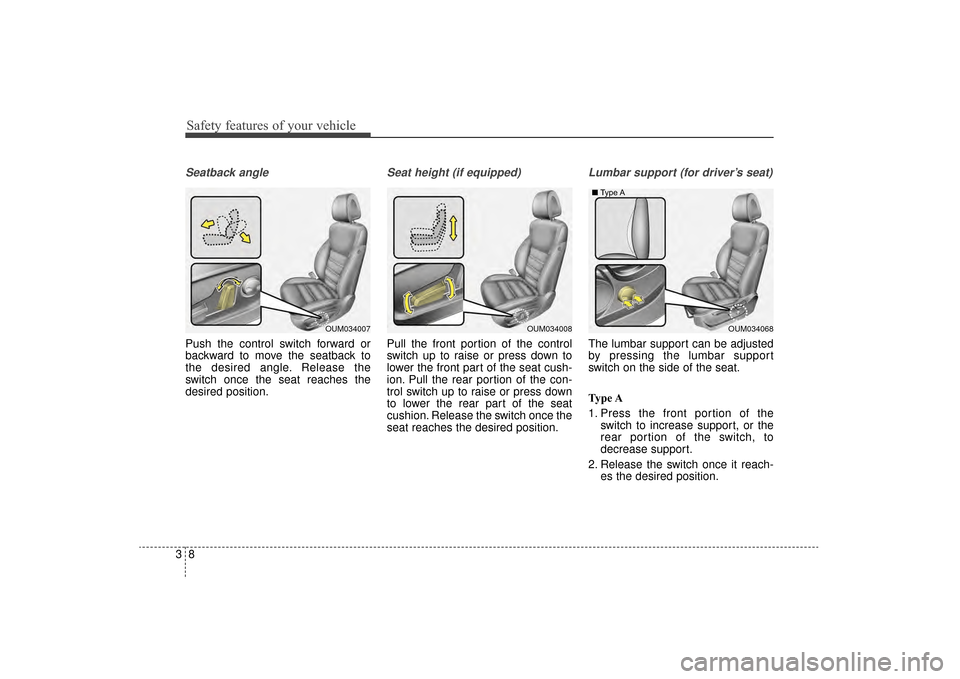
Seatback angle
Push the control switch forward or
backward to move the seatback to
the desired angle. Release the
switch once the seat reaches the
desired position.
Seat height (if equipped)
Pull the front portion of the control
switch up to raise or press down to
lower the front part of the seat cush-
ion. Pull the rear portion of the con-
trol switch up to raise or press down
to lower the rear part of the seat
cushion. Release the switch once the
seat reaches the desired position.
Lumbar support (for driver’s seat)
The lumbar support can be adjusted
by pressing the lumbar support
switch on the side of the seat.
Type A
1. Press the front portion of theswitch to increase support, or the
rear portion of the switch, to
decrease support.
2. Release the switch once it reach- es the desired position.
OUM034008OUM034068
■
Type AOUM034007
UM CAN (ENG) 3.QXP 12/1/2014 11:57 AM Page 8
Page 26 of 565
39
Safety features of your vehicle
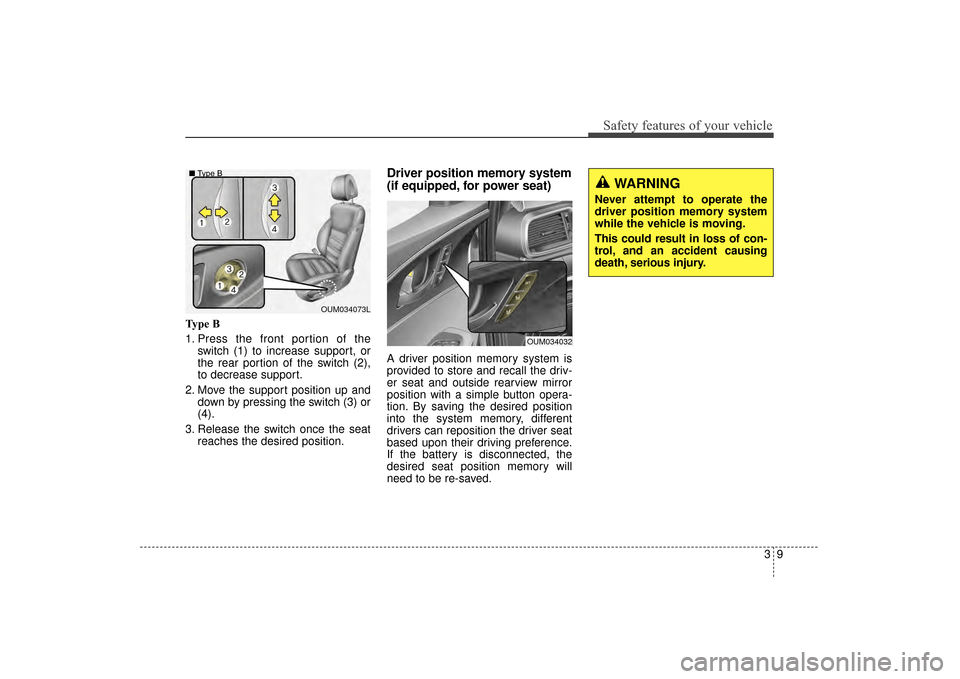
Type B
1. Press the front portion of theswitch (1) to increase support, or
the rear portion of the switch (2),
to decrease support.
2. Move the support position up and down by pressing the switch (3) or
(4).
3. Release the switch once the seat reaches the desired position.
Driver position memory system
(if equipped, for power seat)
A driver position memory system is
provided to store and recall the driv-
er seat and outside rearview mirror
position with a simple button opera-
tion. By saving the desired position
into the system memory, different
drivers can reposition the driver seat
based upon their driving preference.
If the battery is disconnected, the
desired seat position memory will
need to be re-saved.
WARNING
Never attempt to operate the
driver position memory system
while the vehicle is moving.
This could result in loss of con-
trol, and an accident causing
death, serious injury.
OUM034073L
■
Type B
OUM034032
UM CAN (ENG) 3.QXP 12/1/2014 11:57 AM Page 9
Page 27 of 565
Safety features of your vehicle
10
3
Storing positions into memory
using the buttons on the door
Storing driver’s seat positions
1. Shift the shift lever into P while the engine start/stop button is ON or
ignition switch ON.
2. Adjust the driver’s seat and out- side rearview mirror comfortable
for the driver.
3. Press SET button on the control panel. The system will beep once.
4. Press one of the memory buttons (1 or 2) within 5 seconds after
pressing the SET button. The sys-
tem will beep twice when memory
has been successfully stored. When recalling an adjustment mem-
ory button while sitting in the vehicle,
you can be surprised by the setting
chosen if the memory has been
adjusted by someone else. If that
occurs, immediately push the seat
position control knob in the direction
of the desired position to stop further
undesired movement.
Recalling positions from memory
1. Shift the shift lever into P while the
engine start/stop button is ON or
ignition switch ON.
2. To recall the position in the memo- ry, press the desired memory but-
ton (1 or 2). The system will beep
once, then the driver’s seat will
automatically adjust to the stored
position.
Adjusting the control switch for the
driver’s seat while the system is
recalling the stored position will
cause the movement to stop and
move in the direction that the control
switch is moved.
UM CAN (ENG) 3.QXP 12/1/2014 11:57 AM Page 10
Page 28 of 565
311
Safety features of your vehicle
Easy access function (if equipped)
The system will move the driver's
seat automatically as follows:
Without smart key system
- It will move the driver’s seat rear-ward when the ignition key is
removed.
- It will move the driver’s seat for- ward when the ignition key is
inserted.
With smart key system - It will move the driver’s seat rear-ward when the engine start/stop
button is changed to the OFF
position.
- It will move the driver’s seat for- ward when the engine start/stop
button is changed to the ACC or
START position.
You can activate or deactivate this fea-
ture. Refer to "User settings" in chap-
ter 4.
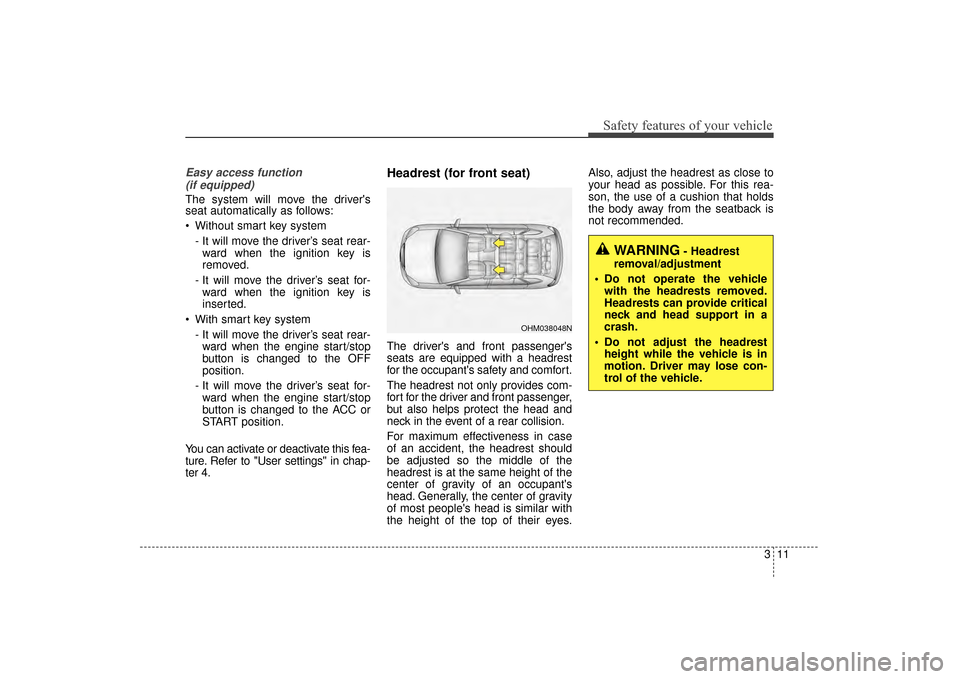
Headrest (for front seat)
The driver's and front passenger's
seats are equipped with a headrest
for the occupant's safety and comfort.
The headrest not only provides com-
fort for the driver and front passenger,
but also helps protect the head and
neck in the event of a rear collision.
For maximum effectiveness in case
of an accident, the headrest should
be adjusted so the middle of the
headrest is at the same height of the
center of gravity of an occupant's
head. Generally, the center of gravity
of most people's head is similar with
the height of the top of their eyes. Also, adjust the headrest as close to
your head as possible. For this rea-
son, the use of a cushion that holds
the body away from the seatback is
not recommended.
WARNING- Headrest
removal/adjustment
Do not operate the vehicle with the headrests removed.
Headrests can provide critical
neck and head support in a
crash.
Do not adjust the headrest height while the vehicle is in
motion. Driver may lose con-
trol of the vehicle.
OHM038048N
UM CAN (ENG) 3.QXP 12/1/2014 11:57 AM Page 11