Engine control system KIA Sorento 2017 3.G User Guide
[x] Cancel search | Manufacturer: KIA, Model Year: 2017, Model line: Sorento, Model: KIA Sorento 2017 3.GPages: 576, PDF Size: 7.82 MB
Page 190 of 576
4105
Features of your vehicle
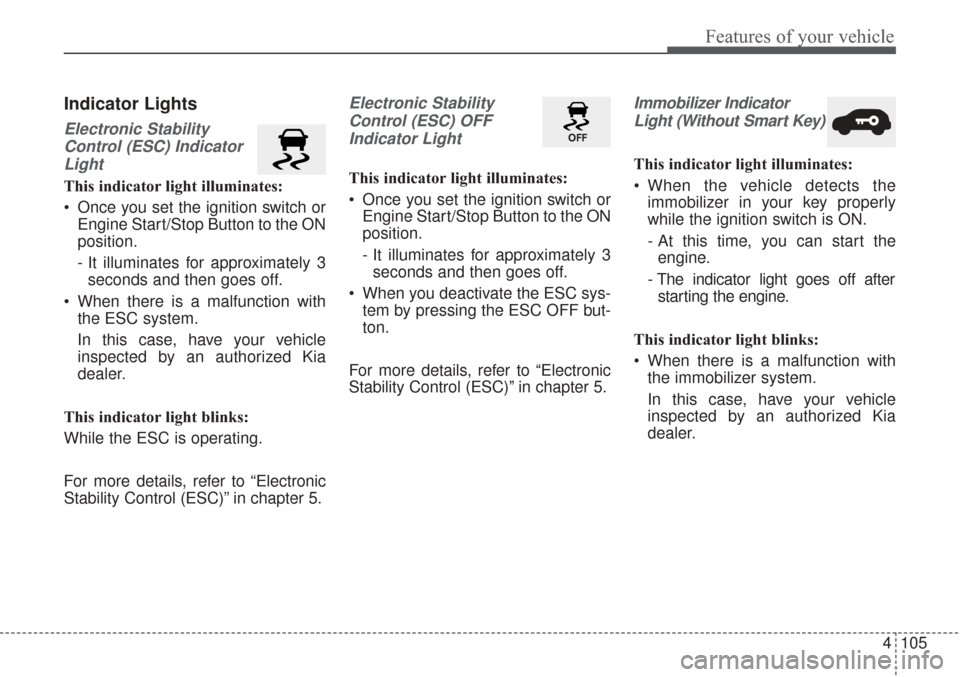
Indicator Lights
Electronic StabilityControl (ESC) IndicatorLight
This indicator light illuminates:
Once you set the ignition switch or Engine Start/Stop Button to the ON
position.
- It illuminates for approximately 3seconds and then goes off.
When there is a malfunction with the ESC system.
In this case, have your vehicle
inspected by an authorized Kia
dealer.
This indicator light blinks:
While the ESC is operating.
For more details, refer to “Electronic
Stability Control (ESC)” in chapter 5.
Electronic Stability Control (ESC) OFFIndicator Light
This indicator light illuminates:
Once you set the ignition switch or Engine Start/Stop Button to the ON
position.
- It illuminates for approximately 3seconds and then goes off.
When you deactivate the ESC sys- tem by pressing the ESC OFF but-
ton.
For more details, refer to “Electronic
Stability Control (ESC)” in chapter 5.
Immobilizer Indicator Light (Without Smart Key)
This indicator light illuminates:
When the vehicle detects the immobilizer in your key properly
while the ignition switch is ON.
- At this time, you can start theengine.
- The indicator light goes off after starting the engine.
This indicator light blinks:
When there is a malfunction with the immobilizer system.
In this case, have your vehicle
inspected by an authorized Kia
dealer.
Page 193 of 576
Features of your vehicle
108
4
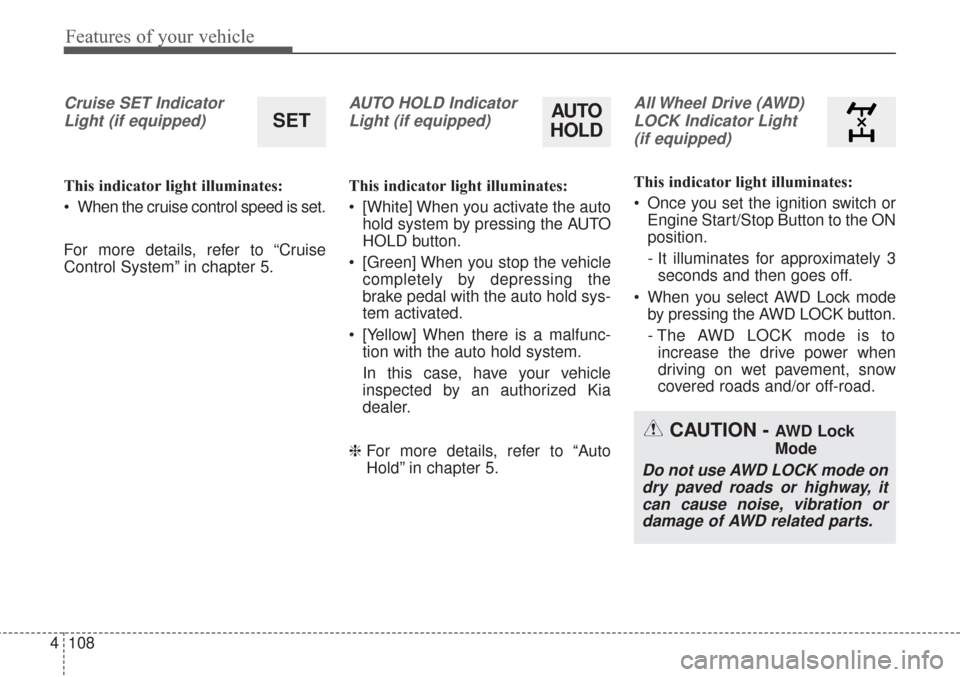
Cruise SET Indicator
Light (if equipped)
This indicator light illuminates:
When the cruise control speed is set.
For more details, refer to “Cruise
Control System” in chapter 5.
AUTO HOLD IndicatorLight (if equipped)
This indicator light illuminates:
[White] When you activate the auto hold system by pressing the AUTO
HOLD button.
[Green] When you stop the vehicle completely by depressing the
brake pedal with the auto hold sys-
tem activated.
[Yellow] When there is a malfunc- tion with the auto hold system.
In this case, have your vehicle
inspected by an authorized Kia
dealer.
❈ For more details, refer to “Auto
Hold” in chapter 5.
All Wheel Drive (AWD)
LOCK Indicator Light (if equipped)
This indicator light illuminates:
Once you set the ignition switch or Engine Start/Stop Button to the ON
position.
- It illuminates for approximately 3seconds and then goes off.
When you select AWD Lock mode by pressing the AWD LOCK button.
- The AWD LOCK mode is toincrease the drive power when
driving on wet pavement, snow
covered roads and/or off-road.
SETAUTO
HOLD
CAUTION - AWD Lock
Mode
Do not use AWD LOCK mode on
dry paved roads or highway, itcan cause noise, vibration ordamage of AWD related parts.
Page 200 of 576
4115
Features of your vehicle
Battery saver function
The purpose of this feature is toprevent the battery from being dis-
charged if the lights are left in the
ON position. The system automati-
cally shuts off the parking lights 30
seconds after the ignition key is
removed and the driver’s door is
opened and closed.
With this feature, the parking lights will turn off automatically if the driver
parks on the side of the road at night
and opens the driver’s side door.
If necessary, to keep the parking
lights on when the ignition key is
removed, perform the following:
1) Open the driver-side door.
2) Turn the parking lights OFF and ON again using the light switch
on the steering column.
Daytime running light
The Daytime Running Lights (DRL)
can make it easier for others to see the
front of your vehicle during the day.
DRL can be helpful in many different
driving conditions, and it is especially
helpful after dawn and before sunset.
The DRL system will turn the dedi-
cated lamp OFF when:
1. The headlight or fog lamp switch isON.
2. The engine is OFF.
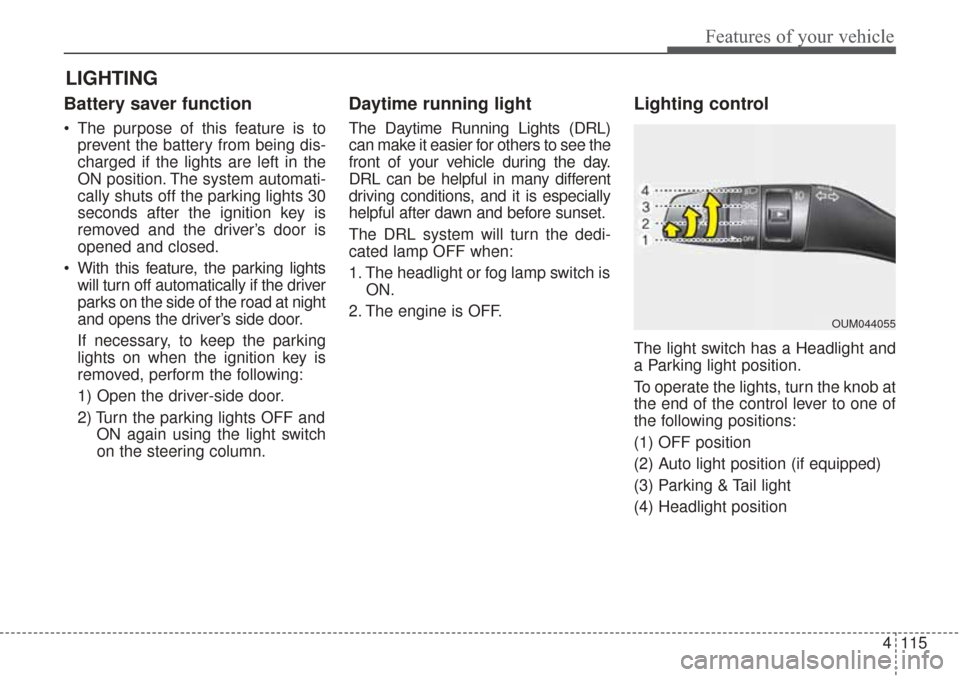
Lighting control
The light switch has a Headlight and
a Parking light position.
To operate the lights, turn the knob at
the end of the control lever to one of
the following positions:
(1) OFF position
(2) Auto light position (if equipped)
(3) Parking & Tail light
(4) Headlight position
LIGHTING
OUM044055
Page 215 of 576
Features of your vehicle
130
4
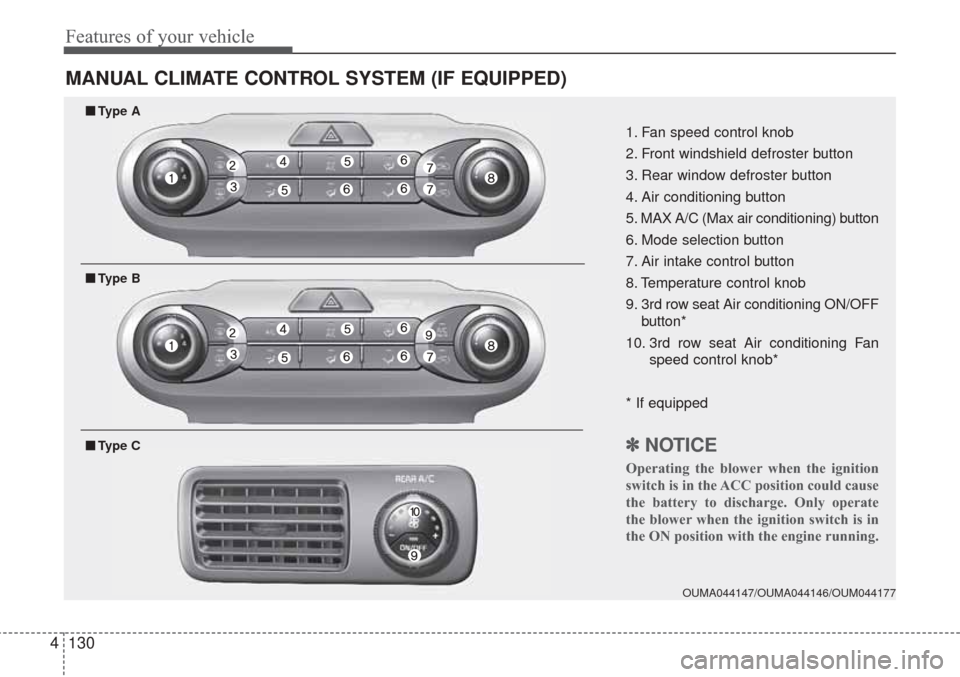
MANUAL CLIMATE CONTROL SYSTEM (IF EQUIPPED)
OUMA044147/OUMA044146/OUM044177
1. Fan speed control knob
2. Front windshield defroster button
3. Rear window defroster button
4. Air conditioning button
5. MAX A/C (Max air conditioning) button
6. Mode selection button
7. Air intake control button
8. Temperature control knob
9. 3rd row seat Air conditioning ON/OFF
button*
10. 3rd row seat Air conditioning Fan speed control knob*
* If equipped
✽ ✽ NOTICE
Operating the blower when the ignition
switch is in the ACC position could cause
the battery to discharge. Only operate
the blower when the ignition switch is in
the ON position with the engine running.
■ ■Type A
■ ■Type B
■ ■Type C
Page 216 of 576
4131
Features of your vehicle
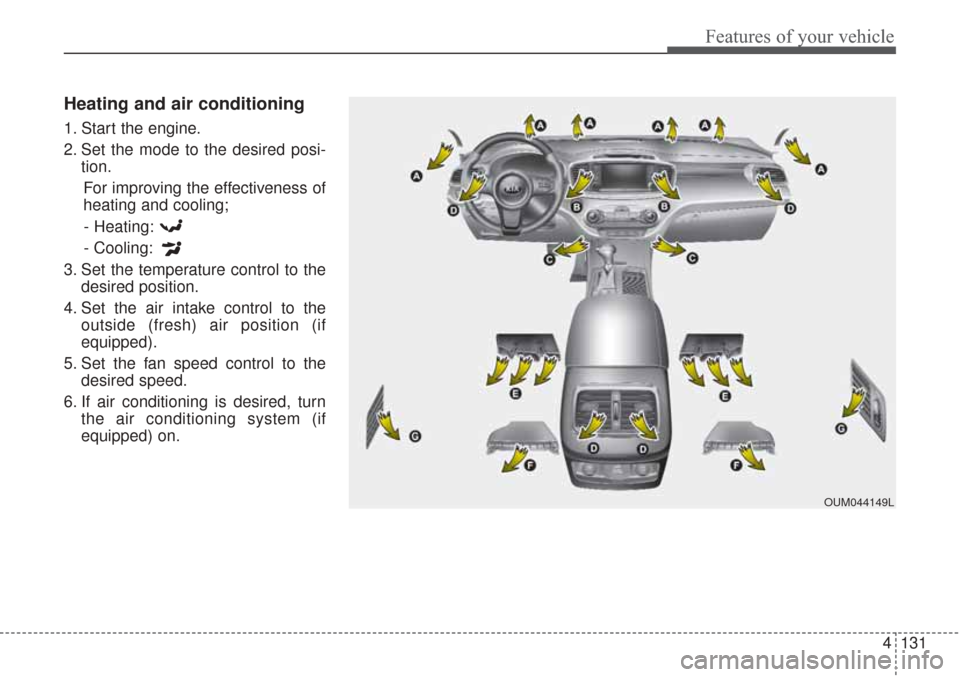
Heating and air conditioning
1. Start the engine.
2. Set the mode to the desired posi-tion.
For improving the effectiveness of
heating and cooling;- Heating:
- Cooling:
3. Set the temperature control to the desired position.
4. Set the air intake control to the outside (fresh) air position (if
equipped).
5. Set the fan speed control to the desired speed.
6. If air conditioning is desired, turn the air conditioning system (if
equipped) on.
OUM044149L
Page 222 of 576
4137
Features of your vehicle
System operation
Ventilation
1. Set the mode to the position.
2. Set the air intake control to theoutside (fresh) air position.
3. Set the temperature control to the desired position.
4. Set the fan speed control to the desired speed.
Heating
1. Set the mode to the position.
2. Set the air intake control to theoutside (fresh) air position.
3. Set the temperature control to the desired position.
4. Set the fan speed control to the desired speed.
5. If dehumidified heating is desired, turn the air conditioning system (if
equipped) on.
If the windshield fogs up, set the mode to the or position. Operation Tips
To keep dust or unpleasant fumes
from entering the vehicle through
the ventilation system, temporarily
set the air intake control to the
recirculated air position. Be sure to
return the control to the fresh air
position when the irritation has
passed to keep fresh air in the
vehicle. This will help keep the driv-
er alert and comfortable.
Air for the heating/cooling system is drawn in through the grilles just
ahead of the windshield. Care
should be taken that these are not
blocked by leaves, snow, ice or
other obstructions.
To prevent interior fog on the wind- shield, set the air intake control to
the fresh air position and fan speed
to the desired position, turn on the
air conditioning system, and adjust
the temperature control to desired
temperature.
Air conditioning
Kia Air Conditioning Systems are
filled with refrigerant*.
1. Start the engine. Push the air con- ditioning button.
2. Set the mode to the position.
3. Set the air intake control to the outside air or recirculated air posi-
tion.
4. Adjust the fan speed control and temperature control to maintain
maximum comfort.
The refrigerant system should only be serviced by trained and certified
technicians to insure proper and
safe operation.
The refrigerant system should be serviced in a well-ventilated place.
The air conditioning evaporator (cooling coil) shall never be repaired
or replaced with one removed from
a used or salvaged vehicle and new
replacement MAC evaporators shall
be certified (and labeled) as meet-
ing SAE Standard J2842.
Page 226 of 576
4141
Features of your vehicle
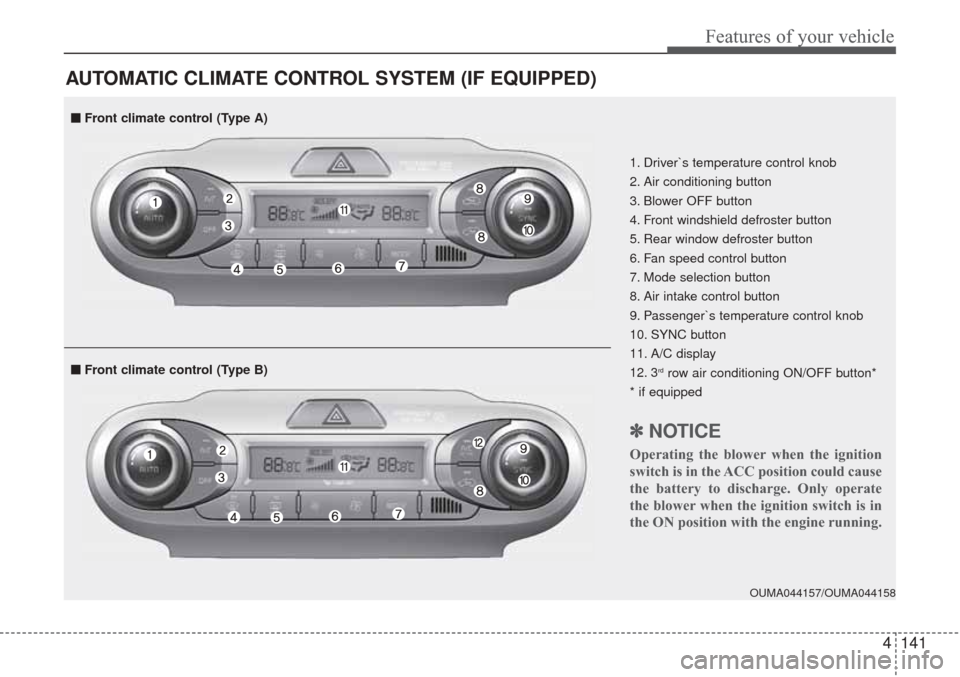
AUTOMATIC CLIMATE CONTROL SYSTEM (IF EQUIPPED)
OUMA044157/OUMA044158
1. Driver`s temperature control knob
2. Air conditioning button
3. Blower OFF button
4. Front windshield defroster button
5. Rear window defroster button
6. Fan speed control button
7. Mode selection button
8. Air intake control button
9. Passenger`s temperature control knob
10. SYNC button
11. A/C display
12. 3
rdrow air conditioning ON/OFF button*
* if equipped
✽ ✽ NOTICE
Operating the blower when the ignition
switch is in the ACC position could cause
the battery to discharge. Only operate
the blower when the ignition switch is in
the ON position with the engine running.
■ ■ Front climate control (Type B)
■ ■Front climate control (Type A)
Page 229 of 576
Features of your vehicle
144
4
✽ ✽
NOTICE
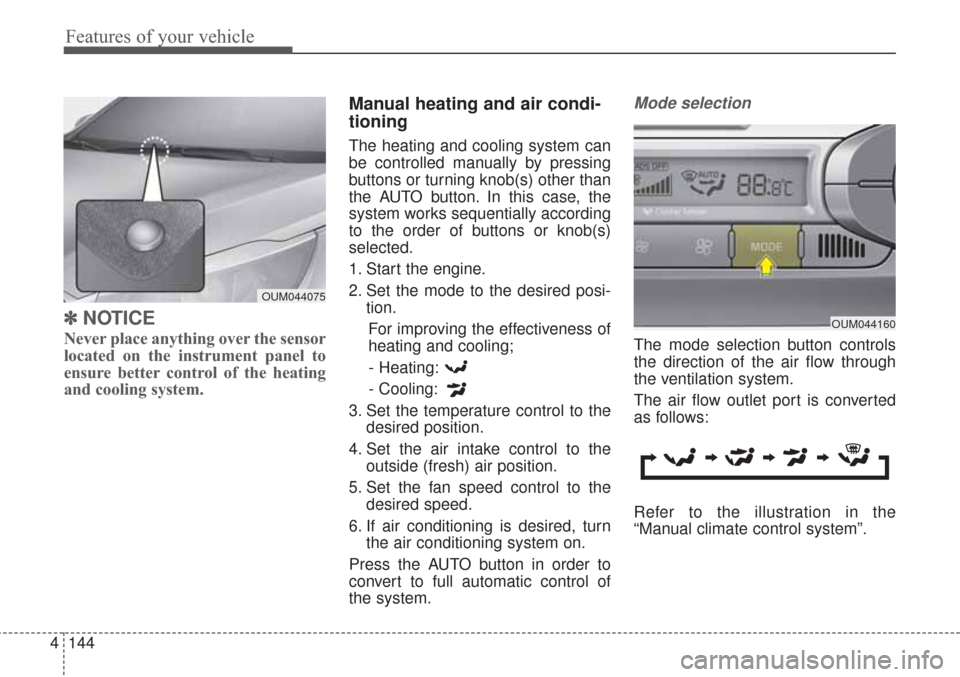
Never place anything over the sensor
located on the instrument panel to
ensure better control of the heating
and cooling system.
Manual heating and air condi-
tioning
The heating and cooling system can
be controlled manually by pressing
buttons or turning knob(s) other than
the AUTO button. In this case, the
system works sequentially according
to the order of buttons or knob(s)
selected.
1. Start the engine.
2. Set the mode to the desired posi-
tion.
For improving the effectiveness of
heating and cooling;- Heating:
- Cooling:
3. Set the temperature control to the desired position.
4. Set the air intake control to the outside (fresh) air position.
5. Set the fan speed control to the desired speed.
6. If air conditioning is desired, turn the air conditioning system on.
Press the AUTO button in order to
convert to full automatic control of
the system.
Mode selection
The mode selection button controls
the direction of the air flow through
the ventilation system.
The air flow outlet port is converted
as follows:
Refer to the illustration in the
“Manual climate control system”.
OUM044075
OUM044160
Page 236 of 576
4151
Features of your vehicle
Air conditioning (if equipped)
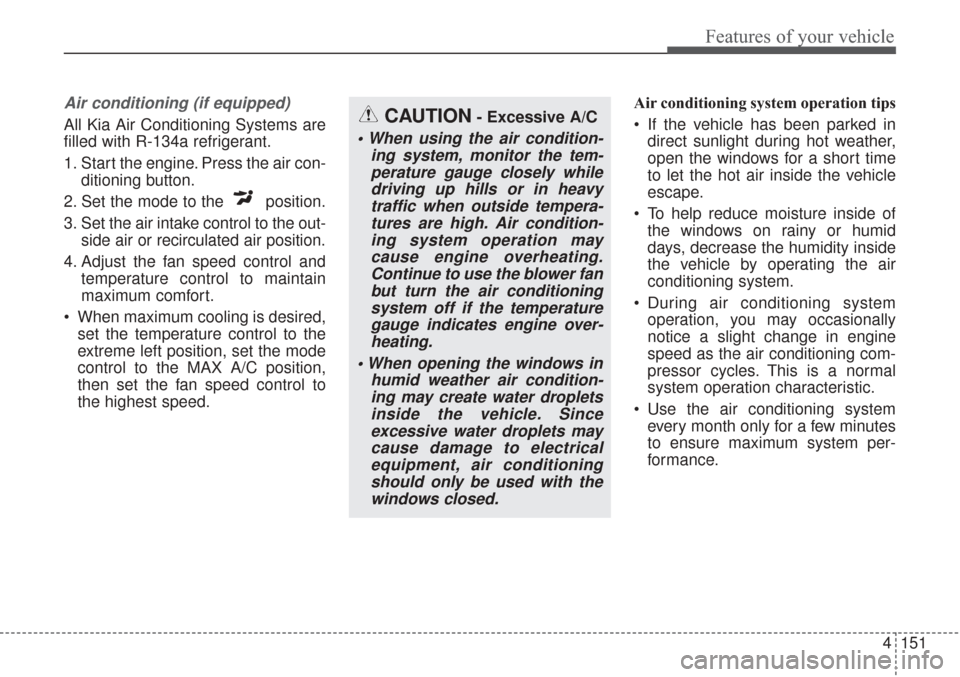
All Kia Air Conditioning Systems are
filled with R-134a refrigerant.
1. Start the engine. Press the air con-ditioning button.
2. Set the mode to the position.
3. Set the air intake control to the out- side air or recirculated air position.
4. Adjust the fan speed control and temperature control to maintain
maximum comfort.
When maximum cooling is desired, set the temperature control to the
extreme left position, set the mode
control to the MAX A/C position,
then set the fan speed control to
the highest speed. Air conditioning system operation tips
If the vehicle has been parked in
direct sunlight during hot weather,
open the windows for a short time
to let the hot air inside the vehicle
escape.
To help reduce moisture inside of the windows on rainy or humid
days, decrease the humidity inside
the vehicle by operating the air
conditioning system.
During air conditioning system operation, you may occasionally
notice a slight change in engine
speed as the air conditioning com-
pressor cycles. This is a normal
system operation characteristic.
Use the air conditioning system every month only for a few minutes
to ensure maximum system per-
formance.CAUTION- Excessive A/C
ing system, monitor the tem-perature gauge closely whiledriving up hills or in heavytraffic when outside tempera-tures are high. Air condition-ing system operation maycause engine overheating.Continue to use the blower fanbut turn the air conditioningsystem off if the temperaturegauge indicates engine over-heating.
humid weather air condition-ing may create water dropletsinside the vehicle. Sinceexcessive water droplets maycause damage to electricalequipment, air conditioningshould only be used with thewindows closed.
Page 314 of 576
Driving your vehicle
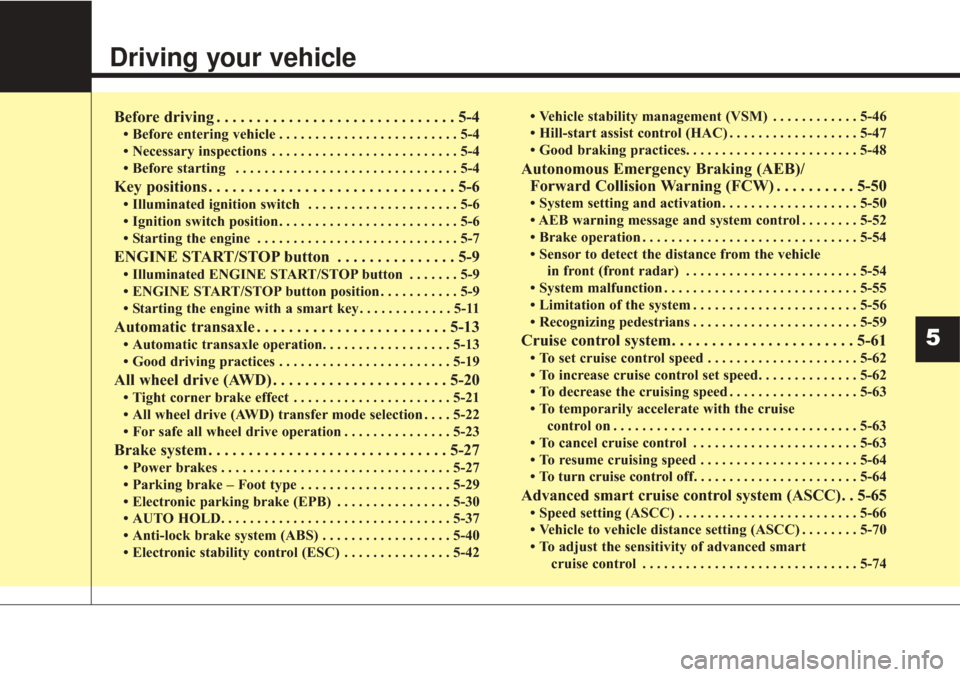
Before driving . . . . . . . . . . . . . . . . . . . . . . . . . . . . . . 5-4
• Before entering vehicle . . . . . . . . . . . . . . . . . . . . . . . . . 5-4
• Necessary inspections . . . . . . . . . . . . . . . . . . . . . . . . . . 5-4
• Before starting . . . . . . . . . . . . . . . . . . . . . . . . . . . . . . . 5-4
Key positions . . . . . . . . . . . . . . . . . . . . . . . . . . . . . . . 5-6
• Illuminated ignition switch . . . . . . . . . . . . . . . . . . . . . 5-6
• Ignition switch position . . . . . . . . . . . . . . . . . . . . . . . . . 5-6
• Starting the engine . . . . . . . . . . . . . . . . . . . . . . . . . . . . 5-7
ENGINE START/STOP button . . . . . . . . . . . . . . . 5-9
• Illuminated ENGINE START/STOP button . . . . . . . 5-9
• ENGINE START/STOP button position . . . . . . . . . . . 5-9
• Starting the engine with a smart key . . . . . . . . . . . . . 5-11
Automatic transaxle . . . . . . . . . . . . . . . . . . . . . . . . 5-13
• Automatic transaxle operation. . . . . . . . . . . . . . . . . . 5-13
• Good driving practices . . . . . . . . . . . . . . . . . . . . . . . . 5-19
All wheel drive (AWD) . . . . . . . . . . . . . . . . . . . . . . 5-20
• Tight corner brake effect . . . . . . . . . . . . . . . . . . . . . . 5-21
• All wheel drive (AWD) transfer mode selection . . . . 5-22
• For safe all wheel drive operation . . . . . . . . . . . . . . . 5-23
Brake system . . . . . . . . . . . . . . . . . . . . . . . . . . . . . . 5-27
• Power brakes . . . . . . . . . . . . . . . . . . . . . . . . . . . . . . . . 5-27
• Parking brake – Foot type . . . . . . . . . . . . . . . . . . . . . 5-29
• Electronic parking brake (EPB) . . . . . . . . . . . . . . . . 5-30
• AUTO HOLD. . . . . . . . . . . . . . . . . . . . . . . . . . . . . . . . 5-37
• Anti-lock brake system (ABS) . . . . . . . . . . . . . . . . . . 5-40
• Electronic stability control (ESC) . . . . . . . . . . . . . . . 5-42• Vehicle stability management (VSM) . . . . . . . . . . . . 5-46
• Hill-start assist control (HAC) . . . . . . . . . . . . . . . . . . 5-47
• Good braking practices. . . . . . . . . . . . . . . . . . . . . . . . 5-48
Autonomous Emergency Braking (AEB)/
Forward Collision Warning (FCW) . . . . . . . . . . 5-50
• System setting and activation . . . . . . . . . . . . . . . . . . . 5-50
• AEB warning message and system control . . . . . . . . 5-52
• Brake operation . . . . . . . . . . . . . . . . . . . . . . . . . . . . . . 5-54
• Sensor to detect the distance from the vehicle
in front (front radar) . . . . . . . . . . . . . . . . . . . . . . . . 5-54
• System malfunction . . . . . . . . . . . . . . . . . . . . . . . . . . . 5-55
• Limitation of the system . . . . . . . . . . . . . . . . . . . . . . . 5-56
• Recognizing pedestrians . . . . . . . . . . . . . . . . . . . . . . . 5-59
Cruise control system. . . . . . . . . . . . . . . . . . . . . . . 5-61
• To set cruise control speed . . . . . . . . . . . . . . . . . . . . . 5-62
• To increase cruise control set speed. . . . . . . . . . . . . . 5-62
• To decrease the cruising speed . . . . . . . . . . . . . . . . . . 5-63
• To temporarily accelerate with the cruise control on . . . . . . . . . . . . . . . . . . . . . . . . . . . . . . . . . . 5-63\
• To cancel cruise control . . . . . . . . . . . . . . . . . . . . . . . 5-63
• To resume cruising speed . . . . . . . . . . . . . . . . . . . . . . 5-64
• To turn cruise control off. . . . . . . . . . . . . . . . . . . . . . . 5-64
Advanced smart cruise control system (ASCC). . 5-65
• Speed setting (ASCC) . . . . . . . . . . . . . . . . . . . . . . . . . 5-66
• Vehicle to vehicle distance setting (ASCC) . . . . . . . . 5-70
• To adjust the sensitivity of advanced smart
cruise control . . . . . . . . . . . . . . . . . . . . . . . . . . . . . . 5-74
5