speed KIA Sorento 2017 3.G User Guide
[x] Cancel search | Manufacturer: KIA, Model Year: 2017, Model line: Sorento, Model: KIA Sorento 2017 3.GPages: 576, PDF Size: 7.82 MB
Page 87 of 576
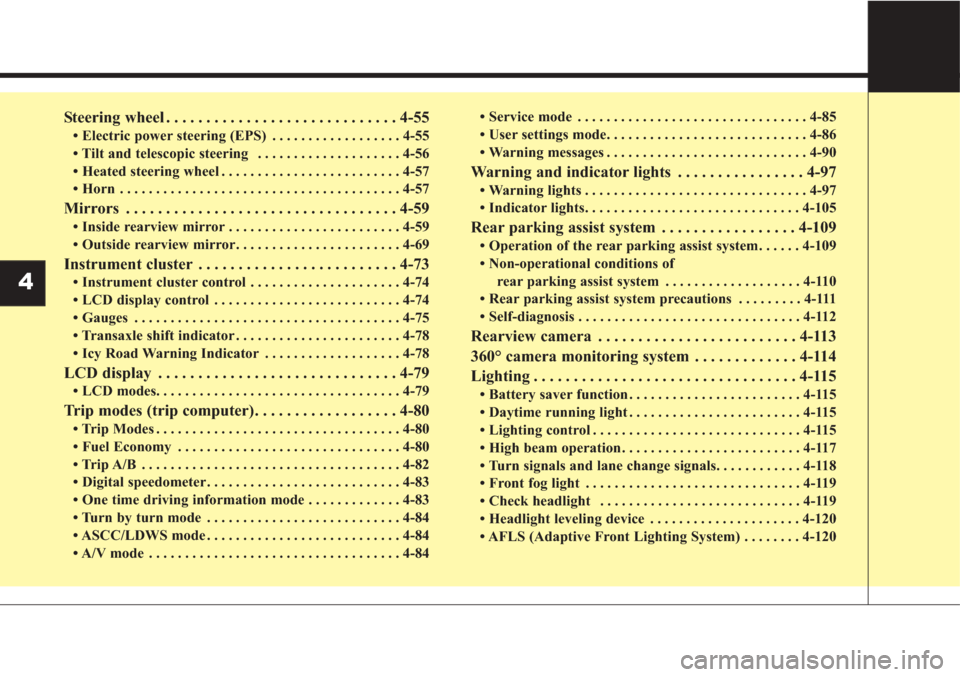
Steering wheel . . . . . . . . . . . . . . . . . . . . . . . . . . . . . 4-55
• Electric power steering (EPS) . . . . . . . . . . . . . . . . . . 4-55
• Tilt and telescopic steering . . . . . . . . . . . . . . . . . . . . 4-56
• Heated steering wheel . . . . . . . . . . . . . . . . . . . . . . . . . 4-57
• Horn . . . . . . . . . . . . . . . . . . . . . . . . . . . . . . . . . . . . \
. . . 4-57
Mirrors . . . . . . . . . . . . . . . . . . . . . . . . . . . . . . . . . . 4-59\
• Inside rearview mirror . . . . . . . . . . . . . . . . . . . . . . . . 4-59
• Outside rearview mirror. . . . . . . . . . . . . . . . . . . . . . . 4-69
Instrument cluster . . . . . . . . . . . . . . . . . . . . . . . . . 4-73
• Instrument cluster control . . . . . . . . . . . . . . . . . . . . . 4-74
• LCD display control . . . . . . . . . . . . . . . . . . . . . . . . . . 4-74
• Gauges . . . . . . . . . . . . . . . . . . . . . . . . . . . . . . . . . . . . \
. 4-75
• Transaxle shift indicator . . . . . . . . . . . . . . . . . . . . . . . 4-78
• Icy Road Warning Indicator . . . . . . . . . . . . . . . . . . . 4-78
LCD display . . . . . . . . . . . . . . . . . . . . . . . . . . . . . . 4-79
• LCD modes. . . . . . . . . . . . . . . . . . . . . . . . . . . . . . . . . .\
4-79
Trip modes (trip computer). . . . . . . . . . . . . . . . . . 4-80
• Trip Modes . . . . . . . . . . . . . . . . . . . . . . . . . . . . . . . . . . 4-80\
• Fuel Economy . . . . . . . . . . . . . . . . . . . . . . . . . . . . . . . 4-80
• Trip A/B . . . . . . . . . . . . . . . . . . . . . . . . . . . . . . . . . . . . \
4-82
• Digital speedometer . . . . . . . . . . . . . . . . . . . . . . . . . . . 4-83
• One time driving information mode . . . . . . . . . . . . . 4-83
• Turn by turn mode . . . . . . . . . . . . . . . . . . . . . . . . . . . 4-84
• ASCC/LDWS mode . . . . . . . . . . . . . . . . . . . . . . . . . . . 4-84
• A/V mode . . . . . . . . . . . . . . . . . . . . . . . . . . . . . . . . . . . 4-\
84• Service mode . . . . . . . . . . . . . . . . . . . . . . . . . . . . . . . . 4-85
• User settings mode. . . . . . . . . . . . . . . . . . . . . . . . . . . . 4-86
• Warning messages . . . . . . . . . . . . . . . . . . . . . . . . . . . . 4-90
Warning and indicator lights . . . . . . . . . . . . . . . . 4-97
• Warning lights . . . . . . . . . . . . . . . . . . . . . . . . . . . . . . . 4-97
• Indicator lights. . . . . . . . . . . . . . . . . . . . . . . . . . . . . . 4-105
Rear parking assist system . . . . . . . . . . . . . . . . . 4-109
• Operation of the rear parking assist system . . . . . . 4-109
• Non-operational conditions of
rear parking assist system . . . . . . . . . . . . . . . . . . . 4-110
• Rear parking assist system precautions . . . . . . . . . 4-111
• Self-diagnosis . . . . . . . . . . . . . . . . . . . . . . . . . . . . . . . 4-112
Rearview camera . . . . . . . . . . . . . . . . . . . . . . . . . 4-113
360° camera monitoring system . . . . . . . . . . . . . 4-114
Lighting . . . . . . . . . . . . . . . . . . . . . . . . . . . . . . . . . 4-115
• Battery saver function . . . . . . . . . . . . . . . . . . . . . . . . 4-115
• Daytime running light . . . . . . . . . . . . . . . . . . . . . . . . 4-115
• Lighting control . . . . . . . . . . . . . . . . . . . . . . . . . . . . . 4-115
• High beam operation . . . . . . . . . . . . . . . . . . . . . . . . . 4-117
• Turn signals and lane change signals. . . . . . . . . . . . 4-118
• Front fog light . . . . . . . . . . . . . . . . . . . . . . . . . . . . . . 4-119
• Check headlight . . . . . . . . . . . . . . . . . . . . . . . . . . . . 4-119
• Headlight leveling device . . . . . . . . . . . . . . . . . . . . . 4-120
• AFLS (Adaptive Front Lighting System) . . . . . . . . 4-120
4
Page 140 of 576
455
Features of your vehicle
Electric power steering (EPS)
The power steering uses a motor to
assist you in steering the vehicle. If
the engine is off or if the power steer-
ing system becomes inoperative, the
vehicle may still be steered, but it will
require increased steering effort.
The motor driven power steering is
controlled by a power steering con-
trol unit which senses the steering
wheel torque and vehicle speed to
command the motor.
The steering becomes heavier as
the vehicle’s speed increases and
becomes lighter as the vehicle’s
speed decreases for optimum steer-
ing control.
Should you notice any change in the
effort required to steer during normal
vehicle operation, have the power
steering checked by an authorized
Kia dealer. If the Electric Power Steering
System does not operate normally,
the warning light will illuminate on
the instrument cluster. The steering
wheel may require increased
steering effort. Take your vehicle to
an authorized Kia dealer and have
the vehicle checked as soon as
possible.
When you operate the steering wheel in low temperature, noise
may occur. If temperature rises, the
noise will likely disappear. This is a
normal condition.
When the vehicle is stationary, and the steering wheel is turned all the
way to the left or right continuous-
ly, the steering wheel becomes
harder to turn. The power assist is
limited to protect the motor from
overheating.
As time passes, the steering wheel
will return to its normal condition.
✽ ✽ NOTICE
The following symptoms may occur
during normal vehicle operation:
• The EPS warning light does not
illuminate.
• The steering gets heavy immedi- ately after turning the ignition
switch on. This happens as the sys-
tem performs the EPS system
diagnostics. When the diagnostics
are completed, the steering wheel
will return to its normal condition.
• A click noise may be heard from the EPS relay after the ignition
switch is turned to the ON or
LOCK (OFF) position.
• A motor noise may be heard when the vehicle is at a stop or at a low
driving speed.
• If the Electric Power Steering System does not operate normally,
the warning light will illuminate on
the instrument cluster. The steer-
ing wheel may become difficult to
control or operate abnormally.
Take your vehicle to an authorized
Kia dealer and have the vehicle
checked as soon as possible. (Continued)
STEERING WHEEL
Page 158 of 576
473
Features of your vehicle
INSTRUMENT CLUSTER
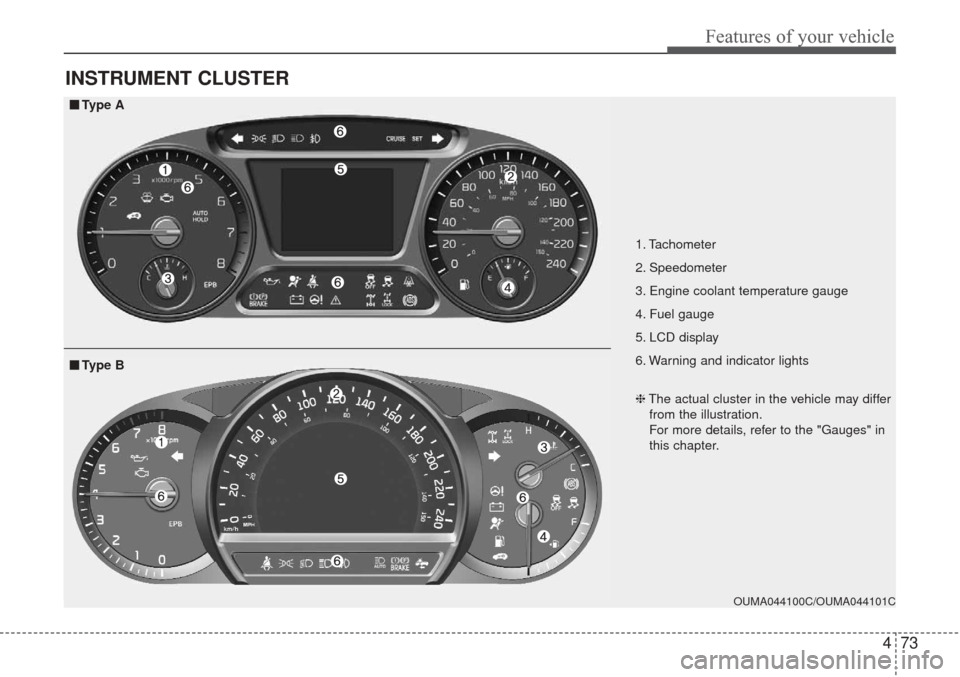
1. Tachometer
2. Speedometer
3. Engine coolant temperature gauge
4. Fuel gauge
5. LCD display
6. Warning and indicator lights
OUMA044100C/OUMA044101C
■ ■Type A
❈The actual cluster in the vehicle may differ
from the illustration.
For more details, refer to the "Gauges" in
this chapter.
■ ■ Type B
Page 160 of 576
475
Features of your vehicle
Gauges
Speedometer
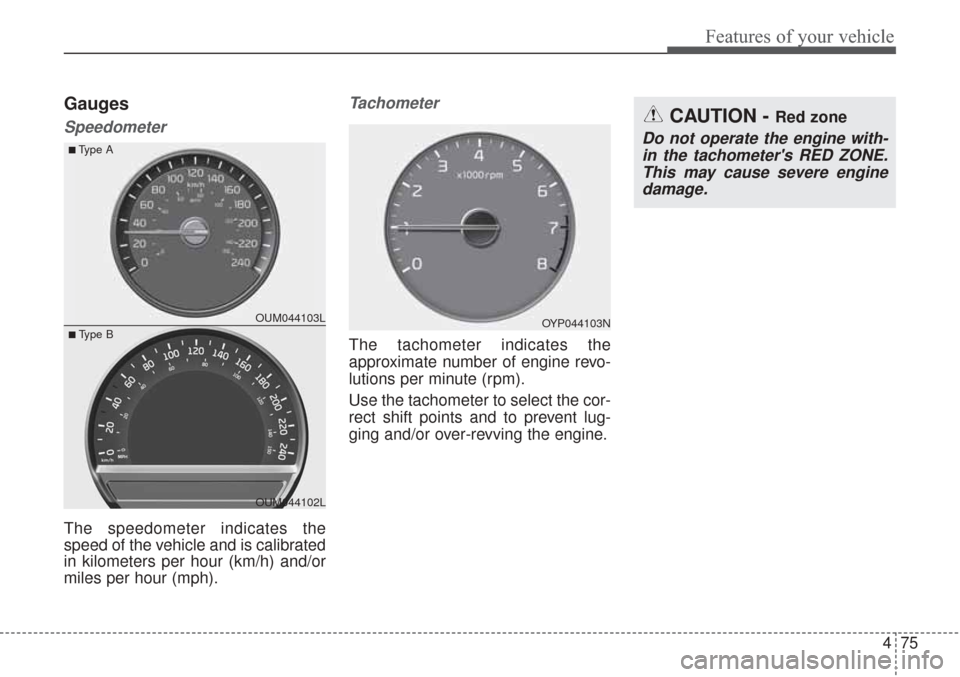
The speedometer indicates the
speed of the vehicle and is calibrated
in kilometers per hour (km/h) and/or
miles per hour (mph).
Tachometer
The tachometer indicates the
approximate number of engine revo-
lutions per minute (rpm).
Use the tachometer to select the cor-
rect shift points and to prevent lug-
ging and/or over-revving the engine.
OYP044103N
CAUTION - Red zone
Do not operate the engine with-in the tachometer's RED ZONE.This may cause severe enginedamage.
OUM044103L
OUM044102L
■Type A
■ Type B
Page 163 of 576
Features of your vehicle
78
4
To change the temperature unit (from
°C to °F or from °F to °C)
The temperature unit can be
changed by using the "User
Settings" mode of the LCD display.
❈ For more details, refer to “LCD
Display” in this chapter.Transaxle Shift Indicator
Automatic Transaxle Shift Indicator
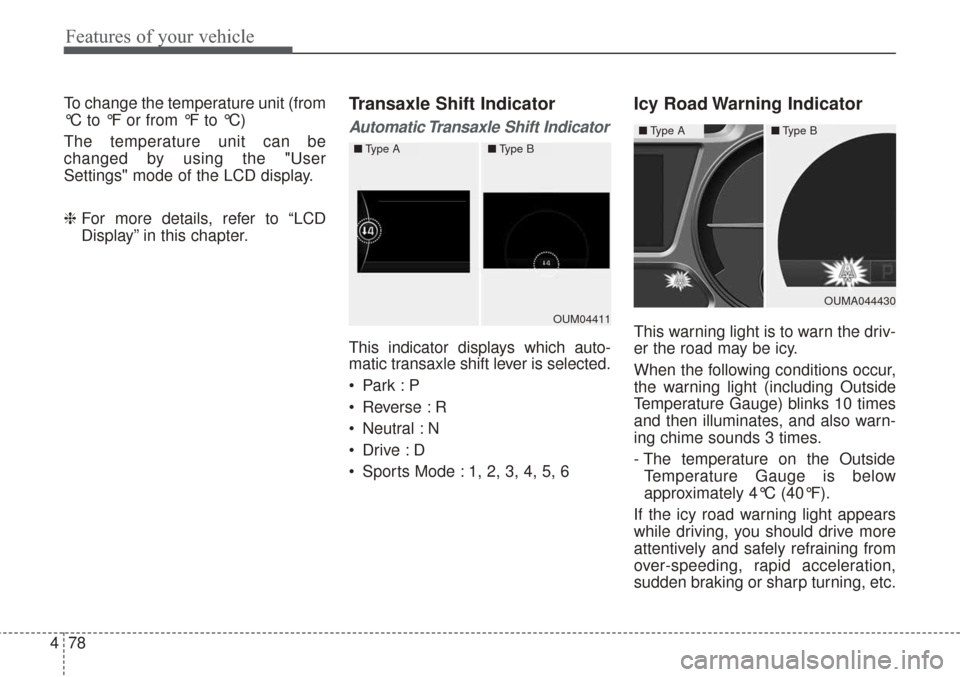
This indicator displays which auto-
matic transaxle shift lever is selected.
Reverse : R
Neutral : N
Sports Mode : 1, 2, 3, 4, 5, 6
Icy Road Warning Indicator
This warning light is to warn the driv-
er the road may be icy.
When the following conditions occur,
the warning light (including Outside
Temperature Gauge) blinks 10 times
and then illuminates, and also warn-
ing chime sounds 3 times.
- The temperature on the Outside
Temperature Gauge is below
approximately 4°C (40°F).
If the icy road warning light appears
while driving, you should drive more
attentively and safely refraining from
over-speeding, rapid acceleration,
sudden braking or sharp turning, etc.OUM04411
■ Type A■Type B
OUMA044430
■Type A■Type B
Page 165 of 576
Features of your vehicle
80
4
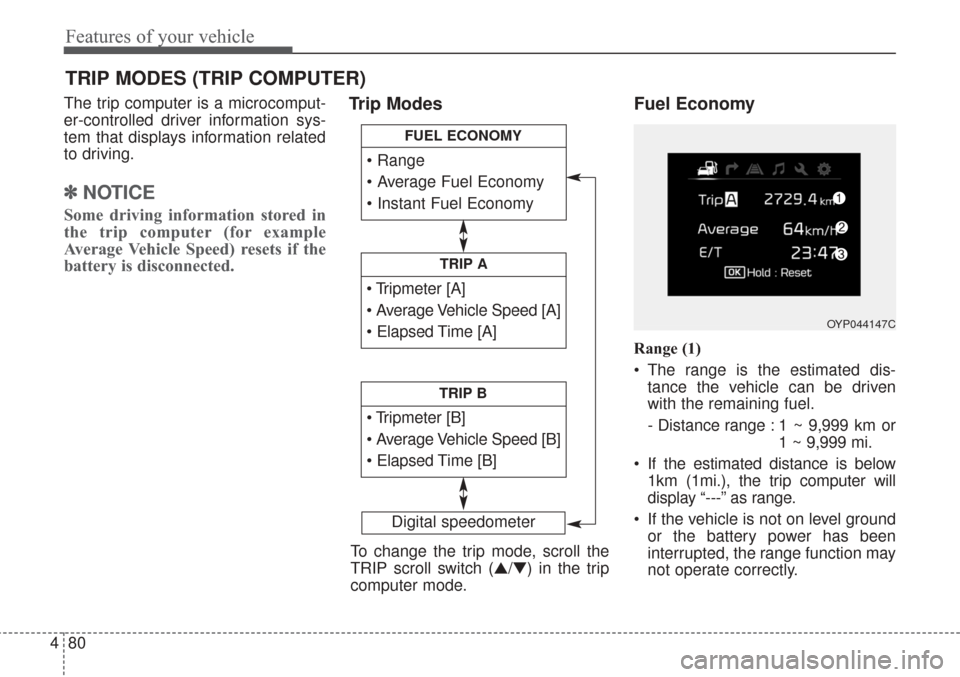
The trip computer is a microcomput-
er-controlled driver information sys-
tem that displays information related
to driving.
✽ ✽
NOTICE
Some driving information stored in
the trip computer (for example
Average Vehicle Speed) resets if the
battery is disconnected.
Trip Modes Fuel Economy
Range (1)
The range is the estimated dis-
tance the vehicle can be driven
with the remaining fuel.
- Distance range : 1 ~ 9,999 km or 1 ~ 9,999 mi.
If the estimated distance is below 1km (1mi.), the trip computer will
display “---” as range.
If the vehicle is not on level ground or the battery power has been
interrupted, the range function may
not operate correctly.
TRIP MODES (TRIP COMPUTER)
Digital speedometer
To change the trip mode, scroll the
TRIP scroll switch (▲/▼) in the trip
computer mode.
TRIP A
TRIP B
FUEL ECONOMY
OYP044147C
Page 166 of 576
481
Features of your vehicle
The range may differ from the actu-al driving distance as it is an esti-
mate of the available driving dis-
tance.
The trip computer may not register additional fuel if less than 6 liters
(1.6 gallons) of fuel are added to
the vehicle.
The fuel economy and range may vary significantly based on driving
conditions, driving habits, and con-
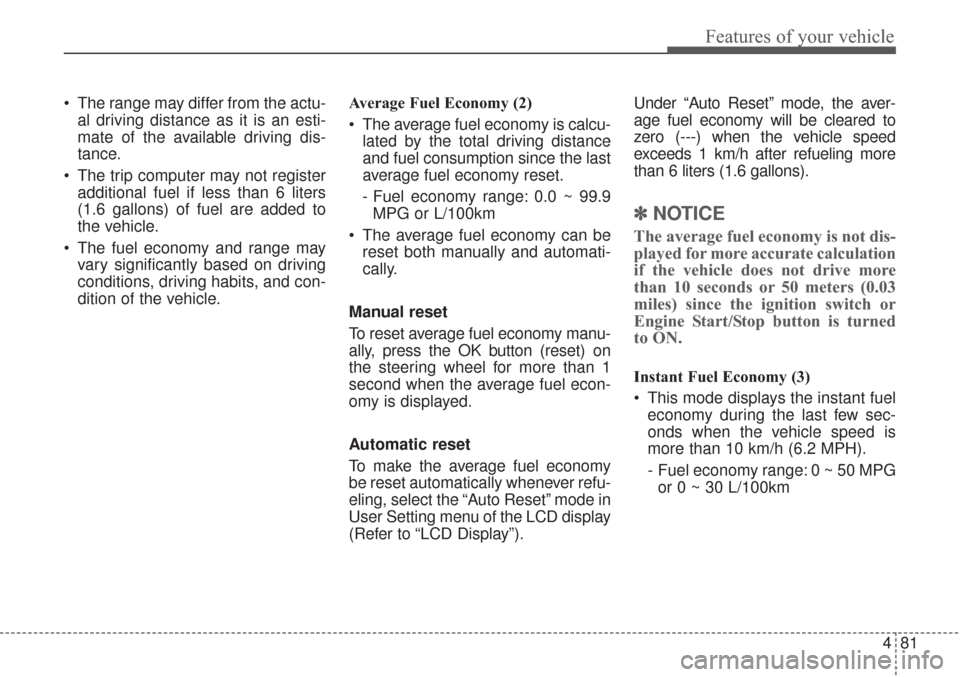
dition of the vehicle. Average Fuel Economy (2)
The average fuel economy is calcu-
lated by the total driving distance
and fuel consumption since the last
average fuel economy reset.
- Fuel economy range: 0.0 ~ 99.9MPG or L/100km
The average fuel economy can be reset both manually and automati-
cally.
Manual reset
To reset average fuel economy manu-
ally, press the OK button (reset) on
the steering wheel for more than 1
second when the average fuel econ-
omy is displayed.
Automatic reset
To make the average fuel economy
be reset automatically whenever refu-
eling, select the “Auto Reset” mode in
User Setting menu of the LCD display
(Refer to “LCD Display”). Under “Auto Reset” mode, the aver-
age fuel economy will be cleared to
zero (---) when the vehicle speed
exceeds 1 km/h after refueling more
than 6 liters (1.6 gallons).
✽ ✽
NOTICE
The average fuel economy is not dis-
played for more accurate calculation
if the vehicle does not drive more
than 10 seconds or 50 meters (0.03
miles) since the ignition switch or
Engine Start/Stop button is turned
to ON.
Instant Fuel Economy (3)
This mode displays the instant fuel
economy during the last few sec-
onds when the vehicle speed is
more than 10 km/h (6.2 MPH).
- Fuel economy range: 0 ~ 50 MPGor 0 ~ 30 L/100km
Page 167 of 576
Features of your vehicle
82
4
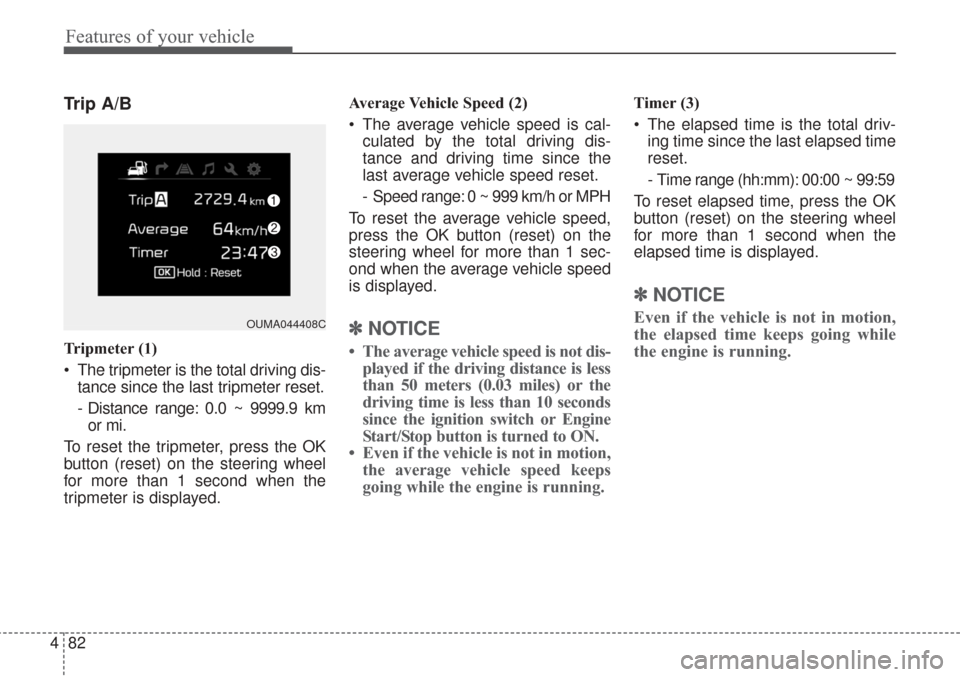
Trip A/B
Tripmeter (1)
The tripmeter is the total driving dis-
tance since the last tripmeter reset.
- Distance range: 0.0 ~ 9999.9 kmor mi.
To reset the tripmeter, press the OK
button (reset) on the steering wheel
for more than 1 second when the
tripmeter is displayed. Average Vehicle Speed (2)
The average vehicle speed is cal-
culated by the total driving dis-
tance and driving time since the
last average vehicle speed reset.
- Speed range: 0 ~ 999 km/h or MPH
To reset the average vehicle speed,
press the OK button (reset) on the
steering wheel for more than 1 sec-
ond when the average vehicle speed
is displayed.
✽ ✽ NOTICE
• The average vehicle speed is not dis-
played if the driving distance is less
than 50 meters (0.03 miles) or the
driving time is less than 10 seconds
since the ignition switch or Engine
Start/Stop button is turned to ON.
• Even if the vehicle is not in motion, the average vehicle speed keeps
going while the engine is running.
Timer (3)
The elapsed time is the total driv-
ing time since the last elapsed time
reset.
- Time range (hh:mm): 00:00 ~ 99:59
To reset elapsed time, press the OK
button (reset) on the steering wheel
for more than 1 second when the
elapsed time is displayed.
✽ ✽ NOTICE
Even if the vehicle is not in motion,
the elapsed time keeps going while
the engine is running.OUMA044408C
Page 168 of 576
483
Features of your vehicle
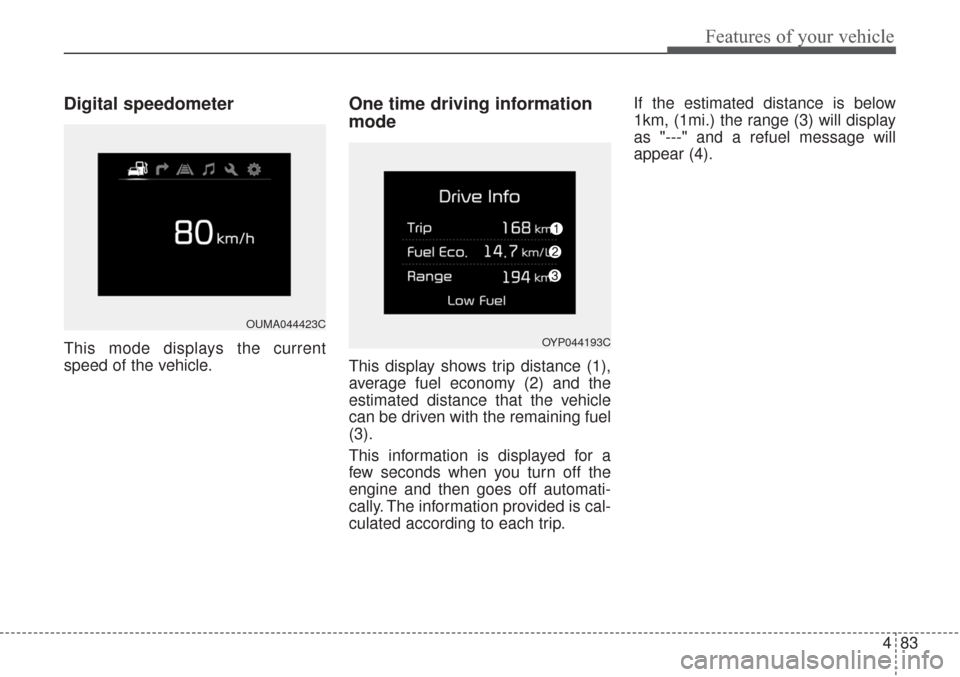
Digital speedometer
This mode displays the current
speed of the vehicle.
One time driving information
mode
This display shows trip distance (1),
average fuel economy (2) and the
estimated distance that the vehicle
can be driven with the remaining fuel
(3).
This information is displayed for a
few seconds when you turn off the
engine and then goes off automati-
cally. The information provided is cal-
culated according to each trip.If the estimated distance is below
1km, (1mi.) the range (3) will display
as "---" and a refuel message will
appear (4).
OUMA044423C
OYP044193C
Page 172 of 576
487
Features of your vehicle
Driving Assist
Smart Cruise Control Response
(if equipped)
Choose the sensitivity of the smart
cruise control.
Rear Cross Traffic Alert (if equipped)
If this item is checked, rear cross
traffic alert function will be activated.
Autonomous Emergency Braking
(AEB) (if equipped)
If this item is checked, Autonomous
emergency braking function will be
activated.
Forward Collision Warning
(if equipped)
If this item is checked, forward collision
warning function will be activated.
Door / Liftgate
Automatically lock
Disable:The auto door lock operation will
be deactivated.
Enable on speed: All doors will be automatically
locked when the vehicle speed
exceeds 15km/h (9.3mph).
Enable on shift: All doors will be automatically
locked if the automatic transaxle
shift lever is shifted from the P
(Park) position to the R (Reverse),
N (Neutral), or D (Drive) position. Automatically unlock
Disable:
The auto door unlock operation will
be canceled.
On Key out: All doors will be automatically
unlocked when the ignition key is
removed from ignition switch or
Engine Start/Stop Button is set to
the OFF position.
On shift to P: All doors will be automatically
unlocked if the automatic transaxle
shift lever is shifted to the P (Park)
position.