speed KIA Sorento 2017 3.G Owner's Guide
[x] Cancel search | Manufacturer: KIA, Model Year: 2017, Model line: Sorento, Model: KIA Sorento 2017 3.GPages: 576, PDF Size: 7.82 MB
Page 175 of 576
Features of your vehicle
90
4
Other features
Fuel economy auto reset
The average fuel economy will not
reset automatically whenever refuel-
ing.
The average fuel economy will reset
automatically when refueling.
For more details, refer to “Trip
modes" in this chapter.
Wiper/Light Display (if equipped)
If this item checked, LCD display
shows a selected wiper/light mode
whenever you changed its mode. Sub-Scale (for Type B cluster)
If this item checked, Sub-scale
speedometer will be displayed in the
cluster.
Fuel Economy Unit
Choose the fuel economy unit.
Temperature Unit
Convert the temperature unit from °C
to °F or from °F to °C.
Language
Choose the language you prefer
within the LCD.
Warning Messages
Shift to P position
(for smart key system)
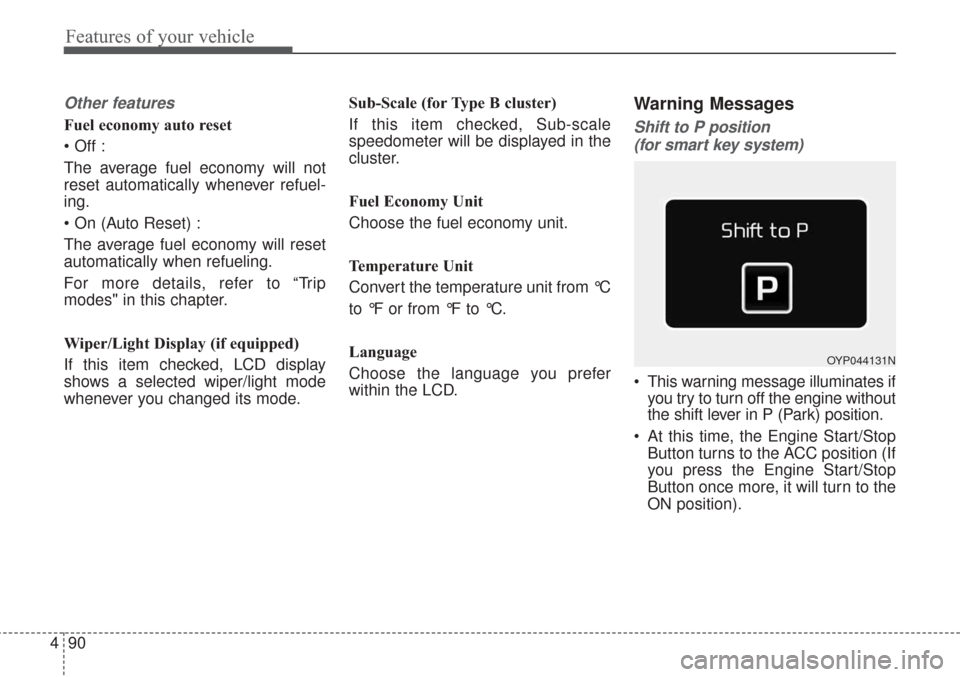
This warning message illuminates if you try to turn off the engine without
the shift lever in P (Park) position.
At this time, the Engine Start/Stop Button turns to the ACC position (If
you press the Engine Start/Stop
Button once more, it will turn to the
ON position).
OYP044131N
Page 185 of 576
Features of your vehicle
100
4
✽ ✽
NOTICE- Electronic Brake
force Distribution
(EBD) System
Warning Light
When the ABS Warning Light is on
or both ABS and Parking Brake &
Brake Fluid Warning Lights are on,
the speedometer, odometer, or trip-
meter may not work. Also, the EPS
Warning Light may illuminate and
the steering effort may increase or
decrease.
In this case, have your vehicle inspect-
ed by an authorized Kia dealer as
soon as possible.
Electronic Power
Steering (EPS) WarningLight
This warning light illuminates:
Once you set the ignition switch or Engine Start/Stop Button to the ON
position.
- It remains on until the engine isstarted.
When there is a malfunction with the EPS.
In this case, have your vehicle
inspected by an authorized Kia
dealer.
WARNING - Electronic
Brake force Distribution
(EBD) System Warning Light
When both ABS and Parking
Brake & Brake Fluid Warning
Lights are on, the brake system
will not work normally and you
may experience an unexpected
and dangerous situation during
sudden braking thereby
increasing the risk of a crash.
In this case, avoid high speed
driving and abrupt braking.
Have your vehicle inspected by
an authorized Kia dealer as
soon as possible thereby
increasing the risk of a crash
and injury.
Page 193 of 576
Features of your vehicle
108
4
Cruise SET Indicator
Light (if equipped)
This indicator light illuminates:
When the cruise control speed is set.
For more details, refer to “Cruise
Control System” in chapter 5.
AUTO HOLD IndicatorLight (if equipped)
This indicator light illuminates:
[White] When you activate the auto hold system by pressing the AUTO
HOLD button.
[Green] When you stop the vehicle completely by depressing the
brake pedal with the auto hold sys-
tem activated.
[Yellow] When there is a malfunc- tion with the auto hold system.
In this case, have your vehicle
inspected by an authorized Kia
dealer.
❈ For more details, refer to “Auto
Hold” in chapter 5.
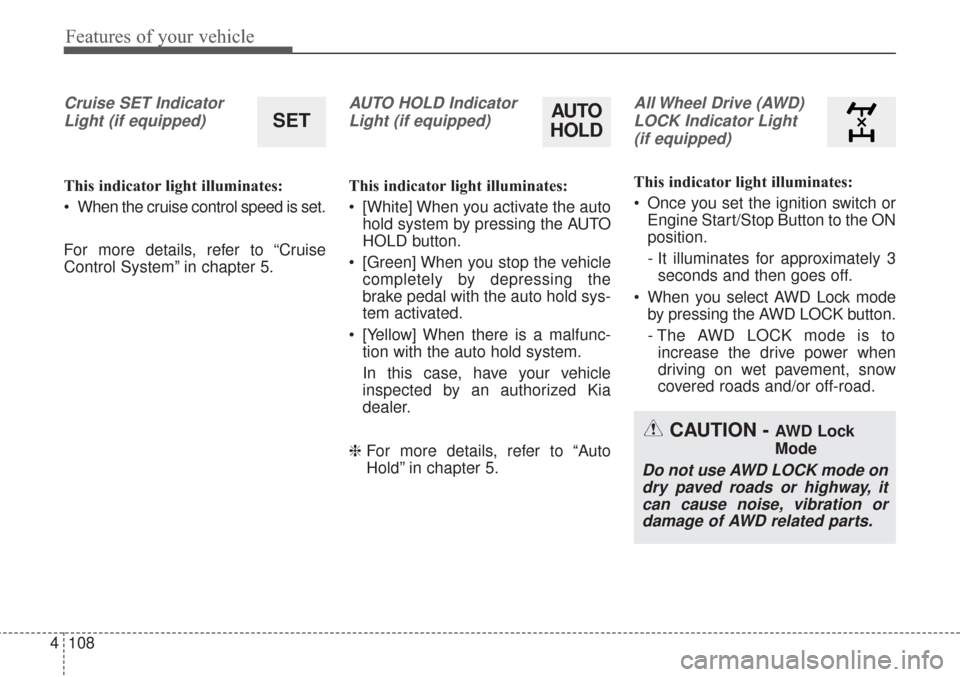
All Wheel Drive (AWD)
LOCK Indicator Light (if equipped)
This indicator light illuminates:
Once you set the ignition switch or Engine Start/Stop Button to the ON
position.
- It illuminates for approximately 3seconds and then goes off.
When you select AWD Lock mode by pressing the AWD LOCK button.
- The AWD LOCK mode is toincrease the drive power when
driving on wet pavement, snow
covered roads and/or off-road.
SETAUTO
HOLD
CAUTION - AWD Lock
Mode
Do not use AWD LOCK mode on
dry paved roads or highway, itcan cause noise, vibration ordamage of AWD related parts.
Page 194 of 576
4109
Features of your vehicle
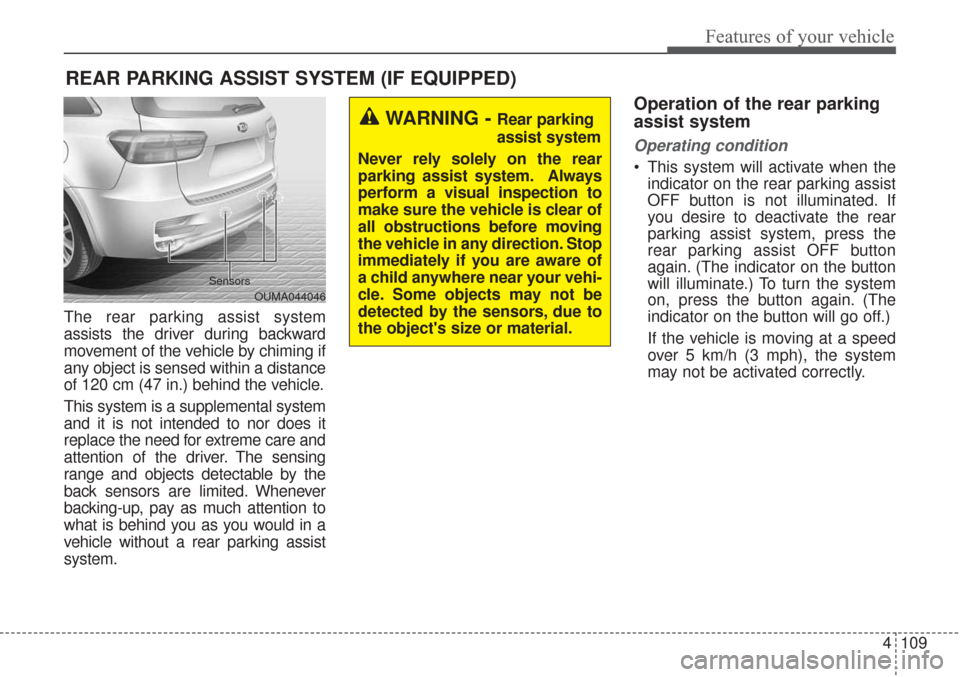
The rear parking assist system
assists the driver during backward
movement of the vehicle by chiming if
any object is sensed within a distance
of 120 cm (47 in.) behind the vehicle.
This system is a supplemental system
and it is not intended to nor does it
replace the need for extreme care and
attention of the driver. The sensing
range and objects detectable by the
back sensors are limited. Whenever
backing-up, pay as much attention to
what is behind you as you would in a
vehicle without a rear parking assist
system.
Operation of the rear parking
assist system
Operating condition
This system will activate when theindicator on the rear parking assist
OFF button is not illuminated. If
you desire to deactivate the rear
parking assist system, press the
rear parking assist OFF button
again. (The indicator on the button
will illuminate.) To turn the system
on, press the button again. (The
indicator on the button will go off.)
If the vehicle is moving at a speed
over 5 km/h (3 mph), the system
may not be activated correctly.
REAR PARKING ASSIST SYSTEM (IF EQUIPPED)
WARNING - Rear parking
assist system
Never rely solely on the rear
parking assist system. Always
perform a visual inspection to
make sure the vehicle is clear of
all obstructions before moving
the vehicle in any direction. Stop
immediately if you are aware of
a child anywhere near your vehi-
cle. Some objects may not be
detected by the sensors, due to
the object's size or material.
OUMA044046
Sensors
Page 195 of 576
Features of your vehicle
110
4
This system will activate when
backing up with the ignition switch
ON.
If the vehicle is moving at a speed
over 5 km/h (3 mph), the system
may not be activated correctly.
The sensing distance while the back-up warning system is in oper-
ation is approximately 120 cm (47
in.) at the rear bumper center area,
60 cm (23.5 in.) at the rear bumper
both side area.
When more than two objects are sensed at the same time, the clos-
est one will be recognized first.Types of warning sound
When an object is 120 cm to 61 cm(47 in. to 24 in.) from the rear
bumper: Buzzer beeps intermit-
tently.
When an object is 60 cm to 31 cm (24 in. to 12 in.) from the rear
bumper: Buzzer beeps more fre-
quently.
When an object is within 30 cm (12 in.) of the rear bumper:
Buzzer sounds continuously.
Non-operational conditions of
rear parking assist system
The rear parking assist system
may not operate properly when:
1. Moisture is frozen to the sensor. (It will operate normally when the
moisture has been cleared.)
2. The sensor is covered with foreign matter, such as snow or water, or
the sensor cover is blocked. (It will
operate normally when the materi-
al is removed or the sensor is no
longer blocked.)
3. Driving on uneven road surfaces (unpaved roads, gravel, bumps,
gradient).
4. Objects generating excessive noise (vehicle horns, loud motor-
cycle engines, or truck air brakes)
are within range of the sensor.
5. Heavy rain or water spray exists.
6. Wireless transmitters or mobile phones are within range of the
sensor.
7. The sensor is covered with snow.
8. Trailer towing
Page 196 of 576
4111
Features of your vehicle
The detecting range may decrease
when:
1. The sensor is covered with foreignmatter such as snow or water.
(The sensing range will return to
normal when removed.)
2. Outside air temperature is extremely hot or cold.
The following objects may not be
recognized by the sensor:
1. Sharp or slim objects such as ropes, chains or small poles.
2. Objects which tend to absorb the sensor frequency such as clothes,
spongy material or snow.
3. Undetectable objects smaller than 1 m (40 in.) in height and narrower
than 14 cm (6 in.) in diameter.Rear parking assist system
precautions
The rear parking assist systemmay not sound consistently
depending on the speed and
shapes of the objects detected.
The rear parking assist system may malfunction if the vehicle bumper
height or sensor installation has
been modified or damaged. Any
non-factory installed equipment or
accessories may also interfere with
the sensor performance.
The sensor may not recognize objects less than 40 cm (15 in.)
from the sensor, or it may sense an
incorrect distance. Use caution.
When the sensor is frozen or cov- ered with snow, dirt, or water, the
sensor may be inoperative until the
material is removed using a soft
cloth.
Do not push, scratch or strike the sensor. Sensor damage could
occur.
✽ ✽ NOTICE
This system can only sense objects
within the range and location of the
sensors. It cannot detect objects in
other areas where sensors are not
installed. Also, small or slim objects,
such as poles or objects located
between sensors may not be detected
by the sensors.
Always visually check behind the
vehicle when backing up.
Be sure to inform any drivers of the
vehicle that may be unfamiliar with
the system regarding the systems
capabilities and limitations.
Page 199 of 576
Features of your vehicle
114
4
The 360° camera monitoring system
is not a substitute for proper and safe
parking procedures. The 360° cam-
era monitoring system may not
detect every object surrounding the
vehicle. Always drive safely and use
caution when parking.
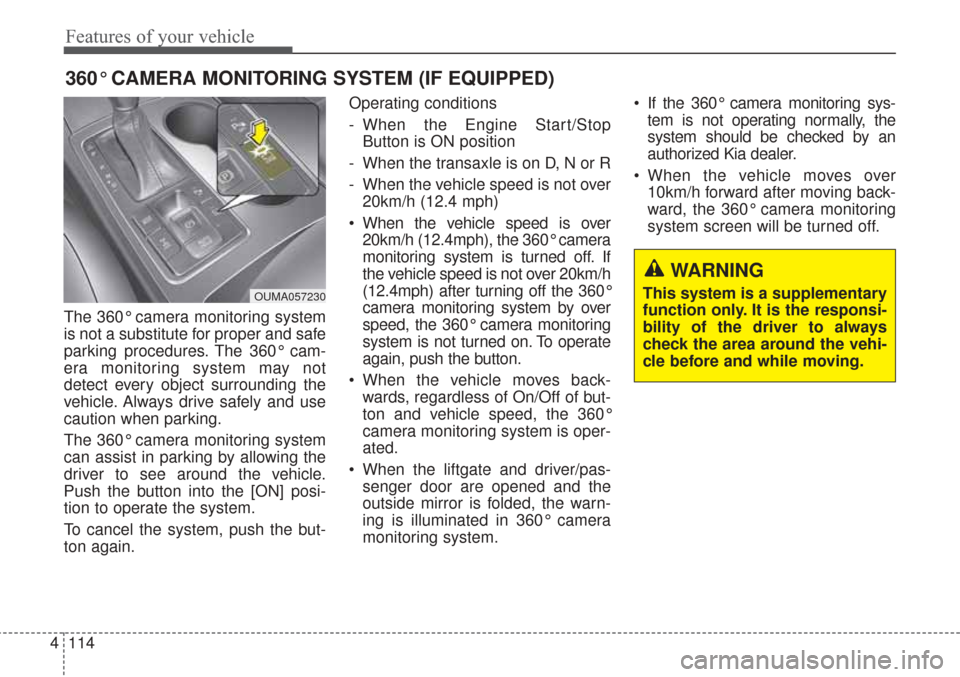
The 360° camera monitoring system
can assist in parking by allowing the
driver to see around the vehicle.
Push the button into the [ON] posi-
tion to operate the system.
To cancel the system, push the but-
ton again. Operating conditions
- When the Engine Start/Stop
Button is ON position
- When the transaxle is on D, N or R
- When the vehicle speed is not over 20km/h (12.4 mph)
When the vehicle speed is over 20km/h (12.4mph), the 360° camera
monitoring system is turned off. If
the vehicle speed is not over 20km/h
(12.4mph) after turning off the 360°
camera monitoring system by over
speed, the 360° camera monitoring
system is not turned on. To operate
again, push the button.
When the vehicle moves back- wards, regardless of On/Off of but-
ton and vehicle speed, the 360°
camera monitoring system is oper-
ated.
When the liftgate and driver/pas- senger door are opened and the
outside mirror is folded, the warn-
ing is illuminated in 360° camera
monitoring system. If the 360° camera monitoring sys-
tem is not operating normally, the
system should be checked by an
authorized Kia dealer.
When the vehicle moves over 10km/h forward after moving back-
ward, the 360° camera monitoring
system screen will be turned off.
360° CAMERA MONITORING SYSTEM (IF EQUIPPED)
OUMA057230
WARNING
This system is a supplementary
function only. It is the responsi-
bility of the driver to always
check the area around the vehi-
cle before and while moving.
Page 205 of 576
Features of your vehicle
120
4
Headlight leveling device
(if equipped)
Automatic type
To ensure the proper headlight beam
is used under various conditions, the
headlight beam levels are automati-
cally adjusted depending on the
number of passengers, the weight in
the trunk, and other driving condi-
tions.
✽ ✽
NOTICE
If it does not work properly even
though your car is inclined backward
according to passenger's posture, or
the headlight beam is irradiated to
the high or low position, have the sys-
tem be inspected by an authorized
Kia dealer.
Do not attempt to inspect or replace
the wiring yourself.
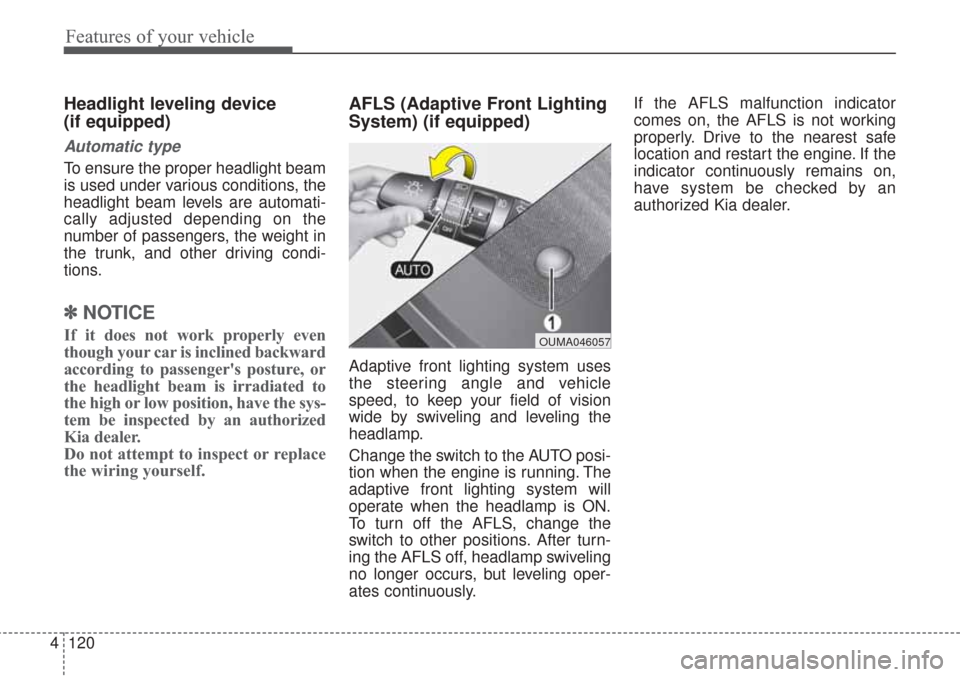
AFLS (Adaptive Front Lighting
System) (if equipped)
Adaptive front lighting system uses
the steering angle and vehicle
speed, to keep your field of vision
wide by swiveling and leveling the
headlamp.
Change the switch to the AUTO posi-
tion when the engine is running. The
adaptive front lighting system will
operate when the headlamp is ON.
To turn off the AFLS, change the
switch to other positions. After turn-
ing the AFLS off, headlamp swiveling
no longer occurs, but leveling oper-
ates continuously. If the AFLS malfunction indicator
comes on, the AFLS is not working
properly. Drive to the nearest safe
location and restart the engine. If the
indicator continuously remains on,
have system be checked by an
authorized Kia dealer.
OUMA046057
Page 206 of 576
4121
Features of your vehicle
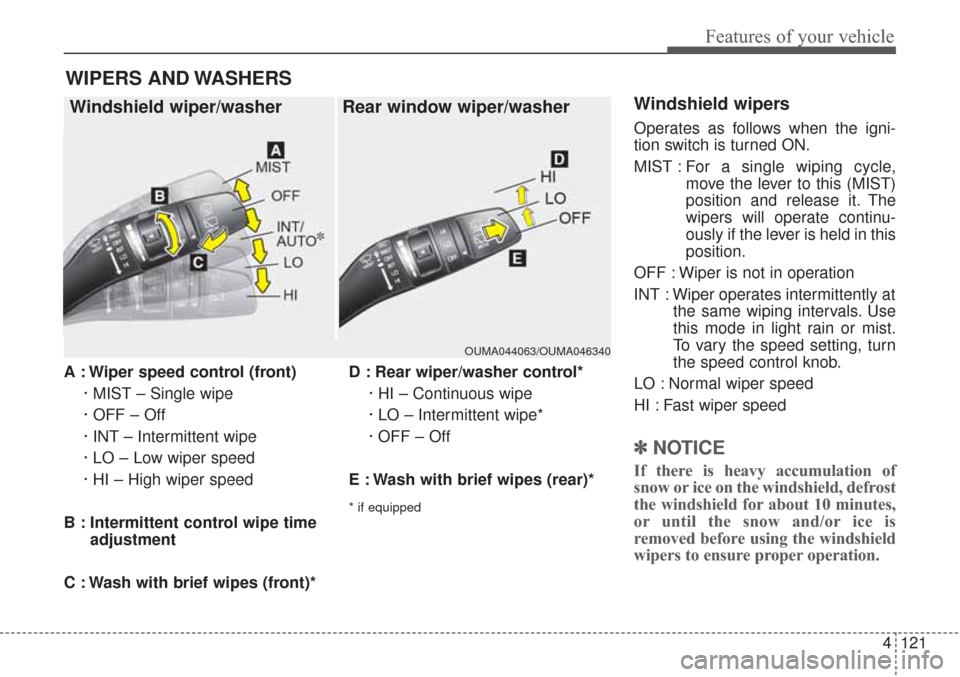
A : Wiper speed control (front)· MIST – Single wipe
· OFF – Off
· INT – Intermittent wipe
· LO – Low wiper speed
· HI – High wiper speed
B : Intermittent control wipe time adjustment
C : Wash with brief wipes (front)* D : Rear wiper/washer control*
· HI – Continuous wipe
· LO – Intermittent wipe*
· OFF – Off
E : Wash with brief wipes (rear)*
* if equipped
Windshield wipers
Operates as follows when the igni-
tion switch is turned ON.
MIST : For a single wiping cycle,
move the lever to this (MIST)
position and release it. The
wipers will operate continu-
ously if the lever is held in this
position.
OFF : Wiper is not in operation
INT : Wiper operates intermittently at the same wiping intervals. Use
this mode in light rain or mist.
To vary the speed setting, turn
the speed control knob.
LO : Normal wiper speed
HI : Fast wiper speed
✽ ✽ NOTICE
If there is heavy accumulation of
snow or ice on the windshield, defrost
the windshield for about 10 minutes,
or until the snow and/or ice is
removed before using the windshield
wipers to ensure proper operation.
WIPERS AND WASHERS
Windshield wiper/washer Rear window wiper/washer
OUMA044063/OUMA046340
Page 207 of 576
Features of your vehicle
122
4
Auto control (if equipped)
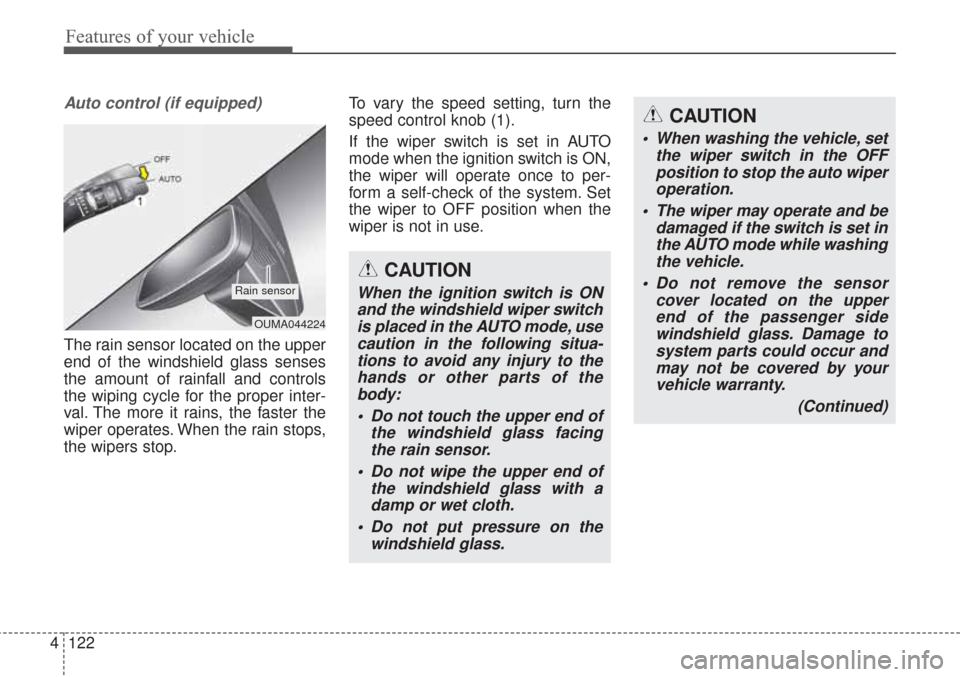
The rain sensor located on the upper
end of the windshield glass senses
the amount of rainfall and controls
the wiping cycle for the proper inter-
val. The more it rains, the faster the
wiper operates. When the rain stops,
the wipers stop. To vary the speed setting, turn the
speed control knob (1).
If the wiper switch is set in AUTO
mode when the ignition switch is ON,
the wiper will operate once to per-
form a self-check of the system. Set
the wiper to OFF position when the
wiper is not in use.
OUMA044224
Rain sensor
CAUTION
When washing the vehicle, set
the wiper switch in the OFFposition to stop the auto wiperoperation.
The wiper may operate and be damaged if the switch is set inthe AUTO mode while washingthe vehicle.
Do not remove the sensor cover located on the upperend of the passenger sidewindshield glass. Damage tosystem parts could occur andmay not be covered by yourvehicle warranty.
(Continued)
CAUTION
When the ignition switch is ONand the windshield wiper switchis placed in the AUTO mode, usecaution in the following situa-tions to avoid any injury to thehands or other parts of thebody:
Do not touch the upper end of the windshield glass facingthe rain sensor.
Do not wipe the upper end of the windshield glass with adamp or wet cloth.
Do not put pressure on the windshield glass.