warning light KIA SORENTO 2018 Workshop Manual
[x] Cancel search | Manufacturer: KIA, Model Year: 2018, Model line: SORENTO, Model: KIA SORENTO 2018Pages: 536, PDF Size: 13.42 MB
Page 202 of 536
4117
Features of your vehicle
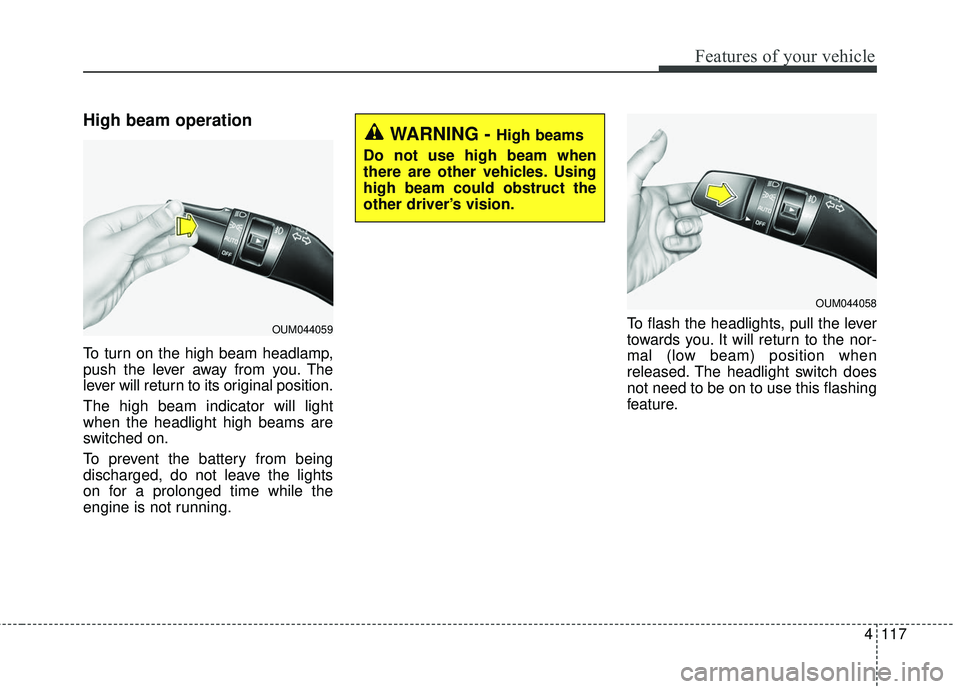
High beam operation
To turn on the high beam headlamp,
push the lever away from you. The
lever will return to its original position.
The high beam indicator will light
when the headlight high beams are
switched on.
To prevent the battery from being
discharged, do not leave the lights
on for a prolonged time while the
engine is not running.To flash the headlights, pull the lever
towards you. It will return to the nor-
mal (low beam) position when
released. The headlight switch does
not need to be on to use this flashing
feature.
WARNING - High beams
Do not use high beam when
there are other vehicles. Using
high beam could obstruct the
other driver’s vision.
OUM044059
OUM044058
Page 204 of 536
4119
Features of your vehicle
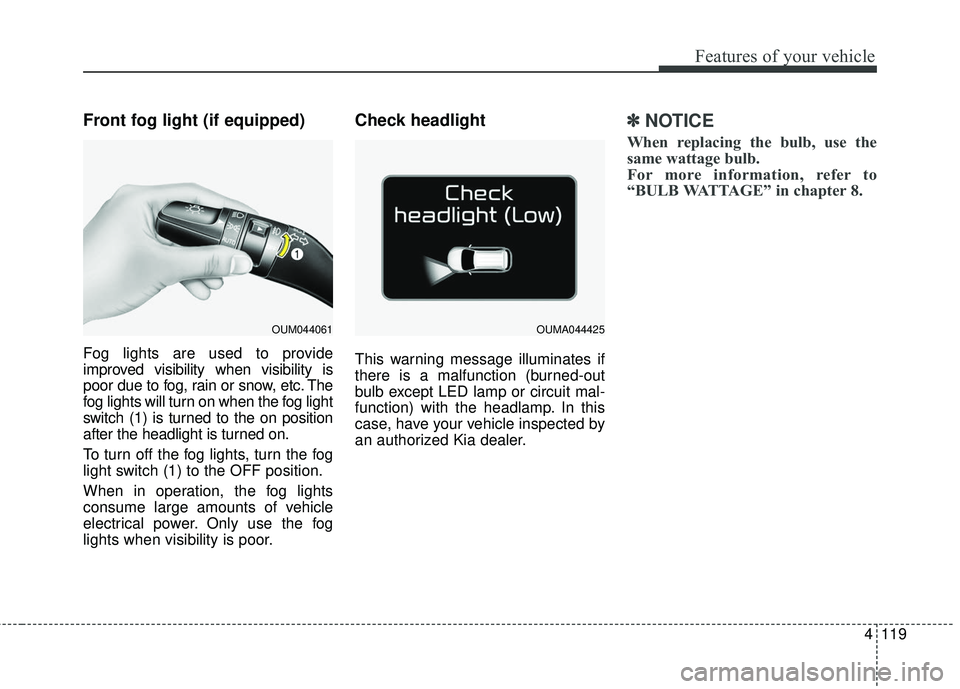
Front fog light (if equipped)
Fog lights are used to provide
improved visibility when visibility is
poor due to fog, rain or snow, etc. The
fog lights will turn on when the fog light
switch (1) is turned to the on position
after the headlight is turned on.
To turn off the fog lights, turn the fog
light switch (1) to the OFF position.
When in operation, the fog lights
consume large amounts of vehicle
electrical power. Only use the fog
lights when visibility is poor.
Check headlight
This warning message illuminates if
there is a malfunction (burned-out
bulb except LED lamp or circuit mal-
function) with the headlamp. In this
case, have your vehicle inspected by
an authorized Kia dealer.
✽ ✽NOTICE
When replacing the bulb, use the
same wattage bulb.
For more information, refer to
“BULB WATTAGE” in chapter 8.
OUM044061OUMA044425
Page 210 of 536
4125
Features of your vehicle
Do not use the interior lights for
extended periods when the engine is
not running.
It may cause battery discharge.Automatic turn off function
(if equipped)
The interior lights automatically turn
off approximately 20 minutes after
the ignition switch is turned off, if the
lights are in the ON position.
If your vehicle is equipped with the
theft alarm system, the interior lights
automatically turn off approximately
5 seconds after the system enters
armed stage.
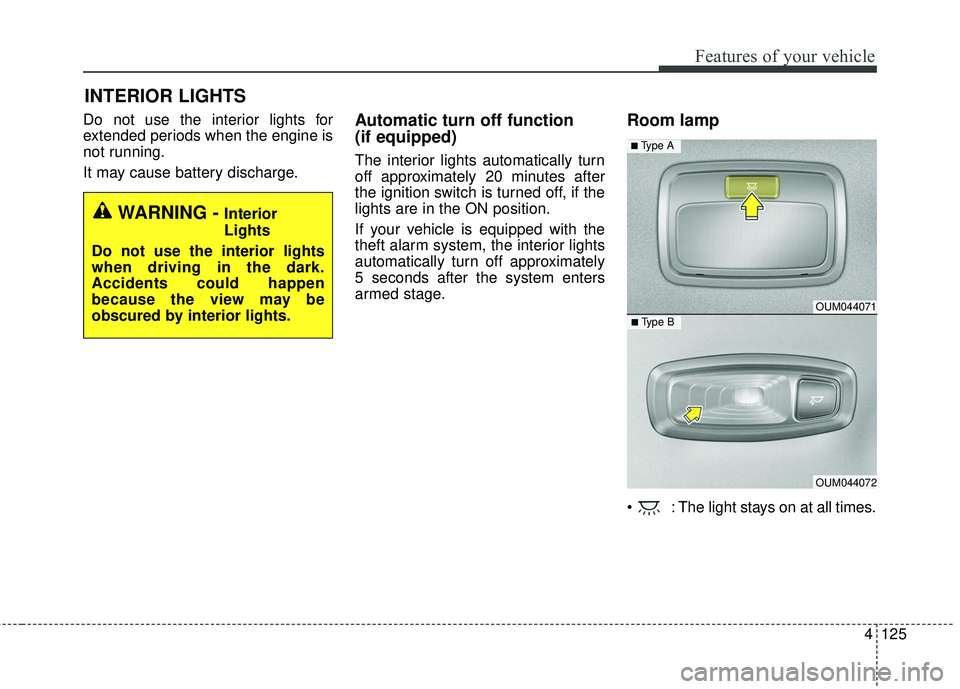
Room lamp
: The light stays on at all times.
INTERIOR LIGHTS
WARNING - Interior
Lights
Do not use the interior lights
when driving in the dark.
Accidents could happen
because the view may be
obscured by interior lights.
OUM044071
OUM044072
■ Type B
■ Type A
Page 264 of 536
4179
Features of your vehicle
Using a cellular phone or a two-way radio
When a cellular phone is used inside
the vehicle, noise may be produced
from the audio system. This does not
mean that something is wrong with
the audio equipment. In such a case,
try to operate mobile devices as far
from the audio equipment as possi-
ble.
When using a communication sys-
tem such as a cellular phone or a
radio set inside the vehicle, a sepa-
rate external antenna must be fitted.
When a cellular phone or a radio set
is used with an internal antenna
alone, it may interfere with the vehi-
cle's electrical system and adversely
affect safe operation of the vehicle.
WARNING- Cell phone use
Do not use a cellular phone
while driving. Stop at a safe
location to use a cellular phone.
WARNING- Driver Distraction
Do not stare at the screen while driving. Staring at the
screen for prolonged periods
of time could lead to traffic
accidents.
Using the phone while driving may lead to a lack of attention
of traffic conditions and
increase the likelihood of
accidents. Use the phone fea-
ture after parking the vehicle.
WARNING- Audio System
Do not disassemble, assemble,
or modify the audio system.
Such acts could result in fire or
electric shock.
WARNING- Antenna
Do not touch the antenna dur-
ing thunder or lightening as
such acts may lead to lightning
induced electric shock.
CAUTION
Refrain from use if the screen is blank or no sound can be heardas these signs may indicateproduct malfunction.
Page 272 of 536
 . . . . . . . . .")
Drive mode integrated control system . . . . . . . . . 5-81• Drive mode . . . . . . . . . . . . . . . . . . . . . . . . . . . . . . . . . . 5-81\
Blind spot detection system (BSD) . . . . . . . . . . . . 5-84• BSD (Blind spot detection) / LCA (Lane change assist) . . . . . . . . . . . . . . . . . . . . 5-85
• RCTA (Rear cross traffic alert) . . . . . . . . . . . . . . . . . 5-88
• Non-operating condition . . . . . . . . . . . . . . . . . . . . . . . 5-90
Lane departure warning system (LDWS) . . . . . . 5-92• LDWS operation . . . . . . . . . . . . . . . . . . . . . . . . . . . . . 5-93
• Warning light and message . . . . . . . . . . . . . . . . . . . . 5-95
• The LDWS does not operate when . . . . . . . . . . . . . . 5-95
• Driver's attention. . . . . . . . . . . . . . . . . . . . . . . . . . . . . 5-95
Economical operation . . . . . . . . . . . . . . . . . . . . . . 5-97
Special driving conditions . . . . . . . . . . . . . . . . . . . 5-99
• Hazardous driving conditions . . . . . . . . . . . . . . . . . . 5-99
• Reducing the risk of a rollover . . . . . . . . . . . . . . . . . 5-99
• Rocking the vehicle . . . . . . . . . . . . . . . . . . . . . . . . . . 5-101
• Smooth cornering . . . . . . . . . . . . . . . . . . . . . . . . . . . 5-101
• Driving at night . . . . . . . . . . . . . . . . . . . . . . . . . . . . . 5-102
• Driving in the rain . . . . . . . . . . . . . . . . . . . . . . . . . . . 5-102
• Driving in flooded areas . . . . . . . . . . . . . . . . . . . . . . 5-103
• Driving off-road . . . . . . . . . . . . . . . . . . . . . . . . . . . . . 5-103
• Highway driving . . . . . . . . . . . . . . . . . . . . . . . . . . . . 5-103
Winter driving . . . . . . . . . . . . . . . . . . . . . . . . . . . 5-105• Snowy or icy conditions . . . . . . . . . . . . . . . . . . . . . . 5-105
• Use high quality ethylene glycol coolant . . . . . . . . . 5-106
• Check battery and cables . . . . . . . . . . . . . . . . . . . . . 5-106
• Change to "winter weight" oil if necessary . . . . . . 5-106 • Check spark plugs and ignition system. . . . . . . . . . 5-106
• To keep locks from freezing . . . . . . . . . . . . . . . . . . . 5-106
• Use approved window washer anti-freeze in
system . . . . . . . . . . . . . . . . . . . . . . . . . . . . . . . . . . . . \
5-106
• Don't let your parking brake freeze . . . . . . . . . . . . 5-107
• Don't let ice and snow accumulate underneath . . . 5-107
• Carry emergency equipment . . . . . . . . . . . . . . . . . . 5-107
Trailer towing . . . . . . . . . . . . . . . . . . . . . . . . . . . . 5-108• Hitches . . . . . . . . . . . . . . . . . . . . . . . . . . . . . . . . . . . . \
5-109
• Safety chains . . . . . . . . . . . . . . . . . . . . . . . . . . . . . . . 5-109
• Trailer brakes . . . . . . . . . . . . . . . . . . . . . . . . . . . . . . 5-109
• Driving with a trailer . . . . . . . . . . . . . . . . . . . . . . . . 5-110
• Maintenance when trailer towing . . . . . . . . . . . . . . 5-113
• If you do decide to pull a trailer . . . . . . . . . . . . . . . 5-114
Vehicle load limit . . . . . . . . . . . . . . . . . . . . . . . . . 5-116• Tire and loading information label . . . . . . . . . . . . . 5-116
• Certification label . . . . . . . . . . . . . . . . . . . . . . . . . . . 5-120
Vehicle weight glossary . . . . . . . . . . . . . . . . . . . . 5-122• Base curb weight . . . . . . . . . . . . . . . . . . . . . . . . . . . 5-122
• Vehicle curb weight . . . . . . . . . . . . . . . . . . . . . . . . . . 5-122
• Cargo weight . . . . . . . . . . . . . . . . . . . . . . . . . . . . . . . 5-122
• GAW (Gross axle weight) . . . . . . . . . . . . . . . . . . . . . 5-122
• GAWR (Gross axle weight rating) . . . . . . . . . . . . . . 5-122
• GVW (Gross vehicle weight) . . . . . . . . . . . . . . . . . . 5-122
• GVWR (Gross vehicle weight rating) . . . . . . . . . . . 5-122
5
Page 274 of 536
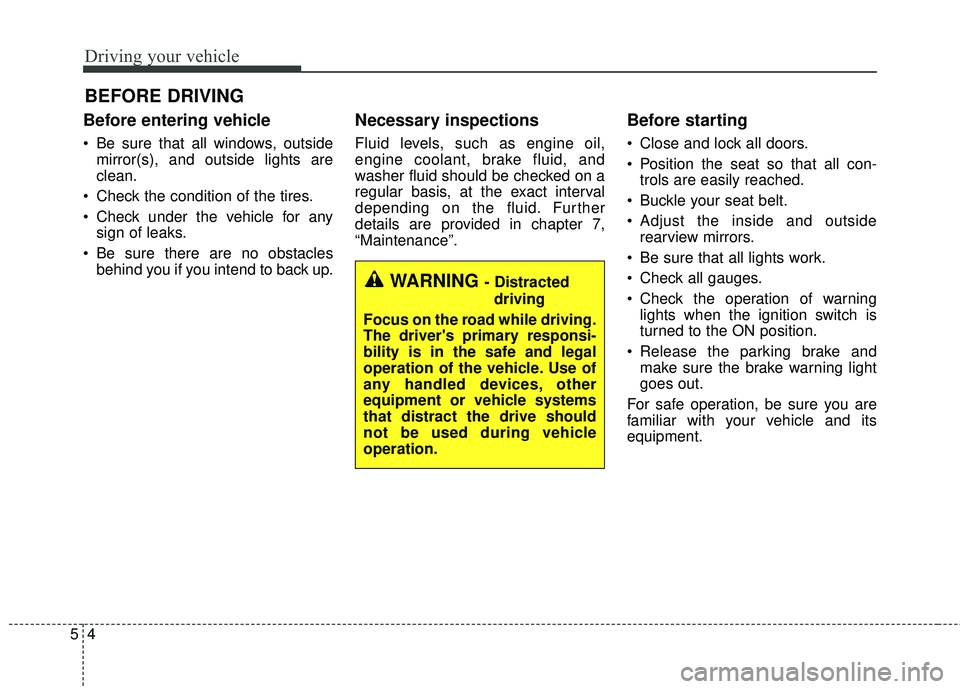
Driving your vehicle
45
Before entering vehicle
• Be sure that all windows, outsidemirror(s), and outside lights are
clean.
Check the condition of the tires.
Check under the vehicle for any sign of leaks.
Be sure there are no obstacles behind you if you intend to back up.
Necessary inspections
Fluid levels, such as engine oil,
engine coolant, brake fluid, and
washer fluid should be checked on a
regular basis, at the exact interval
depending on the fluid. Further
details are provided in chapter 7,
“Maintenance”.
Before starting
Close and lock all doors.
Position the seat so that all con-trols are easily reached.
Buckle your seat belt.
Adjust the inside and outside rearview mirrors.
Be sure that all lights work.
Check all gauges.
Check the operation of warning lights when the ignition switch is
turned to the ON position.
Release the parking brake and make sure the brake warning light
goes out.
For safe operation, be sure you are
familiar with your vehicle and its
equipment.
BEFORE DRIVING
WARNING - Distracted driving
Focus on the road while driving.
The driver's primary responsi-
bility is in the safe and legal
operation of the vehicle. Use of
any handled devices, other
equipment or vehicle systems
that distract the drive should
not be used during vehicle
operation.
Page 277 of 536
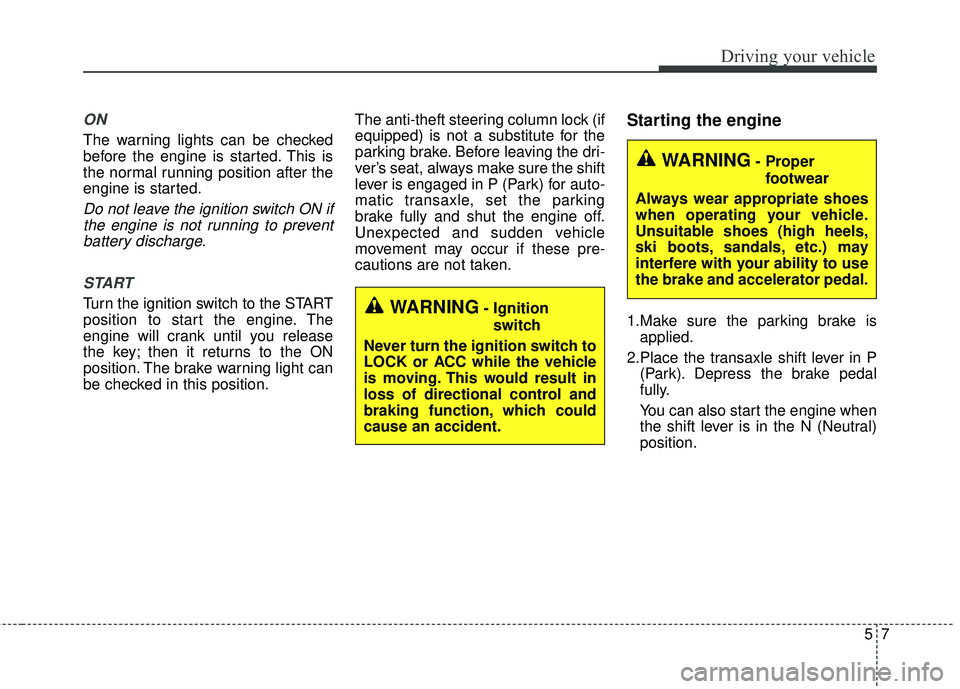
57
Driving your vehicle
ON
The warning lights can be checked
before the engine is started. This is
the normal running position after the
engine is started.
Do not leave the ignition switch ON ifthe engine is not running to preventbattery discharge.
START
Turn the ignition switch to the START
position to start the engine. The
engine will crank until you release
the key; then it returns to the ON
position. The brake warning light can
be checked in this position. The anti-theft steering column lock (if
equipped) is not a substitute for the
parking brake. Before leaving the dri-
ver’s seat, always make sure the shift
lever is engaged in P (Park) for auto-
matic transaxle, set the parking
brake fully and shut the engine off.
Unexpected and sudden vehicle
movement may occur if these pre-
cautions are not taken.
Starting the engine
1.Make sure the parking brake is
applied.
2.Place the transaxle shift lever in P (Park). Depress the brake pedal
fully.
You can also start the engine when
the shift lever is in the N (Neutral)
position.WARNING- Ignition
switch
Never turn the ignition switch to
LOCK or ACC while the vehicle
is moving. This would result in
loss of directional control and
braking function, which could
cause an accident.
WARNING- Proper footwear
Always wear appropriate shoes
when operating your vehicle.
Unsuitable shoes (high heels,
ski boots, sandals, etc.) may
interfere with your ability to use
the brake and accelerator pedal.
Page 280 of 536
Driving your vehicle
10
5
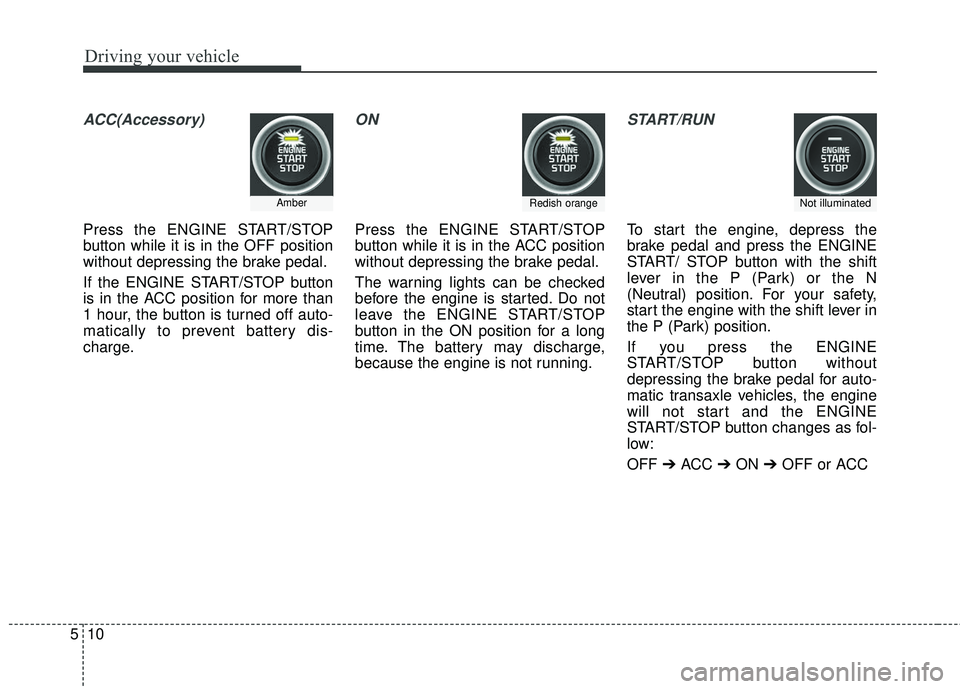
ACC(Accessory)
Press the ENGINE START/STOP
button while it is in the OFF position
without depressing the brake pedal.
If the ENGINE START/STOP button
is in the ACC position for more than
1 hour, the button is turned off auto-
matically to prevent battery dis-
charge.
ON
Press the ENGINE START/STOP
button while it is in the ACC position
without depressing the brake pedal.
The warning lights can be checked
before the engine is started. Do not
leave the ENGINE START/STOP
button in the ON position for a long
time. The battery may discharge,
because the engine is not running.
START/RUN
To start the engine, depress the
brake pedal and press the ENGINE
START/ STOP button with the shift
lever in the P (Park) or the N
(Neutral) position. For your safety,
start the engine with the shift lever in
the P (Park) position.
If you press the ENGINE
START/STOP button without
depressing the brake pedal for auto-
matic transaxle vehicles, the engine
will not start and the ENGINE
START/STOP button changes as fol-
low:
OFF ➔ACC ➔ON ➔OFF or ACC
AmberRedish orangeNot illuminated
Page 285 of 536
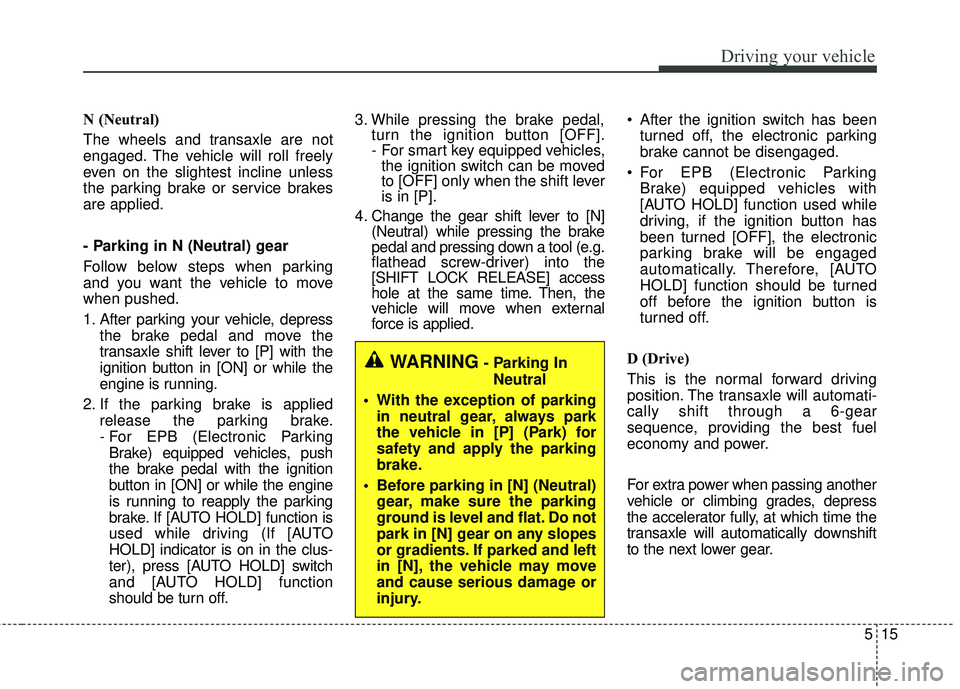
515
Driving your vehicle
N (Neutral)
The wheels and transaxle are not
engaged. The vehicle will roll freely
even on the slightest incline unless
the parking brake or service brakes
are applied.
- Parking in N (Neutral) gear
Follow below steps when parking
and you want the vehicle to move
when pushed.
1. After parking your vehicle, depressthe brake pedal and move the
transaxle shift lever to [P] with the
ignition button in [ON] or while the
engine is running.
2. If the parking brake is applied release the parking brake.
- For EPB (Electronic ParkingBrake) equipped vehicles, push
the brake pedal with the ignition
button in [ON] or while the engine
is running to reapply the parking
brake. If [AUTO HOLD] function is
used while driving (If [AUTO
HOLD] indicator is on in the clus-
ter), press [AUTO HOLD] switch
and [AUTO HOLD] function
should be turn off. 3. While pressing the brake pedal,
turn the ignition button [OFF].
- For smart key equipped vehicles,the ignition switch can be moved
to [OFF] only when the shift lever
is in [P].
4. Change the gear shift lever to [N] (Neutral) while pressing the brake
pedal and pressing down a tool (e.g.
flathead screw-driver) into the
[SHIFT LOCK RELEASE] access
hole at the same time. Then, the
vehicle will move when external
force is applied. After the ignition switch has been
turned off, the electronic parking
brake cannot be disengaged.
For EPB (Electronic Parking Brake) equipped vehicles with
[AUTO HOLD] function used while
driving, if the ignition button has
been turned [OFF], the electronic
parking brake will be engaged
automatically. Therefore, [AUTO
HOLD] function should be turned
off before the ignition button is
turned off.
D (Drive)
This is the normal forward driving
position. The transaxle will automati-
cally shift through a 6-gear
sequence, providing the best fuel
economy and power.
For extra power when passing another
vehicle or climbing grades, depress
the accelerator fully, at which time the
transaxle will automatically downshift
to the next lower gear.
WARNING- Parking In Neutral
With the exception of parking in neutral gear, always park
the vehicle in [P] (Park) for
safety and apply the parking
brake.
Before parking in [N] (Neutral) gear, make sure the parking
ground is level and flat. Do not
park in [N] gear on any slopes
or gradients. If parked and left
in [N], the vehicle may move
and cause serious damage or
injury.
Page 291 of 536
521
Driving your vehicle
If the AWD system warning light
( ) illuminates, this indicates that
there is a malfunction in the AWD
system.
If this occurs, have your vehicle
checked by an authorized Kia dealer
as soon as possible.
Tight corner brake effect
Tight corner brake effect is a unique
characteristic of all wheel drive vehi-
cles caused by the difference in tire
rotation of the four wheels and the
zero-degree alignment of the front
wheels and suspension.
Sharp turns at low speeds should be
carried out with caution.WARNING - Off road driv-
ing
Do not attempt to operate your
vehicle under extreme or chal-
lenging off road driving condi-
tions. Although this vehicle has
off-road capabilities, it was not
designed to be driven off road.