change time KIA SOUL 2019 Owner's Manual
[x] Cancel search | Manufacturer: KIA, Model Year: 2019, Model line: SOUL, Model: KIA SOUL 2019Pages: 564, PDF Size: 14.2 MB
Page 258 of 564
![KIA SOUL 2019 Owners Manual Audio system
520List
A list of all channels is displayed.
Select the desired channel.
Favorite channels can be saved to
[Presets] by selecting the [+].
Menu
Select the [Menu], and select the
desired f](/img/2/40387/w960_40387-257.png "KIA SOUL 2019 Owners Manual Audio system
520List
A list of all channels is displayed.
Select the desired channel.
Favorite channels can be saved to
[Presets] by selecting the [+].
Menu
Select the [Menu], and select the
desired f")
Audio system
520List
A list of all channels is displayed.
Select the desired channel.
Favorite channels can be saved to
[Presets] by selecting the [+].
Menu
Select the [Menu], and select the
desired function.
Presets: Save up to 40 frequently
used channels.
To listen to a preset, select the
desired channel.
Press and hold the desired slot
from 1 through 40. This saves the
current channel in the selected
slot.
If the slot is empty, simply selecting
saves the channel to the slot.
Categories: Channels can be searched by category.
Direct Tune: The desired channel can be selected by entering num-
bers.
Sound Settings: Audio sound set- tings can be changed. Tag Song: Tag the current song
information.
When an Apple device (iPhone
®,
iPod®) is connected, tagged song
information is sent automatically to
the connected device.
✽ ✽ NOTICE
Up to 50 songs can be tagged.
Scan: All channels available in the
vehicle's current location are
played for ten seconds each.
Program Schedule: View the pro- gram schedule.
Featured Favorites: The Featured Favorites feature allows SiriusXM™
to broadcast additional presets.
- Example 1: During holidays,“Holiday Music” might include all
SiriusXM™ channels that are
playing holiday music for easy
access by users.
Multiple sets of Featured Favorites
data can be broadcast by
SiriusXM™ and can change from
time to time. Information: View detailed channel
information.
Category Lock: Search or scan channels in the current category
only.
Page 287 of 564
Audio system
49
5
Siri
✽ ✽
NOTICE - Using Siri
• Android device is not supported to
use Siri.
• If you want to use Siri, you have to connect your iOS device to the
multimedia system through
Bluetooth
®Wireless Technology.
(Please check whether your iOS
device supports Siri and turning
Siri On)
• If the iOS version is changed, the functions and response may be dif-
ferent according to the iOS device
and the latest version.
• Siri automatically stops in the fol- lowing events.
1) Outgoing and incoming phone calls.
2) Media (USB, etc.) is connected. (Siri mode is maintained when
iPod
®s are connected)
3) Rear camera is activated
(if
equipped).
4) Vehicle is started or engine is
turned off. (Continued)(Continued)
5) Screen transition buttons, such as RADIO or MEDIA, are
selected.
6) When a pop-up message is dis- played on the screen due to
accidental execution of Siri.
• The microphone is located above the driver’s seat. To ensure proper
Siri, state your voice while main-
taining proper driving posture.
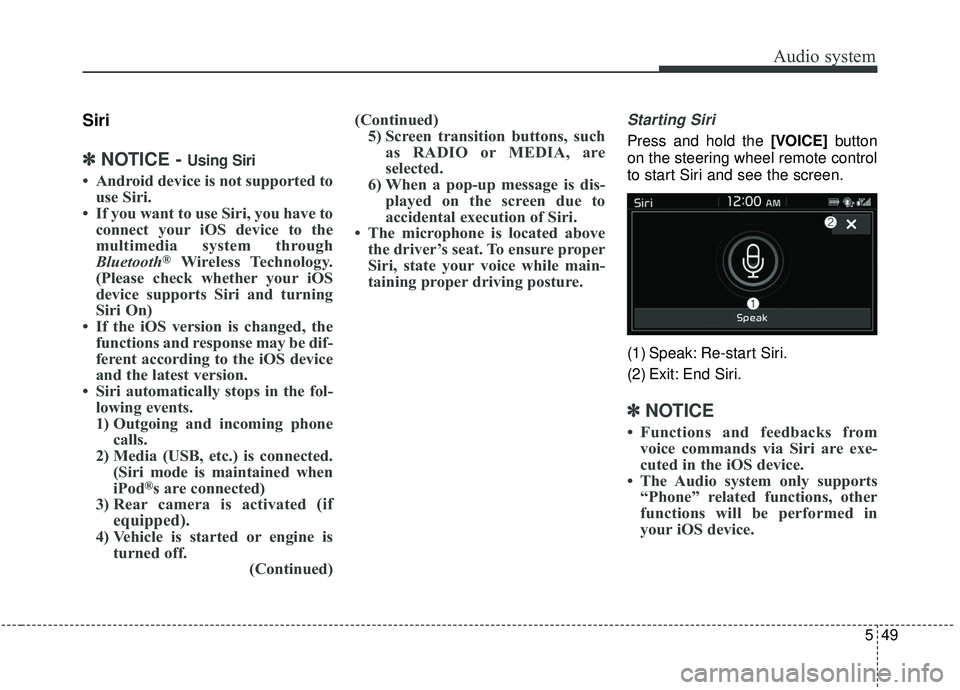
Starting Siri
Press and hold the [VOICE] button
on the steering wheel remote control
to start Siri and see the screen.
(1) Speak: Re-start Siri.
(2) Exit: End Siri.
✽ ✽ NOTICE
• Functions and feedbacks from
voice commands via Siri are exe-
cuted in the iOS device.
• The Audio system only supports “Phone” related functions, other
functions will be performed in
your iOS device.
Page 288 of 564
![KIA SOUL 2019 Owners Manual Audio system
550
Setup
Setup is the screen to control Audio
system settings.
Press the [SETUP]button on the
audio system.
Display
Press the [SETUP] button on the
audio system ➟ Select [Display].
M](/img/2/40387/w960_40387-287.png "KIA SOUL 2019 Owners Manual Audio system
550
Setup
Setup is the screen to control Audio
system settings.
Press the [SETUP]button on the
audio system.
Display
Press the [SETUP] button on the
audio system ➟ Select [Display].
M")
Audio system
550
Setup
Setup is the screen to control Audio
system settings.
Press the [SETUP]button on the
audio system.
Display
Press the [SETUP] button on the
audio system ➟ Select [Display].
Mode: Set the screen brightness to be adjusted automatically accord-
ing to ambient lighting conditions
or set the screen to stay bright or
dark continuously.
Illumination: The brightness of the audio screen can be changed.
Sound
Press the [SETUP] button on the
audio system ➟ Select [Sound].
Position: Sound balance and fader can be adjusted.
Tone: Sound tone color can be adjusted.
Speed Dependent Volume: Automatically adjust volume based
on vehicle speed.
Beep: Select whether to play a beep sound when the screen is
touched.
Date/Time
Press the [SETUP] button on the
audio system ➟ Select [Date/Time].
Set Time: Set the time displayed on the audio screen.
Time Format: Choose between 12- hour and 24-hour time formats.
Set Date: Set the date displayed on the audio screen.
Bluetooth
Press the [SETUP] button on the
audio system ➟ Select [Bluetooth].
Connections: Control pairing, dele- tion, connection and disconnection
of
Bluetooth®Wireless Technology
devices.
Auto Connection Priority: Set the connection priority of
Bluetooth®
Wireless Technology devices when
the vehicle is started.
Download Contacts: Contacts can be downloaded from connected
Bluetooth®Wireless Technology
devices.
Bluetooth Voice Prompts: Play or mute voice prompts for
Bluetooth®
Wireless Technology device pair-
ing, connection and errors.
WARNING
- Date/Time Setting Distraction
Adjusting the date/time setting
while driving can result in a loss
of vehicle control that may lead
to an accident, severe personal
injury, and death.
Page 289 of 564
Audio system
51
5
✽ ✽
NOTICE
• When paired devices are deleted,
the call history and contacts of the
device saved to the audio system
are deleted.
• For Bluetooth
®Wireless Technology
connections with low connection pri-
ority, some time may be required for
the connection to be established.
• Contacts can be downloaded only from the currently connected
Bluetooth
®Wireless Technology
device.
• If no Bluetooth
®Wireless Technology
device is connected, the Download
Contacts button is disabled.
System
Press the [SETUP] button on the
audio system ➟ Select [System].
Memory Information: View My Music memory usage.
Voice Recognition Guidance: Adjust the length of the voice
recognition prompt.
Language: Change the user lan- guage.
Screen Saver
Set the information displayed when
the audio system is switched off or
the screen is turned off.
Press the [SETUP] button on the
audio system ➟ Select [Screen
Saver].
Analog: An analog clock is dis- played.
Digital: A digital clock is displayed.
None: No information is displayed.
Display Off
To prevent glare, the screen can be
turned off with the audio system in
operation.
Press the [SETUP] button on the
audio system ➟ Select [Display Off].
✽ ✽
NOTICE
Use ‘Screen Saver’ to set the infor-
mation to be displayed when the
screen is turned off.
Page 293 of 564
63
Driving your vehicle
Be sure the exhaust system
does not leak.
The exhaust system should be
checked whenever the vehicle is
raised to change the oil or for any
other purpose. If you hear a change
in the sound of the exhaust or if you
drive over something that strikes the
underneath side of the vehicle, have
the exhaust system checked as soon
as possible by an authorized Kia
dealer.
WARNING- Engineexhaust
Do not inhale exhaust fumes or
leave your engine running in an
enclosed area for a prolonged
time. Exhaust fumes contain
carbon monoxide, a colorless,
odorless gas that can cause
unconsciousness and death by
asphyxiation.
WARNING- Open tailgate
Do not drive with the tailgate
open. Poisonous exhaust gases
can enter the passenger com-
partment. If you must drive with
the tailgate open proceed as fol-
lows:
1. Close all windows.
2. Open side vents.
3. Set the air intake control at “Fresh”, the air flow control at
“Floor”or “Face” and the fan
at the highest speed.
Page 299 of 564
69
Driving your vehicle
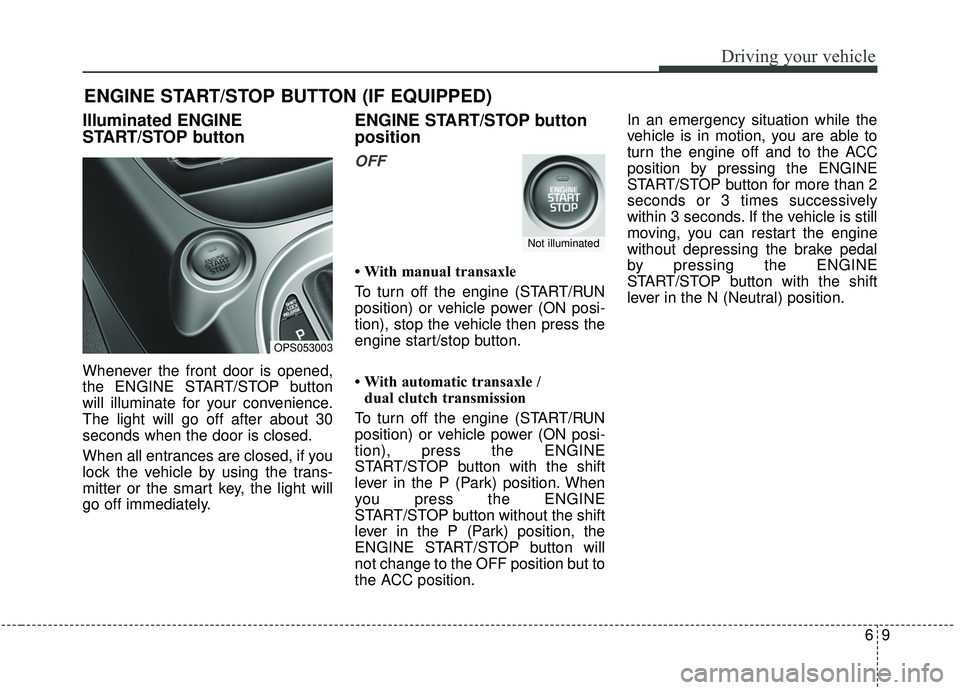
Illuminated ENGINE
START/STOP button
Whenever the front door is opened,
the ENGINE START/STOP button
will illuminate for your convenience.
The light will go off after about 30
seconds when the door is closed.
When all entrances are closed, if you
lock the vehicle by using the trans-
mitter or the smart key, the light will
go off immediately.
ENGINE START/STOP button
position
OFF
• With manual transaxle
To turn off the engine (START/RUN
position) or vehicle power (ON posi-
tion), stop the vehicle then press the
engine start/stop button.
• With automatic transaxle / dual clutch transmission
To turn off the engine (START/RUN
position) or vehicle power (ON posi-
tion), press the ENGINE
START/STOP button with the shift
lever in the P (Park) position. When
you press the ENGINE
START/STOP button without the shift
lever in the P (Park) position, the
ENGINE START/STOP button will
not change to the OFF position but to
the ACC position. In an emergency situation while the
vehicle is in motion, you are able to
turn the engine off and to the ACC
position by pressing the ENGINE
START/STOP button for more than 2
seconds or 3 times successively
within 3 seconds. If the vehicle is still
moving, you can restart the engine
without depressing the brake pedal
by pressing the ENGINE
START/STOP button with the shift
lever in the N (Neutral) position.
ENGINE START/STOP BUTTON (IF EQUIPPED)
OPS053003
Not illuminated
Page 301 of 564
611
Driving your vehicle
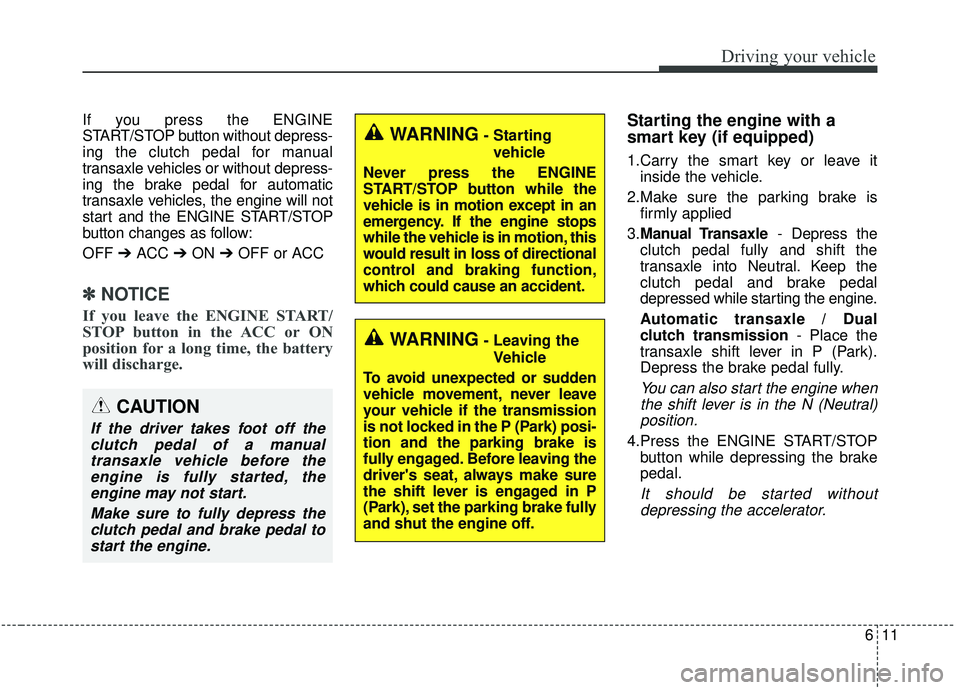
If you press the ENGINE
START/STOP button without depress-
ing the clutch pedal for manual
transaxle vehicles or without depress-
ing the brake pedal for automatic
transaxle vehicles, the engine will not
start and the ENGINE START/STOP
button changes as follow:
OFF ➔ACC ➔ON ➔OFF or ACC
✽ ✽
NOTICE
If you leave the ENGINE START/
STOP button in the ACC or ON
position for a long time, the battery
will discharge.
Starting the engine with a
smart key (if equipped)
1.Carry the smart key or leave it
inside the vehicle.
2.Make sure the parking brake is firmly applied
3. Manual Transaxle - Depress the
clutch pedal fully and shift the
transaxle into Neutral. Keep the
clutch pedal and brake pedal
depressed while starting the engine.
Automatic transaxle / Dual
clutch transmission - Place the
transaxle shift lever in P (Park).
Depress the brake pedal fully.
You can also start the engine when the shift lever is in the N (Neutral)position.
4.Press the ENGINE START/STOP button while depressing the brake
pedal.
It should be started withoutdepressing the accelerator.
WARNING- Starting
vehicle
Never press the ENGINE
START/STOP button while the
vehicle is in motion except in an
emergency. If the engine stops
while the vehicle is in motion, this
would result in loss of directional
control and braking function,
which could cause an accident.
WARNING- Leaving the Vehicle
To avoid unexpected or sudden
vehicle movement, never leave
your vehicle if the transmission
is not locked in the P (Park) posi-
tion and the parking brake is
fully engaged. Before leaving the
driver's seat, always make sure
the shift lever is engaged in P
(Park), set the parking brake fully
and shut the engine off.
CAUTION
If the driver takes foot off the clutch pedal of a manualtransaxle vehicle before theengine is fully started, theengine may not start.
Make sure to fully depress theclutch pedal and brake pedal tostart the engine.
Page 311 of 564
621
Driving your vehicle
R (Reverse)
Use this position to drive the vehicle
backward.
N (Neutral)
The wheels and transaxle are not
engaged. The vehicle will roll freely
even on the slightest incline unless
the parking brake or service brakes
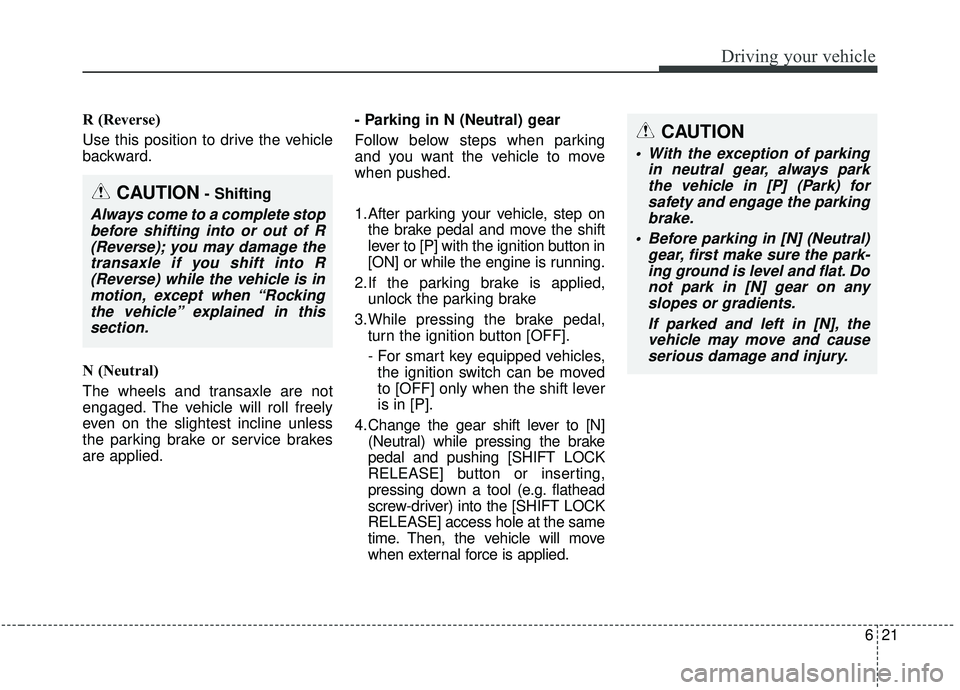
are applied.- Parking in N (Neutral) gear
Follow below steps when parking
and you want the vehicle to move
when pushed.
1.After parking your vehicle, step on
the brake pedal and move the shift
lever to [P] with the ignition button in
[ON] or while the engine is running.
2.If the parking brake is applied, unlock the parking brake
3.While pressing the brake pedal, turn the ignition button [OFF].
- For smart key equipped vehicles,the ignition switch can be moved
to [OFF] only when the shift lever
is in [P].
4.Change the gear shift lever to [N] (Neutral) while pressing the brake
pedal and pushing [SHIFT LOCK
RELEASE] button or inserting,
pressing down a tool (e.g. flathead
screw-driver) into the [SHIFT LOCK
RELEASE] access hole at the same
time. Then, the vehicle will move
when external force is applied.
CAUTION- Shifting
Always come to a complete stopbefore shifting into or out of R(Reverse); you may damage thetransaxle if you shift into R(Reverse) while the vehicle is inmotion, except when “Rockingthe vehicle” explained in thissection.
CAUTION
With the exception of parking in neutral gear, always parkthe vehicle in [P] (Park) forsafety and engage the parkingbrake.
Before parking in [N] (Neutral) gear, first make sure the park-ing ground is level and flat. Donot park in [N] gear on anyslopes or gradients.
If parked and left in [N], thevehicle may move and causeserious damage and injury.
Page 325 of 564
635
Driving your vehicle
Good driving practices
Never move the shift lever from P(Park) or N (Neutral) to any other
position with the accelerator pedal
depressed.
Never move the shift lever into P (Park) when the vehicle is in motion.
Be sure the car is completely stopped before you attempt to shift
into R (Reverse) or D (Drive).
Never take the car out of gear and coast down a hill. This may be
extremely hazardous. Always leave
the car in gear when moving.
Do not "ride" the brakes. This can cause them to overheat and mal-
function. Instead, when you are
driving down a long hill, slow down
and shift to a lower gear. When you
do this, engine braking will help
slow the car.
Slow down before shifting to a lower gear. Otherwise, the lower
gear may not be engaged.
Always use the parking brake. Do not depend on placing the
transaxle in P (Park) to keep the
car from moving. Exercise extreme caution when
driving on a slippery surface. Be
especially careful when braking,
accelerating or shifting gears. On a
slippery surface, an abrupt change
in vehicle speed can cause the
drive wheels to lose traction and
the vehicle to go out of control.
Optimum vehicle performance and economy is obtained by smoothly
depressing and releasing the
accelerator pedal.WARNING
When you stay in the vehicle
with the engine running, be
careful not to depress the accel-
erator pedal for a long period of
time. The engine or exhaust
system may overheat and start
a fire.
The exhaust gas and the
exhaust system are very hot.
Keep away from the exhaust
system components.
Do not stop or park over flam-
mable materials, such as dry
grass, paper or leaves. They
may ignite and cause a fire.
Page 356 of 564
Driving your vehicle
66
6
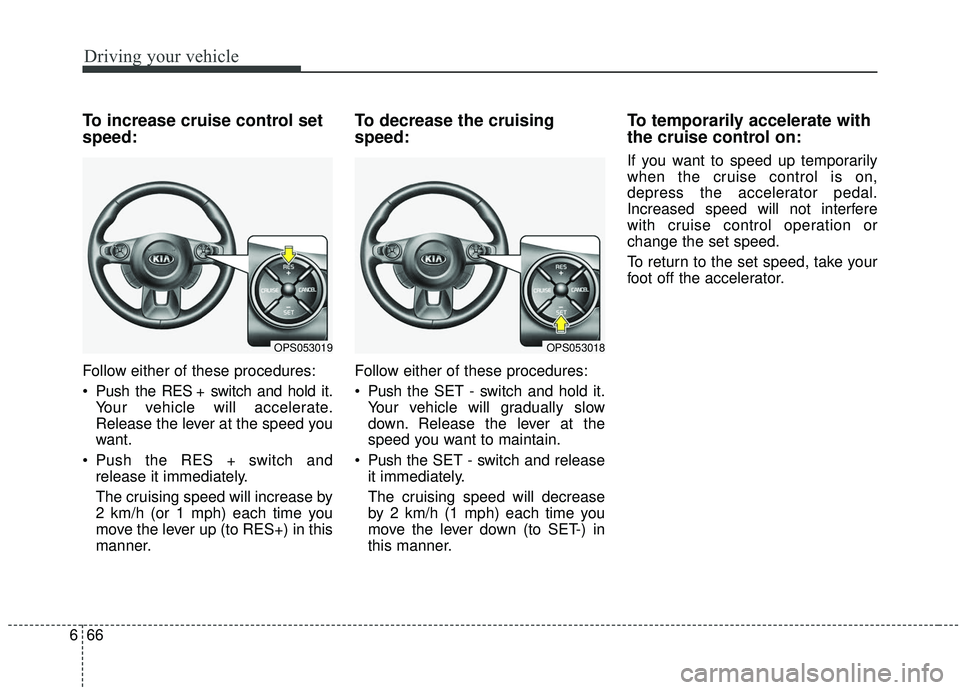
To increase cruise control set
speed:
Follow either of these procedures:
Push the RES + switch and hold it.
Your vehicle will accelerate.
Release the lever at the speed you
want.
Push the RES + switch and release it immediately.
The cruising speed will increase by
2 km/h (or 1 mph) each time you
move the lever up (to RES+) in this
manner.
To decrease the cruising
speed:
Follow either of these procedures:
Push the SET - switch and hold it.Your vehicle will gradually slow
down. Release the lever at the
speed you want to maintain.
Push the SET - switch and release it immediately.
The cruising speed will decrease
by 2 km/h (1 mph) each time you
move the lever down (to SET-) in
this manner.
To temporarily accelerate with
the cruise control on:
If you want to speed up temporarily
when the cruise control is on,
depress the accelerator pedal.
Increased speed will not interfere
with cruise control operation or
change the set speed.
To return to the set speed, take your
foot off the accelerator.
OPS053019OPS053018