pull KIA SOUL 2019 Owner's Manual
[x] Cancel search | Manufacturer: KIA, Model Year: 2019, Model line: SOUL, Model: KIA SOUL 2019Pages: 564, PDF Size: 14.2 MB
Page 97 of 564
411
Features of your vehicle
The button will only operate when
the smart key is within 0.7~1m
(28~40 in.) from the outside door
handle.
Even though you press the outside
door handle button, the doors will not
lock and the chime will sound for 3
seconds if any of following occur:
The smart key is in the vehicle.
The engine start/stop button is inACC or ON position.
Any door except the liftgate is open. Using the button on the smart key
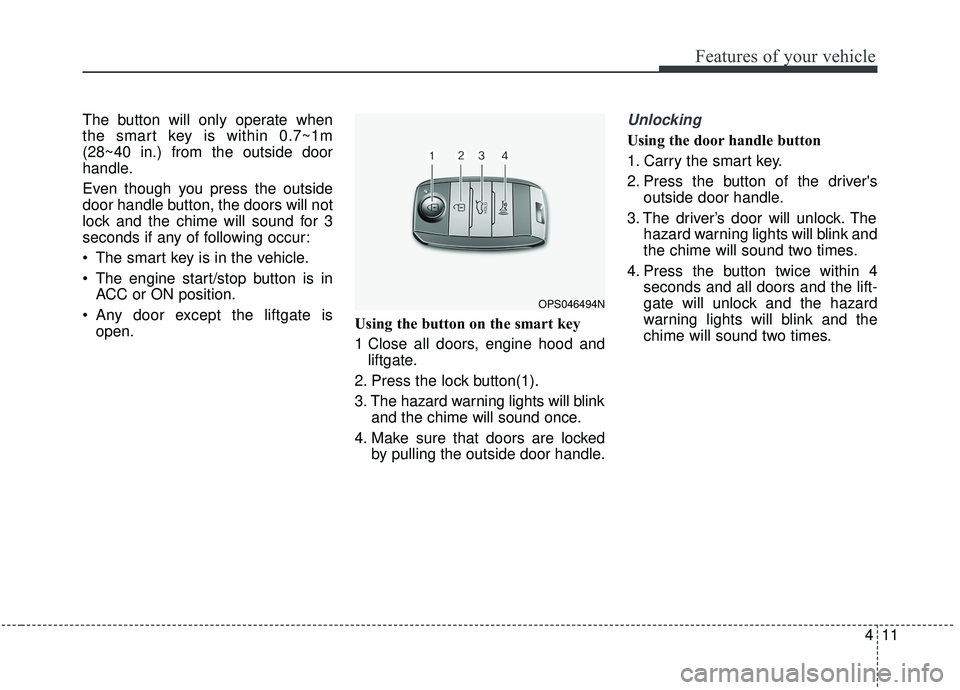
1 Close all doors, engine hood and
liftgate.
2. Press the lock button(1).
3. The hazard warning lights will blink and the chime will sound once.
4. Make sure that doors are locked by pulling the outside door handle.Unlocking
Using the door handle button
1. Carry the smart key.
2. Press the button of the driver'soutside door handle.
3. The driver’s door will unlock. The hazard warning lights will blink and
the chime will sound two times.
4. Press the button twice within 4 seconds and all doors and the lift-
gate will unlock and the hazard
warning lights will blink and the
chime will sound two times.
OPS046494N
Page 103 of 564
417
Features of your vehicle
DOOR LOCKS
.Operating door locks from
outside the vehicle
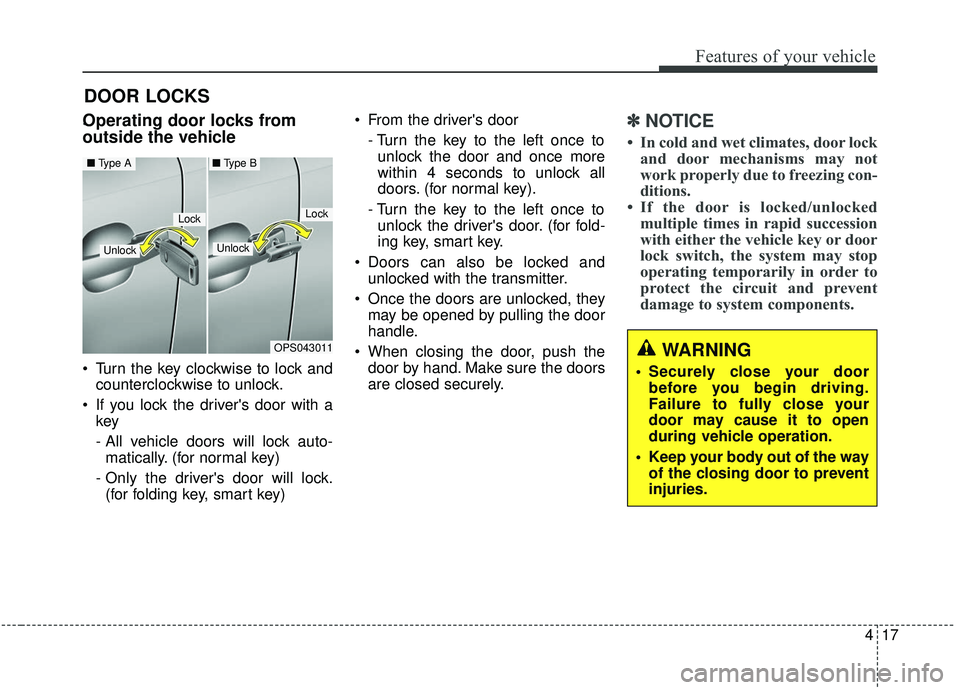
Turn the key clockwise to lock andcounterclockwise to unlock.
If you lock the driver's door with a key
- All vehicle doors will lock auto-
matically. (for normal key)
- Only the driver's door will lock. (for folding key, smart key) From the driver's door
- Turn the key to the left once tounlock the door and once more
within 4 seconds to unlock all
doors. (for normal key).
- Turn the key to the left once to unlock the driver's door. (for fold-
ing key, smart key.
Doors can also be locked and unlocked with the transmitter.
Once the doors are unlocked, they may be opened by pulling the door
handle.
When closing the door, push the door by hand. Make sure the doors
are closed securely.
✽ ✽ NOTICE
• In cold and wet climates, door lock
and door mechanisms may not
work properly due to freezing con-
ditions.
• If the door is locked/unlocked multiple times in rapid succession
with either the vehicle key or door
lock switch, the system may stop
operating temporarily in order to
protect the circuit and prevent
damage to system components.
OPS043011
LockLock
Unlock
■ Type A■ Type B
Unlock
WARNING
• Securely close your door
before you begin driving.
Failure to fully close your
door may cause it to open
during vehicle operation.
Keep your body out of the way of the closing door to prevent
injuries.
Page 105 of 564
419
Features of your vehicle
To open a door, pull the door han-dle (3) outward.
If the inner door handle of the dri- ver’s (or front passenger’s) door is
pulled when the door lock button is
in the lock position, the button will
unlock and the door will open. (if
equipped)
Front doors cannot be locked if the ignition key is in the ignition switch
and any front door is opened. If a power door lock ever fails to func-
tion while you are in the vehicle, try
one or more of the following tech-
niques to exit:
Operate the door unlock feature
repeatedly (both electronic and
manual) while simultaneously
pulling on the door handle.
Operate the other door locks and handles, front and rear.
Lower a front window and use the key to unlock the door from out-
side.
Move to the cargo area and open the liftgate.With central door lock switch
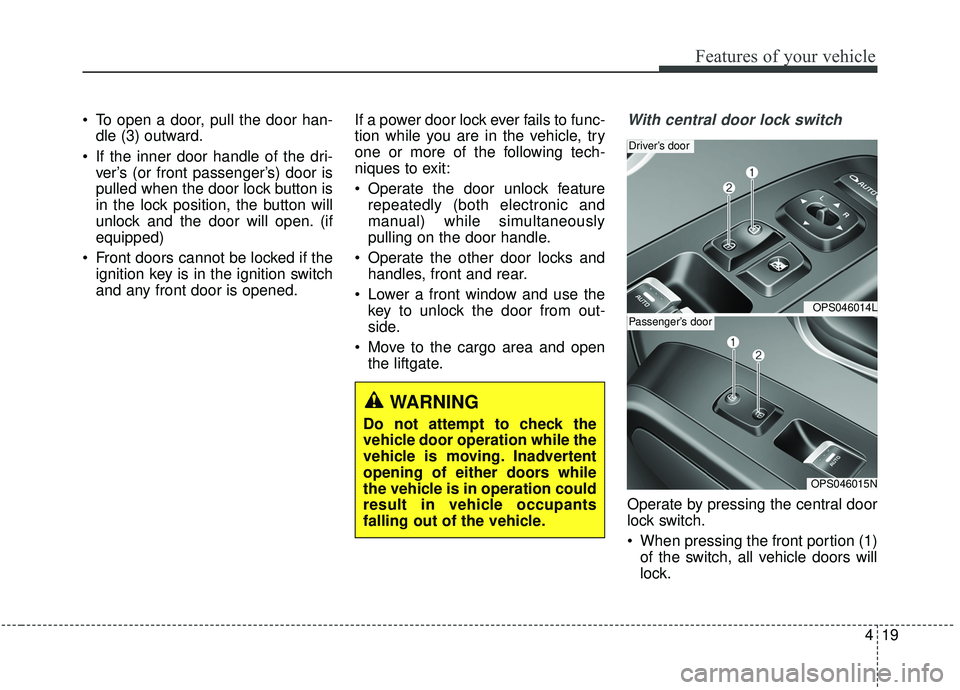
Operate by pressing the central door
lock switch.
When pressing the front portion (1)of the switch, all vehicle doors will
lock.
OPS046014L
Driver’s door
OPS046015N
Passenger’s door
WARNING
Do not attempt to check the
vehicle door operation while the
vehicle is moving. Inadvertent
opening of either doors while
the vehicle is in operation could
result in vehicle occupants
falling out of the vehicle.
Page 107 of 564
421
Features of your vehicle
Impact sensing door unlock
system
In the event of air bag deployment
resulting from a vehicle impact, all
doors will automatically unlock.
Auto door lock/unlock feature
(if equipped)
All doors will automatically lockwhen the transaxle shift lever is
shifted out of P(Park).
All doors will automatically unlock when the transaxle shift lever is
shifted into P (Park).
Speed sensing door lock sys-
tem
All doors will be automatically locked
after the vehicle speed exceeds 15
km/h (9.3 mph). And all doors will be
automatically unlocked when you
turn the engine off or when you
remove the ignition key.
✽ ✽ NOTICE
You can select some auto door
lock/unlock features in “User
Settings” as follows;
• Speed sensing auto door lock
• Auto door unlock when the igni-
tion key is removed from the igni-
tion switch or engine is turned off.
• Auto door lock/unlock by shifting the shift lever out of P(Park) or
into P(Park).
❈ ❈ For more information, refer to
“User Settings” in this chapter.
Child-protector rear door lock
The child safety lock is provided to
help prevent children from acciden-
tally opening the rear doors from
inside the vehicle. The rear door
safety locks should be used whenev-
er children are in the vehicle.
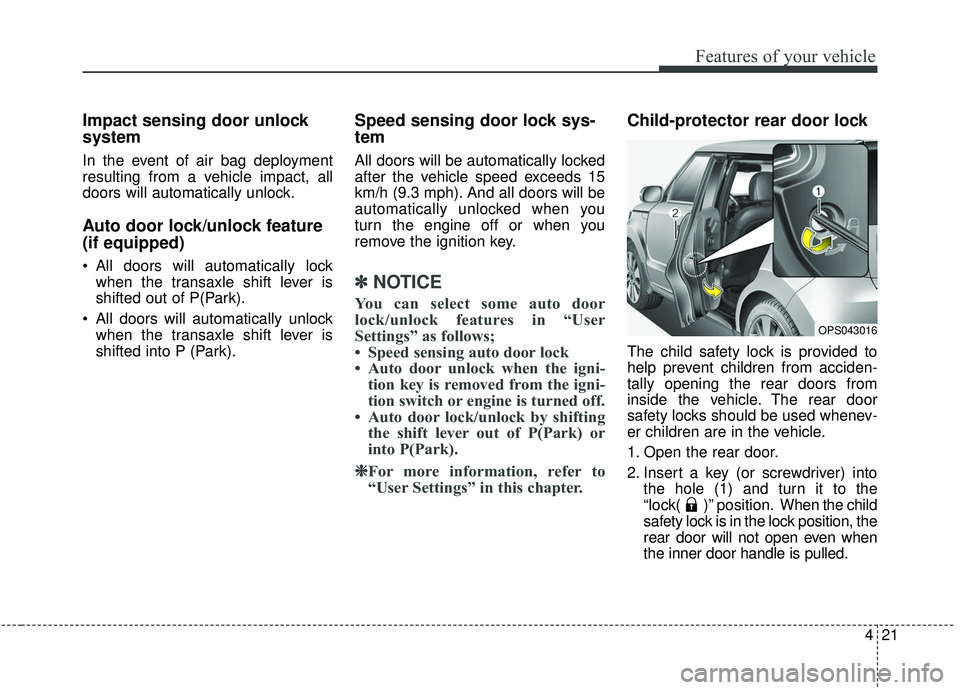
1. Open the rear door.
2. Insert a key (or screwdriver) into
the hole (1) and turn it to the
“lock( )” position. When the child
safety lock is in the lock position, the
rear door will not open even when
the inner door handle is pulled.
OPS043016
Page 108 of 564
Features of your vehicle
22
4
3. Close the rear door.
To open the rear door, pull the out-
side door handle.
Even though the doors may be
unlocked, the rear door will not open
by pulling the inner door handle (1)
until the rear door child safety lock is
unlocked.
WARNING- Rear door
locks
Use the rear door safety locks
whenever children are in the
vehicle. If a child accidently
opens the rear doors while the
vehicle is motion, he can fall out.
Page 109 of 564
423
Features of your vehicle
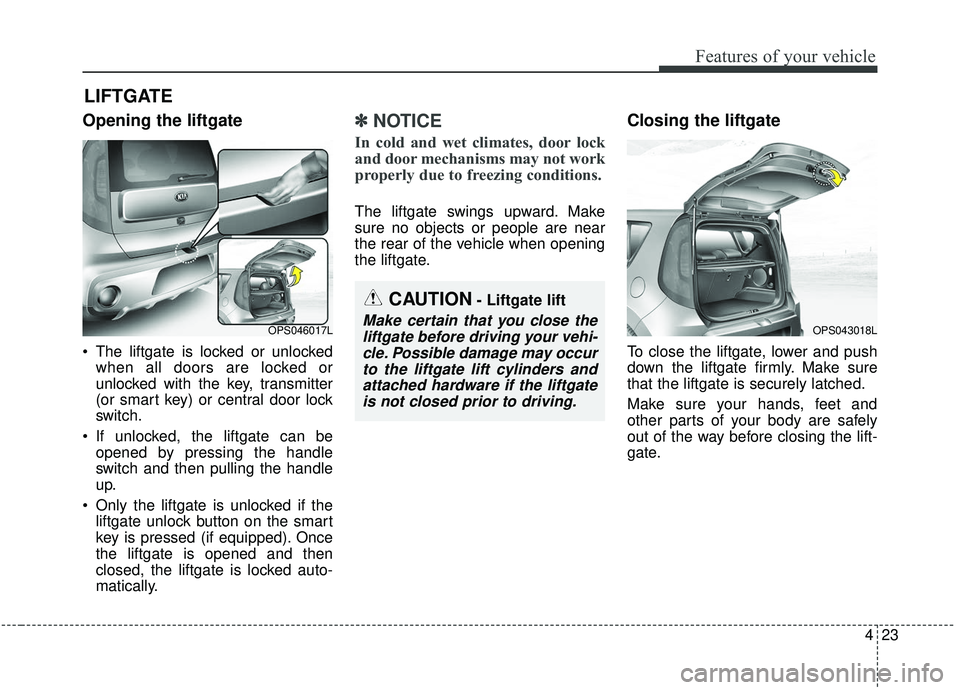
Opening the liftgate
The liftgate is locked or unlockedwhen all doors are locked or
unlocked with the key, transmitter
(or smart key) or central door lock
switch.
If unlocked, the liftgate can be opened by pressing the handle
switch and then pulling the handle
up.
Only the liftgate is unlocked if the liftgate unlock button on the smart
key is pressed (if equipped). Once
the liftgate is opened and then
closed, the liftgate is locked auto-
matically.
✽ ✽ NOTICE
In cold and wet climates, door lock
and door mechanisms may not work
properly due to freezing conditions.
The liftgate swings upward. Make
sure no objects or people are near
the rear of the vehicle when opening
the liftgate.
Closing the liftgate
To close the liftgate, lower and push
down the liftgate firmly. Make sure
that the liftgate is securely latched.
Make sure your hands, feet and
other parts of your body are safely
out of the way before closing the lift-
gate.
LIFTGATE
CAUTION- Liftgate lift
Make certain that you close the
liftgate before driving your vehi-cle. Possible damage may occurto the liftgate lift cylinders andattached hardware if the liftgateis not closed prior to driving.OPS046017LOPS043018L
Page 113 of 564
427
Features of your vehicle
Power windows
The ignition switch must be in the ON
position for power windows to operate.
Each door has a power window
switch that controls the door's win-
dow. The driver has a power window
lock button which can block the oper-
ation of the rear passenger windows.
The power windows can be operated
for approximately 30 seconds after
the ignition key is removed or turned
to the ACC or LOCK position.
However, if the front doors are
opened, the power windows cannot
be operated even within the 30 sec-
ond period.
If the window cannot be closed
because it is blocked by objects,
remove the objects and close the
window.
✽ ✽NOTICE
While driving with the rear windows
down or with the sunroof (if
equipped) in an open (or partially
open) position, your vehicle may
demonstrate a wind buffeting or
pulsation noise. This noise is a nor-
mal occurrence and can be reduced
or eliminated by taking the follow-
ing actions. If the noise occurs with
one or both of the rear windows
down, partially lower both front
windows approximately 2.5 cm (1
inch). If you experience the noise
with the sunroof open, slightly
reduce the size of the sunroof open-
ing.
Window opening and closing
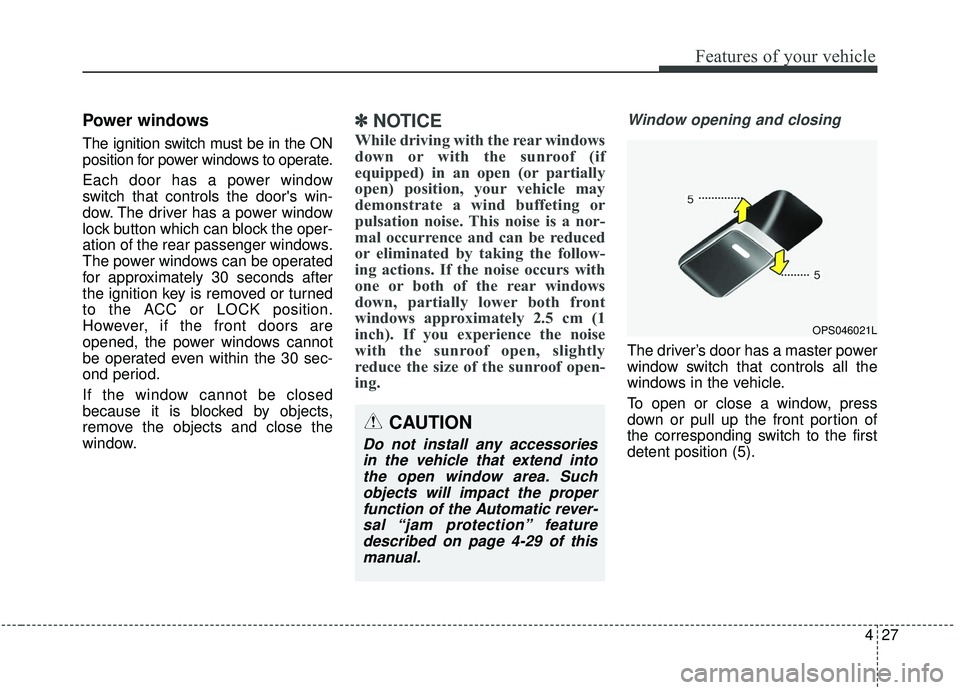
The driver’s door has a master power
window switch that controls all the
windows in the vehicle.
To open or close a window, press
down or pull up the front portion of
the corresponding switch to the first
detent position (5).
OPS046021L
CAUTION
Do not install any accessories
in the vehicle that extend intothe open window area. Suchobjects will impact the properfunction of the Automatic rever-sal “jam protection” featuredescribed on page 4-29 of thismanual.
Page 114 of 564
Features of your vehicle
28
4
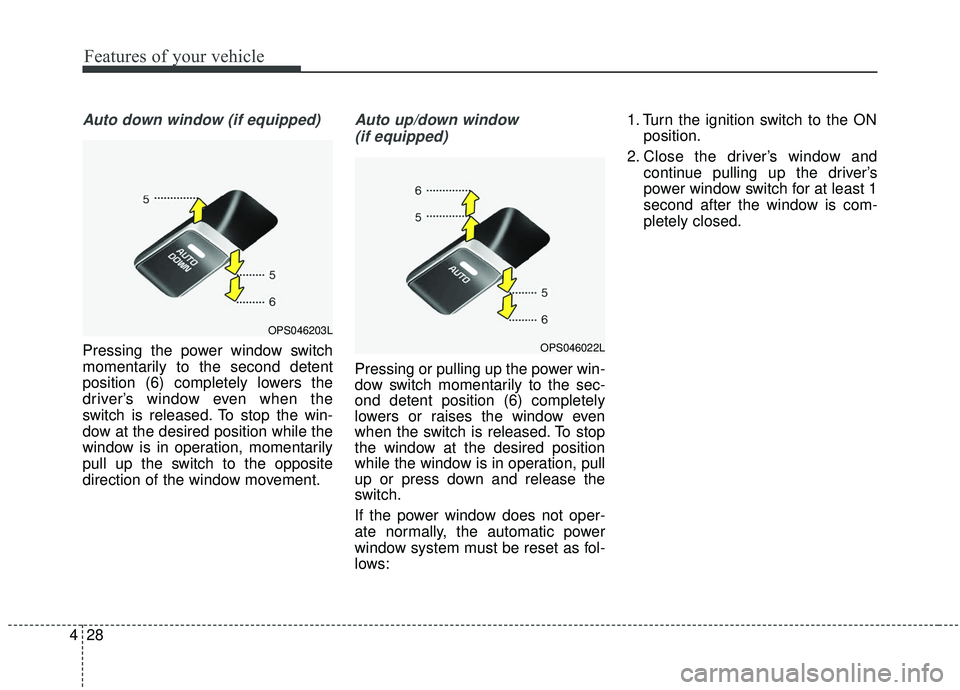
Auto down window (if equipped)
Pressing the power window switch
momentarily to the second detent
position (6) completely lowers the
driver’s window even when the
switch is released. To stop the win-
dow at the desired position while the
window is in operation, momentarily
pull up the switch to the opposite
direction of the window movement.
Auto up/down window
(if equipped)
Pressing or pulling up the power win-
dow switch momentarily to the sec-
ond detent position (6) completely
lowers or raises the window even
when the switch is released. To stop
the window at the desired position
while the window is in operation, pull
up or press down and release the
switch.
If the power window does not oper-
ate normally, the automatic power
window system must be reset as fol-
lows: 1. Turn the ignition switch to the ON
position.
2. Close the driver’s window and continue pulling up the driver’s
power window switch for at least 1
second after the window is com-
pletely closed.
OPS046203L
OPS046022L
Page 115 of 564
429
Features of your vehicle
Automatic reversal
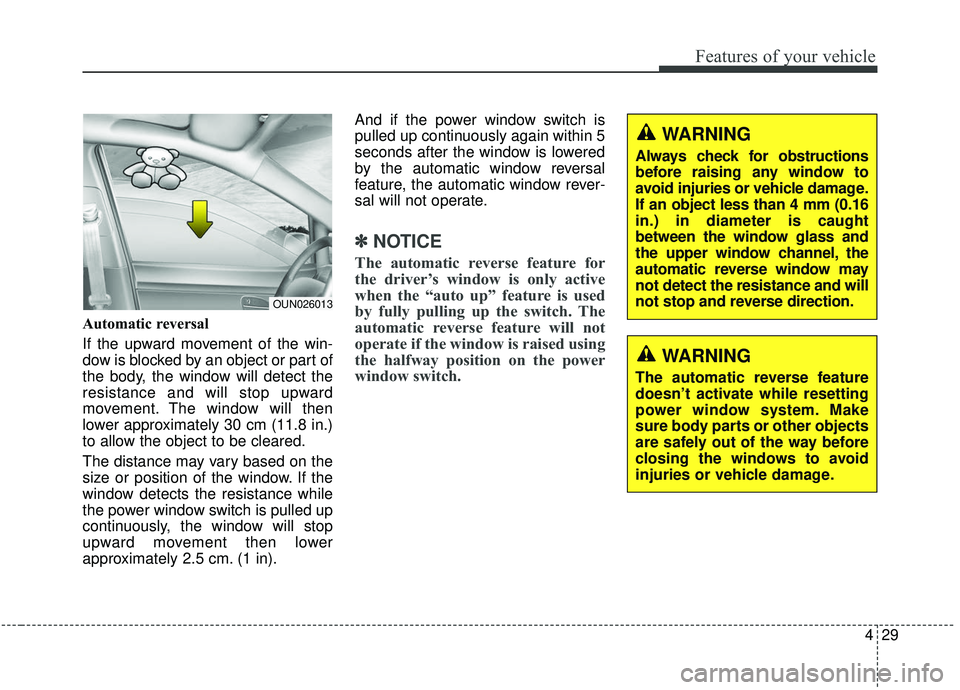
If the upward movement of the win-
dow is blocked by an object or part of
the body, the window will detect the
resistance and will stop upward
movement. The window will then
lower approximately 30 cm (11.8 in.)
to allow the object to be cleared.
The distance may vary based on the
size or position of the window. If the
window detects the resistance while
the power window switch is pulled up
continuously, the window will stop
upward movement then lower
approximately 2.5 cm. (1 in).And if the power window switch is
pulled up continuously again within 5
seconds after the window is lowered
by the automatic window reversal
feature, the automatic window rever-
sal will not operate.
✽ ✽
NOTICE
The automatic reverse feature for
the driver’s window is only active
when the “auto up” feature is used
by fully pulling up the switch. The
automatic reverse feature will not
operate if the window is raised using
the halfway position on the power
window switch.
OUN026013
WARNING
Always check for obstructions
before raising any window to
avoid injuries or vehicle damage.
If an object less than 4 mm (0.16
in.) in diameter is caught
between the window glass and
the upper window channel, the
automatic reverse window may
not detect the resistance and will
not stop and reverse direction.
WARNING
The automatic reverse feature
doesn’t activate while resetting
power window system. Make
sure body parts or other objects
are safely out of the way before
closing the windows to avoid
injuries or vehicle damage.
Page 117 of 564
431
Features of your vehicle
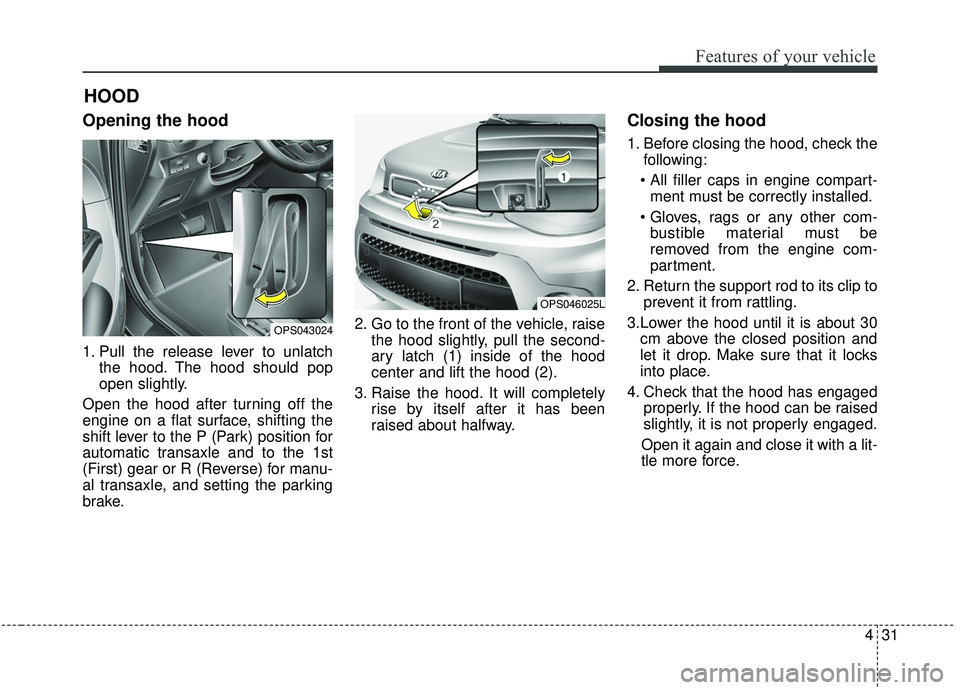
Opening the hood
1. Pull the release lever to unlatchthe hood. The hood should pop
open slightly.
Open the hood after turning off the
engine on a flat surface, shifting the
shift lever to the P (Park) position for
automatic transaxle and to the 1st
(First) gear or R (Reverse) for manu-
al transaxle, and setting the parking
brake. 2. Go to the front of the vehicle, raise
the hood slightly, pull the second-
ary latch (1) inside of the hood
center and lift the hood (2).
3. Raise the hood. It will completely rise by itself after it has been
raised about halfway.
Closing the hood
1. Before closing the hood, check thefollowing:
ment must be correctly installed.
bustible material must be
removed from the engine com-
partment.
2. Return the support rod to its clip to prevent it from rattling.
3.Lower the hood until it is about 30 cm above the closed position and
let it drop. Make sure that it locks
into place.
4. Check that the hood has engaged properly. If the hood can be raised
slightly, it is not properly engaged.
Open it again and close it with a lit-
tle more force.
HOOD
OPS043024
OPS046025L