immobilizer KIA SOUL 2019 Owners Manual
[x] Cancel search | Manufacturer: KIA, Model Year: 2019, Model line: SOUL, Model: KIA SOUL 2019Pages: 564, PDF Size: 14.2 MB
Page 93 of 564
47
Features of your vehicle
For replacement transmitters, see an
authorized Kia dealer for transmitter
reprogramming.
The transmitter is designed to giveyou years of trouble-free use, how-
ever it can malfunction if exposed to
moisture or static electricity. If you
are unsure how to use your trans-
mitter or replace the battery, contact
an authorized Kia dealer.
Using the wrong battery can cause the transmitter to malfunction. Be
sure to use the correct battery.
To avoid damaging the transmitter, don't drop it, get it wet, or expose it
to heat or sunlight.
An inappropriately disposed battery can be harmful to the
environment and may cause
human health. Dispose the
battery according to your
local law(s) or regulation.Immobilizer system
Your vehicle is equipped with an
electronic engine immobilizer system
to reduce the risk of unauthorized
vehicle use.
Your immobilizer system is com-
prised of a small transponder in the
ignition key and electronic devices
inside the vehicle.
With the immobilizer system, when-
ever you insert your ignition key into
the ignition switch and turn it to ON,
it checks and determines and verifies
if the ignition key is valid.
If the key is determined to be valid,
the engine will start.
If the key is determined to be invalid,
the engine will not start.CAUTION - Transmitter
damage
Do not drop, wet or expose the keyless entry system transmit-ter to heat or sunlight or it willbe damaged.
IC WARNING
This device complies with
Industry Canada licence-
exempt RSS standard(s).
Operation is subject to the fol-
lowing two conditions: (1) this
device may not cause interfer-
ence, and (2) this device must
accept any interference, includ-
ing interference that may cause
undesired operation of the
device.
Page 94 of 564
Features of your vehicle
84
To activate the immobilizer sys-tem:
Turn the ignition key to the OFF posi-
tion. The immobilizer system acti-
vates automatically. Without a valid
ignition key for your vehicle, the
engine will not start.
To deactivate the immobilizersystem:
Insert the ignition key into the key
cylinder and turn it to the ON position.
In order to prevent theft of your vehi-
cle, do not leave spare keys any-
where in your vehicle. Your
Immobilizer password is a customer
unique password and should be kept
confidential. Do not leave this num-
ber anywhere in your vehicle.
✽ ✽ NOTICE
When starting the engine, do not use
the key with other immobilizer keys
around. Otherwise the engine may
not start or may stop soon after it
starts. Keep each key separate in
order to avoid a starting malfunction.
Do not put metal accessories near
the ignition switch.
Metal accessories may interrupt the
transponder signal and may prevent
the engine from being started.
✽ ✽NOTICE
If you need additional keys or lose
your keys, contact an authorized
Kia dealer.
CAUTION- Immobilizer
damage
Do not expose your immobilizersystem to moisture, static elec-tricity and rough handling. Thismay damage your immobilizer.
CAUTION- Immobilizer
alterations
Do not change, alter or adjustthe immobilizer system becauseit could cause the immobilizersystem to malfunction.
Page 95 of 564
49
Features of your vehicle
This device complies with Industry
Canada licence-exempt RSS stan-
dard(s).
Operation is subject to the following
two conditions:
(1) This device may not cause inter-ference, and
(2) This device must accept any interference, including interfer-
ence that may cause undesired
operation of the device.
✽ ✽NOTICE
Changes or modifications not
expressly approved by the party
responsible for compliance could
void the user’s authority to operate
the equipment. If the keyless entry
system is inoperative due to changes
or modifications not approved by
the party responsible for compli-
ance, it will not be covered by your
manufacturer’s vehicle warranty.
Limp home (override) proce-
dure
When you turn the ignition switch to
the ON position, if the immobilizer
indicator ( ) goes off after blink-
ing 5 times, your transponder
equipped in the ignition key is out of
order. You cannot start the engine
without the limp home procedure. To
start the engine, you have to input
your password by using the ignition
switch. Your password is only avail-
able from an authorized Kia dealer-
ship. Contact an authorized dealer
for more information.
The following procedure is how to
input your password of “2345” as an
example.
1. Turn the ignition s witch to the ON
position. The immobilizer indicator
( ) will blink 5 times and go off
indicating the beginning of the limp
home procedure.
2. Turn the ignition switch to the ACC position. 3. To enter the first digit (in this
example “2”), turn the ignition
switch to the ON and ACC position
twice. Perform the same proce-
dure for the next digits between 3
seconds and 10 seconds (for
example, for “3”, turn the ignition
ON and ACC 3 times).
4. If all of the digits have been input successfully, you have to start the
engine within 30 seconds. If you
attempt to start the engine after 30
seconds, the engine will not start
and you will have to input your
password again.
After performing the limp home pro-
cedure, you have to see an author-
ized Kia dealer immediately to
inspect and repair your ignition key
or immobilizer system.
Page 100 of 564
Features of your vehicle
14
4
If the smart key is in close proximi-
ty to your cell phone or smart
phone, the signal from the smart
key could be blocked by normal
operation of your cell phone or
smart phone. This is especially
important when the phone is active
such as making a call, receiving
calls, text messaging, and/or send-
ing/receiving emails. Avoid placing
the smart key and your cell phone
or smart phone in the same pants
or jacket pocket and maintain ade-
quate distance between the two
devices.
✽ ✽ NOTICE
If the keyless entry system is inoper-
ative due to exposure to water or liq-
uids, it will not be covered by your
manufacturer’s vehicle warranty.
Smart key immobilizer system
Your vehicle is equipped with an
electronic engine immobilizer system
to reduce the risk of unauthorized
vehicle use.
Your immobilizer system is com-
prised of a small transponder in the
smart key and electronic devices
inside the vehicle.
With the immobilizer system, when-
ever you turn the engine start/stop
button to the ON position by pressing
the button while carrying the smart
key, it checks and determines and
verifies if the smart key is valid or
not.
If the key is determined to be valid,
the engine will start.
If the key is determined to be invalid,
the engine will not start.
To deactivate the immobilizer
system:
Turn the engine start/stop button to
the ON position by pressing the but-
ton while carrying the smart key.
To activate the immobilizer system:
Turn the engine start/stop button to
the OFF position. The immobilizer
system activates automatically.
Without a valid smart key for your
vehicle, the engine will not start.
In order to prevent theft of your vehi-
cle, do not leave spare keys any-
where in your vehicle. Your
Immobilizer password is a customer
unique password and should be kept
confidential. Do not leave this num-
ber anywhere in your vehicle.
CAUTION
Keep the smart key away fromwater or any liquid as it canbecome damaged and not func-tion properly.
Page 101 of 564
415
Features of your vehicle
✽ ✽NOTICE
When starting the engine, do not use
the key with other immobilizer keys
around. Otherwise the engine may
not start or may stop soon after it
starts. Keep each key separate in
order to avoid a starting malfunction.
Do not put metal accessories near
the smart key.
The engine may not start because
the metal accessories may interrupt
the transponder signal from transmit-
ting normally.
✽ ✽NOTICE
If you need additional keys or lose
your keys, contact an authorized
Kia dealer.
This device complies with Industry
Canada licence-exempt RSS stan-
dard(s).
Operation is subject to the following
two conditions:
(1) This device may not cause inter-
ference, and
(2) This device must accept any
interference, including interfer-
ence that may cause undesired
operation of the device.
✽ ✽ NOTICE
Changes or modifications not
expressly approved by the party
responsible for compliance could
void the user’s authority to operate
the equipment. If the keyless entry
system is inoperative due to changes
or modifications not expressly
approved by the party responsible
for compliance, it will not be cov-
ered by your manufacturer’s vehicle
warranty.
CAUTION- Immobilizer
damage
Do not expose your immobilizersystem to moisture, static elec-tricity and rough handling. Thismay damage your immobilizer.
CAUTION- Immobilizer
alterations
Do not change, alter or adjustthe immobilizer system becauseit could cause the immobilizersystem to malfunction.
Page 155 of 564
469
Features of your vehicle
Press start button with smart key (for smart key system)
This warning message illuminates if you press the Engine Start/Stop
Button while the warning message
“Key not detected” is illuminating.
At this time, the immobilizer indica- tor light blinks.
Check fuse “BRAKE SWITCH”
(for smart key system and auto-matic transaxle)
This warning message illuminates if the brake switch fuse is discon-
nected.
It means that you should replace the fuse with a new one. If that is
not possible, you can start the
engine by pressing the Engine
Start/Stop Button for 10 seconds in
the ACC position.
Shift to “P” or “N” to start engine
(for smart key system and auto-matic transaxle)
This warning message illuminates if you try to start the engine with
the shift lever not in the P (Park) or
N (Neutral) position.
✽ ✽ NOTICE
You can start the engine with the
shift lever in the N (Neutral) posi-
tion. But, for your safety, we recom-
mend that you start the engine with
the shift lever in the P (Park) posi-
tion.
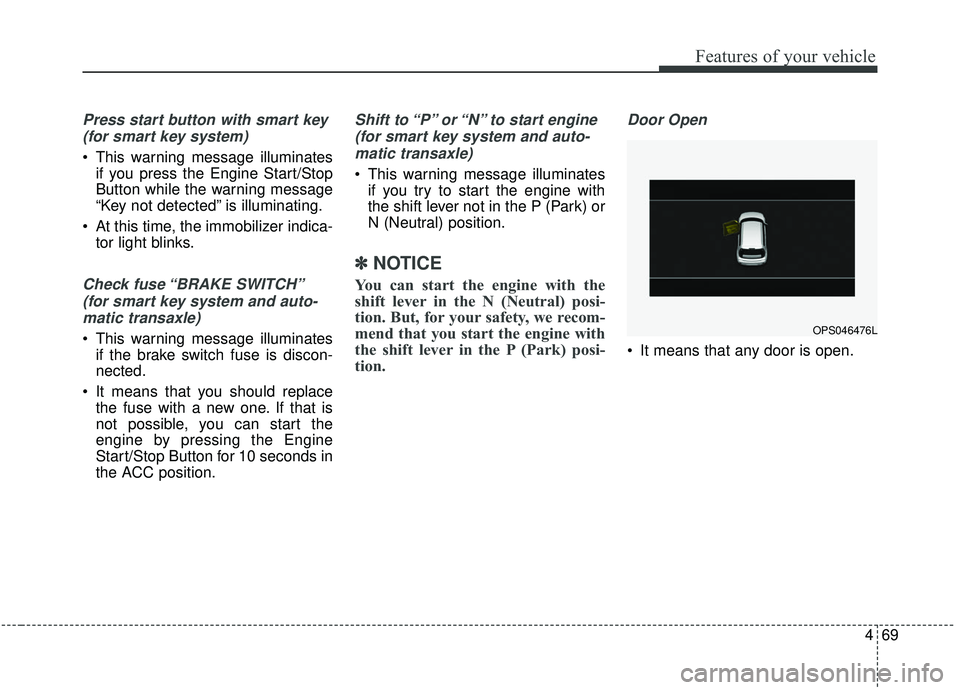
Door Open
It means that any door is open.
OPS046476L
Page 172 of 564
Features of your vehicle
86
4
Electronic Stability
Control (ESC) OFFIndicator Light
This indicator light illuminates:
Once you set the ignition switch or Engine Start/Stop Button to the ON
position.
- It illuminates for approximately 3seconds and then goes off.
When you deactivate the ESC sys- tem by pressing the ESC OFF but-
ton.
❈ For more details, refer to
“Electronic Stability Control (ESC)”
in chapter 6.
ECOMINDER®indicator
Active ECO system
This indicator light illuminates:
When the Active ECO button is
pressed the ECOMINDER
®indicator
(green) will illuminate to show that
the Active ECO is operating.
For more detailed information, refer
to "Active ECO" in chapter 6.
Immobilizer Indicator
Light (Without Smart Key)
This indicator light illuminates:
When the vehicle detects the immobilizer in your key properly
while the ignition switch is ON.
- At this time, you can start theengine.
- The indicator light goes off after starting the engine.
This indicator light blinks:
When there is a malfunction with the immobilizer system.
In this case, have your vehicle
inspected by an authorized Kia
dealer.
ECO
Page 173 of 564
487
Features of your vehicle
Immobilizer IndicatorLight (With Smart Key)
This indicator light illuminates for up
to 30 seconds:
When the vehicle detects the smart key in the vehicle properly
while the Engine Start/Stop Button
is ACC or ON.
- At this time, you can start theengine.
- The indicator light goes off after starting the engine.
This indicator light blinks for a few
seconds:
When the smart key is not in the vehicle.
- At this time, you can not start theengine. This indicator light illuminates for 2
seconds and goes off:
When the vehicle can not detect
the smart key which is in the vehi-
cle while the Engine Start/Stop
Button is ON.
In this case, have your vehicle
inspected by an authorized Kia
dealer.
This indicator light blinks:
When the battery of the smart key is weak.
- At this time, you can not start theengine. However, you can start the
engine if you press the Engine
Start/Stop Button with the smart
key. (For more details, refer to
“Starting the Engine” in chapter 6).
When there is a malfunction with the immobilizer system.
In this case, have your vehicle
inspected by an authorized Kia
dealer.
Turn Signal Indicator
Light
This indicator light blinks:
When you turn the turn signal light on.
If any of the following occurs, there
may be a malfunction with the turn
signal system. In this case, have your
vehicle inspected by an authorized
Kia dealer. - The indicator light does not blinkbut illuminates.
- The indicator light blinks more rapidly.
- The indicator light does not illumi- nate at all.
Page 560 of 564
Index
6I
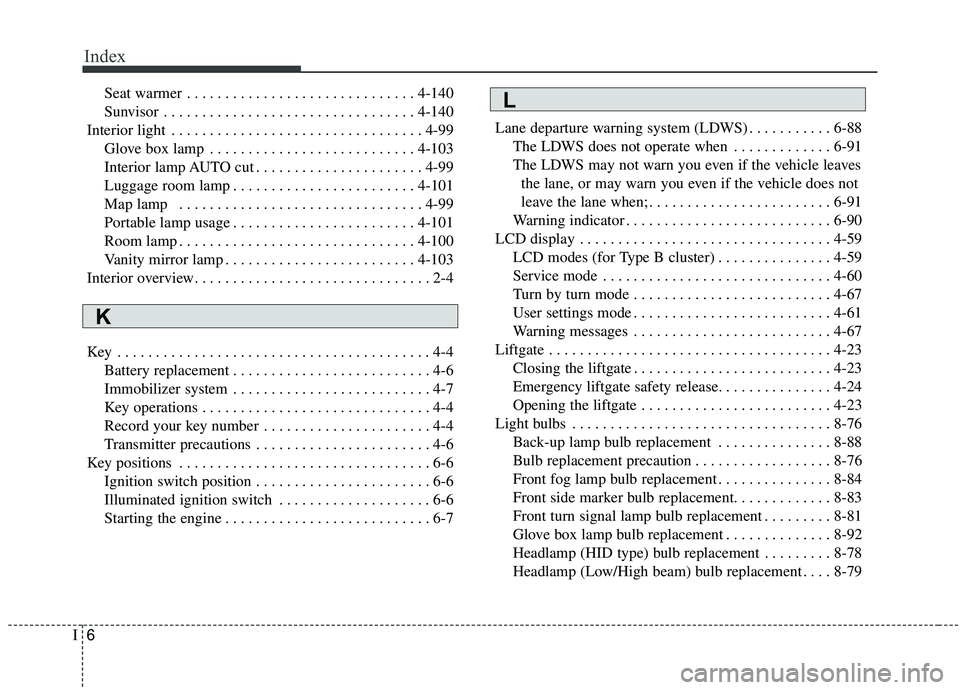
Seat warmer . . . . . . . . . . . . . . . . . . . . . . . . . . . . . . 4-140
Sunvisor . . . . . . . . . . . . . . . . . . . . . . . . . . . . . . . . . 4-140
Interior light . . . . . . . . . . . . . . . . . . . . . . . . . . . . . . . . . 4-99 Glove box lamp . . . . . . . . . . . . . . . . . . . . . . . . . . . 4-103
Interior lamp AUTO cut . . . . . . . . . . . . . . . . . . . . . . 4-99
Luggage room lamp . . . . . . . . . . . . . . . . . . . . . . . . 4-101
Map lamp . . . . . . . . . . . . . . . . . . . . . . . . . . . . . . . . 4-99
Portable lamp usage . . . . . . . . . . . . . . . . . . . . . . . . 4-101
Room lamp . . . . . . . . . . . . . . . . . . . . . . . . . . . . . . . 4-100
Vanity mirror lamp . . . . . . . . . . . . . . . . . . . . . . . . . 4-103
Interior overview. . . . . . . . . . . . . . . . . . . . . . . . . . . . . . . 2-4
Key . . . . . . . . . . . . . . . . . . . . . . . . . . . . . . . . . . . . \
. . . . . 4-4 Battery replacement . . . . . . . . . . . . . . . . . . . . . . . . . . 4-6
Immobilizer system . . . . . . . . . . . . . . . . . . . . . . . . . . 4-7
Key operations . . . . . . . . . . . . . . . . . . . . . . . . . . . . . . 4-4
Record your key number . . . . . . . . . . . . . . . . . . . . . . 4-4
Transmitter precautions . . . . . . . . . . . . . . . . . . . . . . . 4-6
Key positions . . . . . . . . . . . . . . . . . . . . . . . . . . . . . . . . . 6-6 Ignition switch position . . . . . . . . . . . . . . . . . . . . . . . 6-6
Illuminated ignition switch . . . . . . . . . . . . . . . . . . . . 6-6
Starting the engine . . . . . . . . . . . . . . . . . . . . . . . . . . . 6-7 Lane departure warning system (LDWS) . . . . . . . . . . . 6-88
The LDWS does not operate when . . . . . . . . . . . . . 6-91
The LDWS may not warn you even if the vehicle leaves the lane, or may warn you even if the vehicle does not
leave the lane when; . . . . . . . . . . . . . . . . . . . . . . . . 6-91
Warning indicator . . . . . . . . . . . . . . . . . . . . . . . . . . . 6-90
LCD display . . . . . . . . . . . . . . . . . . . . . . . . . . . . . . . . . 4-59 LCD modes (for Type B cluster) . . . . . . . . . . . . . . . 4-59
Service mode . . . . . . . . . . . . . . . . . . . . . . . . . . . . . . 4-60
Turn by turn mode . . . . . . . . . . . . . . . . . . . . . . . . . . 4-67
User settings mode . . . . . . . . . . . . . . . . . . . . . . . . . . 4-61
Warning messages . . . . . . . . . . . . . . . . . . . . . . . . . . 4-67
Liftgate . . . . . . . . . . . . . . . . . . . . . . . . . . . . . . . . . . . . \
. 4-23 Closing the liftgate . . . . . . . . . . . . . . . . . . . . . . . . . . 4-23
Emergency liftgate safety release. . . . . . . . . . . . . . . 4-24
Opening the liftgate . . . . . . . . . . . . . . . . . . . . . . . . . 4-23
Light bulbs . . . . . . . . . . . . . . . . . . . . . . . . . . . . . . . . . . 8-76\
Back-up lamp bulb replacement . . . . . . . . . . . . . . . 8-88
Bulb replacement precaution . . . . . . . . . . . . . . . . . . 8-76
Front fog lamp bulb replacement . . . . . . . . . . . . . . . 8-84
Front side marker bulb replacement. . . . . . . . . . . . . 8-83
Front turn signal lamp bulb replacement . . . . . . . . . 8-81
Glove box lamp bulb replacement . . . . . . . . . . . . . . 8-92
Headlamp (HID type) bulb replacement . . . . . . . . . 8-78
Headlamp (Low/High beam) bulb replacement . . . . 8-79L
K
Page 562 of 564
Index
8I
Sliding the sunroof . . . . . . . . . . . . . . . . . . . . . . . . . . 4-37
Sunroof open warning . . . . . . . . . . . . . . . . . . . . . . . 4-37
Sunshade. . . . . . . . . . . . . . . . . . . . . . . . . . . . . . . . . . 4-39\
Tilting the sunroof . . . . . . . . . . . . . . . . . . . . . . . . . . 4-38
Parking brake . . . . . . . . . . . . . . . . . . . . . . . . . . . . . . . . 8-36 Checking the parking brake . . . . . . . . . . . . . . . . . . . 8-36
Rear camera display . . . . . . . . . . . . . . . . . . . . . . . . . . . 4-90
Recommended lubricants and capacities . . . . . . . . . . . . 9-7 Recommended sae viscosity number . . . . . . . . . . . . . 9-9
Road warning . . . . . . . . . . . . . . . . . . . . . . . . . . . . . . . . . 7-2 Hazard warning flasher . . . . . . . . . . . . . . . . . . . . . . . 7-2
Scheduled maintenance service . . . . . . . . . . . . . . . . . . 8-10 Maintenance under severe usage conditions . . . . . . 8-15
Maintenance under severe usage conditions . . . . . . 8-20
Normal maintenance schedule - Non turbo models . 8-12
Normal maintenance schedule - Turbo models . . . . 8-17
Seat belts . . . . . . . . . . . . . . . . . . . . . . . . . . . . . . . . . . . . \
3-19 Care of seat belts . . . . . . . . . . . . . . . . . . . . . . . . . . . 3-30
Pre-tensioner seat belt . . . . . . . . . . . . . . . . . . . . . . . 3-26
Seat belt precautions . . . . . . . . . . . . . . . . . . . . . . . . 3-28
Seat belt restraint system . . . . . . . . . . . . . . . . . . . . . 3-19 Seats . . . . . . . . . . . . . . . . . . . . . . . . . . . . . . . . . . . . \
. . . . 3-4
Front seat adjustment - manual . . . . . . . . . . . . . . . . . 3-7
Front seat adjustment - power . . . . . . . . . . . . . . . . . . 3-8
Rear seat adjustment . . . . . . . . . . . . . . . . . . . . . . . . 3-14
Seatback pocket . . . . . . . . . . . . . . . . . . . . . . . . . . . . 3-13
Smart Cruise Control system (SCC) . . . . . . . . . . . . . . 6-69 Limitations of the system . . . . . . . . . . . . . . . . . . . . . 6-80
Speed setting (SCC) . . . . . . . . . . . . . . . . . . . . . . . . . 6-71
To adjust the sensitivity of smart cruise control . . . 6-79
To convert to cruise control mode . . . . . . . . . . . . . . 6-79
Vehicle to vehicle distance setting (SCC) . . . . . . . . 6-75
Smart key . . . . . . . . . . . . . . . . . . . . . . . . . . . . . . . . . . . 4-\
10 Battery replacement . . . . . . . . . . . . . . . . . . . . . . . . . 4-16
Loss of the smart key . . . . . . . . . . . . . . . . . . . . . . . . 4-13
Record your key number . . . . . . . . . . . . . . . . . . . . . 4-10
Smart key function . . . . . . . . . . . . . . . . . . . . . . . . . . 4-10
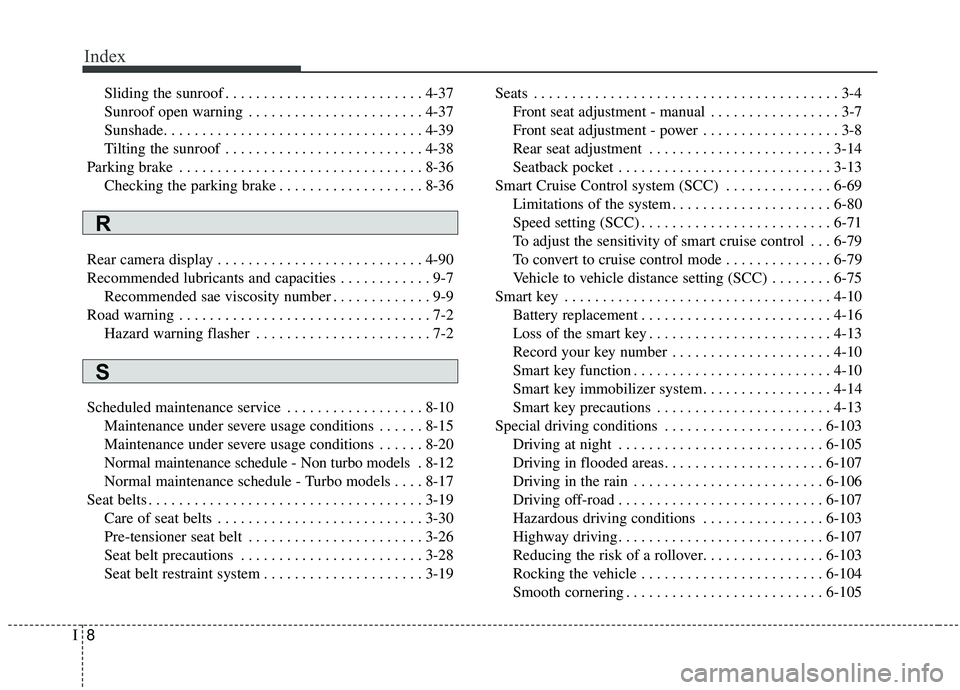
Smart key immobilizer system. . . . . . . . . . . . . . . . . 4-14
Smart key precautions . . . . . . . . . . . . . . . . . . . . . . . 4-13
Special driving conditions . . . . . . . . . . . . . . . . . . . . . 6-103 Driving at night . . . . . . . . . . . . . . . . . . . . . . . . . . . 6-105
Driving in flooded areas. . . . . . . . . . . . . . . . . . . . . 6-107
Driving in the rain . . . . . . . . . . . . . . . . . . . . . . . . . 6-106
Driving off-road . . . . . . . . . . . . . . . . . . . . . . . . . . . 6-107
Hazardous driving conditions . . . . . . . . . . . . . . . . 6-103
Highway driving . . . . . . . . . . . . . . . . . . . . . . . . . . . 6-107
Reducing the risk of a rollover. . . . . . . . . . . . . . . . 6-103
Rocking the vehicle . . . . . . . . . . . . . . . . . . . . . . . . 6-104
Smooth cornering . . . . . . . . . . . . . . . . . . . . . . . . . . 6-105
S
R