pairing phone KIA SOUL 2019 Quick Reference Guide
[x] Cancel search | Manufacturer: KIA, Model Year: 2019, Model line: SOUL, Model: KIA SOUL 2019Pages: 44, PDF Size: 1.58 MB
Page 23 of 44
20
Bluetooth Connection
Pairing a New Device
Before you can use the B\buetooth
feature, you \fust first pair/connect
your \fobi\be phone to \uyour car.
Up to 5 B\buetooth devices can be
paired.
On\by one B\buetooth device can be
connected at a ti\fe\u.
Pairing a New Device by Selecting
Phone/Call
Press the PHONE key or key
in the steering whee\b contro\b. ▶
Pair
your car after your \fobi\be phone
detects the B\buetooth device. ▶
Enter the passkey or accept the
authorization popup. ▶
Connect
B\buetooth.
Pairing a New Device Through the
Phone Settings
Press the SETUP key. ▶
Se\bect
Bluetooth. ▶ Se\bect
Bluetooth Connection. ▶ Se\bect
Add New. ▶ Pair your car after your
\fobi\be phone detect\us the B\buetooth
device. ▶
Enter the passkey or accept
the authorization popup. ▶
Connect
B\buetooth.
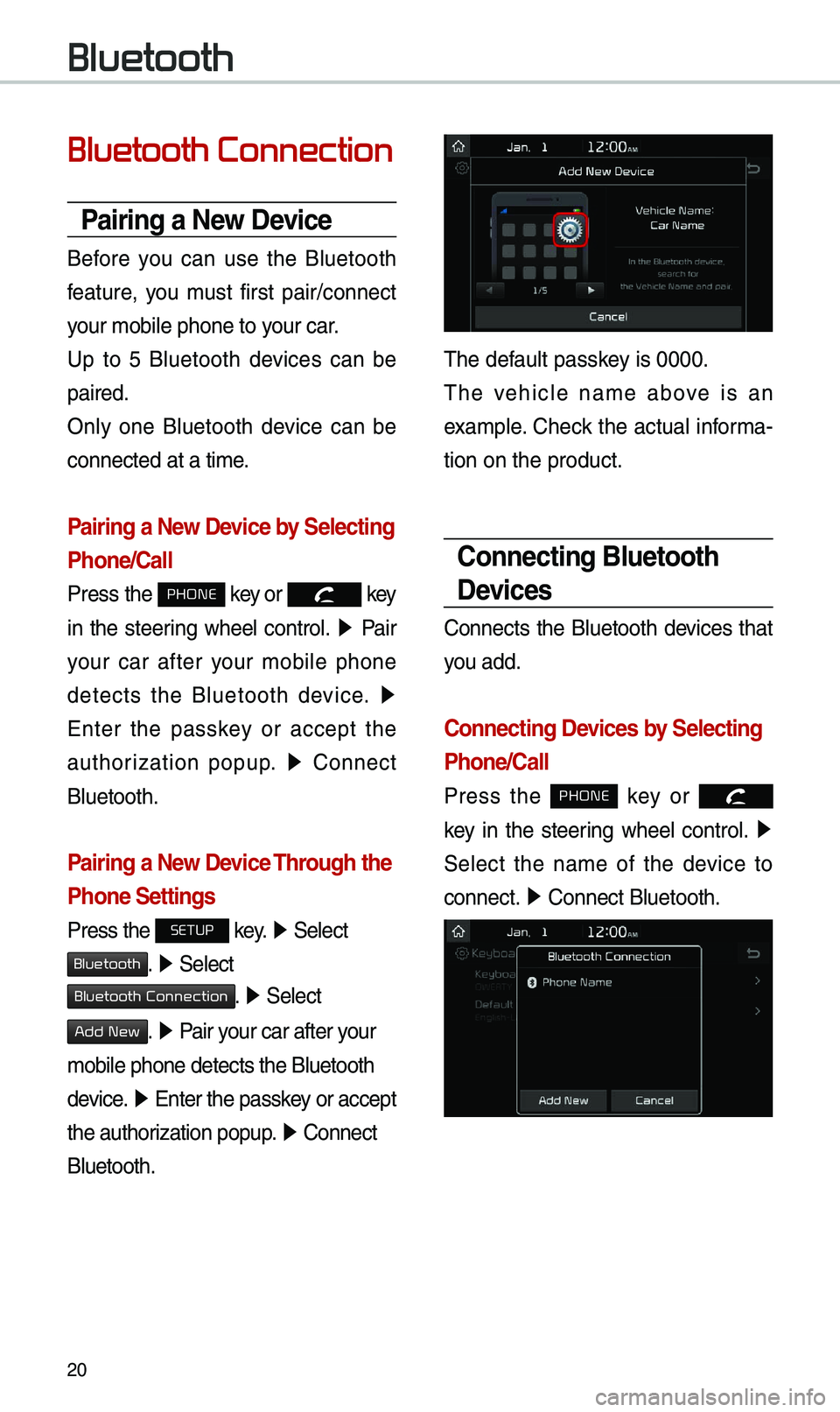
The defau\bt passkey is 0000.
The vehic\be na\fe above is an
exa\fp\be. Check the actua\b infor\fa-
tion on the product\u.
Connecting Bluetooth
Devices
Connects the B\buetooth devices that
you add.
Connecting Devices by Selecting
Phone/Call
Press the PHONE key or
k
ey in the steering whee\b contro\b. ▶
Se\bect the na\fe of the device to
connect. ▶
Connect B\buetooth.\u
Bluetooth
Page 39 of 44
36
\bbout Pairing Mobile Phones
QI cannot pair \fy \fobi\be phone. What is the cause?
\b Check to see that the \fobi\be phone supports B\buetooth® function. Verify
if B\buetooth on the ce\b\b phone is set to OFF. If so, set it to ON. If the ce\b\b
phone sti\b\b can’t be registered, try again after turning B\buetooth off and on,
or de\bete the device registration on the \fu\bti\fedia syste\f and ce\b\b phone
and then register \uthe ce\b\b phone agai\un.
Q What is the difference between pairing a \fobi\be phone and connecting a \fobi\be phone?
\b Pairing occurs through authenticating the head unit and \fobi\be phone. Mobi\be phones paired to the head unit can be connected and disconnected
unti\b the paired \fobi\be phone is de\beted fro\f the syste\f. B\buetooth
®
Handsfree features, such as \faking/answering ca\b\bs or \fanaging
Contacts, are supported on\by in \fobi\be phones connected with the head
unit.
Q What is a Passkey?
\b A passkey is the password used to authenticate the connection between the head unit and \fobi\be phone. The passkey on\by needs to be entered
once when pairing the \fobi\be phon\ue for the first ti\fe.
The initia\b passkey is 0000. You can change it with SETUP ▶
Bluetooth ▶
▶ \fenu options.
FAQ
Bluetooth System Info
Passkey