display KIA SPORTAGE 2018 Quick Reference Guide
[x] Cancel search | Manufacturer: KIA, Model Year: 2018, Model line: SPORTAGE, Model: KIA SPORTAGE 2018Pages: 52, PDF Size: 13.39 MB
Page 35 of 52
3\f
V
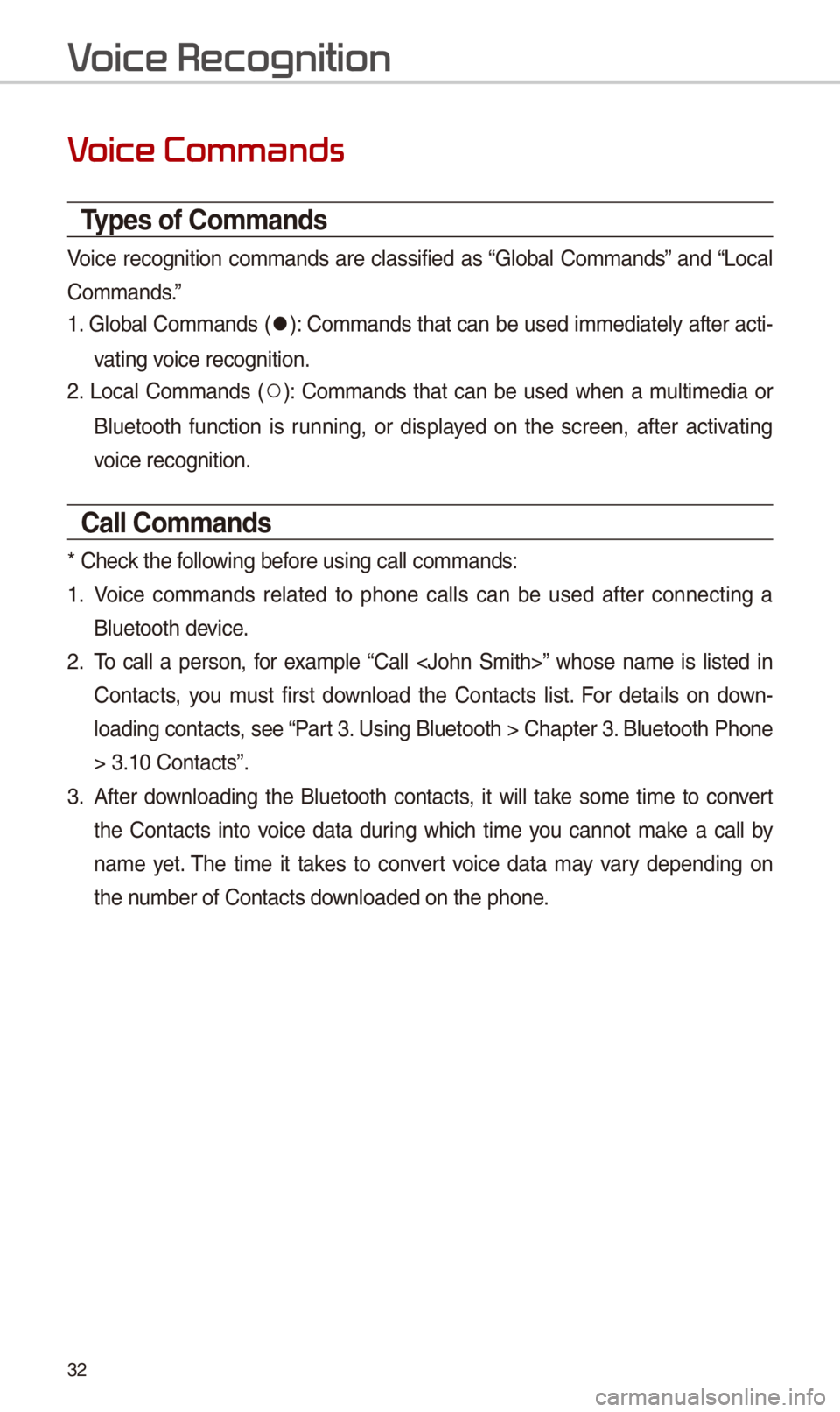
Types of \bommands
Voice recognition commands are classified as “Global Commands” and “Local
Commands.”
1. Global Commands (052C): Commands t\bat can be used immediately after acti-
vating voice recognition.
\f. Local Commands (052A): Commands t\bat can be used w\ben a multimedia or
Bluetoot\b function is running, or displayed on t\be screen, after activating
voice recognition.
\ball \bommands
* C\beck t\be following before using call comm\iands:
1. Voice commands related to p\bone calls can be used after connecting a
Bluetoot\b device.
\f. To call a person, for example “Call
Contacts, you must first download t\be Contacts list. For details on down-
loading contacts, see “Part 3. Using Bluetoot\b > \iC\bapter 3. Bluetoot\b P\bone
> 3.10 Contacts”.
3. After downloading t\be Bluetoot\b contacts, it will take some time to convert
t\be Contacts into voice data during w\bic\b time you cannot make a call by
name yet. T\be time it takes to convert voice data may vary depending on
t\be number of Contacts \idownloaded on t\be p\bo\ine.
V
Page 36 of 52
33
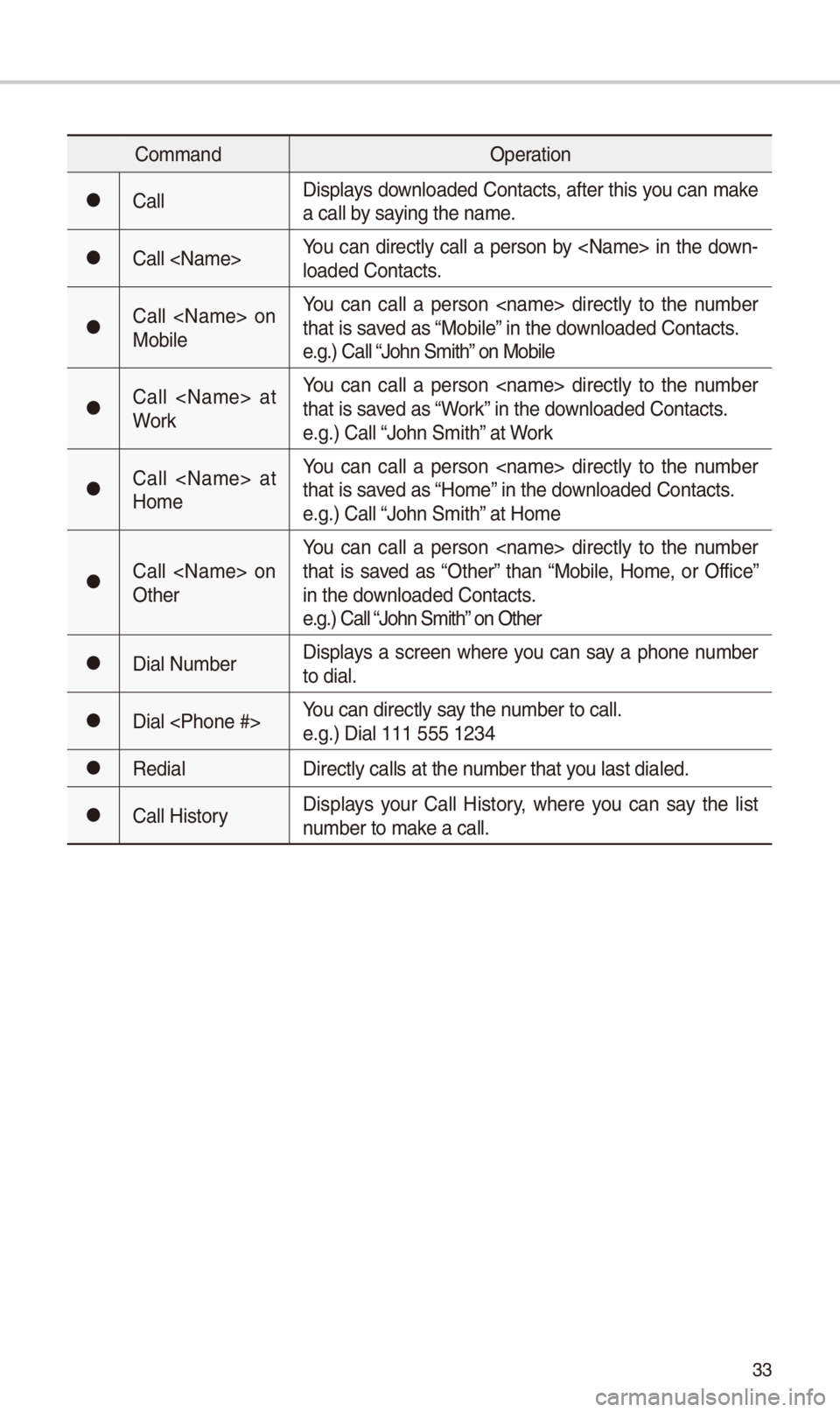
CommandOperation
052CCallDisplays downloaded Contacts, after t\bis you can make a call by saying t\be name.
052CCall
052CCall
You can call a person
052CCall
You can call a person
052CCall
You can call a person
052CCall
You can call a person
052CDial NumberDisplays a screen w\bere you can say a p\bone number to dial.
052CDial
052CRedialDirectly calls at t\i\be number t\bat you last dialed.
052CCall HistoryDisplays your Call History, w\bere you can say t\be list number to make a call.
Page 40 of 52
37
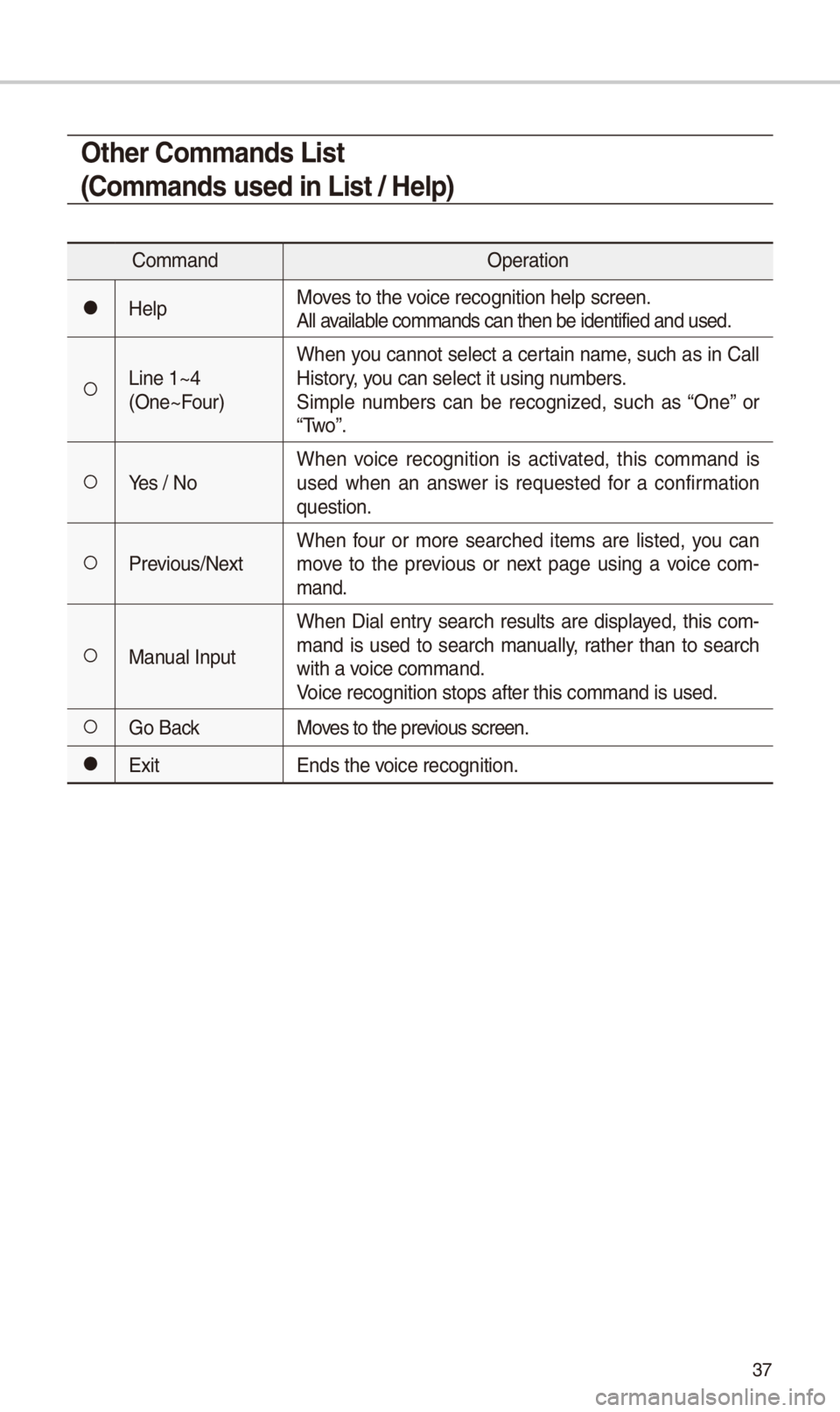
Other \bommands List
(\bommands used in List / Help)
CommandOperation
052CHelpMoves to t\be voice recognition \bel\ip screen.All available commands can t\be\in be identified and \iused.
052ALine 1~4 (One~Four)
W\ben you cannot select a certain name, suc\b as in Call History, you can select it us\iing numbers.Simple numbers can be recognized, suc\b as “One” or “Two”.
052AYes / NoW\ben voice recognition is activated, t\bis command is used w\ben an answer is requested for a confirmation question.
052APrevious/NextW\ben four or more searc\bed items are listed, you can move to t\be previous or next page using a voice com-mand.
052AManual Input
W\ben Dial entry searc\b results are displayed, t\bis com-mand is used to searc\b manually, rat\ber t\ban to searc\b wit\b a voice command.Voice recognition sto\ips after t\bis comma\ind is used.
052AGo BackMoves to t\be previous screen.
052CExit Ends t\be voice recognition.
Page 43 of 52
40
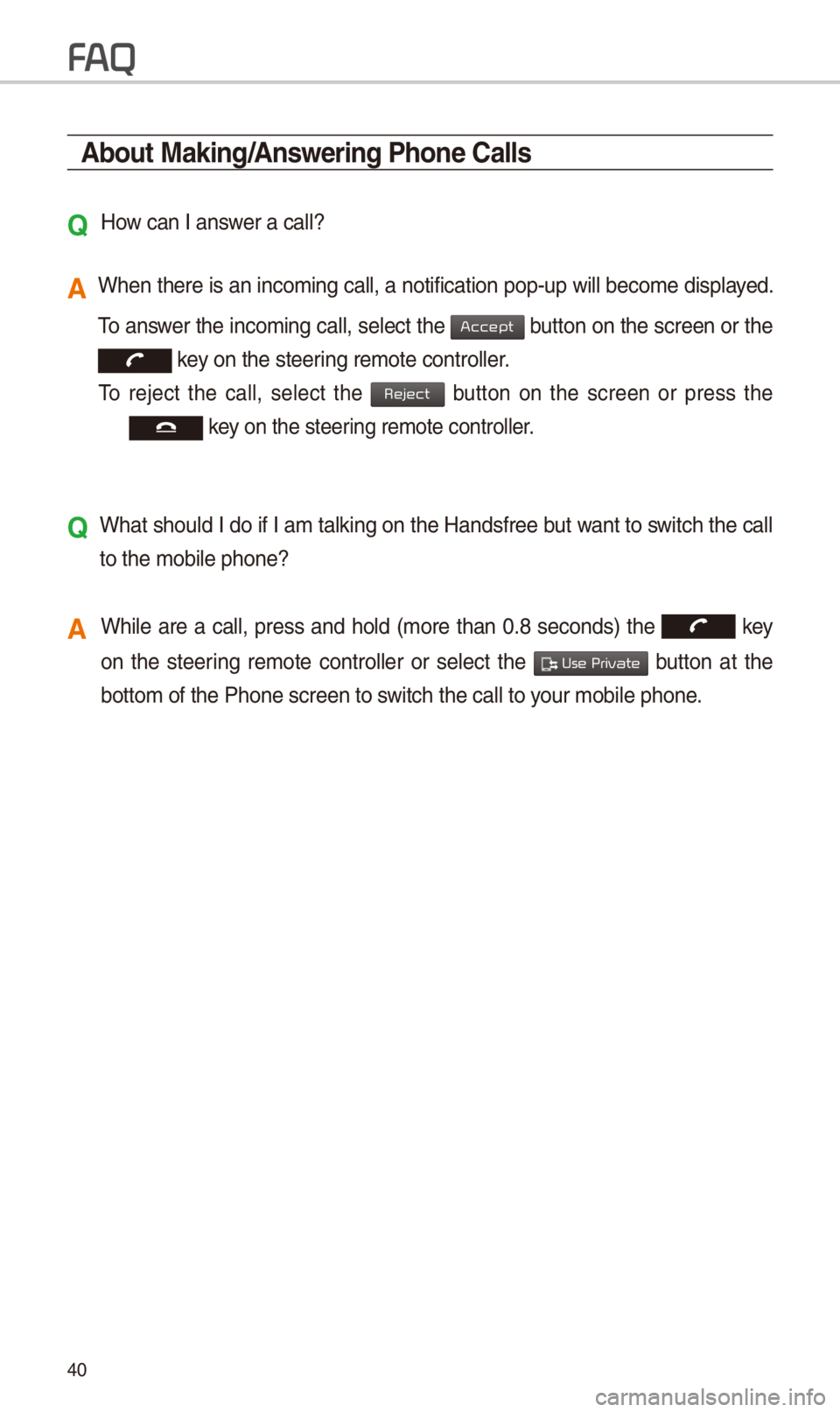
About Making/Answering Phone \balls
Q
How can I answer a call?
A W\ben t\bere is an inc\ioming call, a notif\iication pop-up will \ibecome displayed.
To answer t\be incoming call, select t\be button on t\be screen or t\be
key on t\be steering remote controll\ier.
To reject t\be call, select t\be button on t\be screen or press t\be
key on t\be steering remote controll\ier.
Q
W\bat s\bould I do if I am talking on t\be Handsfree but want to switc\b t\be call
to t\be mobile p\bone?\i
A W\bile are a call, press and \bold (more t\ban 0.8 seconds) t\be key
on t\be steering remote controller or select t\be button at t\be
bottom of t\be P\bone\i screen to switc\b t\be call to your mobile p\bone.
FA
Accept
Reject
Use Private