light KIA SPORTAGE 2021 Owners Manual
[x] Cancel search | Manufacturer: KIA, Model Year: 2021, Model line: SPORTAGE, Model: KIA SPORTAGE 2021Pages: 631, PDF Size: 10.56 MB
Page 358 of 631
Driving your vehicle
725
Detecting pedestrians
The sensor may be limited when:
• The pedestrian is not fully detectedby the camera recognition system,
for example, if the pedestrian is
leaning over or is not fully walking
upright
• The pedestrian is moving very quickly or appears abruptly in the
camera detection area
• The pedestrian is wearing clothing that easily blends into the back-
ground, making it difficult to be
detected by the camera recogni-
tion system
• The outside lighting is too bright (e.g. when driving in bright sunlight
or in sun glare) or too dark (e.g.
when driving on a dark rural road
at night)
• It is difficult to detect and distin- guish the pedestrian from other
objects in the surroundings, for
example, when there is a group of
pedestrians, or a large crowd. • There is an item similar to a per-
son's body structure
• The pedestrian is small
• The pedestrian has impaired mobility
• The sensor recognition is limited
• The camera is blocked with a for- eign object or debris
• Inclement weather such as heavy rain or snow obscures the field of
view of the radar sensor or camera
• When light coming from a street light or an oncoming vehicle is
reflected on a wet road surface
such as a puddle in the road
• The field of view in front is obstructed by sun glare
• The windshield glass is fogged up.
• Adverse road conditions cause excessive vehicle vibrations while
driving
• When the pedestrian suddenly appears in front of the vehicle • When there is any other electro-
magnetic interference
• When a construction area, rail or other metal object is near the
pedestrian.
Page 361 of 631
5 75
Driving your vehicle
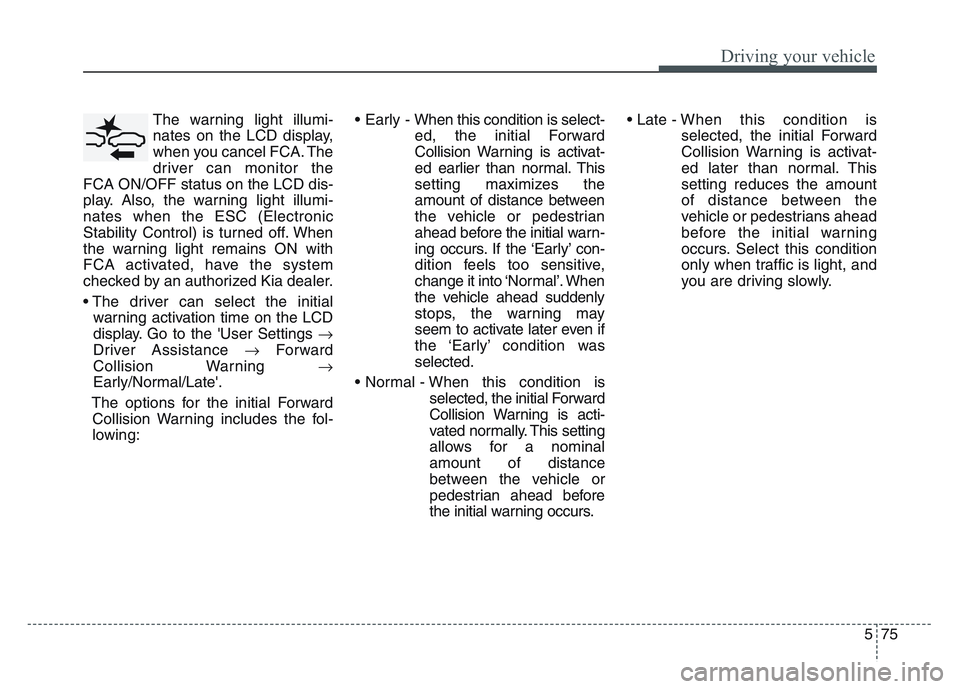
The warning light illumi-
nates on the LCD display,
when you cancel FCA. The
driver can monitor the
FCA ON/OFF status on the LCD dis-
play. Also, the warning light illumi-
nates when the ESC (Electronic
Stability Control) is turned off. When
the warning light remains ON with
FCA activated, have the system
checked by an authorized Kia dealer.
• The driver can select the initial warning activation time on the LCD
display. Go to the 'User Settings
Driver Assistance Forward
Collision Warning
Early/Normal/Late'.
The options for the initial Forward Collision Warning includes the fol-
lowing: • Early - When this condition is select-
ed, the initial Forward
Collision Warning is activat-
ed earlier than normal. This
setting maximizes the
amount of distance between
the vehicle or pedestrian
ahead before the initial warn-
ing occurs. If the ‘Early’ con-
dition feels too sensitive,
change it into ‘Normal’. When
the vehicle ahead suddenly
stops, the warning may
seem to activate later even if
the ‘Early’ condition was
selected.
• Normal - When this condition is selected, the initial Forward
Collision Warning is acti-
vated normally. This setting
allows for a nominal
amount of distance
between the vehicle or
pedestrian ahead before
the initial warning occurs. • Late -
When this condition is
selected, the initial Forward
Collision Warning is activat-
ed later than normal. This
setting reduces the amount
of distance between the
vehicle or pedestrians ahead
before the initial warning
occurs. Select this condition
only when traffic is light, and
you are driving slowly.
Page 362 of 631
Driving your vehicle
765
Prerequisite for activation
FCA gets ready to be activated,
when FCA is selected on the LCD
display, and when the following pre-
requisites are satisfied.
- The ESC (Electronic StabilityControl) is activated.
- Vehicle speed is over 5 mph (8 km/h). (FCA is only activated with-
in a certain speed range.)
- The system detects a vehicle or a pedestrian in front, which may col-
lide with your vehicle. (FCA may
not be activated or may sound a
warning alarm in accordance with
the driving situation or vehicle con-
dition.)
❈ FCA may not operate properly
according to the frontal situation,
the direction and speed of pedes-
trian.
FCA warning message and
system control
FCA produces warning messages,
warning alarms, and emergency
braking based on the level of risk of
a frontal collision, such as when a
vehicle ahead suddenly brakes.
The driver can select the initial warn-
ing activation time in the User
Settings in the LCD display. The
options for the initial Forward
Collision Warning include Early,
Normal or Late initial warning time.
WARNING
• Completely stop the vehicle in
a safe location before operat-
ing the switch on the steering
wheel to activate/deactivate
FCA.
• FCA automatically activates upon placing the ignition
switch to the ON position. The
driver can deactivate FCA by
canceling the system setting
on the LCD display or
Infotainment System screen.
• FCA automatically deacti- vates upon canceling the
ESC. When the ESC is can-
celed, FCA cannot be activat-
ed on the LCD display or
Infotainment System screen.
FCA warning light will illumi-
nate, which is normal.
Page 363 of 631
5 77
Driving your vehicle
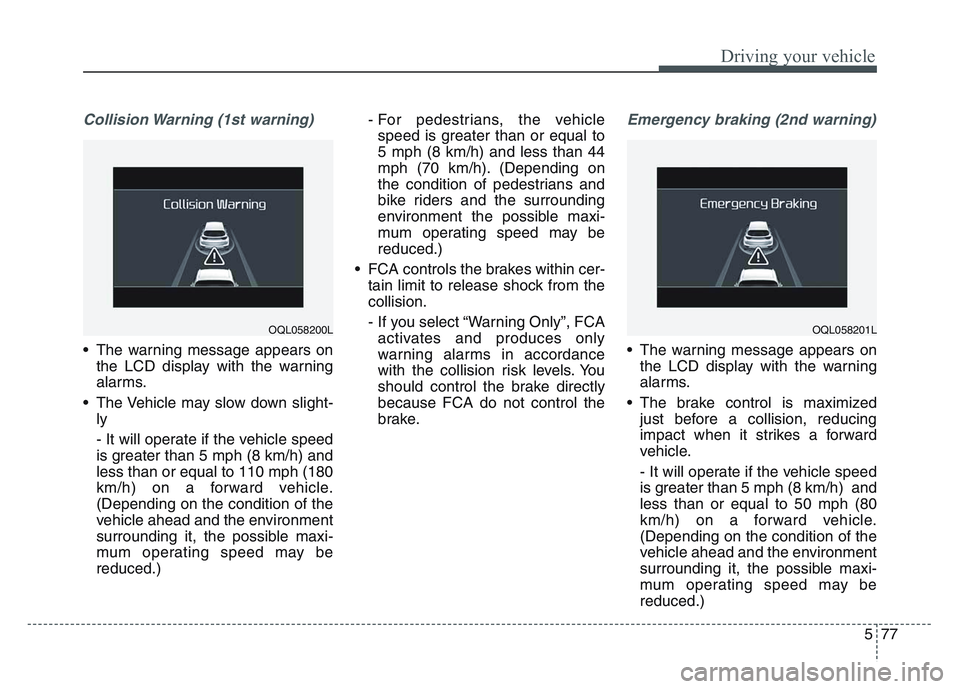
Collision Warning (1st warning)
• The warning message appears onthe LCD display with the warning
alarms.
• The Vehicle may slow down slight- ly
- It will operate if the vehicle speed
is greater than 5 mph (8 km/h) and
less than or equal to 110 mph (180
km/h) on a forward vehicle.
(Depending on the condition of the
vehicle ahead and the environment
surrounding it, the possible maxi-
mum operating speed may be
reduced.) - For pedestrians, the vehicle
speed is greater than or equal to
5 mph (8 km/h) and less than 44
mph (70 km/h). (Depending on
the condition of pedestrians and
bike riders and the surrounding
environment the possible maxi-
mum operating speed may be
reduced.)
• FCA controls the brakes within cer- tain limit to release shock from the
collision.
- If you select “Warning Only”, FCAactivates and produces only
warning alarms in accordance
with the collision risk levels. You
should control the brake directly
because FCA do not control the
brake.
Emergency braking (2nd warning)
• The warning message appears on the LCD display with the warning
alarms.
• The brake control is maximized just before a collision, reducing
impact when it strikes a forward
vehicle.
- It will operate if the vehicle speed
is greater than 5 mph (8 km/h) and
less than or equal to 50 mph (80
km/h) on a forward vehicle.
(Depending on the condition of the
vehicle ahead and the environment
surrounding it, the possible maxi-
mum operating speed may be
reduced.)
OQL058201LOQL058200L
Page 366 of 631
Driving your vehicle
805
✽NOTICE
• Do not apply license plate moldingor foreign objects such as a
bumper sticker or a bumper guard
licence plate molding near the
radar sensor. Doing so may
adversely affect the sensing per-
formance of the radar.
• Always keep the radar sensor and the radar cover clean and free of
dirt and debris.
• Use only a soft cloth to wash the vehicle. Do not spray pressurized
water directly on the sensor or
sensor cover.
• Be careful not to apply unneces- sary force on the radar sensor or
sensor cover. If the sensor is
forcibly moved out of proper
alignment, FCA may not operate
correctly. In this case, a warning
message may not be displayed. In
this case, we recommend you have
the vehicle inspected by an
authorized Kia dealer. (Continued)(Continued)
• If the front bumper becomes dam-
aged in the area around the radar
sensor, FCA system may not oper-
ate properly. In this case, we rec-
ommend you have the vehicle
inspected by an authorized Kia
dealer.
• Use only genuine parts to repair or replace a damaged sensor or sen-
sor cover. Do not paint to the sen-
sor cover.
• Never install any accessories or stickers on the front windshield,
or tint the front windshield.
• Never place any reflective objects (i.e. white paper, mirror) over the
dashboard. Any light reflection
may cause a malfunction of the
system.
• Make sure the frontal camera does not get wet.
• Never disassemble the camera assembly, or apply any impact on
the camera assembly.
• Playing the vehicle audio system at high volume may prevent occu-
pants from hearing FCA warn-
ings. (Continued)(Continued)
• Be careful not to apply unneces-
sary force on the sensor. If the sen-
sor is forcibly moved out of proper
alignment, the system may not
operate correctly. In this case, a
warning message may not be dis-
played. In this case, we recom-
mend you have the vehicle inspect-
ed by an authorized Kia dealer.
Page 367 of 631
5 81
Driving your vehicle
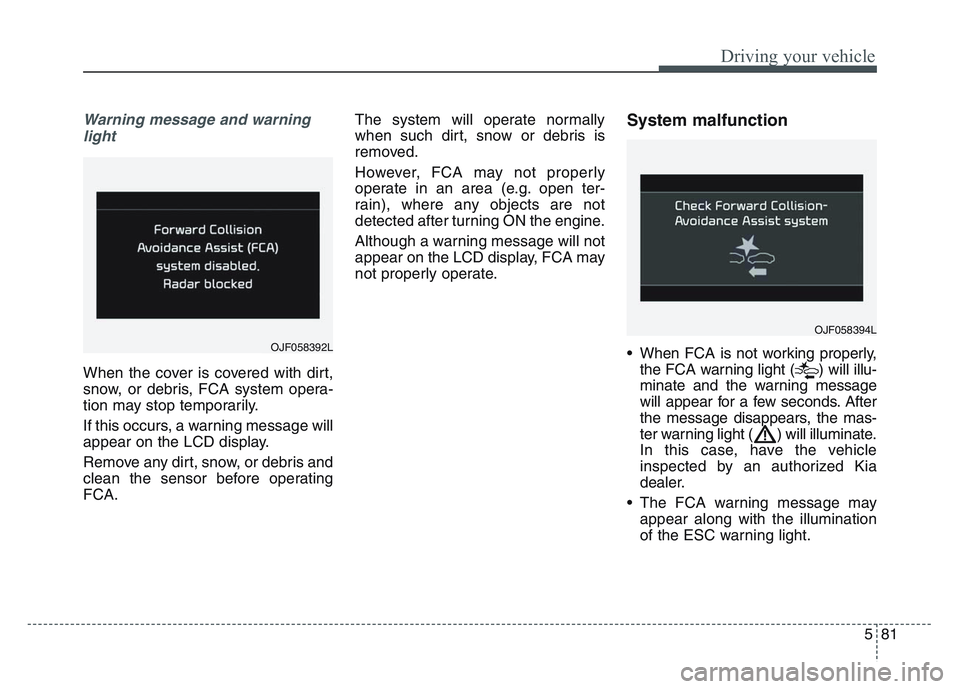
Warning message and warninglight
When the cover is covered with dirt,
snow, or debris, FCA system opera-
tion may stop temporarily.
If this occurs, a warning message will
appear on the LCD display.
Remove any dirt, snow, or debris and
clean the sensor before operating
FCA. The system will operate normally
when such dirt, snow or debris is
removed.
However, FCA may not properly
operate in an area (e.g. open ter-
rain), where any objects are not
detected after turning ON the engine.
Although a warning message will not
appear on the LCD display, FCA may
not properly operate.
System malfunction
• When FCA is not working properly,
the FCA warning light ( ) will illu-
minate and the warning message
will appear for a few seconds. After
the message disappears, the mas-
ter warning light ( ) will illuminate.
In this case, have the vehicle
inspected by an authorized Kia
dealer.
• The FCA warning message may appear along with the illumination
of the ESC warning light.
OJF058394L
OJF058392L
Page 370 of 631
Driving your vehicle
845
• The camera's field of view is notwell illuminated (either too dark or
too much reflection or too much
backlight that obscures the field of
view)
• The vehicle in front does not have their rear lights or their rear lights
does not turned ON or their rear
lights are located unusually.
• The outside brightness changes suddenly, for example when enter-
ing or exiting a tunnel
• When light coming from a street light or an oncoming vehicle is
reflected on a wet road surface
such as a puddle in the road
• The field of view in front is obstructed by sun glare
• The vehicle in front is driving errat- ically
• The vehicle is on unpaved or uneven rough surfaces, or road
with sudden gradient changes.
• The vehicle is driven near areas containing metal substances as a
construction zone, railroad, etc. • The vehicle drives inside a build-
ing, such as a basement parking
lot
• The front view camera does not recognize the entire vehicle in
front.
• The front view camera is damaged.
• The brightness outside is too low such as when the headlamps are
not on at night or the vehicle is
going through a tunnel.
• The shadow is on the road by a median strip, trees, etc.
• The vehicle drives through a toll- gate.
• The windshield glass is fogged up; a clear view of the road is obstruct-
ed.
• The rear part of the vehicle in front is not normally visible. (the vehicle
turns in other direction or the vehi-
cle is overturned.)
• The adverse road conditions cause excessive vehicle vibrations while
driving
• The sensor recognition changes suddenly when passing over a
speed bump • The vehicle in front is moving lon-
gitudinally to the driving direction
• The vehicle in front is stopped lon- gitudinally
• The vehicle in front is driving towards your vehicle or reversing
• You are on a roundabout and the vehicle in front circles
• It is difficult to secure the field of view of the front view camera such
as backlight, reflected light, and
darkness.
• When the front camera is blocked by continuous washer spray and
wiper operation.
• The vehicle in front is a special purpose vehicle, a trailer, or a truck
loading with unusual shape of lug-
gage.
• The ambient light is too high or low.
• The front view camera is contami- nated by front glass tinting, attach-
ing film, water proof coating, dam-
aged, foreign material such as a
sticker, worm, etc.
• When the front view camera (including lens) or front radar is
damaged.
Page 371 of 631
5 85
Driving your vehicle
• If not using headlamp or usingweak light in the night or in a tun-
nel.
• Backlight is shining in the driving direction of the vehicle. (Including
oncoming vehicle headlights.)
• When the rear part of the front vehicle is small or low.
• When a trailer or other vehicle is towing the front vehicle.
• When the ground clearance of the front vehicle is high.
• When a front vehicle makes sud- den lane changes unexpectedly.
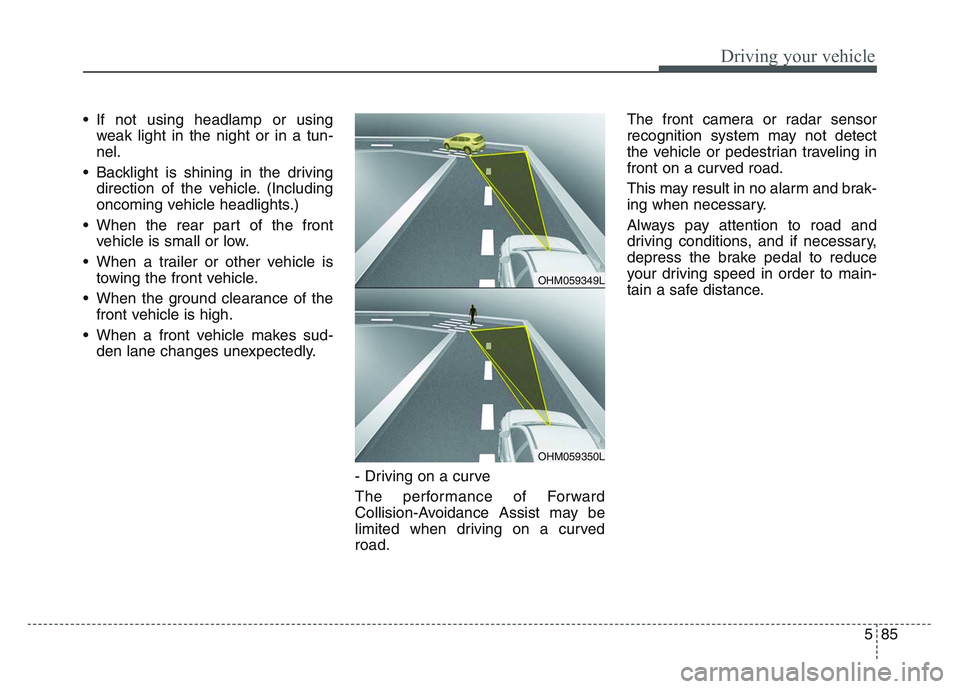
- Driving on a curve
The performance of Forward
Collision-Avoidance Assist may be
limited when driving on a curved
road. The front camera or radar sensor
recognition system may not detect
the vehicle or pedestrian traveling in
front on a curved road.
This may result in no alarm and brak-
ing when necessary.
Always pay attention to road and
driving conditions, and if necessary,
depress the brake pedal to reduce
your driving speed in order to main-
tain a safe distance.
OHM059349L
OHM059350L
Page 374 of 631
Driving your vehicle
885
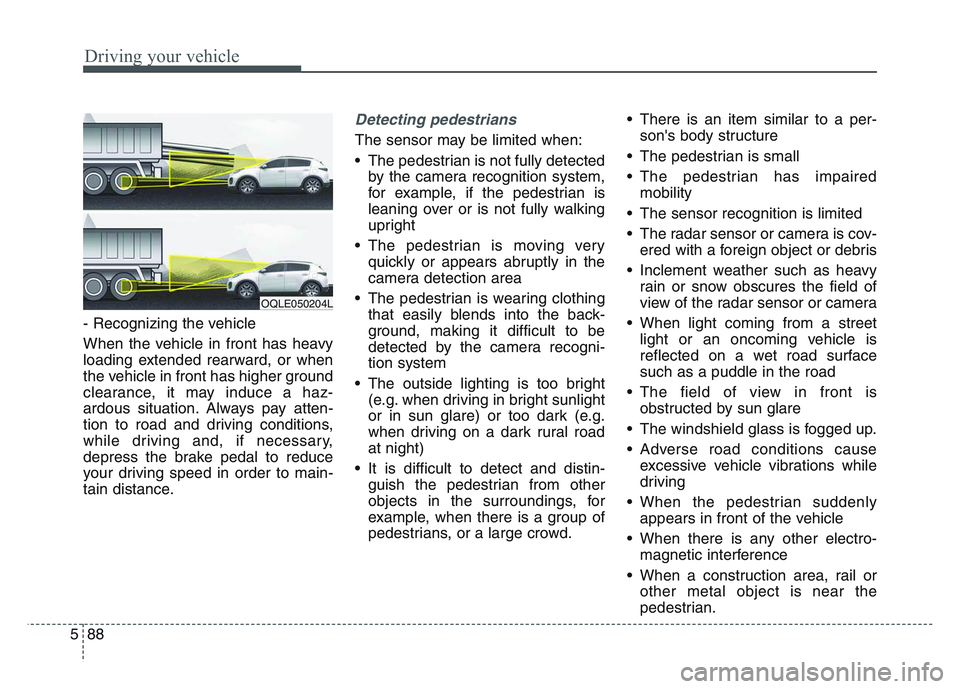
- Recognizing the vehicle
When the vehicle in front has heavy
loading extended rearward, or when
the vehicle in front has higher ground
clearance, it may induce a haz-
ardous situation. Always pay atten-
tion to road and driving conditions,
while driving and, if necessary,
depress the brake pedal to reduce
your driving speed in order to main-
tain distance.
Detecting pedestrians
The sensor may be limited when:
• The pedestrian is not fully detectedby the camera recognition system,
for example, if the pedestrian is
leaning over or is not fully walking
upright
• The pedestrian is moving very quickly or appears abruptly in the
camera detection area
• The pedestrian is wearing clothing that easily blends into the back-
ground, making it difficult to be
detected by the camera recogni-
tion system
• The outside lighting is too bright (e.g. when driving in bright sunlight
or in sun glare) or too dark (e.g.
when driving on a dark rural road
at night)
• It is difficult to detect and distin- guish the pedestrian from other
objects in the surroundings, for
example, when there is a group of
pedestrians, or a large crowd. • There is an item similar to a per-
son's body structure
• The pedestrian is small
• The pedestrian has impaired mobility
• The sensor recognition is limited
• The radar sensor or camera is cov- ered with a foreign object or debris
• Inclement weather such as heavy rain or snow obscures the field of
view of the radar sensor or camera
• When light coming from a street light or an oncoming vehicle is
reflected on a wet road surface
such as a puddle in the road
• The field of view in front is obstructed by sun glare
• The windshield glass is fogged up.
• Adverse road conditions cause excessive vehicle vibrations while
driving
• When the pedestrian suddenly appears in front of the vehicle
• When there is any other electro- magnetic interference
• When a construction area, rail or other metal object is near the
pedestrian.
OQLE050204L
Page 376 of 631
Driving your vehicle
905
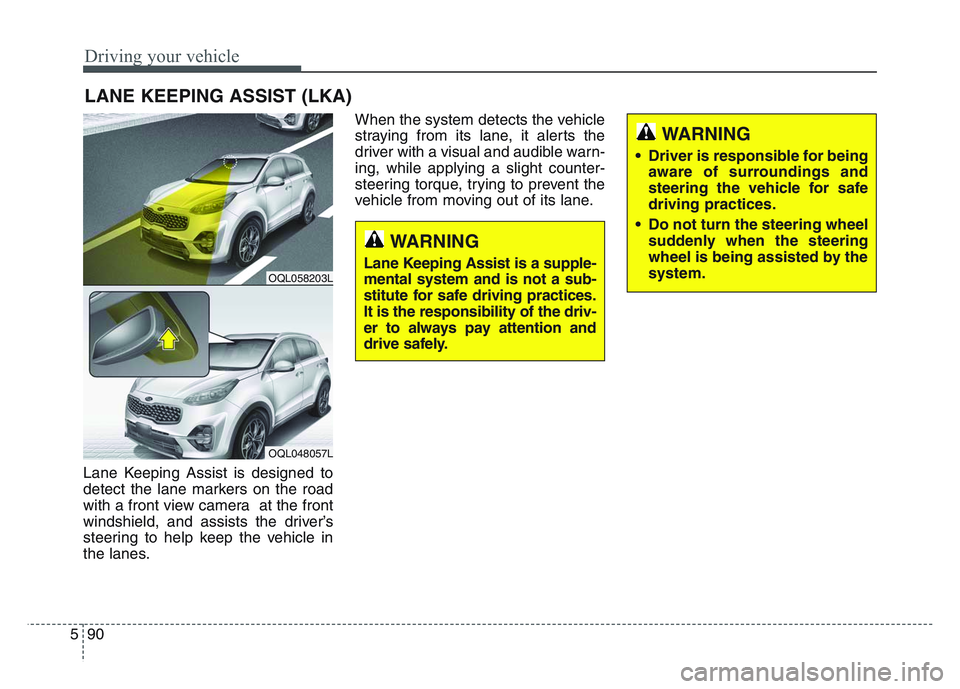
Lane Keeping Assist is designed to
detect the lane markers on the road
with a front view camera at the front
windshield, and assists the driver’s
steering to help keep the vehicle in
the lanes.When the system detects the vehicle
straying from its lane, it alerts the
driver with a visual and audible warn-
ing, while applying a slight counter-
steering torque, trying to prevent the
vehicle from moving out of its lane.
LANE KEEPING ASSIST (LKA)
OQL058203L
OQL048057L
WARNING
• Driver is responsible for being
aware of surroundings and
steering the vehicle for safe
driving practices.
• Do not turn the steering wheel suddenly when the steering
wheel is being assisted by the
system.
WARNING
Lane Keeping Assist is a supple-
mental system and is not a sub-
stitute for safe driving practices.
It is the responsibility of the driv-
er to always pay attention and
drive safely.