display KIA SPORTAGE 2021 Workshop Manual
[x] Cancel search | Manufacturer: KIA, Model Year: 2021, Model line: SPORTAGE, Model: KIA SPORTAGE 2021Pages: 631, PDF Size: 10.56 MB
Page 367 of 631
5 81
Driving your vehicle
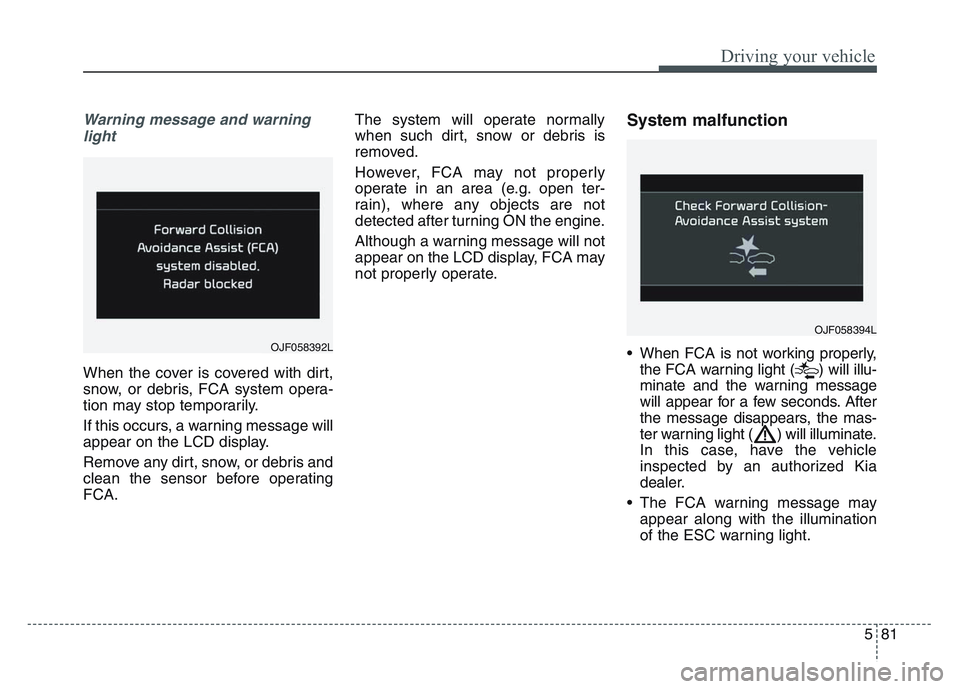
Warning message and warninglight
When the cover is covered with dirt,
snow, or debris, FCA system opera-
tion may stop temporarily.
If this occurs, a warning message will
appear on the LCD display.
Remove any dirt, snow, or debris and
clean the sensor before operating
FCA. The system will operate normally
when such dirt, snow or debris is
removed.
However, FCA may not properly
operate in an area (e.g. open ter-
rain), where any objects are not
detected after turning ON the engine.
Although a warning message will not
appear on the LCD display, FCA may
not properly operate.
System malfunction
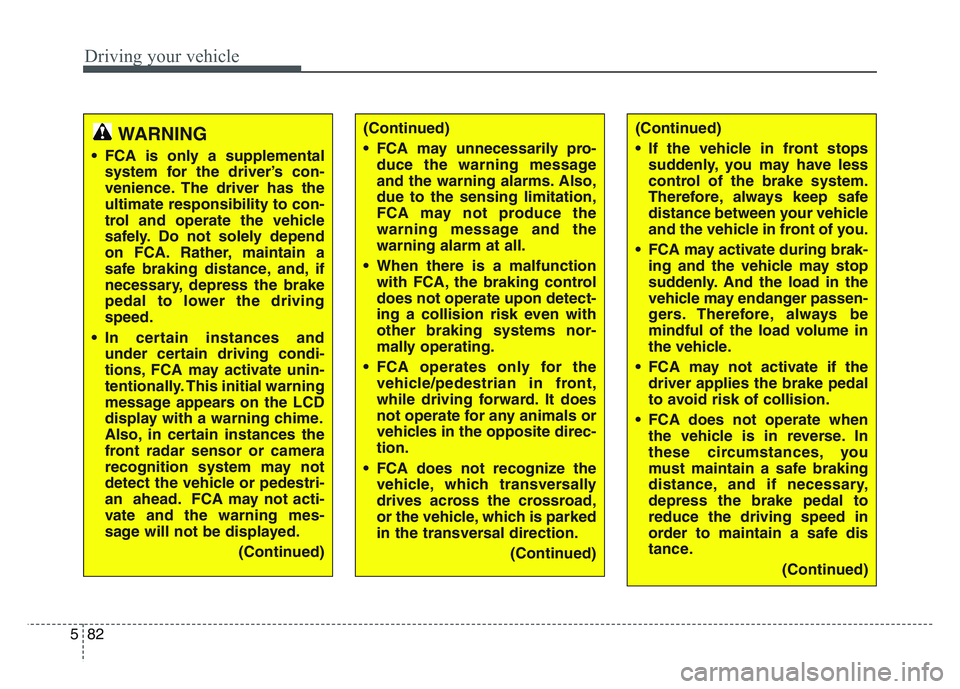
• When FCA is not working properly,
the FCA warning light ( ) will illu-
minate and the warning message
will appear for a few seconds. After
the message disappears, the mas-
ter warning light ( ) will illuminate.
In this case, have the vehicle
inspected by an authorized Kia
dealer.
• The FCA warning message may appear along with the illumination
of the ESC warning light.
OJF058394L
OJF058392L
Page 368 of 631
Driving your vehicle
825
(Continued)
• If the vehicle in front stopssuddenly, you may have less
control of the brake system.
Therefore, always keep safe
distance between your vehicle
and the vehicle in front of you.
• FCA may activate during brak- ing and the vehicle may stop
suddenly. And the load in the
vehicle may endanger passen-
gers. Therefore, always be
mindful of the load volume in
the vehicle.
• FCA may not activate if the driver applies the brake pedal
to avoid risk of collision.
• FCA does not operate when the vehicle is in reverse. In
these circumstances, you
must maintain a safe braking
distance, and if necessary,
depress the brake pedal to
reduce the driving speed in
order to maintain a safe dis
tance.
(Continued)WARNING
• FCA is only a supplementalsystem for the driver’s con-
venience. The driver has the
ultimate responsibility to con-
trol and operate the vehicle
safely. Do not solely depend
on FCA. Rather, maintain a
safe braking distance, and, if
necessary, depress the brake
pedal to lower the driving
speed.
• In certain instances and under certain driving condi-
tions, FCA may activate unin-
tentionally. This initial warning
message appears on the LCD
display with a warning chime.
Also, in certain instances the
front radar sensor or camera
recognition system may not
detect the vehicle or pedestri-
an ahead. FCA may not acti-
vate and the warning mes-
sage will not be displayed.
(Continued)
(Continued)
• FCA may unnecessarily pro-duce the warning message
and the warning alarms. Also,
due to the sensing limitation,
FCA may not produce the
warning message and the
warning alarm at all.
• When there is a malfunction with FCA, the braking control
does not operate upon detect-
ing a collision risk even with
other braking systems nor-
mally operating.
• FCA operates only for the vehicle/pedestrian in front,
while driving forward. It does
not operate for any animals or
vehicles in the opposite direc-
tion.
• FCA does not recognize the vehicle, which transversally
drives across the crossroad,
or the vehicle, which is parked
in the transversal direction.
(Continued)
Page 378 of 631
Driving your vehicle
925
LKA operation
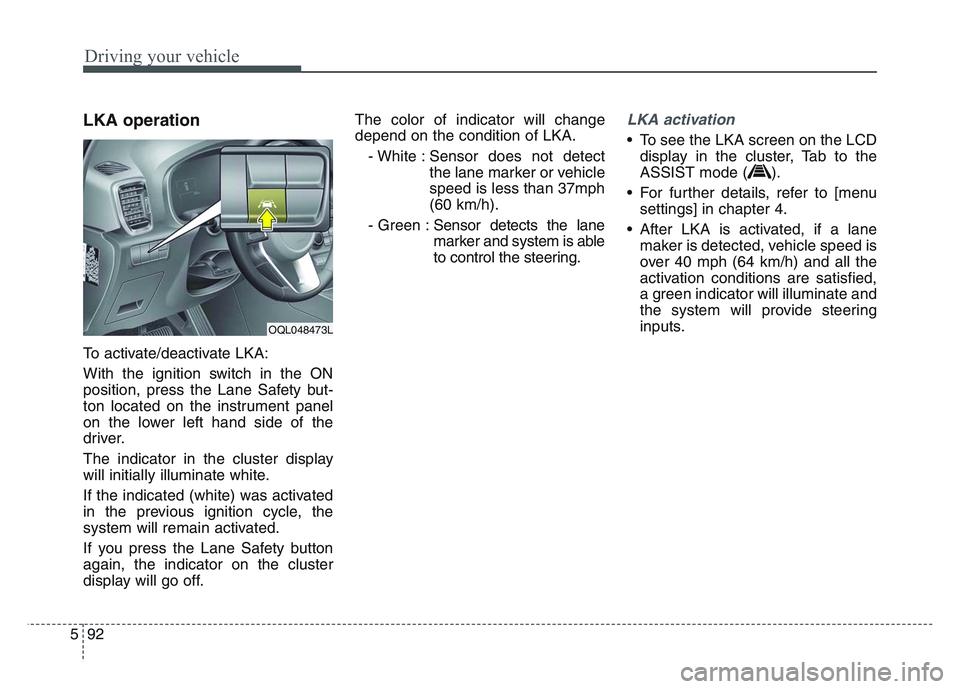
To activate/deactivate LKA:
With the ignition switch in the ON
position, press the Lane Safety but-
ton located on the instrument panel
on the lower left hand side of the
driver.
The indicator in the cluster display
will initially illuminate white.
If the indicated (white) was activated
in the previous ignition cycle, the
system will remain activated.
If you press the Lane Safety button
again, the indicator on the cluster
display will go off.The color of indicator will change
depend on the condition of LKA.
- White : Sensor does not detect the lane marker or vehicle
speed is less than 37mph
(60 km/h).
- Green : Sensor detects the lane
marker and system is able
to control the steering.
LKA activation
• To see the LKA screen on the LCD
display in the cluster, Tab to the
ASSIST mode ( ).
• For further details, refer to [menu settings] in chapter 4.
• After LKA is activated, if a lane maker is detected, vehicle speed is
over 40 mph (64 km/h) and all the
activation conditions are satisfied,
a green indicator will illuminate and
the system will provide steering
inputs.
OQL048473L
Page 379 of 631
5 93
Driving your vehicle
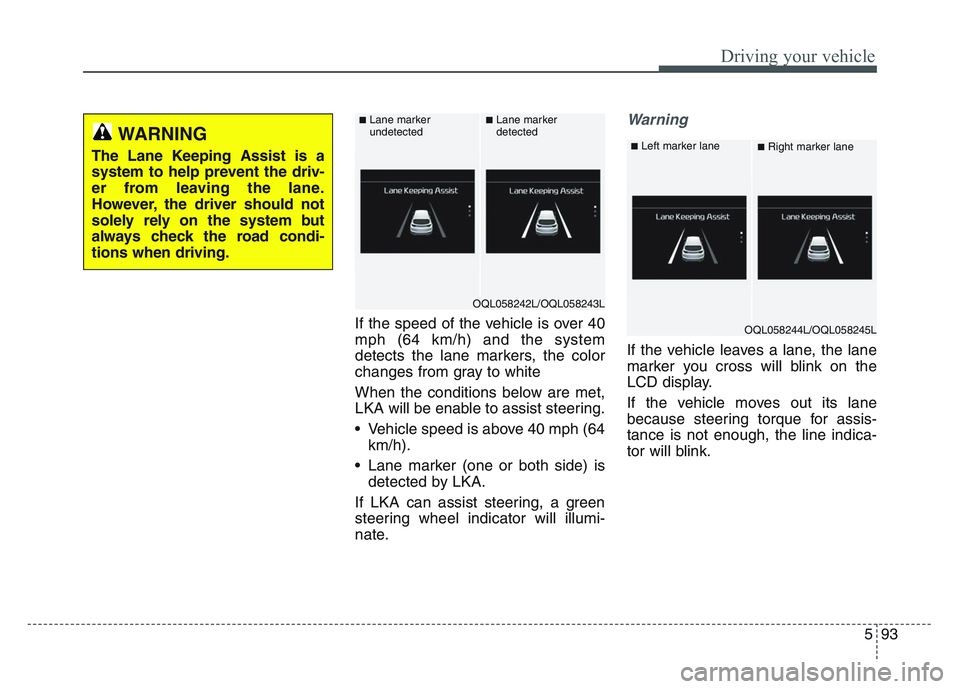
If the speed of the vehicle is over 40
mph (64 km/h) and the system
detects the lane markers, the color
changes from gray to white
When the conditions below are met,
LKA will be enable to assist steering.
• Vehicle speed is above 40 mph (64km/h).
• Lane marker (one or both side) is detected by LKA.
If LKA can assist steering, a green
steering wheel indicator will illumi-
nate.
Warning
If the vehicle leaves a lane, the lane
marker you cross will blink on the
LCD display.
If the vehicle moves out its lane
because steering torque for assis-
tance is not enough, the line indica-
tor will blink.
WARNING
The Lane Keeping Assist is a
system to help prevent the driv-
er from leaving the lane.
However, the driver should not
solely rely on the system but
always check the road condi-
tions when driving.
OQL058242L/OQL058243L
■Lane marker
undetected■Lane marker
detected
OQL058244L/OQL058245L
■Left marker lane■Right marker lane
Page 382 of 631
Driving your vehicle
965
When there is a problem with the sys-
tem do one of the following:
• Turn the system on after turningthe engine off and on again.
• Check if the ignition switch is in the ON position.
• Check if the system is affected by the weather. (ex: fog, heavy rain,
etc.)
• Check if there is foreign matter covering the camera lens
If the problem is not solved, take your
vehicle to an authorized Kia dealer
and have the system checked.LKA system Function Change
The driver can change LKA to Lane
Departure Warning System (LDW
system) or change LKA mode
between Standard LKA and Active
LKA from the User Settings Mode on
the LCD display.
The driver can choose them by plac-
ing the ignition switch to the ON posi-
tion and by selecting ‘User Settings’,
‘Driver Assistance’, and ‘Lane
Keeping Assist’.
The system is automatically set to
Standard LKA.
Lane Departure
LDW alerts the driver with a visual
and acoustic warning when the sys-
tem detects the vehicle leaving the
lane. In this mode, the system will not
provide steering inputs. When the
vehicle’s front wheel contacts the
inside edge of lane line, LKA issues
the lane departure warning.
Standard LKA
The Standard LKA mode guides the
driver to keep the vehicle within the
lanes. It provides steering inputs
when the vehicle is about to deviate
from the lanes.
Active LKA
The active LKA mode provides more
frequent steering inputs in compari-
son with the Standard LKA mode.
Page 389 of 631
5 103
Driving your vehicle
(Continued)Have the vehicle inspected by an
authorized Kia dealer.
• Do not apply foreign objects such as a bumper sticker or a bumper
guard near the radar sensor or
apply paint to the sensor area.
Doing so may adversely affect the
performance of the sensor.Warning message
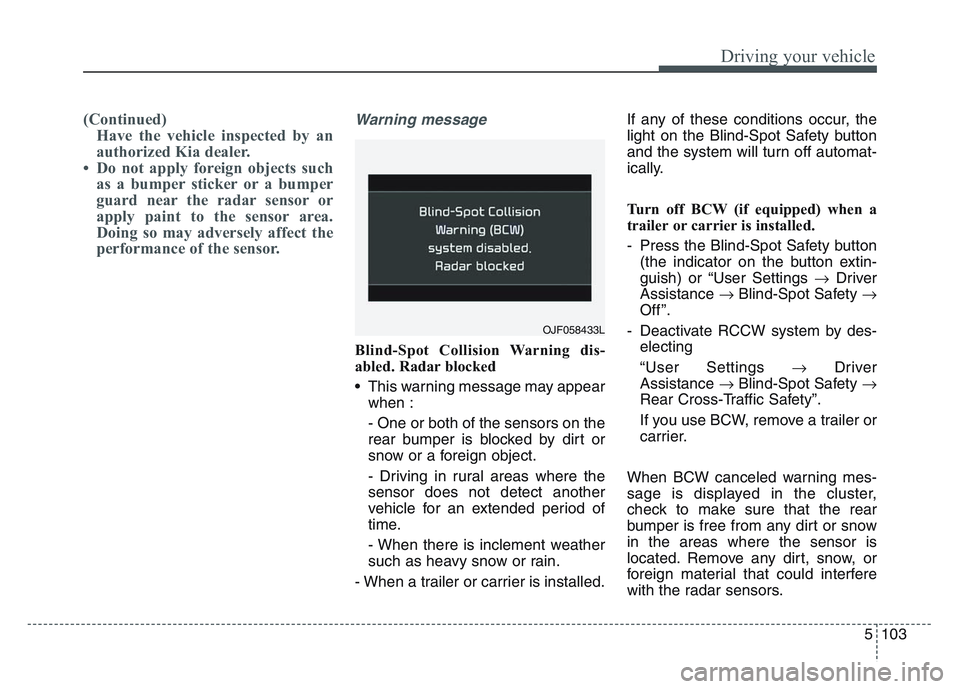
Blind-Spot Collision Warning dis-
abled. Radar blocked
• This warning message may appear
when :
- One or both of the sensors on the
rear bumper is blocked by dirt or
snow or a foreign object.
- Driving in rural areas where the
sensor does not detect another
vehicle for an extended period of
time.
- When there is inclement weather
such as heavy snow or rain.
- When a trailer or carrier is installed. If any of these conditions occur, the
light on the Blind-Spot Safety button
and the system will turn off automat-
ically.
Turn off BCW (if equipped) when a
trailer or carrier is installed.
- Press the Blind-Spot Safety button
(the indicator on the button extin-
guish) or “User Settings Driver
Assistance Blind-Spot Safety
Off ”.
- Deactivate RCCW system by des- electing
“User Settings Driver
Assistance Blind-Spot Safety
Rear Cross-Traffic Safety”.
If you use BCW, remove a trailer or
carrier.
When BCW canceled warning mes-
sage is displayed in the cluster,
check to make sure that the rear
bumper is free from any dirt or snow
in the areas where the sensor is
located. Remove any dirt, snow, or
foreign material that could interfere
with the radar sensors.
OJF058433L
Page 395 of 631
5 109
Driving your vehicle
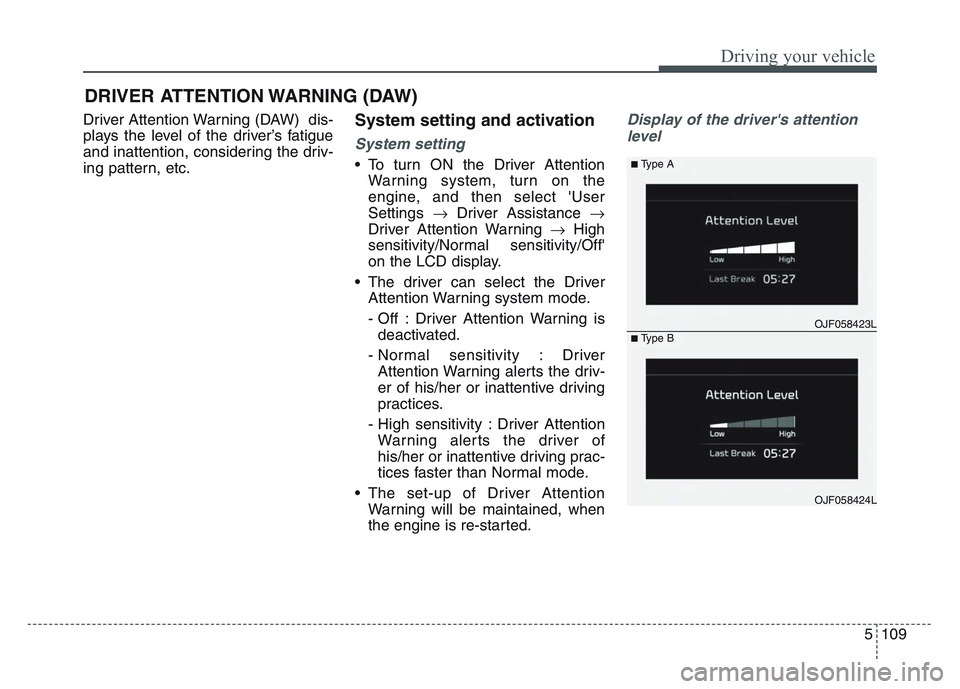
Driver Attention Warning (DAW) dis-
plays the level of the driver’s fatigue
and inattention, considering the driv-
ing pattern, etc.System setting and activation
System setting
• To turn ON the Driver AttentionWarning system, turn on the
engine, and then select 'User
Settings Driver Assistance
Driver Attention Warning High
sensitivity/Normal sensitivity/Off'
on the LCD display.
• The driver can select the Driver Attention Warning system mode.
- Off : Driver Attention Warning isdeactivated.
- Normal sensitivity : Driver Attention Warning alerts the driv-
er of his/her or inattentive driving
practices.
- High sensitivity : Driver Attention Warning alerts the driver of
his/her or inattentive driving prac-
tices faster than Normal mode.
• The set-up of Driver Attention Warning will be maintained, when
the engine is re-started.
Display of the driver's attention
level
DRIVER ATTENTION WARNING (DAW)
OJF058423L
■Type A
■Type B
OJF058424L
Page 396 of 631
Driving your vehicle
1105
• The driver can monitor their drivingconditions on the LCD display.
- Select 'User Settings Mode' andthen 'Driver Assistance' on the
LCD display. (For more informa-
tion, refer to “LCD Display” in
chapter 4.)
• The driver's attention level is dis- played on the scale of 1 to 5. The
lower the number is, the more inat-
tentive the driver is.
• The number decreases when the driver does not take a break for a
certain period of time.
• The number increases when the driver attentively drives for a cer-
tain period of time.
• When the driver turns on the sys- tem while driving, it displays ‘Last
Break time’.Take a break
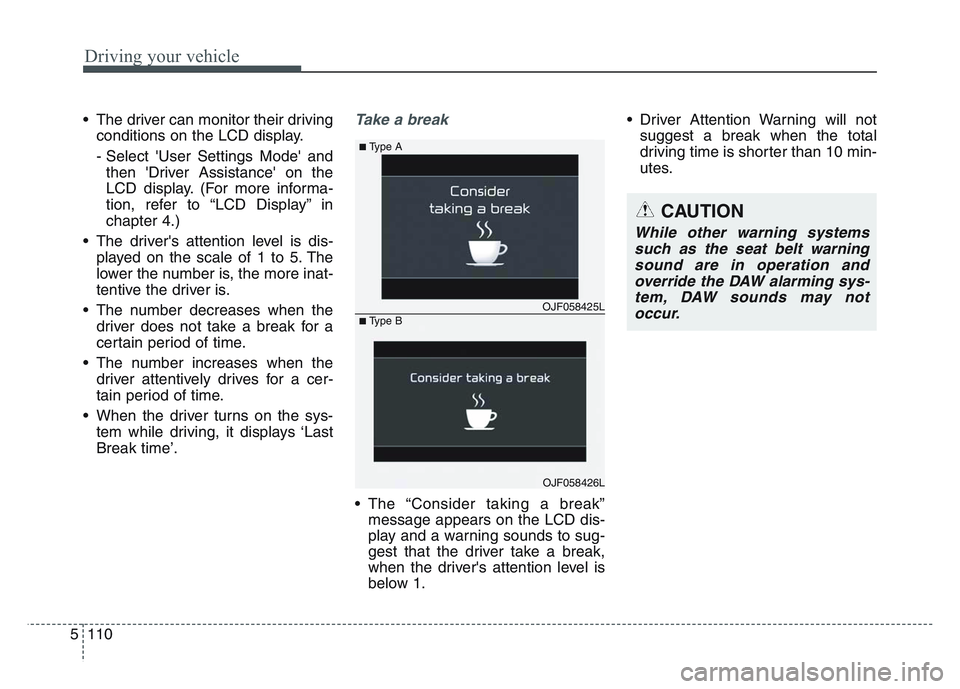
• The “Consider taking a break”message appears on the LCD dis-
play and a warning sounds to sug-
gest that the driver take a break,
when the driver's attention level is
below 1. • Driver Attention Warning will not
suggest a break when the total
driving time is shorter than 10 min-
utes.
OJF058425L
■Type A
■Type B
OJF058426L
CAUTION
While other warning systemssuch as the seat belt warningsound are in operation andoverride the DAW alarming sys-tem, DAW sounds may notoccur.
Page 397 of 631
5 111
Driving your vehicle
Resetting the system
• The last break time is set to 00:00and the driver's attention level is
set to 5 (very attentive) when the
driver resets Driver Attention
Warning.
• Driver Attention Warning resets in the following situations.
- The engine is turned OFF.
- The driver unfastens the seat beltand then opens the driver’s door
in stop.
- The driver takes a break from driving that lasts more than 10
minutes.
• Driver Attention Warning operates again, when the driver restarts
driving.
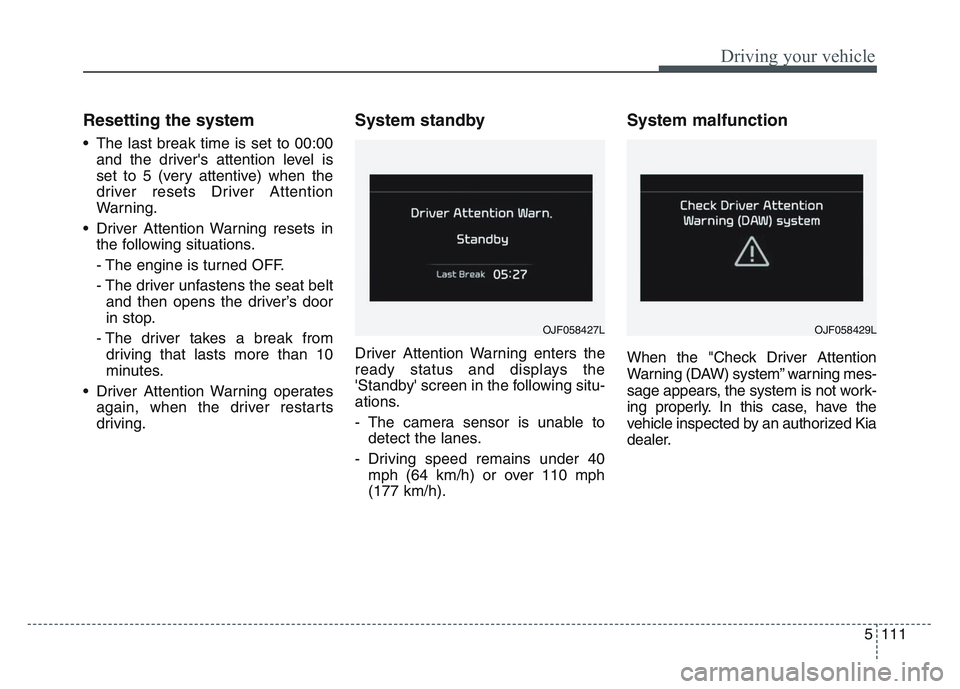
System standby
Driver Attention Warning enters the
ready status and displays the
'Standby' screen in the following situ-
ations.
- The camera sensor is unable todetect the lanes.
- Driving speed remains under 40 mph (64 km/h) or over 110 mph
(177 km/h).
System malfunction
When the "Check Driver Attention
Warning (DAW) system” warning mes-
sage appears, the system is not work-
ing properly. In this case, have the
vehicle inspected by an authorized Kia
dealer.
OJF058427LOJF058429L
Page 404 of 631
Driving your vehicle
1185
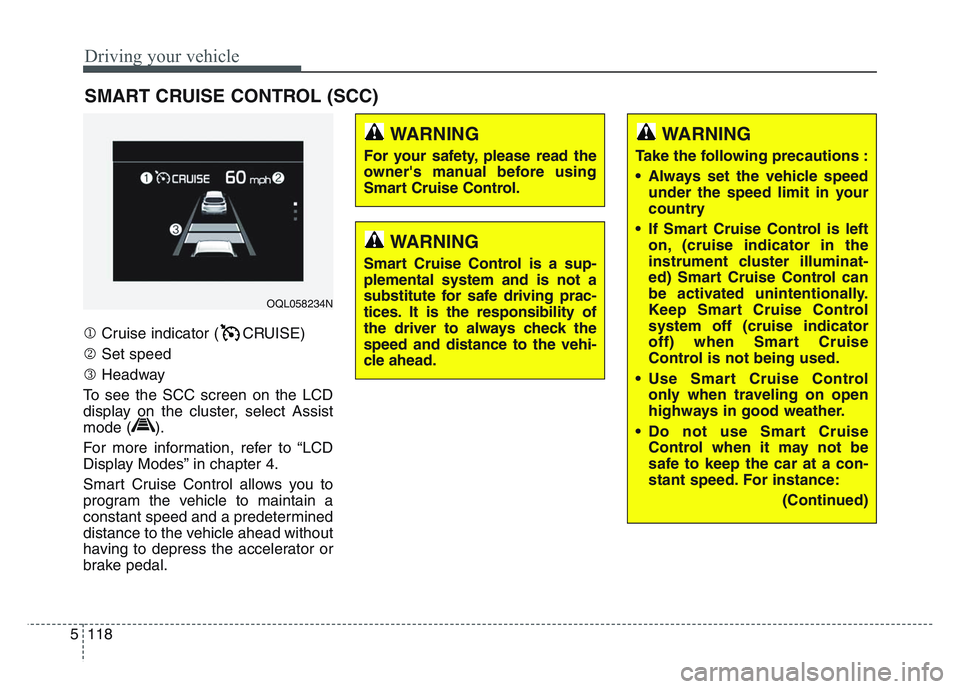
Cruise indicator ( CRUISE)
Set speed
Headway
To see the SCC screen on the LCD
display on the cluster, select Assist
mode ( ).
For more information, refer to “LCD
Display Modes” in chapter 4.
Smart Cruise Control allows you to
program the vehicle to maintain a
constant speed and a predetermined
distance to the vehicle ahead without
having to depress the accelerator or
brake pedal.
SMART CRUISE CONTROL (SCC)
WARNING
For your safety, please read the
owner's manual before using
Smart Cruise Control.
WARNING
Smart Cruise Control is a sup-
plemental system and is not a
substitute for safe driving prac-
tices. It is the responsibility of
the driver to always check the
speed and distance to the vehi-
cle ahead.
OQL058234N
WARNING
Take the following precautions :
• Always set the vehicle speed under the speed limit in your
country
• If Smart Cruise Control is left on, (cruise indicator in the
instrument cluster illuminat-
ed) Smart Cruise Control can
be activated unintentionally.
Keep Smart Cruise Control
system off (cruise indicator
off) when Smart Cruise
Control is not being used.
• Use Smart Cruise Control only when traveling on open
highways in good weather.
• Do not use Smart Cruise Control when it may not be
safe to keep the car at a con-
stant speed. For instance:
(Continued)