display KIA SPORTAGE 2021 Repair Manual
[x] Cancel search | Manufacturer: KIA, Model Year: 2021, Model line: SPORTAGE, Model: KIA SPORTAGE 2021Pages: 631, PDF Size: 10.56 MB
Page 408 of 631
Driving your vehicle
1225
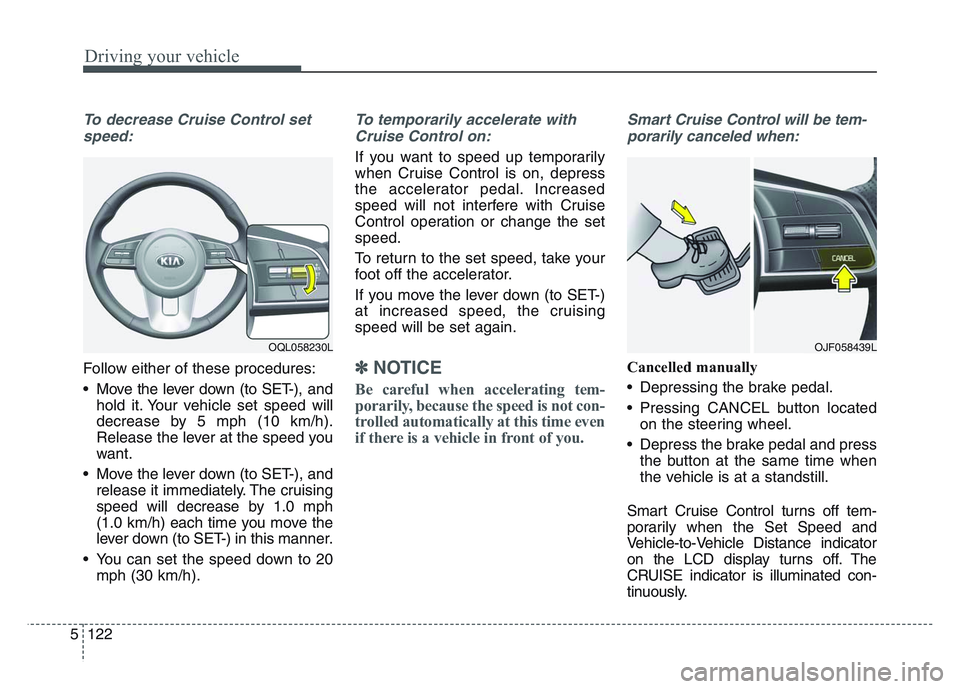
To decrease Cruise Control setspeed:
Follow either of these procedures:
• Move the lever down (to SET-), and hold it. Your vehicle set speed will
decrease by 5 mph (10 km/h).
Release the lever at the speed you
want.
• Move the lever down (to SET-), and release it immediately. The cruising
speed will decrease by 1.0 mph
(1.0 km/h) each time you move the
lever down (to SET-) in this manner.
• You can set the speed down to 20 mph (30 km/h).
To temporarily accelerate with
Cruise Control on:
If you want to speed up temporarily
when Cruise Control is on, depress
the accelerator pedal. Increased
speed will not interfere with Cruise
Control operation or change the set
speed.
To return to the set speed, take your
foot off the accelerator.
If you move the lever down (to SET-)
at increased speed, the cruising
speed will be set again.
✽NOTICE
Be careful when accelerating tem-
porarily, because the speed is not con-
trolled automatically at this time even
if there is a vehicle in front of you.
Smart Cruise Control will be tem-porarily canceled when:
Cancelled manually
• Depressing the brake pedal.
• Pressing CANCEL button located on the steering wheel.
• Depress the brake pedal and press the button at the same time when
the vehicle is at a standstill.
Smart Cruise Control turns off tem-
porarily when the Set Speed and
Vehicle-to-Vehicle Distance indicator
on the LCD display turns off. The
CRUISE indicator is illuminated con-
tinuously.
OJF058439LOQL058230L
Page 409 of 631
5 123
Driving your vehicle
Cancelled automatically
• The driver's door is opened.
• The shift lever is shifted to N(Neutral), R (Reverse) or P (Paking).
• The EPB (Electronic Parking Brake) is applied.
• The vehicle speed is over 120 mph (190 km/h).
• The ESC, ABS or TCS is operating.
• The ESC is turned off.
• The sensor or the cover is dirty or covered with foreign matter.
• The vehicle is stopped for a certain period of time.
• The driver starts driving by pushing the toggle switch up (RES+)/down
(SET-) or depressing the accelera-
tor pedal, after stopping the vehicle
with a vehicle stopped far away in
front.
• The accelerator pedal is continu- ously depressed for long time.
• When engine is stopped by ISG (Idle Stop and Go) mode.
• The engine speed is in dangerous range. • When the braking control is operat-
ed for Forward Collision-Avoidance
Assist(FCA).
• The driver starts driving by pushing the toggle switch up (RES+)/down
(SET-) or depressing the accelera-
tor pedal, after the vehicle is
stopped by Smart Cruise Control
system with no other vehicle
ahead.
• The vehicle stops and goes repeat- edly for a long period of time.
• The engine performance is abnor- mal. Each of these actions will cancel
Smart Cruise Control operation. (the
set speed and vehicle to vehicle dis-
tance on the LCD display will go off.)
If Smart Cruise Control is cancelled
automatically, Smart Cruise Control
will not resume even though the
RES+ or SET-lever is moved.
✽NOTICE
If Smart Cruise Control is cancelled,
take your vehicle to an authorized
Kia dealer and have the system
checked.
Page 413 of 631
5 127
Driving your vehicle
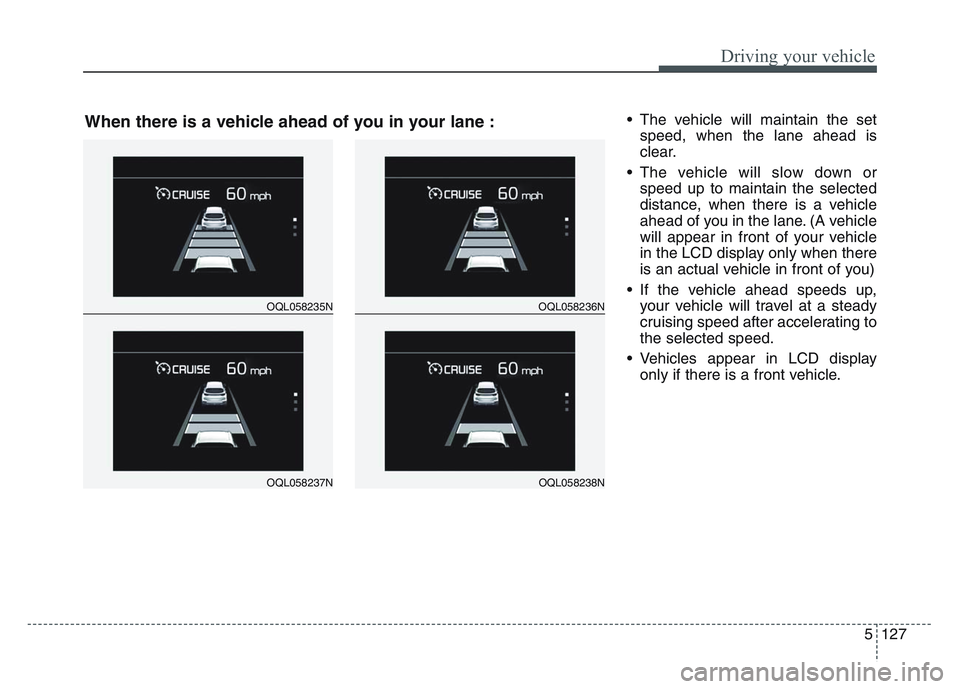
• The vehicle will maintain the setspeed, when the lane ahead is
clear.
• The vehicle will slow down or speed up to maintain the selected
distance, when there is a vehicle
ahead of you in the lane. (A vehicle
will appear in front of your vehicle
in the LCD display only when there
is an actual vehicle in front of you)
• If the vehicle ahead speeds up, your vehicle will travel at a steady
cruising speed after accelerating to
the selected speed.
• Vehicles appear in LCD display only if there is a front vehicle.
OQL058235N
OQL058237N
OQL058236N
OQL058238N
When there is a vehicle ahead of you in your lane :
Page 416 of 631
Driving your vehicle
1305
Warning message
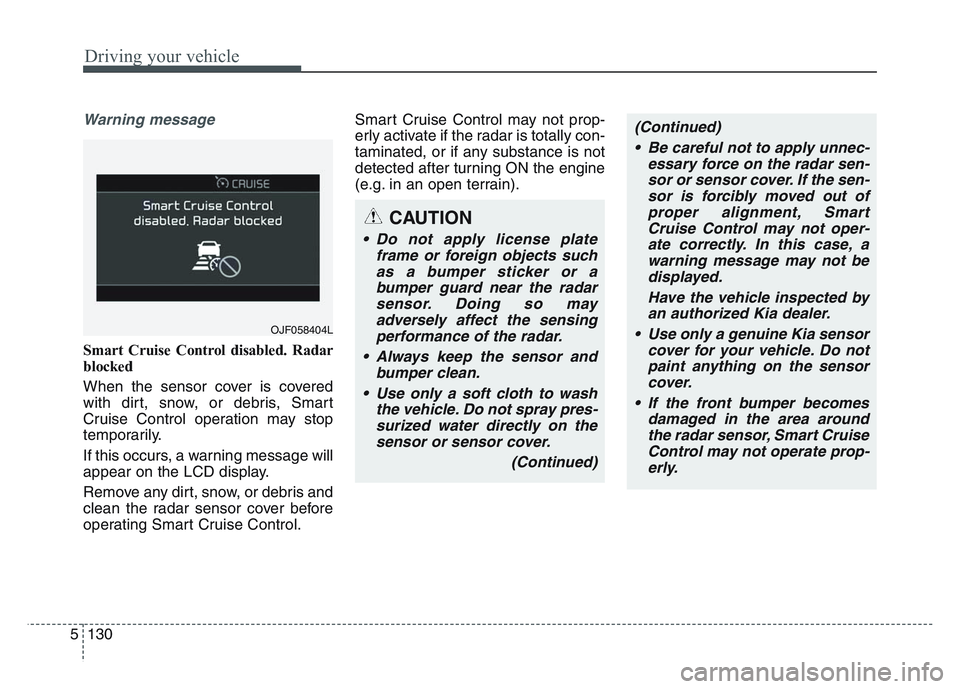
Smart Cruise Control disabled. Radar
blocked
When the sensor cover is covered
with dirt, snow, or debris, Smart
Cruise Control operation may stop
temporarily.
If this occurs, a warning message will
appear on the LCD display.
Remove any dirt, snow, or debris and
clean the radar sensor cover before
operating Smart Cruise Control.Smart Cruise Control may not prop-
erly activate if the radar is totally con-
taminated, or if any substance is not
detected after turning ON the engine
(e.g. in an open terrain).
OJF058404L
CAUTION
• Do not apply license plate
frame or foreign objects suchas a bumper sticker or abumper guard near the radarsensor. Doing so mayadversely affect the sensingperformance of the radar.
• Always keep the sensor and bumper clean.
• Use only a soft cloth to wash the vehicle. Do not spray pres-surized water directly on thesensor or sensor cover.
(Continued)
(Continued)• Be careful not to apply unnec- essary force on the radar sen-sor or sensor cover. If the sen-sor is forcibly moved out ofproper alignment, SmartCruise Control may not oper-ate correctly. In this case, awarning message may not bedisplayed.
Have the vehicle inspected byan authorized Kia dealer.
• Use only a genuine Kia sensor cover for your vehicle. Do notpaint anything on the sensorcover.
• If the front bumper becomes damaged in the area aroundthe radar sensor, Smart CruiseControl may not operate prop-erly.
Page 425 of 631
5 139
Driving your vehicle
System description
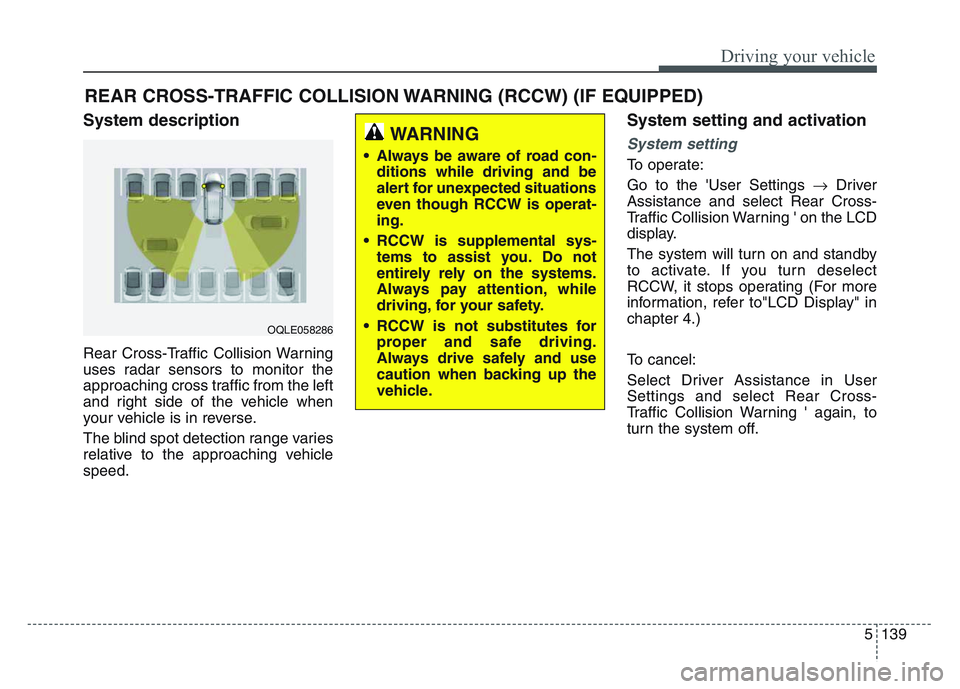
Rear Cross-Traffic Collision Warning
uses radar sensors to monitor the
approaching cross traffic from the left
and right side of the vehicle when
your vehicle is in reverse.
The blind spot detection range varies
relative to the approaching vehicle
speed.
System setting and activation
System setting
To operate:
Go to the 'User Settings Driver
Assistance and select Rear Cross-
Traffic Collision Warning ' on the LCD
display.
The system will turn on and standby
to activate. If you turn deselect
RCCW, it stops operating (For more
information, refer to"LCD Display" in
chapter 4.)
To cancel:
Select Driver Assistance in User
Settings and select Rear Cross-
Traffic Collision Warning ' again, to
turn the system off.
REAR CROSS-TRAFFIC COLLISION WARNING (RCCW) (IF EQUIPPED)
OQLE058286
WARNING
• Always be aware of road con- ditions while driving and be
alert for unexpected situations
even though RCCW is operat-
ing.
• RCCW is supplemental sys- tems to assist you. Do not
entirely rely on the systems.
Always pay attention, while
driving, for your safety.
• RCCW is not substitutes for proper and safe driving.
Always drive safely and use
caution when backing up the
vehicle.
Page 427 of 631
5 141
Driving your vehicle
If the vehicle detected by the sensors
approaches from the rear left/right
side of your vehicle, the warning
chime will sound, the warning light
on the outside rearview mirror will
blink and a message will appear on
the LCD display. If the rear view mon-
itor system is in activation, a mes-
sage will also appear on the
‘Infortainment System’.
The warning will stop when:
- The vehicle moving at the rearleft/right side of your vehicle is not
in the detection range.
- The vehicle is right behind your vehicle.
- The vehicle is not driving towards your vehicle.
- The vehicle’s approaching speed is decreased.✽NOTICE
• When the operation condition ofRCCW is met, the warning will
occur every time a vehicle
approaches the side or rear of
your stopped (0 mph (0 km/h)
vehicle speed) vehicle.
• The system's warning or brake may not operate properly if the
left or right of your vehicle's rear
bumper is blocked by a vehicle or
obstacle.
• The driver should always use extreme caution while operating
the vehicle, whether or not the
warning light on the outer side
view mirror illuminates or there is
a warning alarm.
• Playing the vehicle audio system at high volume may prevent occu-
pants from hearing the system's
warning sounds.
• If any other warning sound such as seat belt warning chime is
already generated, the RCCW
warning may not sound.WARNING
• Drive safely even though the
vehicle is equipped with Rear
Cross-Traffic Collision
Warning. Do not solely rely on
the system but check your
surrounding when backing
the vehicle up.
• The driver is responsible for accurate brake control.
• Always pay extreme caution while driving. Rear Cross-
Traffic Collision Warning may
not operate properly or
unnecessarily operate
depending on traffic and driv-
ing conditions.
Page 429 of 631
5 143
Driving your vehicle
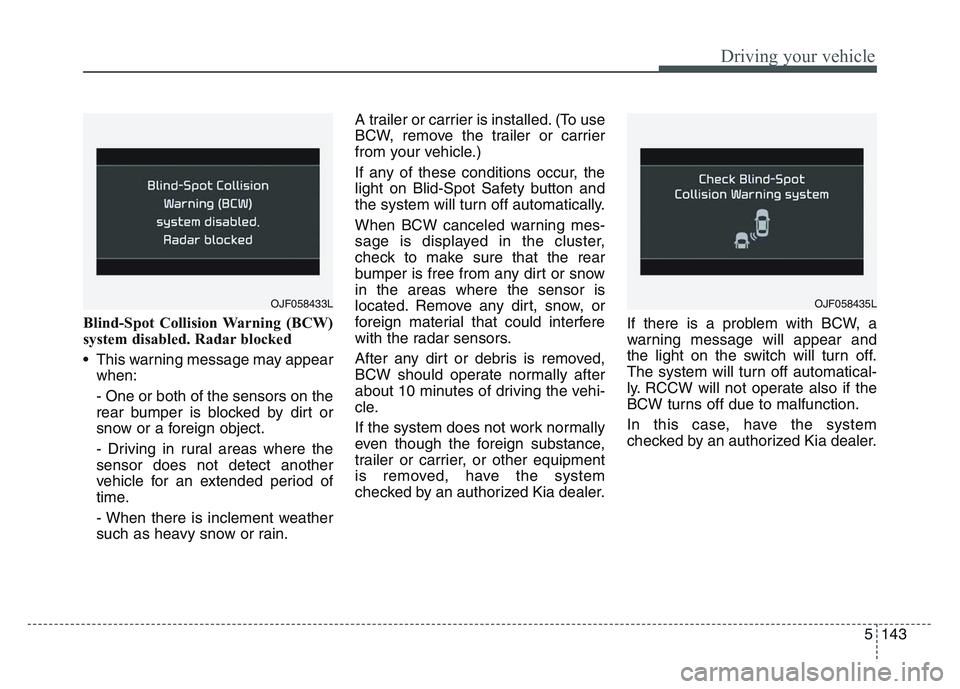
Blind-Spot Collision Warning (BCW)
system disabled. Radar blocked
• This warning message may appearwhen:
- One or both of the sensors on the
rear bumper is blocked by dirt or
snow or a foreign object.
- Driving in rural areas where the
sensor does not detect another
vehicle for an extended period of
time.
- When there is inclement weather
such as heavy snow or rain. A trailer or carrier is installed. (To use
BCW, remove the trailer or carrier
from your vehicle.)
If any of these conditions occur, the
light on Blid-Spot Safety button and
the system will turn off automatically.
When BCW canceled warning mes-
sage is displayed in the cluster,
check to make sure that the rear
bumper is free from any dirt or snow
in the areas where the sensor is
located. Remove any dirt, snow, or
foreign material that could interfere
with the radar sensors.
After any dirt or debris is removed,
BCW should operate normally after
about 10 minutes of driving the vehi-
cle.
If the system does not work normally
even though the foreign substance,
trailer or carrier, or other equipment
is removed, have the system
checked by an authorized Kia dealer.
If there is a problem with BCW, a
warning message will appear and
the light on the switch will turn off.
The system will turn off automatical-
ly. RCCW will not operate also if the
BCW turns off due to malfunction.
In this case, have the system
checked by an authorized Kia dealer.
OJF058433LOJF058435L
Page 468 of 631
What to do in an emergency
86
TIRE PRESSURE MONITORING SYSTEM (TPMS)
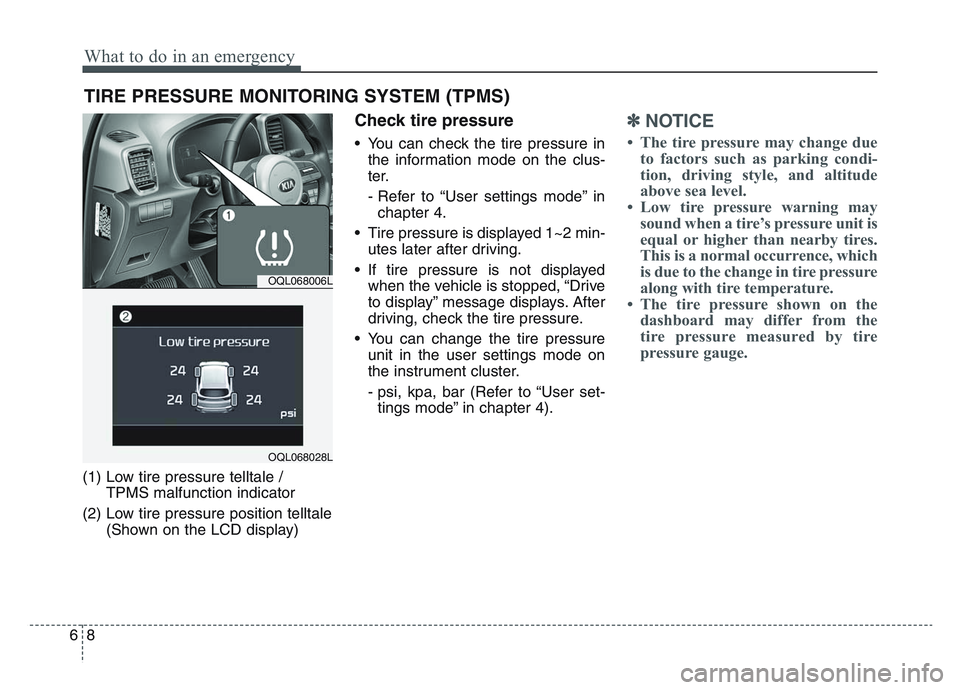
(1) Low tire pressure telltale / TPMS malfunction indicator
(2) Low tire pressure position telltale (Shown on the LCD display)
Check tire pressure
• You can check the tire pressure inthe information mode on the clus-
ter.
- Refer to “User settings mode” inchapter 4.
• Tire pressure is displayed 1~2 min- utes later after driving.
• If tire pressure is not displayed when the vehicle is stopped, “Drive
to display” message displays. After
driving, check the tire pressure.
• You can change the tire pressure unit in the user settings mode on
the instrument cluster.
- psi, kpa, bar (Refer to “User set-tings mode” in chapter 4).
✽NOTICE
• The tire pressure may change due to factors such as parking condi-
tion, driving style, and altitude
above sea level.
• Low tire pressure warning may sound when a tire’s pressure unit is
equal or higher than nearby tires.
This is a normal occurrence, which
is due to the change in tire pressure
along with tire temperature.
• The tire pressure shown on the dashboard may differ from the
tire pressure measured by tire
pressure gauge.
OQL068006L
OQL068028L
Page 488 of 631
What to do in an emergency
286
8. Pressure gauge for displaying thetire inflation pressure
9. Button for reducing tire inflation pressure
Connectors and cable are stored in
the compressor housing.
✽NOTICE
The sealant container and insert
hose (3) cannot be reused. Purchase
an extra after use.
Using the Tire Mobility Kit
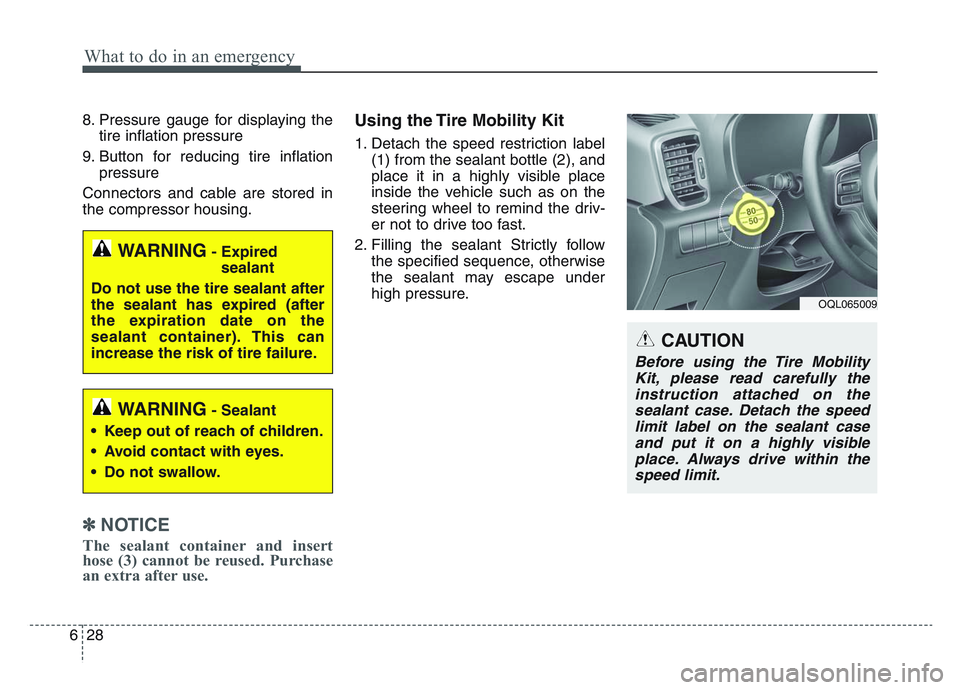
1. Detach the speed restriction label (1) from the sealant bottle (2), and
place it in a highly visible place
inside the vehicle such as on the
steering wheel to remind the driv-
er not to drive too fast.
2. Filling the sealant Strictly follow the specified sequence, otherwise
the sealant may escape under
high pressure.
OQL065009
CAUTION
Before using the Tire MobilityKit, please read carefully theinstruction attached on thesealant case. Detach the speedlimit label on the sealant caseand put it on a highly visibleplace. Always drive within thespeed limit.
WARNING- Expired sealant
Do not use the tire sealant after
the sealant has expired (after
the expiration date on the
sealant container). This can
increase the risk of tire failure.
WARNING- Sealant
• Keep out of reach of children.
• Avoid contact with eyes.
• Do not swallow.
Page 550 of 631
7 53
Maintenance
3. Checking tire life (TIN : TireIdentification Number)
Any tires that are over 6 years old,
based on the manufacturing date,
(including the spare tire) should be
replaced by new ones. You can find
the manufacturing date on the tire
sidewall (possibly on the inside of the
wheel), displaying the DOT Code.
The DOT Code is a series of num-
bers on a tire consisting of numbers
and English letters. The manufactur-
ing date is designated by the last four
digits (characters) of the DOT code.
DOT : XXXX XXXX OOOO
The front part of the DOT means a
plant code number, tire size and
tread pattern and the last four num-
bers indicate week and year manu-
factured.
For example:
DOT XXXX XXXX 1620 represents
that the tire was produced in the 16th
week of 2020.
4. Tire ply composition and mate-rial
The number of layers or plies of rub-
ber-coated fabric in the tire. Tire
manufacturers also must indicate the
materials in the tire, which include
steel, nylon, polyester, and others.
The letter "R" means radial ply con-
struction; the letter "D" means diago-
nal or bias ply construction; and the
letter "B" means belted-bias ply con-
struction.
5. Maximum permissible inflationpressure
This number is the greatest amount of
air pressure that should be put in the
tire. Do not exceed the maximum per-
missible inflation pressure. Refer to
the Tire and Loading Information label
for recommended inflation pressure.
6. Maximum load rating
This number indicates the maximum
load in kilograms and pounds that can
be carried by the tire. When replacing
the tires on the vehicle, always use a
tire that has the same load rating as
the factory installed tire.
7. Uniform tire quality grading
Quality grades can be found where
applicable on the tire sidewall
between tread shoulder and maxi-
mum section width.
For example:
TREADWEAR 440
TRACTION A
TEMPERATURE A
WARNING - Tire age
Replace tires within the recom-
mended time frame. Failure to
replace tires as recommended
can result in sudden tire failure,
which could lead to a loss of
control and an accident.