display KIA SPORTAGE 2021 Service Manual
[x] Cancel search | Manufacturer: KIA, Model Year: 2021, Model line: SPORTAGE, Model: KIA SPORTAGE 2021Pages: 631, PDF Size: 10.56 MB
Page 343 of 631
5 57
Driving your vehicle
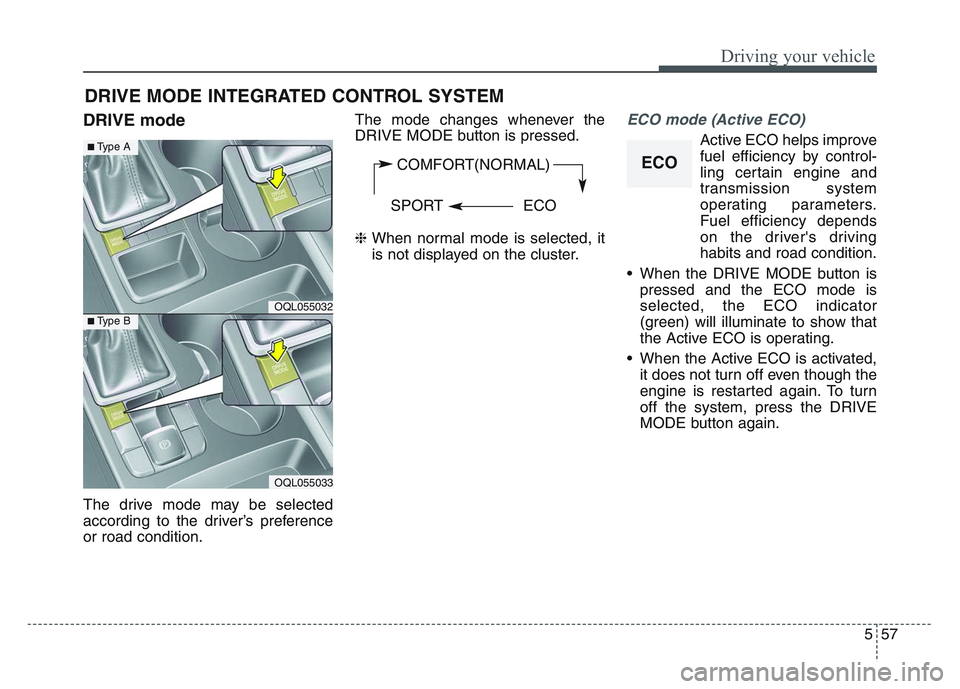
DRIVE mode
The drive mode may be selected
according to the driver’s preference
or road condition.The mode changes whenever the
DRIVE MODE button is pressed.
❈
When normal mode is selected, it
is not displayed on the cluster.
ECO mode (Active ECO)
Active ECO helps improve
fuel efficiency by control-
ling certain engine and
transmission system
operating parameters.
Fuel efficiency depends
on the driver's driving
habits and road condition.
• When the DRIVE MODE button is pressed and the ECO mode is
selected, the ECO indicator
(green) will illuminate to show that
the Active ECO is operating.
• When the Active ECO is activated, it does not turn off even though the
engine is restarted again. To turn
off the system, press the DRIVE
MODE button again.
DRIVE MODE INTEGRATED CONTROL SYSTEM
COMFORT(NORMAL)
SPORT ECO
OQL055032
■Type A
■Type B
OQL055033
ECO
Page 346 of 631
Driving your vehicle
605
The warning light illumi-
nates on the LCD display,
when you cancel FCA. The
driver can monitor the
FCA ON/OFF status on the LCD dis-
play. Also, the warning light illumi-
nates when the ESC (Electronic
Stability Control) is turned off. When
the warning light remains ON with
FCA activated, have the system
checked by an authorized Kia dealer.
Setting the initial warning activa-
tion time
The driver can select the initial warn-
ing activation time on the LCD dis-
play. Go to the 'User Settings
Driver Assistance Forward
Collision Warning
Early/Normal/Late'.
The options for the initial Forward
Collision Warning includes the fol-
lowing: • Early - When this condition is select-
ed, the initial Forward
Collision Warning is activat-
ed earlier than normal. This
setting maximizes the
amount of distance between
the vehicle or pedestrian
ahead before the initial warn-
ing occurs. If the ‘Early’ con-
dition feels too sensitive,
change it into ‘Normal’. When
the vehicle ahead suddenly
stops, the warning may
seem to activate later even if
the ‘Early’ condition was
selected.
• Normal - When this condition is selected, the initial Forward
Collision Warning is acti-
vated normally. This setting
allows for a nominal
amount of distance
between the vehicle or
pedestrian ahead before
the initial warning occurs. • Late -
When this condition is
selected, the initial Forward
Collision Warning is activat-
ed later than normal. This
setting reduces the amount
of distance between the
vehicle or pedestrians ahead
before the initial warning
occurs. Select this condition
only when traffic is light, and
you are driving slowly.
Page 347 of 631
5 61
Driving your vehicle
Prerequisite for activation
FCA gets ready to be activated,
when FCA is selected on the LCD
display, and when the following pre-
requisites are satisfied.
- The ESC (Electronic StabilityControl) is activated.
- Vehicle speed is over 8 km/h (5 mph). (FCA is only activated within
a certain speed range.)
- The system detects a vehicle or pedestrian in front, which may col-
lide with your vehicle. (FCA may
not be activated or may sound a
warning alarm in accordance with
the driving situation or vehicle con-
dition.)
❈ FCA may not operate properly
according to the frontal situation,
the direction and speed of pedes-
trian.
✽
NOTICE
FCA automatically deactivates upon
canceling the ESC (Electronic
Stability Control). When the ESC is
canceled, FCA cannot be activated
on the LCD display. FCA warning
light will illuminate, but it does not
indicate a malfunction of the system.
FCA warning message and
system control
FCA produces warning messages,
warning alarms, alarms in accor-
dance with the collision risk levels,
such as abrupt stopping of the vehi-
cle in front, insufficient braking dis-
tance detection. Also, it controls the
brakes in accordance with the colli-
sion risk levels.
The driver can select the initial warn-
ing activation time in the User
Settings in the LCD display. The
options for the initial Forward
Collision Warning include Early,
Normal or Late initial warning time.
WARNING
• Completely stop the vehicle
on a safe location before
operating the switch on the
steering wheel to activate/
deactivate FCA.
• FCA automatically activates upon placing the Engine
Start/Stop button to the ON
position. The driver can deac-
tivate FCA by canceling the
system setting on the LCD
display. To avoid driver dis-
tractions, do not attempt to
set or cancel FCA while driv-
ing the vehicle.
Page 348 of 631
Driving your vehicle
625
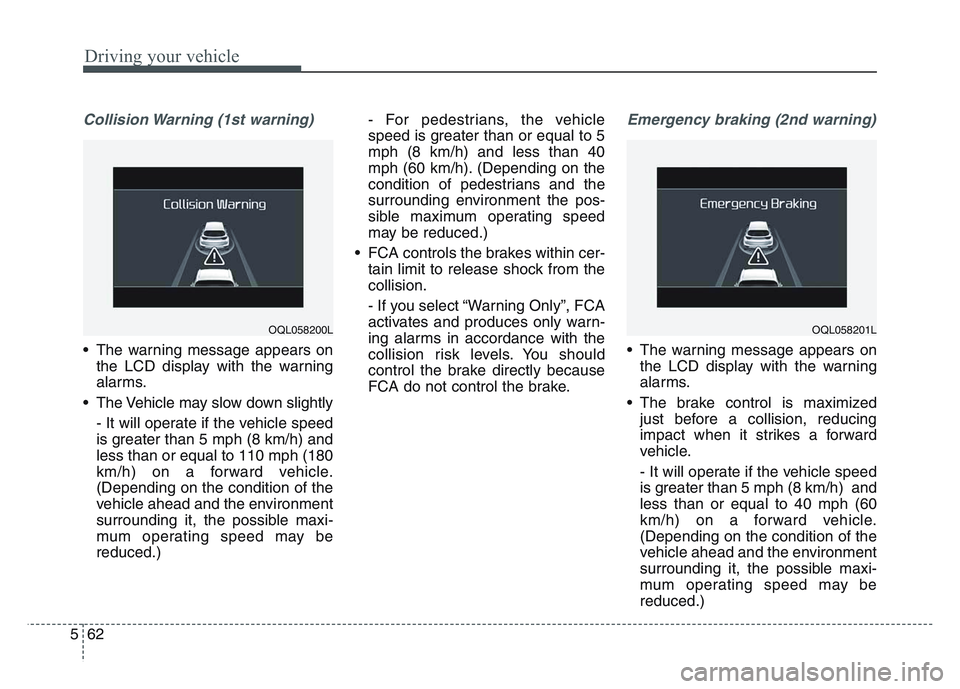
Collision Warning (1st warning)
• The warning message appears onthe LCD display with the warning
alarms.
• The Vehicle may slow down slightly - It will operate if the vehicle speed
is greater than 5 mph (8 km/h) and
less than or equal to 110 mph (180
km/h) on a forward vehicle.
(Depending on the condition of the
vehicle ahead and the environment
surrounding it, the possible maxi-
mum operating speed may be
reduced.) - For pedestrians, the vehicle
speed is greater than or equal to 5
mph (8 km/h) and less than 40
mph (60 km/h). (Depending on the
condition of pedestrians and the
surrounding environment the pos-
sible maximum operating speed
may be reduced.)
• FCA controls the brakes within cer- tain limit to release shock from the
collision.
- If you select “Warning Only”, FCA
activates and produces only warn-
ing alarms in accordance with the
collision risk levels. You should
control the brake directly because
FCA do not control the brake.
Emergency braking (2nd warning)
• The warning message appears onthe LCD display with the warning
alarms.
• The brake control is maximized just before a collision, reducing
impact when it strikes a forward
vehicle.
- It will operate if the vehicle speed
is greater than 5 mph (8 km/h) and
less than or equal to 40 mph (60
km/h) on a forward vehicle.
(Depending on the condition of the
vehicle ahead and the environment
surrounding it, the possible maxi-
mum operating speed may be
reduced.)
OQL058200LOQL058201L
Page 351 of 631
5 65
Driving your vehicle
Warning message and warninglight
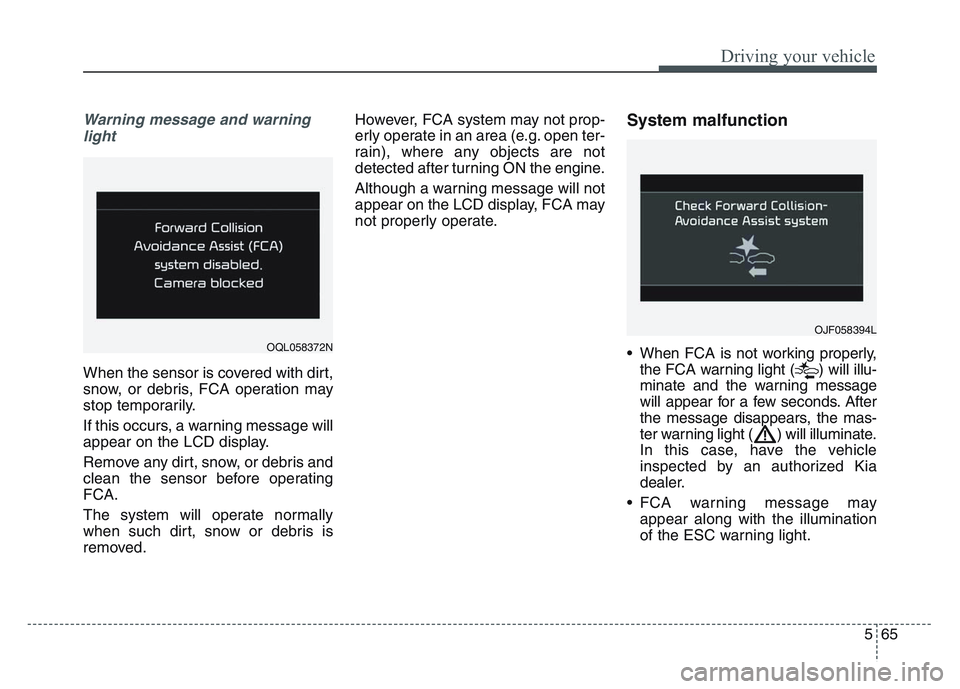
When the sensor is covered with dirt,
snow, or debris, FCA operation may
stop temporarily.
If this occurs, a warning message will
appear on the LCD display.
Remove any dirt, snow, or debris and
clean the sensor before operating
FCA.
The system will operate normally
when such dirt, snow or debris is
removed. However, FCA system may not prop-
erly operate in an area (e.g. open ter-
rain), where any objects are not
detected after turning ON the engine.
Although a warning message will not
appear on the LCD display, FCA may
not properly operate.
System malfunction
• When FCA is not working properly,
the FCA warning light ( ) will illu-
minate and the warning message
will appear for a few seconds. After
the message disappears, the mas-
ter warning light ( ) will illuminate.
In this case, have the vehicle
inspected by an authorized Kia
dealer.
• FCA warning message may appear along with the illumination
of the ESC warning light.OQL058372N
OJF058394L
Page 352 of 631
Driving your vehicle
665
✽NOTICE
• FCA is only a supplemental sys-tem for the driver’s convenience.
The driver has the ultimate
responsibility to control and oper-
ate the vehicle safely. Do not solely
depend on FCA. Rather, maintain
a safe braking distance, and, if
necessary, depress the brake pedal
to lower the driving speed.
• In certain instances and under certain driving conditions, FCA
may activate unintentionally. This
initial warning message appears
on the LCD display with a warn-
ing chime.
Also, in certain instances the front
view camera may not detect the
vehicle or pedestrian ahead. FCA
may not activate and the warning
message will not be displayed.
• FCA may unnecessarily produce the warning message and the
warning alarms. Also, due to the
sensing limitation, FCA may not
produce the warning message and
the warning alarm at all.
(Continued)(Continued)
• When there is a malfunction with
FCA, the braking control does not
operate upon detecting a collision
risk even with other braking sys-
tems normally operating.
• FCA operates only for the vehi- cle/pedestrian in front, while driv-
ing forward. It does not operate
for any animals or vehicles in the
opposite direction.
• FCA does not recognize the vehi- cle, which transversally drives
across the crossroad, or the vehi-
cle, which is parked in the trans-
versal direction.
• If the vehicle in front stops sud- denly, you may have less control of
the brake system. Therefore,
always keep safe distance between
your vehicle and the vehicle in
front of you.
• FCA may activate during braking and the vehicle may stop suddenly.
And the load in the vehicle may
endanger passengers. Therefore,
always be mindful of the load vol-
ume in the vehicle. (Continued)(Continued)
• FCA may not activate if the driver
applies the brake pedal to avoid
risk of collision.
• FCA does not operate when the vehicle is in reverse. In these cir-
cumstances, you must maintain a
safe braking distance, and if nec-
essary, depress the brake pedal to
reduce the driving speed in order
to maintain a safe dis tance.
• The regular braking function will operate normally even if There is a
problem with the FCA brake con-
trol system or other functions. In
this case, the braking control will
not operate in an imminent colli-
sion.
• FCA may not activate according to driving condition, traffic on the
road, weather, road condition, etc.
• FCA may not activate in response to all types of vehicles.
Page 361 of 631
5 75
Driving your vehicle
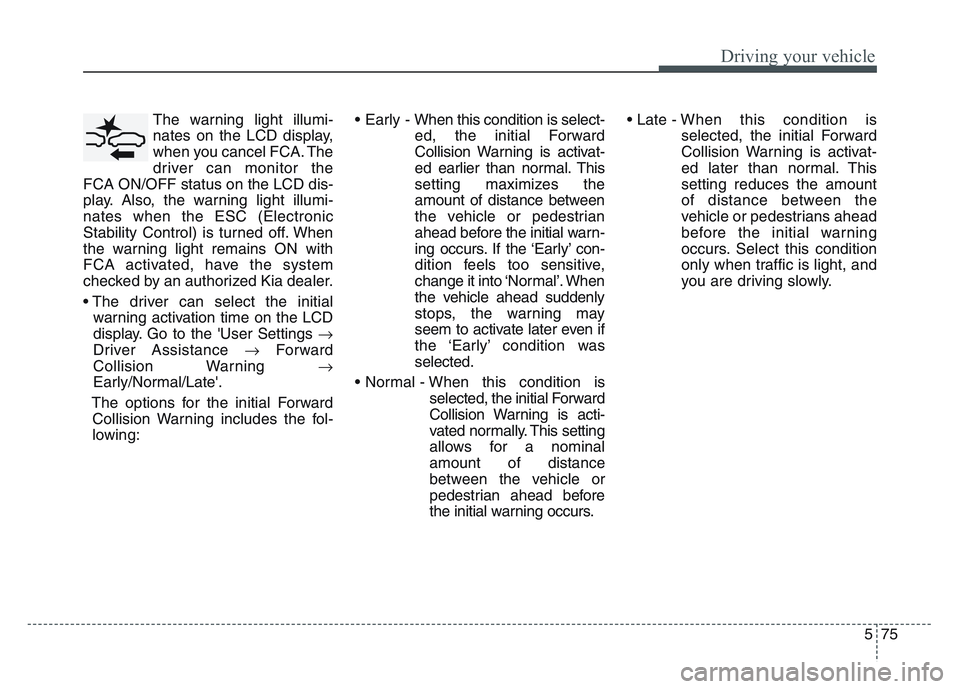
The warning light illumi-
nates on the LCD display,
when you cancel FCA. The
driver can monitor the
FCA ON/OFF status on the LCD dis-
play. Also, the warning light illumi-
nates when the ESC (Electronic
Stability Control) is turned off. When
the warning light remains ON with
FCA activated, have the system
checked by an authorized Kia dealer.
• The driver can select the initial warning activation time on the LCD
display. Go to the 'User Settings
Driver Assistance Forward
Collision Warning
Early/Normal/Late'.
The options for the initial Forward Collision Warning includes the fol-
lowing: • Early - When this condition is select-
ed, the initial Forward
Collision Warning is activat-
ed earlier than normal. This
setting maximizes the
amount of distance between
the vehicle or pedestrian
ahead before the initial warn-
ing occurs. If the ‘Early’ con-
dition feels too sensitive,
change it into ‘Normal’. When
the vehicle ahead suddenly
stops, the warning may
seem to activate later even if
the ‘Early’ condition was
selected.
• Normal - When this condition is selected, the initial Forward
Collision Warning is acti-
vated normally. This setting
allows for a nominal
amount of distance
between the vehicle or
pedestrian ahead before
the initial warning occurs. • Late -
When this condition is
selected, the initial Forward
Collision Warning is activat-
ed later than normal. This
setting reduces the amount
of distance between the
vehicle or pedestrians ahead
before the initial warning
occurs. Select this condition
only when traffic is light, and
you are driving slowly.
Page 362 of 631
Driving your vehicle
765
Prerequisite for activation
FCA gets ready to be activated,
when FCA is selected on the LCD
display, and when the following pre-
requisites are satisfied.
- The ESC (Electronic StabilityControl) is activated.
- Vehicle speed is over 5 mph (8 km/h). (FCA is only activated with-
in a certain speed range.)
- The system detects a vehicle or a pedestrian in front, which may col-
lide with your vehicle. (FCA may
not be activated or may sound a
warning alarm in accordance with
the driving situation or vehicle con-
dition.)
❈ FCA may not operate properly
according to the frontal situation,
the direction and speed of pedes-
trian.
FCA warning message and
system control
FCA produces warning messages,
warning alarms, and emergency
braking based on the level of risk of
a frontal collision, such as when a
vehicle ahead suddenly brakes.
The driver can select the initial warn-
ing activation time in the User
Settings in the LCD display. The
options for the initial Forward
Collision Warning include Early,
Normal or Late initial warning time.
WARNING
• Completely stop the vehicle in
a safe location before operat-
ing the switch on the steering
wheel to activate/deactivate
FCA.
• FCA automatically activates upon placing the ignition
switch to the ON position. The
driver can deactivate FCA by
canceling the system setting
on the LCD display or
Infotainment System screen.
• FCA automatically deacti- vates upon canceling the
ESC. When the ESC is can-
celed, FCA cannot be activat-
ed on the LCD display or
Infotainment System screen.
FCA warning light will illumi-
nate, which is normal.
Page 363 of 631
5 77
Driving your vehicle
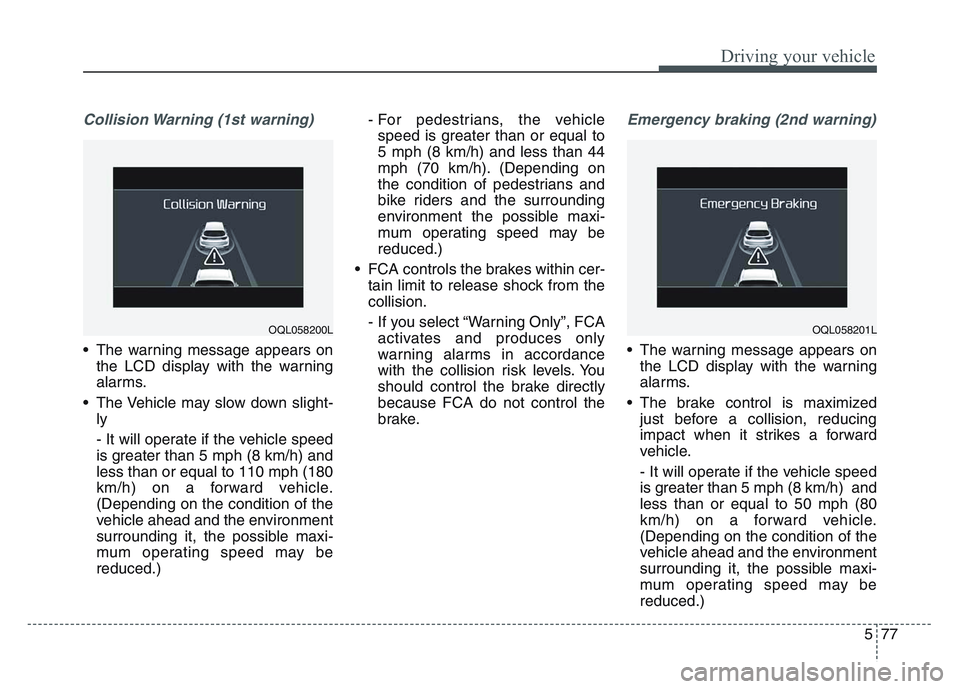
Collision Warning (1st warning)
• The warning message appears onthe LCD display with the warning
alarms.
• The Vehicle may slow down slight- ly
- It will operate if the vehicle speed
is greater than 5 mph (8 km/h) and
less than or equal to 110 mph (180
km/h) on a forward vehicle.
(Depending on the condition of the
vehicle ahead and the environment
surrounding it, the possible maxi-
mum operating speed may be
reduced.) - For pedestrians, the vehicle
speed is greater than or equal to
5 mph (8 km/h) and less than 44
mph (70 km/h). (Depending on
the condition of pedestrians and
bike riders and the surrounding
environment the possible maxi-
mum operating speed may be
reduced.)
• FCA controls the brakes within cer- tain limit to release shock from the
collision.
- If you select “Warning Only”, FCAactivates and produces only
warning alarms in accordance
with the collision risk levels. You
should control the brake directly
because FCA do not control the
brake.
Emergency braking (2nd warning)
• The warning message appears on the LCD display with the warning
alarms.
• The brake control is maximized just before a collision, reducing
impact when it strikes a forward
vehicle.
- It will operate if the vehicle speed
is greater than 5 mph (8 km/h) and
less than or equal to 50 mph (80
km/h) on a forward vehicle.
(Depending on the condition of the
vehicle ahead and the environment
surrounding it, the possible maxi-
mum operating speed may be
reduced.)
OQL058201LOQL058200L
Page 366 of 631
Driving your vehicle
805
✽NOTICE
• Do not apply license plate moldingor foreign objects such as a
bumper sticker or a bumper guard
licence plate molding near the
radar sensor. Doing so may
adversely affect the sensing per-
formance of the radar.
• Always keep the radar sensor and the radar cover clean and free of
dirt and debris.
• Use only a soft cloth to wash the vehicle. Do not spray pressurized
water directly on the sensor or
sensor cover.
• Be careful not to apply unneces- sary force on the radar sensor or
sensor cover. If the sensor is
forcibly moved out of proper
alignment, FCA may not operate
correctly. In this case, a warning
message may not be displayed. In
this case, we recommend you have
the vehicle inspected by an
authorized Kia dealer. (Continued)(Continued)
• If the front bumper becomes dam-
aged in the area around the radar
sensor, FCA system may not oper-
ate properly. In this case, we rec-
ommend you have the vehicle
inspected by an authorized Kia
dealer.
• Use only genuine parts to repair or replace a damaged sensor or sen-
sor cover. Do not paint to the sen-
sor cover.
• Never install any accessories or stickers on the front windshield,
or tint the front windshield.
• Never place any reflective objects (i.e. white paper, mirror) over the
dashboard. Any light reflection
may cause a malfunction of the
system.
• Make sure the frontal camera does not get wet.
• Never disassemble the camera assembly, or apply any impact on
the camera assembly.
• Playing the vehicle audio system at high volume may prevent occu-
pants from hearing FCA warn-
ings. (Continued)(Continued)
• Be careful not to apply unneces-
sary force on the sensor. If the sen-
sor is forcibly moved out of proper
alignment, the system may not
operate correctly. In this case, a
warning message may not be dis-
played. In this case, we recom-
mend you have the vehicle inspect-
ed by an authorized Kia dealer.