wheel KIA STINGER 2021 Owner's Guide
[x] Cancel search | Manufacturer: KIA, Model Year: 2021, Model line: STINGER, Model: KIA STINGER 2021Pages: 585, PDF Size: 10.87 MB
Page 267 of 585
Driving your vehicle
6 5
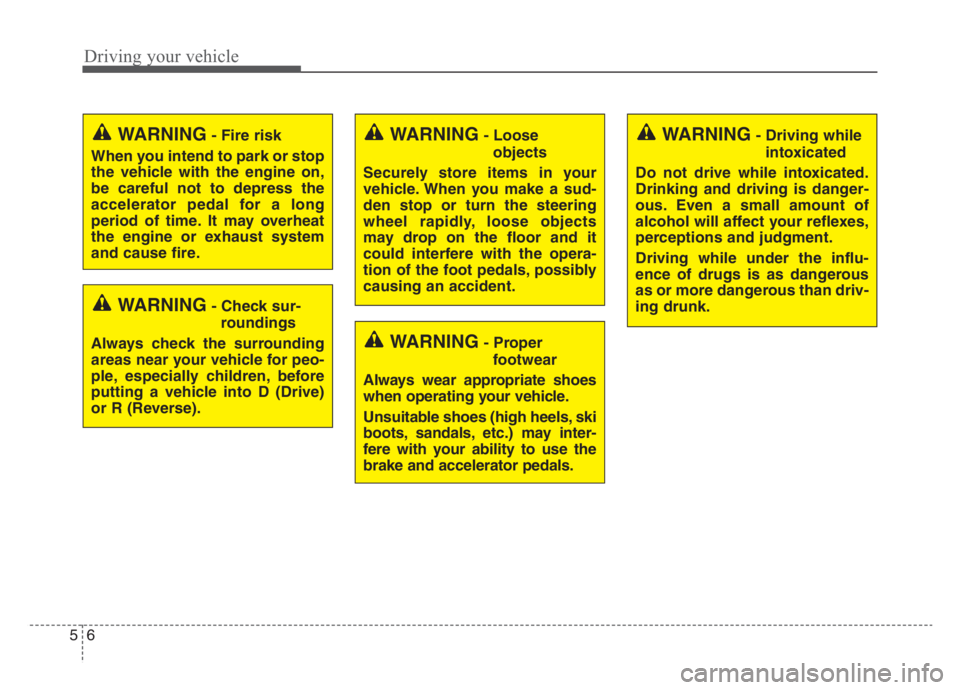
WARNING- Check sur-
roundings
Always check the surrounding
areas near your vehicle for peo-
ple, especially children, before
putting a vehicle into D (Drive)
or R (Reverse).
WARNING- Fire risk
When you intend to park or stop
the vehicle with the engine on,
be careful not to depress the
accelerator pedal for a long
period of time. It may overheat
the engine or exhaust system
and cause fire.WARNING- Loose
objects
Securely store items in your
vehicle. When you make a sud-
den stop or turn the steering
wheel rapidly, loose objects
may drop on the floor and it
could interfere with the opera-
tion of the foot pedals, possibly
causing an accident.WARNING- Driving while
intoxicated
Do not drive while intoxicated.
Drinking and driving is danger-
ous. Even a small amount of
alcohol will affect your reflexes,
perceptions and judgment.
Driving while under the influ-
ence of drugs is as dangerous
as or more dangerous than driv-
ing drunk.
WARNING- Proper
footwear
Always wear appropriate shoes
when operating your vehicle.
Unsuitable shoes (high heels, ski
boots, sandals, etc.) may inter-
fere with your ability to use the
brake and accelerator pedals.
Page 273 of 585
Driving your vehicle
12 5
When stopped on an incline, do not
hold the vehicle with the engine
power. Use the service brake or the
parking brake.
Transmission ranges
The indicator in the instrument clus-
ter displays the shift lever position
when the ignition switch is in the ON
position.
P (Park)
Always come to a complete stop
before shifting into P (Park). This
position locks the transmission and
prevents the drive wheels from rotat-
ing.
Shifting into P (Park) while the vehi-
cle is in motion will cause the drive
wheels to lock and will cause you to
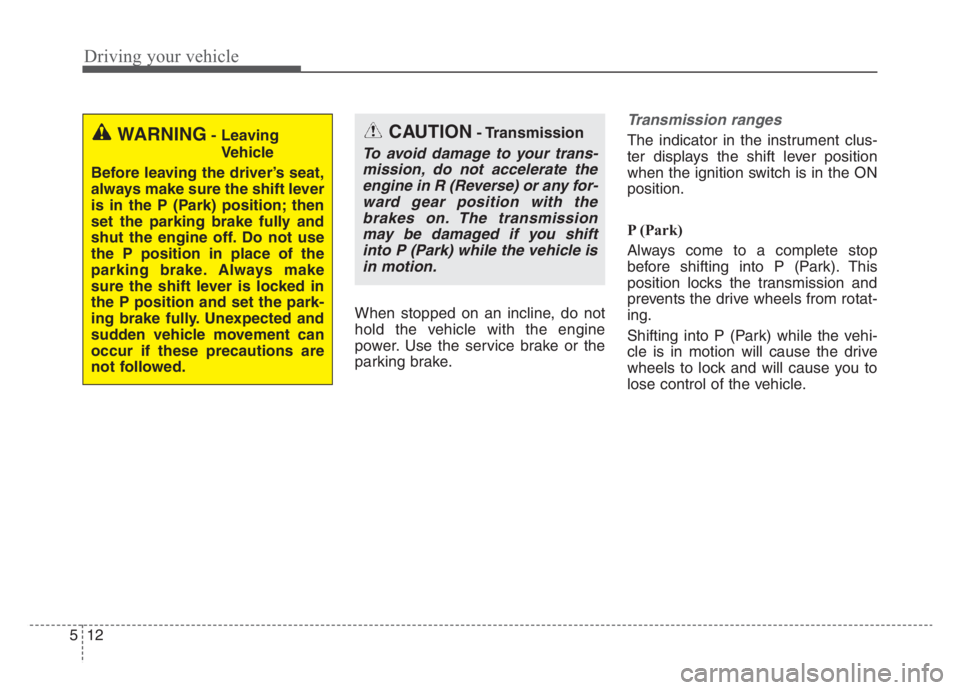
lose control of the vehicle.WARNING- Leaving
Vehicle
Before leaving the driver’s seat,
always make sure the shift lever
is in the P (Park) position; then
set the parking brake fully and
shut the engine off. Do not use
the P position in place of the
parking brake. Always make
sure the shift lever is locked in
the P position and set the park-
ing brake fully. Unexpected and
sudden vehicle movement can
occur if these precautions are
not followed.CAUTION- Transmission
To avoid damage to your trans-
mission, do not accelerate the
engine in R (Reverse) or any for-
ward gear position with the
brakes on. The transmission
may be damaged if you shift
into P (Park) while the vehicle is
in motion.
Page 274 of 585

513
Driving your vehicle
R (Reverse)
Use this position to drive the vehicle
backward.
N (Neutral)
The wheels and transmission are not
engaged. The vehicle will roll freely
even on the slightest incline unless
the parking brake or service brakes
are applied.- Parking in N (Neutral) gear
Follow the steps below when parking
and you want the vehicle to move
when pushed.
1.After stopping your vehicle, depress
the brake pedal and move the trans-
mission shift lever to [P] with the
ignition button in [ON] or while the
engine is running.
2.If the parking brake is applied,
release the parking brake.
- For EPB (Electronic Parking
Brake) equipped vehicles,
depress the brake pedal with the
ignition button in [ON] or while the
engine is running to disengage
the parking brake. If [AUTO
HOLD] function is used while
driving (If [AUTO HOLD] indicator
is on in the cluster), press [AUTO
HOLD] switch and [AUTO HOLD]
function will be turned off.
3.While depressing the brake pedal,
turn the ignition button [OFF].
- For smart key equipped vehicles,
the ignition switch can be moved
to [OFF] only when the shift lever
is in [P].4.Change the gear shift lever to [N]
(Neutral) while depressing the
brake pedal and inserting a tool
(e.g. flathead screw-driver) into the
[SHIFT LOCK RELEASE] access
hole at the same time. Then, the
vehicle will move when external
force is applied.
CAUTION- Shifting
Always come to a complete stop
before shifting into or out of R
(Reverse); you may damage the
transmission if you shift into R
(Reverse) while the vehicle is in
motion, except when “Rocking
the vehicle” explained in this
chapter.
WARNING- Parking In
Neutral
With the exception of parking
in neutral gear, always park the
vehicle in [P] (Park) for safety
and apply the parking brake.
Before parking in [N] (Neutral)
gear, make sure the parking
ground is level and flat. Do not
park in [N] gear on any slopes
or gradients. If parked and left
in [N], the vehicle may move
and cause serious damage or
injury.
Page 279 of 585

Driving your vehicle
18
5
✽
✽
NOTICE- Kickdown
Mechanism
Use the kickdown mechanism for
maximum acceleration. Depress the
accelerator pedal beyond the pres-
sure point. The automatic transmis-
sion will shift to a lower gear
depending on the engine speed.
Moving up a steep grade from astanding start
To move up a steep grade from a
standing start, depress the brake
pedal, release the parking brake,
and shift the shift lever to D (Drive).
Depress the accelerator gradually
while releasing the brake pedal.
Launch Control
Launch Control Operation
When using Launch Control, a driver should always make sure
that the engine’s cooling water is
warmed up and reaches a recom-
mended temperature.
To operate ESC Off state 2, Press and hold ESC button for more than
3 seconds in Sports mode. (Status
Display on Cluster Screen)
For launching, stop the vehicle and keep the steering wheel straight.
Footbrakes, EPB and Auto Hold must be released for smooth
launching.
WARNING
When driving uphill or down-
hill, always shift to D (Drive) for
driving forward or shift to R
(Reverse) for driving back-
wards, and check the gear
position indicated on the clus-
ter before driving.
Page 284 of 585
523
Driving your vehicle
To reduce rollaway risk, do not use
the P (Park) Position in place of the
parking brake.
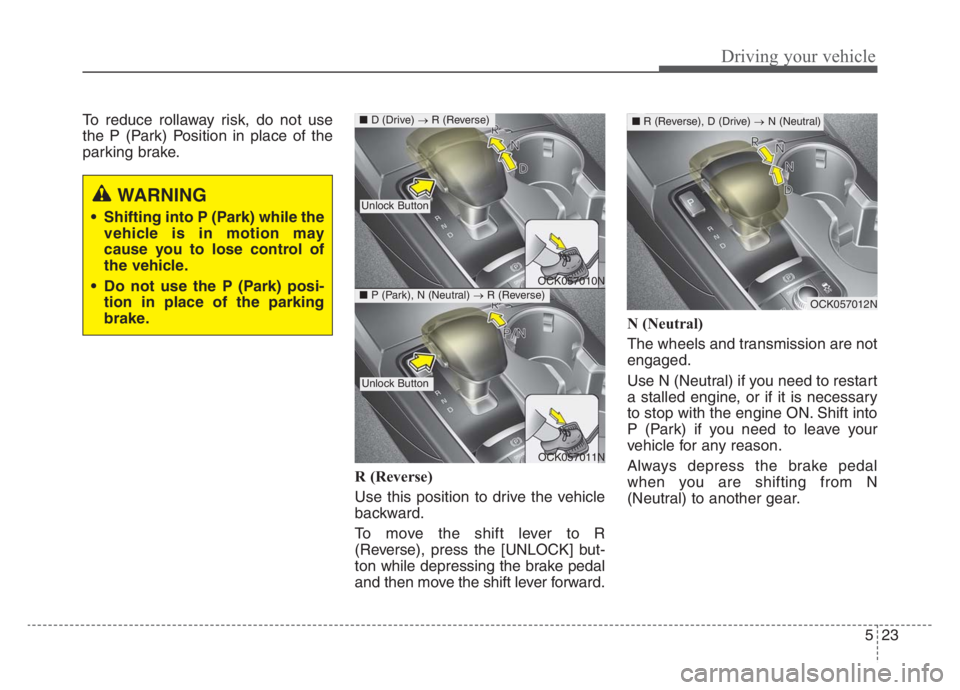
R (Reverse)
Use this position to drive the vehicle
backward.
To move the shift lever to R
(Reverse), press the [UNLOCK] but-
ton while depressing the brake pedal
and then move the shift lever forward.N (Neutral)
The wheels and transmission are not
engaged.
Use N (Neutral) if you need to restart
a stalled engine, or if it is necessary
to stop with the engine ON. Shift into
P (Park) if you need to leave your
vehicle for any reason.
Always depress the brake pedal
when you are shifting from N
(Neutral) to another gear.
WARNING
Shifting into P (Park) while the
vehicle is in motion may
cause you to lose control of
the vehicle.
Do not use the P (Park) posi-
tion in place of the parking
brake.
OCK057010N
OCK057011N
■D (Drive) →R (Reverse)
Unlock Button
Unlock Button
■P (Park), N (Neutral) →R (Reverse)OCK057012N
■R (Reverse), D (Drive) →N (Neutral)
Page 285 of 585
![KIA STINGER 2021 Owners Guide Driving your vehicle
24 5
To turn off the engine, re-press the
engine start/stop button to the ON
position, press the [P] button, and
press the engine start/stop button to
the OFF position.
When eith](/img/2/55166/w960_55166-284.png "KIA STINGER 2021 Owners Guide Driving your vehicle
24 5
To turn off the engine, re-press the
engine start/stop button to the ON
position, press the [P] button, and
press the engine start/stop button to
the OFF position.
When eith")
Driving your vehicle
24 5
To turn off the engine, re-press the
engine start/stop button to the ON
position, press the [P] button, and
press the engine start/stop button to
the OFF position.
When either the driver's door or the
front passenger's door is opened
with the engine start/stop button in
the ACC position and the shift lever
in N (Neutral) position, the engine is
automatically turned OFF and the
transmission automatically changes
to the P (Park) position.
D (Drive)
This is the normal driving position. The
transmission will automatically shift
through a 8-gear sequence, providing
the best fuel economy and power.
WARNING
To avoid inadvertent vehicle
movement, do not shift into
gear unless your foot is firmly
on the brake pedal.
Do not permit your vehicle to
idle in the N (Neutral) position
for an extended period of
time as this will preclude the
wheels and the transmission
from engaging. While parking
the vehicle with the engine
running, depress the brake
pedal, shift the vehicle to the
P (Park) position and apply
the parking brake.
Do not drive with the shift
lever in N (Neutral). The
engine brake will not work
and may lead to an accident.
OCK057013N
OCK057014N
■ R (Reverse) →D (Drive)
■P (Park), N (Neutral) →D (Drive)
Unlock Button
Unlock Button
Page 293 of 585

Driving your vehicle
32
5
• Exercise extreme caution when
driving on a slippery surface. Be
especially careful when braking,
accelerating or shifting gears. On a
slippery surface, an abrupt change
in vehicle speed can cause the
drive wheels to lose traction and
may cause loss of vehicle control
resulting in an accident.
Optimum vehicle performance and economy is obtained by smoothly
depressing and releasing the
accelerator.
✽ ✽ NOTICE
Kia recommends you follow all post-
ed speed limits.
WARNING
To reduce the risk of SERIOUS
INJURY or DEATH:
• When driving uphill or down-
hill, always shift to D (Drive)
for driving forward or shift to
R (Reverse) for driving back-
wards, and check the gear
position indicated on the clus-
ter before driving.
(Continued)
(Continued)Driving in the opposite direc-
tion of the selected gear can
lead to a dangerous situation
by shutting off the engine and
affecting the braking perform-
ance.
ALWAYS wear your seatbelt. In a collision, an unbelted
occupant is significantly more
likely to be seriously injured
or killed than a properly belt-
ed occupant.
Avoid high speeds when cor- nering or turning.
Do not make quick steering wheel movements, such as
sharp lane changes or fast,
sharp turns.
The risk of rollover is greatly increased if you lose control
of your vehicle at highway
speeds.
(Continued)(Continued)
Loss of control often occurs iftwo or more wheels drop off
the roadway and the driver
over steers to reenter the
roadway.
In the event your vehicle leaves the roadway, do not
steer sharply. Instead, slow
down before pulling back into
the travel lanes.
Do not attempt sudden or abrupt driving maneuvers on
slippery surfaces. Attempting
such maneuvers can result in
loss of vehicle control and
accidents.
Page 294 of 585

533
Driving your vehicle
✽ ✽
NOTICE
- Kickdown Mechanism
Use the kickdown mechanism for
maximum acceleration. Depress the
accelerator pedal beyond the pres-
sure point. The automatic transmis-
sion will shift to a lower gear
depending on the engine speed.
Launch Control
Launch Control Operation
When using Launch Control, a
driver should always make sure
that the engine’s cooling water is
warmed up and reaches a recom-
mended temperature.
To operate ESC Off state 2, Press
and hold ESC button for more than
3 seconds in Sports mode. (Status
Display on Cluster Screen)
For launching, stop the vehicle and
keep the steering wheel straight.
Footbrakes, EPB and Auto Hold
must be released for smooth
launching. Press the brake firmly with your left
foot in transmission D mode, while
pressing the accelerator pedal
down fully with your right foot.
Then, the Launch Control Ready
(1) will be in place.
OCK047156L
Page 298 of 585

537
Driving your vehicle
❈If the front radar for Smart Cruise
Control system cannot operate
normally, the inter-vehicle dis-
tance and relative speed condition
are automatically ignored.
❈ The Eco-Coasting system works
after the engine is turned on, the
transmission is warmed up, and
the engine sensor selfdiagnosis is
completed after starting.
❈ Depending on the driving situa-
tion, Eco-Coasting operation may
be temporarily delayed even if the
above conditions are met.The Eco-Coasting system
release conditions
The Eco-Coasting system will be
automatically released when the fol-
lowing conditions are met.
When the drive mode is COM-
FORT or SPORT mode.
In SMART mode, when driver
acceleration is SMART COMFORT
or SMART SPORT.
When using the paddle shift of the
steering wheel.
When the Cruise Control/Smart
Cruise Control button is on (The
/
CRUISE indicator is on.).
When pressing the accelerator
pedal or brake pedal.
When the vehicle speed is outside
the range of 35 mph (55 km/h) to
100 mph (160 km/h).
Road inclination is less than -5% or
exceeds +5%.
In SMART mode, if the headway
distance to the vehicle ahead is too
close of the relative speed
changes momentarily (if Smart
Cruise Control system is
equipped) If lane change is predicated in
SMART mode (LKA warning by
turn signal lamp operation or steer-
ing wheel).
❈It is recommended to turn off the
Eco-Coasting system in the driv-
ing condition where frequent
acceleration or deceleration is
repeated.
Change the drive mode to COM-
FORT or SPORT mode, or disable
Eco-Coasting mode on the AVN
screen.
Page 299 of 585

Driving your vehicle
38 5
Using All Wheel Drive (AWD)
The All Wheel Drive (AWD) System
delivers engine power to front and
rear wheels for maximum traction.
AWD is useful when extra traction is
required, such as when driving slip-
pery, muddy, wet, or snow-covered
roads.
If the system determines there is a
need for four wheel drive, the
engine's driving power is distributed
to all four wheels automatically.
ALL WHEEL DRIVE (AWD) (IF EQUIPPED)
WARNING
If the AWD warning light ( )
stays on the instrument cluster,
your vehicle may have a mal-
function with the AWD system.
When the AWD warning light
( ) illuminates, we recom-
mend that the vehicle be
checked by an authorized Kia
dealer as soon as possible.
WARNING
To reduce the risk of SERIOUS
INJURY or DEATH:
Do not drive in conditions that
exceed the vehicle's intended
design such as challenging
off-road conditions.
(Continued)
(Continued)
Avoid high speeds when cor-
nering or turning.
Do not make quick steering
wheel movements, such as
sharp lane changes or fast,
sharp turns.
The risk of a rollover is great-
ly increased if you lose con-
trol of your vehicle at highway
speeds.
Loss of control often occurs if
two or more wheels drop off
the roadway and the driver
over steers to reenter the
roadway.
In the event your vehicle
leaves the roadway, do not
steer sharply. Instead, slow
down before pulling back into
the travel lanes.