audio KIA TELLURIDE 2020 Navigation System Quick Reference Guide
[x] Cancel search | Manufacturer: KIA, Model Year: 2020, Model line: TELLURIDE, Model: KIA TELLURIDE 2020Pages: 219, PDF Size: 9.16 MB
Page 167 of 219
![KIA TELLURIDE 2020 Navigation System Quick Reference Guide 9-7
TUNE Knob Function
You can change the [TUNE/FILE] knob’s function on the map.
Changes Stations, Tracks, etc., in the Audio
System
You can search music or adjust the radio frequency by using the](/img/2/54882/w960_54882-166.png "KIA TELLURIDE 2020 Navigation System Quick Reference Guide 9-7
TUNE Knob Function
You can change the [TUNE/FILE] knob’s function on the map.
Changes Stations, Tracks, etc., in the Audio
System
You can search music or adjust the radio frequency by using the")
9-7
TUNE Knob Function
You can change the [TUNE/FILE] knob’s function on the map.
Changes Stations, Tracks, etc., in the Audio
System
You can search music or adjust the radio frequency by using the
[TUNE/ FILE] knob on the map.
Zooms In/Out on the Map
You can zoom in or out the map by using the [ TUNE/FILE] knob
on the map.
Custom Button
You can set the frequently used functions by pressing the
custom button [
] on the control panel. Set the frequently used
functions as custom buttons to access them easily.
0000
A
When you touch the custom button [
] after setting the
Favorites, the corresponding screen appears.
Steering Wheel Mode Button
You can select the media mode to run when the [MODE] button
on the steering wheel is pressed.
0000
A
You can add AM or Phone Projection function on each mode
button to perform easily.
Page 171 of 219
9-11
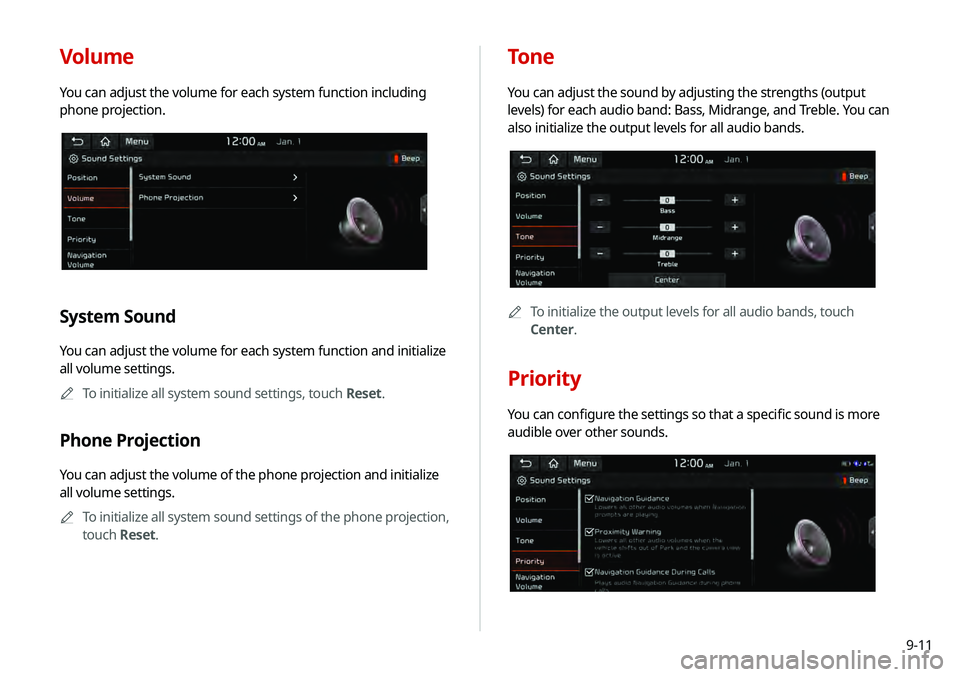
Volume
You can adjust the volume for each system function including
phone projection.
System Sound
You can adjust the volume for each system function and initialize
all volume settings.0000
A
To initialize all system sound settings, touch Reset.
Phone Projection
You can adjust the volume of the phone projection and initialize
all volume settings.
0000
A
To initialize all system sound settings of the phone projection,
touch Reset.
Tone
You can adjust the sound by adjusting the strengths (output
levels) for each audio band: Bass, Midrange, and Treble. You can
also initialize the output levels for all audio bands.
0000A
To initialize the output levels for all audio bands, touch
Center.
Priority
You can configure the settings so that a specific sound is more
audible over other sounds.
Page 172 of 219
9-12
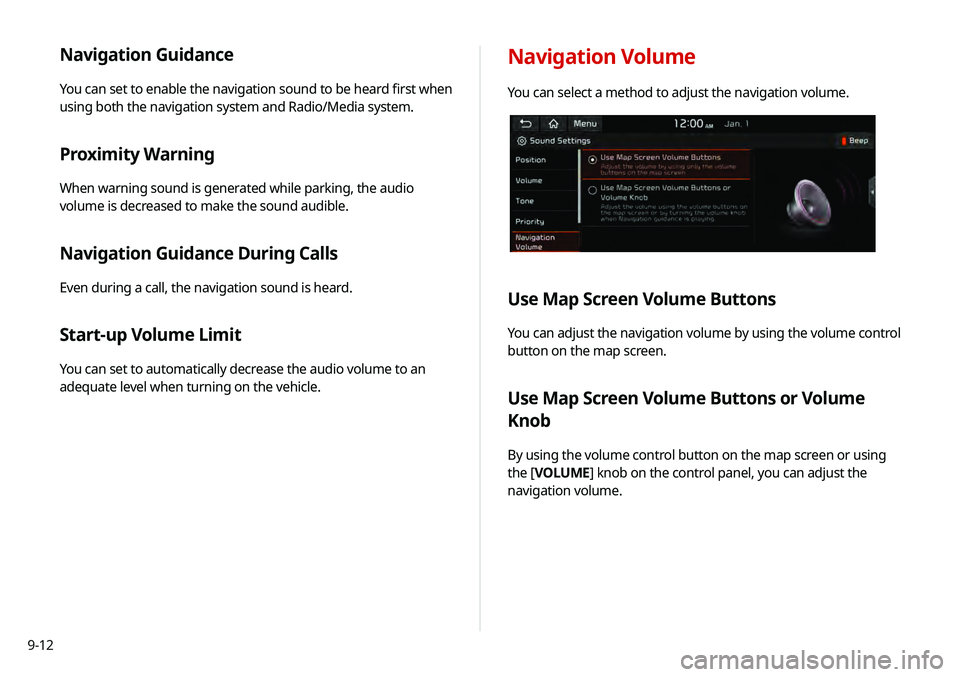
Navigation Guidance
You can set to enable the navigation sound to be heard first when
using both the navigation system and Radio/Media system.
Proximity Warning
When warning sound is generated while parking, the audio
volume is decreased to make the sound audible.
Navigation Guidance During Calls
Even during a call, the navigation sound is heard.
Start-up Volume Limit
You can set to automatically decrease the audio volume to an
adequate level when turning on the vehicle.
Navigation Volume
You can select a method to adjust the navigation volume.
Use Map Screen Volume Buttons
You can adjust the navigation volume by using the volume control
button on the map screen.
Use Map Screen Volume Buttons or Volume
Knob
By using the volume control button on the map screen or using
the [VOLUME] knob on the control panel, you can adjust the
navigation volume.
Page 173 of 219
9-13
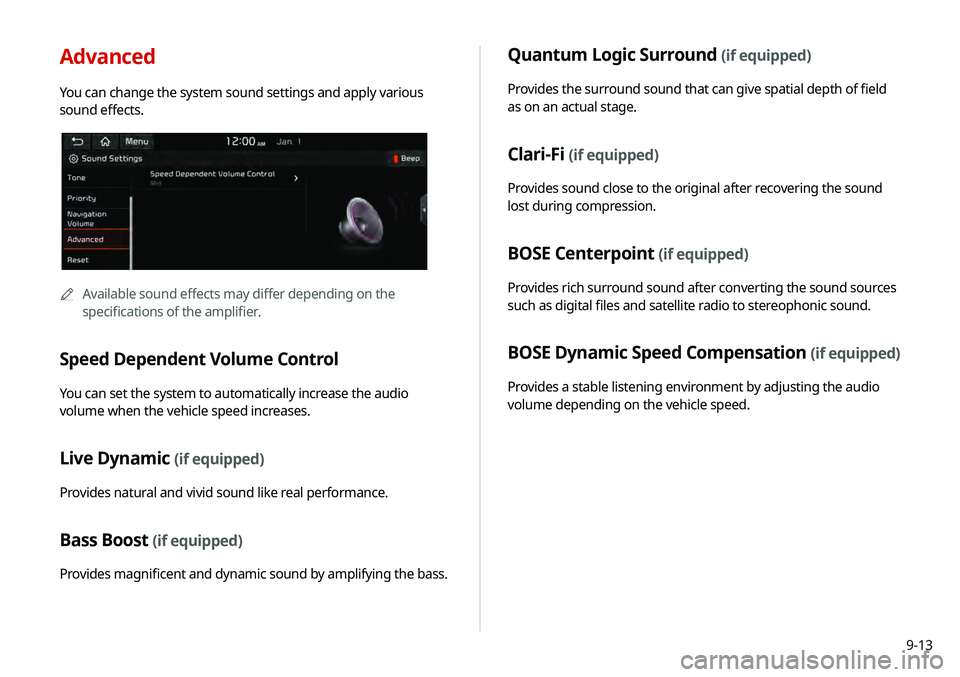
Advanced
You can change the system sound settings and apply various
sound effects.
0000AAvailable sound effects may differ depending on the
specifications of the amplifier.
Speed Dependent Volume Control
You can set the system to automatically increase the audio
volume when the vehicle speed increases.
Live Dynamic (if equipped)
Provides natural and vivid sound like real performance.
Bass Boost (if equipped)
Provides magnificent and dynamic sound by amplifying the bass.
Quantum Logic Surround (if equipped)
Provides the surround sound that can give spatial depth of field
as on an actual stage.
Clari-Fi (if equipped)
Provides sound close to the original after recovering the sound
lost during compression.
BOSE Centerpoint (if equipped)
Provides rich surround sound after converting the sound sources
such as digital files and satellite radio to stereophonic sound.
BOSE Dynamic Speed Compensation (if equipped)
Provides a stable listening environment by adjusting the audio
volume depending on the vehicle speed.
Page 175 of 219
9-15
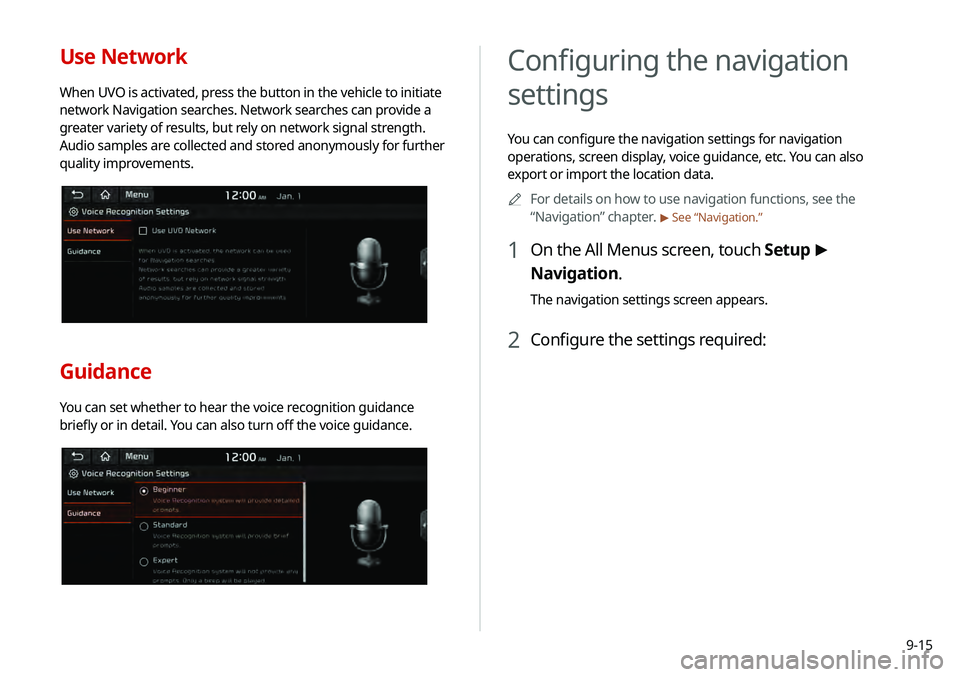
Use Network
When UVO is activated, press the button in the vehicle to initiate
network Navigation searches. Network searches can provide a
greater variety of results, but rely on network signal strength.
Audio samples are collected and stored anonymously for further
quality improvements.
Guidance
You can set whether to hear the voice recognition guidance
briefly or in detail. You can also turn off the voice guidance.
Configuring the navigation
settings
You can configure the navigation settings for navigation
operations, screen display, voice guidance, etc. You can also
export or import the location data.0000
A
For details on how to use navigation functions, see the
“Navigation” chapter.
> See “Navigation.”
1 On the All Menus screen, touch Setup >
Navigation.
The navigation settings screen appears.
2 Configure the settings required:
Page 195 of 219
10-9
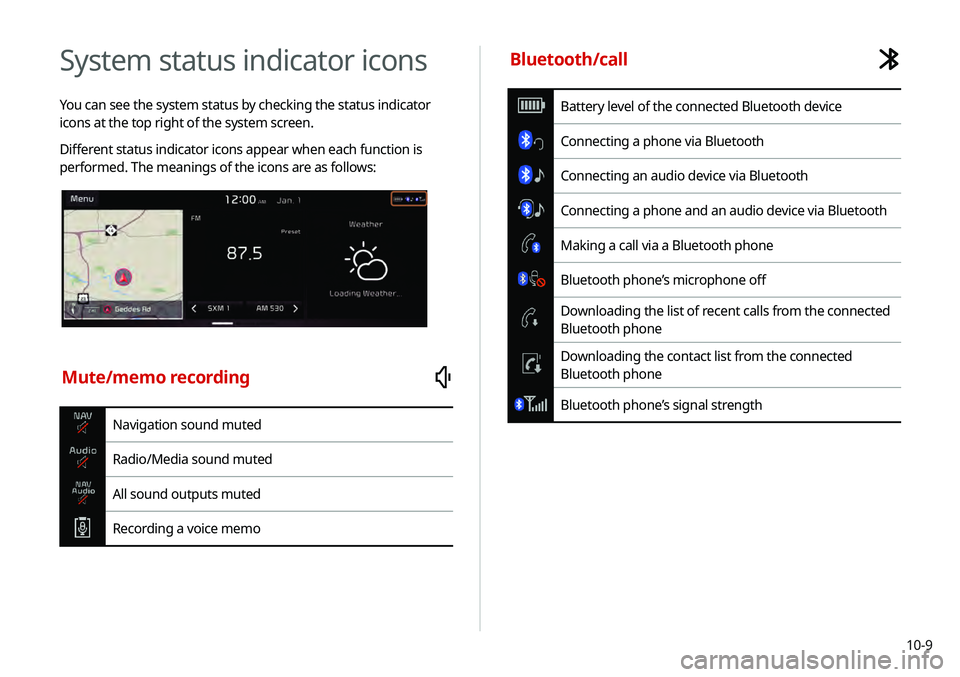
System status indicator icons
You can see the system status by checking the status indicator
icons at the top right of the system screen.
Different status indicator icons appear when each function is
performed. The meanings of the icons are as follows:
Mute/memo recording
Navigation sound muted
Radio/Media sound muted
All sound outputs muted
Recording a voice memo
Bluetooth/call
Battery level of the connected Bluetooth device
Connecting a phone via Bluetooth
Connecting an audio device via Bluetooth
Connecting a phone and an audio device via Bluetooth
Making a call via a Bluetooth phone
Bluetooth phone’s microphone off
Downloading the list of recent calls from the connected
Bluetooth phone
Downloading the contact list from the connected
Bluetooth phone
Bluetooth phone’s signal strength
Page 197 of 219
10-11
Bluetooth
QWhich functions can I use via Bluetooth?
AYou can use the hands-free call function with a mobile
phone connected. You can also play music after
connecting an audio device such as MP3 player or mobile
phone.
> See “Making a call via Bluetooth.“, “Listening to music
via Bluetooth.”
QHow can I register a Bluetooth device?
AOn the All Menus screen, touch Setup >
Device
Connections >
Bluetooth >
Bluetooth Connections >
Add New. From the Bluetooth device to be connected,
search for the vehicle system and register it. Use the
Bluetooth device to enter or approve the authentication
number displayed on the system. Then the device is
added to the list of Bluetooth devices in the system and
automatically connected to the system.
> See “Connecting
a Bluetooth device.”
FAQ
Navigation
QHow can I update the map?
AYou can download the latest map data to a USB device
and use the device to update the map.
> See “Updating the
system software and map.”
QGuidance is made by bypassing the route or the speed
camera alerts are late.
ASelect another route after setting the route options. On
the map screen, touch Menu >
Route >
Route Options
to change the settings and resume navigation.
> See
“ Changing the route search criteria.”
When the system is not updated, update the software
and map and then perform search again.
> See “Updating
the system software and map.”
Page 200 of 219

10-140000
A
The following files are not played.
-Modified files (format-changed files)
-Variant files (e.g. MP3 files encoded by WMA audio codec)
-DRM (Digital Rights Management)-protected files
-Files with no index
0000
A
Sound quality is not guaranteed in case of music files that use
the bit-rate exceeding 192 kbps.
0000
A
With the files that do not use the fixed bit rate, some functions
may not work properly or the playback time may not appear
accurately.
0000
A
When a trouble occurs while playing or you want to play an
incompatible format file, use the latest encoder software to
change the format before using the file.
[USB storage devices
Item
Specifications
Byte/Sector 64 KB or less
Format system FAT16/32 (recommended), exFAT, NTFS
Item Specifications
Specification details Max. number of directory layers: 20
layers
Max. folder/file name length: 255 Bytes
Valid characters that can be used in a
folder/file name: 2,350 Alphanumeric
characters/4,888 Chinese characters
Max. number of folders: 2,000
(including the root)
Max. number of files: 8,000
Page 207 of 219
10-21
F
FAQ 10-11Bluetooth 10-11
Broadcast reception 10-12
Navigation 10-11
Self-inspection method upon
failure 10-13
Favorites 1-16
Finding a route easily 5-3 Destination search 5-3
Finding the route Adding a waypoint 5-16
Address search 5-10
Displaying POIs on the map 5-14
Frequently visited places 5-21
Gas stations 5-24
Location registration
Deleting a POI 5-23
Editing a POI 5-23
Registration after search 5-19
Map 5-6
Map update 9-26
Previous Destinations 5-12
Rest area information 5-7
Saving the current position 5-20
Searching for POIs 5-13
Volume adjustment 5-8
H
HD Radio Data 2-13
HD Radio™ 3-6
Home screen 1-10
K
Keyboard settings 9-22
L
Language settings 9-22
Listening to musicBluetooth audio 4-7
Location registration 5-19
M
Map 5-6 POI display 5-14
Map update 9-26
Media device connection 4-2
Media player Bluetooth audio 4-8
USB music 4-2
Messages 6-17
Microphone 7-2
Multi-page Home screen 1-13
N
Navigation 5-2, 5-10
Navigation settings 9-15